

What to Know
-
The GRYPHLINK launcher for Arknights Endfield is programmed by default to minimize to the system tray instead of closing.
-
You can force the application to shut down entirely by changing the When Closing Window preference in the Launcher Settings menu.
-
Selecting the Exit launcher option ensures the program does not continue to run in the background and consume system resources.
If you find that the Arknights Endfield launcher continues to run in your system tray even after you click the close button, you can adjust the behavior in the settings to ensure it shuts down entirely.
How to stop Arknight Endfiled Launcher from running in background
To change this setting, start by opening the GRYPHLINK launcher and clicking on the gear icon located in the top right corner of the window to open the Settings menu.
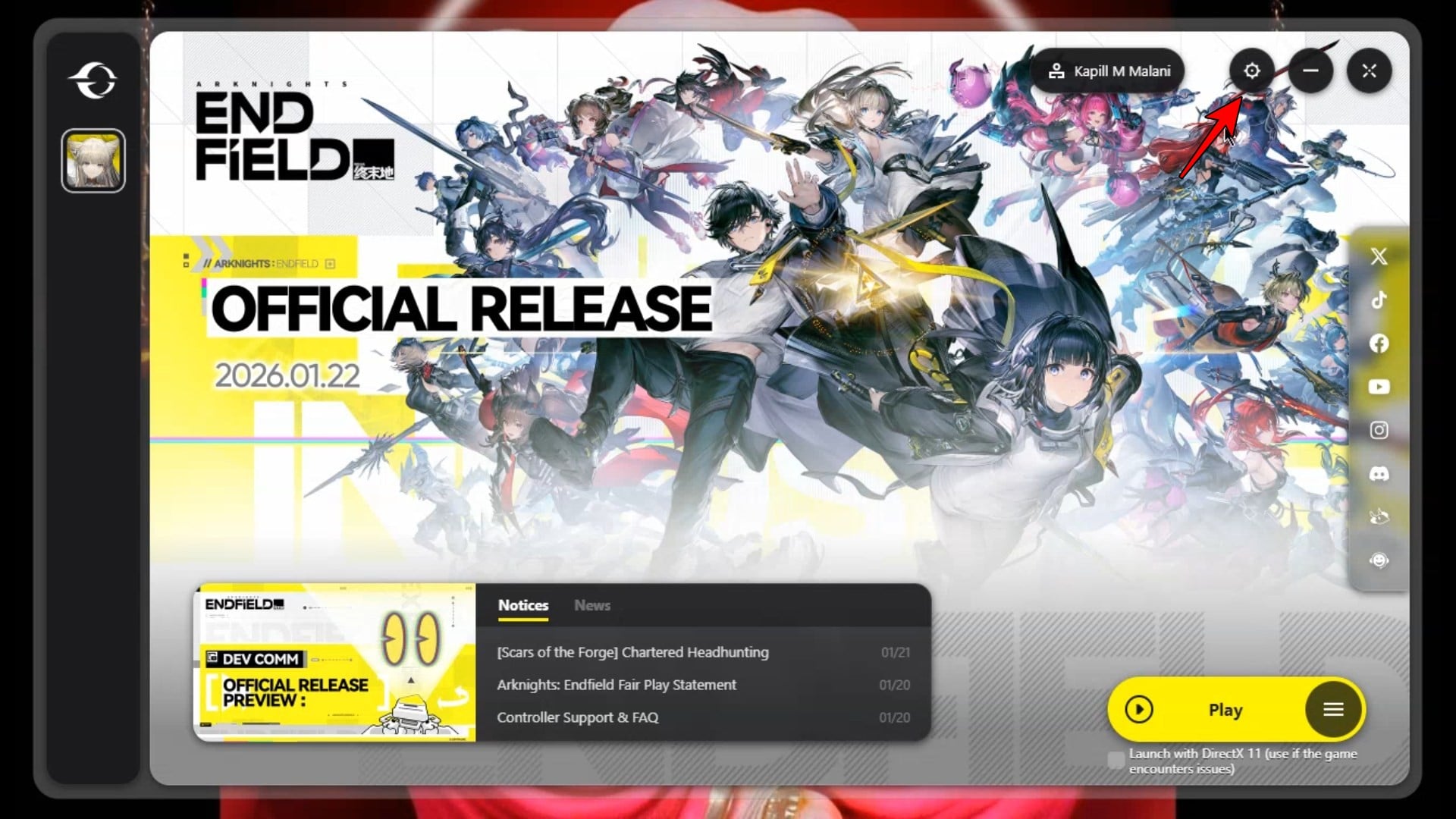
Within the Settings window, ensure you are on the Launcher Settings tab. Look for the section titled “When Closing Window”. You will see two options:
-
Minimize to tray
-
Exit launcher
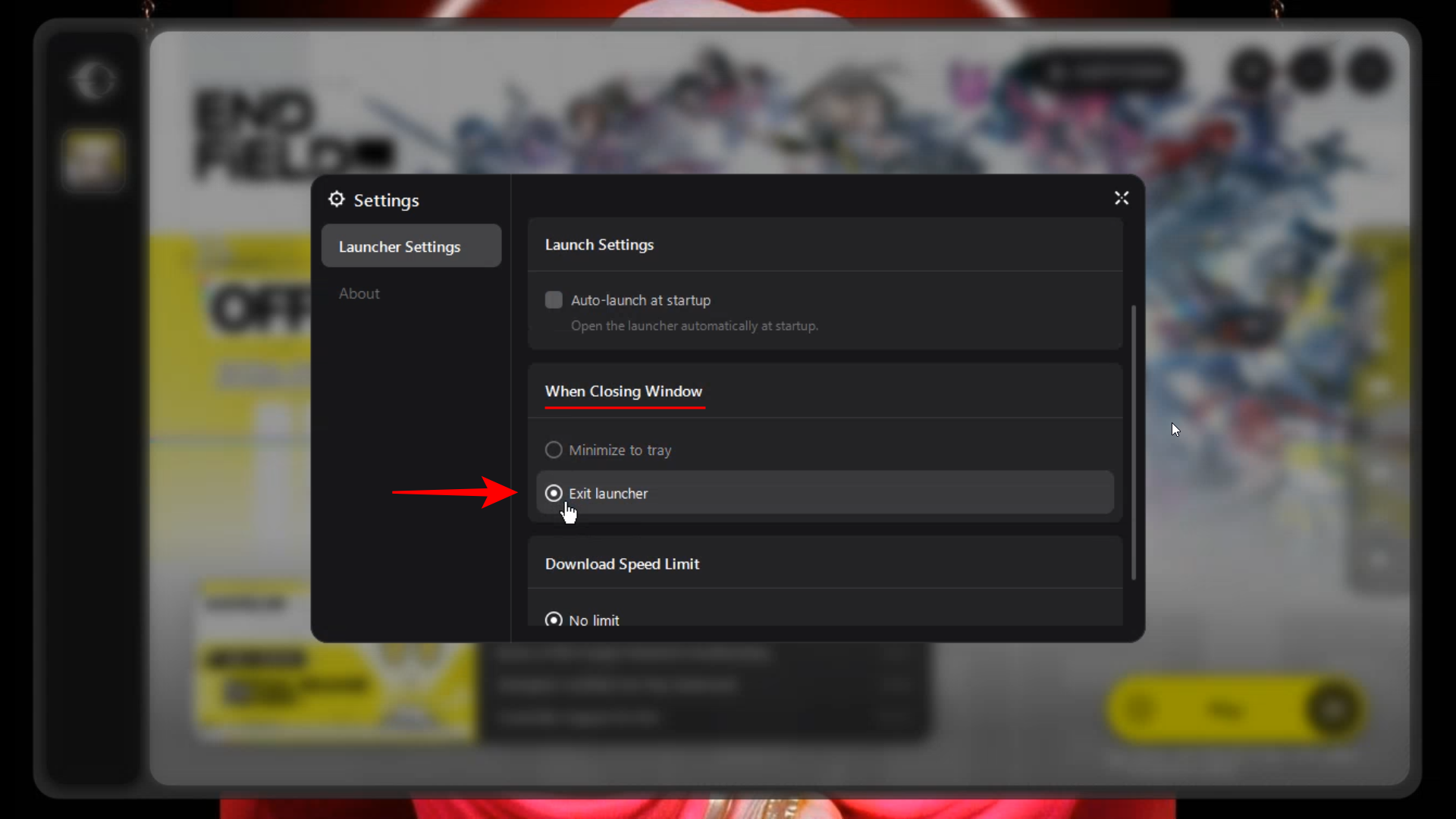
Select Exit launcher. Once this is selected, clicking the X in the top right corner of the launcher will fully terminate the program instead of leaving it running in the background.
Adjusting the closing behavior in the GRYPHLINK settings ensures that the Arknights Endfield launcher exits completely, freeing up system resources when you are finished gaming.



