


What to know
-
Base Camp Size is effectively tied to Core AIC area expansion and related expansion nodes in the AIC Plan.
-
You typically need to progress the main flow (Duty Log/story) to earn a Basic Expansion Core.
-
The Expansion Core is used inside the AIC Plan interface (not as an inventory “use” item).
-
After the next phase opens, you can research expansion, logistics, and power upgrades that make larger builds practical.
In Arknights: Endfield, you’ll grow your Base Camp by pushing main progression until the next AIC phase unlocks, then spending research on expansion-related nodes so your Core AIC area gets bigger and easier to build in. Here’s how:
How Base Camp size works in Endfield
Your build space grows through the AIC Factory Plan, where expansion nodes (for example, “Expansion I / Expansion II”) are described as expanding the Core AIC area at the Hub. That expansion is locked behind “phases” of the Basic AIC Factory Plan, which require Duty Log progression and an Expansion Core to open.
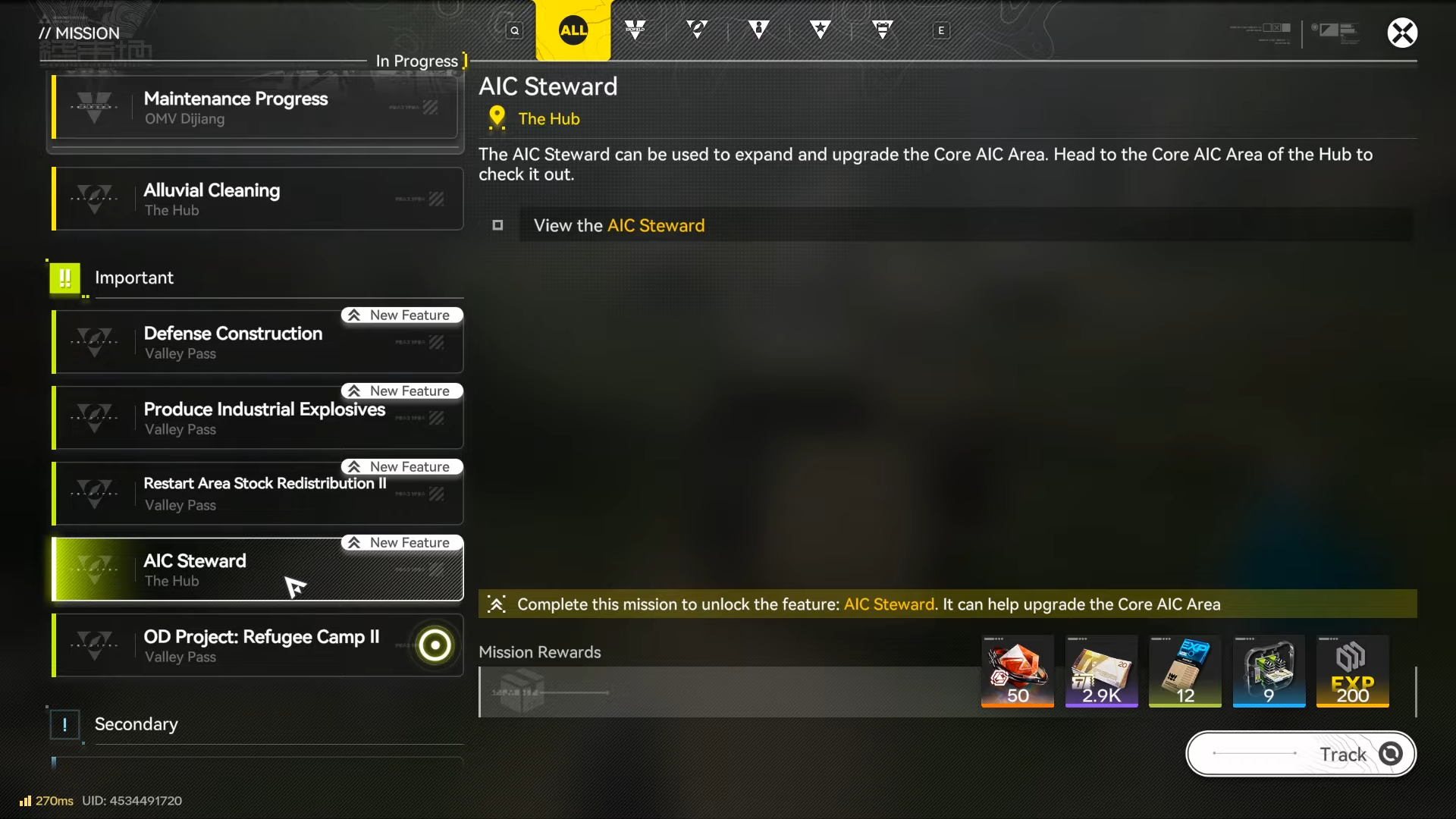
How to increase Base Camp Size
Step 1: Progress until the Expansion Core is available
Follow the main progression/Duty Log flow until you reach the point where the game awards a Basic Expansion Core, since it’s designed as a progression-gated item rather than an early farmable resource.
Step 2: Complete “Paving the Way” and claim the reward
Open your main quest list, complete the story quest “Paving the Way,” and claim its completion reward to obtain the Basic Expansion Core.
Step 3: Open the AIC Factory Plan (tech tree)
Go into the AIC Factory Plan screen where the Basic AIC Factory Plan is shown as a phased development tree.
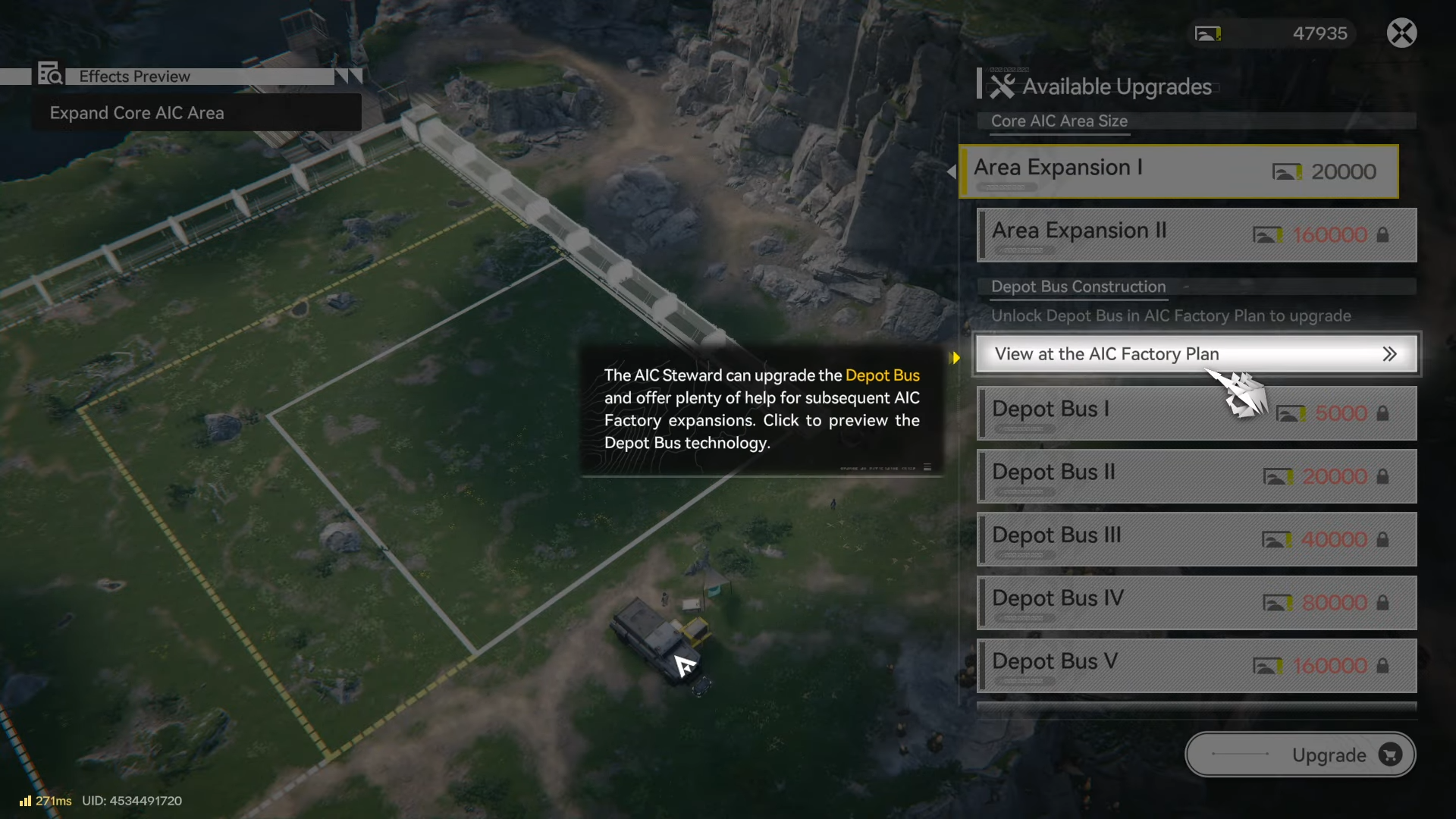
Step 4: Switch to the Basic AIC Factory Plan tab
Make sure you’re on the Basic plan view, since the phase gate you need to unlock is checked there.
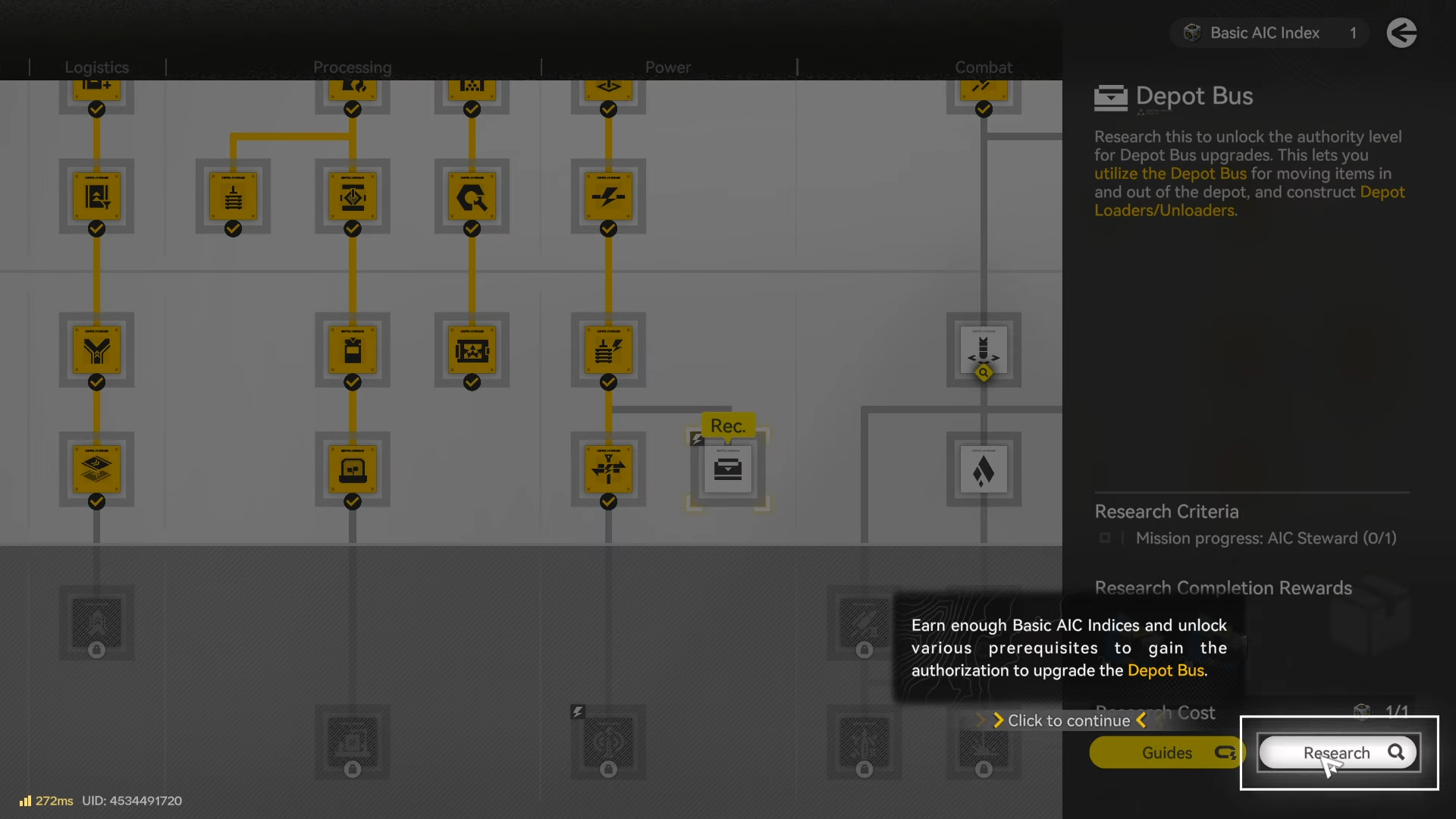
Step 5: Unlock the next Basic AIC phase using the Expansion Core
Select the locked “phase” gate and trigger the unlock requirement, which is where the Expansion Core is checked/consumed by the system.
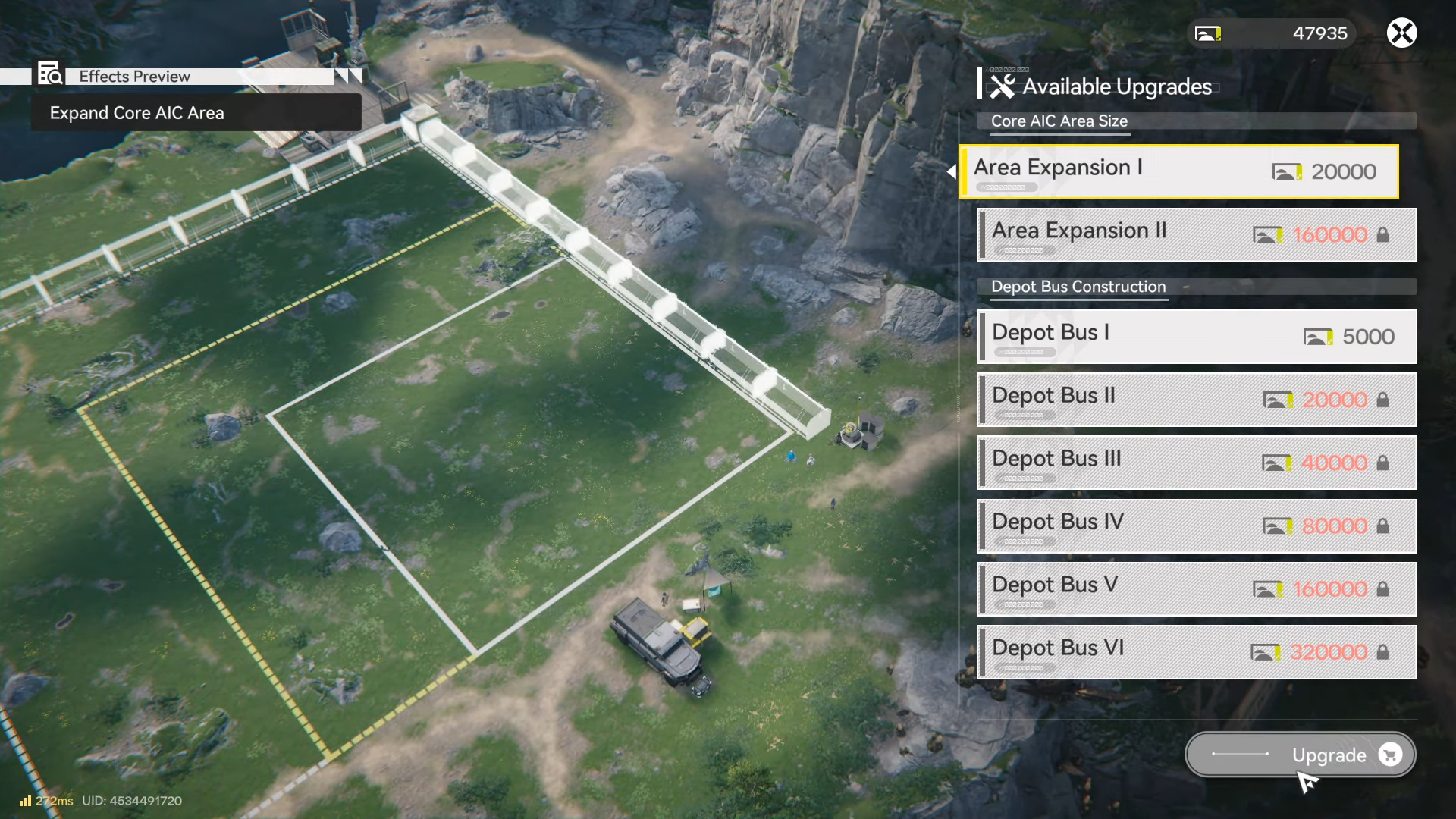
Step 6: Research expansion nodes to expand your Core AIC area
After the phase opens, prioritize expansion-related nodes (such as Expansion I / Expansion II) because these are explicitly tied to expanding the Core AIC area at the Hub.
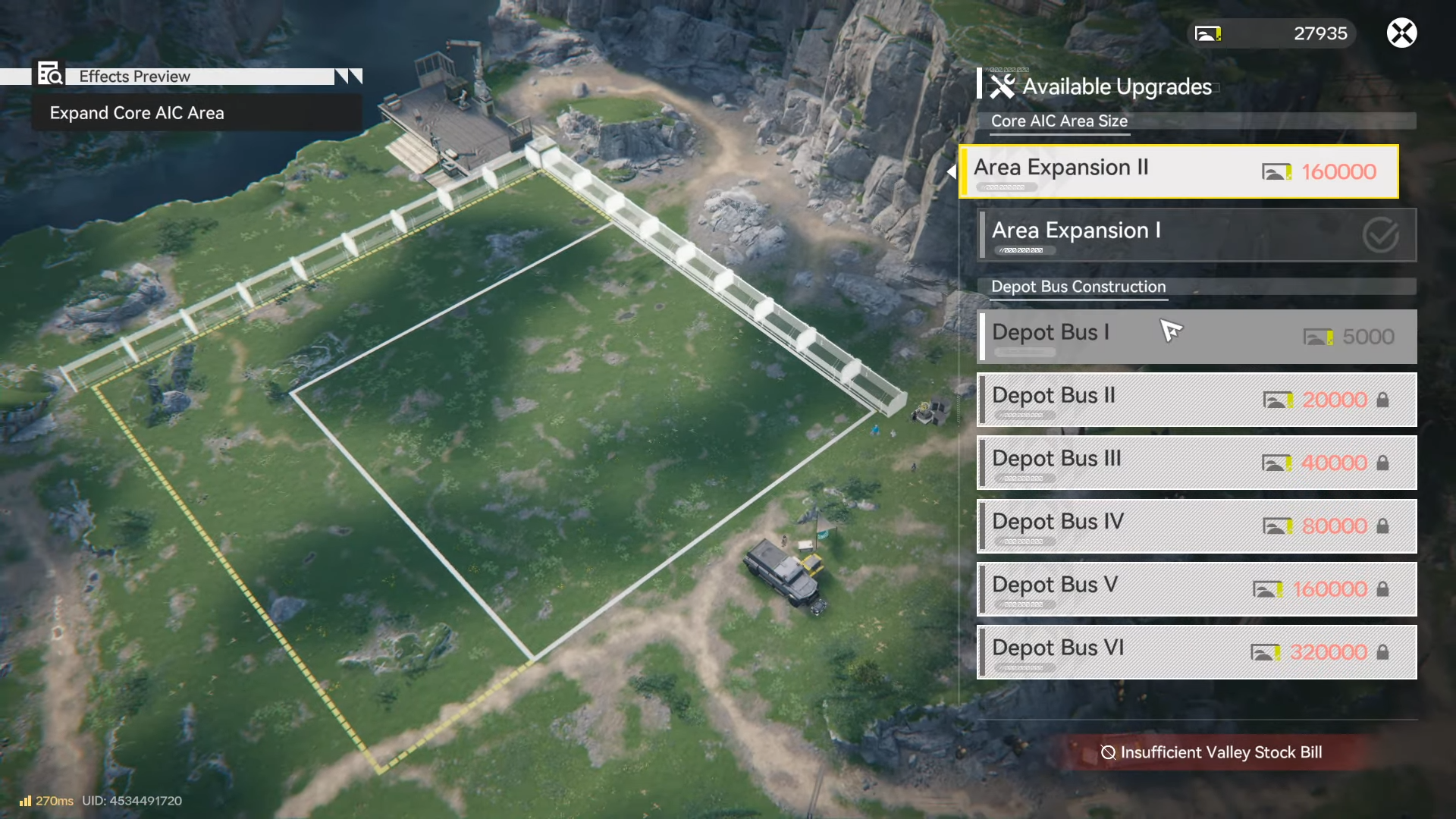
Step 7: Back your bigger base with logistics and power upgrades
Use the newly opened phase to pick up practical infrastructure nodes (examples include logistics belt tools and power-related nodes) so your larger build can actually run smoothly.

Common problems that block the upgrade
If you expected a “use” button in inventory, that’s the wrong place—phase unlocks typically happen inside the AIC Plan interface.
If nothing unlocks, it commonly means the Duty Log/story objective that awards the Expansion Core wasn’t completed or the reward wasn’t claimed yet.
Rewards and unlocks table
| Milestone | What you get | Why it matters for Base Camp size |
|---|---|---|
| Obtain Basic Expansion Core | Access to the phase gate requirement | It’s the key item used to unlock the next Basic AIC phase. |
| Unlock next Basic AIC phase | New AIC nodes available (expansion/power/logistics examples) | Lets you research expansion nodes that increase the Core AIC area. |
| Research Expansion nodes | Expanded Core AIC area | Directly increases usable build space at your Hub/Core AIC. |
When your factory scaling slows, that’s often the game nudging you back into the AIC Plan to unlock the next tier and keep expanding systems like power, logistics, and expansion together.
If your goal is “more space,” you’ll usually feel the benefit most after you unlock the phase and then take expansion plus the supporting nodes you need to keep production stable.



