


What to know
-
You can use any depot node in Valley IV, as long as you upgrade it to Level 2.
-
Level 2 is what unlocks the Pack and Deliver (Delivery Service) function on that depot node.
-
You pay Valley Stock Bills from Valley IV to upgrade depot nodes and run deliveries.
-
After upgrading, start a delivery from Pack Goods and complete one route to finish the objective.
In Arknights: Endfield, one of the Node challenges requires you to “In Valley IV, raise any depot node to Level 2 and complete Pack and Deliver 1 time”. Depot nodes are regional storage and logistics hubs that expand your local depot capacity and unlock delivery jobs once upgraded. In Valley IV, different areas share depot access, but each depot node has its own level and upgrade cost in regional Stock Bills.
How to raise a depot node to Level 2 in Valley IV
You only need to upgrade one depot node; the game does not care which one, as long as it reaches Level 2.
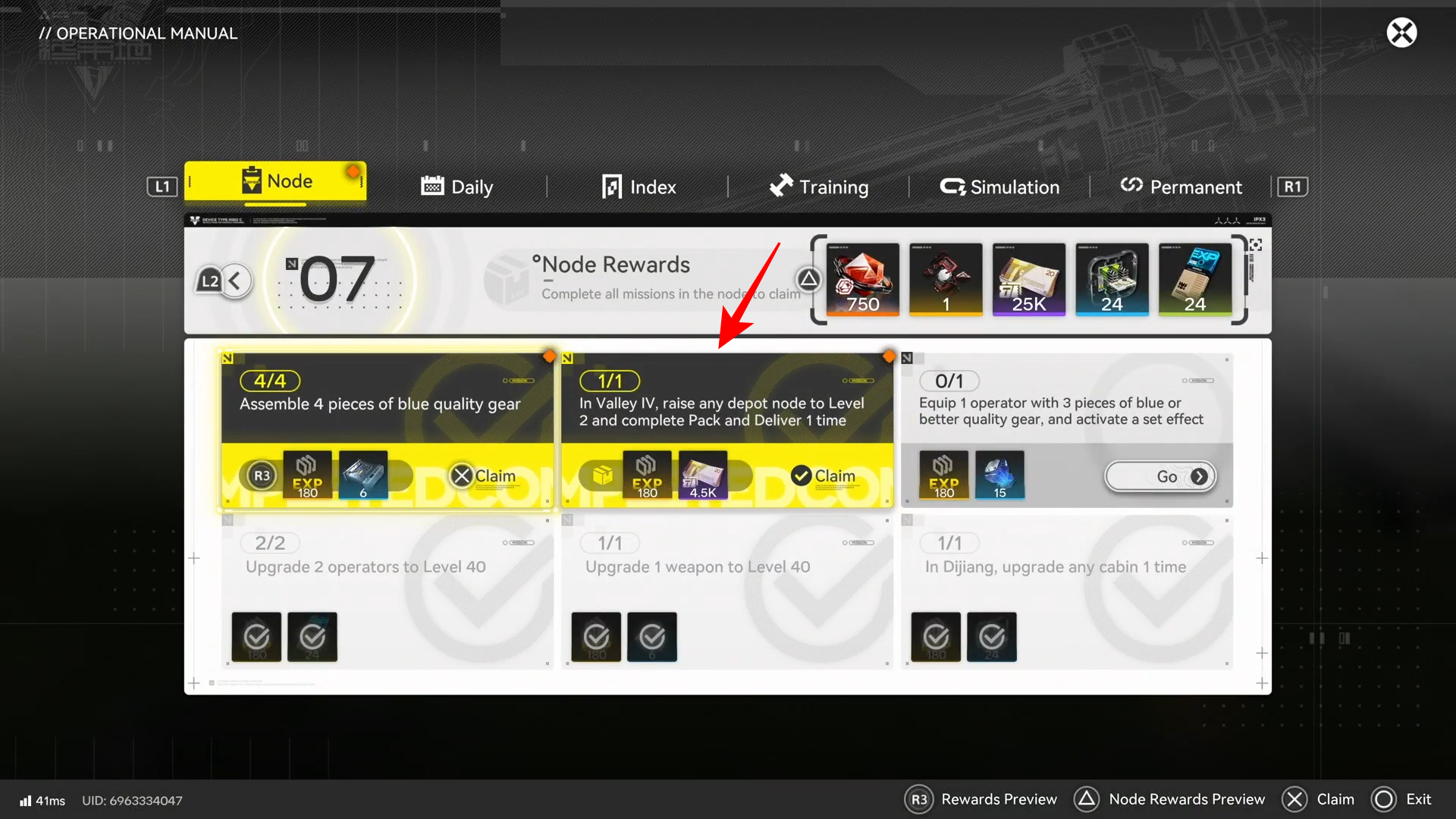
Step 1: Go to a depot node in Valley IV
Move to a confirmed depot node location in Valley IV, such as the first depot you unlocked via Depot Node 1 or the depot near Plateau Trunkway close to the Originium Power Plant area. Open your map if needed and place a marker, then walk or fast‑travel to the node before starting the upgrade.
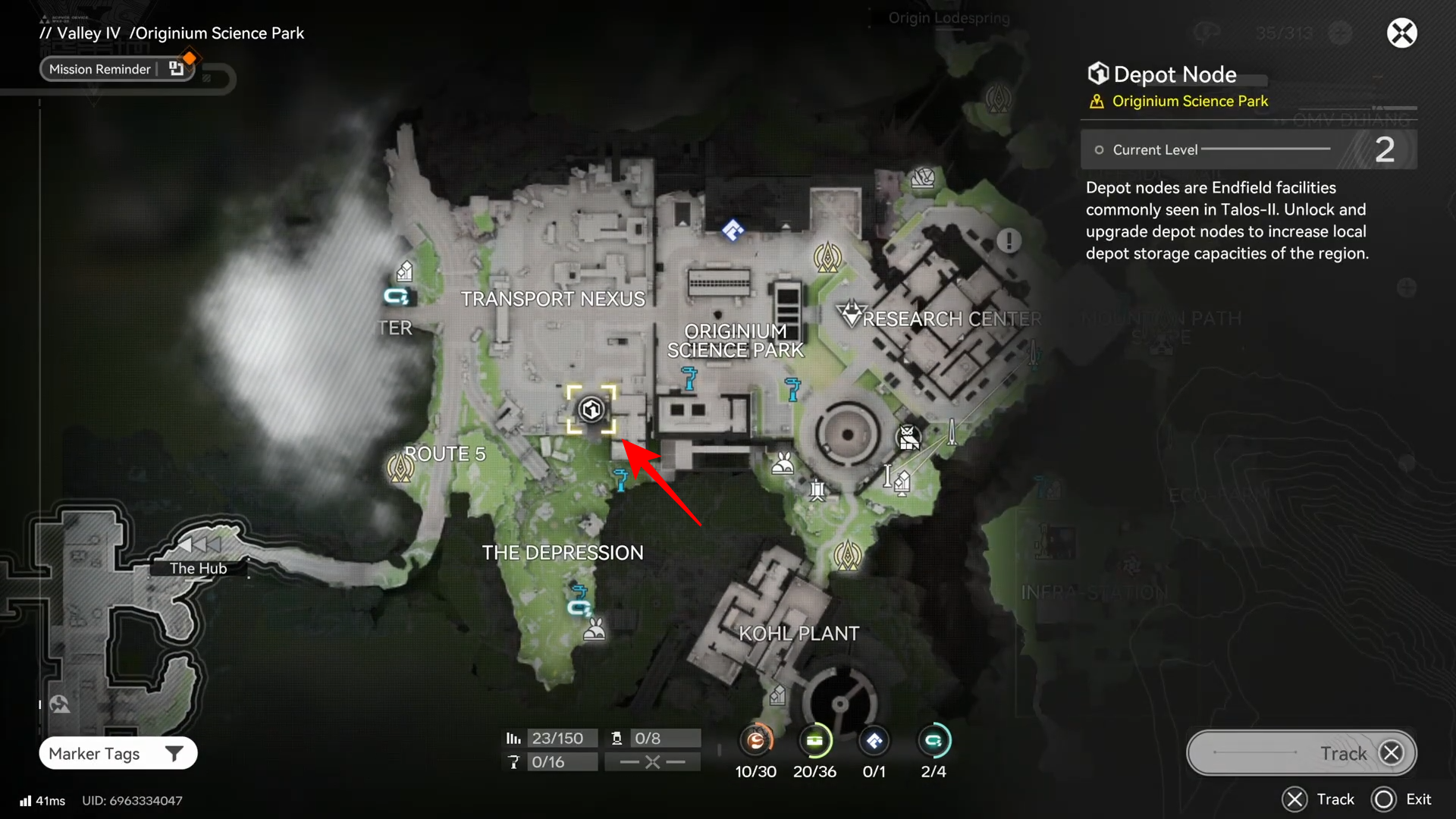
Step 2: Interact and open the upgrade menu
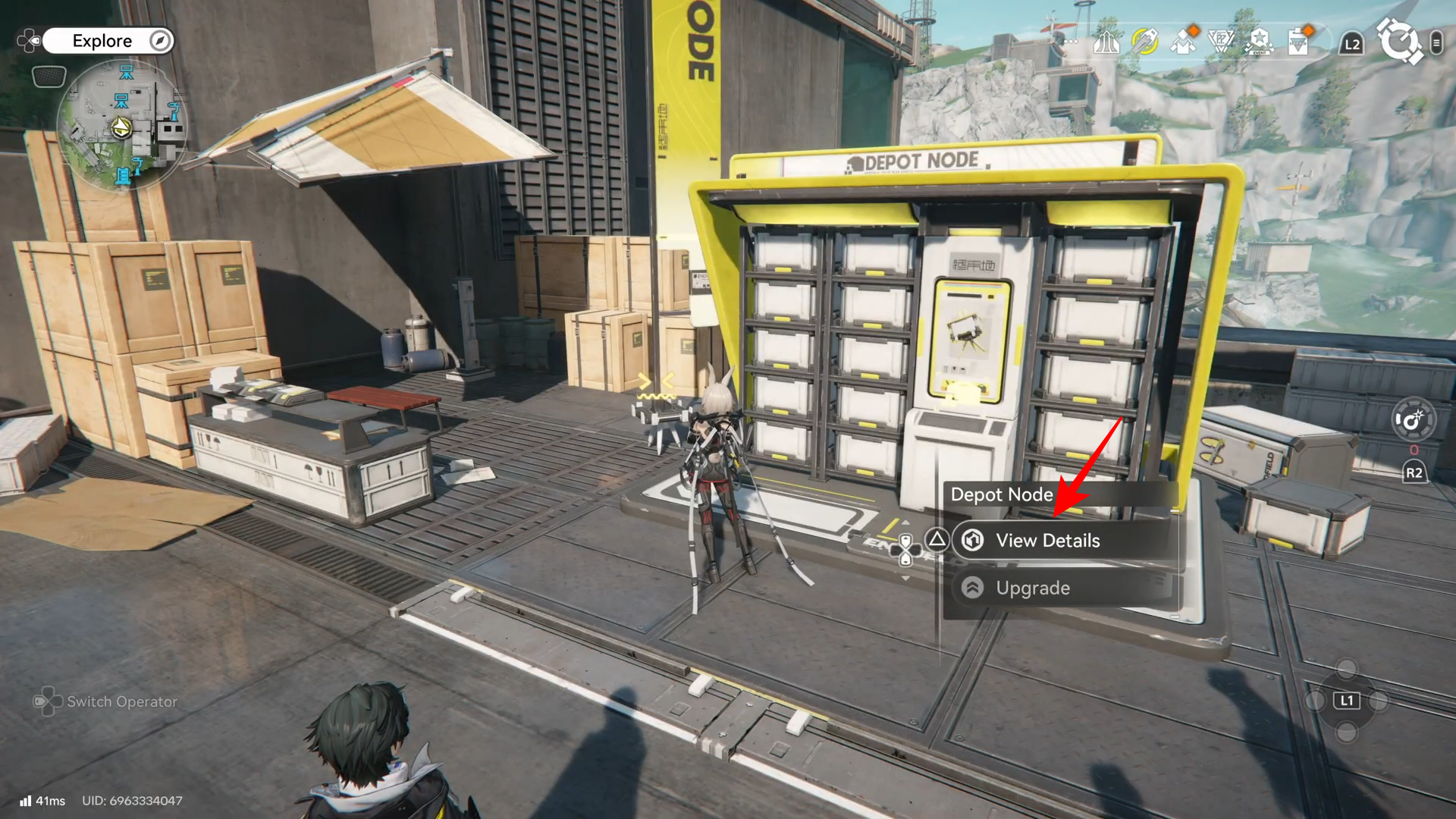
Approach the depot node and interact to Upgrade it.
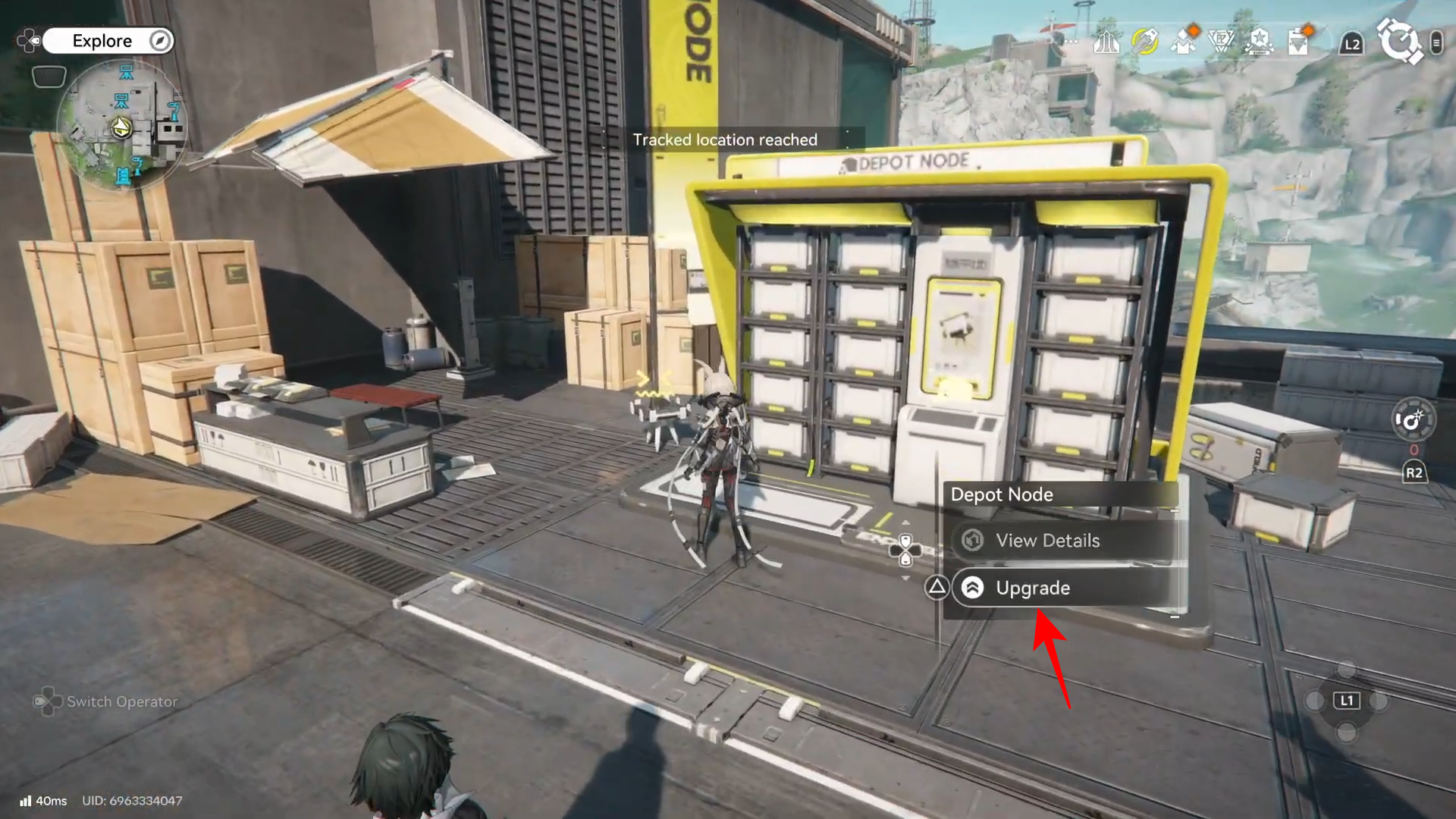
From here you can see its current level, local depot capacity, and the Stock Bill cost required to raise it to the next level.
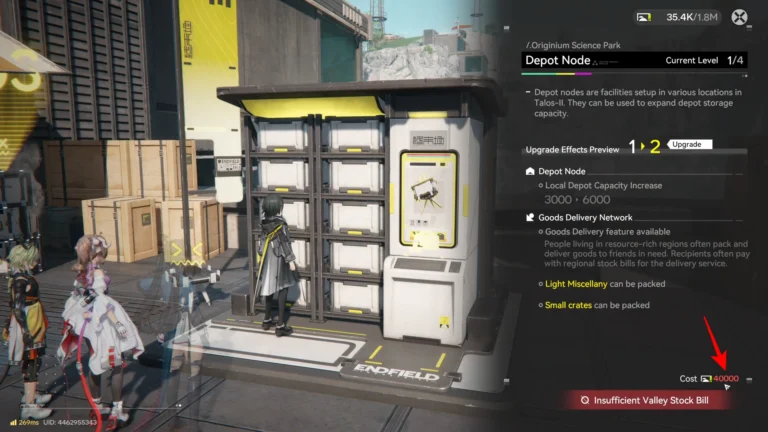
Step 3: Check your Valley Stock Bills
Confirm you have enough Valley Stock Bills from Valley IV activities, sealed crates, and regional missions to afford the jump from Level 1 to Level 2. If you are short, clear a few more local missions, open sealed crates in Valley IV zones, or run other logistics to gain extra Stock Bills.
Step 4: Pay to upgrade to Level 2
Select the upgrade option from Level 1 to Level 2 and confirm the cost payment. Once upgraded, Level 2 unlocks the Goods Delivery (Delivery Service) feature and further boosts local depot capacity, satisfying the “raise any depot node to Level 2” part of the mission.
Step 5: Confirm that Pack and Deliver is available
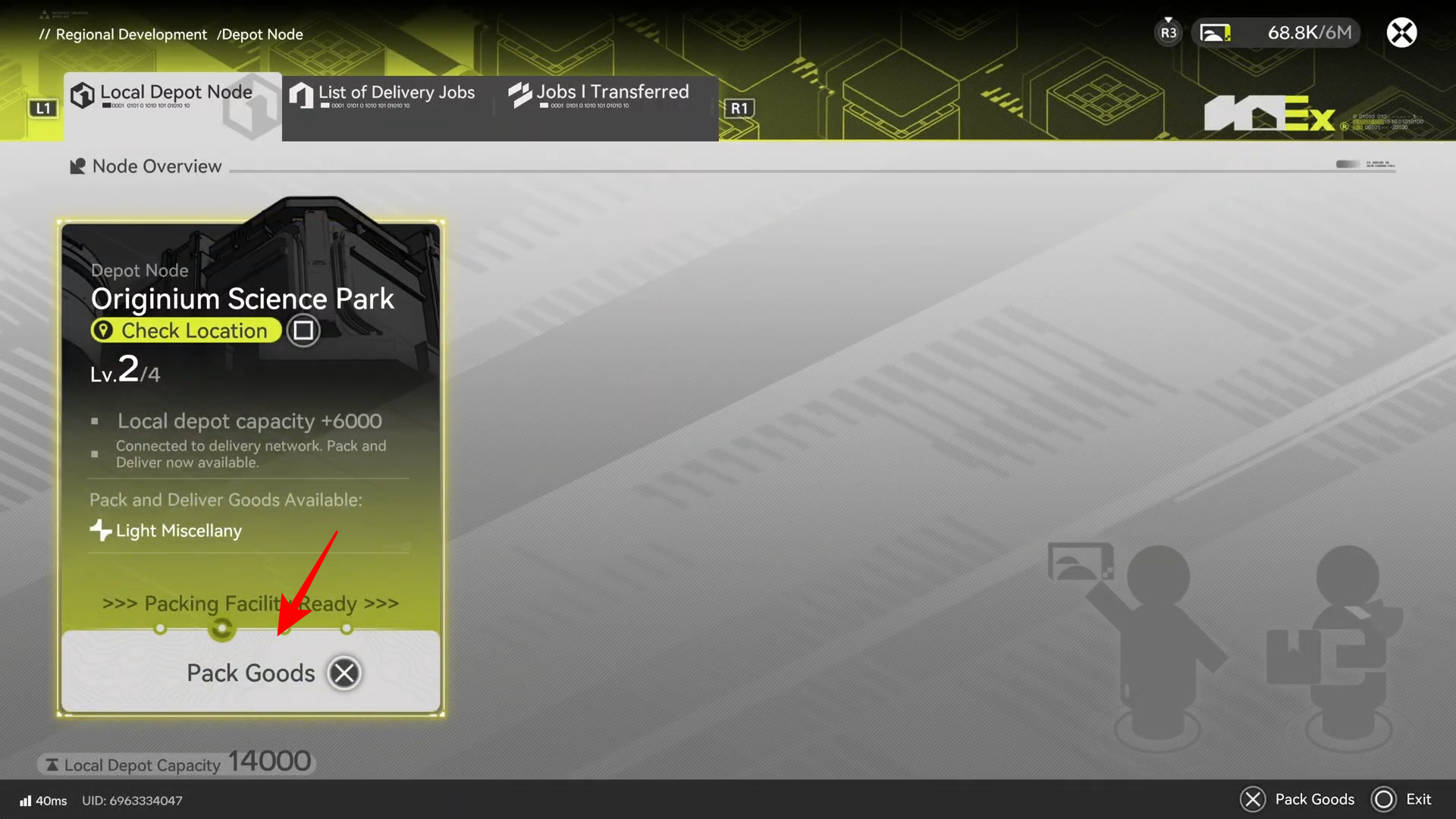
After the level‑up finishes, check the depot menu for Pack Goods or Delivery Service options.
Seeing the delivery option on this Level 2 depot confirms it’s ready for the Pack and Deliver portion of the objective.
How to start and complete Pack and Deliver once
Step 6: Open the Pack Goods menu
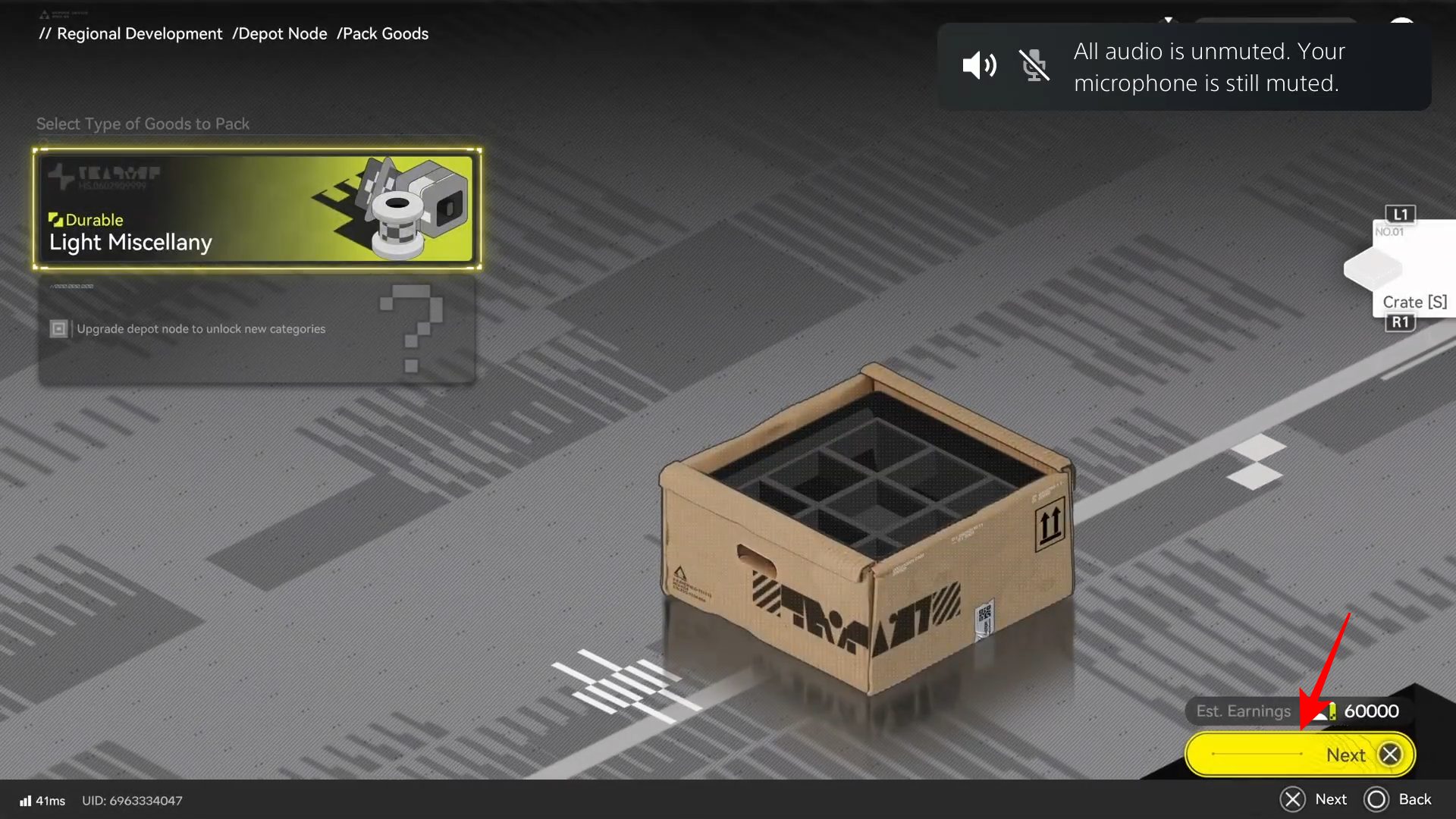
With a Level 2 depot ready, the mission now wants you to use its delivery system a single time from start to finish. Interact with your newly upgraded Level 2 depot node and choose the Pack Goods.
Step 7: Select an available delivery request
Browse the list and pick any one delivery mission that is currently active and within your reach. For convenience, choose a short‑distance or low‑risk request so you can complete it quickly without extra fights or long travel.
Step 8: Confirm packing and collect the goods
After selecting a delivery request, confirm the packing step at the depot.
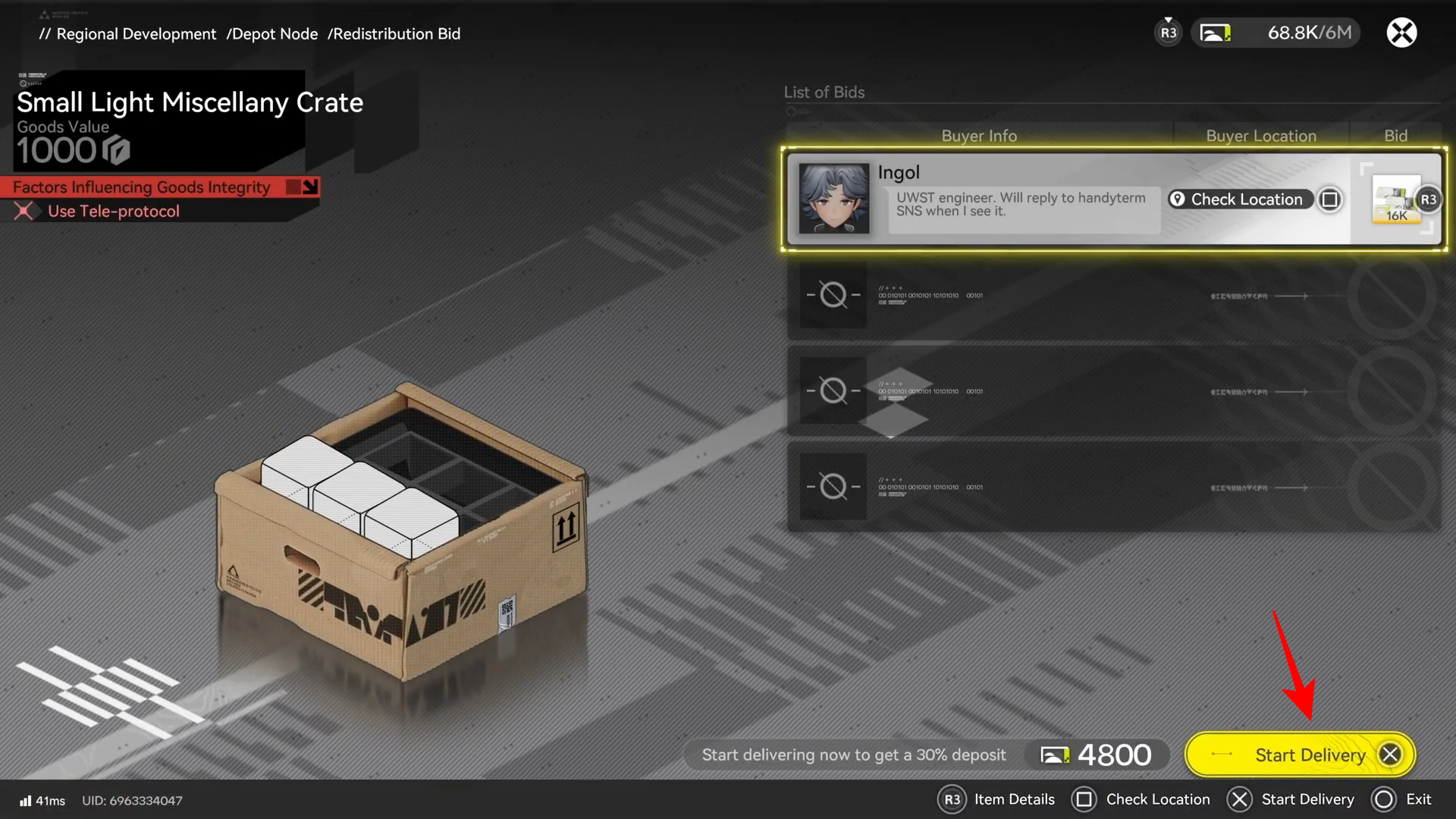
The depot prepares a delivery package, and you will either automatically receive the cargo or be prompted to interact with the depot again to physically pick up the supplies.
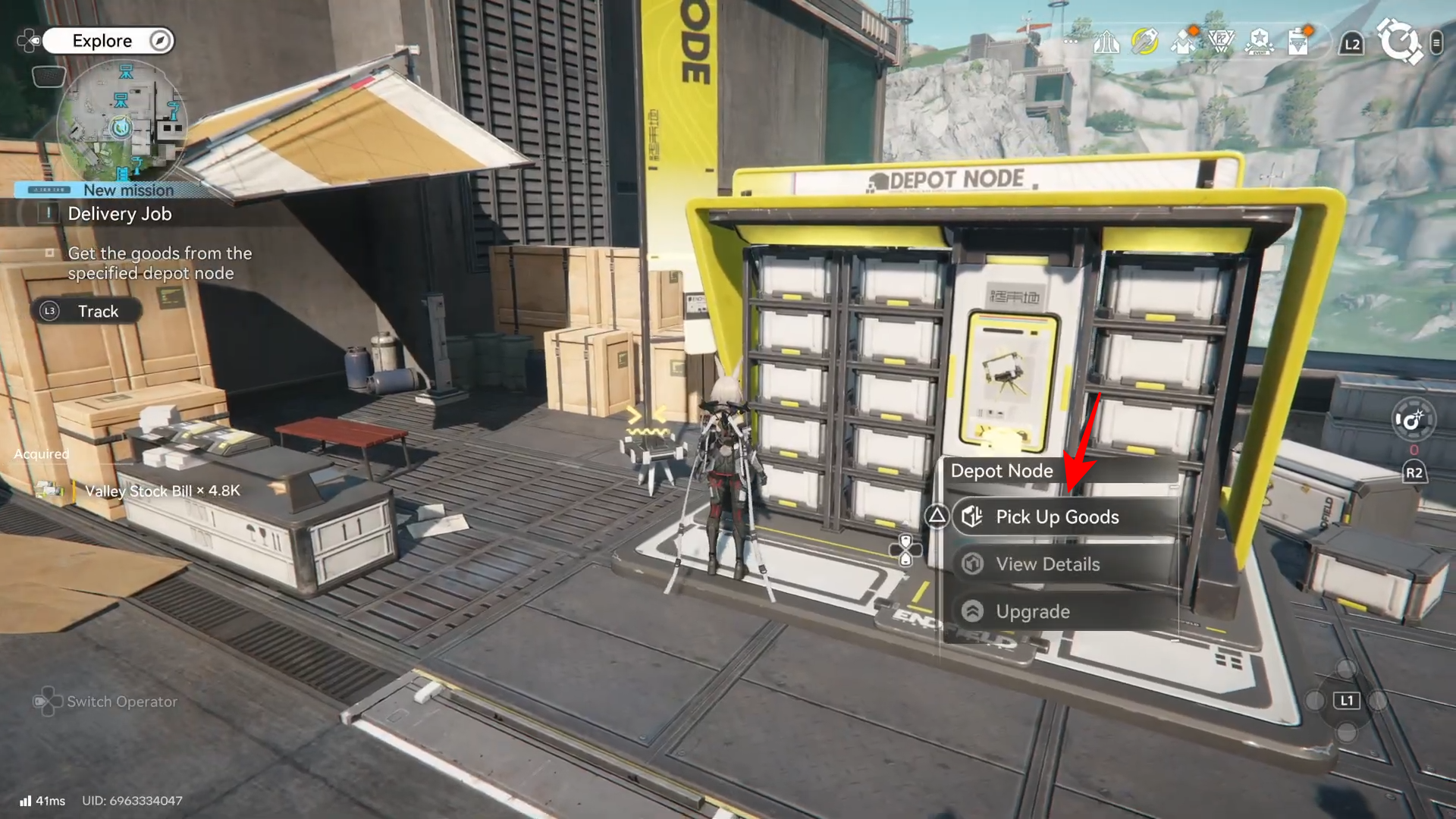
Step 9: Track the Delivery Point on the map
Once you have the cargo, a Delivery Point marker appears on your map showing the destination for this Pack and Deliver job. Set it as your active navigation target so you can clearly follow the path.
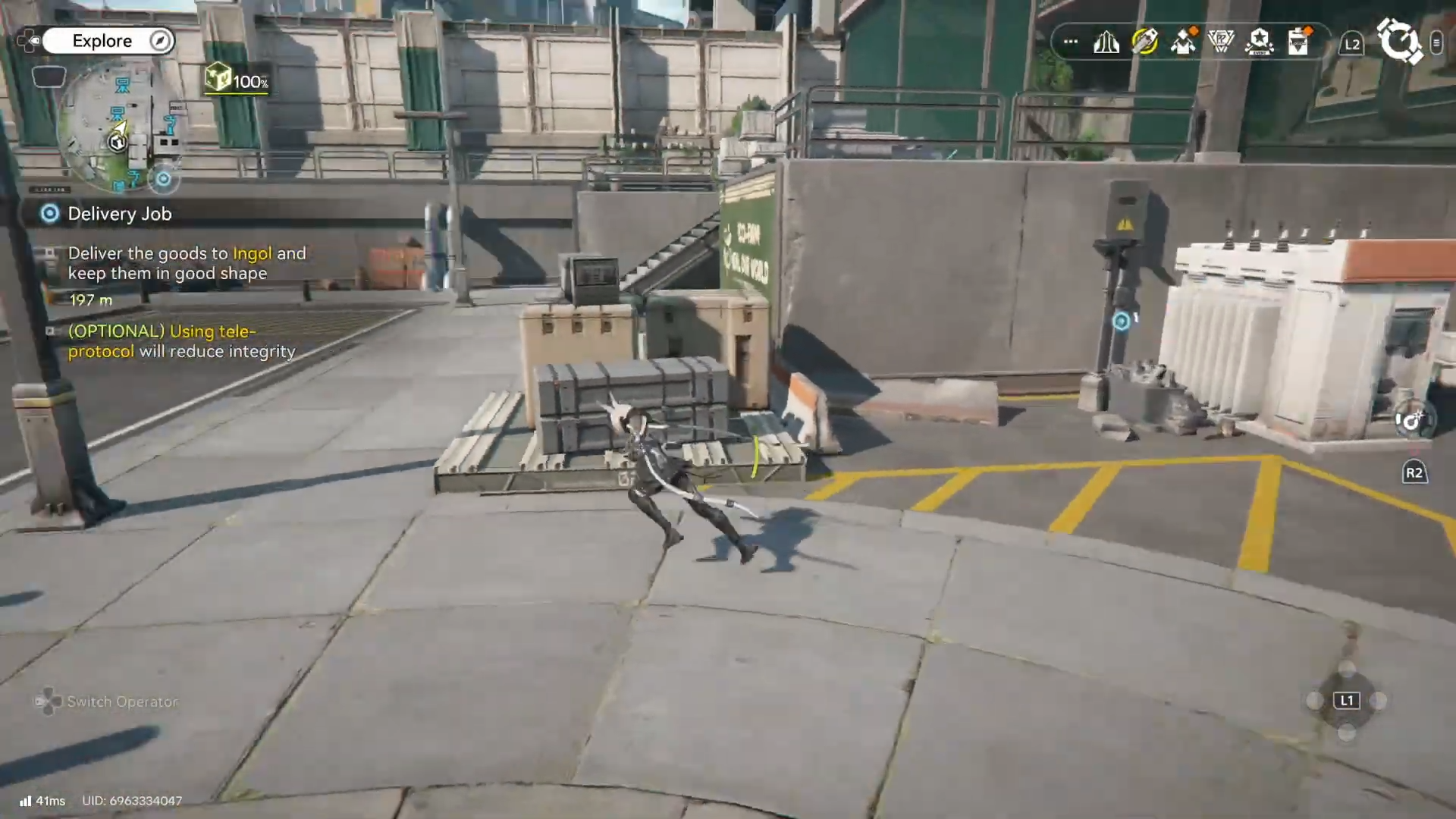
Step 10: Deliver the package and finish the mission
When you reach the Delivery Point, interact with the NPC and deliver them the goods.
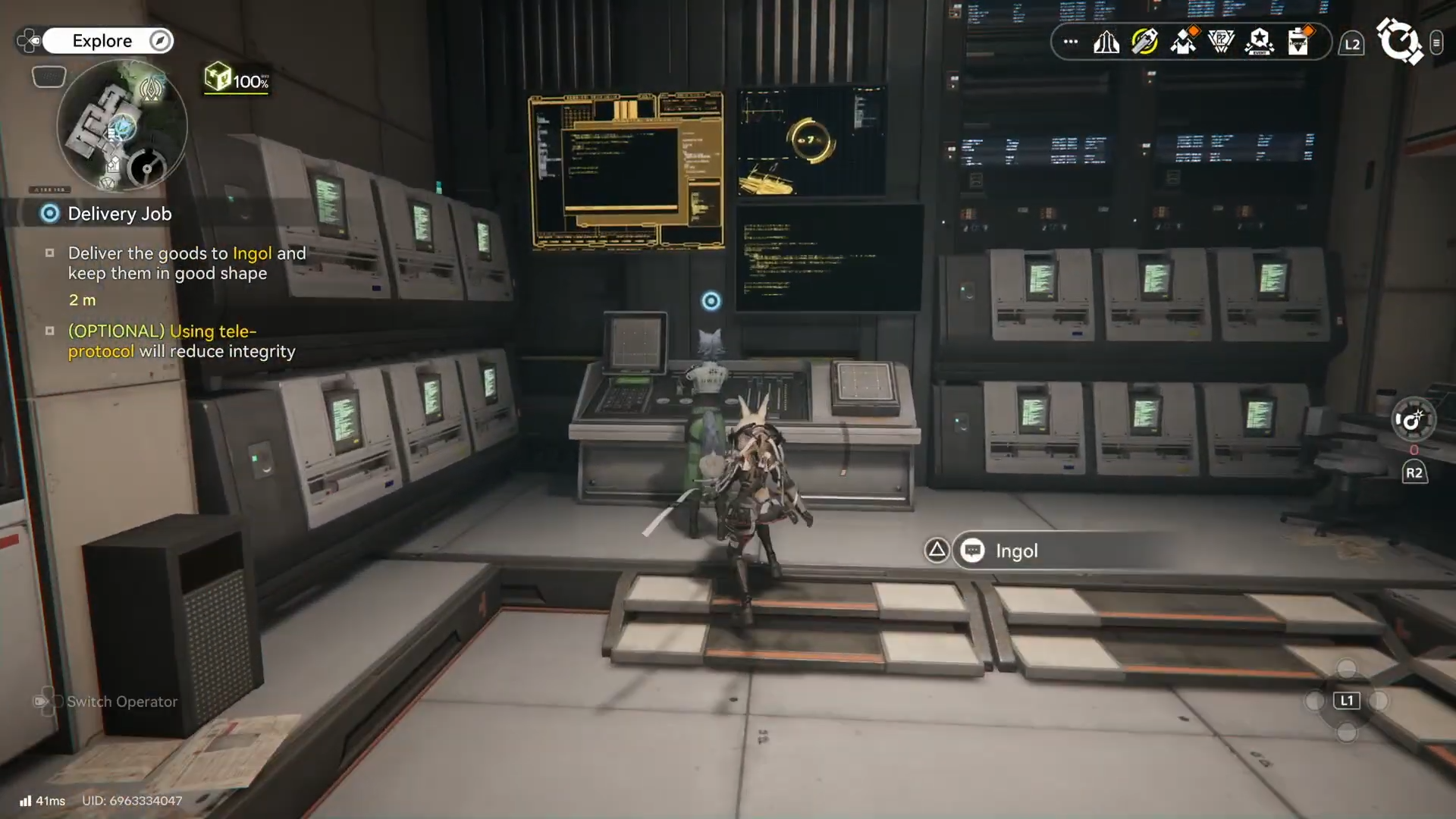
The game will register the delivery as complete, grant you Stock Bills and other rewards, and count it toward the “complete Pack and Deliver 1 time” requirement for the Valley IV mission.
Rewards
For this Node challenge, you receive the following:
- Operational EXP – x180
- T-Creds – x4.5K
Once you upgrade any Valley IV depot node to Level 2 and successfully finish one Pack and Deliver route from that depot, the mission is complete and you unlock a reliable way to generate Stock Bills for future upgrades. From here, you can keep using deliveries whenever you need regional currency or want to tie logistics runs into your regular exploration in Valley IV.




