

What to know
-
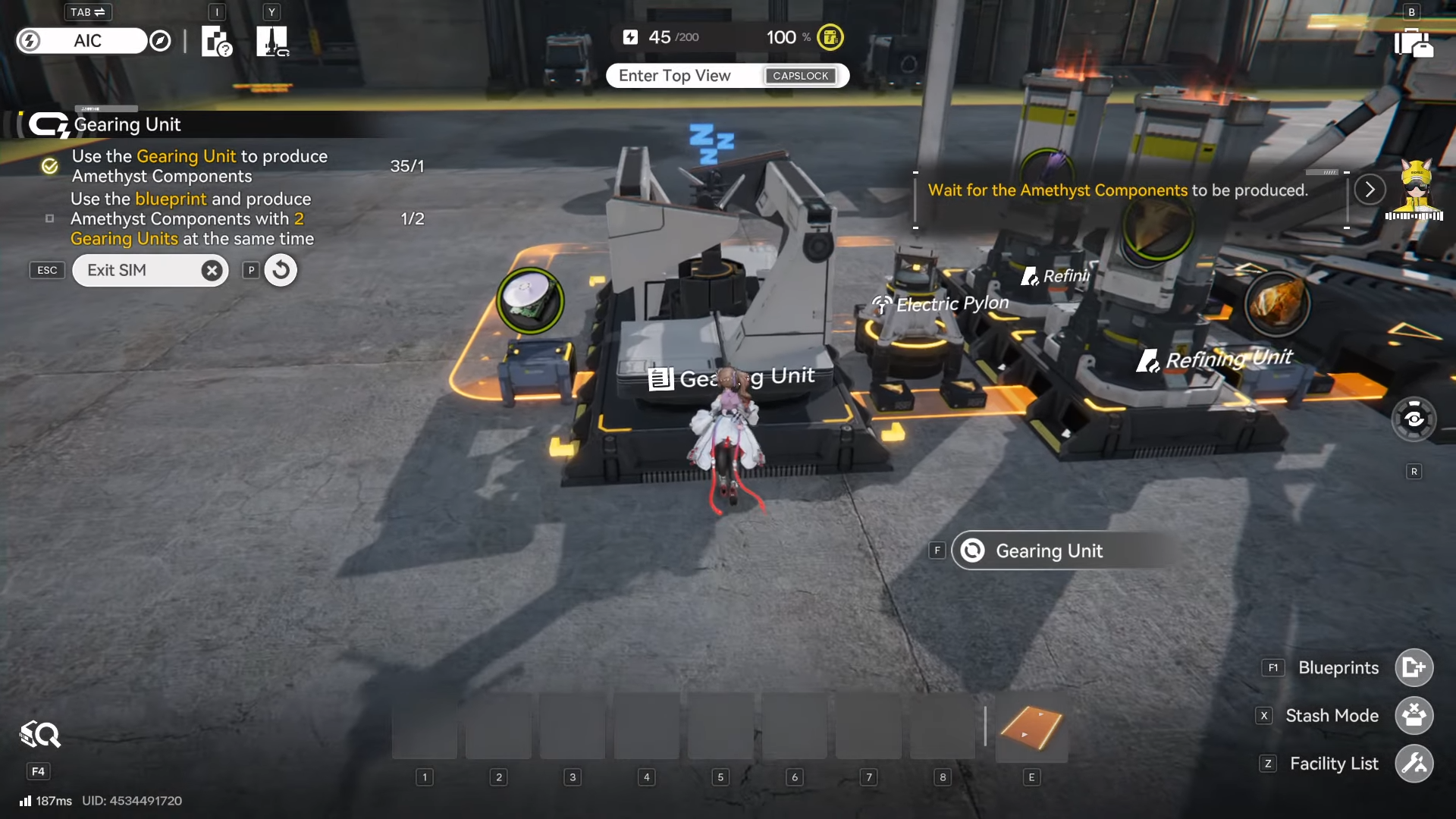
The Gearing Unit is an AIC facility used to assemble materials into crafted products (example: Amethyst Component).
-
Unlocking the Gearing Unit blueprint is what enables construction of Gearing Units through your factory build system.
-
A common early objective flow is: place the Gearing Unit, feed it materials (often via a Refining Unit + belts), then craft Amethyst Components to progress.
-
Plan placement with automation in mind (belts/ports), since you’ll likely expand the line soon.
With the Gearing Unit, you’re basically turning on one of the first real assembly steps in Arknights: Endfield’s factory loop – refine inputs, move them by belt, then assemble outputs in the Gearing Unit. Once you have the blueprint, your focus shifts from “can I build it?” to “can I feed it continuously?”
What the Gearing Unit blueprint is
The blueprint is commonly presented as a “Gearing Unit Template,” described as a template that lets the Protocol Automation-Core (PAC) construct Gearing Units.
In the AIC Factory Plan/tech tree style progression, Gearing Unit access is tied to research that “construct Gearing Units,” and it’s explicitly described as assembling materials into products such as Amethyst Component.
| Topic | Quick details |
|---|---|
| Facility name | Gearing Unit (assembly facility). |
| Blueprint item naming you may see | “Gearing Unit Template” (enables PAC construction of Gearing Units). |
| What you use it for early | Producing Amethyst Components as a common early objective. |
| Typical production flow | Gather materials → refine if needed → feed Gearing Unit → output to storage or next machine. |
| Layout tip | Place it where belts can stay “somewhat permanent,” since you’ll likely scale it. |
Location notes you should keep in mind
If your blueprint pickup is tied to field exploration, plan to place the Gearing Unit back at a stable, powered hub area after you return, because production facilities depend on your factory power grid rather than being placed anywhere. Relay Towers need line of sight and have limited range, and Electric Pylons handle local wireless distribution. So terrain and spacing matter when you’re trying to stand up a new production node quickly.
How to get the Gearing Unit Blueprint cleanly
Step 1
Progress your story until the AIC systems and early factory tools are properly unlocked, since early factory progression is designed to be introduced through story flow and duty-log style onboarding.
Step 2
Open your base/factory planning interfaces and confirm you can place core infrastructure (PAC-centered building, belts/ports, and power distribution pieces) so you’re ready to deploy the Gearing Unit the moment the blueprint is obtained.
Step 3
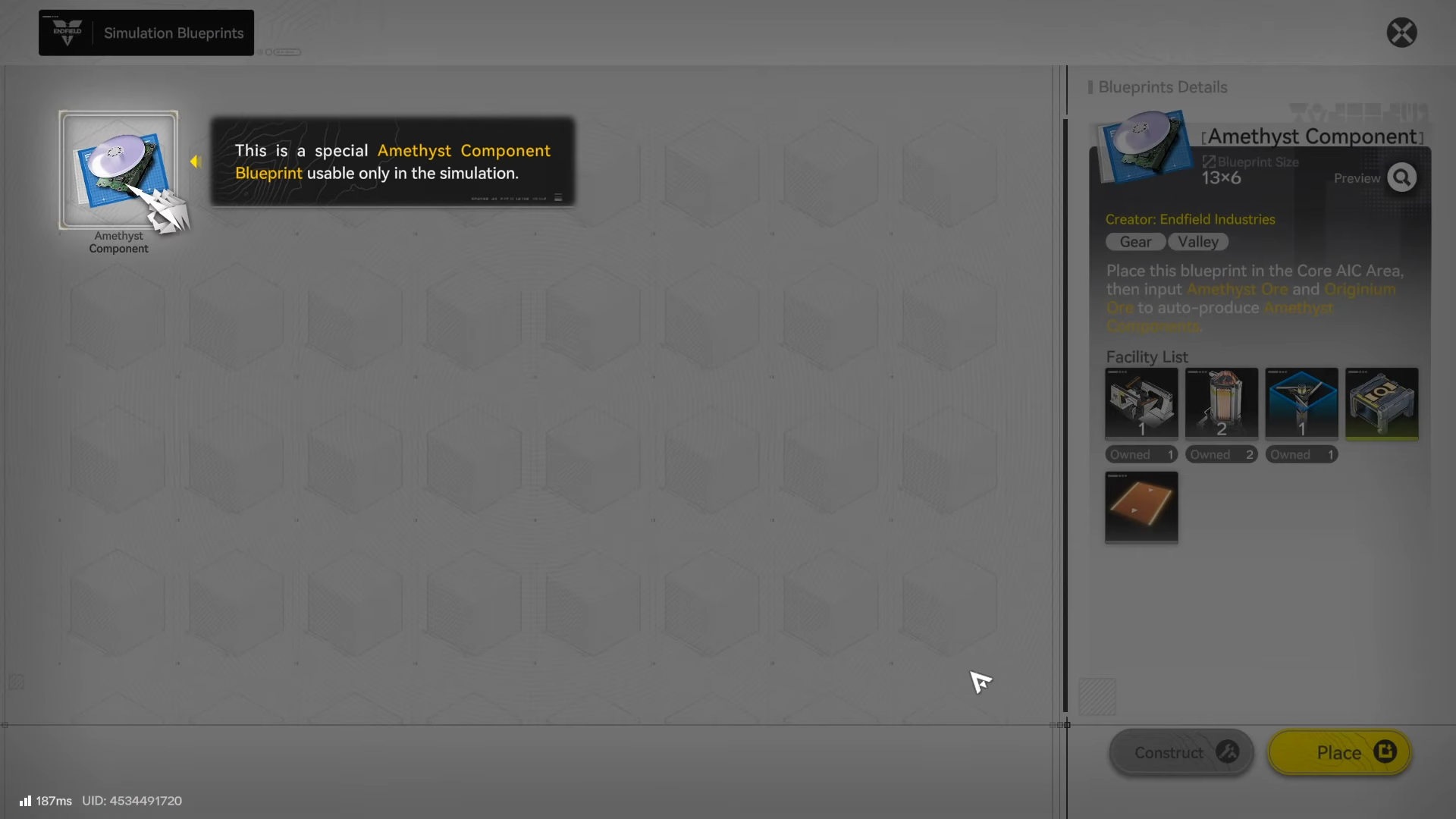
After you obtain the blueprint, verify it appears as a placeable facility option in your factory build menu (blueprints in Endfield are intended to enable rapid deployment of production layouts and facilities).
Step 4
Return to a safe building zone around your powered network (or expand power coverage first), because AIC production requires consistent power delivery to function.
Step 5
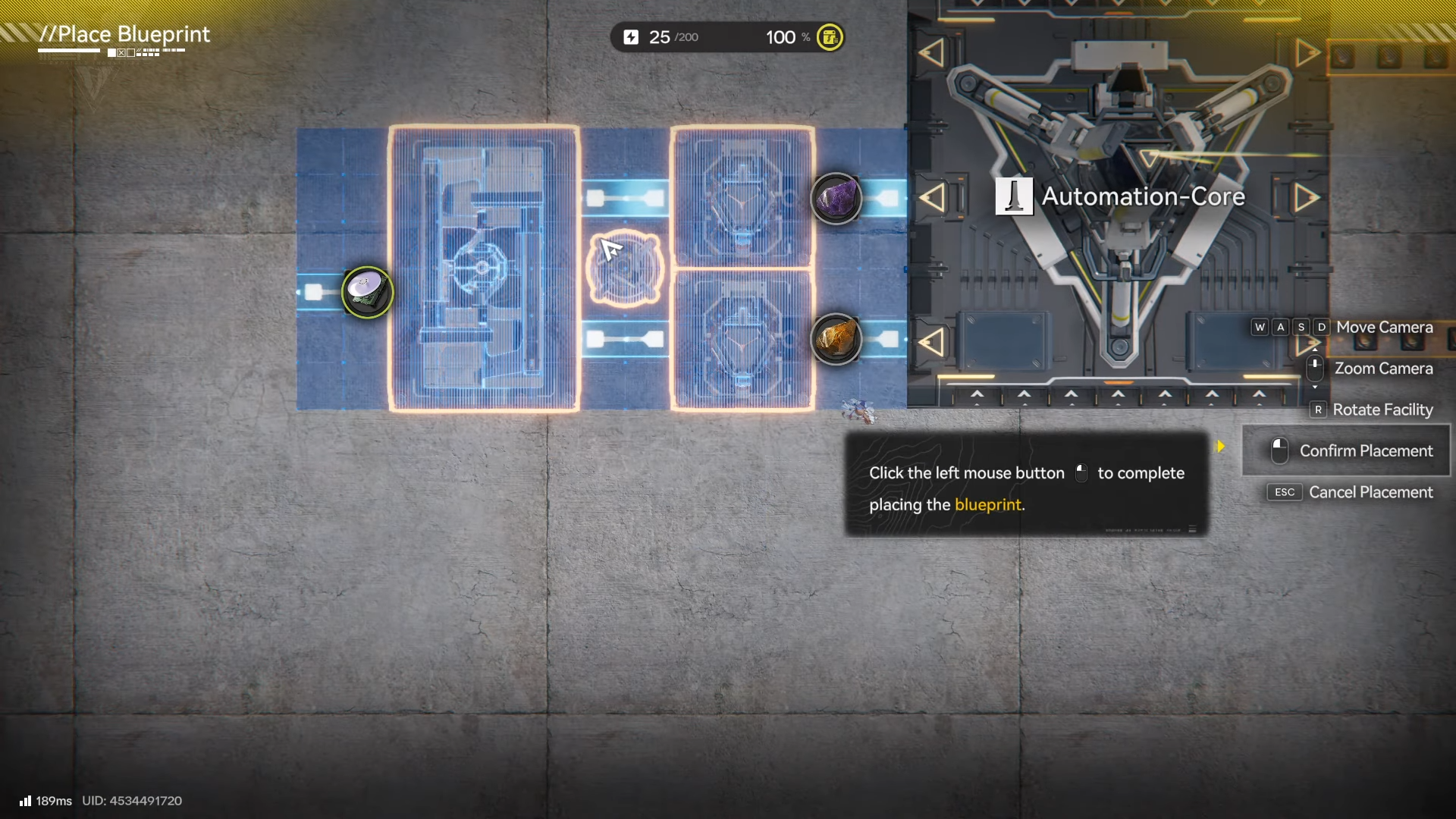
Place the Gearing Unit with enough space for belt routing on both its input and output sides, since every facility uses input/output ports and production chains depend on clean belt paths.
How to set up the Gearing Unit production line
Step 1
Confirm power reaches the build site via Relay Towers and that Electric Pylons provide local facility coverage, since facilities won’t run without power.
Step 2
Place storage/depot access on the line so inputs can be delivered consistently and finished items can return to storage when completed.
Step 3
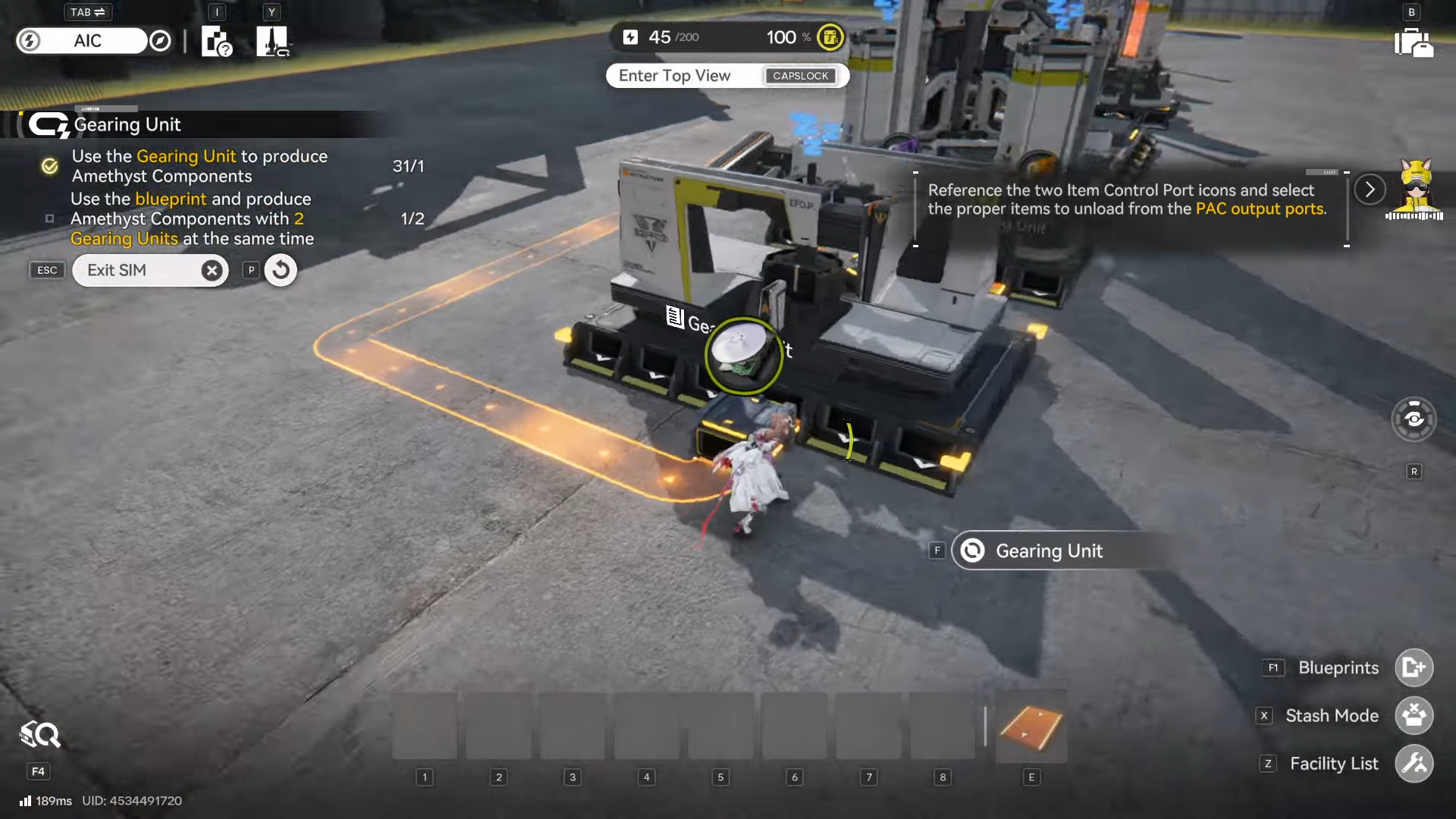
Connect upstream production first (mining → refining), then connect refined outputs into the Gearing Unit inputs using conveyor belts to create a complete chain.
Step 4
Connect the Gearing Unit output port back toward your depot/storage so output never piles up and stall the line.
Step 5
Let the line run and watch for “silent failures”: no power, broken port direction, belt dead-ends, or full storage causing backups—because a chain only runs automatically when the path is complete and outputs can be delivered.
Avoid common placement mistake
Corrosion Zones are a trap for long-lived infrastructure: placing important buildings (notably power generators) in corrosion areas can cause durability loss over time and eventually break them, so it’s safer to keep critical infrastructure in safe zones and extend power lines into dangerous areas. If your Gearing Unit line depends on a generator placed in a corrosion zone, the whole chain can become a maintenance problem instead of an automation solution.
Rewards
The direct reward is unlocking reliable automated production capacity in your AIC, which supports long-term progression because the factory produces gear materials and other items while you explore or log out. Indirectly, a working Gearing Unit line helps you keep up with the game’s expectation that gear and factory progression stay aligned, since ignoring the factory eventually slows progression “hard.”
| Reward type | What it means for you |
|---|---|
| New facility unlocked | Gearing Unit becomes placeable once you have the blueprint, expanding your processing options in AIC. |
| More automation | Completed chains run automatically and keep producing while you do other activities/offline. |
| Smoother progression | AIC production feeds upgrades, crafting, and overall account growth, preventing slowdowns later. |
Treat the Gearing Unit Blueprint as an automation milestone: once it’s placed, powered, and properly routed, it becomes a background engine that keeps your materials pipeline moving. If you focus on power coverage, clean belt routing, and safe-zone infrastructure, you’ll spend less time babysitting production and more time actually playing content.




