

What to know
-
The game supports both Vulkan and DirectX 11 rendering options selectable at launch.
-
Vulkan may cause crashes or stuttering on certain GPUs, making DX11 a reliable alternative.
-
No in-game toggle exists; changes happen through the launcher.
-
DX11 offers broader compatibility but might limit advanced upscaling like FSR4.
Arknights: Endfield, the 3D standalone spin-off from Arknights, runs into graphics issues like crashes with Vulkan on some PCs. You’ll find switching to DirectX 11 straightforward using the built-in launcher, resolving many performance hiccups without mods.
Switching renderers in the launcher
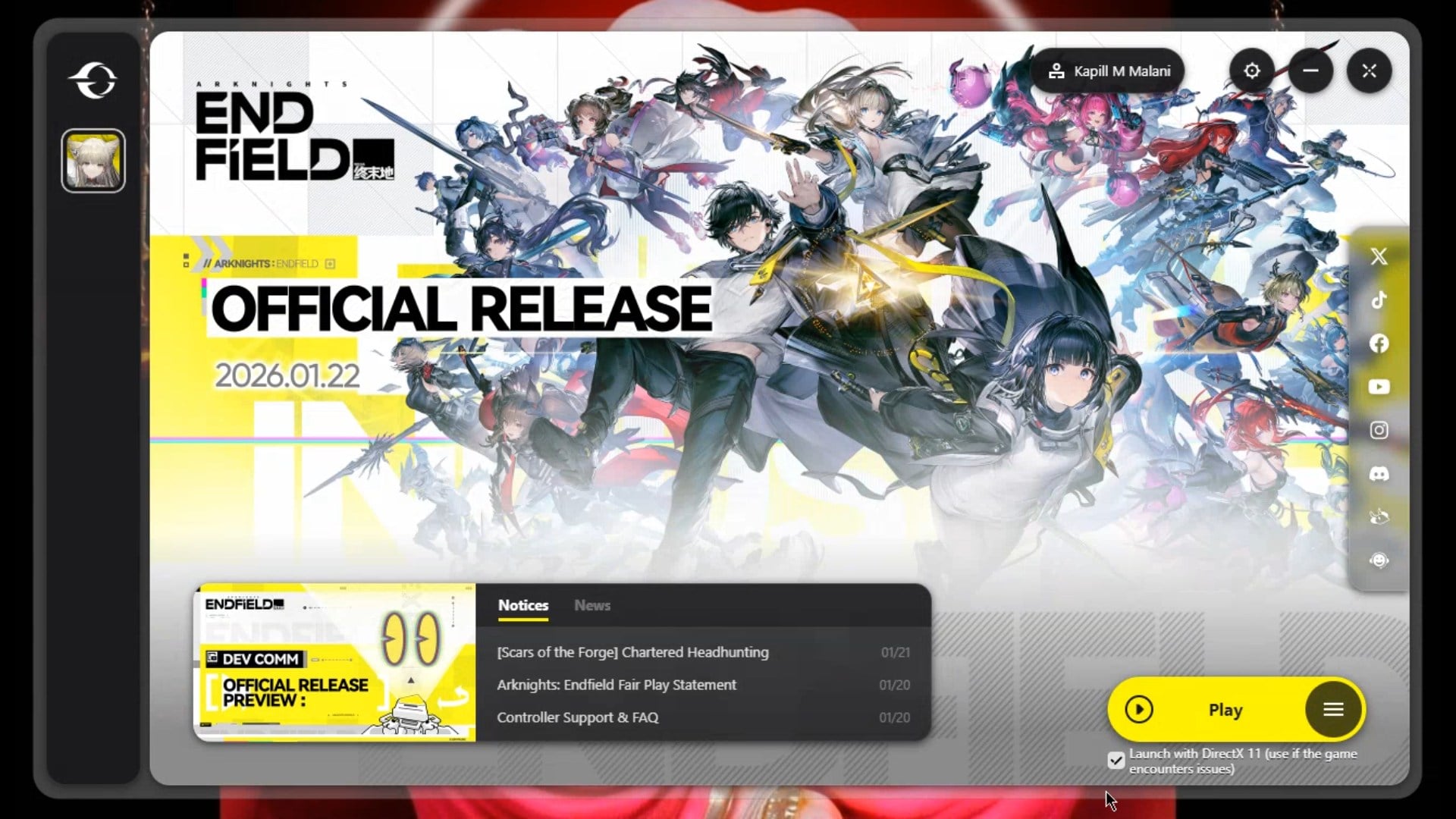
You’ll access this before the game starts, making it quick for testing stability. Open the PC launcher after downloading from official channels.
| Renderer | Pros | Cons |
|---|---|---|
| Vulkan | Better performance on modern GPUs boards.4chan | Crashes on older/Intel Arc |
| DirectX 11 | High compatibility, fewer crashes reddit | Slightly lower perf, no FSR4 |
How to disable Vulkan and force DirectX 11
Follow these steps directly in the launcher for instant results—no files to edit.
Step 1
Launch the Arknights: Endfield PC client from your desktop.
Step 2
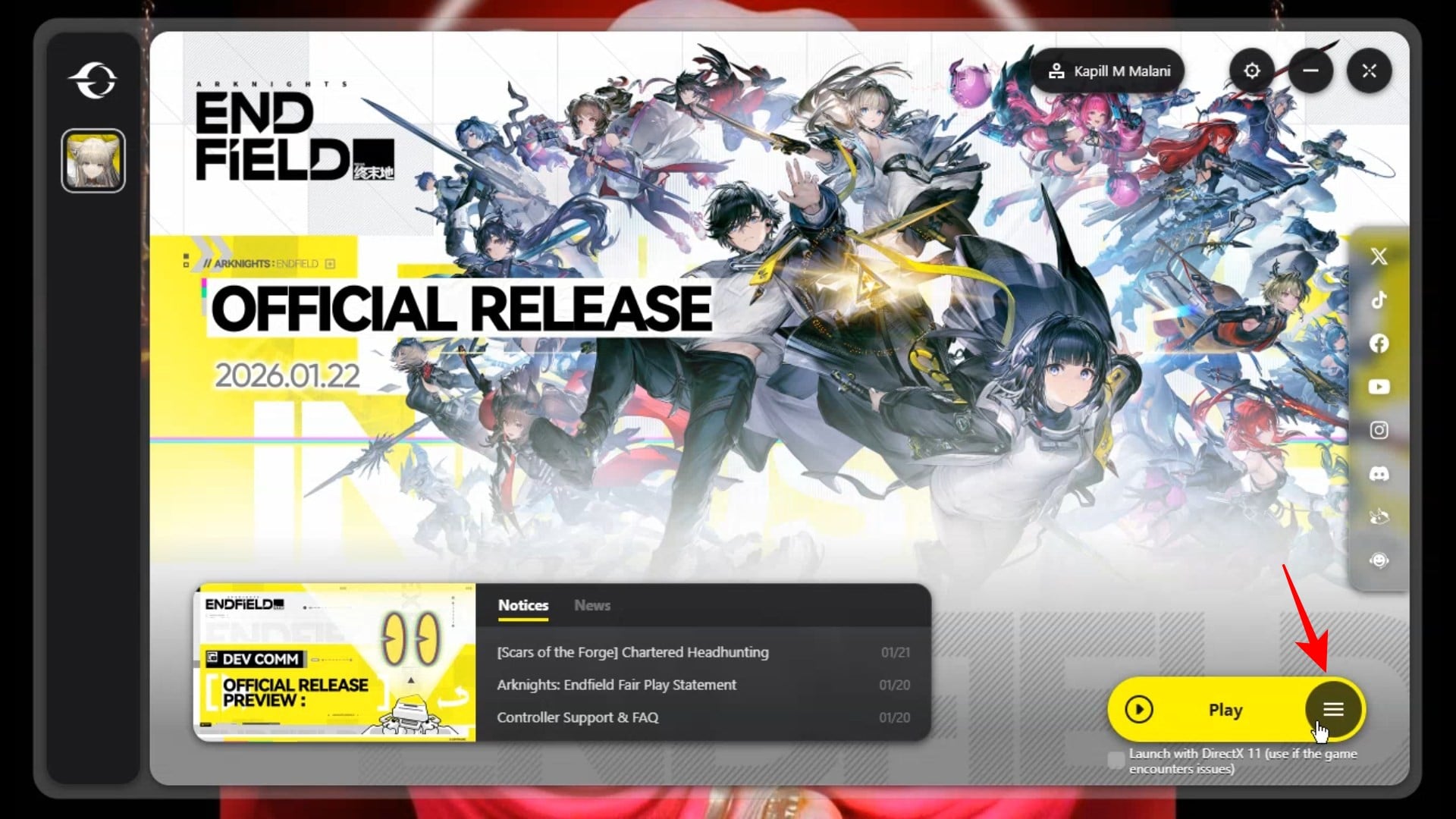
On the login or play screen, click on the option next to “Play” in the bottom right corner.
Step 3
Select Game Settings.
Step 4
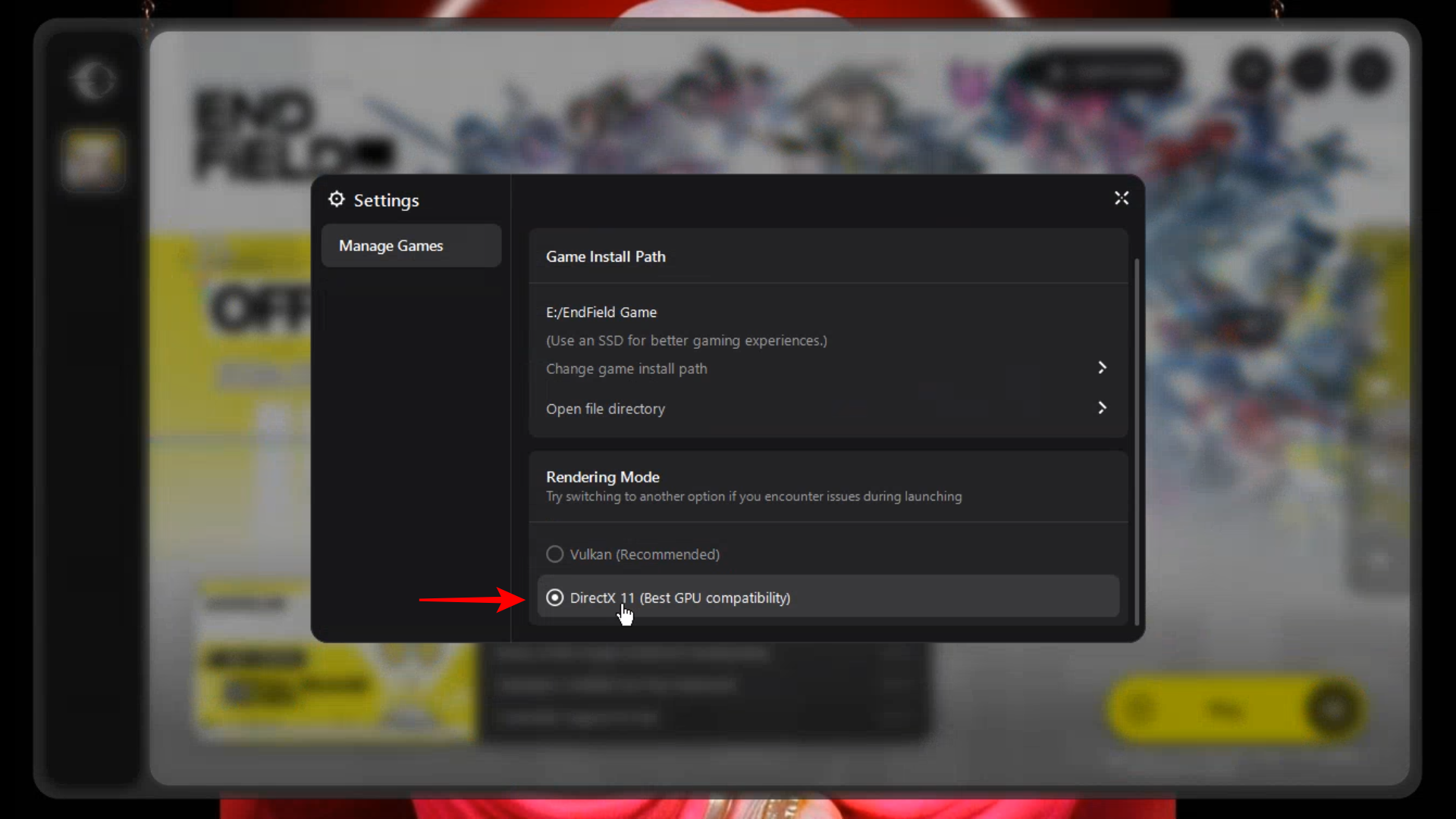
Under ‘Rendering Mode’, select “DirectX 11” (Vulkan, DX11 listed).
Step 5
Click play; game loads in DX11 mode. Verify in settings menu post-launch.
If launcher lacks dropdown or for custom setups, right-click executable, create shortcut, add “-d3d11” or “-dx11” to target line after .exe (e.g., Game.exe -dx11), then launch. Test in a new session; restart client if stuck.
Why DX11 helps your setup
DX11 bypasses Vulkan driver bugs common in early 2026 builds, especially Intel/AMD cards. Expect smoother frame rates in open-world exploration, though tweak sharpening or DLSS manually for visuals.
Switching wraps up common launch woes, letting you dive into Endfield’s planetary adventures. Test both renderers yourself for optimal performance on your rig.



