
Converger Blueprint Simulation in Arknights: Endfield is a short factory-simulation puzzle that teaches you how to merge multiple conveyor lines into one clean output using the Converger structure.
| Item | What it means for you |
|---|---|
| Simulation type | AIC logistics tutorial focused on merging belts with a Converger. |
| Main structure | Converger (unlocked by Belt Converging research). |
| Core objective | Feed multiple inputs into the Converger and deliver one valid combined output to the destination. |
| Common failure | Belts connected to the wrong ports, reversed belt direction, or accidental junctions that don’t count as a proper merge. |
How the Converger works in practice
A Converger is meant to be a deliberate merge point. You route separate belt lines into its input ports, then take a single belt out from its output port to the next machine or depot line.
It’s different from “forcing” belts together with ad-hoc intersections, because the game’s logistics tutorials expect you to use the correct tool for the job (bridge to cross, splitter to branch, converger to merge).
Locations
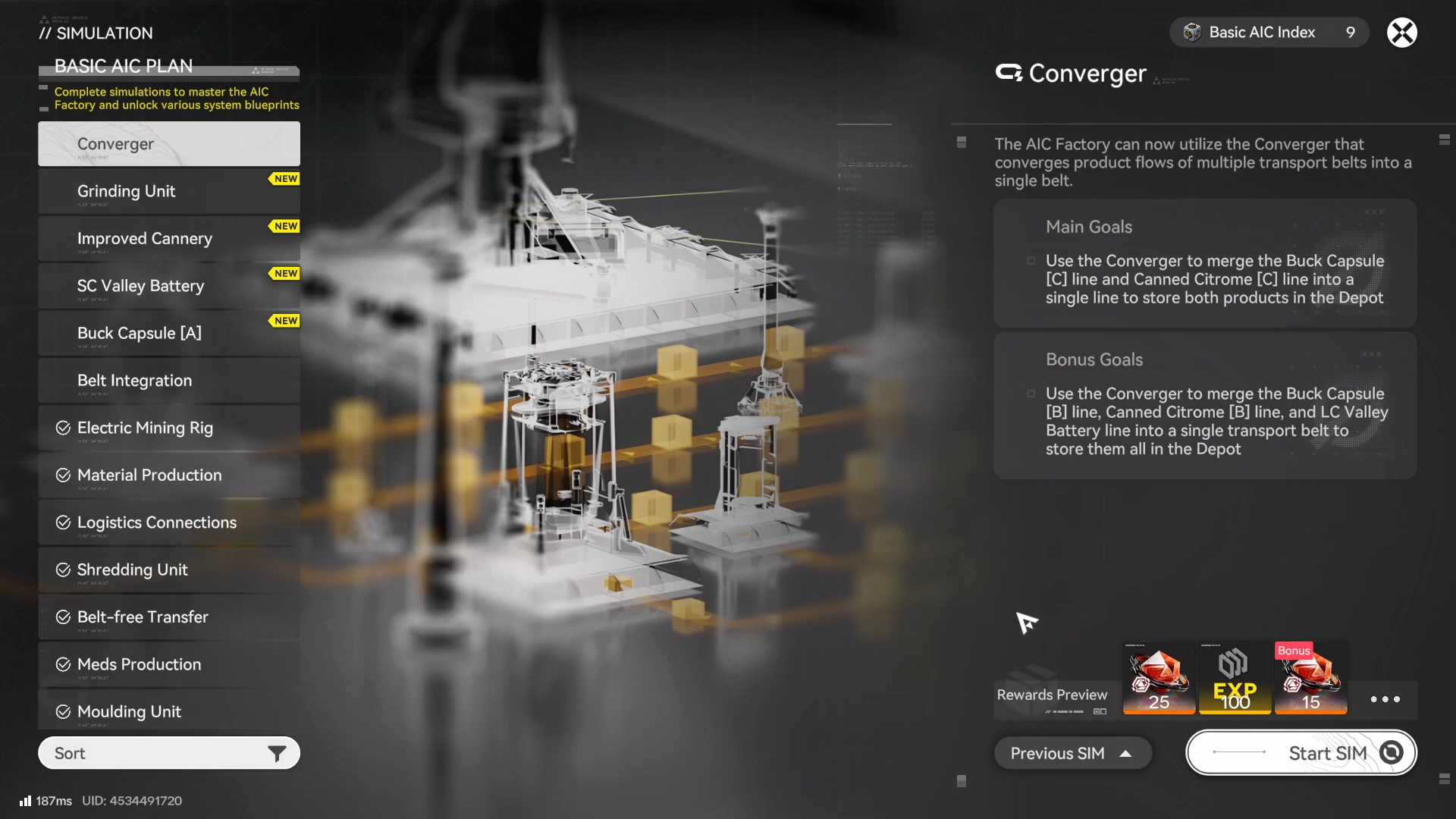
You access Blueprint Simulations from the AIC/Factory simulation interface tied to your progression in the AIC Plan research tree, and the Converger simulation specifically becomes available once Belt Converging is unlocked in that plan tier.
How to clear the Converger Blueprint Simulation
Step 1
Confirm you actually have the Converger simulation available by checking your AIC Plan progression for the Belt Converging node (it’s tied to the Converger logistics building).
Step 2
Open the simulation layout and identify every source output and the final destination input(s).
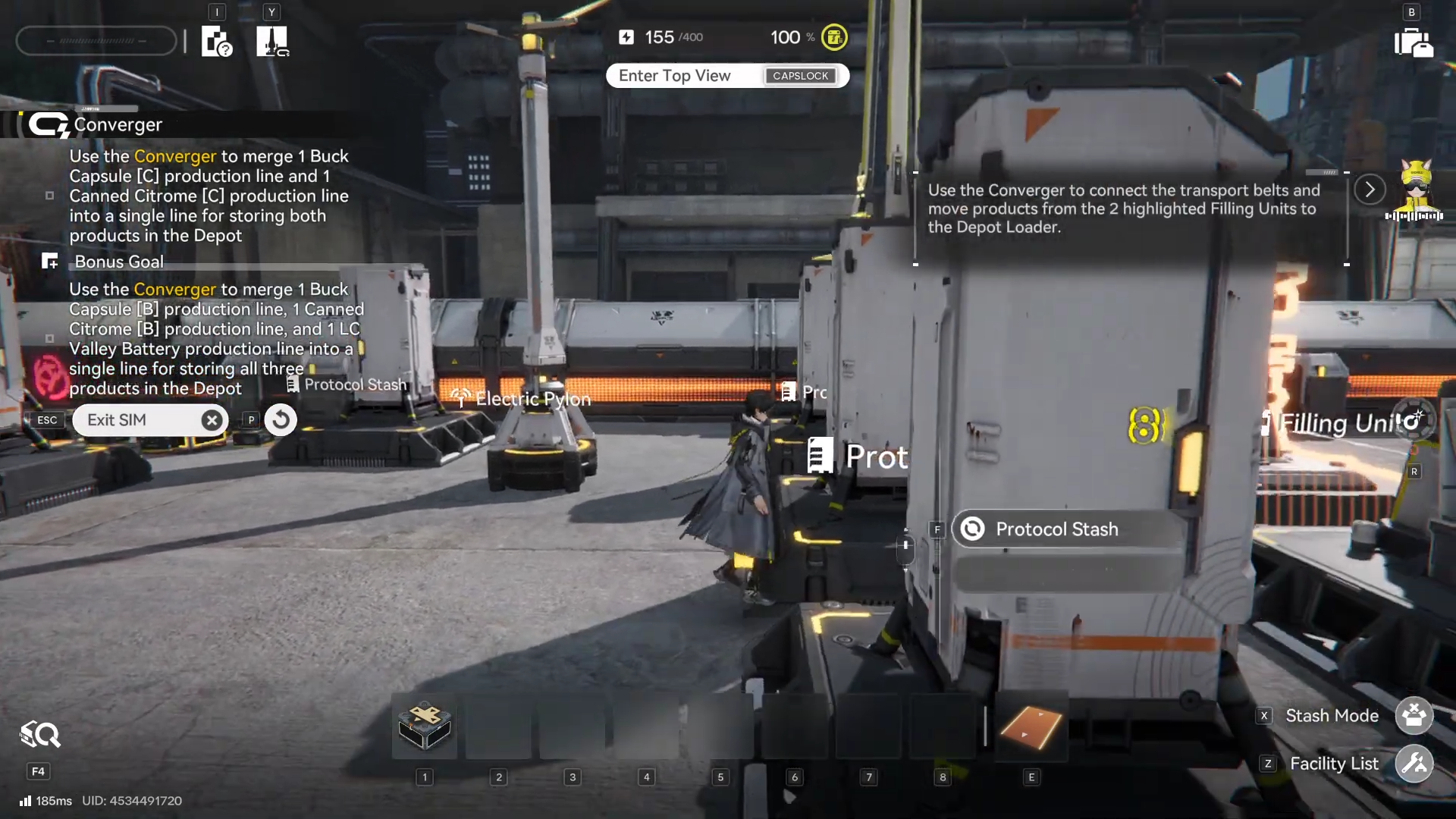
Your goal is to end with one outgoing line after the merge, not multiple parallel deliveries.
Step 3
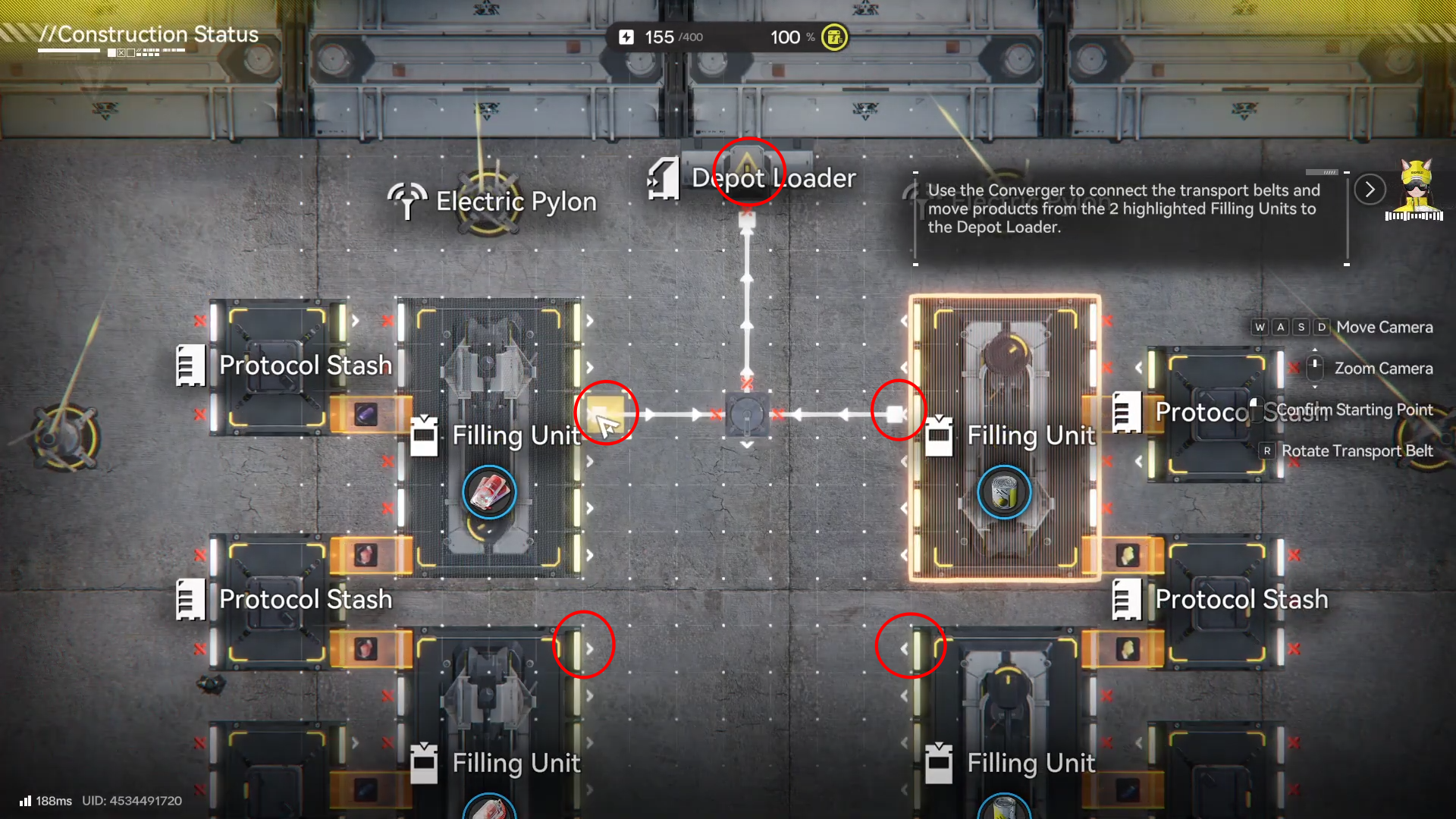
Place (or select) the Converger so you can clearly see its input side versus output side, then plan belt paths that arrive straight into the input ports.
Step 4
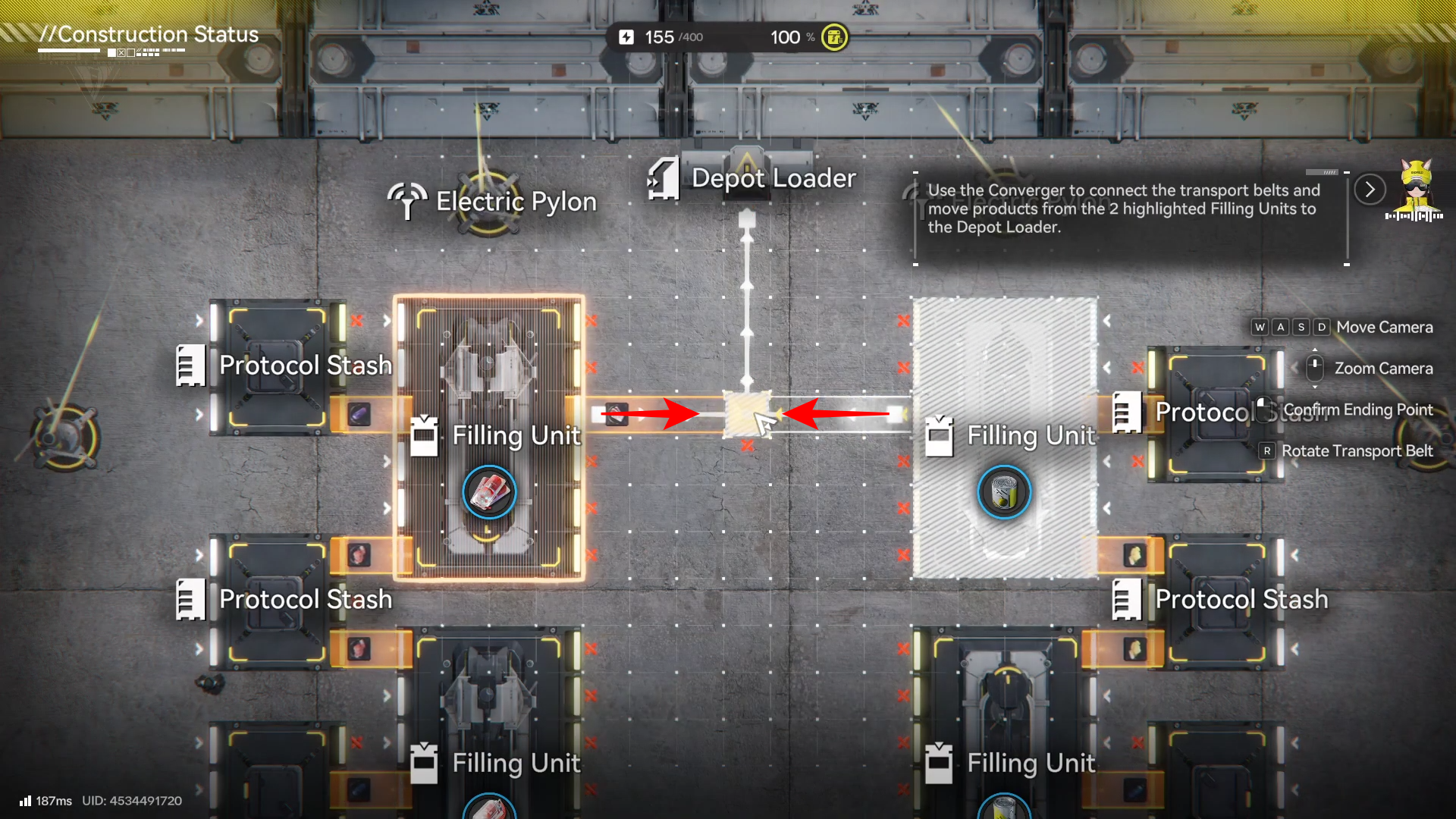
Route the first source belt into Converger input #1, keeping the path simple (avoid unnecessary bends that make direction mistakes harder to spot).
Step 5
Route the second source belt into Converger input #2 (or the next available input), making sure you do not accidentally connect it into the first line before the Converger.
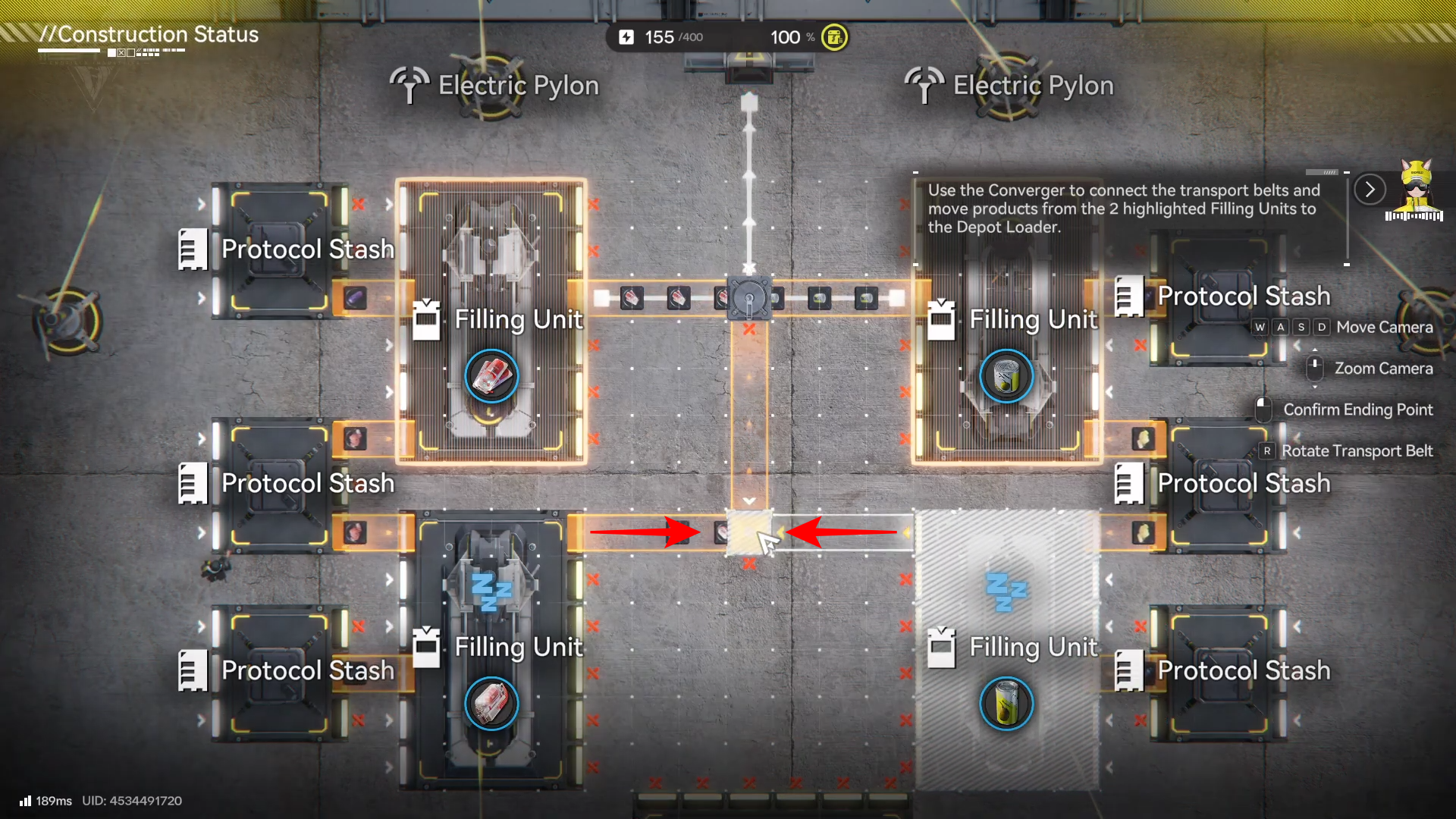
Step 6
Click on the Converger #1.
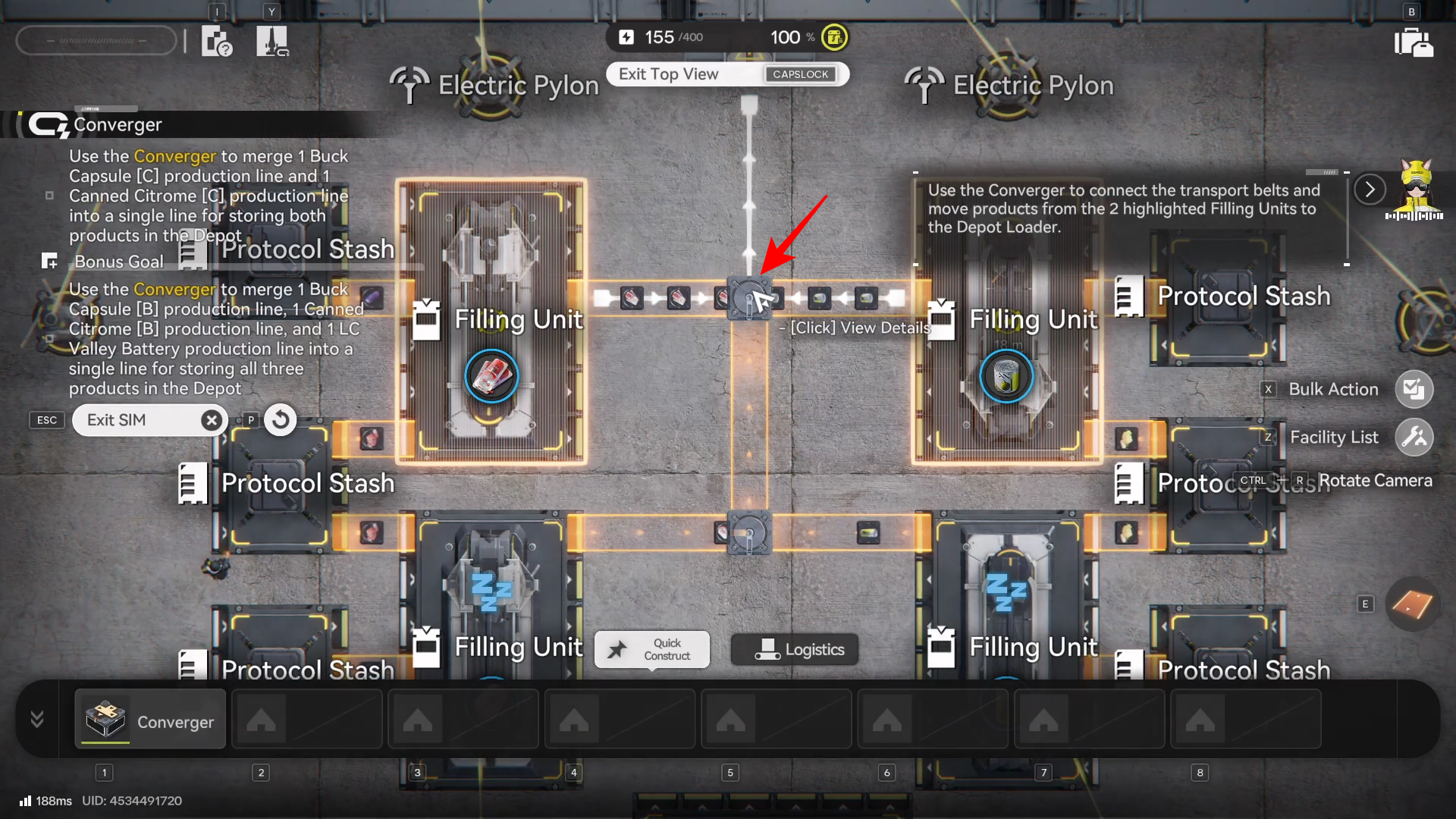
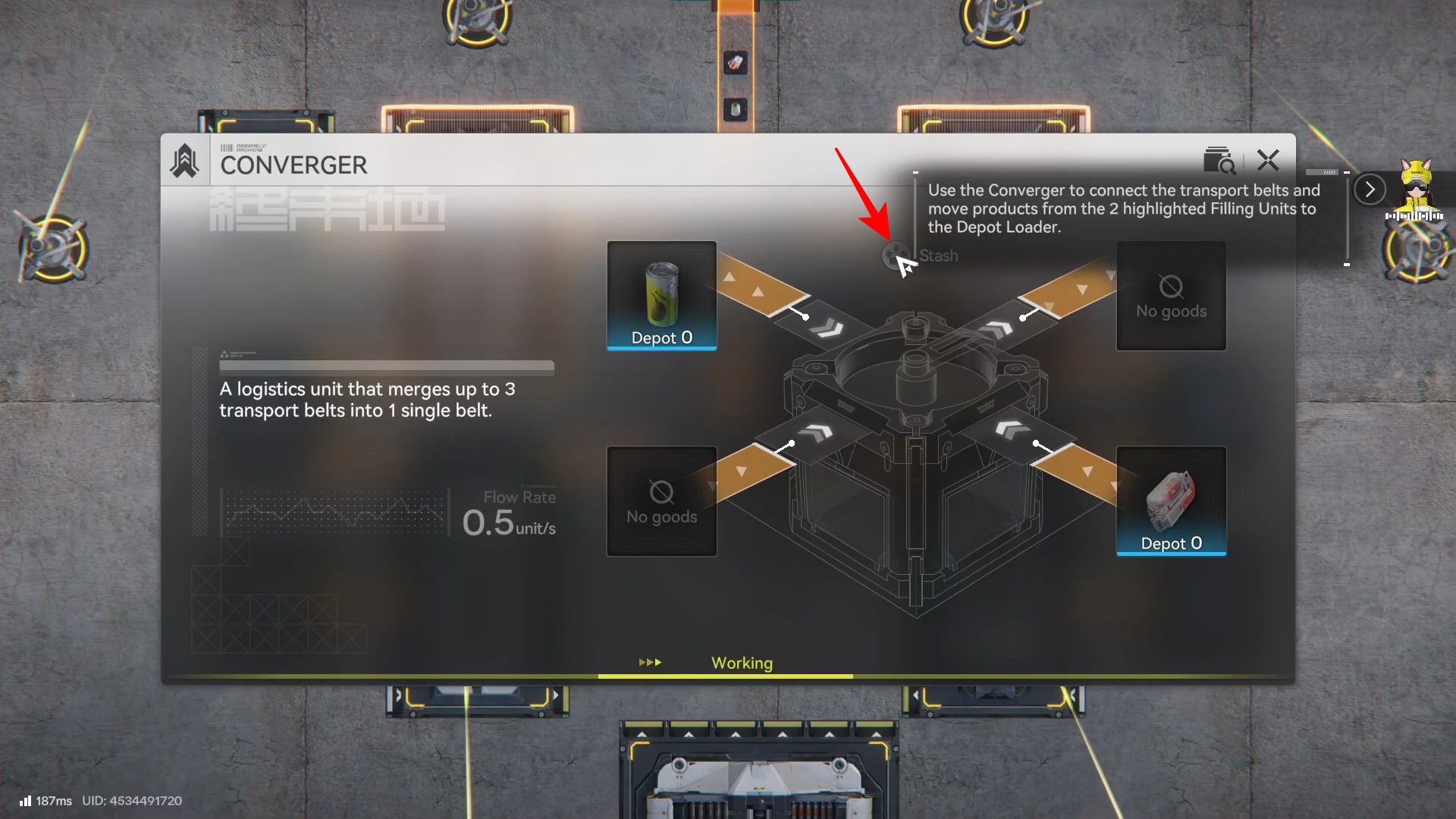
Then select Stash.
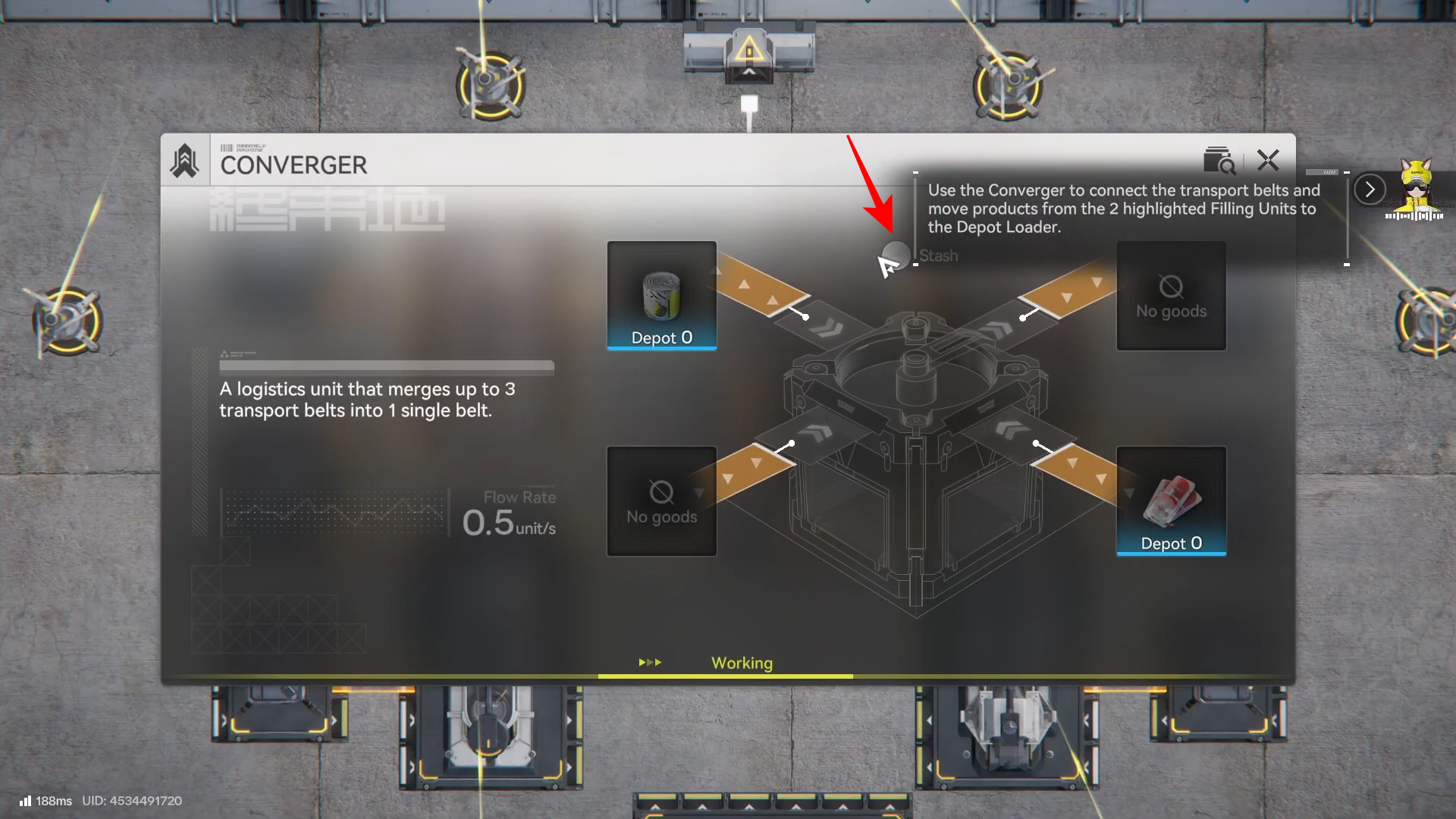
From the Converger’s output, build a belt to the Depot Loader.
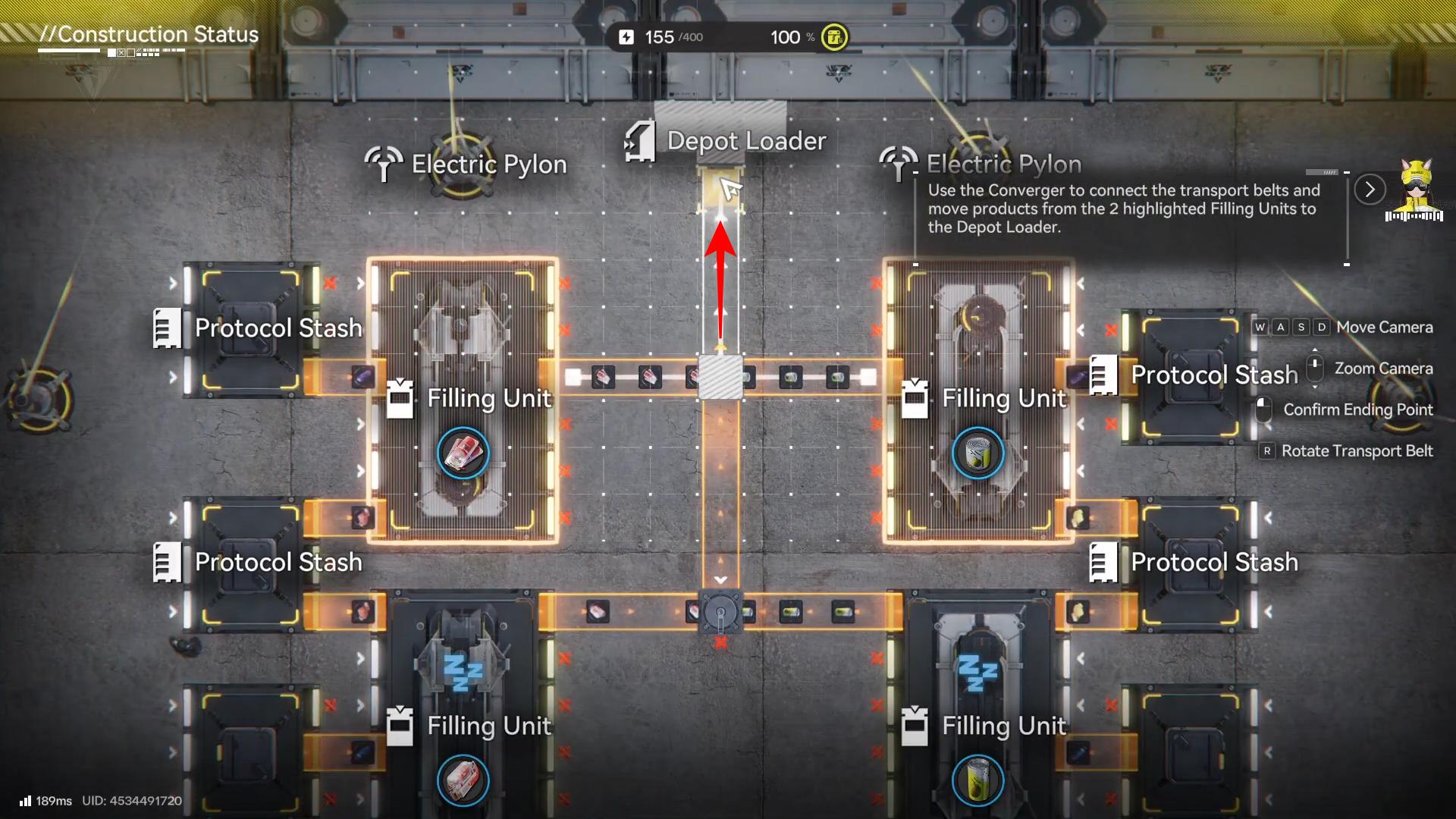
Step 7
Do the same for the Converger #2. Click on it to view details.
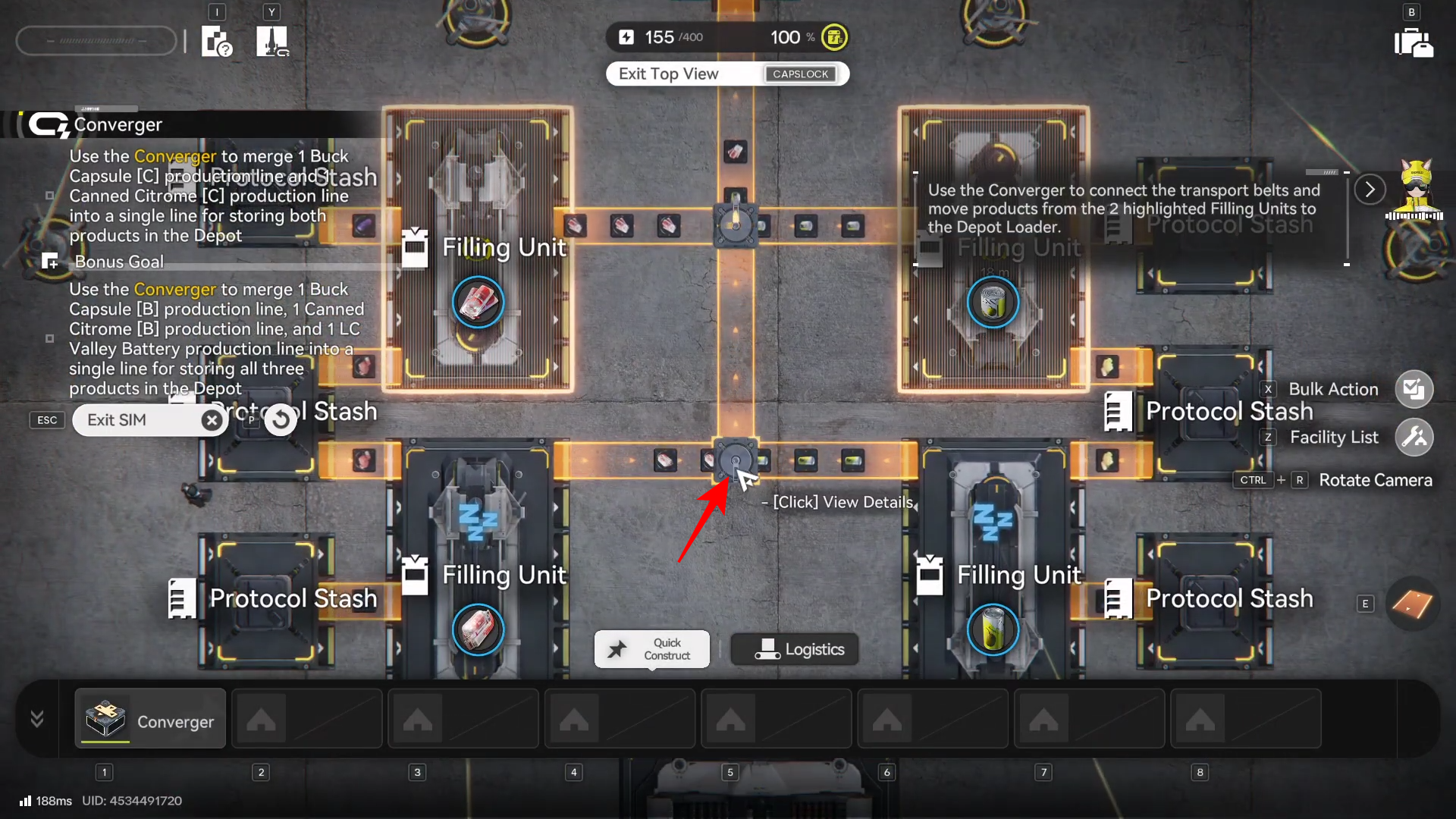
Select Stash.
And build a belt to the Converger #1 that leads to the Depot Loader.
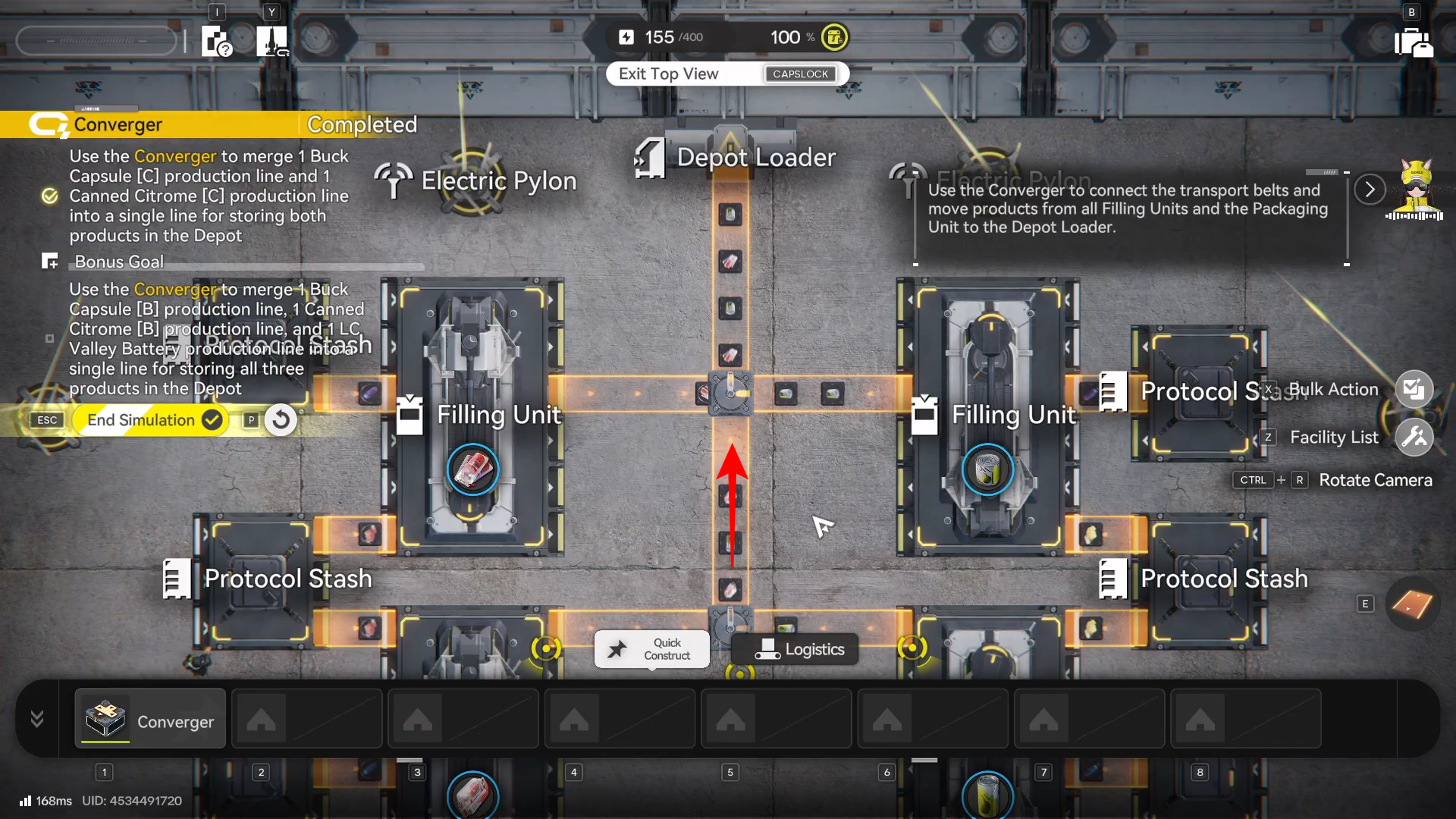
Verify the belt arrows/direction are correct at both the Converger output and the destination input.
Step 8
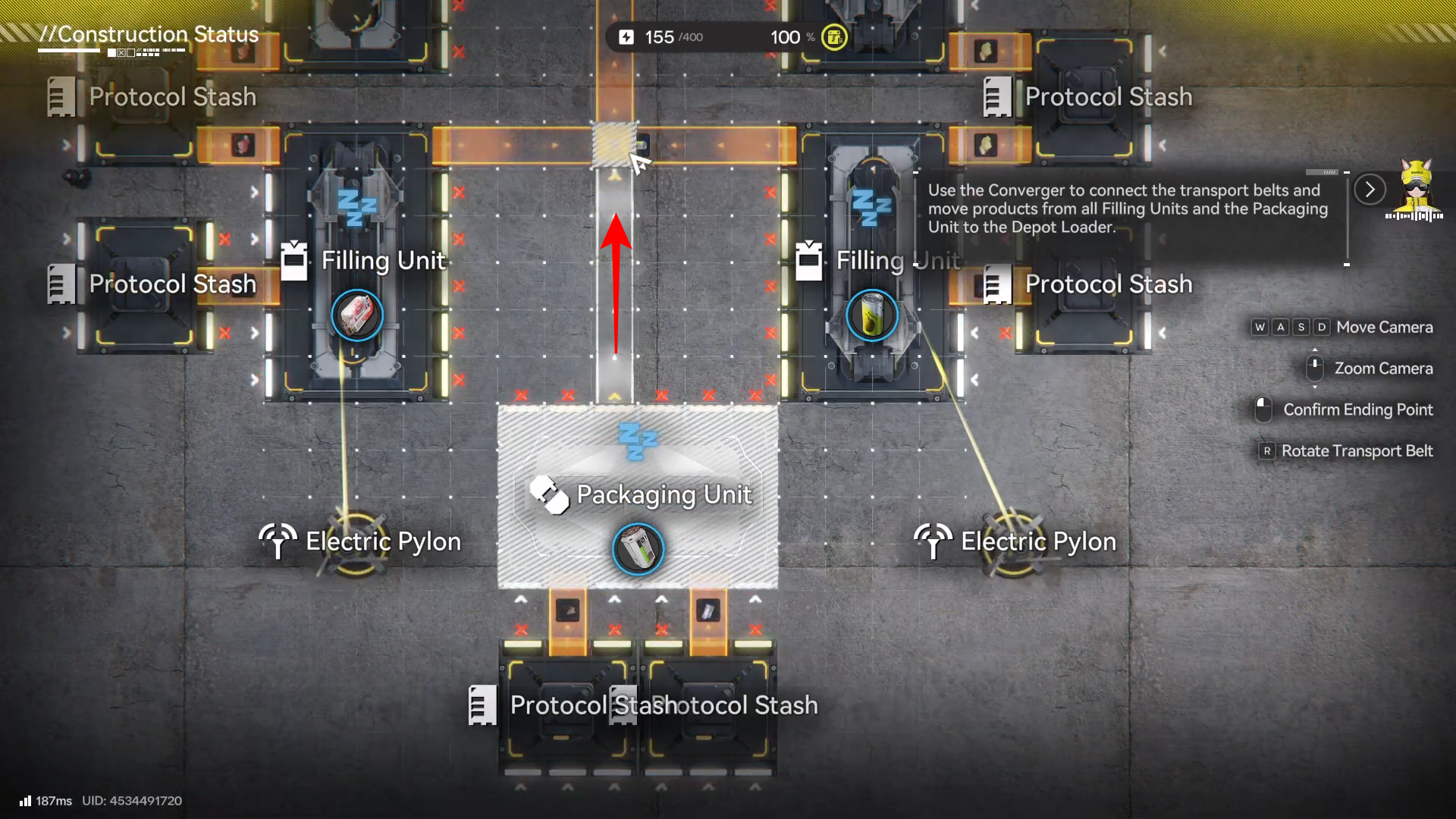
Also build a belt from the Packaging Unit to Converger #2.
Step 9
Run the simulation check and watch for continuous movement: both sources should successfully feed the Converger, and the outgoing belt should keep moving without stopping at a gap, reversed segment, or misconnected endpoint.
Step 10
If it fails, delete only the few belt tiles around the merge point and re-connect (most issues come from one wrong endpoint snap or a single reversed segment near the Converger).
Troubleshooting the usual mistakes
If your belts “look connected” but the simulation fails, the most common issue is that one line is connected to the wrong port or is facing the wrong way—especially right after the merge.
If the flow stops near the merge, rebuild the segments immediately adjacent to the Converger first (don’t wipe the whole layout), then re-run the check to confirm throughput.
How to use Convergers in your real base layouts
Use Convergers when you have multiple machines outputting items that share a downstream destination (for example, feeding a single processing step, storage lane, or a “main bus” belt).
A practical habit: keep your belts separate until the last reasonable moment, merge with a Converger, then keep the combined line straight and clearly labeled (mentally) so you can expand later without rework.
Once you clear the Converger Blueprint Simulation, you can start designing factories where outputs are intentionally consolidated instead of sprawling into parallel belts everywhere.
That shift—planned merge points plus cleaner main lines—usually makes upgrades faster because you spend less time untangling logistics and more time expanding production.