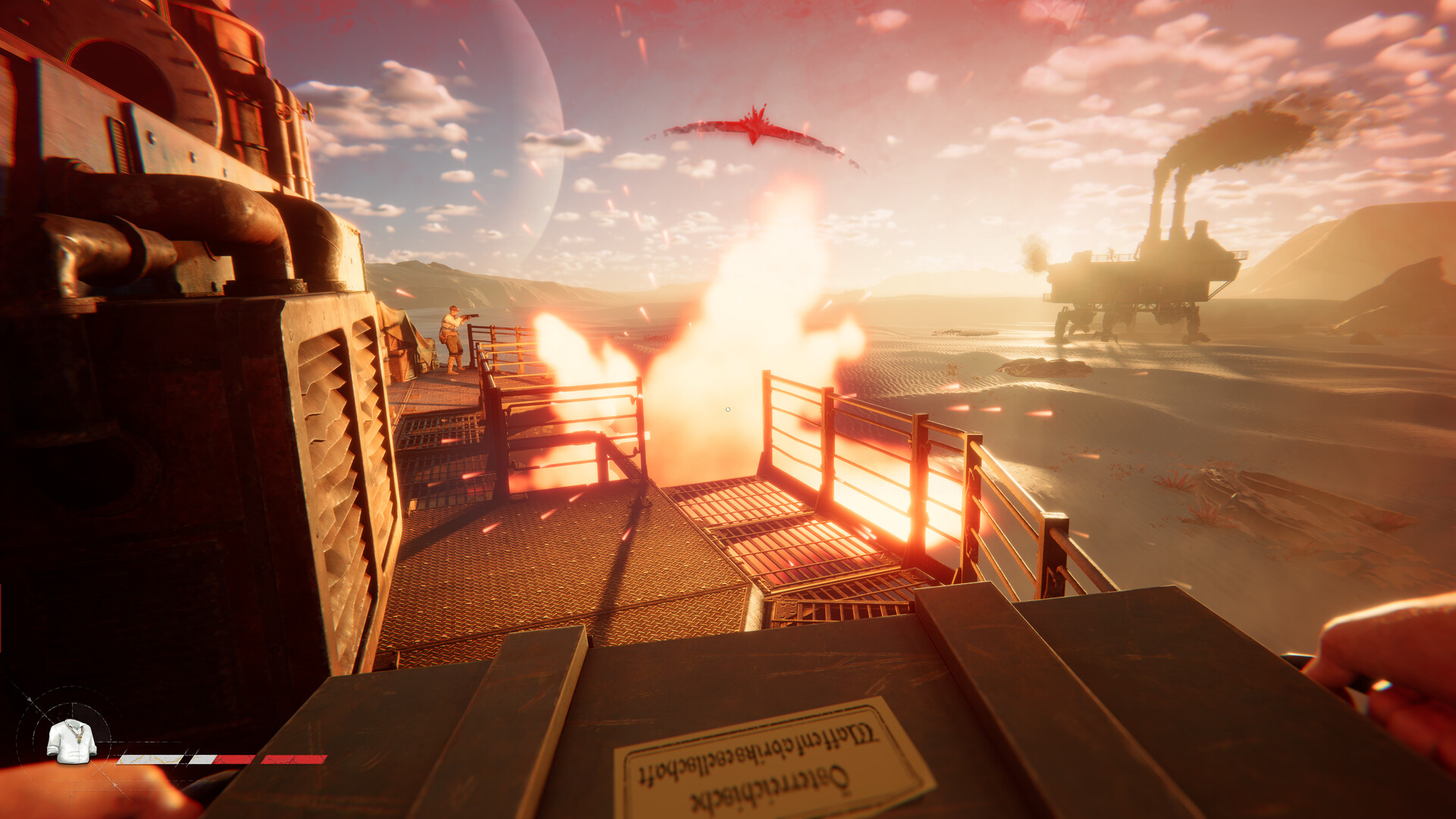
To buy and sell items in SAND: Raiders of Sophie, open the Shop section from your storage tab, move items to the central trade window, and hold the spacebar to confirm the transaction.
SAND: Raiders of Sophie is a PvPvE extraction shooter where your survival depends on the gear you bring into the dunes and the loot you pull out of them. Once you have successfully extracted from the fallen planet, your hard-earned spoils are yours to liquidate. Trading is handled entirely through an in-game shop interface that lets you convert unwanted junk into currency and restock on essential supplies for your next run.
Access the shop interface from your storage tab
You can only access the shop once you are safely back in a hub after a successful extraction. If you die in the dunes before extracting, you lose the loot you intended to sell, making a clean escape the true first step of any trading run. From the hub, open your storage tab and look for the shop section on the right side of the screen. Exact UI labels like “Shop” or “Trader” may differ slightly between game builds, but the interface is consistently accessed directly through your storage menu rather than by seeking out a specific NPC in the world.
How to sell and buy items at the shop
STEP 1/9
Browse your inventory
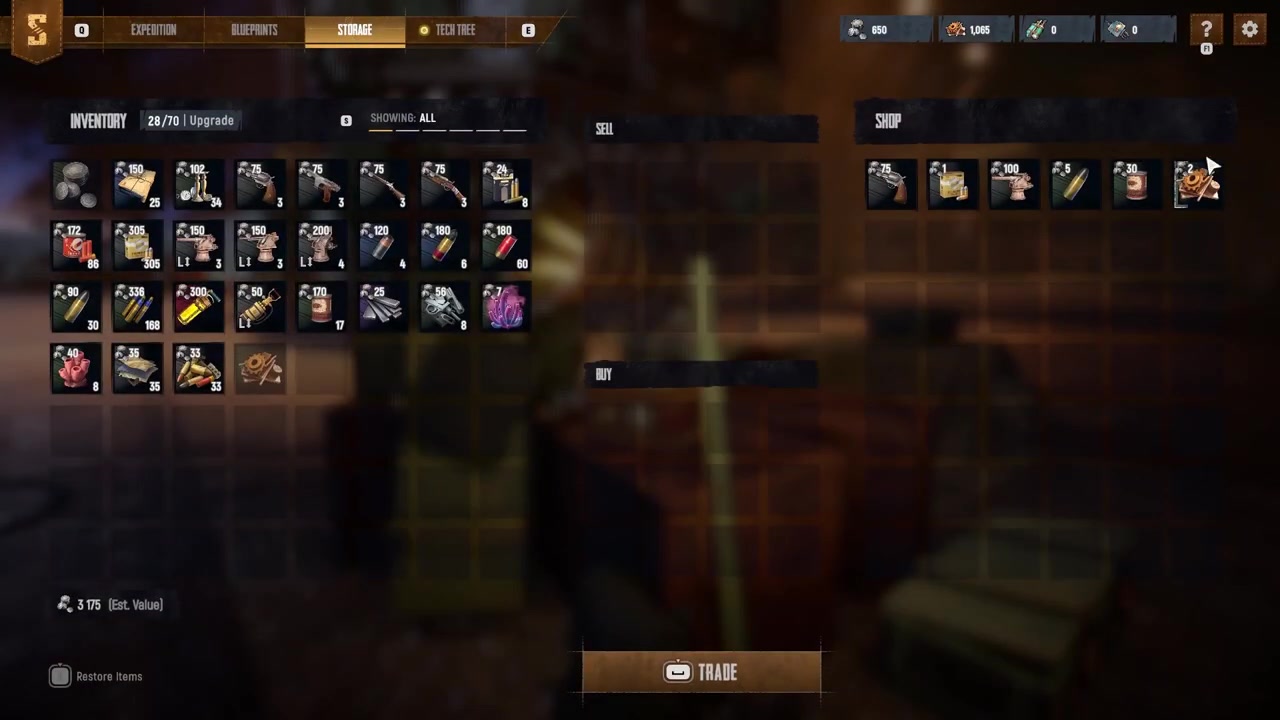
Look through your extracted loot in the storage tab to find the items you want to get rid of.
STEP 2/9
Select items to sell
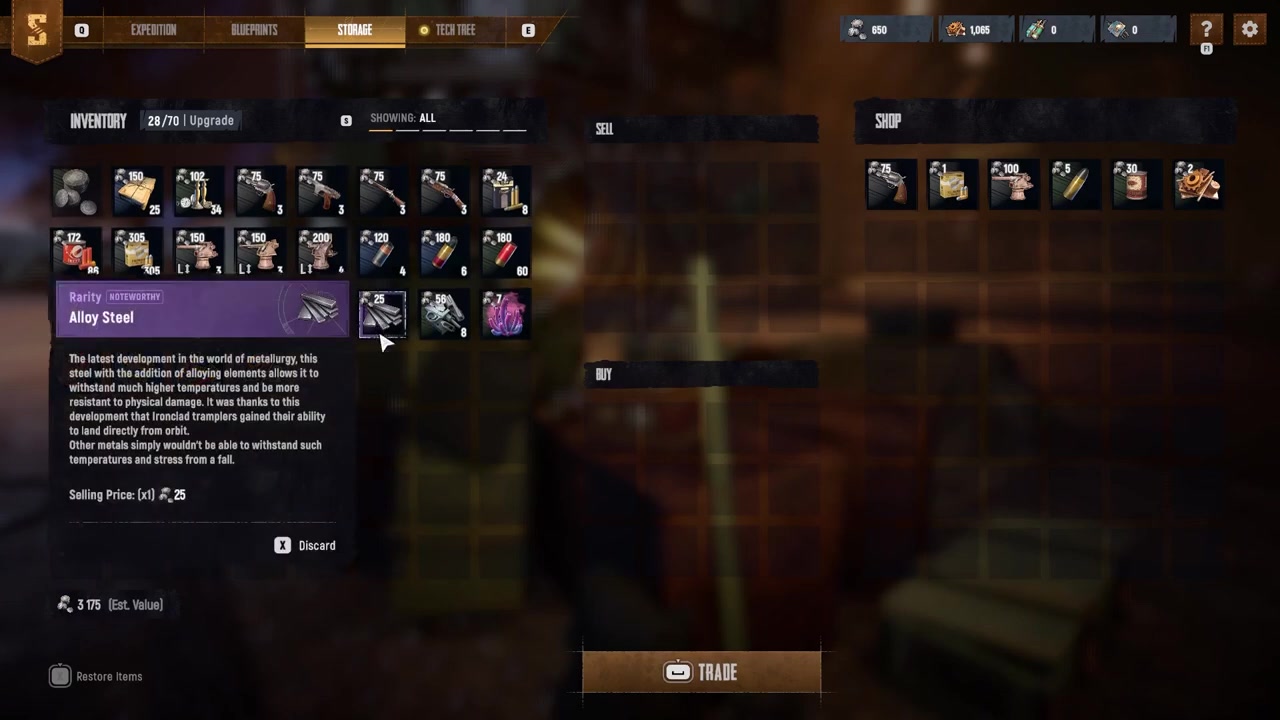
Click an item directly to sell the whole stack, or right-click it to choose a specific quantity.
STEP 3/9
Move items to the sell section
Your selected loot will be moved to the central sell section of the trade window.
STEP 4/9
Check your payout amount
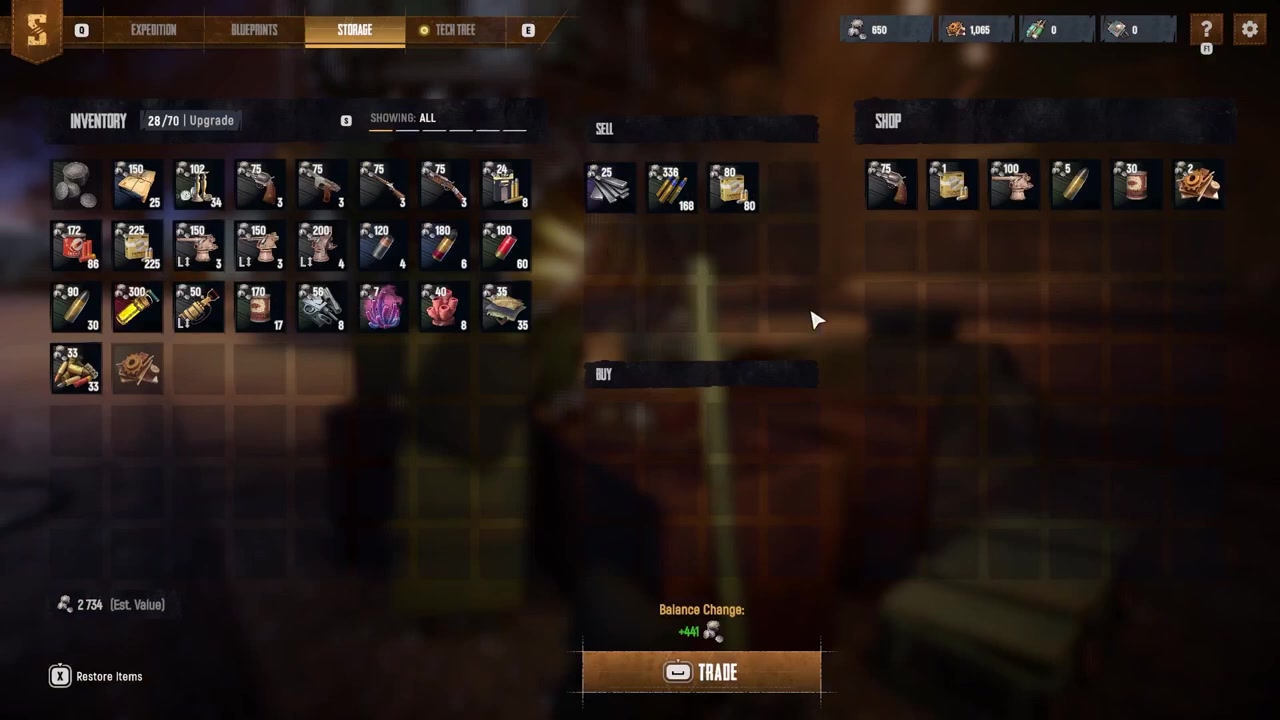
Review the money you will receive displayed above the trade button before finalizing.
STEP 5/9
Hold the spacebar to confirm
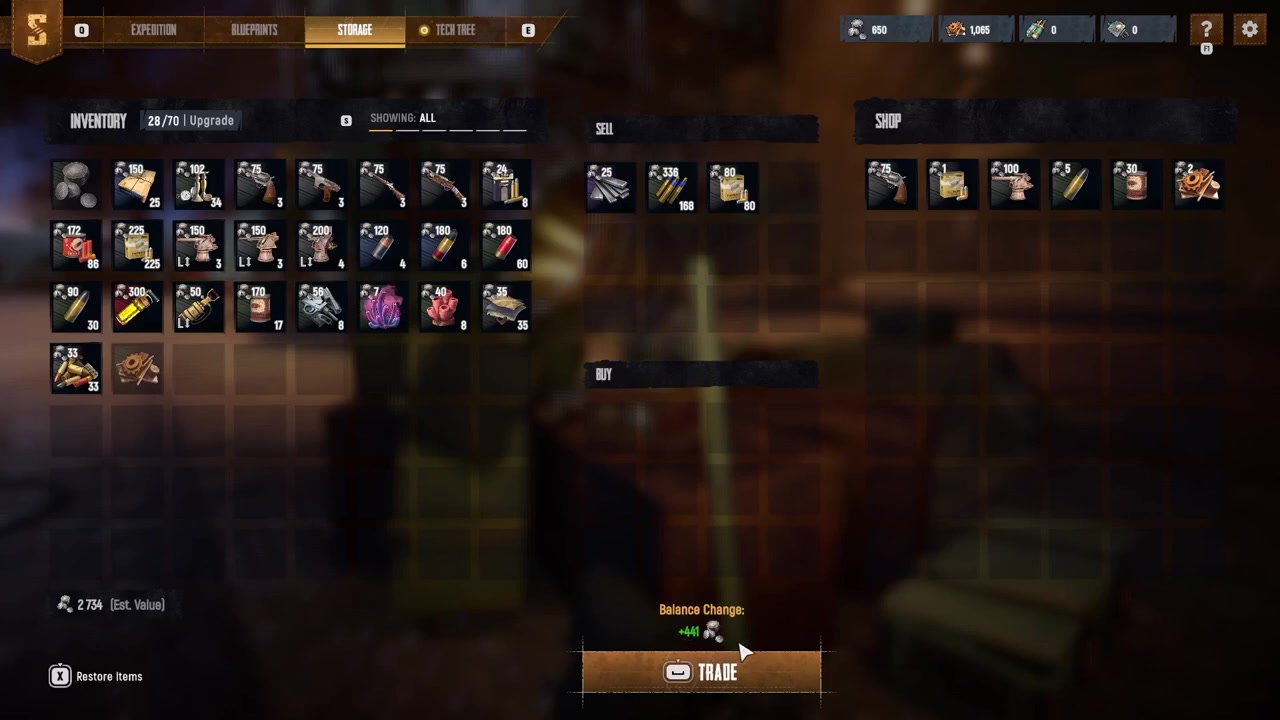
Press and hold the spacebar until the trade is confirmed and the currency hits your account.
STEP 6/9
Browse the shop inventory
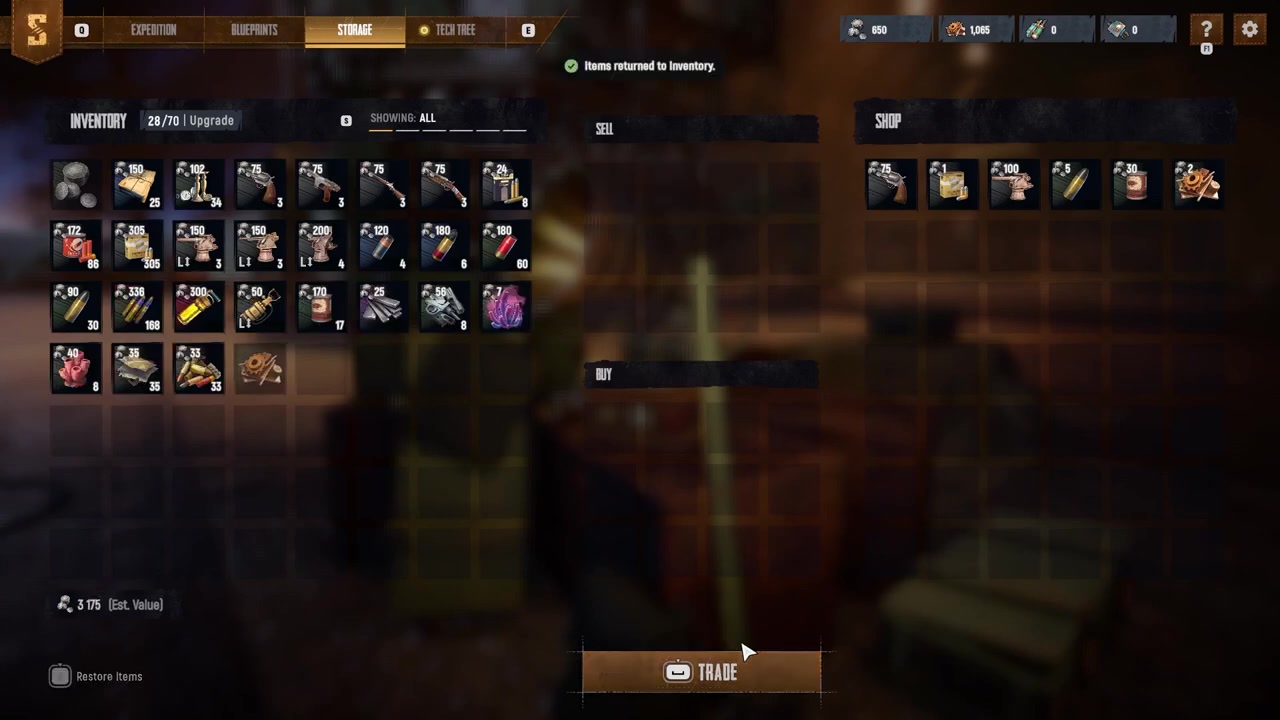
Look through the products available in the shop section to find the supplies you need.
STEP 7/9
Add items to the buy window
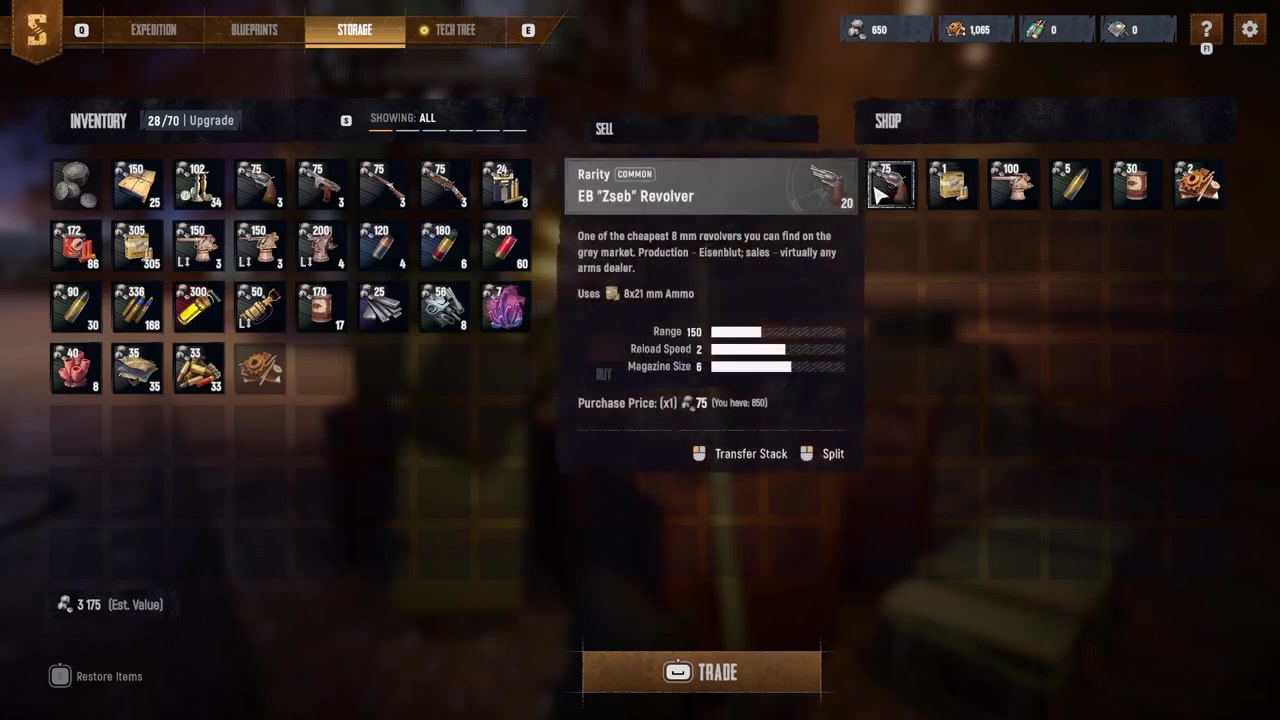
Select the items you want to purchase so they appear in your order window for review.
STEP 8/9
Review the total cost
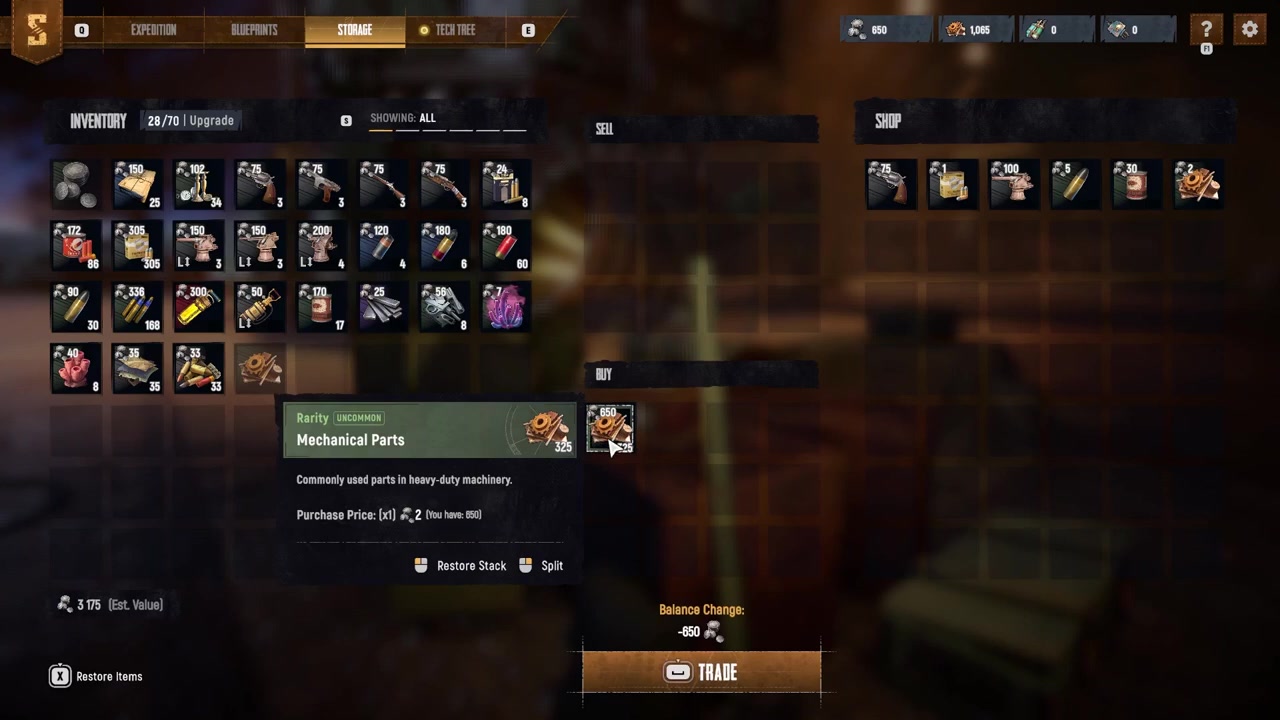
Check the total amount of money required displayed above the trade button to avoid overbuying.
STEP 9/9
Hold the spacebar to purchase
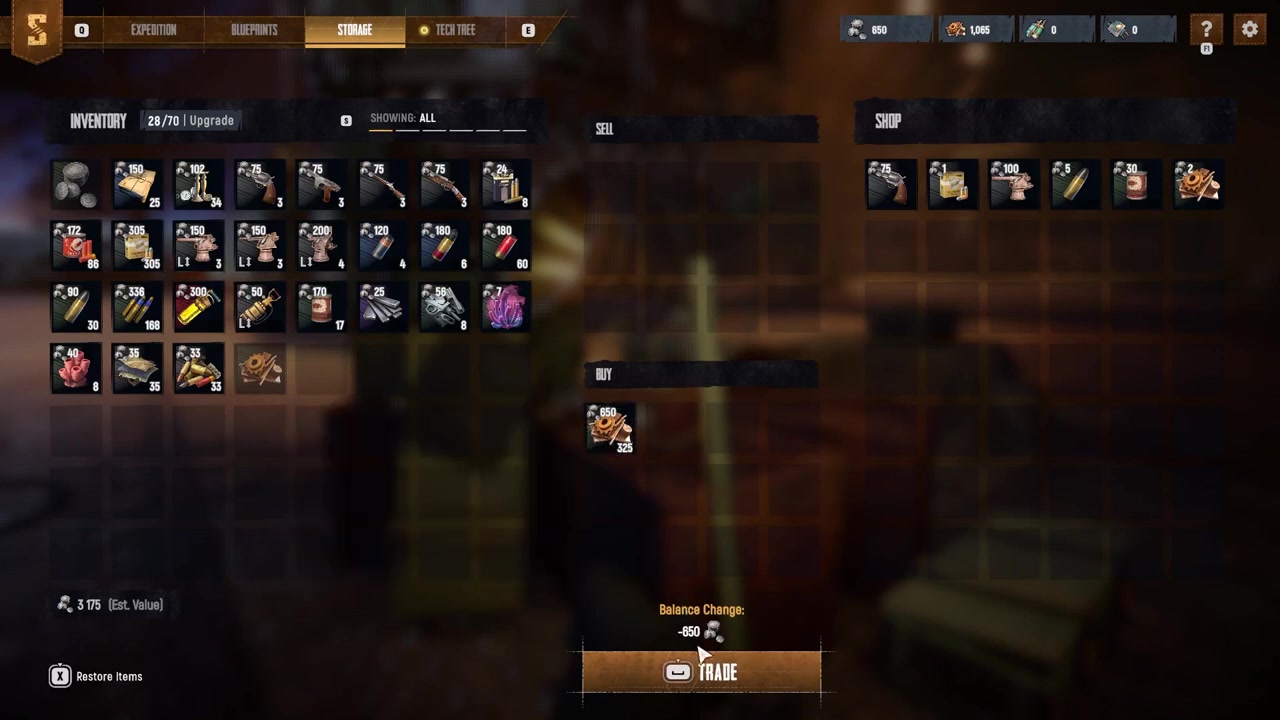
Press and hold the spacebar to confirm the purchase and transfer the items to your personal storage.
Video help
Shop progression and inventory expansion
If the shop inventory seems a little limited at first, do not worry. As you progress through the game and unlock more upgrades, additional items and equipment will become available for purchase. This progression ties directly into your Trampler management. Your Trampler acts as your primary loot storage and mobile base, meaning its cargo capacity dictates how much you can haul out of the dunes to sell in the first place. Upgrading your Trampler’s storage capacity is essential for bringing back bulkier hauls, which in turn funds the higher-tier shop inventory you unlock along the way.
What to buy and sell to avoid common mistakes
Right-click stacks of ammo or consumables to sell a specific quantity, ensuring you keep enough high-tier supplies for your next extraction while still freeing up capital.
Frequently Asked Questions
Do I need to extract before I can sell my loot?
Yes. Acquiring items requires a successful extraction. You must scour abandoned streets, recover valuables, and fight off rival pirates before extracting with your spoils. If you die before extracting, you lose the loot you intended to sell, so you can only trade what you successfully bring back to a safe hub.
Can I trade items with other players directly?
No. The in-game shop is an NPC or terminal interface for converting loot into currency and buying supplies. While external third-party platforms exist for real-money trading of virtual items, these are unofficial markets and not an in-game mechanic.
Why does the shop inventory seem limited at first?
The shop starts with a limited selection, but it expands as you progress through the game and unlock more upgrades. Additionally items and equipment will become available for purchase as you advance, encouraging you to keep playing and upgrading your Trampler to fund and access better gear.