There is no separate “Withdrawal” Megaphone or built-in Withdrawal code in Grow a Garden 2 — you buy the one Megaphone gear from George for 8,000 Sheckles, open its settings, then either type a Roblox Sound ID or roll the dice icon for a random one and use the Megaphone to broadcast it across your plot.
What actually exists is a single piece of gear, the Megaphone, that plays Roblox Sound IDs out loud on your garden plot, and this guide walks through buying it and getting sound playing in Grow a Garden 2.
No Withdrawal Megaphone or secret code

Let’s clear this up first so nobody wastes Sheckles hunting for the wrong thing. The confirmed item is just the Megaphone. It does not come in a “Withdrawal” variant, and there is no verified “Withdrawal” Sound ID you punch in to unlock anything — that framing comes purely from how some videos are titled, not from anything in the game.
What the Megaphone is and what it costs
| Detail | Value |
|---|---|
| Item name | Megaphone |
| Type | Rare Gear |
| Vendor / location | George, Gear Shop in the lobby |
| Cost | 8,000 Sheckles |
| Robux option | 49 Robux (reported, not fully verified) |
| Ownership | One-time, permanent |
| Function | Plays Roblox Sound IDs |
| Crop boost | None |
The Megaphone is a Rare Gear item whose only job is audio — it lets you play any valid Roblox Sound/Song ID across your plot so everyone on the server hears it. It is a fun, social toy, not a progression tool. Importantly, it does not buff crops, money, pets, or growth speed in any way, so don’t buy it expecting a farming edge.
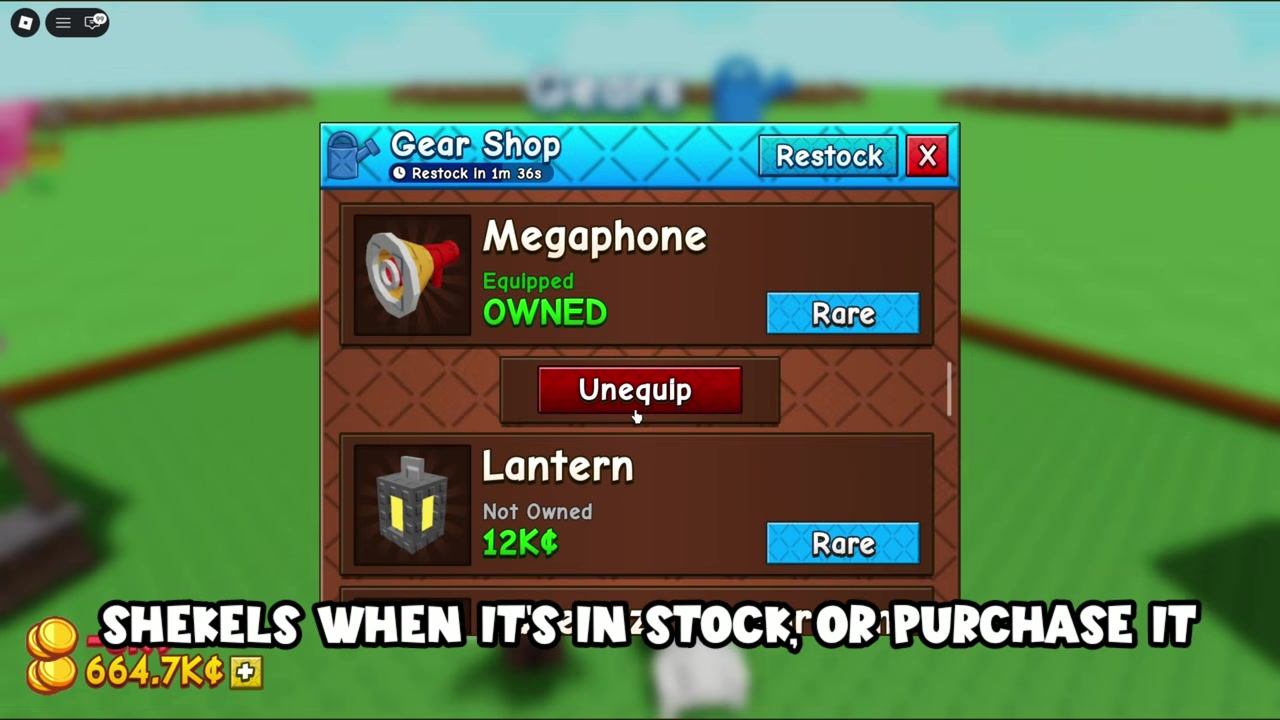
You buy it once from George at the Gear Shop in the middle lobby, and it stays with you permanently after that — it’s not a consumable. The main price is 8,000 Sheckles when it’s in the gear rotation. There’s also a reported 49 Robux option for buying it directly, but that pricing isn’t cross-confirmed across written guides, so treat the Robux route and its availability as subject to change.
How to play Roblox Sound IDs with the Megaphone in Grow a Garden 2
STEP 1/7
Buy the Megaphone from George
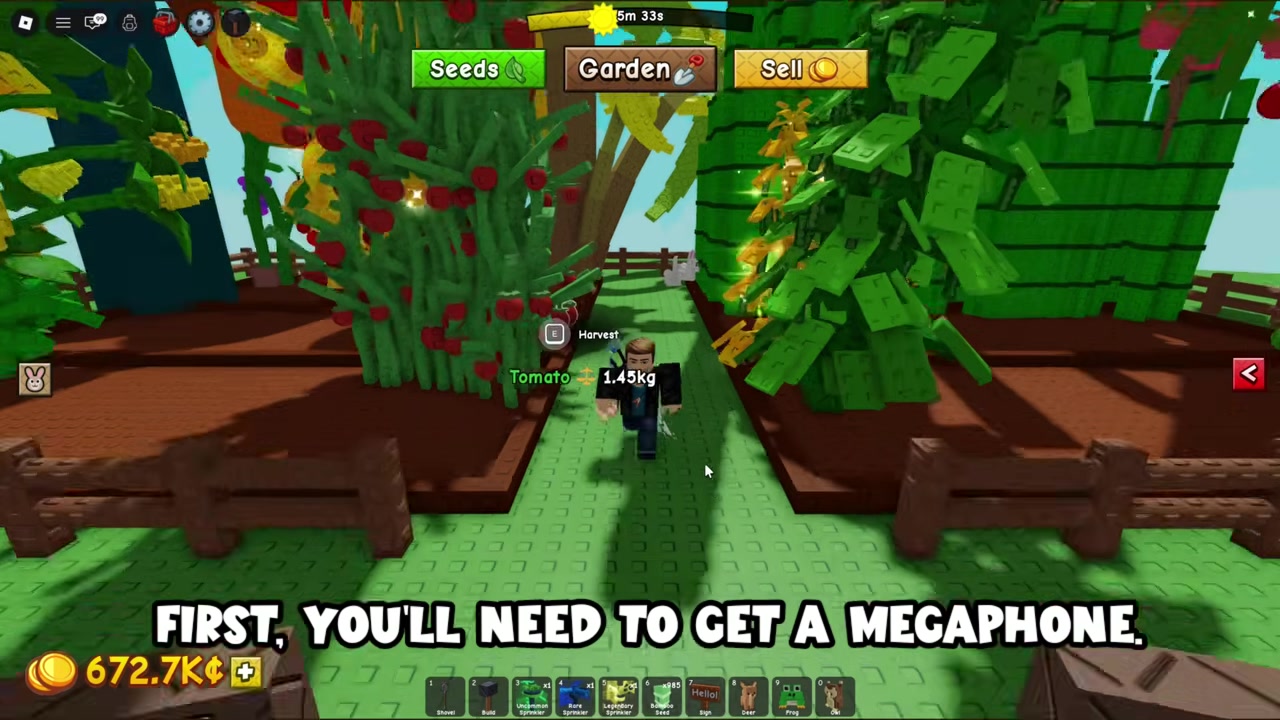
Pick it up at the Gear Shop for 8,000 Sheckles when it’s in stock, or reportedly for 49 Robux directly.
STEP 2/7
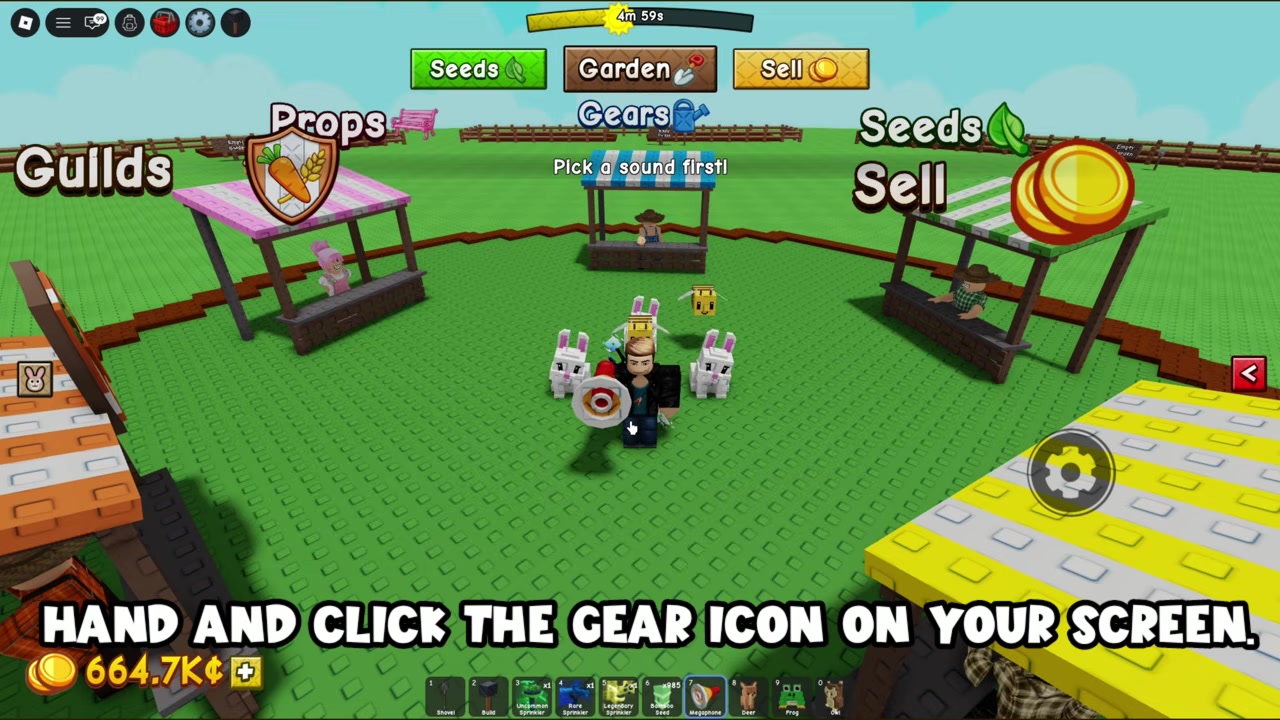
Equip it in your hand
Select the Megaphone from your hotbar so your avatar is actually holding it.
STEP 3/7
Click the gear icon
A small gear/settings icon appears on screen while you hold it — click it to open the sound panel.
STEP 4/7
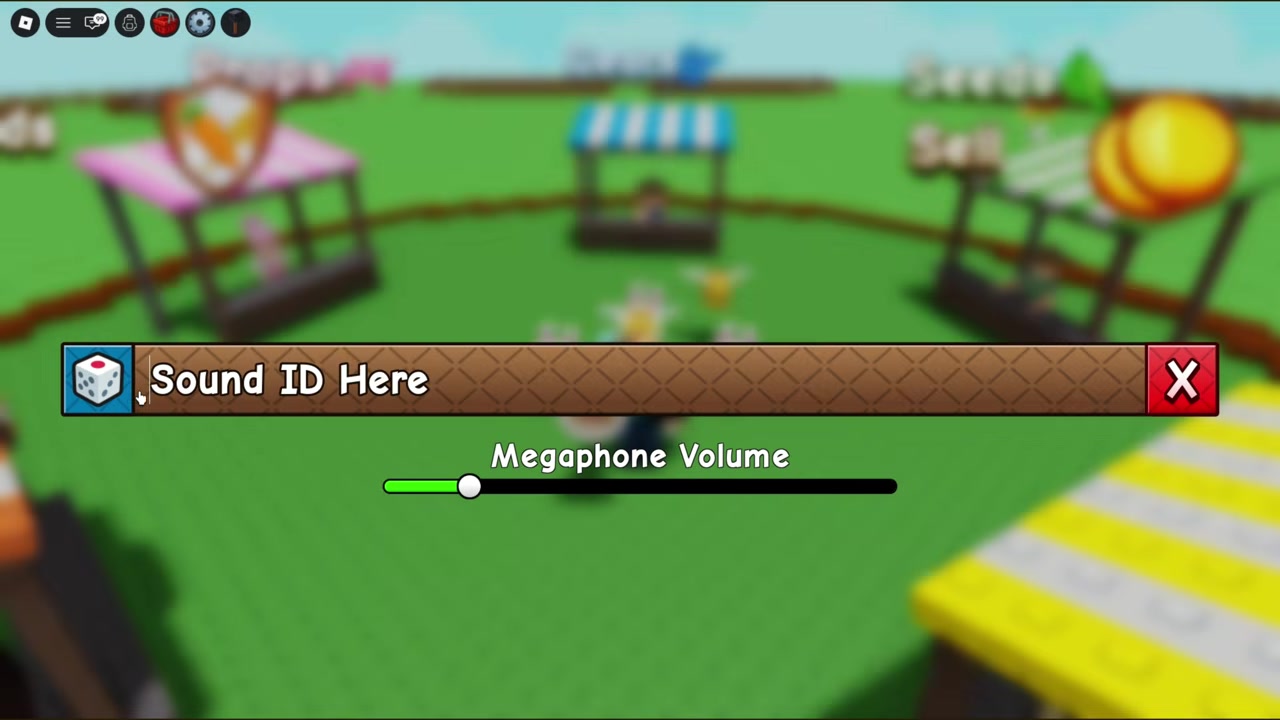
Find the dice icon
Look to the left side of the panel for the dice icon.
STEP 5/7
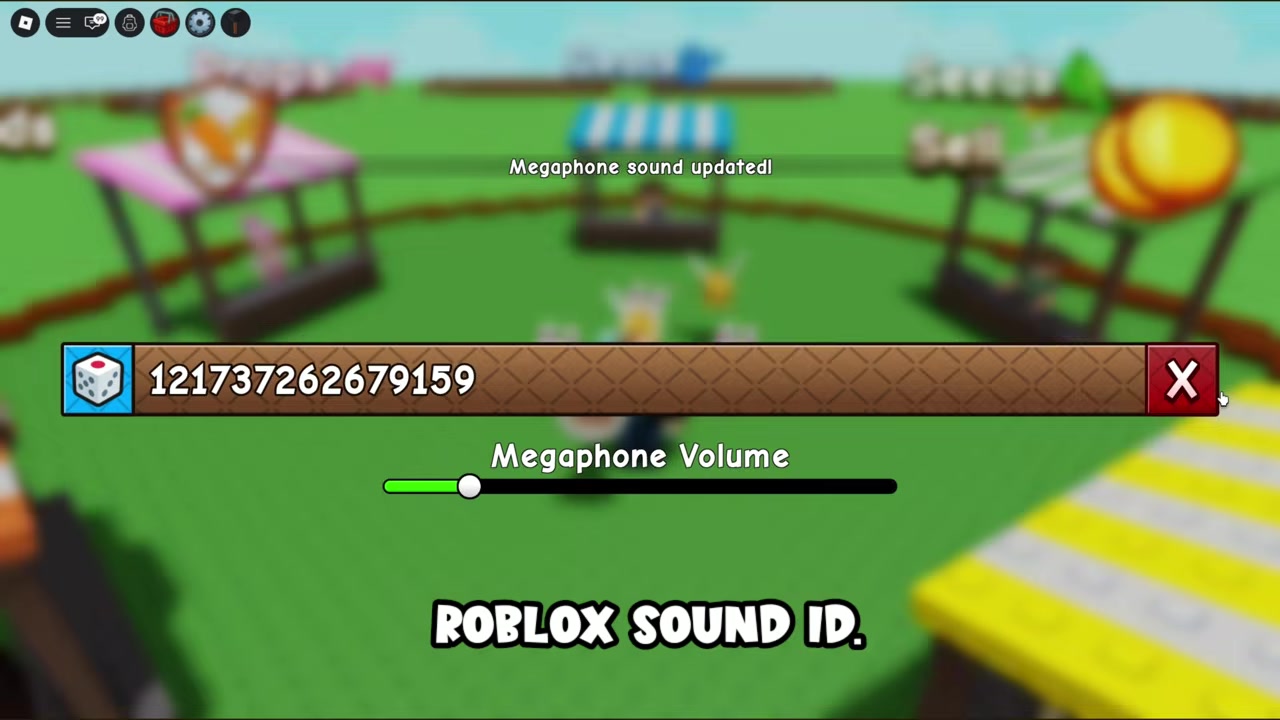
Roll for a random Sound ID
Each click of the dice generates a different random Roblox Sound ID for you.
STEP 6/7
Play it through the Megaphone
Go back and use the Megaphone while holding it to broadcast the sound across your plot.
STEP 7/7
Re-roll for more sounds
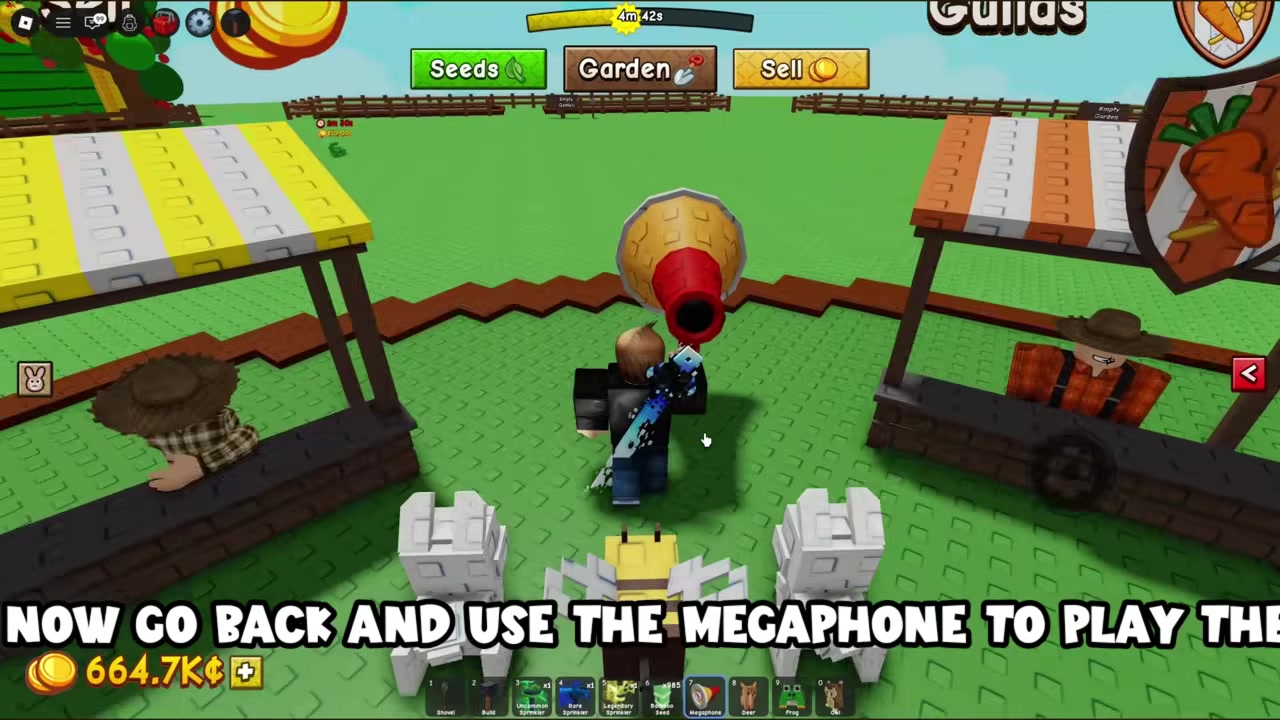
Every roll gives a new ID, so keep clicking the dice to discover different ones.
Video help
Typing a specific Sound ID versus rolling the dice
There are really two ways to feed the Megaphone a sound, and the panel supports both. The fast, random route is the dice icon shown in the steps above — one click and the game drops in a random Roblox Sound ID, which is great for stumbling onto fun or meme audio without looking anything up. Sources say each roll lands on a playable sound, though that’s an assertion worth a sanity check if one comes up silent.
After buying, talk to George again to equip the Megaphone once — it often won’t appear in your gear inventory until you do.
Common Megaphone mistakes to avoid
Two small process slip-ups trip people up too. First, after typing an ID you have to press Enter and close the box, or the sound may not save. Second, if the Megaphone is missing from your gear after purchase, that’s expected — you must equip it at George once before it shows up normally. And to repeat the headline point: don’t go looking for a “Withdrawal” item or a built-in Withdrawal code, because neither exists.
Where to go from here
Once it’s working, most players want a stock of good codes to play. Curated lists of popular and meme Roblox Sound IDs are floating around the community, and those are the quickest way to get music going instead of relying on the dice. If you’re still short of the 8,000 Sheckles, efficient crop layouts and tight sell cycles are the usual way to bank the money fast, though there’s no single confirmed best method yet.
And if other players’ Megaphone audio gets annoying, muting it isn’t clearly documented as an in-game toggle — it’s most likely handled through Roblox’s own volume or privacy settings rather than anything inside Grow a Garden 2, so treat that as unconfirmed for now.
Frequently Asked Questions
Is there a “Withdrawal” Megaphone or a special Withdrawal Sound ID?
No. There’s no separate “Withdrawal” item and no verified built-in Withdrawal code — the word only appears in some video titles. The real gear is just the Megaphone, which plays any Roblox Sound ID you give it.
How much does the Megaphone cost, and can I buy it with Robux?
It’s 8,000 Sheckles from George at the Gear Shop when it’s in stock. There’s also a reported 49 Robux direct-purchase option, but that pricing isn’t fully cross-verified and could change with updates.
Why doesn’t the Megaphone show up in my gear after I bought it?
This is normal. It often won’t appear in your gear inventory right away — you need to talk to George again and equip it once, after which it stays in your quick-access bar permanently.
Does the Megaphone boost crops, money, or growth speed?
No. It’s a purely cosmetic, audio gear item. It plays sounds across your plot and does nothing for crops, currency, pets, or multipliers.
How do I play a specific Roblox Sound ID instead of a random one?
Equip the Megaphone, click the gear icon, and type or paste the numeric Sound ID into the text box (not the song’s name). Press Enter, close the box, then use the Megaphone while holding it to play it.