After unlocking more content in 007 First Light, you gain access to a variety of customization options that let you personalize James Bond’s appearance and equipment. However, the game separates Story Mode and Tactical Simulations, meaning not every customization option can be used everywhere. Understanding these restrictions will help you avoid confusion when changing your gear.
- Quick overview of customization options in 007 First Light
- How the customization system works
- How to access the customization menu
- How to unlock Tactical Simulations
- Changing outfits in TacSim
- Changing weapons in TacSim
- DLC gadget variants and cosmetics
- Why your outfit or weapon is not appearing in Story Mode
Quick overview of customization options in 007 First Light
| Feature | Available in TacSim | Available in Story Mode | Notes |
|---|---|---|---|
| Outfits | Yes | No | Cosmetic outfits are TacSim-only |
| Weapons | Yes | No | Custom loadouts cannot be used in Story missions |
| Gadgets | Yes | Limited | Certain gadget variants and skins can be customized |
| DLC Cosmetics | Yes | Limited | Requires ownership of associated DLC |
| Loadout Customization | Yes | No | Exclusive to Tactical Simulations |
How the customization system works
The customization system is accessed directly from the main menu. From here, you can browse available outfits, weapon selections, and gadget variants that you’ve unlocked throughout your playthrough.
While the menu may display numerous customization options, the game limits most of these features to Tactical Simulations (TacSim). This separate game mode allows players to experiment with different equipment setups and cosmetic appearances without affecting the main campaign experience.
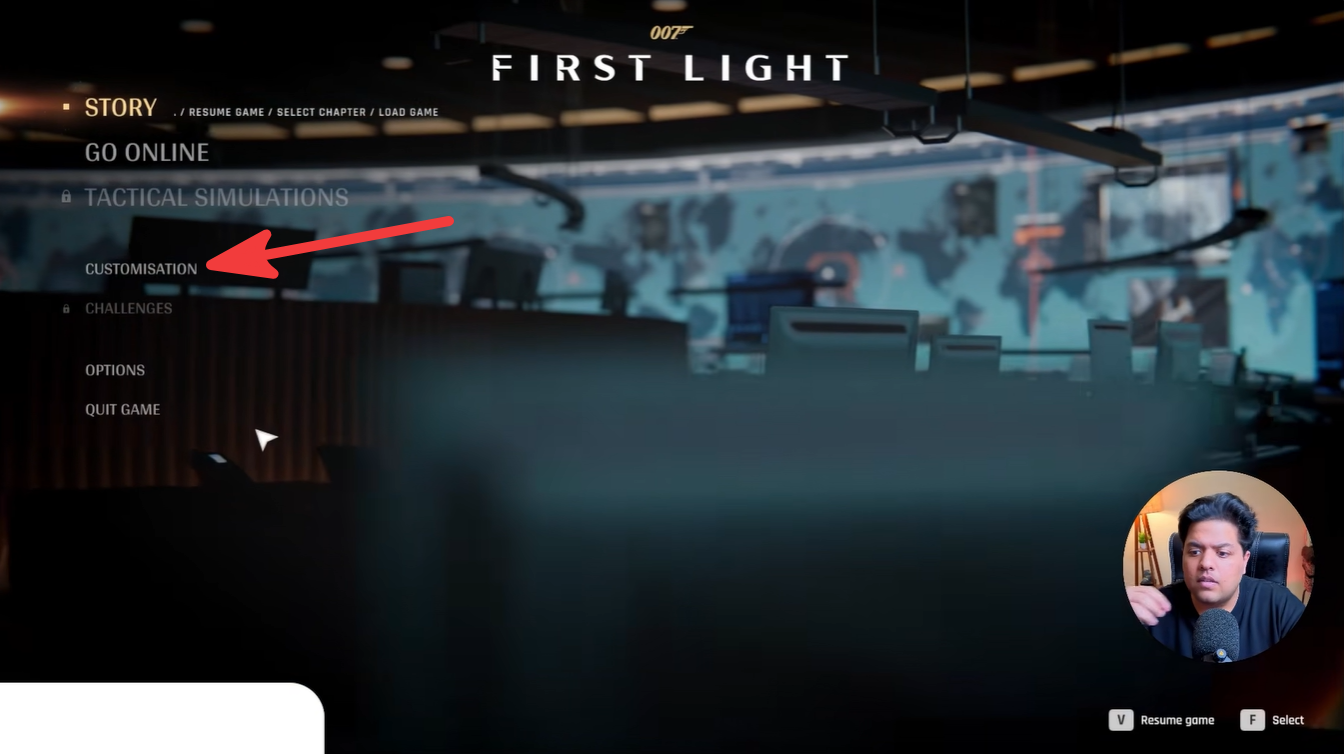
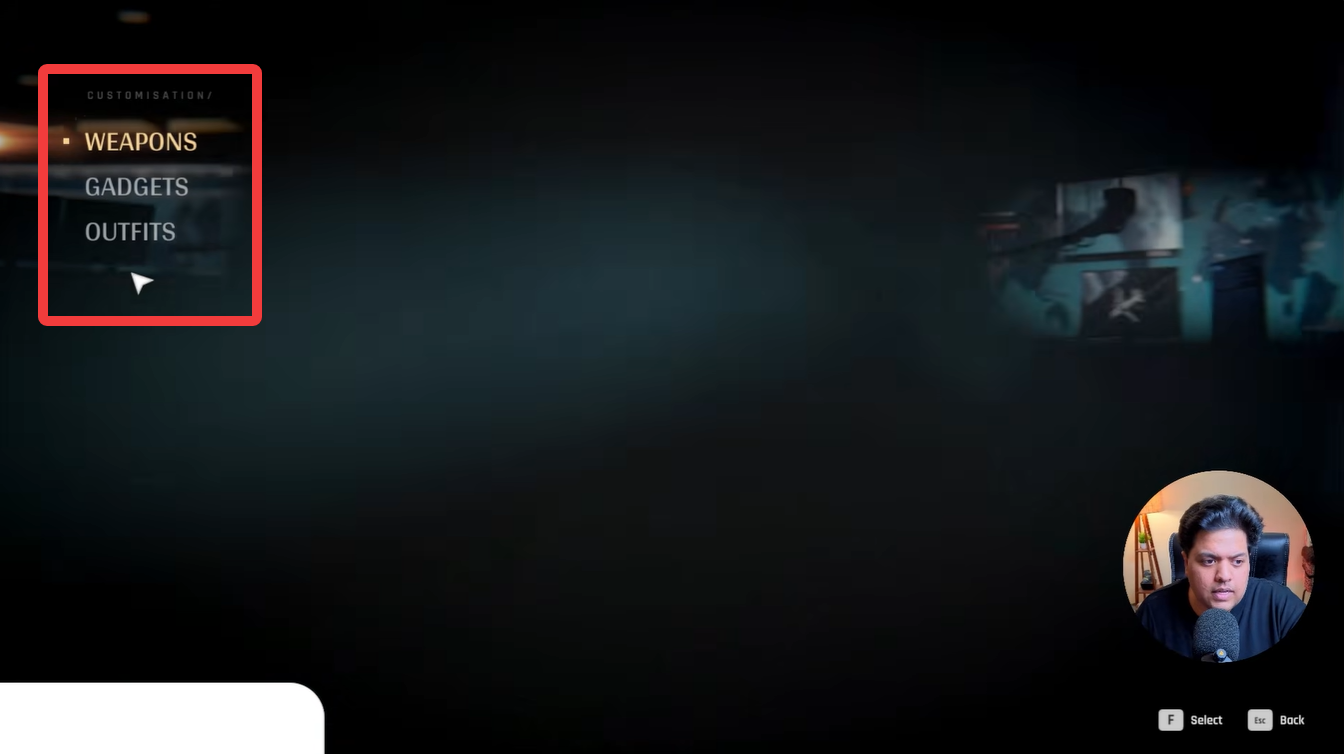
Launch 007 First Light and remain on the main menu screen. Navigate to the Customizations tab.
Open the category you wish to modify:
- Outfits
- Weapons
- Gadgets
Select your preferred item and confirm the changes. Enter a Tactical Simulation mission to use your customized loadout.
How to unlock Tactical Simulations
Progress through the main campaign missions until TacSim becomes available. Ensure your game is connected to your Steam account when required.
Return to the main menu and check for the Tactical Simulations option. Once unlocked, enter TacSim and apply your customized gear selections.
Changing outfits in TacSim
Outfit customization allows you to change Bond’s appearance while playing Tactical Simulations. Different outfits may be unlocked through gameplay progression, special editions, or additional downloadable content.
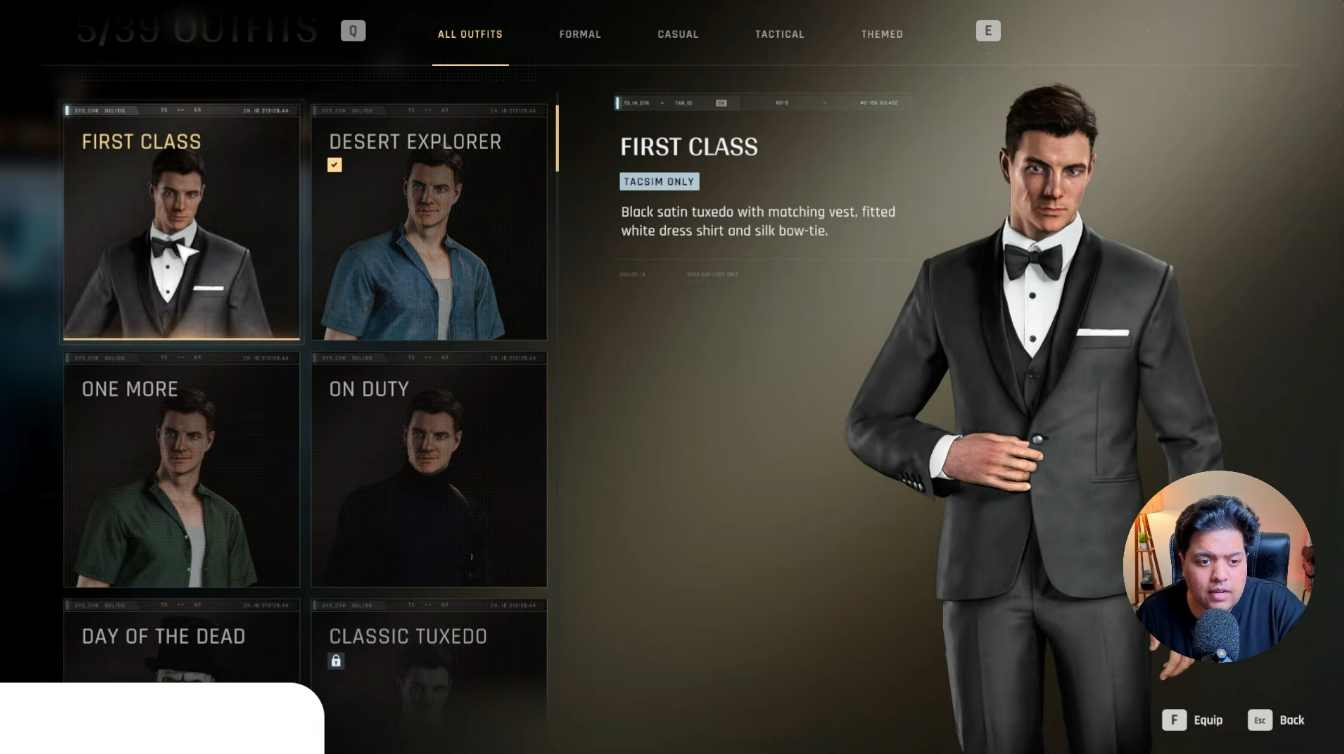
To equip an outfit, open the Customizations menu, select the Outfits category, and choose the appearance you want to use. The selected outfit will become active when entering TacSim missions.
Changing weapons in TacSim
Weapon customization functions similarly to outfit selection. Players can choose from available weapons and configure their preferred TacSim loadout.
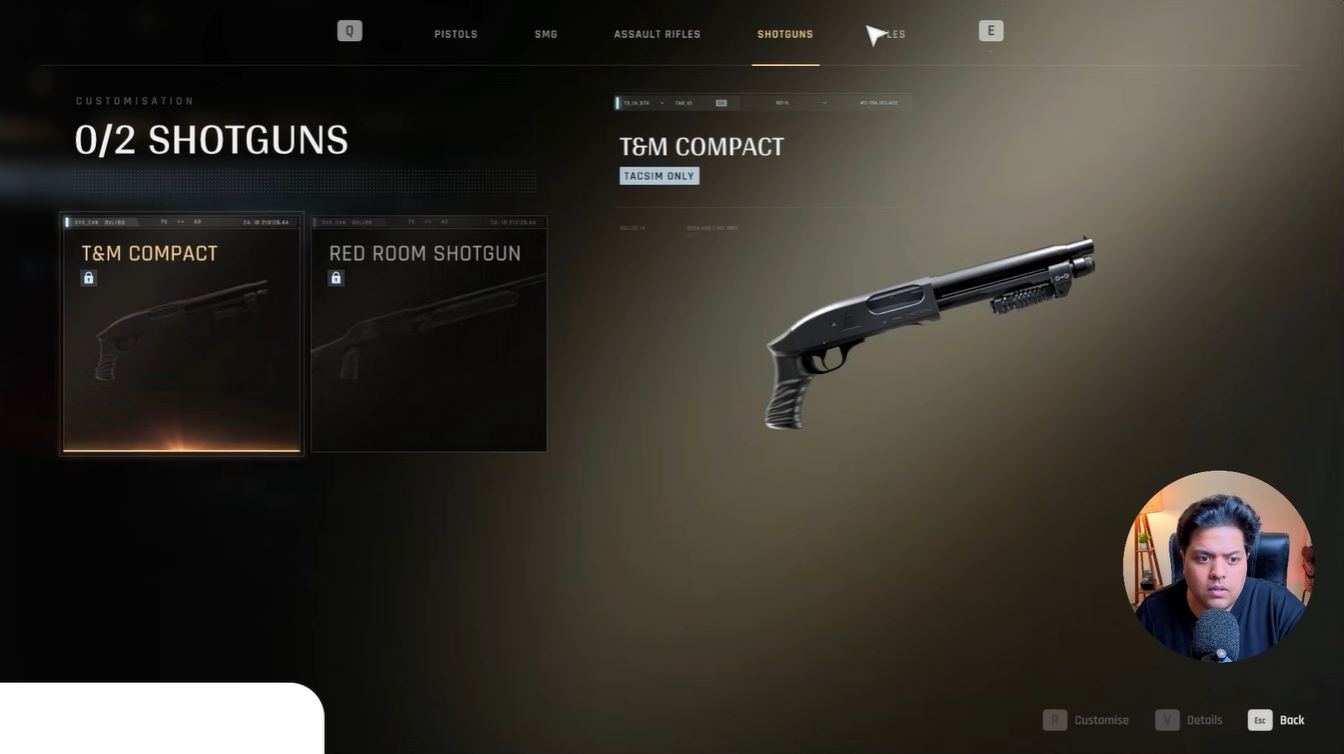
It’s important to note that Story Mode missions use their own mission-specific equipment. Even if you change weapons in the customization menu, those selections will generally only apply within Tactical Simulations.
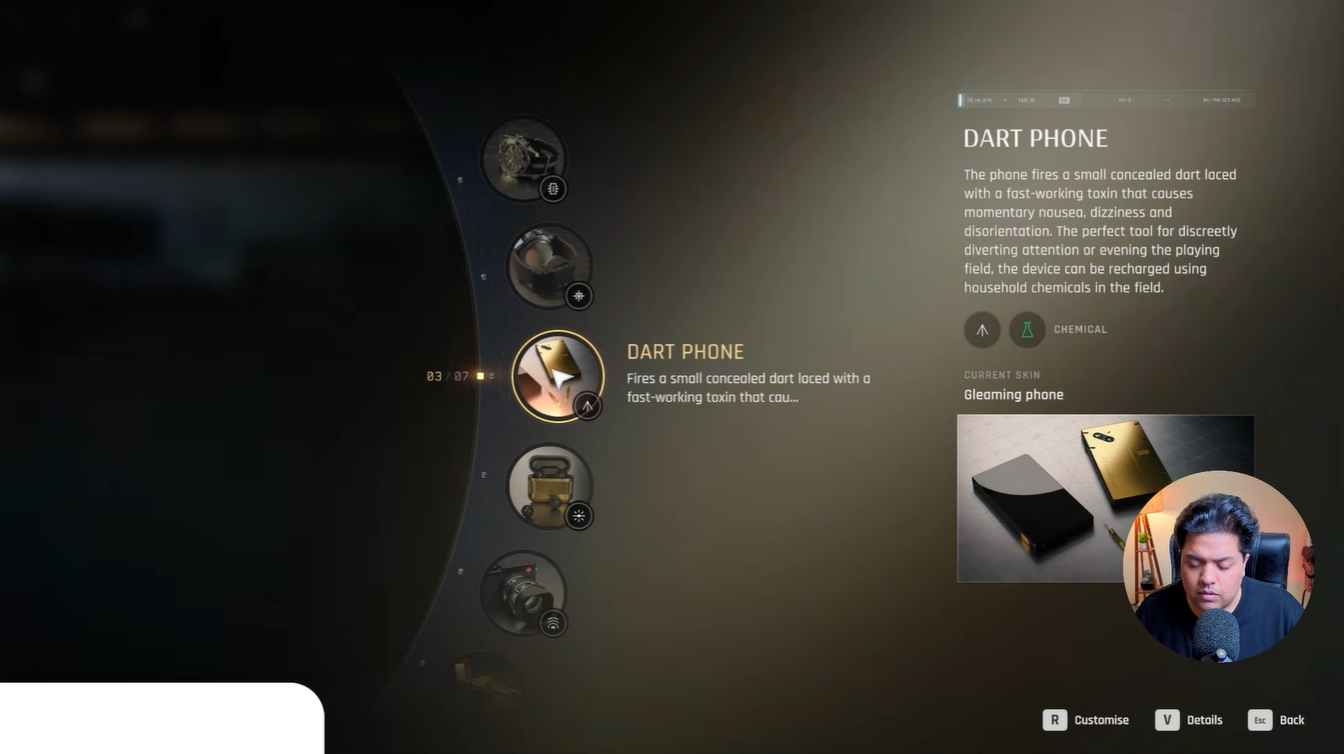
Some gadgets feature special cosmetic appearances connected to DLC content. If you own the corresponding DLC on your Steam account, those variants can be selected directly from the customization menu.
DLC gadget variants and cosmetics
Certain premium items, such as special versions of the phone or lighter, are linked to downloadable content. These cosmetics become available after the game detects ownership through your connected account.
| DLC Feature Type | Requirement |
|---|---|
| Gadget Skins | DLC ownership |
| Special Phone Variants | Linked Steam account |
| Special Lighter Variants | Linked Steam account |
| Bonus Cosmetics | Specific edition or DLC |
Why your outfit or weapon is not appearing in Story Mode
Many players believe their customization settings are not working because they do not see their selected gear during campaign missions. This is actually intended behavior.
Story Mode uses predetermined mission equipment and character appearances to maintain the narrative experience. As a result, custom outfits and weapon loadouts are primarily reserved for Tactical Simulations.
If your selected customization is not appearing, verify that:
- You are playing a TacSim mission.
- TacSim has been unlocked through campaign progression.
- Your customization changes were saved.
- Any DLC content is properly recognized by your Steam account.
The customization system in 007 First Light offers a fun way to personalize Tactical Simulations with different outfits, weapons, and gadget appearances. While Story Mode remains largely fixed, TacSim provides the freedom to experiment with your preferred gear combinations and cosmetic options. Once you unlock the mode and connect the necessary account services, changing your loadout becomes a straightforward process that adds variety to replayable content.