If you expected 007 First Light to let you replay missions directly through an in-world simulation system, the game actually handles it a bit differently. The replay feature exists, but it is tucked away inside the main menu structure rather than integrated into the regular gameplay flow. Once you understand where the option is located, however, it becomes much easier to revisit favorite story moments, retry stealth approaches, or complete unfinished objectives.
| Feature | Details |
|---|---|
| Replay Access | Main Menu |
| Checkpoint Replay | Yes |
| Challenge Tracking | Available in mission menu |
| Save Requirement | New save file required |
| Estimated Save Slots | 5 per mission |
| Best Use Case | Challenges, collectibles, alternate approaches |
How mission replay works in 007: First Light
Unlike many modern action games that feature a dedicated replay terminal or simulation hub, 007: First Light uses a menu-based replay structure. The game does not appear to connect replay functionality to the TacSim feature, even though many players initially expect it to.
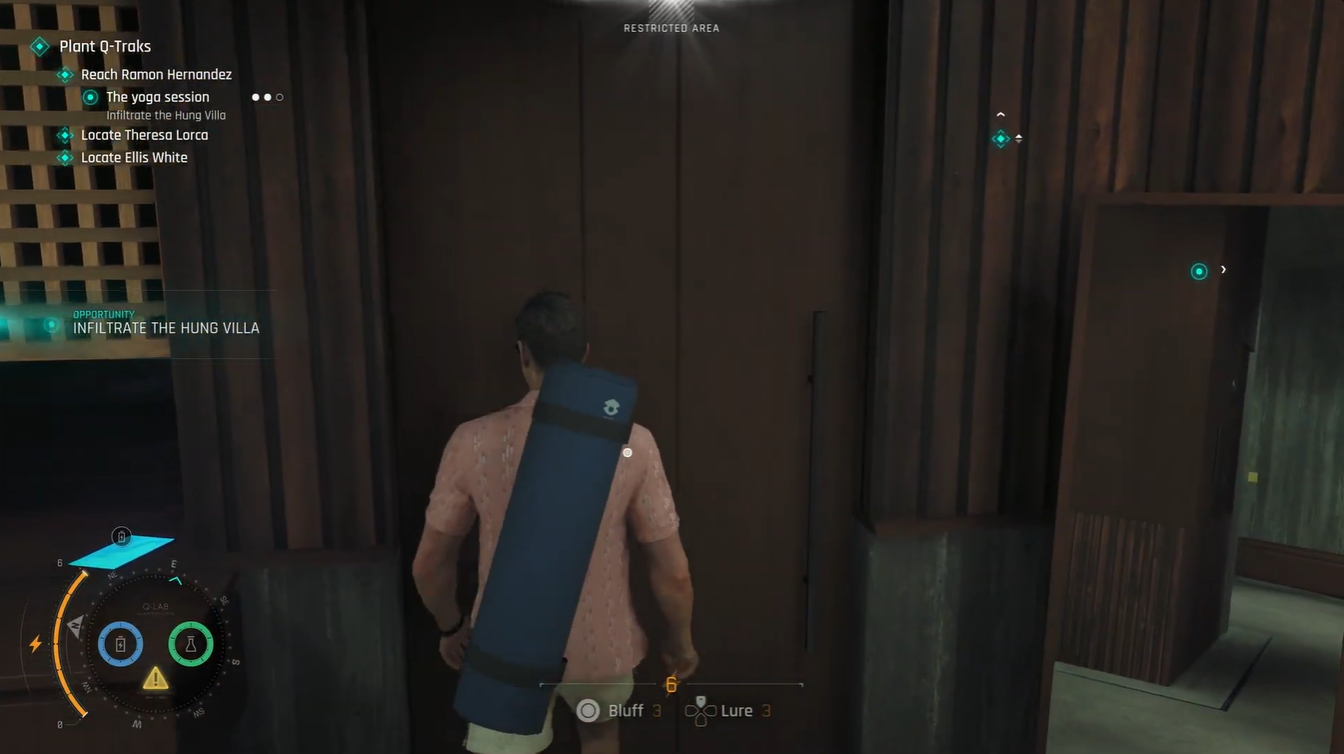
Instead, you need to back out to the main menu before selecting previously completed missions. From there, the game displays mission progress information, available objectives, and checkpoint selections tied to that mission.
This setup makes replaying content more practical for completionists because you can avoid replaying an entire chapter from the beginning if you only missed a single challenge or collectible.
The replay process itself is fairly straightforward once you know where to look.
Step 1
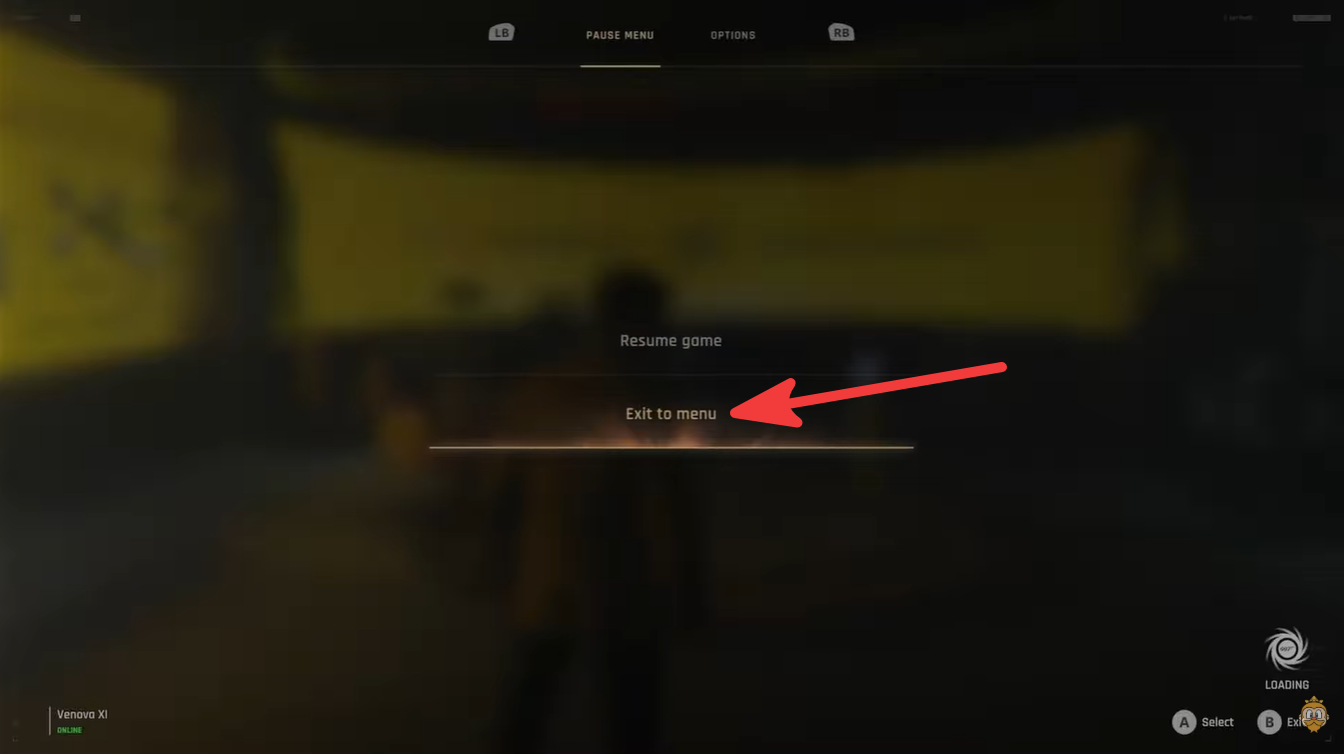
Return to the main menu from your current gameplay session. The replay option is not available directly during normal mission exploration.
Step 2
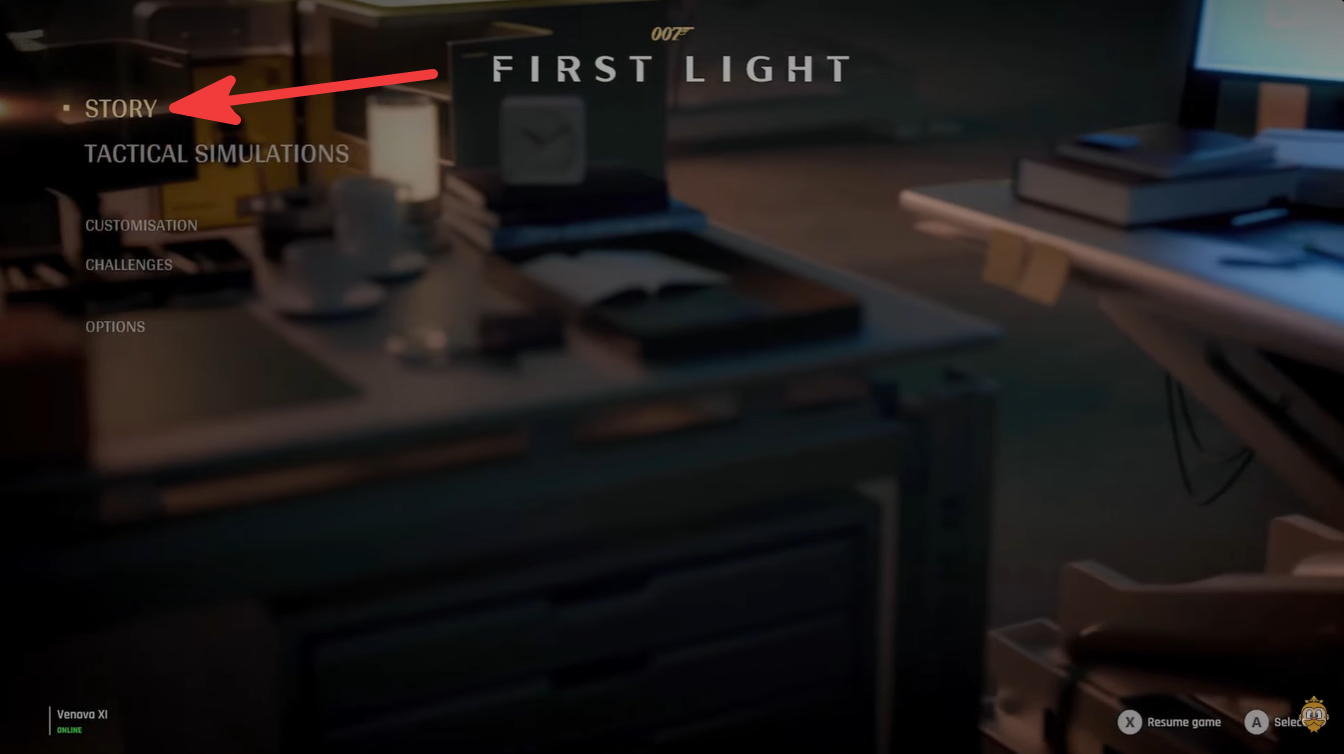
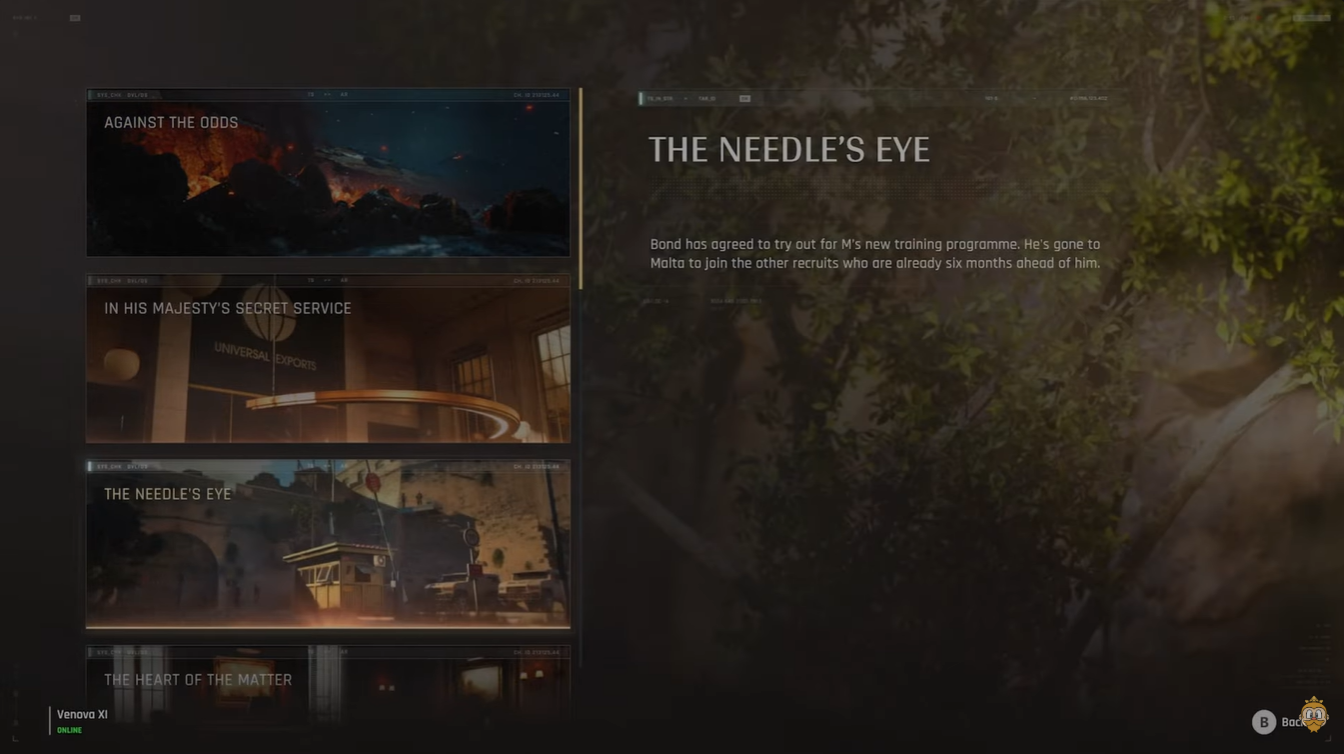
Open the mission selection area. Here, you can browse through previously completed story missions and review your progress.
Step 3
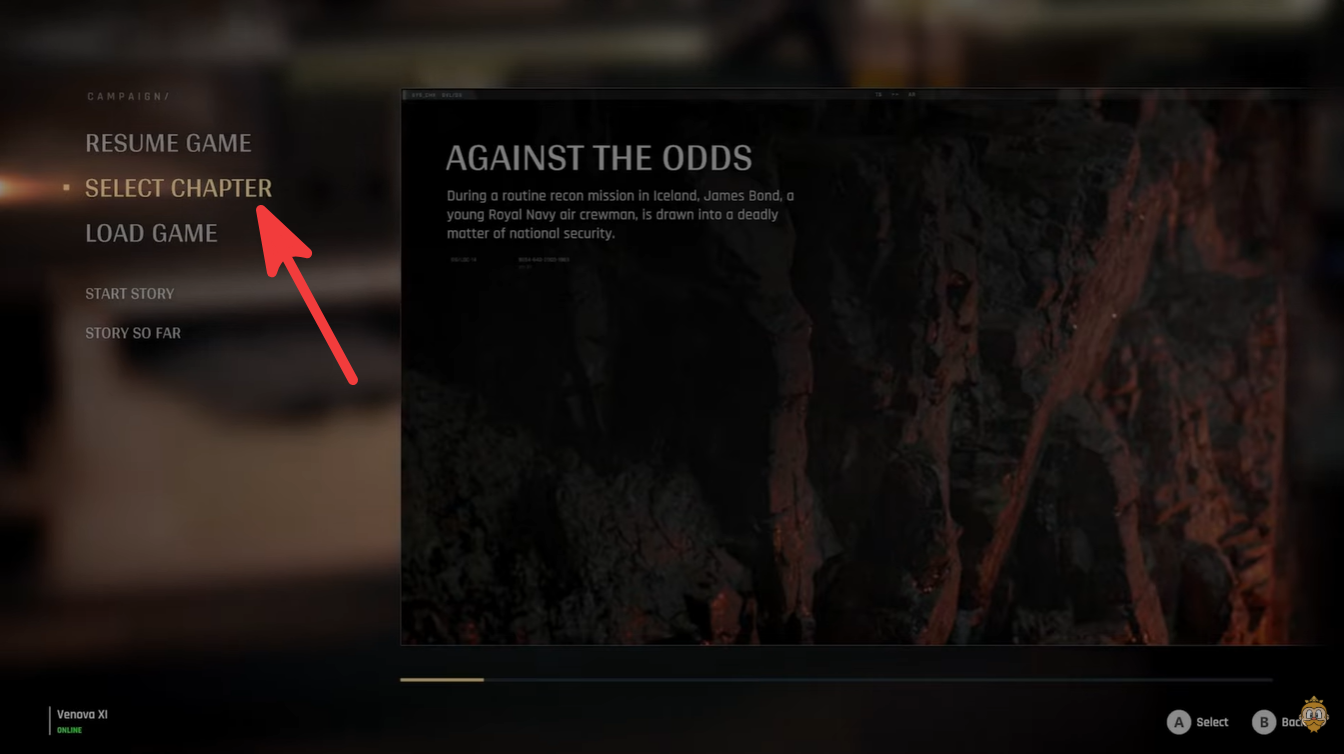
Select the mission you want to replay. The game will then show additional information tied to that chapter, including challenges and checkpoint progression.
Step 4
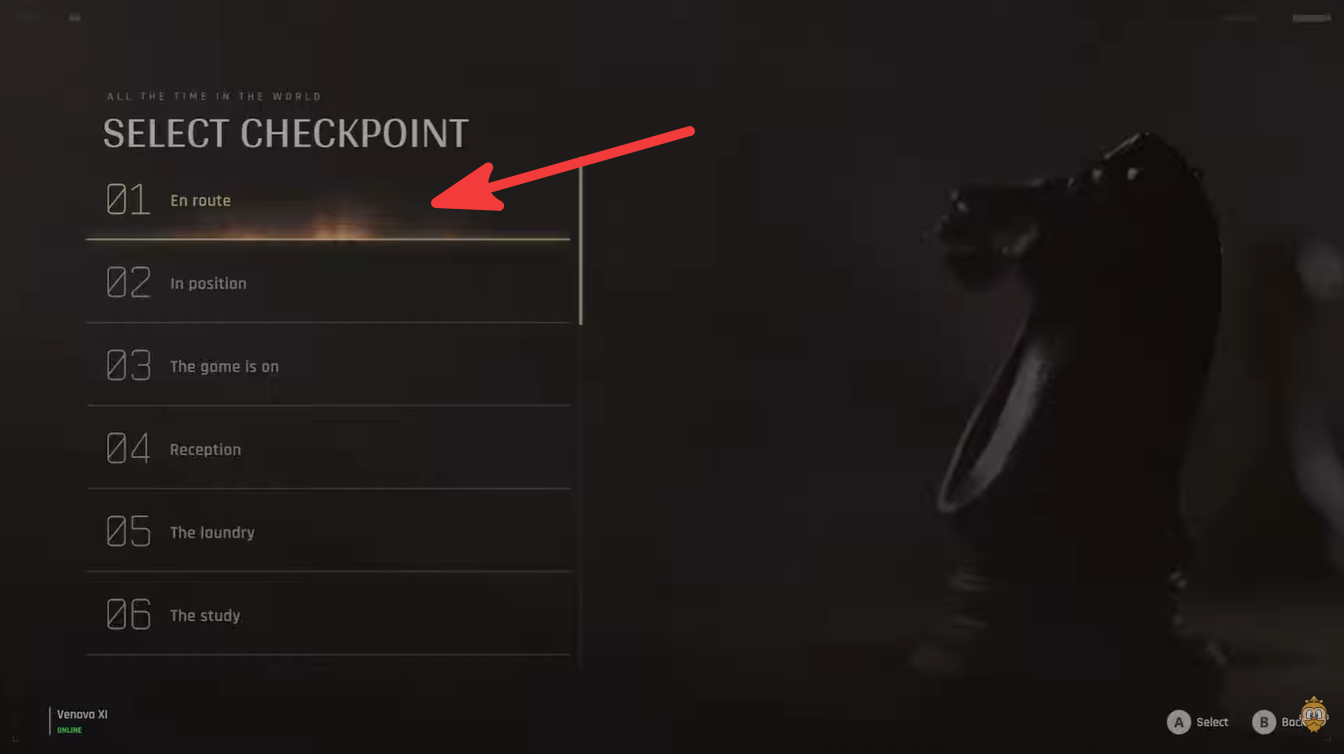
Choose a checkpoint instead of restarting the entire mission if needed. This is especially useful when attempting a specific stealth objective, combat challenge, or collectible route.
Step 5
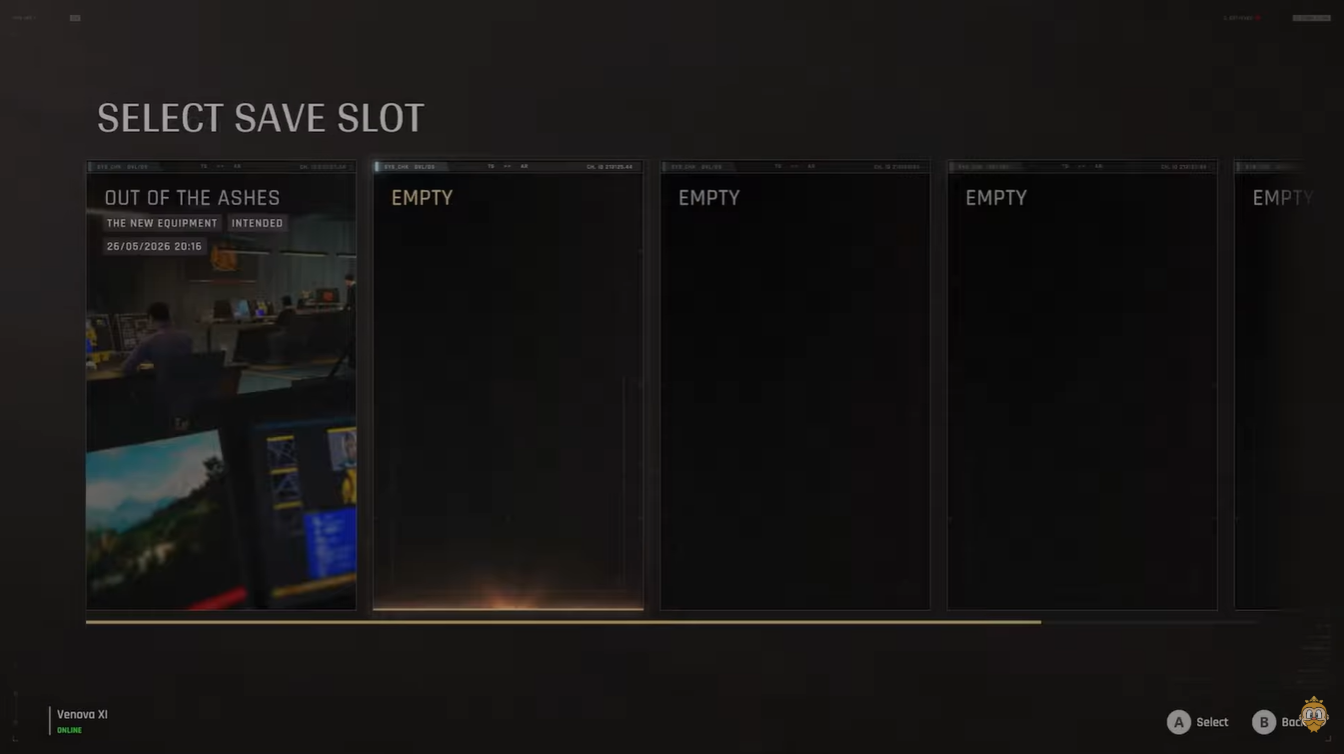
Create a new save file before beginning the replay. The game currently requires separate save slots for replay attempts, which can feel slightly restrictive depending on how many runs you plan to keep.
Checkpoint replay makes challenge cleanup easier
One of the more useful features in the replay system is the ability to jump directly to mission checkpoints. This saves a significant amount of time compared to replaying entire chapters from the beginning.
For example, if you failed a stealth challenge near the end of a mission, you can simply select a checkpoint closer to that segment instead of spending another hour replaying earlier encounters. The same applies to collectible hunting and optional objectives.
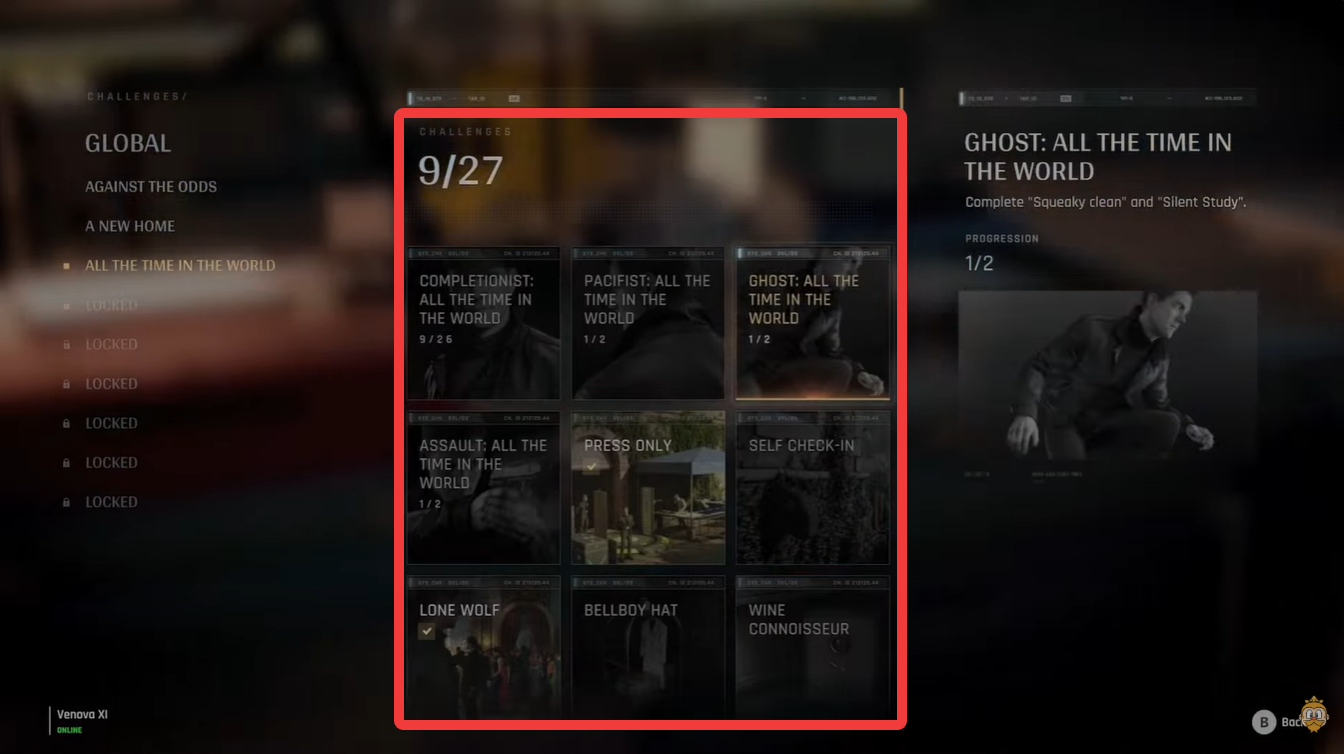
Because 007: First Light includes multiple mission-specific tasks and hidden interactions, the checkpoint system becomes extremely valuable for players aiming for full completion.
| Replay Benefit | Why It Matters |
|---|---|
| Faster challenge retries | Avoid replaying entire missions |
| Better collectible hunting | Return to missed areas quickly |
| Experimentation | Try stealth and combat variations |
| Reduced frustration | Recover from failed objectives faster |
The save file limitation explained
The most unusual aspect of the replay system is the save structure. According to current player observations, starting a replay requires creating a new save file, even if you are revisiting a mission you already completed.
This design can feel somewhat cumbersome compared to traditional chapter replay systems. Players currently report having access to roughly five save slots per mission checkpoint, although it is still unclear whether additional slots unlock later in progression.
Because of this limitation, it is a good idea to manage saves carefully if you plan to experiment with different outcomes, challenge runs, or alternate playstyles.
The system is functional, but it does add extra menu navigation and save management compared to more streamlined replay systems seen in other modern action games.
Why replaying missions is still worth doing
Despite the save file inconvenience, mission replay remains one of the best ways to fully experience 007: First Light. Many missions contain alternate routes, optional interactions, hidden intel, and different stealth opportunities that are easy to miss during a first playthrough.
Replay functionality also encourages experimentation. You can retry encounters with a quieter stealth approach, attempt challenge-specific strategies, or simply revisit cinematic set pieces from earlier in the story.
The checkpoint system especially helps reduce repetition, making replays much more manageable for completion-focused players.
While the replay feature in 007: First Light is not presented through the TacSim system many players expect, it is still a useful tool for revisiting content. Accessing missions through the main menu, selecting checkpoints, and tracking unfinished challenges gives you solid control over how you revisit completed chapters.
The biggest drawback is currently the save file requirement, but the checkpoint structure helps offset some of that inconvenience by cutting down unnecessary repetition. If you are chasing collectibles, challenge completions, or alternate approaches, replaying missions is absolutely worth using.