Buying a new home in Paralives is one of the easiest ways to upgrade your gameplay experience, especially once your Parafolk starts earning more Paradigms. Whether you want a larger family home, a modern apartment, or simply a fresh start in another neighborhood, the game allows you to relocate quickly through the world map.
Below is a quick walkthrough covering how to buy a property, confirm ownership, and successfully move your household into the new location.
| Feature | Details |
|---|---|
| Game | Paralives |
| Main Requirement | Enough Paradigms (money) |
| Access Method | World Map |
| Purchase Confirmation | Yes popup |
| Ownership Indicator | Green house icon |
| Important Furniture | Bed and basic necessities |
| Move-in Method | Interact with objects inside the house |
How to locate houses available for sale
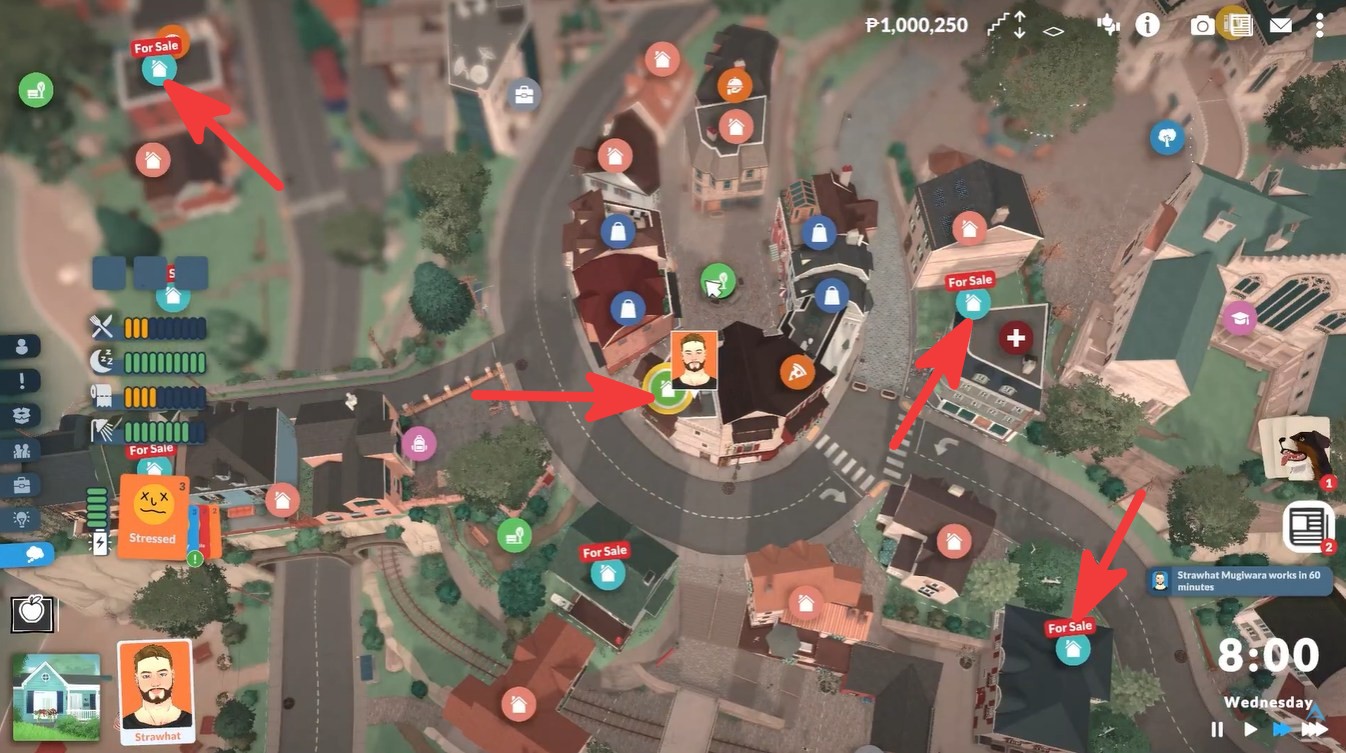
To begin purchasing a property, you first need to access the full town map. Zoom all the way out until the entire neighborhood becomes visible. Houses that are available for purchase can then be selected directly from the map screen.
As you browse the area, you can compare different homes based on their size, design, and price. Some homes are affordable starter properties, while others may require a large amount of Paradigms before they become accessible.
The property details window will display the purchase cost before you commit to buying the home.
How to buy a new house in Paralives
Step #1
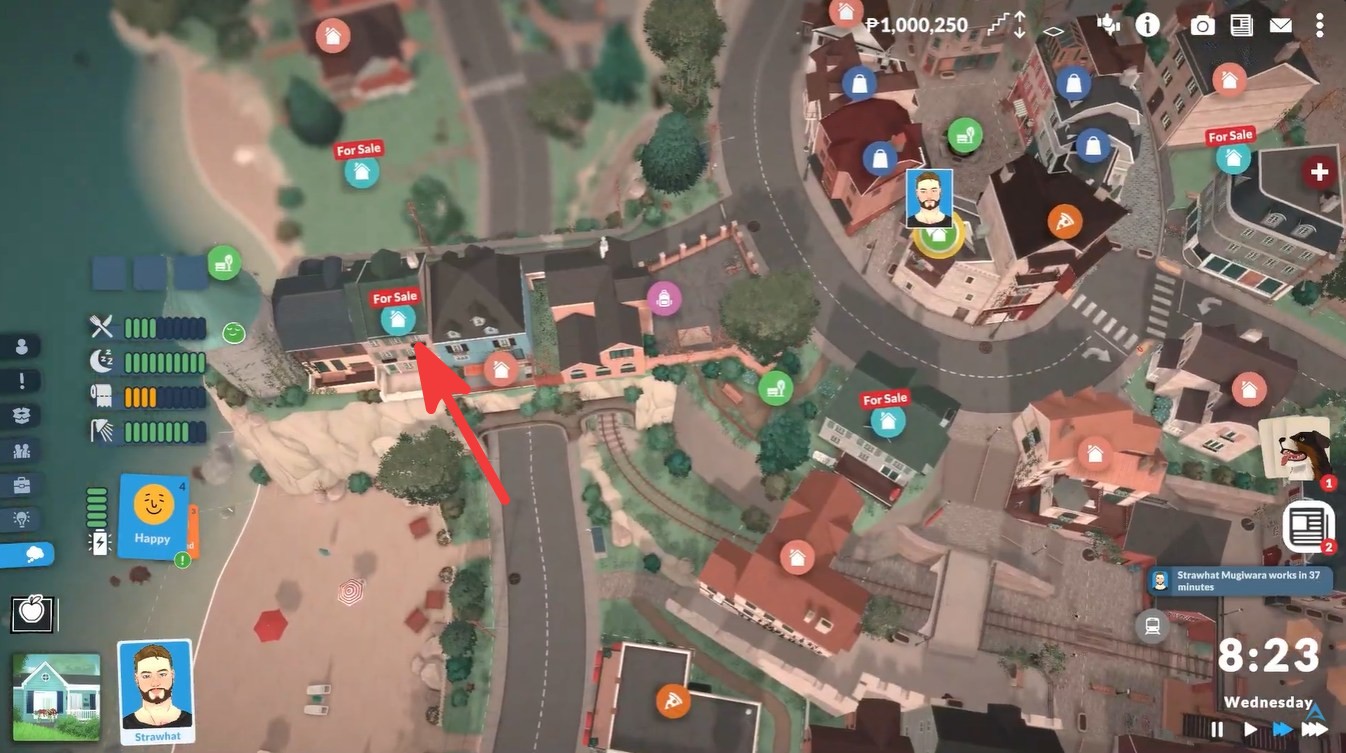
Open the world map by zooming completely out from your current lot. Continue zooming until all neighborhood properties become visible.
Step #2
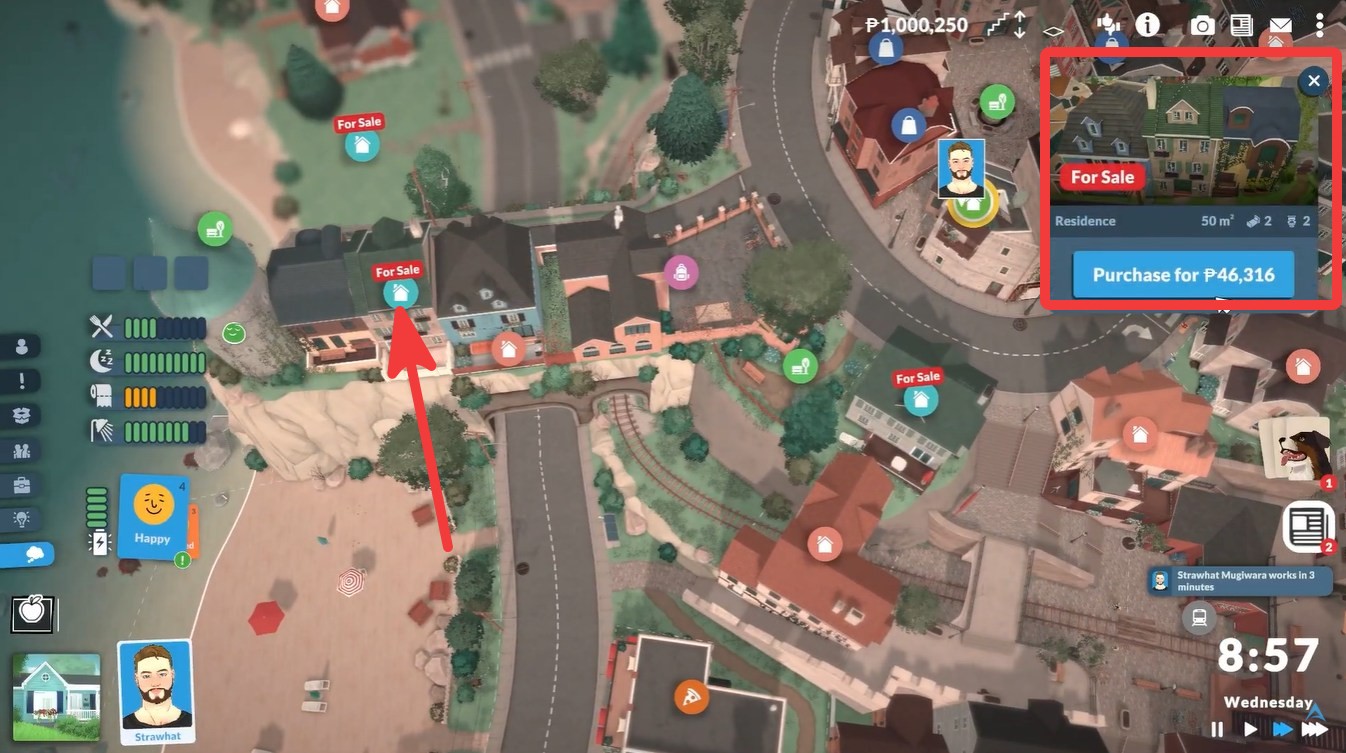
Click on the house you want to purchase. A property information panel will appear showing the price and additional details.
Step #3
Review the cost carefully. For example, some homes may cost around 46,000 Paradimes or more depending on the location and property size.
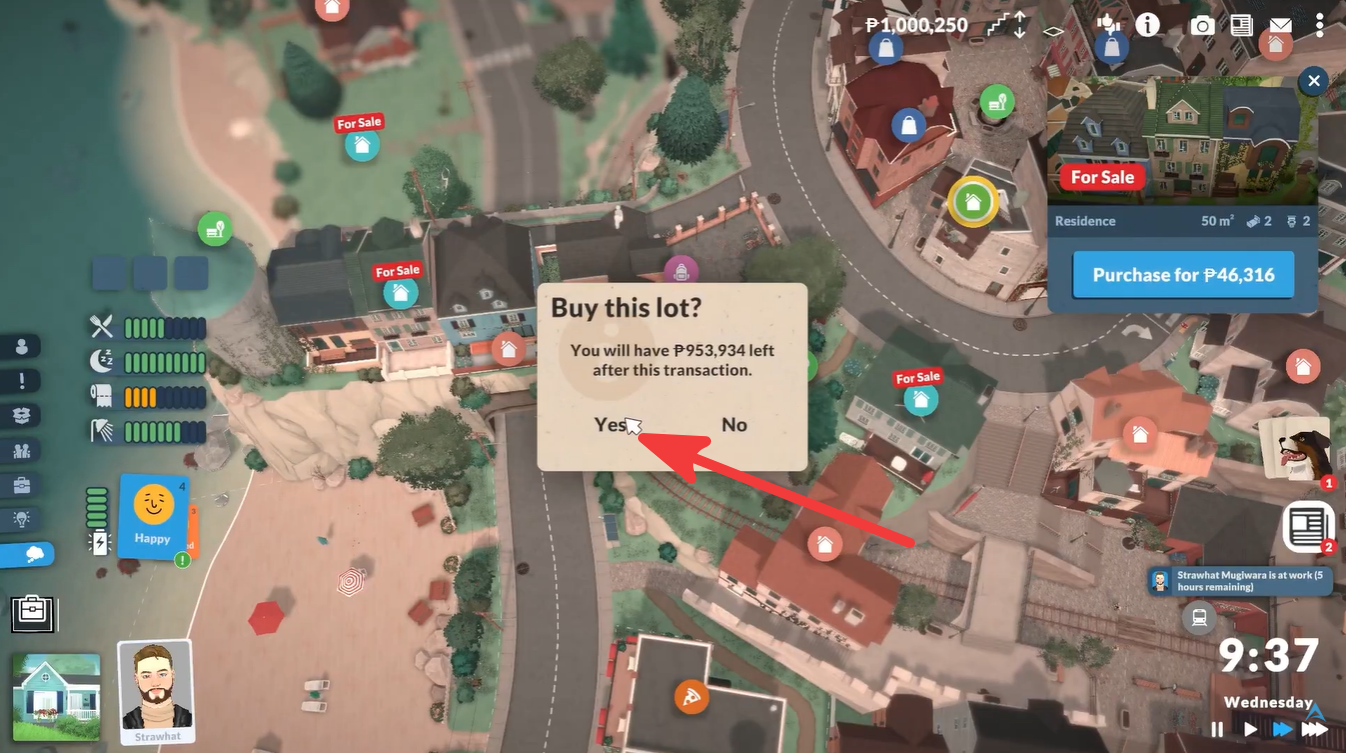
Press the Purchase button to begin the buying process. A confirmation popup will appear asking if you want to finalize the transaction. Select Yes to complete the purchase.
Once confirmed, the property officially becomes yours.
What happens after purchasing the house
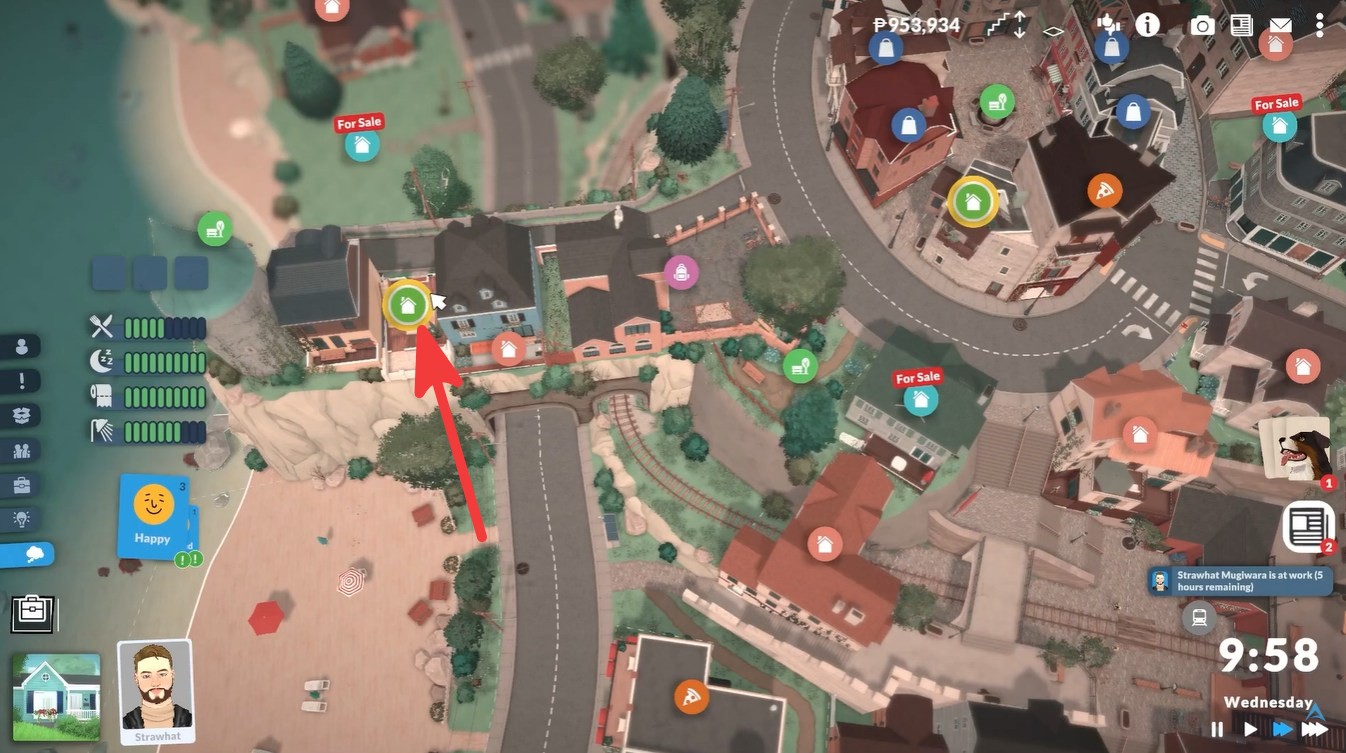
After the transaction is complete, the game marks the property with a green house icon. This indicates that the building is now owned by your household.
However, purchasing the property alone does not instantly relocate your Parafolk. You still need to physically move them into the new residence.
How to move into the new property
Step #1
Zoom into your newly purchased house from the map.
Step #2
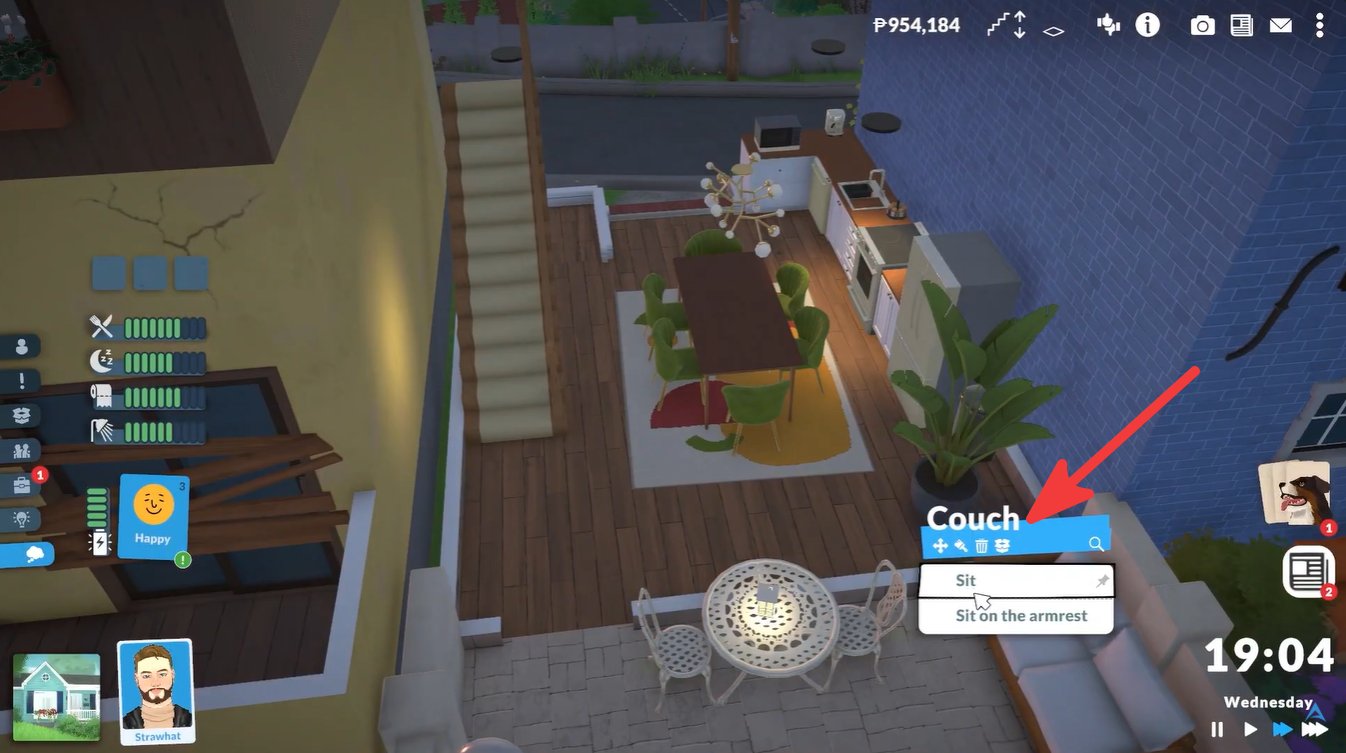
Enter the property and click on an object inside the home, such as a couch or chair.
Step #3
Choose an interaction like sitting or using the object. This effectively establishes the location as your active residence.
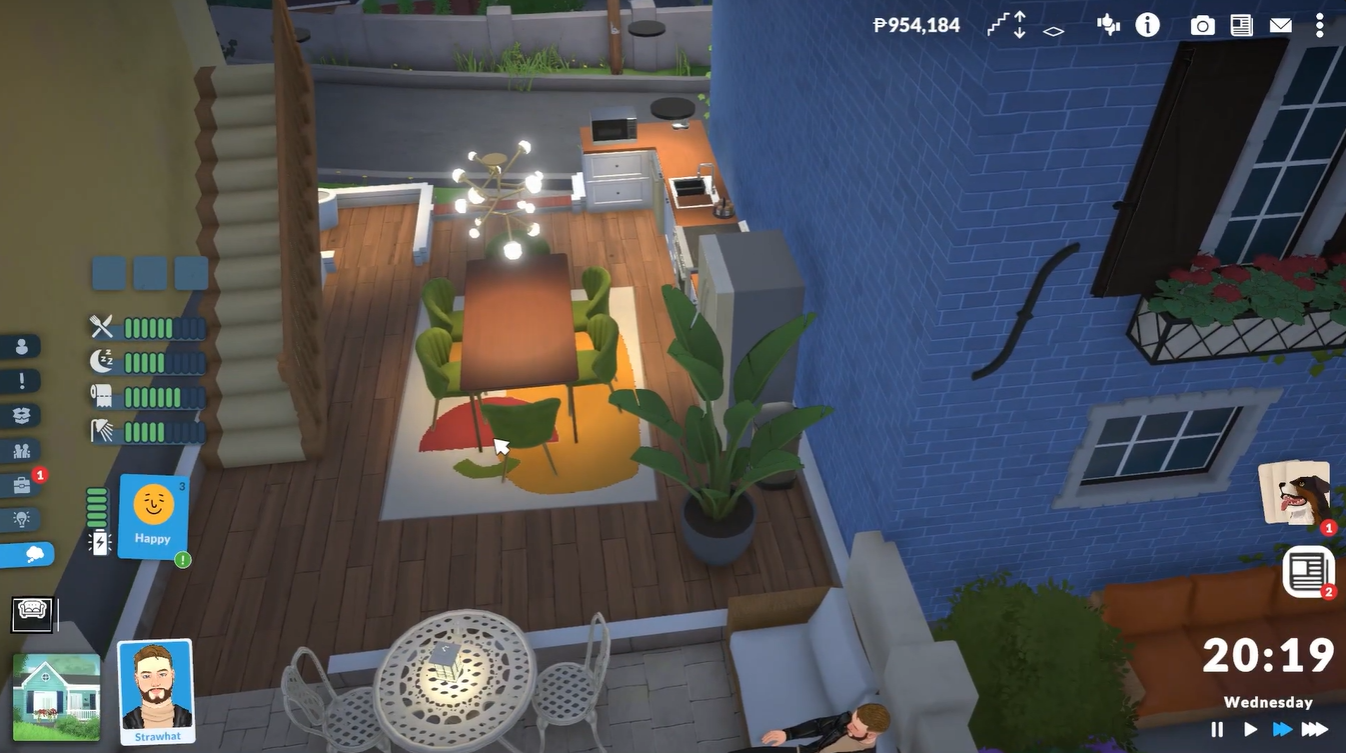
After interacting inside the property, your Parafolk will begin treating the new house as home.
Why furnishing the house is extremely important
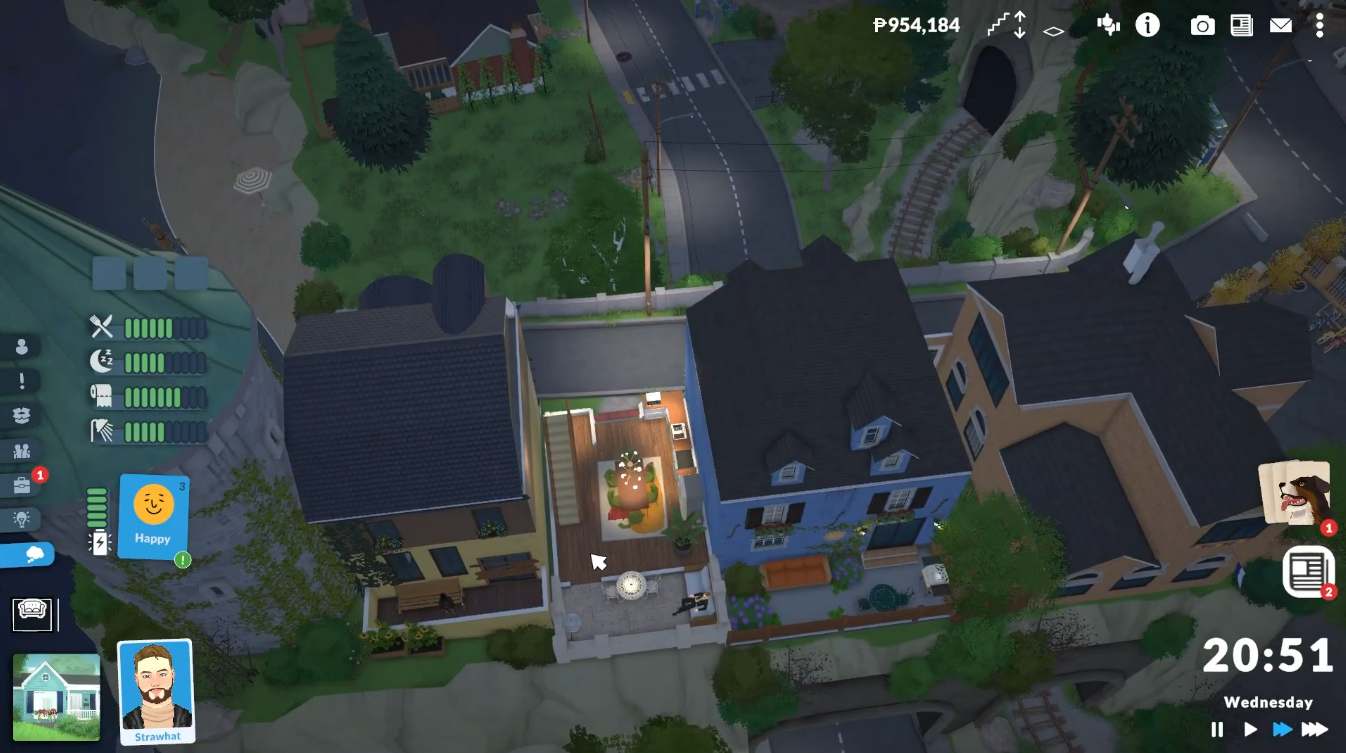
One of the most important details many players miss is furnishing the home properly before moving in. If the property lacks essential items, especially a bed, your Parafolk may automatically return to the previous residence for sleeping and daily needs.
Before fully relocating, make sure the home includes:
| Essential Item | Why It Matters |
|---|---|
| Bed | Required for sleeping |
| Toilet | Supports hygiene needs |
| Fridge | Allows food storage and meals |
| Seating | Improves comfort and interactions |
| Shower/Bath | Maintains cleanliness |
Even a minimally furnished setup is enough to prevent unwanted returns to the old home.
Choosing the best house for your household
The ideal property depends heavily on your playstyle. Smaller homes are easier to maintain and cheaper to furnish, while larger properties provide more room for future expansions, relationships, hobbies, and careers.
If you plan to grow a family, having additional bedrooms and larger living spaces becomes very useful later in the game. Players focused on creative building may also prefer empty lots or customizable homes that can be redesigned entirely.
Budget management is equally important because purchasing an expensive house can leave your household with very little money for furniture and bills afterward.
Buying a new house in Paralives is a straightforward process once you understand how the map and relocation systems work. By selecting a property from the world map, confirming the purchase, and properly furnishing the home, you can smoothly transition your Parafolk into a brand-new living space.
Making sure the property contains a bed and essential furniture is the key step that many players overlook. Once everything is set up correctly, your new house becomes a comfortable long-term home for your growing household.