What to know
- Patch 1.06.00 introduced a new “Display Sheath” option in Crimson Desert.
- The setting controls whether your sword sheath appears on your character model during gameplay.
- It is purely a visual customization feature and does not affect combat stats or gameplay performance.
- You can toggle it on or off through the game’s settings menu after updating to version 1.06.00.
The Sheath Display Mode, officially called “Display Sheath”, is one of the smaller but highly requested immersion features added in the Crimson Desert 1.06.00 update. Pearl Abyss included it alongside several other quality-of-life additions such as Night Tone Mode, Special Mounts, and the new Extraction system.
Crimson Desert Sheath Display Mode
| Feature | Details |
|---|---|
| Added In | Patch 1.06.00 |
| Official Name | Display Sheath |
| Purpose | Shows or hides weapon sheaths |
| Affects Gameplay? | No |
| Type | Cosmetic / Visual |
| Works With | Sword-equipped characters |
| Patch Category | Customization & immersion |
| Toggle Option | Yes |
What Sheath Display Mode actually does
Before patch 1.06.00, many players noticed that weapons would appear without a fully visible sheath system during exploration or idle movement. With the new update, characters can now visibly carry sword sheaths on their body, improving the game’s realism and medieval fantasy presentation.
When the option is enabled:
- Your sword sheath remains visible while exploring the world
- The weapon visually appears holstered inside the sheath
- Character outfits look more complete and immersive
- Cutscenes and exploration feel more cinematic
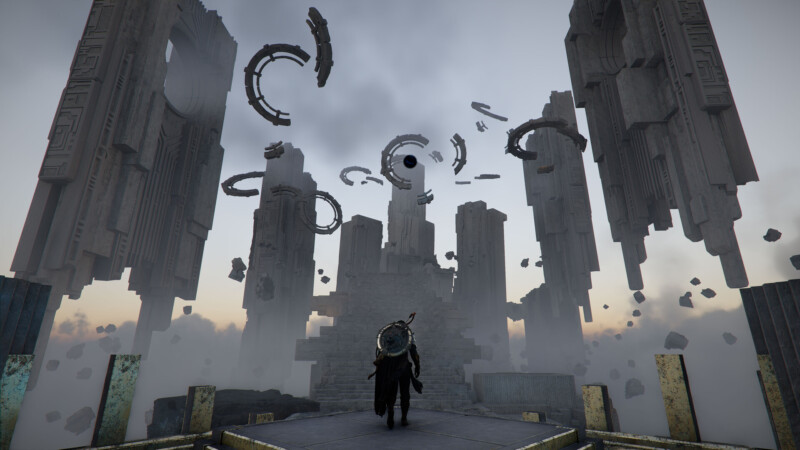
When disabled:
- The sheath is hidden from your character model
- Weapons may appear without a visible scabbard attachment
- The game maintains a cleaner and less cluttered character silhouette
The system works similarly to cosmetic weapon display options seen in many modern RPGs. It mainly exists to let players decide whether they prefer a realistic adventurer appearance or a simpler visual style.
How to enable or disable Sheath Display Mode
The option becomes available after installing Crimson Desert Patch 1.06.00. Here is how to turn it on:
- Open the main menu while in-game.
- Go to Settings.
- Navigate to the Video or Display section depending on platform layout.
- Find the option labeled Display Sheath.
- Toggle the setting to On or Off.
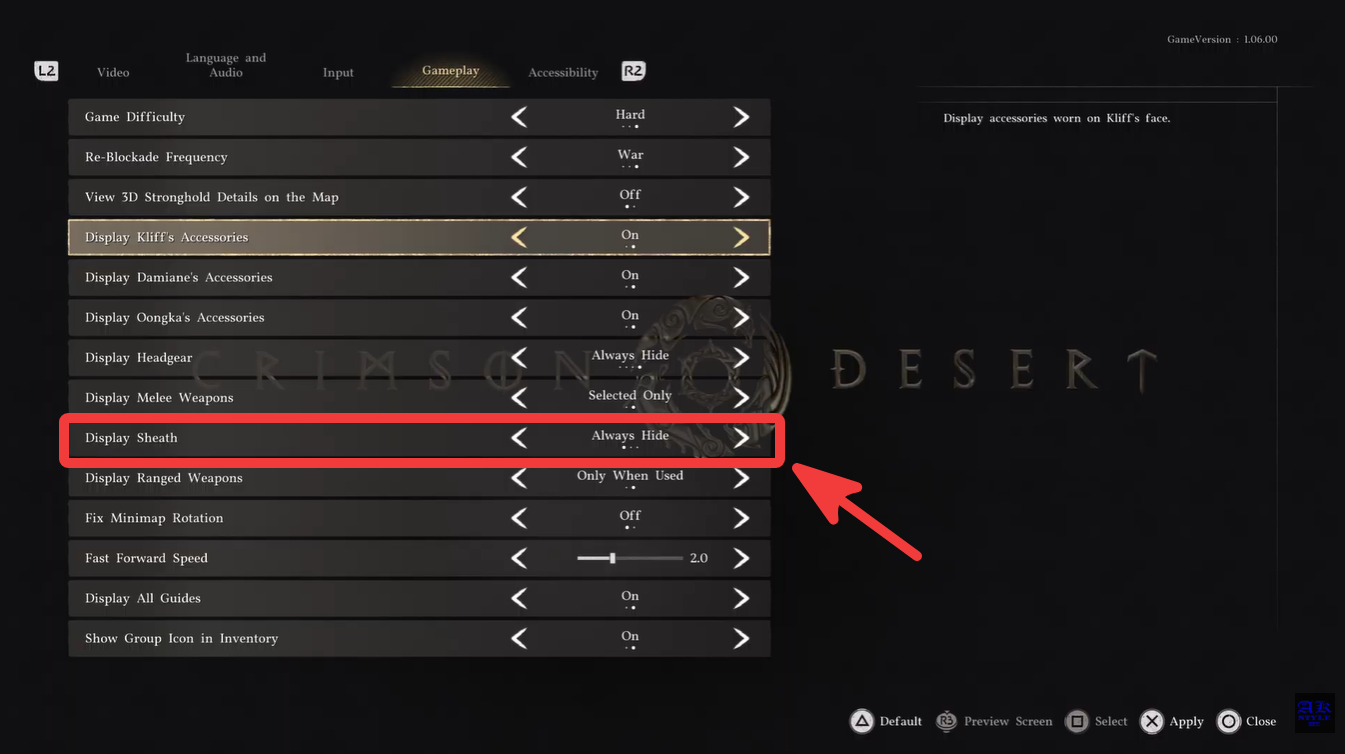
Once applied, the change appears immediately on your character model without requiring a restart.
Why players wanted this feature
A large part of the Crimson Desert community wanted better visual immersion after launch. Players frequently compared the game’s equipment visuals to classic fantasy RPGs where swords, daggers, and shields remain visibly attached to the character while traveling.
Patch 1.06.00 focuses heavily on immersion improvements overall. Alongside the sheath system, Pearl Abyss also added:
| New Immersion Feature | What It Does |
|---|---|
| Night Tone Mode | Softens colors and brightens dark areas |
| Special Mounts | Lets players tame animals like wolves and bears |
| Sigil of Valor | Allows pet dogs to attack enemies |
| New Unarmed Animations | Improves hand-to-hand combat visuals |
| Better HDR Support | Improves lighting and color presentation |
The sheath feature may seem small, but it significantly improves the overall fantasy adventurer aesthetic, especially during exploration and cinematic moments.
Does Sheath Display Mode affect performance
Currently, there is no indication that the feature affects FPS or gameplay performance in any noticeable way. Since it only toggles a cosmetic model element, the impact appears minimal even on lower-end systems.
Players using performance-focused settings can safely leave it enabled unless they simply prefer a cleaner visual presentation.
Which weapons support the sheath system
Patch notes specifically mention “Added sheaths for swords” and the accompanying Display Sheath option.
At the moment:
| Weapon Type | Sheath Support |
|---|---|
| Swords | Confirmed |
| Greatswords | Likely partial support |
| Daggers | Unclear |
| Bows | No sheath system |
| Cannons | No sheath system |
Pearl Abyss may expand the system further in future updates if players respond positively.
The new Display Sheath option in Crimson Desert Patch 1.06.00 is a simple but effective customization feature that improves immersion by letting your character visibly carry sword sheaths during gameplay. It does not change combat mechanics, but it adds a more polished RPG appearance that many players wanted since launch.
Combined with Night Tone Mode and other visual improvements, the update continues Pearl Abyss’ push toward making Crimson Desert feel more cinematic and immersive overall.