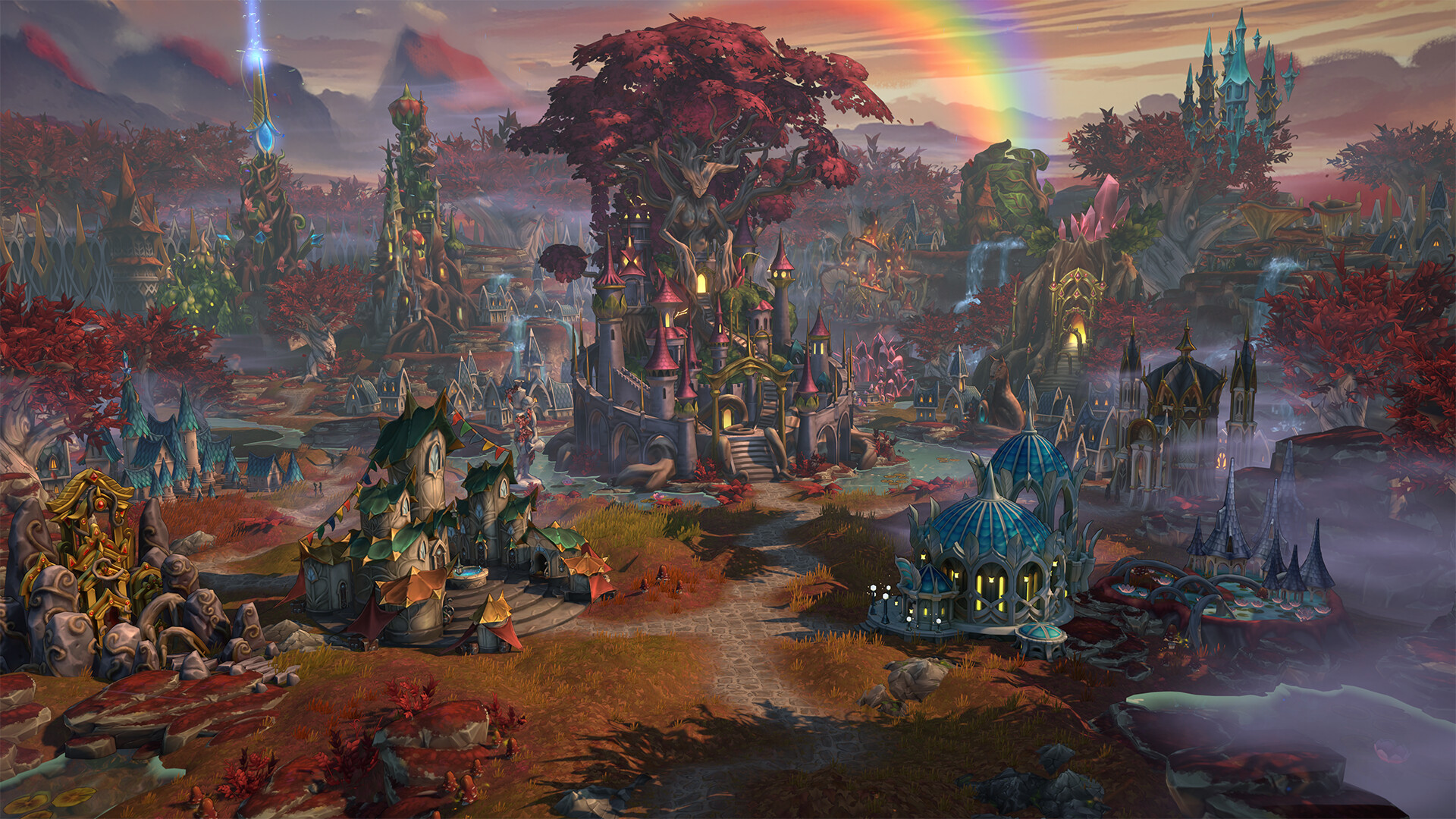
What to know
- Unit upgrades require being inside a city with the correct buildings constructed
- Each unit often has multiple upgrade paths with different tactical roles
- You can freely switch upgrade variants while inside eligible cities
- Faction-specific structures determine upgrade availability and strength
Upgrading units is one of the most important mechanics in Heroes of Might and Magic: Olden Era, and it directly impacts how well you perform in both early and late-game battles. When you upgrade your units, you are not just increasing stats—you are unlocking entirely new capabilities, abilities, and strategic options. If you want to stay competitive, especially against tougher AI or players, understanding how upgrades work is essential.
Here is a quick overview of unit upgrading mechanics in Heroes of Might and Magic Olden Era:
| Aspect | Details |
|---|---|
| Requirement | Hero must be inside a city |
| Access point | City interface upgrade menu |
| Cost | Usually gold + resources |
| Upgrade paths | Often 2 variants per unit |
| Flexibility | Free switching between variants (in city) |
| Dependency | Requires upgraded recruitment building |
| Special cases | Map objects may allow upgrades |
Why upgrading units changes your strategy completely
Upgrading units transforms your army composition. Basic units may serve as early-game fillers, but upgraded versions often gain new abilities, better survivability, and specialized roles. For example, a frontline unit might evolve into either a defensive tank or an aggressive attacker, depending on the upgrade path you choose.
This flexibility allows you to adapt your strategy based on your enemies, terrain, or campaign progression. If you are facing ranged-heavy opponents, you might prefer defensive upgrades. On the other hand, if you want to rush and overwhelm enemies, offensive variants become more valuable.
How to upgrade your units in Olden Era
Step 1
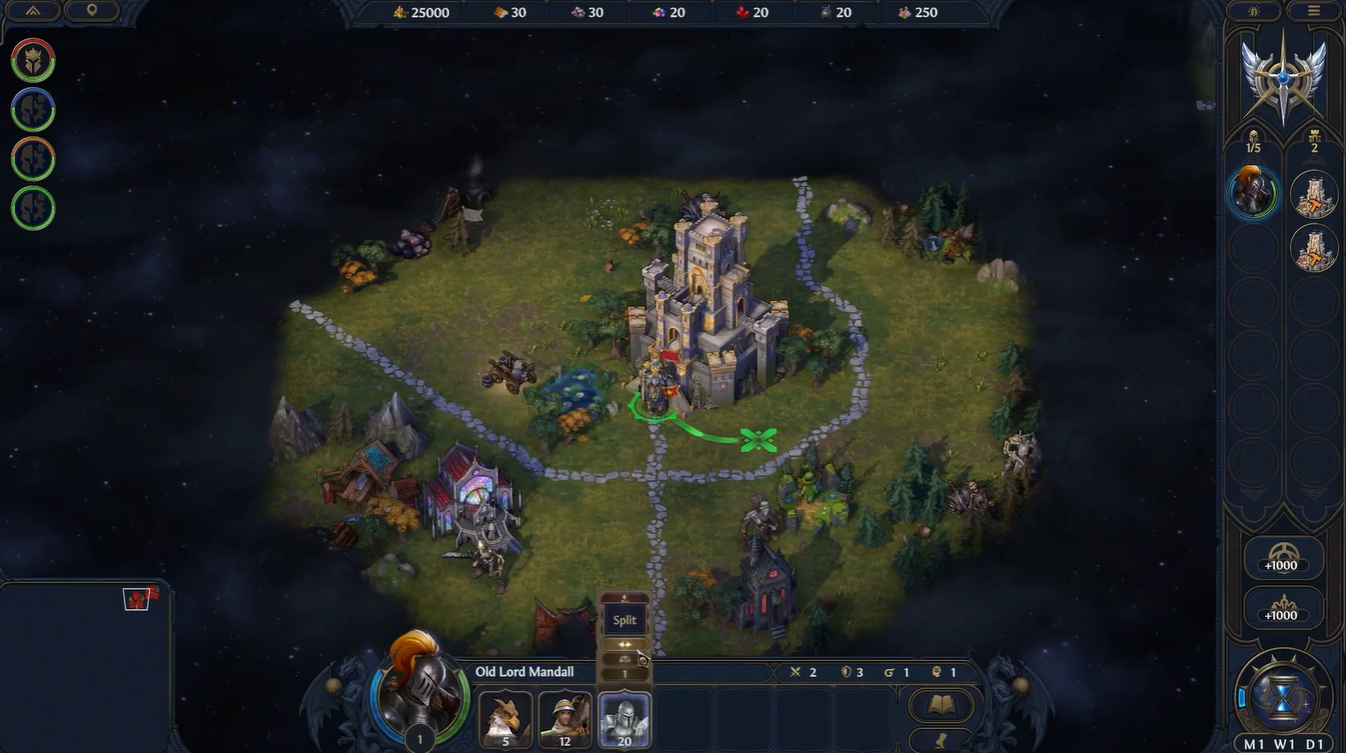
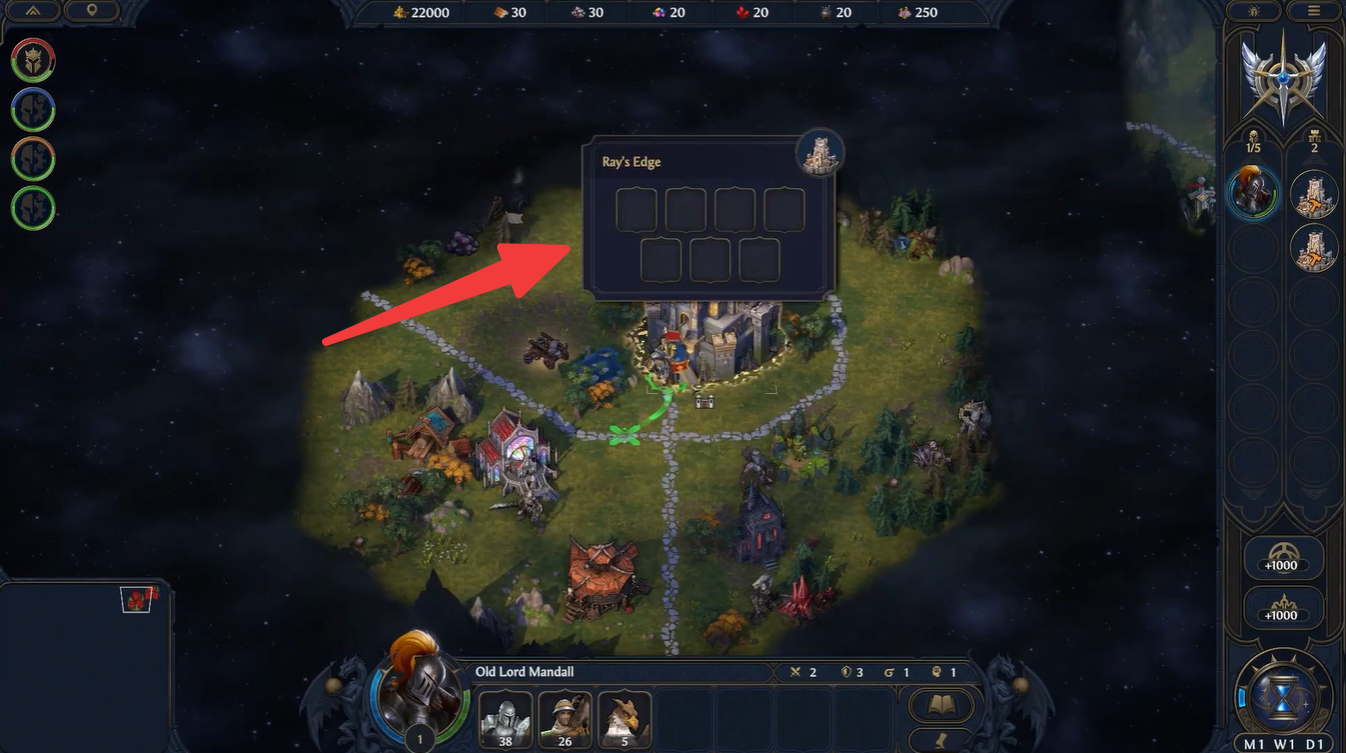
Move your hero into any owned city. This is mandatory because upgrades cannot be performed on the overworld unless using special map structures.
Step 2
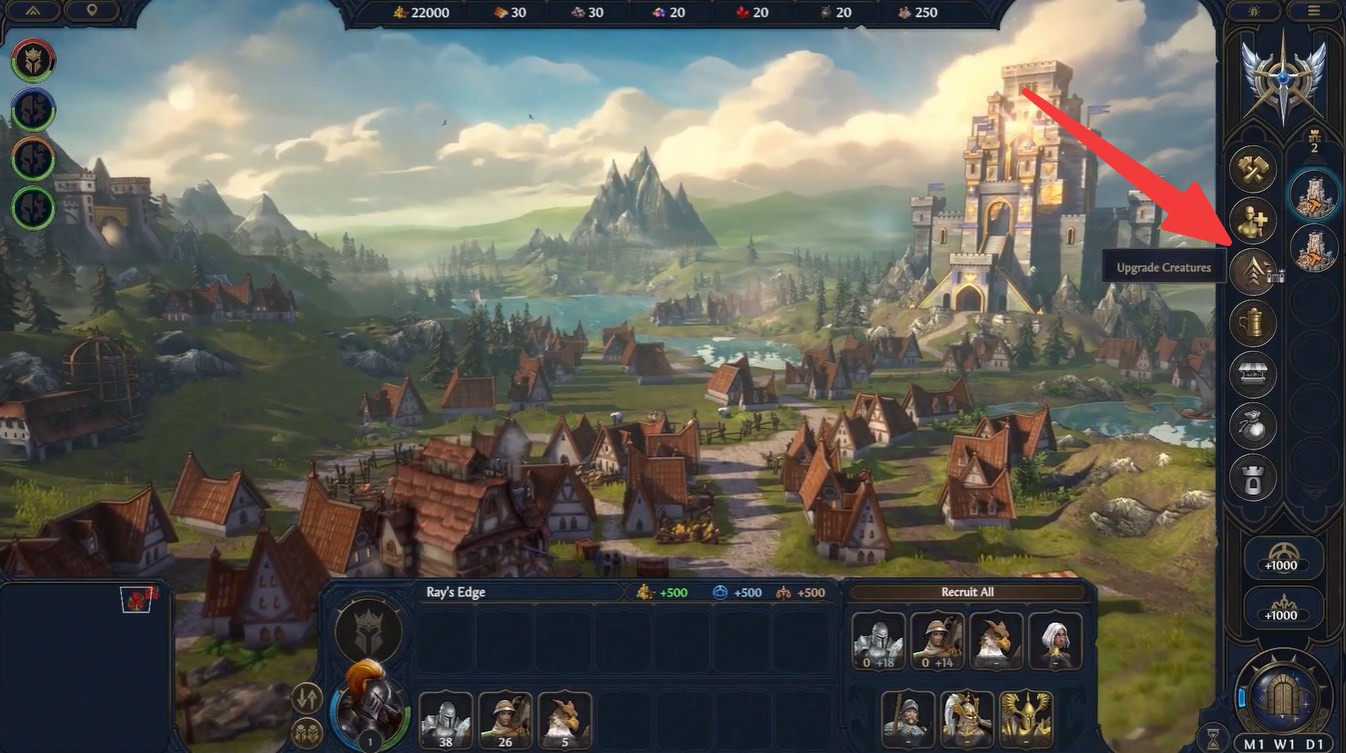
Double-click on the city either from the map or the right-hand panel. Locate and click the up-arrow icon in the right-side panel. This icon opens the dedicated upgrade window for your army.
Step 3
Review your army units displayed in the interface. Only eligible units will show upgrade options. Click on the unit stack you want to upgrade. This will highlight available upgrade paths, if any.
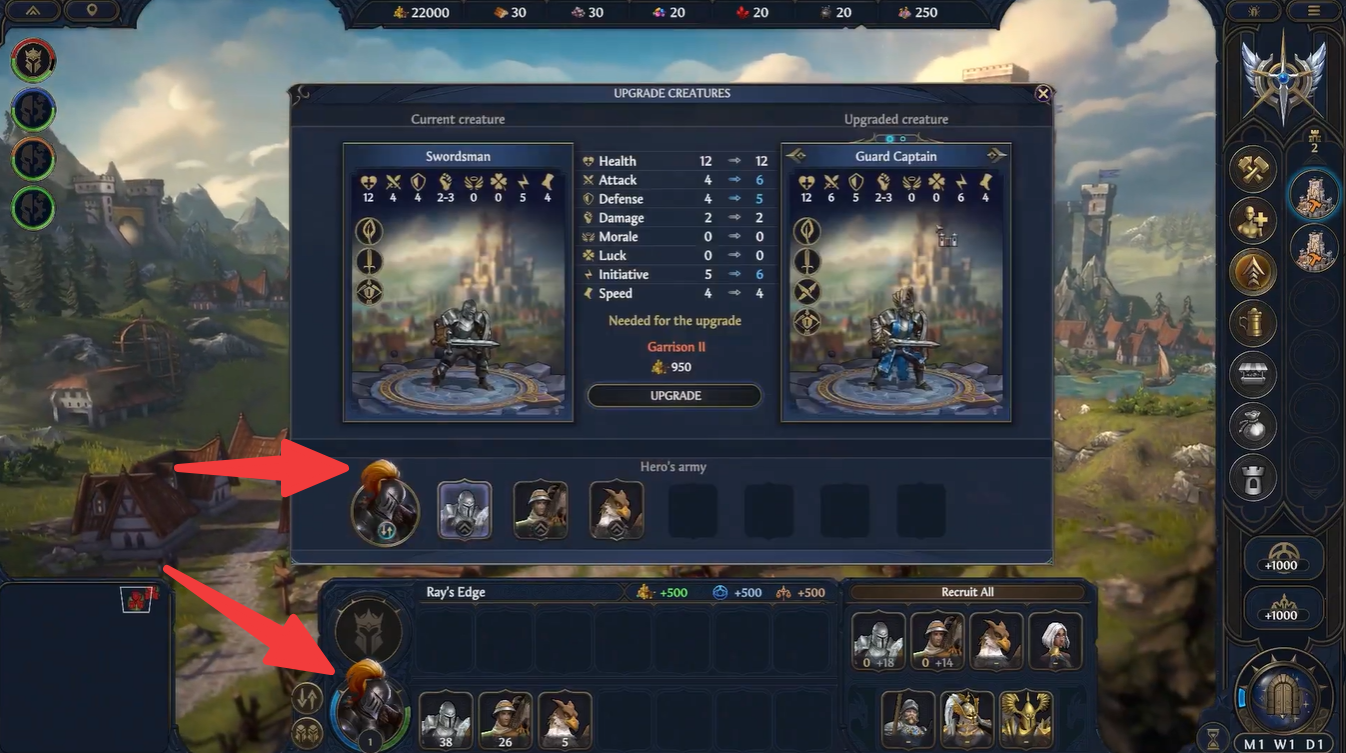
Step 4
Check if the upgrade button is active or grayed out. If it is inactive, it means requirements are not yet fulfilled.
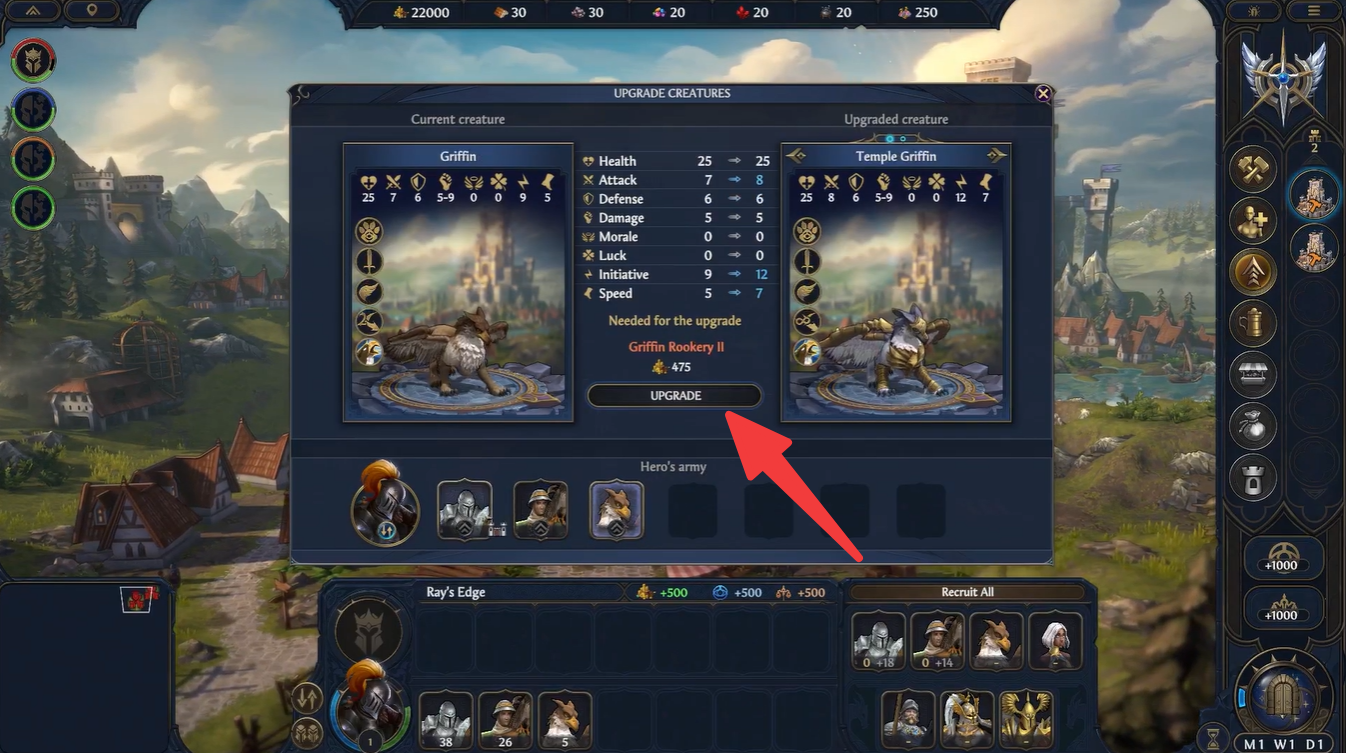
Step 5
Confirm the upgrade by selecting your preferred variant. Once selected, the unit is immediately transformed. Pay the required cost in gold or resources. The cost varies depending on the unit tier and faction.
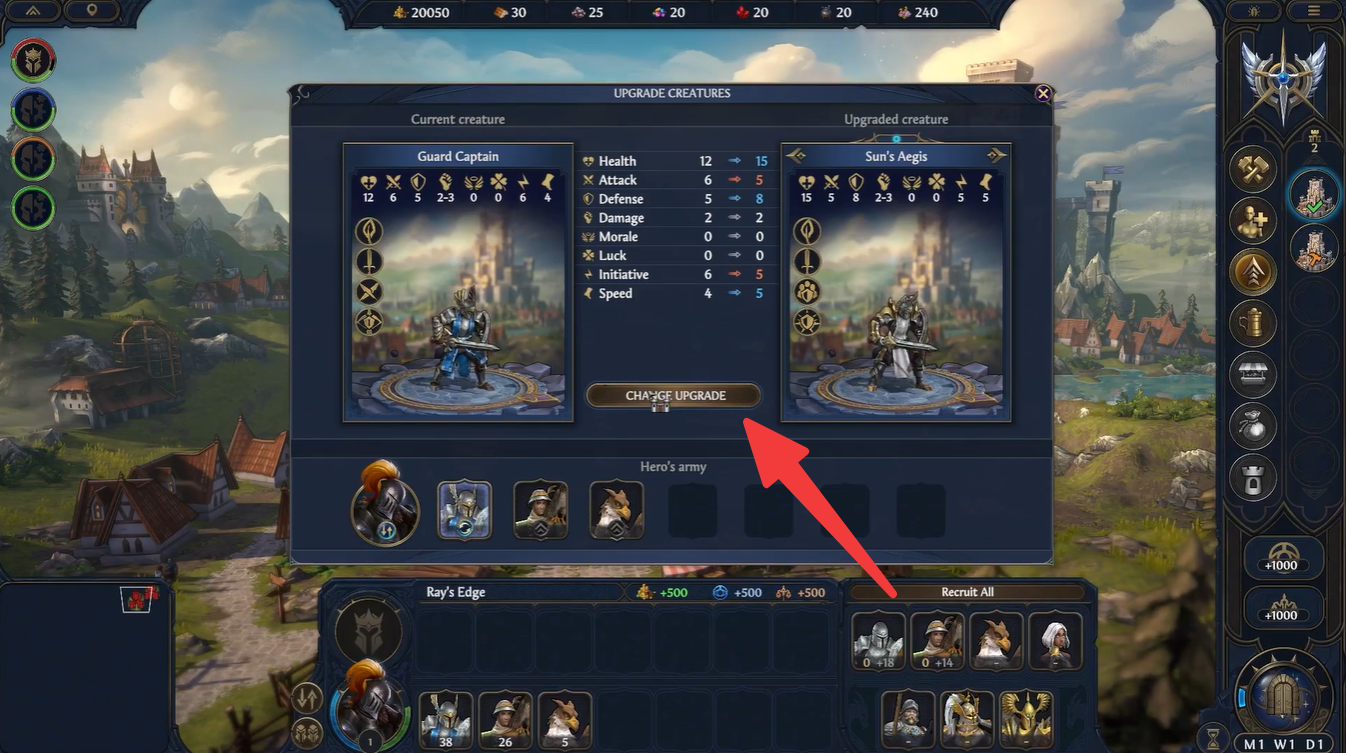
One of the most common issues players face is a grayed-out upgrade option. This usually happens because the required building has not been constructed. Every unit is tied to a specific recruitment structure, and upgrading that structure unlocks advanced versions of the unit.
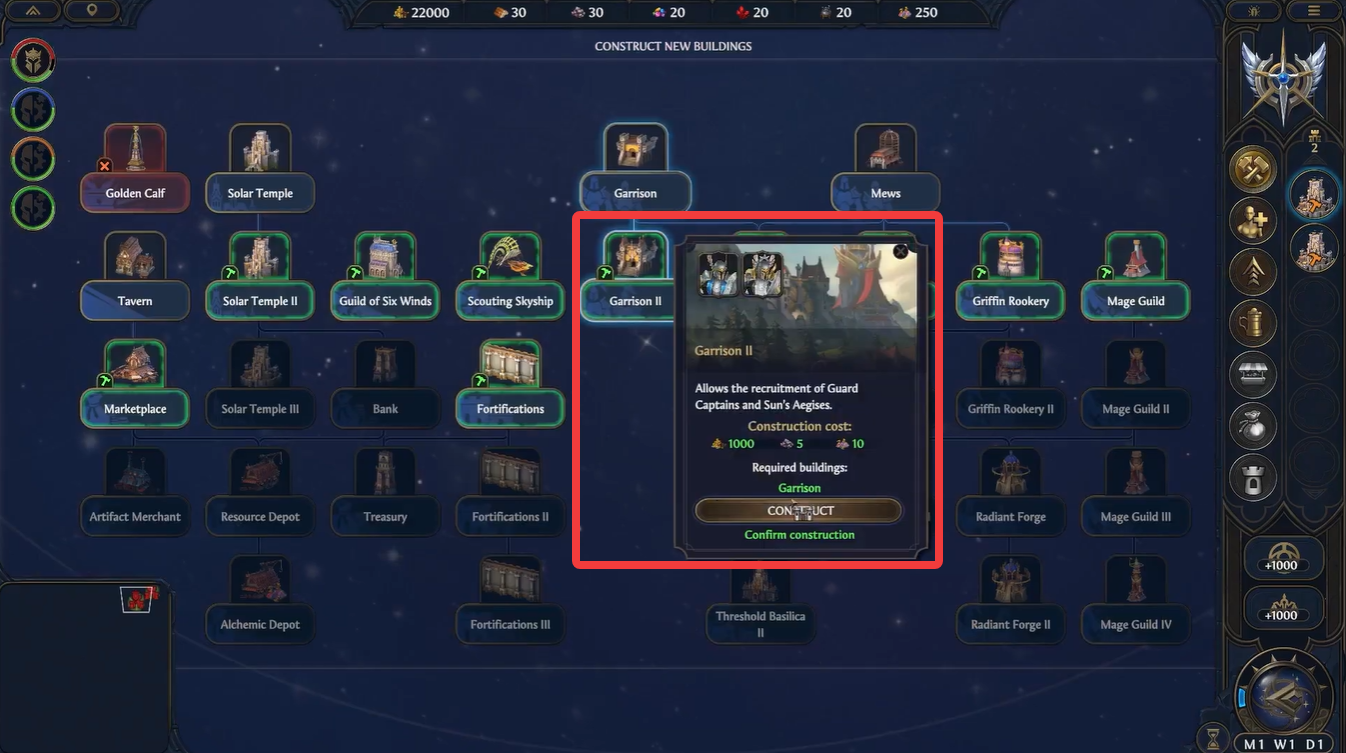
For example, upgrading a barracks-type building will enable higher-tier infantry upgrades. Without these structures, even if you are inside a city, upgrades will remain inaccessible.
How multiple upgrade paths affect gameplay decisions
Many units in the game can evolve into two distinct variants, each serving a different role. This system adds a layer of strategic depth, allowing you to customize your army based on your playstyle.
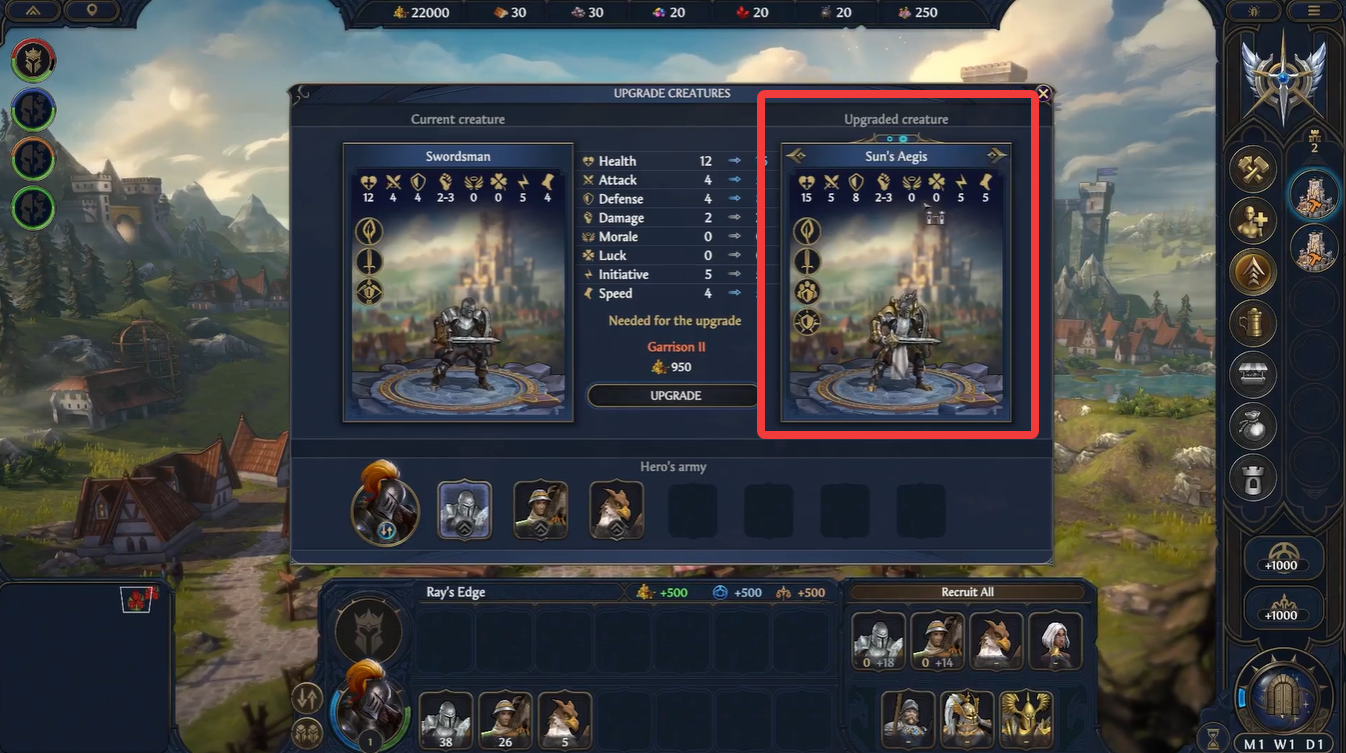
Instead of committing permanently, the game allows you to switch between these variants freely while inside a city, provided the required buildings exist. This means you can experiment without penalty and adjust your army before major battles.
How faction differences impact upgrading systems
Each faction in the game has unique buildings and upgrade paths, which means your approach will vary depending on your chosen faction. Some factions may have cheaper upgrades but weaker units, while others require more resources but offer significantly stronger variants.
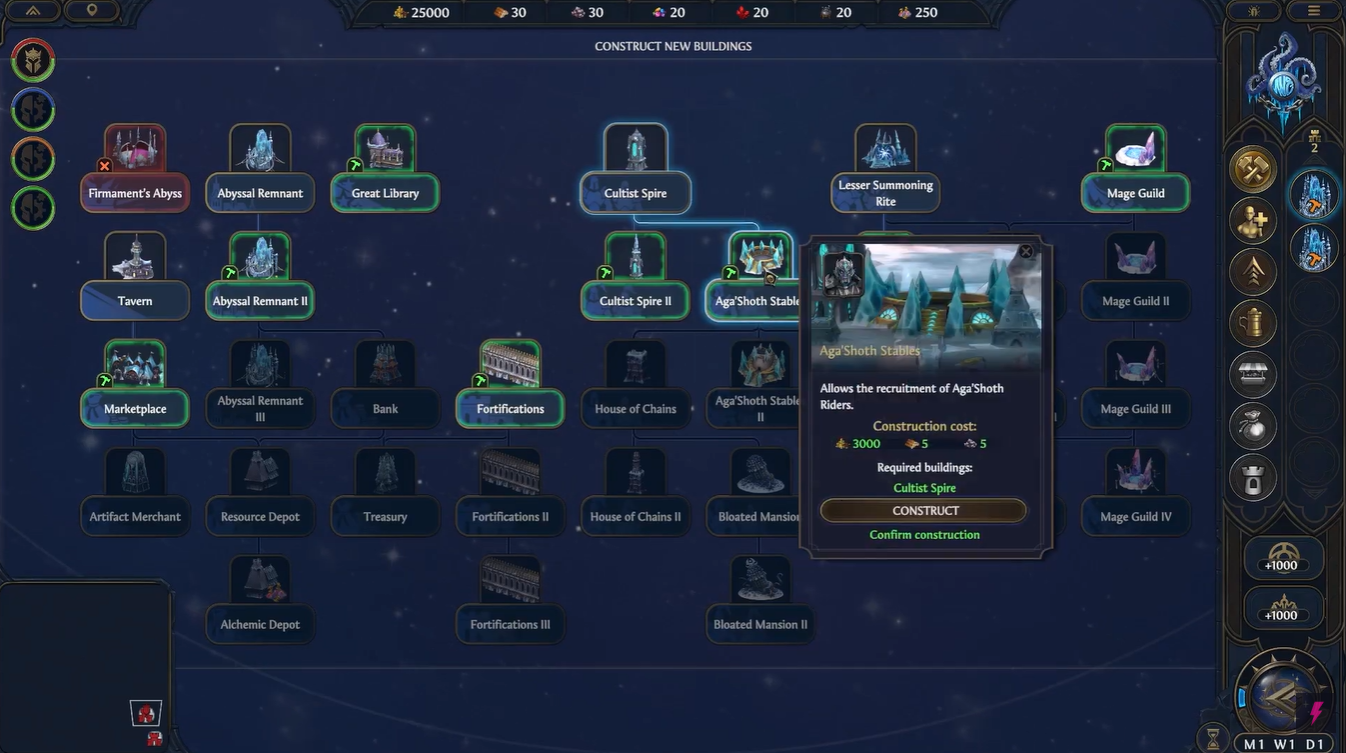
Understanding your faction’s strengths and upgrade tree is critical for long-term success. Ignoring this can lead to inefficient resource use and weaker armies.
Rewards and benefits of upgrading units
| Upgrade Benefit | Impact on Gameplay |
|---|---|
| Increased stats | Better survivability and damage |
| New abilities | Unlocks tactical advantages |
| Variant specialization | Allows role-based army design |
| Improved scaling | Stronger late-game performance |
| Flexibility | Adaptation to enemy strategies |
To truly master upgrades, you need to think ahead rather than upgrading blindly. Planning your city buildings, managing resources efficiently, and choosing the right upgrade path based on upcoming battles will give you a significant advantage.
A well-upgraded army can outperform a larger but weaker force, making upgrades one of the most efficient ways to gain power in the game.
Upgrading units in Heroes of Might and Magic: Olden Era is more than a simple improvement system—it is a core mechanic that defines your strategy. By understanding upgrade requirements, leveraging variant flexibility, and planning your city development wisely, you can build an army that adapts to any challenge. Staying proactive with upgrades ensures that you remain competitive throughout the game and avoid falling behind stronger opponents.