
What to know
- Daily reset depends on your selected server region
- Asia/SEA servers reset earliest globally (UTC +8 baseline)
- You can check exact reset timing inside the game UI
- Daily missions are accessed via the phone’s Exploration tab
If you’re actively grinding in Neverness to Everness, understanding when the daily reset happens is essential. It determines when your tasks refresh, rewards reset, and when you can maximize your progression for the day.
NTE Daily reset timing across all servers
Below is a clean overview of the reset schedule depending on your region. These times are fixed based on server time zones rather than your device clock.
| Server Region | Time Zone | Reset Time |
|---|---|---|
| America Server | UTC -4 | |
| Pacific Time (PT) | 2:00 AM | |
| Mountain Time (MT) | 3:00 AM | |
| Central Time (CT) | 4:00 AM | |
| Eastern Time (ET) | 5:00 AM | |
| Europe Server | UTC +1 | |
| Western European Time (WET) | 5:00 AM | |
| Central European Time (CET) | 6:00 AM | |
| Eastern European Time (EET) | 7:00 AM | |
| Asia / SEA Server | UTC +8 | |
| India Standard Time (IST) | 2:30 AM | |
| China Standard Time (CST) | 5:00 AM | |
| Philippine Time (PHT) | 5:00 AM | |
| Japan Time (JST) | 6:00 AM | |
| Korea Time (KST) | 6:00 AM |
How daily reset impacts your gameplay routine
Every daily reset refreshes your available missions, rewards, and progression limits, meaning anything tied to “daily” activity gets a full reset. This includes your core daily objectives, resource farming limits, and certain shop refreshes depending on the system.

You’ll want to log in after reset if you’re aiming to optimize efficiency. Playing before and after reset in a single sitting can effectively double your daily gains, which is a common strategy among consistent players.
Where to find and claim your daily missions
Navigating to your daily tasks is straightforward once you know where to look. The game centralizes everything through the in-game phone system.
Step 1
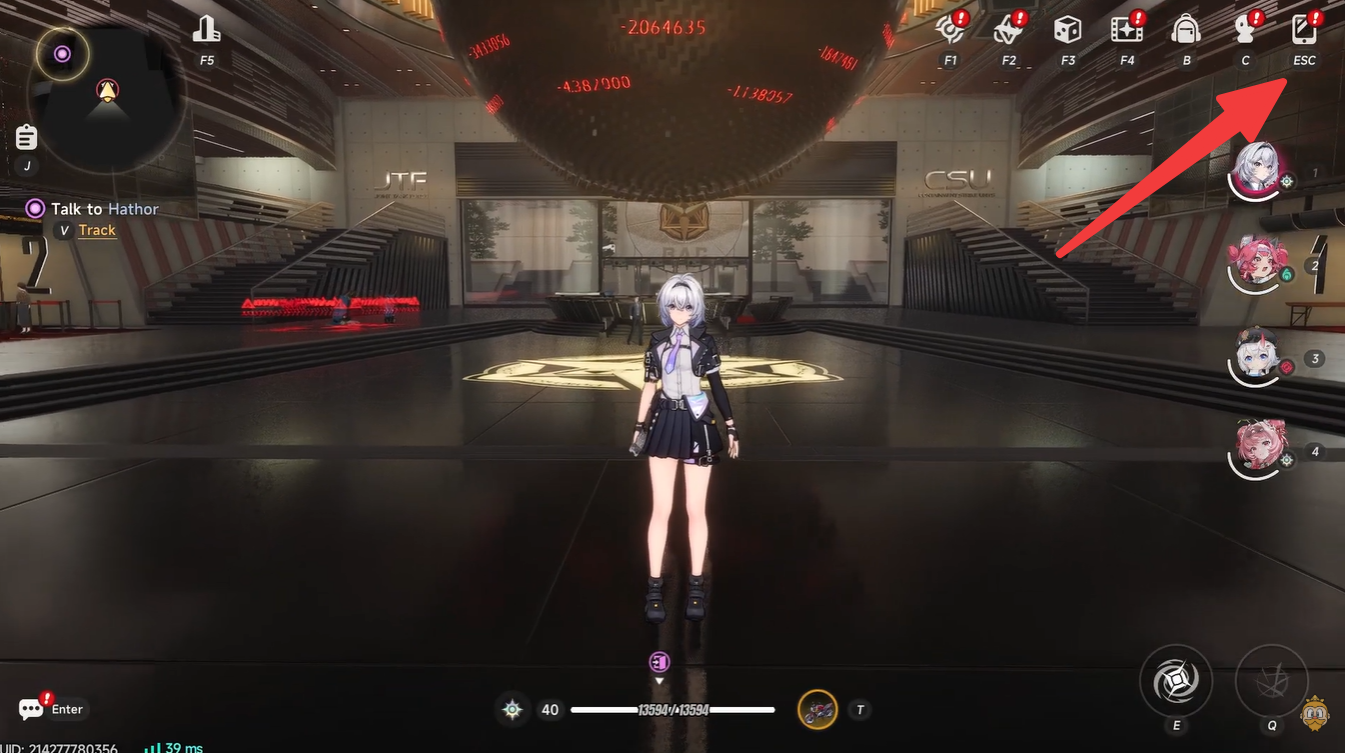
Open your in-game phone by pressing the designated key (usually ESC on PC).
Step 2
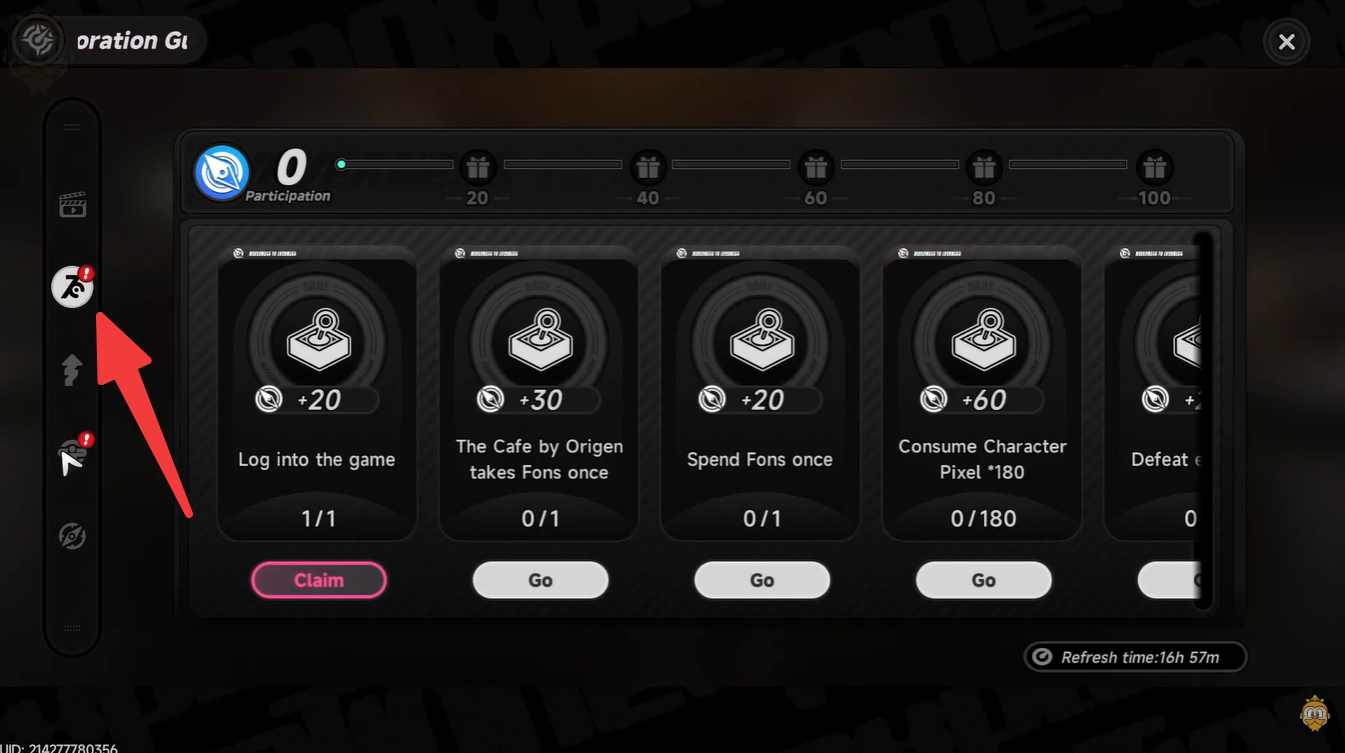
Look for the Exploration icon within the phone interface.

Step 3
Tap or click into the Dailies menu.
Step 4
Review your available tasks and begin completing them. Claim your rewards directly from this same menu once objectives are completed.
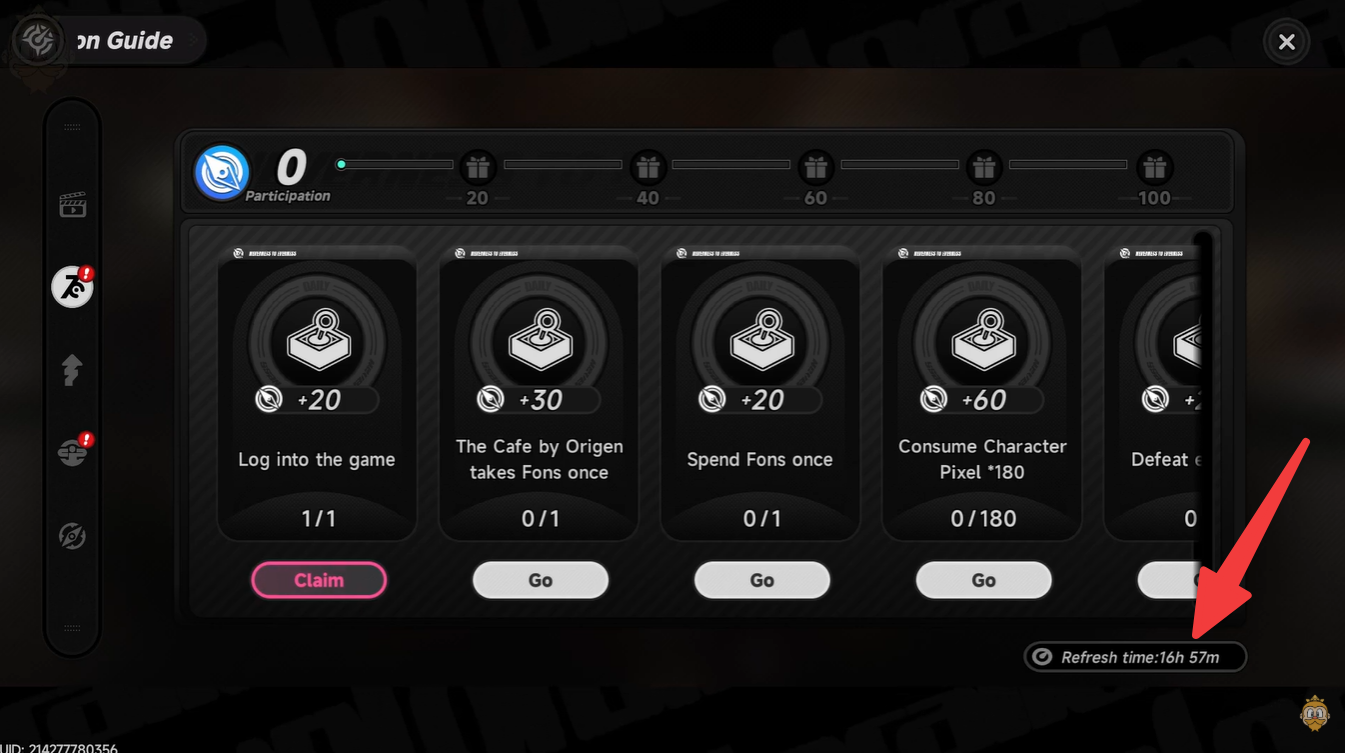
The built-in timer is your most reliable reference point, especially if you’re switching regions or unsure about time zone conversions. Instead of relying purely on real-world clocks, you can always check the countdown directly in-game.
This is particularly useful during daylight saving shifts or if you’re traveling, as server time remains fixed regardless of your physical location.
Why timing your dailies matters more than you think
If you’re aiming to progress efficiently, daily missions are one of the most consistent sources of rewards and currency in the game. Missing a reset means losing out on a full cycle of progression.

Many experienced players plan their sessions around reset windows to:
- Stack rewards efficiently
- Avoid wasting capped resources
- Maximize stamina or activity usage
Even if you’re a casual player, simply logging in after reset ensures you’re always moving forward without missing easy gains.
Making the most of your daily routine in NTE
To stay consistent, build a simple habit of checking your dailies right after logging in. You don’t need long play sessions—just clearing your daily tasks regularly keeps your account progressing smoothly.
If you play late at night, especially in IST, you can take advantage of the 2:30 AM reset to squeeze in two cycles, which is one of the easiest ways to boost efficiency without extra effort.
Knowing your reset time and where to access dailies gives you a clear advantage in staying consistent and efficient. Once you build the habit, it becomes second nature and keeps your progression steady without unnecessary grind.