What to know
-
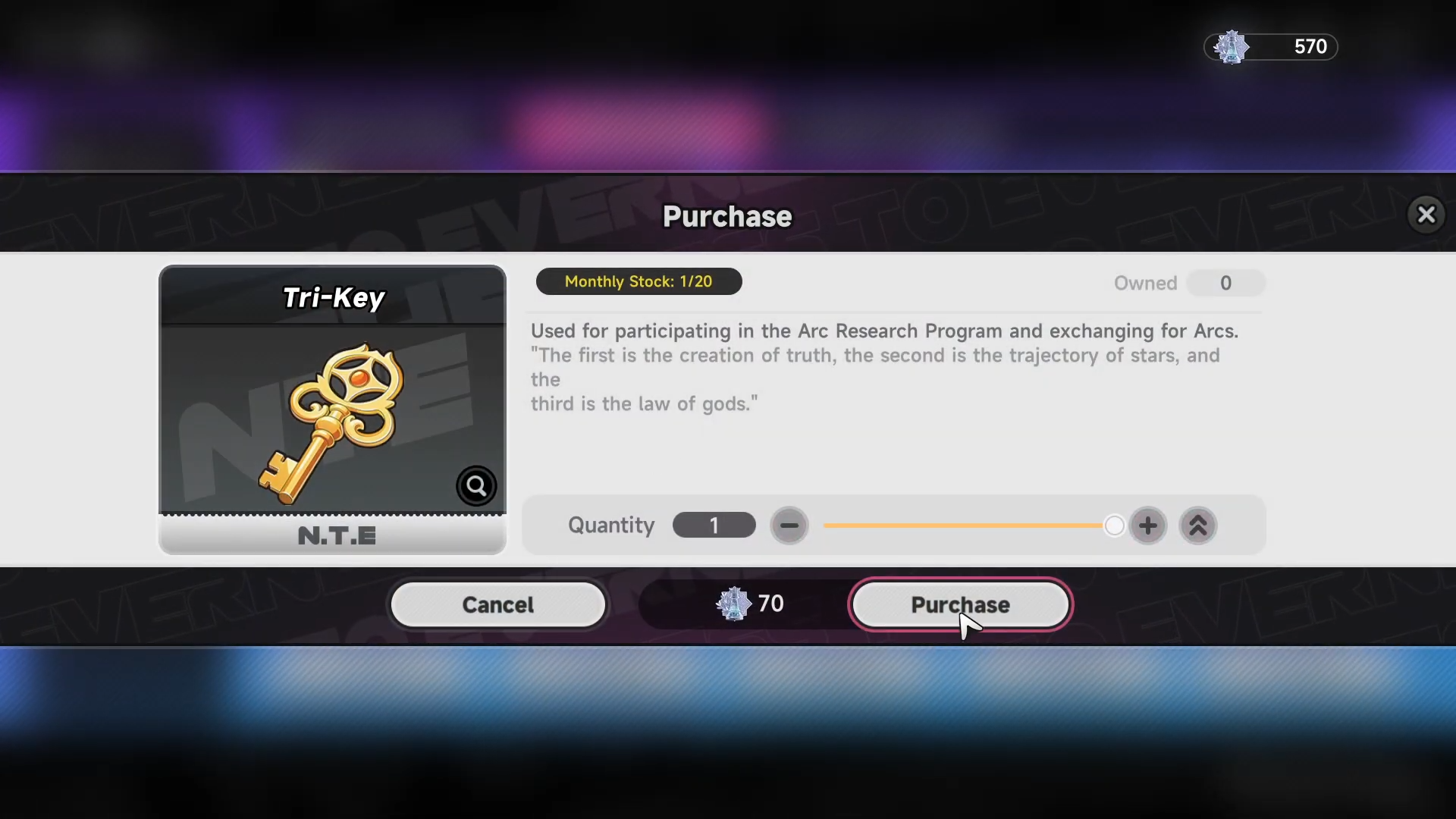
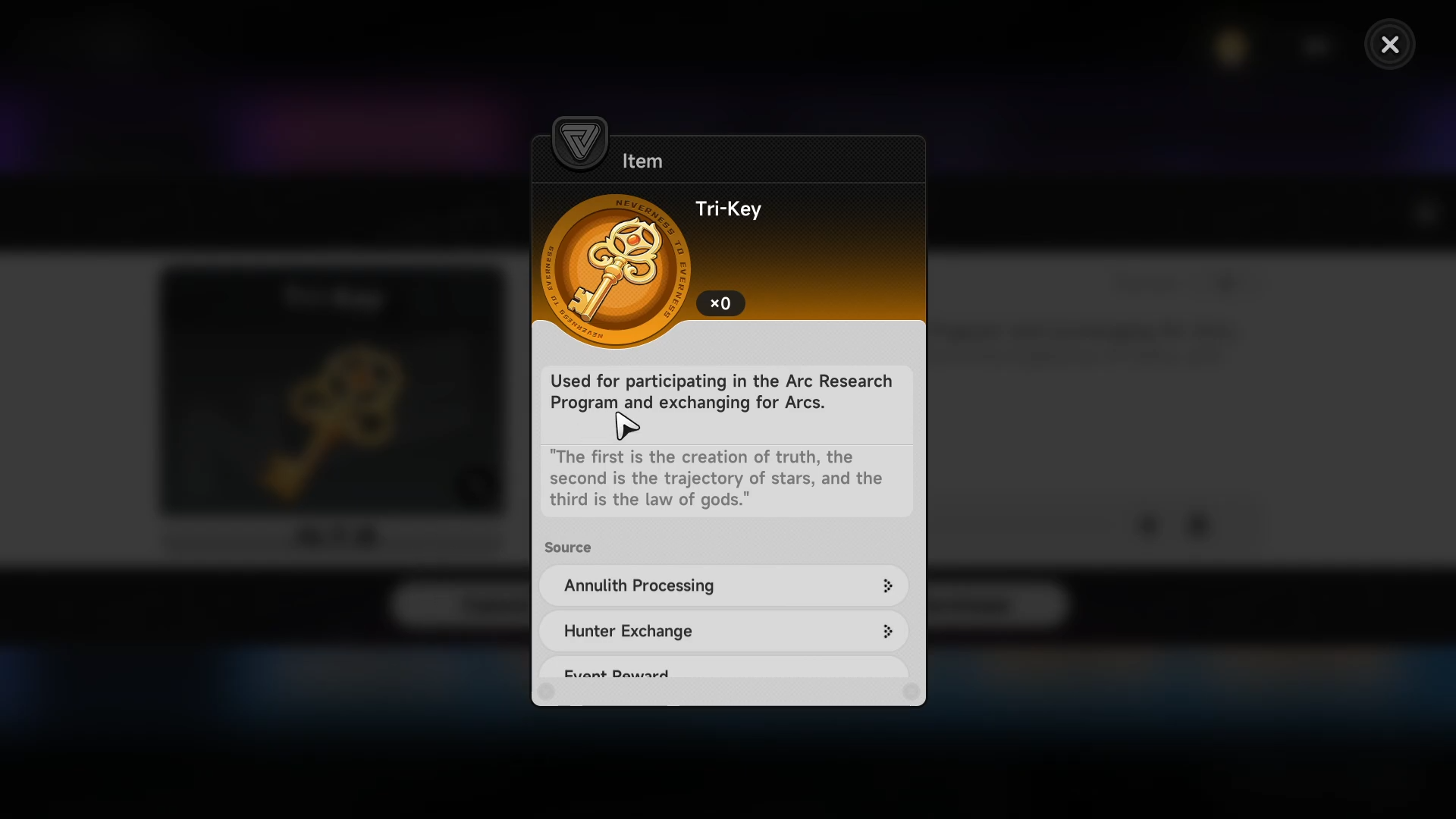
Tri‑Key is an S‑Rank lottery item used to pull Arcs in the Arc Research Program.
-
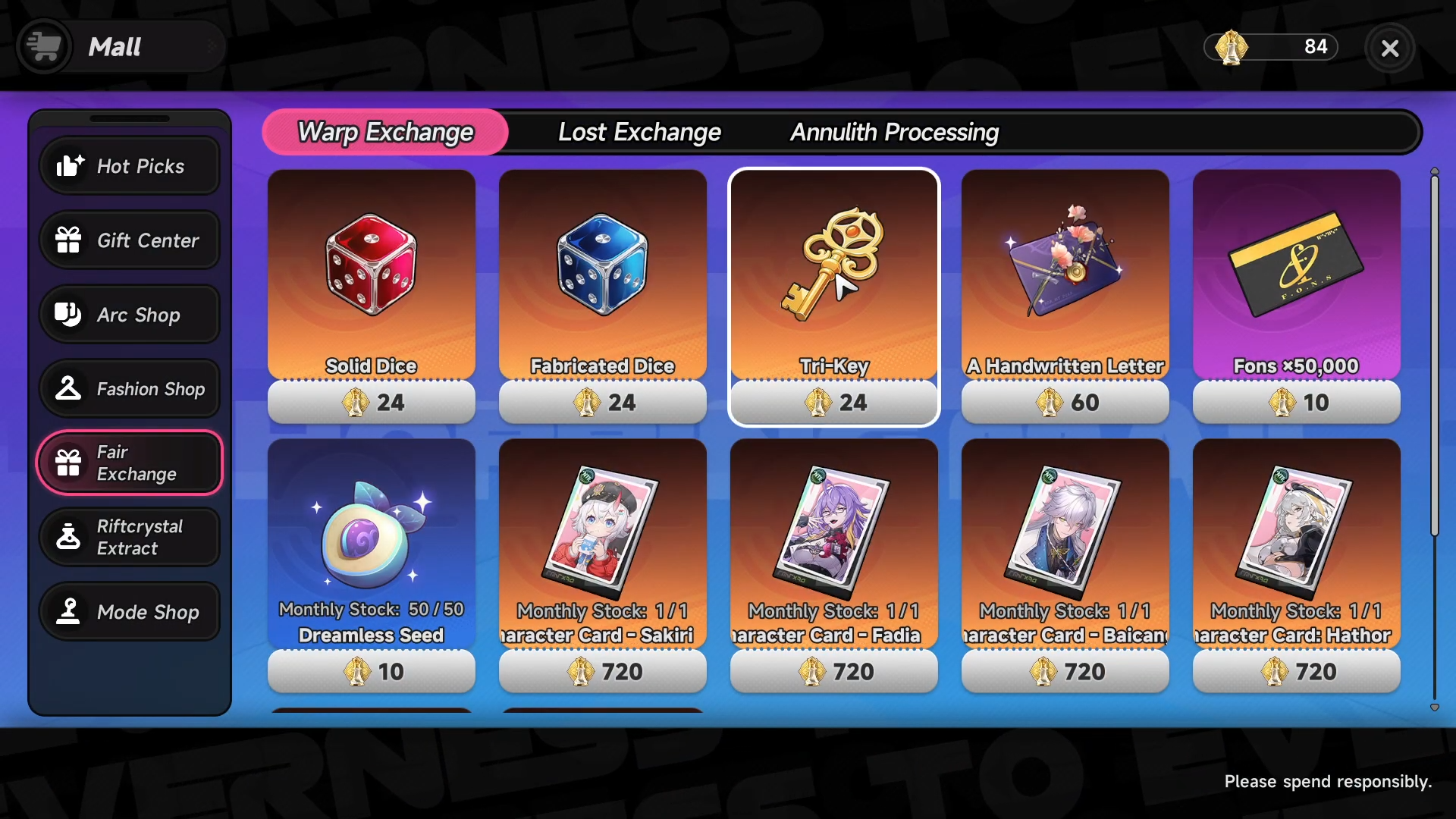
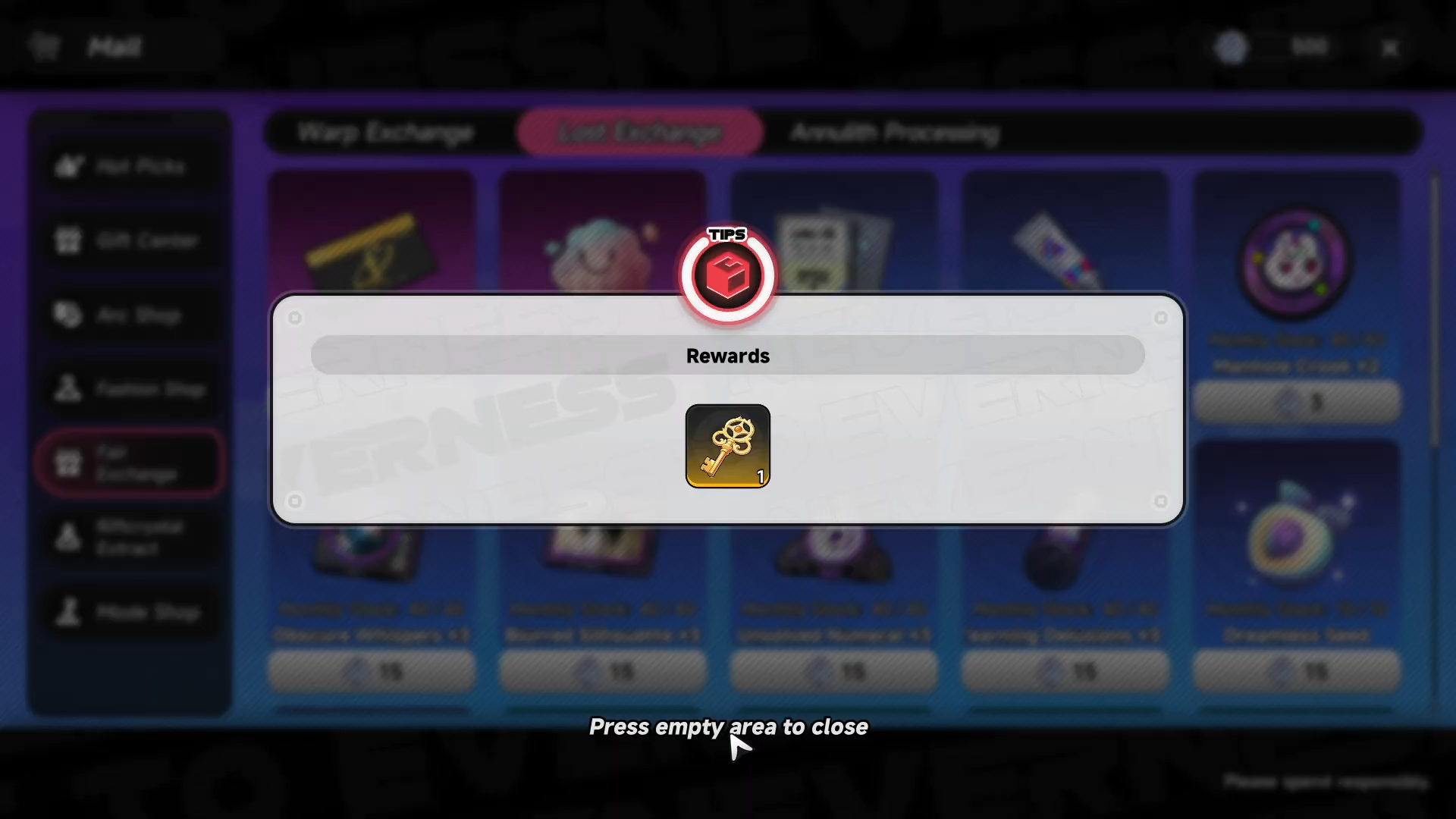
It can be obtained from event rewards, shops (Fons, Annulith, Lost Exchange, Warp Exchange), and direct conversion.
-
Ten‑pulls and single‑pulls consume Tri‑Keys and can yield rare Arcs, including rotated S‑Class options when the shop is unlocked.
-
Because it is premium, Tri‑Keys should generally be saved for Arc‑specific pools rather than spent on regular character gacha.
Tri‑Key is one of the most important S‑Rank lottery currencies in Neverness to Everness, primarily used to unlock premium Arcs through the Arc Research Program. Used carefully, it can massively boost your firepower and team options mid‑game and beyond.
What Tri‑Key actually does
Tri‑Key functions as a specialized lottery currency tied to Arcs, the game’s weapon‑style power system that grants elemental skills, buffs, and key team‑composition effects. Unlike basic pulls using Fabricated Dice or Solid Dice, Tri‑Key pulls are linked to the Arc Research Program, where you can target high‑rarity Arcs and sometimes even claim a guaranteed S‑Class Arc after a set number of pulls.
Opening Arcs via Tri‑Key can also unlock additional options in certain shops, such as S‑Class Arc selectors or extra Arc‑draw tickets, which further increase your chances of pulling desired weapons. Because Arcs are usually bound to class roles and can significantly change how a character performs, Tri‑Key pulls are one of the most impactful mid‑ to late‑game investments you can make.
Ways to obtain Tri‑Keys
Tri‑Keys are spread across several systems so you can farm them steadily without spending premium currency directly. Typical sources include:
Because Tri‑Keys are not quick‑use by default, they must be manually selected from your inventory before spending them on the Arc Research Program. This helps avoid accidental pulls and gives you more control over when you commit your rolls.
How to open the Arc Research Program
Step 1: Make sure Arc Research is unlocked
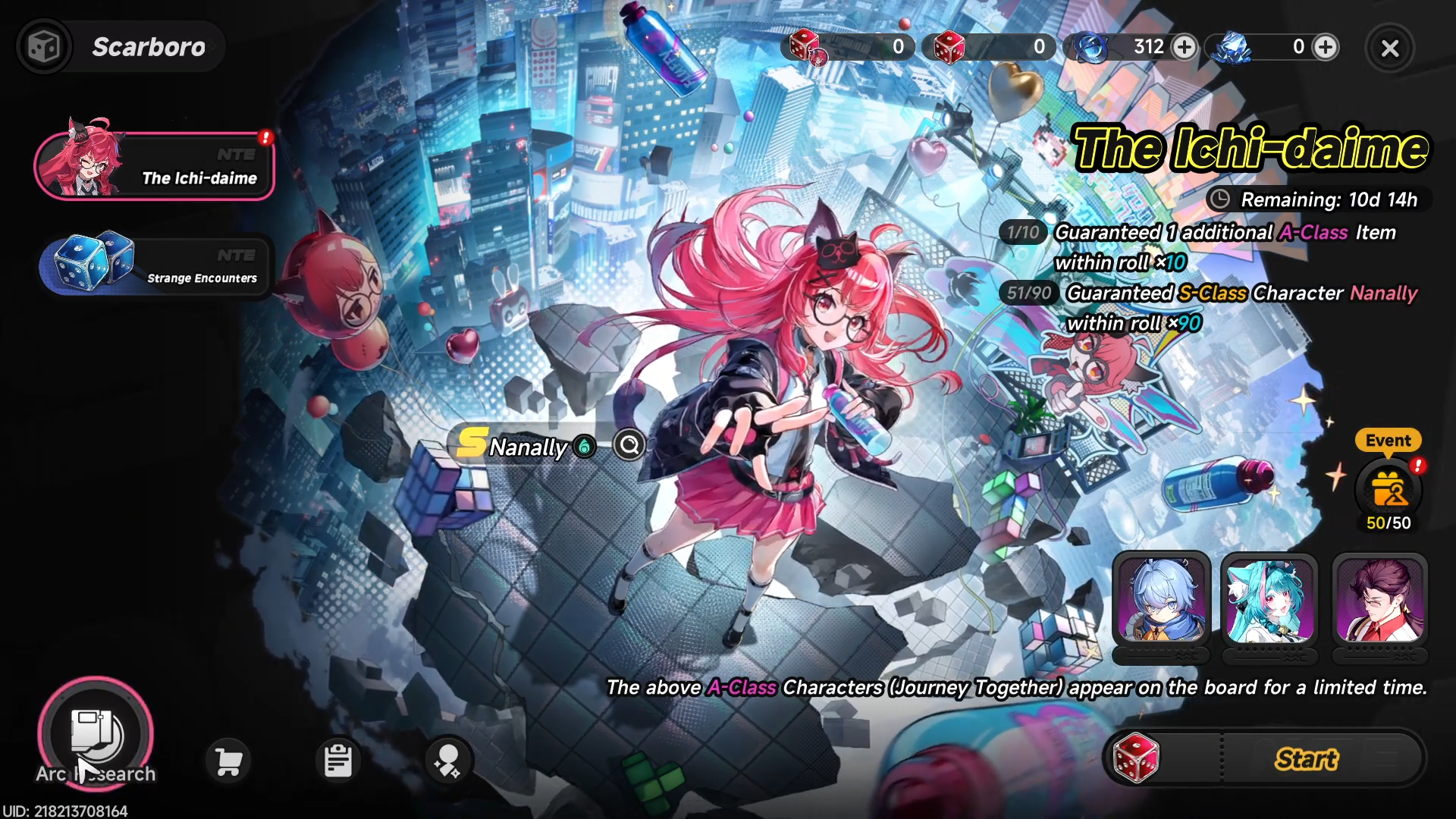
Arc Research is typically unlocked after you clear the early main story and reach a certain hallucination or world level. Once you see the “Arc Research” tab on the gacha / lottery screen, you are ready to proceed.
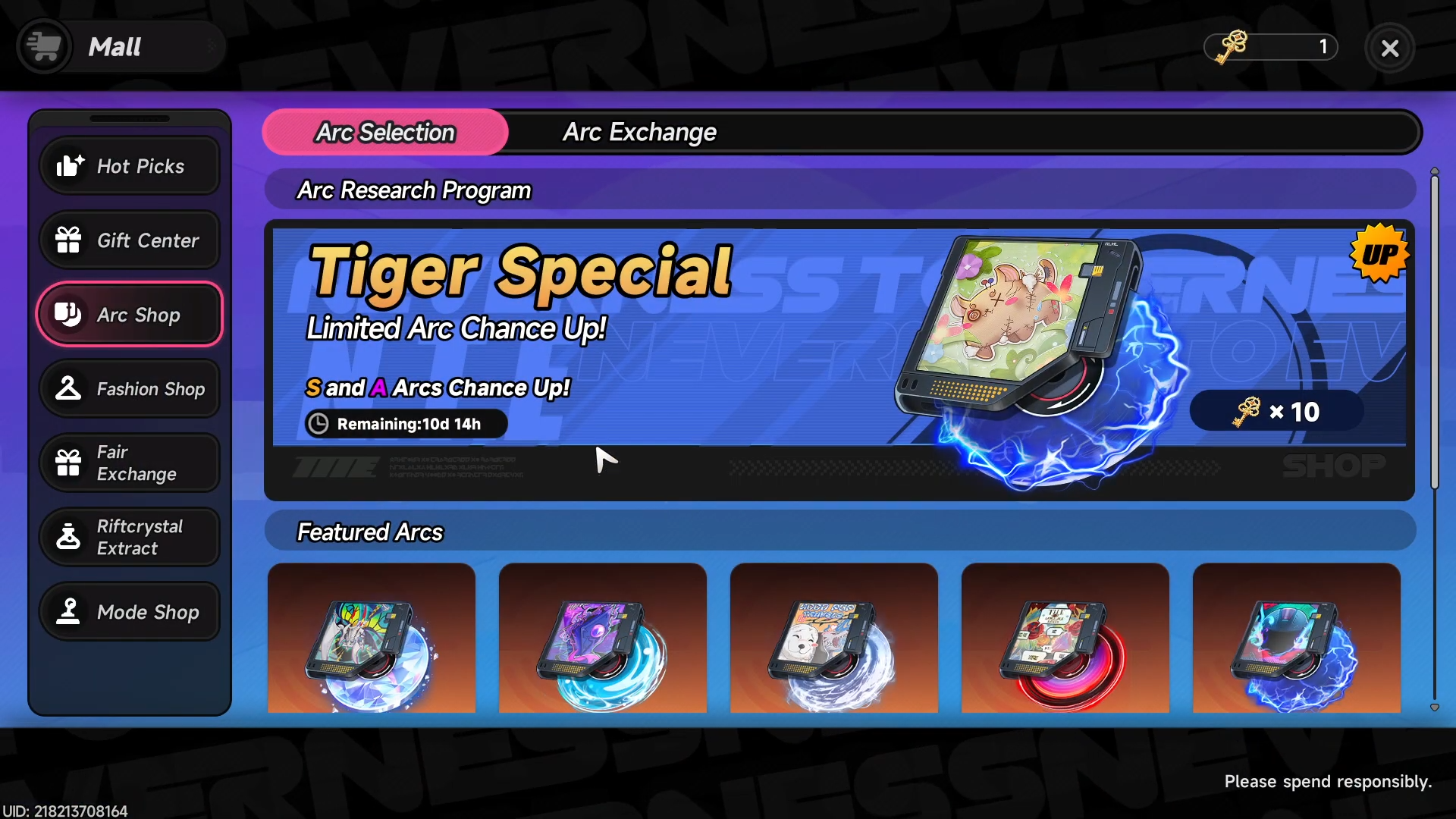
Step 2: Navigate to the Tri‑Key pool
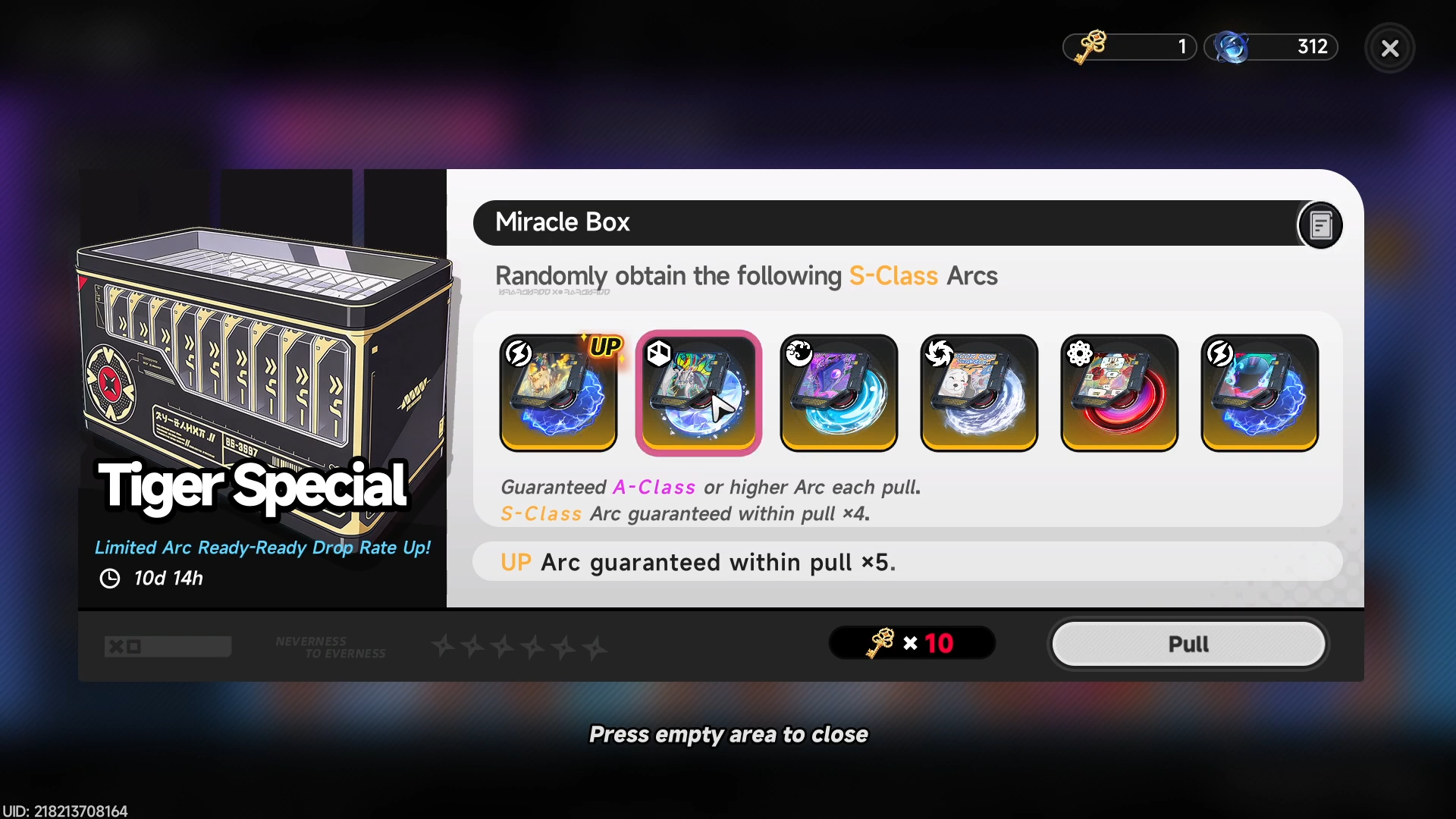
From the main lottery screen, switch from the standard character board to the Arc Research board. Within that board you will see a section labeled Tri‑Key or Arc Lottery, where each pull costs either 1 Tri‑Key (single) or 10 Tri‑Keys (ten‑pull).
Step 3: Check current shop rules
Before pulling, open the shop or program details to confirm:
-
Current featured S‑Class Arcs and their rotation window.
-
Guaranteed S‑Class rules (for example, whether every 25 pulls or similar guarantees a selected S‑Class Arc).
-
Any special exchange options that let you buy Arcs directly with a set number of Tri‑Keys.
These rules may change between banners, so always read the pop‑up text at the top of the Arc Research screen.
How to manage your Tri‑Key pulls
Step 4: Decide your pulling strategy
Because Tri‑Keys are limited, you generally want to follow one of these patterns:
-
Save for S‑Class Arc shop: If the Arc Research description shows a 25‑pull or similar deterministic S‑Class Arc selector, save Tri‑Keys until you can afford that full block so you walk away with at least one chosen S‑Class Arc.
-
Focus on desired roles: Identify which classes you still need (e.g., a main DPS, sub‑DPS, or support) and only pull when the current Arc pool features at least one S‑Class that fits that gap.
-
Avoid early random pulls: If you are still early‑game and have not unlocked guaranteed S‑Class options, it is often better to keep Tri‑Keys stacked and wait for a stronger banner or event where S‑Class Arcs you want are rotated in.
Step 5: Batch pulls when it matters
Once you decide to pull, open the Arc Research screen and switch to ten‑pull mode.
-
Confirm that the current lucky Arcs or S‑Class Arcs match your needs.
-
Execute the ten‑pull; if you have enough Tri‑Keys, you can repeat the batch until you hit the guaranteed S‑Class or exhaust your stash.
Ten‑pulls are statistically identical to single pulls in most Arc pools, but they are faster and reduce the risk of misclicks.
How to avoid wasting Tri‑Keys
Step 6: Don’t accidentally pull Arcs from the wrong pool
Because Tri‑Key is not quick‑use, it will not automatically be consumed when you open the Arc Research screen. You must explicitly select Tri‑Key from your currency list before each pull. If you forget, the system may default to another currency (such as Solid Dice), which can waste both resources and your opportunity cost.
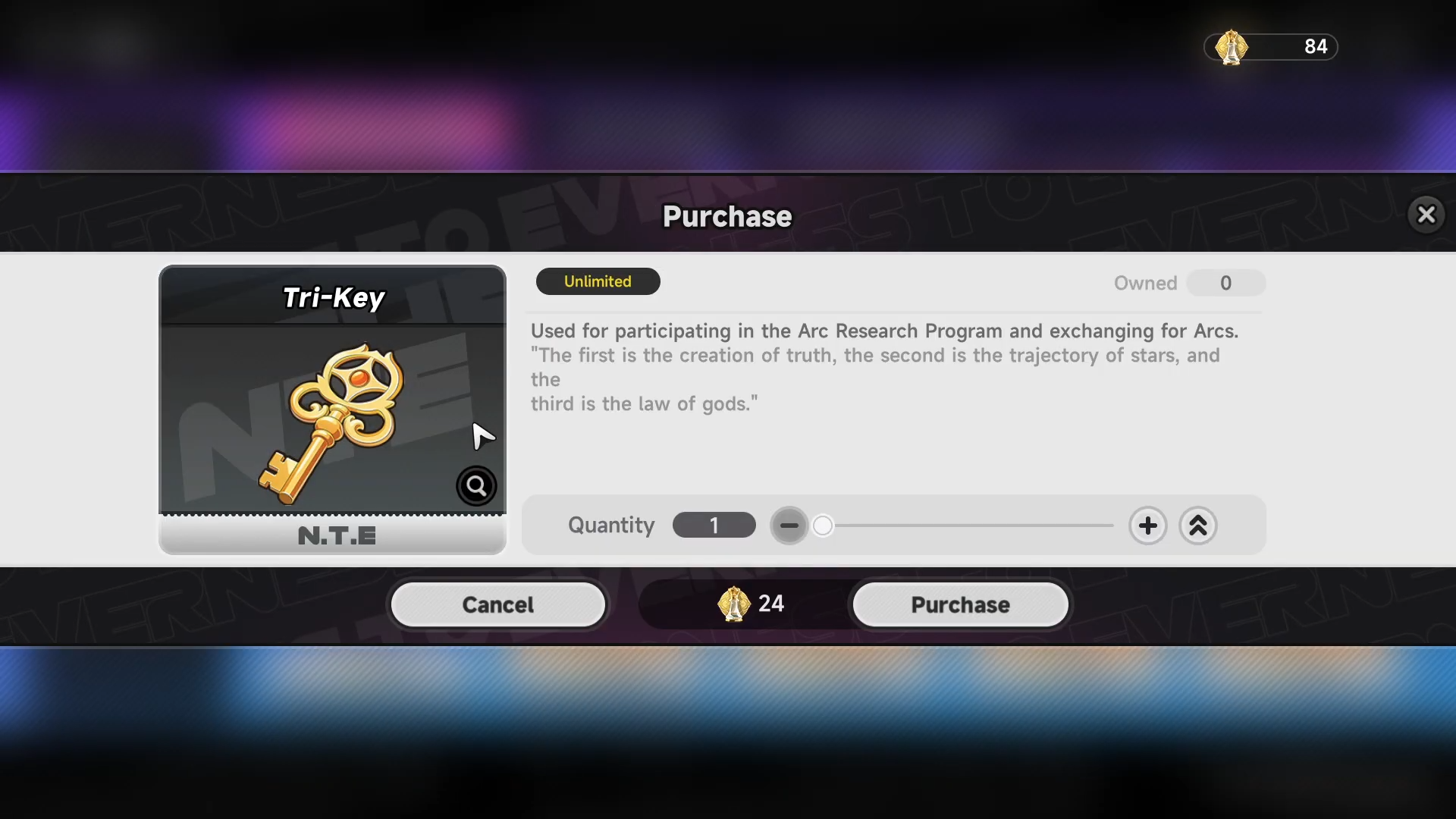
Always double‑check:
-
The currency icon on the pull button to confirm it shows Tri‑Key.
-
The remaining Tri‑Key count in your inventory after you pull.
Step 7: Compare Arc Research vs character gacha
Character pulls are usually better served with Fabricated Dice or Solid Dice, especially in the early game, because you can repeatedly attempt to get core characters without touching your Arc pool.
Only consider using Tri‑Keys for character gacha if:
-
There is a special event banner that explicitly promotes S‑Class characters or favorable rates.
-
You have a massive surplus of Tri‑Keys and already own most of the S‑Class Arcs you care about.
In most cases, saving Tri‑Keys for Arc‑specific Arc Research rotations is the more efficient long‑term choice.
How to plan for Arc‑centric builds
Step 8: Match Arcs to your team roles
After you pull an S‑Class Arc, evaluate how it fits your current strongest characters:
-
Heavy attack or break‑focused Arcs work best on main DPS or sub‑DPS units such as single‑target or AoE specialists.
-
Utility or buff Arcs fit naturally on support or healer‑type characters, where their uptime and coverage can amplify multiple allies.
If the Arc has a specific element (e.g., Heat, Ether, or Frost), prioritize placing it on a character whose kit synergizes with that element rather than on a mismatched unit.
Step 9: Keep at least one “flex” Arc stash
High‑rarity Arcs can dramatically change which characters shine in your lineup, so it is useful to keep a small pool of Tri‑Keys set aside for future Arc Research windows. This lets you:
-
Grab a new S‑Class Arc that perfectly complements a character you just wish‑pulled.
-
Cover a role you did not realize you needed until mid‑game.
A typical balance is to spend roughly 60–70% of your Tri‑Keys on immediate Arc needs and reserve 30–40% for future rotations or event banners.
How to efficiently farm more Tri‑Keys
Step 10: Mothball your Arc Research until you have enough
Instead of dribbling out Tri‑Keys as soon as you get them, set a personal “pull‑in‑bulk” threshold (for example, 25 or 50 Tri‑Keys). Then focus your daily and weekly activities on:
-
Completing event missions that list Tri‑Keys as rewards.
-
Earning Fons or Annulith to buy Tri‑Keys from the relevant shops.
-
Clearing content that drops Lost Pieces or Warp Pieces so you can exchange them into Tri‑Keys.
Once you cross your threshold, head straight to Arc Research and do a batch of ten‑pulls or a guaranteed S‑Class block.
Step 11: Track your Tri‑Key sources week‑to‑week
In your play schedule, keep a mental note of:
-
Which events or limited shops are active and how many Tri‑Keys they offer.
-
How much Annulith or Fons you generate per day from tycoon and city management.
This helps you estimate roughly how many Arc pulls you can afford in the next week or banner, so you can avoid burning Tri‑Keys on lower‑priority Arcs.
How to use Tri‑Key Neverness To Everness
Using Tri‑Key in Neverness to Everness is less about random wishing and more about timing your Arc Research pulls around your team composition and current banner rules. By focusing on S‑Class Arc rotations, saving for guaranteed selectors, and avoiding off‑pool pulls, you make every Tri‑Key count toward a stronger, more flexible team.