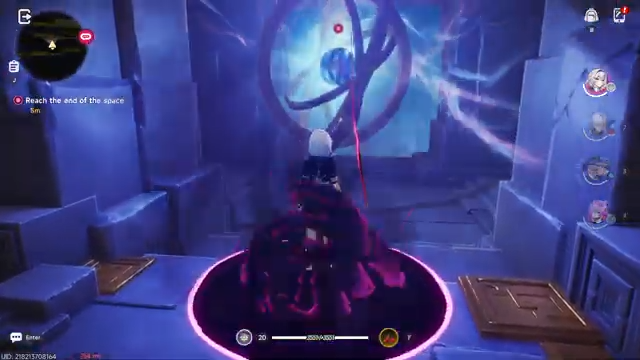
What to know
- Co-op multiplayer unlocks after reaching around Hunter Level 8–9
- You must use your unique UID to connect with friends
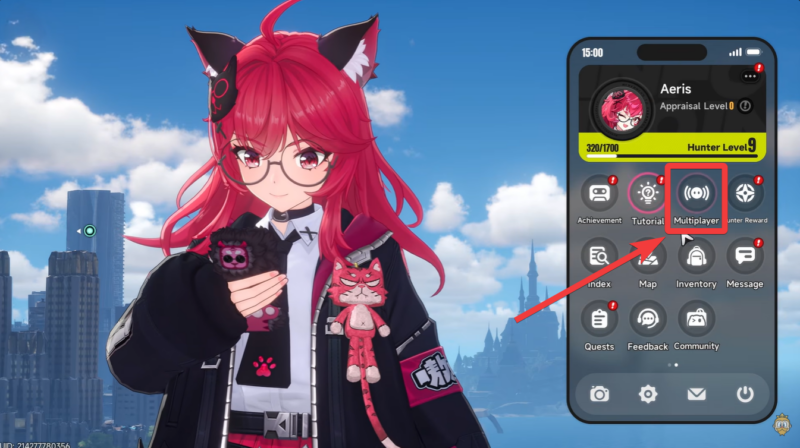
- Multiplayer is accessed via the in-game phone system
- Players can only join others within the same region
Playing with friends in Neverness to Everness (NTE) adds a completely different layer to the experience, letting you explore, complete activities, and enjoy the world together instead of solo grinding. However, the game doesn’t immediately unlock co-op, and the process can feel slightly hidden if you’re not familiar with how progression systems work. Once you understand the requirements and steps, though, joining or hosting a co-op session becomes quick and intuitive.
How co-op unlocks in NTE
Co-op multiplayer in NTE is progression-locked, meaning you won’t see the feature available right from the start. As you complete early missions, explore the city, and level up your Hunter Rank, you’ll eventually reach the required threshold—typically around Level 8 or 9.
| Feature | Details |
|---|---|
| Unlock Requirement | Hunter Level 8–9 |
| Access Point | In-game Phone |
| Connection Method | UID (Unique ID) |
| Region Lock | Yes, same region only |
| Co-op Type | Host & Join sessions |
| Gameplay Scope | Free roam, activities, exploration |
At this point, a new option becomes available inside your in-game phone, which acts as the central hub for social and multiplayer features. This design ensures that players first understand the basics of movement, combat, and mechanics before jumping into shared sessions.
If you don’t see the co-op option yet, it simply means you need to keep progressing through quests and activities.
How to find your UID in NTE
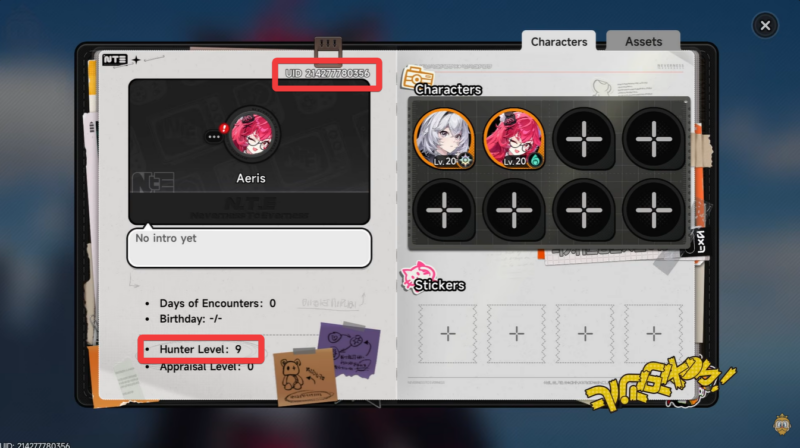
Your UID (Unique Identification Number) is the key to connecting with other players. Unlike traditional friend lists, NTE uses UID-based matchmaking for direct connections.
You can typically find your UID:
- Inside your profile section
- Displayed on-screen in menus or settings
This number is what your friends will use to locate and join your session, and vice versa. Without it, you won’t be able to initiate multiplayer connections manually.
How to play with your friends in NTE
Open your in-game phone menu, which becomes available after unlocking co-op.
Navigate to the multiplayer or co-op section.
Select the option to host a session.
Share your UID with your friends, so they can join your world.
Wait for them to connect, and once they do, you can begin playing together in your session.
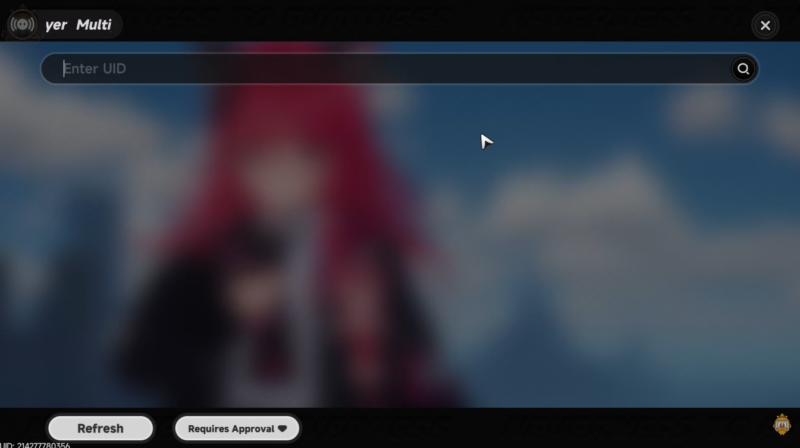
To join a friend’s world, just enter their UID and request to join. Once they accept your request, you can start playing together. Joining is perfect if you want to help a friend or explore their progress and environment.
Understanding regional restrictions in multiplayer
One important limitation you need to be aware of is that NTE enforces region-based matchmaking. This means:
You can only connect with players who are in the same server region as you.
This restriction is likely implemented to maintain stable latency and smoother gameplay performance, especially in a shared open-world environment.
Common issues and how to avoid them
| Issue | Cause | Fix |
|---|---|---|
| Can’t access co-op | Level too low | Reach Hunter Level 8–9 |
| UID not working | Wrong input or region mismatch | Double-check UID and region |
| Can’t see friend | Not added or incorrect entry | Re-enter UID carefully |
| Connection fails | Server restriction | Ensure both players are in same region |
Most multiplayer issues come down to either progression requirements or region mismatches, so these are the first things you should check.
Making the most of your co-op sessions
To get the best experience out of co-op, coordination is key. Since the game doesn’t rely on automatic matchmaking for friends, communication outside the game (chat or voice) can make sessions much smoother.
Once everything is set up, co-op becomes one of the most enjoyable ways to experience NTE’s world, especially when exploring new areas together.
Co-op in Neverness to Everness is simple once unlocked but requires a few specific steps to get started. By reaching the required Hunter Level, using your UID correctly, and ensuring regional compatibility, you can easily host or join sessions with friends. While it may not offer full shared progression, it delivers a fun and social way to experience the game world together.