

What to know
- You can access your current vehicle directly from the HUD under your health bar
- Holding the summon key opens a full vehicle selection wheel
- Vehicles only spawn when you are positioned near a valid road
- Switching between cars and bikes is instant through the same menu
Getting around efficiently in Neverness to Everness (NTE) depends heavily on how well you manage your vehicles. Whether you’re cruising through city streets or quickly swapping to a faster ride, understanding the summon system saves time and keeps gameplay smooth. The system is simple on the surface, but small details like positioning and menu usage make a big difference.
Vehicle summoning system in NTE explained
| Feature | Details |
|---|---|
| Access Location | Bottom HUD (below health bar) |
| Default Key | T (hold to open menu) |
| Vehicle Types | Cars, bikes, unlocked vehicles |
| Spawn Requirement | Must be near a road |
| Switching Vehicles | Done through selector menu |
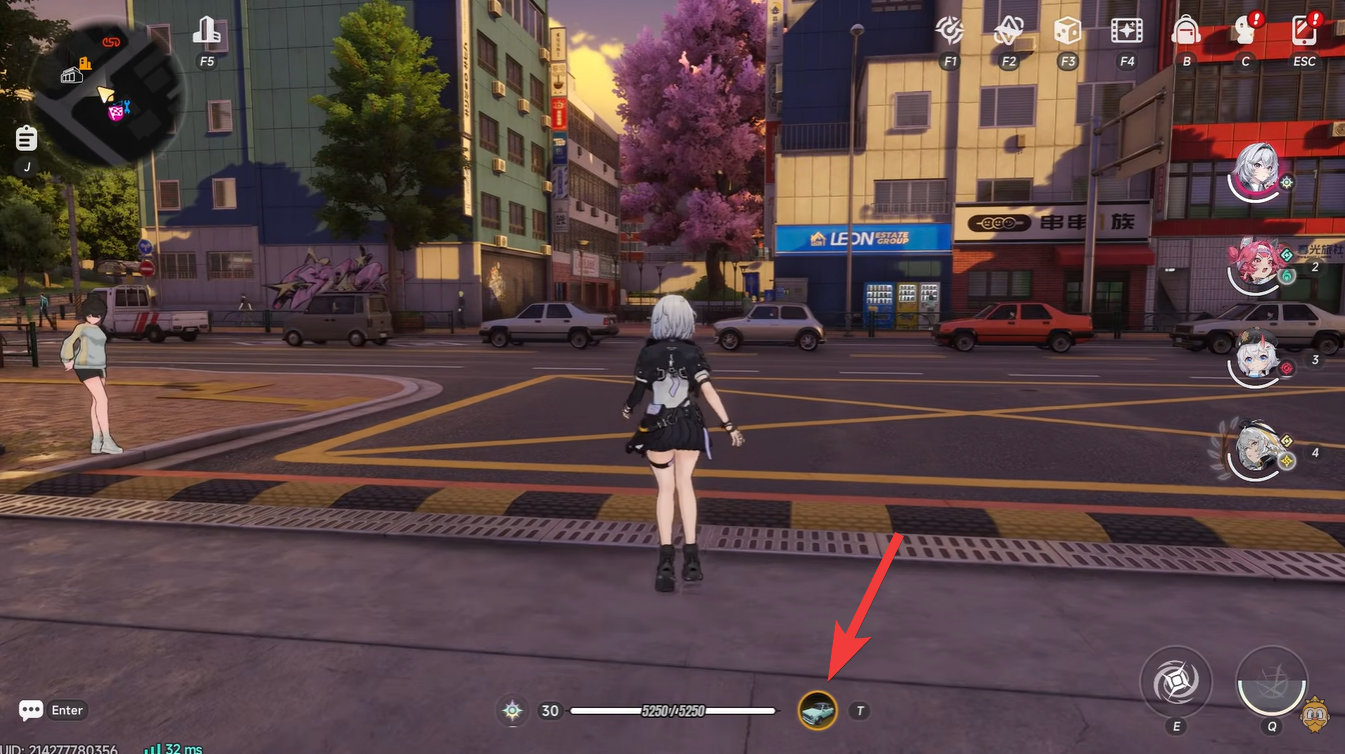
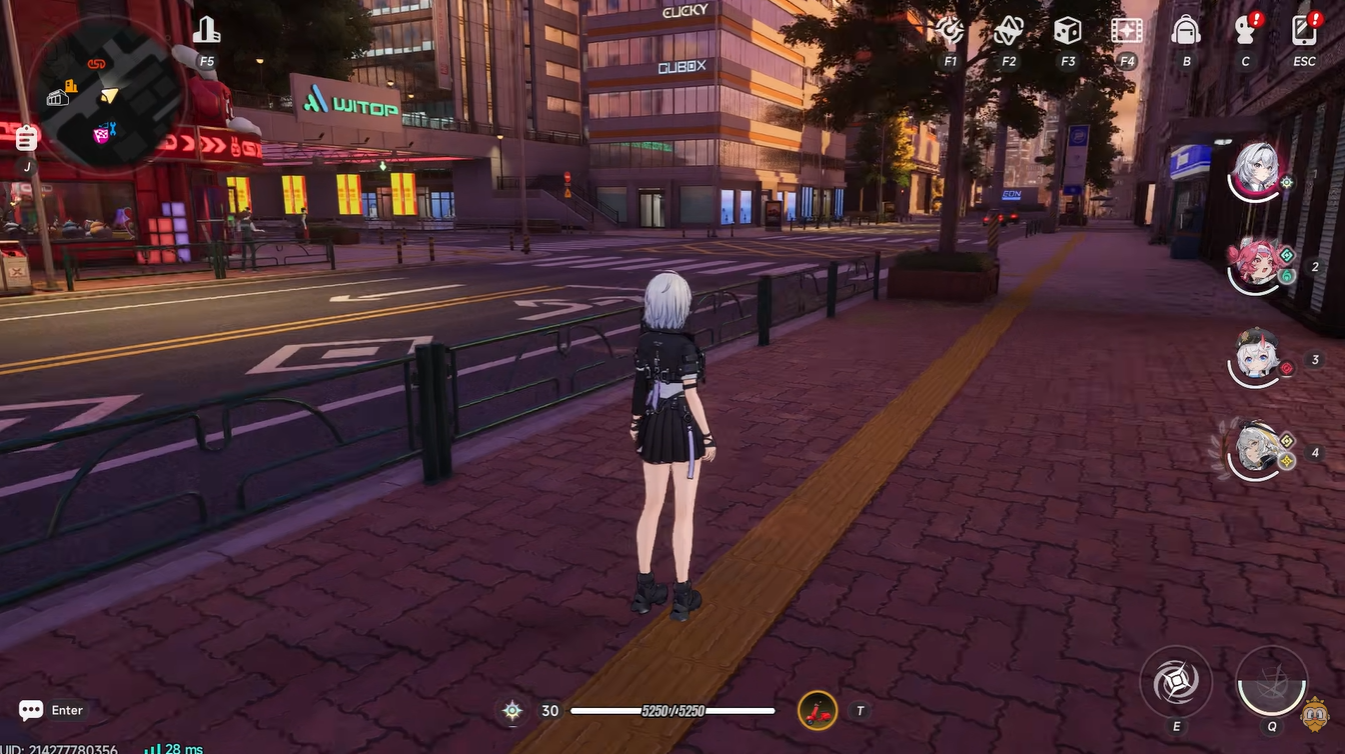
The vehicle system is built into your HUD, meaning you never need to open a separate inventory screen. When you look at the bottom of your screen, just under your health bar, you’ll see your currently equipped vehicle. This acts as both a quick reference and an entry point into the full vehicle selection system.
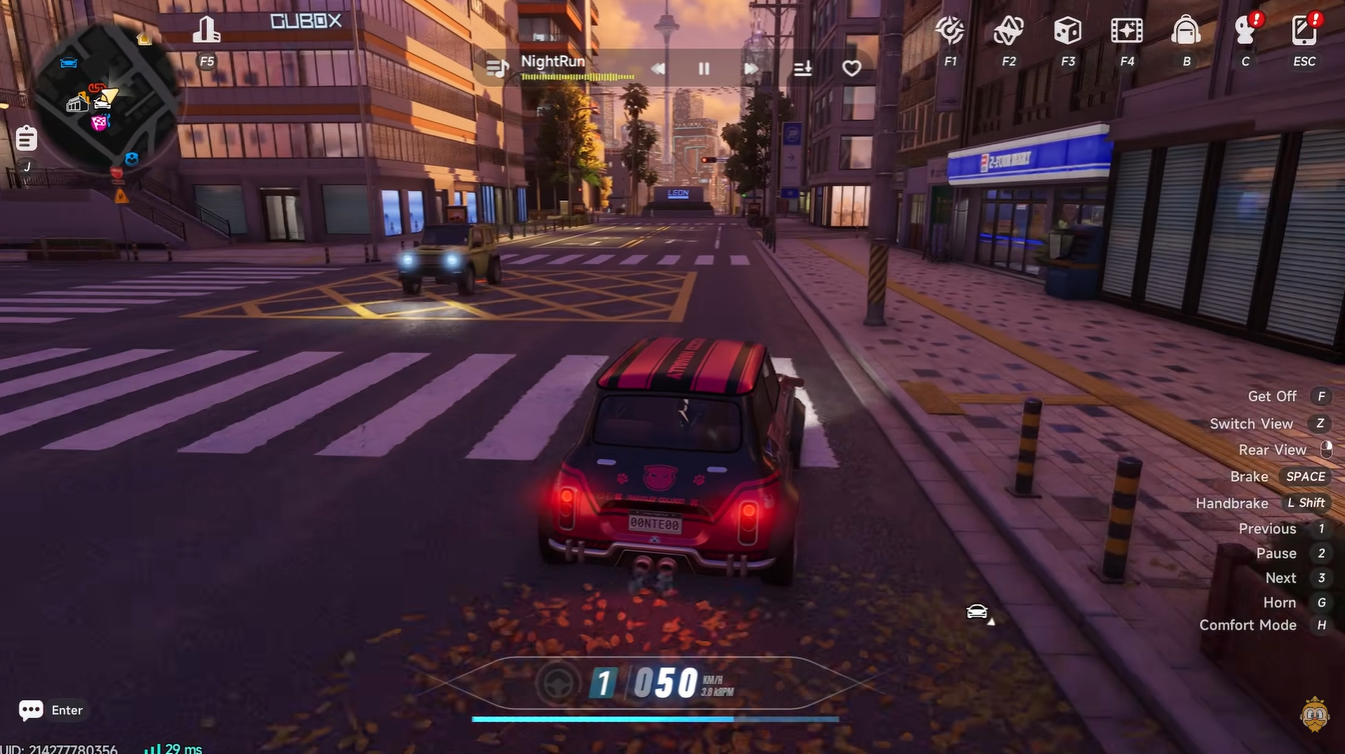
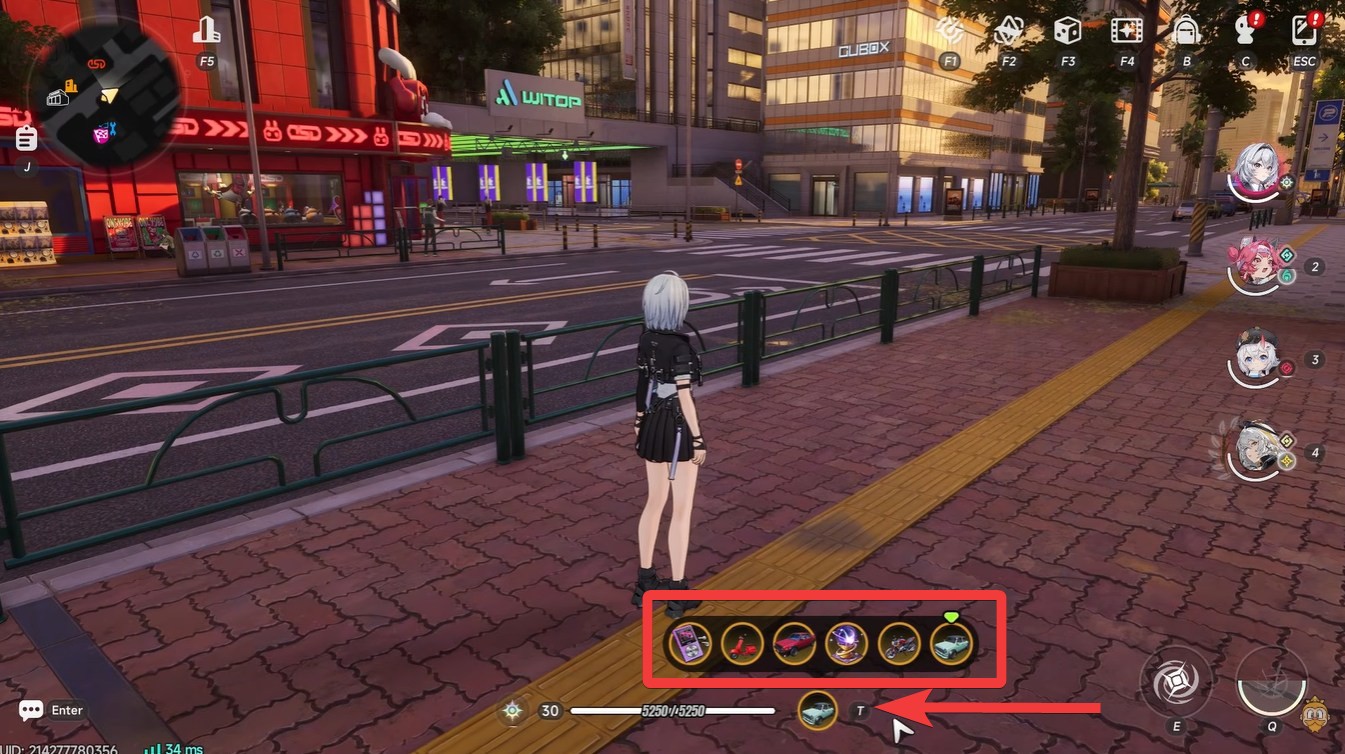
Holding the summon button (default T) brings up a selector wheel or menu showing all available vehicles you’ve unlocked. This includes everything from standard cars to faster bikes, depending on your progression.
Switching vehicles is immediate and doesn’t require confirmation screens, making it ideal during missions or exploration where quick decisions matter.
How to summon your vehicle in Neverness to Everness
Step 1
Look at the bottom of your screen to confirm your currently equipped vehicle. This ensures you know what will spawn when you press the summon key.
Step 2
Hold the summon key (T by default) to open the vehicle selection menu. Keep holding until the full selector appears.
Step 3
Choose your desired vehicle from the menu. You can scroll or move through available options depending on your controls.
Step 4
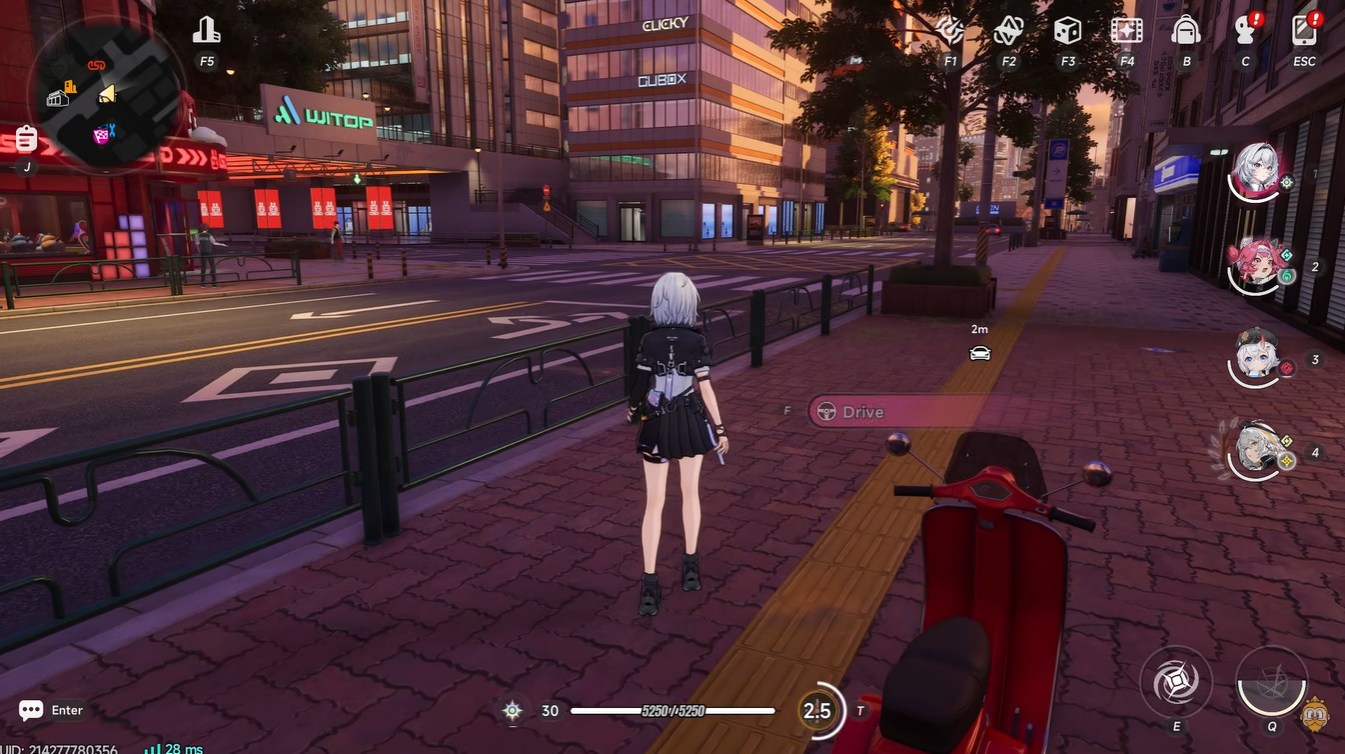
Release and press the summon key again to spawn the selected vehicle. This action confirms your choice.
Step 5
Make sure you are standing next to a road before spawning. If you’re too far from a valid road surface, the game will block the summon and display a warning.
Spawning restrictions of the vehicles
One of the most important mechanics to understand is the road restriction. Vehicles in NTE are designed to integrate naturally into the environment, which means they can only spawn on proper roads.
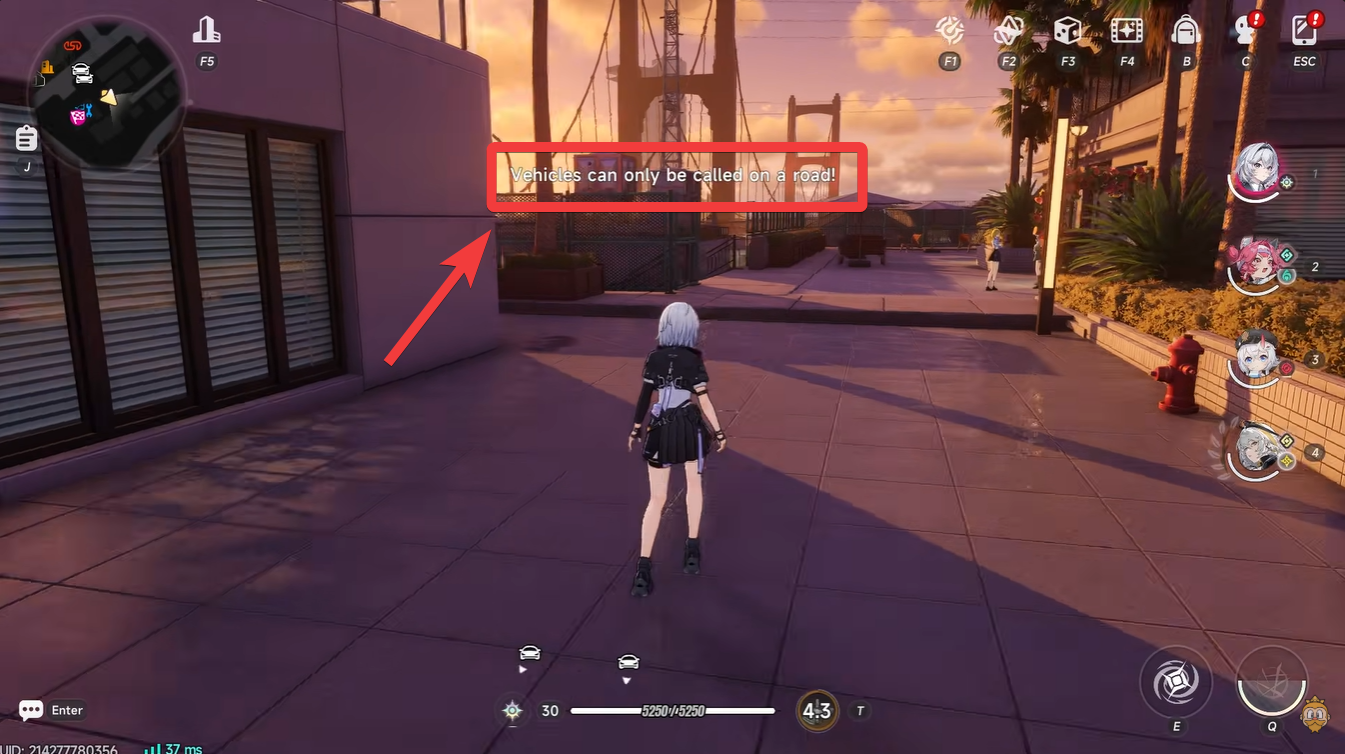
If you try to summon a vehicle while standing in off-road areas like sidewalks, grass, or tight alleyways, the game will notify you that spawning is not allowed in that location.
The fix is simple: move a few steps toward a nearby road and try again. Once you’re in a valid zone, the vehicle will appear directly in front of you, ready to use.
Switching between cars and bikes efficiently
Switching vehicles uses the exact same system as summoning, which makes it incredibly intuitive once you get used to it. Instead of thinking of summoning and switching as separate mechanics, treat them as part of one continuous flow.
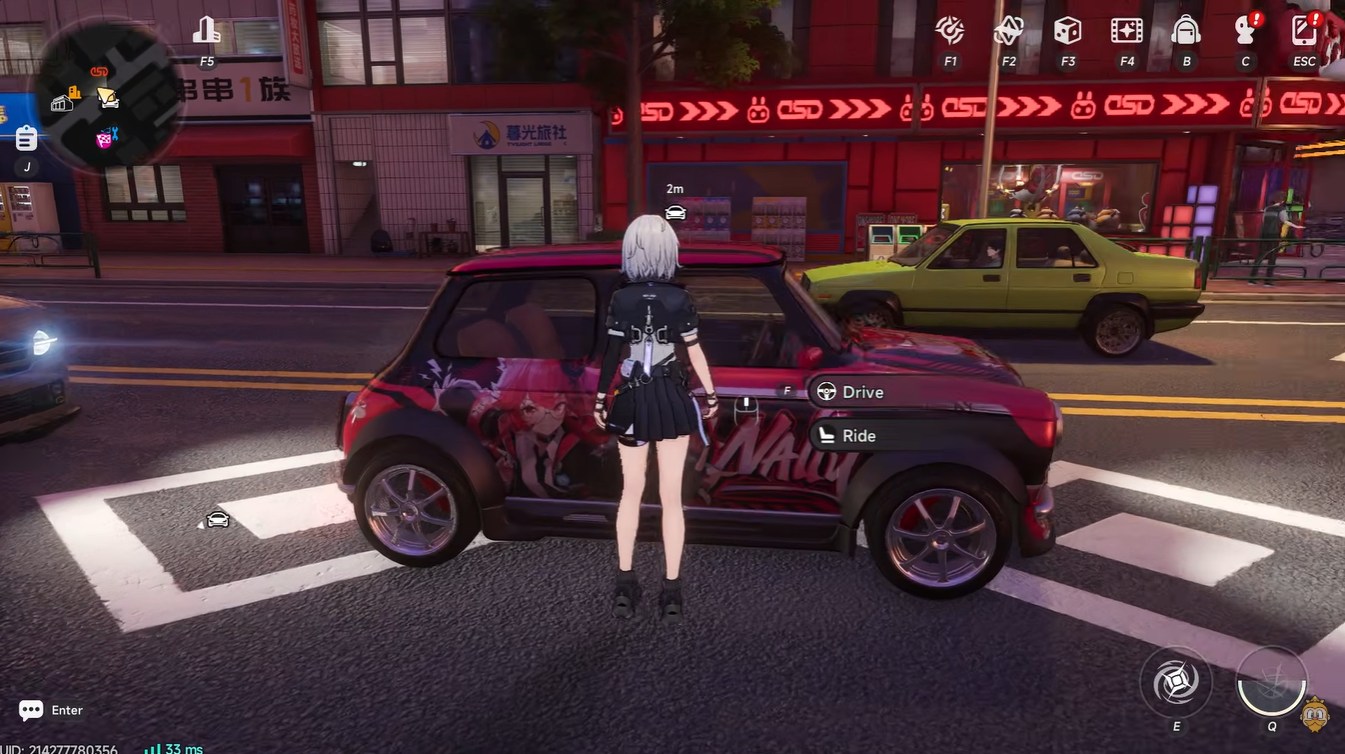
For example, if you’re currently using a car but need a faster bike for tight navigation, you simply open the selector, choose the bike, and summon again. There’s no need to “store” your current vehicle manually—it gets replaced automatically.
This design encourages experimentation, allowing you to adapt your vehicle choice based on terrain, mission type, or personal preference.
Common mistakes you should avoid
Many players struggle at first not because the system is complex, but because they overlook small details. The most common issue is trying to summon vehicles away from roads, which leads to repeated failure messages. Another frequent mistake is tapping the summon key instead of holding it, which prevents the selector from opening.
You should also pay attention to your positioning and camera direction, as vehicles spawn in front of you. Standing too close to obstacles can sometimes make positioning awkward.
Mastering vehicle summoning in Neverness to Everness is less about memorizing steps and more about understanding flow and positioning. Once you get comfortable with the selector menu and road requirement, switching between vehicles becomes second nature and significantly improves your exploration speed.



Switching vehicles sounds intriguing. Is there a preferred vehicle type that works best for specific scenarios?