


What to know
- Housing layouts can now be switched dynamically through the Select House feature.
- Kuku Coolers introduce dedicated food storage with up to 330 slots when upgraded.
- Wardrobes allow outfit storage scaling up to a massive 1,000-slot capacity.
- All housing upgrades are tied to Greymane Camp progression and specific quests.
Crimson Desert’s 1.04.00 update significantly expands the housing system, making it more functional and customizable than ever before. If you enjoy managing your base, organizing resources, or simply creating a more efficient living space, this update introduces meaningful changes that directly impact your gameplay loop.
Crimson Desert housing and storage additions
| Feature | Type | Unlock Method | Capacity | Key Benefit |
|---|---|---|---|---|
| Kuku Cooler | Food Storage | Quest Reward | 40 slots | Stores food/ingredients |
| Enhanced Kuku Cooler | Food Storage (Upgraded) | Crafting | 330 slots | Massive ingredient storage |
| Wardrobe | Outfit Storage | Furniture Shop | 100 per unit | Stackable outfit storage |
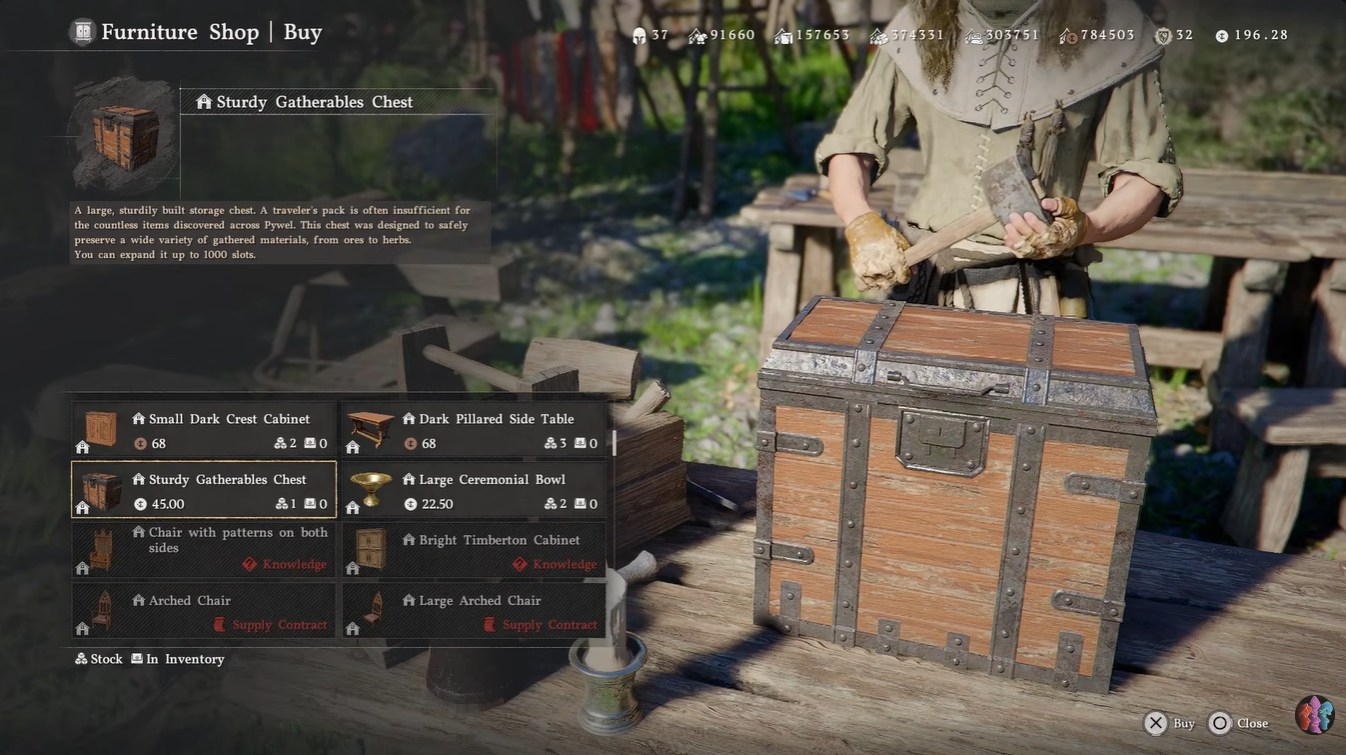
| Sturdy Gatherables Chest | Gatherables Storage | Furniture Shop (price – 50) | 1,000 slots | Large items management |
| House layout | Layout System | Greymane Camp Expansion | N/A | Switch house designs |
Crimson Desert housing layouts explained
The introduction of selectable house layouts completely changes how you approach housing in Crimson Desert. Instead of being locked into a single structure, you now have the flexibility to adapt your home depending on your progression and storage needs.
Through the Select House option, you can switch between layouts seamlessly while inside housing mode. This system is directly tied to your Greymane Camp expansion level, meaning you unlock better and more spacious designs as you progress.
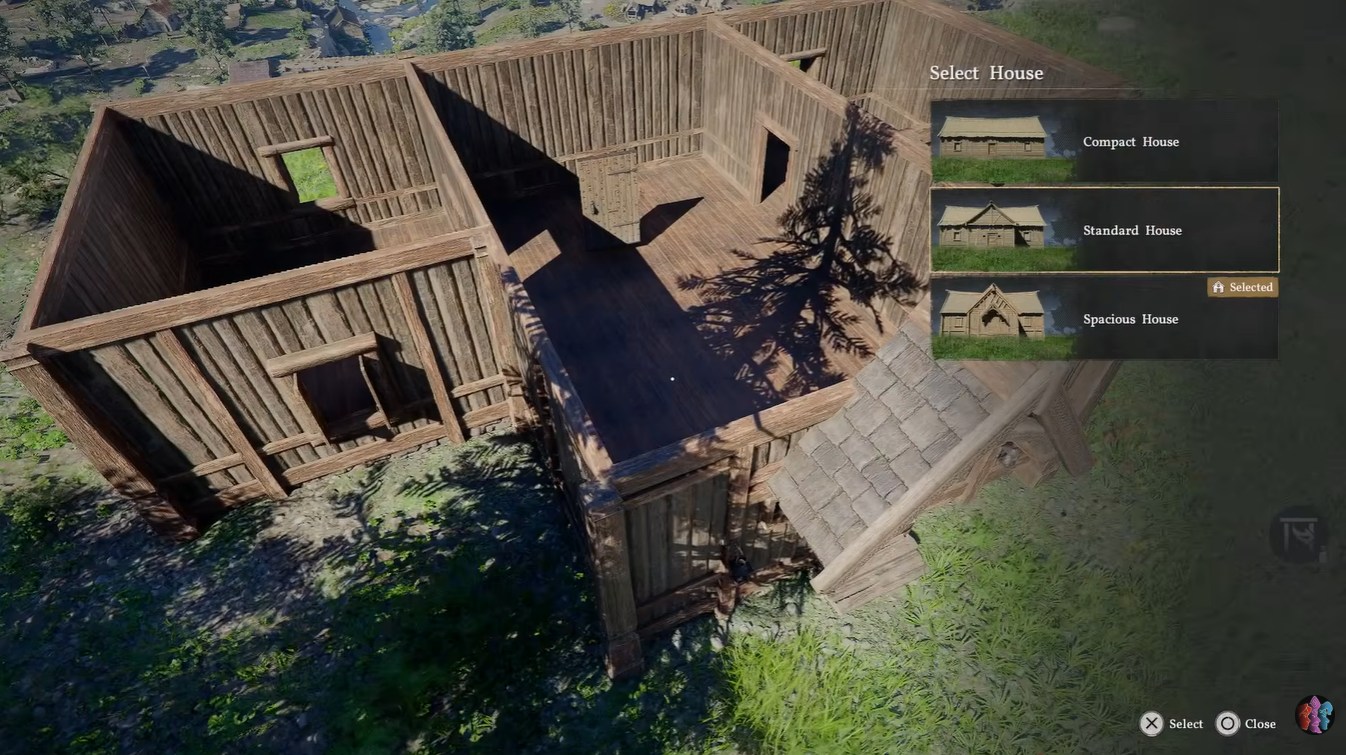
The available layouts include Compact House, Standard House, Spacious House, and the more distinct Spacious Pailunese House. Each one offers a different internal structure, affecting how efficiently you can place furniture and storage.
How to use the Select House feature
- Enter housing mode while inside your home.
- Access the “Select House” option from the housing interface.
- Choose from available layouts based on your Greymane Camp level.
- Confirm your selection to instantly apply the new layout.
This feature allows you to adapt your house depending on your current needs—whether you want more room for storage or a compact design for efficiency.
Compact layouts are ideal early on when you have limited items, while larger layouts become essential once you begin stacking wardrobes, coolers, and additional storage units. The more space you unlock, the easier it becomes to organize your home into functional zones.
Housing storage items: Kuku coolers and wardrobes
Storage has been significantly improved with the addition of specialized systems, making item management far more efficient than before.
Kuku coolers and its storage slots
Kuku Coolers are dedicated storage units specifically designed for food and cooking ingredients. You obtain the base version through the Hernand Requests faction questline, specifically during the “A Special Blueprint” quest.
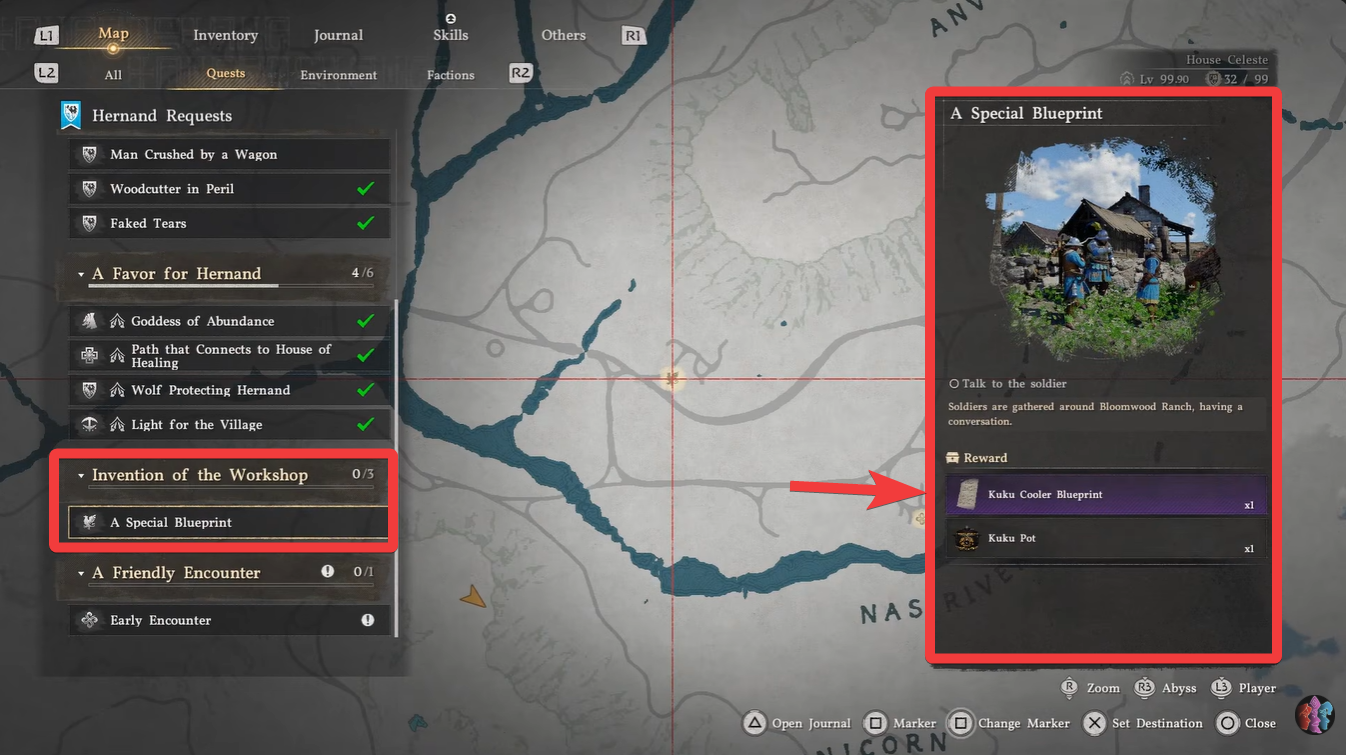
The base cooler offers 40 storage slots, which is useful early on. However, you can upgrade it into the Enhanced Kuku Cooler, which expands capacity to 330 slots through crafting.
One of the most impactful features is that ingredients stored inside these coolers can still be used for cooking without being in your inventory. This dramatically reduces the need to carry excess materials.
Wardrobes and its storage slots
Wardrobes introduce a dedicated storage category for outfits, separating them from your general inventory. You can purchase wardrobes directly from furniture shops and place them within your home.
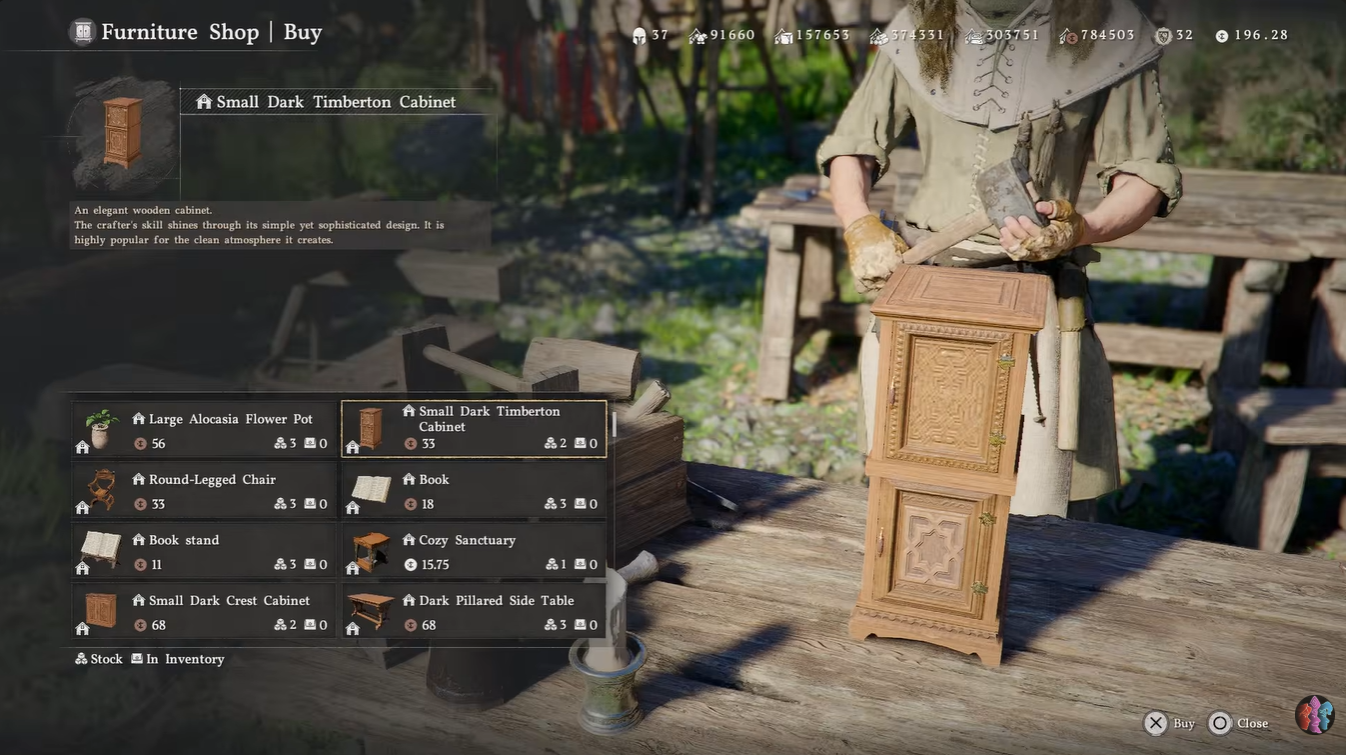
Each wardrobe provides 100 slots, and the system allows scaling up to a total of 1,000 outfit slots.
This modular design means you can gradually expand storage as your collection grows, rather than committing to a large setup immediately.
Where to get more storage, like Sturdy Chest and Wardrobes
Beyond Kuku Coolers and wardrobes, you can further expand your storage capacity using additional furniture like sturdy chests. These act as general-purpose storage units and are essential for managing crafting materials, gear, and miscellaneous items.
Sturdy chests are typically obtained through crafting systems or purchased depending on your progression level and available vendors. They are not limited to specific item types, making them versatile compared to specialized storage like coolers.
Wardrobes, on the other hand, are consistently available through furniture shops, making them one of the easiest ways to increase storage early on. As your housing expands, combining wardrobes with chests and coolers creates a well-rounded storage ecosystem.
The key is balancing specialized and general storage—use Kuku Coolers for food, wardrobes for outfits, and chests for everything else. This approach ensures your inventory remains uncluttered and easy to manage.
How all systems work together for optimal housing
The real strength of this update lies in how these systems complement each other. You are not just getting more storage—you are getting specialized storage that reduces friction in gameplay.
Kuku Coolers handle your food and ingredient economy, ensuring cooking remains smooth and accessible. At the same time, Wardrobes separate cosmetic storage, keeping your inventory clean and focused on functional gear.
When combined with larger house layouts, you gain the physical space needed to scale these systems without clutter.
This creates a more organized gameplay loop where you spend less time managing inventory and more time exploring, crafting, and progressing.
This update clearly shifts housing from a cosmetic feature to a core gameplay system. If you invest time into unlocking and upgrading these features, you will notice a smoother and more efficient progression overall.
You should prioritize unlocking the Kuku Cooler early, followed by expanding wardrobe storage as your outfit collection grows. As your Greymane Camp develops, transitioning into larger house layouts will naturally support your expanding storage needs.




