What to know
- Default sensitivity sits at 4 vertical and 4 horizontal; increase to 6 for quicker enemy turnarounds.
- Use hold aim mode for Resident Evil-like feel, or toggle if holding fatigues you.
- Enable equip weapon on pickup for seamless action in tight fights.
- Customize reticle color and enable center display for better visibility.
Pragmata demands sharp dual-character control between shooting and hacking, where refined aim settings make all the difference in intense encounters.
| Setting Category | PS5 Recommendation | PC Recommendation |
|---|---|---|
| Aim Mode | Hold (RE-style) or Toggle | Mouse aim sensitivity 33 horizontal/vertical |
| Sensitivity | 6 vertical, 6 horizontal | Match both axes at 33 |
| Aim Assist | On for easier targeting | Mouse hacking/action assist on strong |
| Reticle | Custom color (e.g., red), center display on | Custom color, center display on |
| Pickup | Equip weapon on pickup | Equip weapon on pickup |
Controller essentials on PS5
Start by accessing the controls menu to tweak aim behavior. ‘Hold’ Aim Mode mimics familiar survival horror tension, requiring you to press to aim down sights and release intentionally, which pairs well with managing Diana’s hacks.
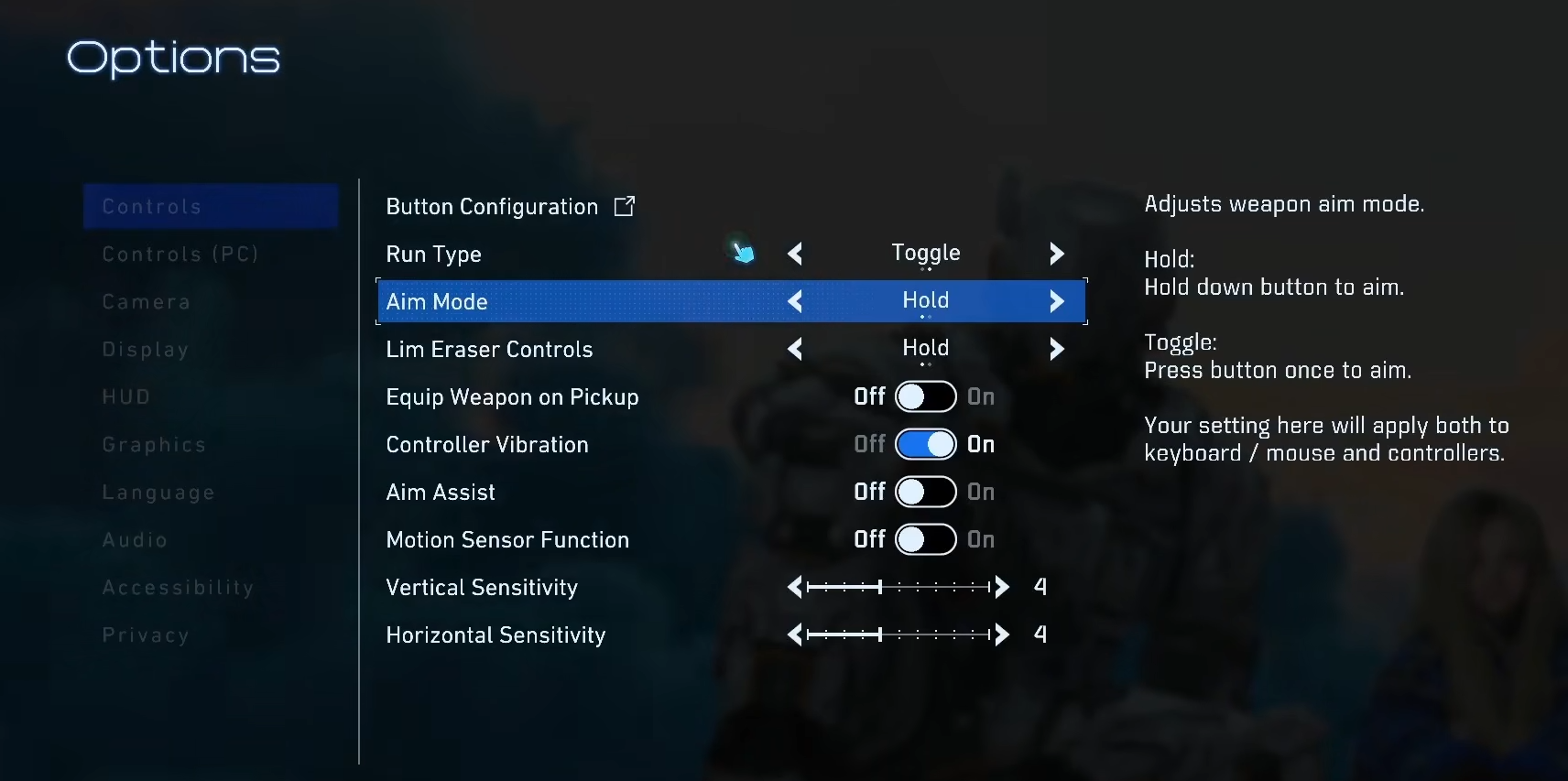
Switch to toggle if constant holding strains your grip during prolonged fights—tap once to lock in ADS.
Bump sensitivity from the default 4/4 to 6/6 across vertical and horizontal axes.
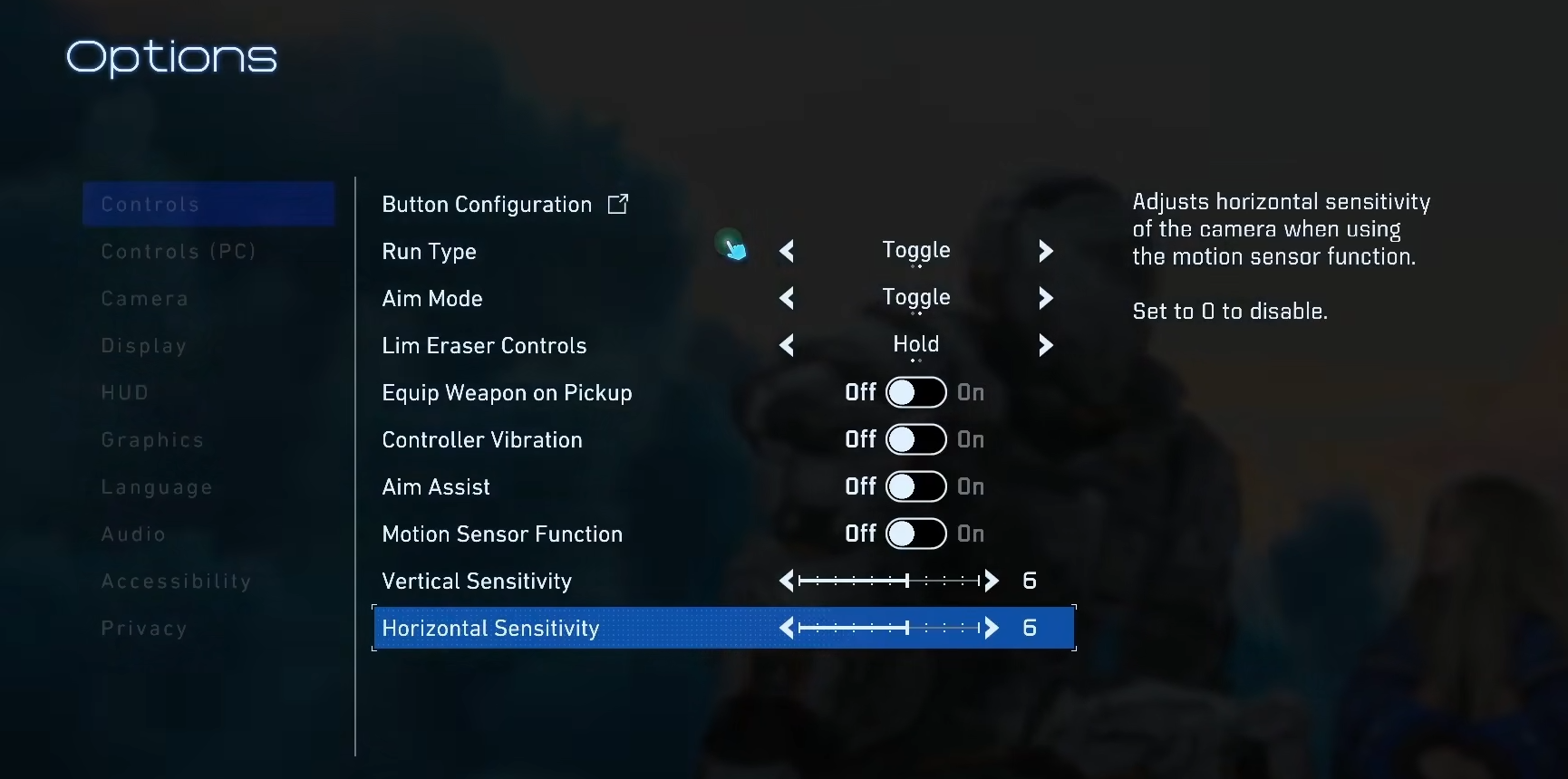
This adjustment handles aggressive enemy flanks better, letting you snap around without overcorrecting, especially when multiple foes swarm.
Mouse and keyboard tweaks for PC
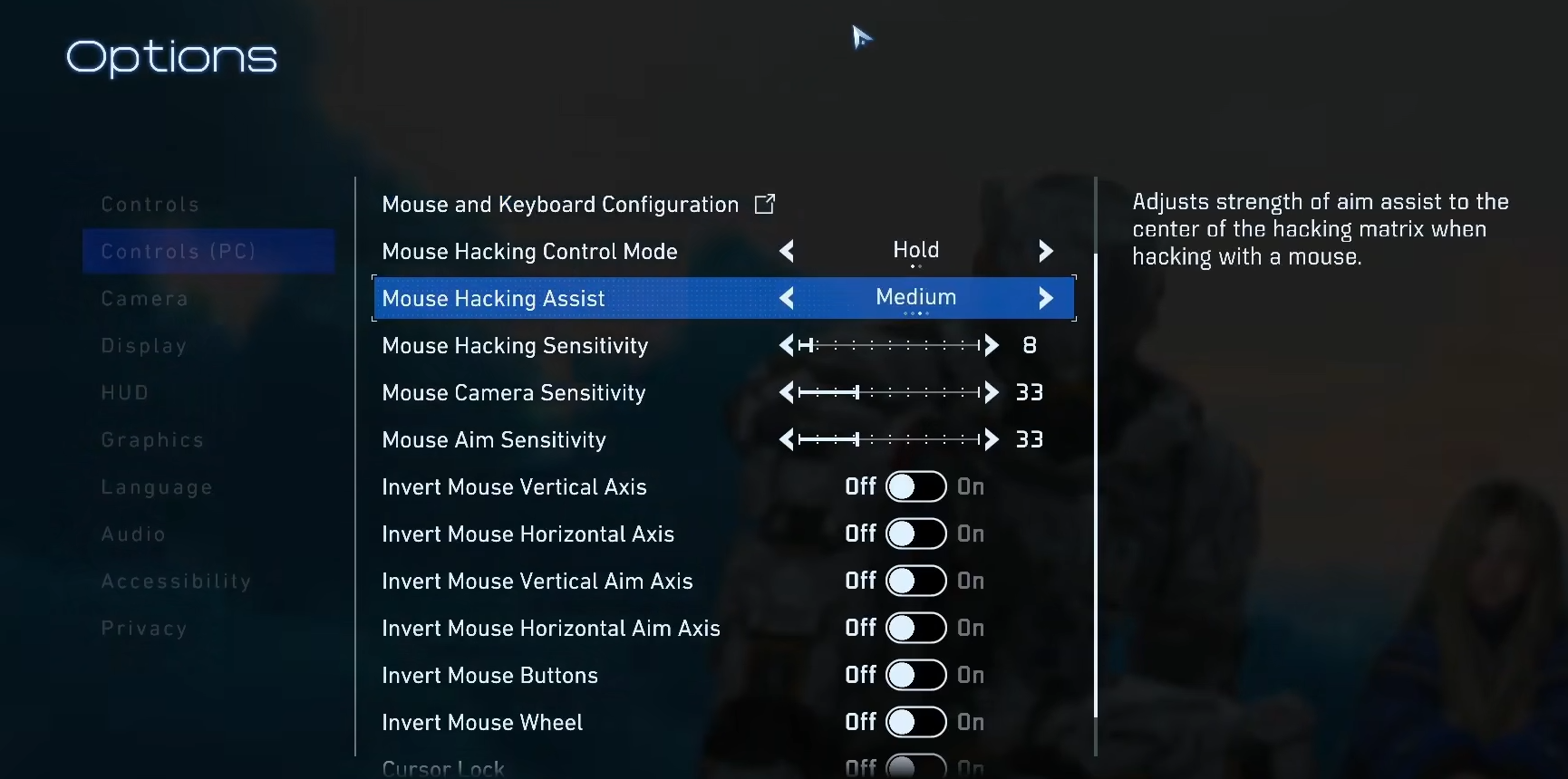
Set Mouse Aim Sensitivity uniformly at 33 for both horizontal and vertical to maintain consistency in fast-paced swaps between aiming and cursor-based hacking. Avoid mismatched values; uniformity builds muscle memory for Pragmata’s dual-control demands.
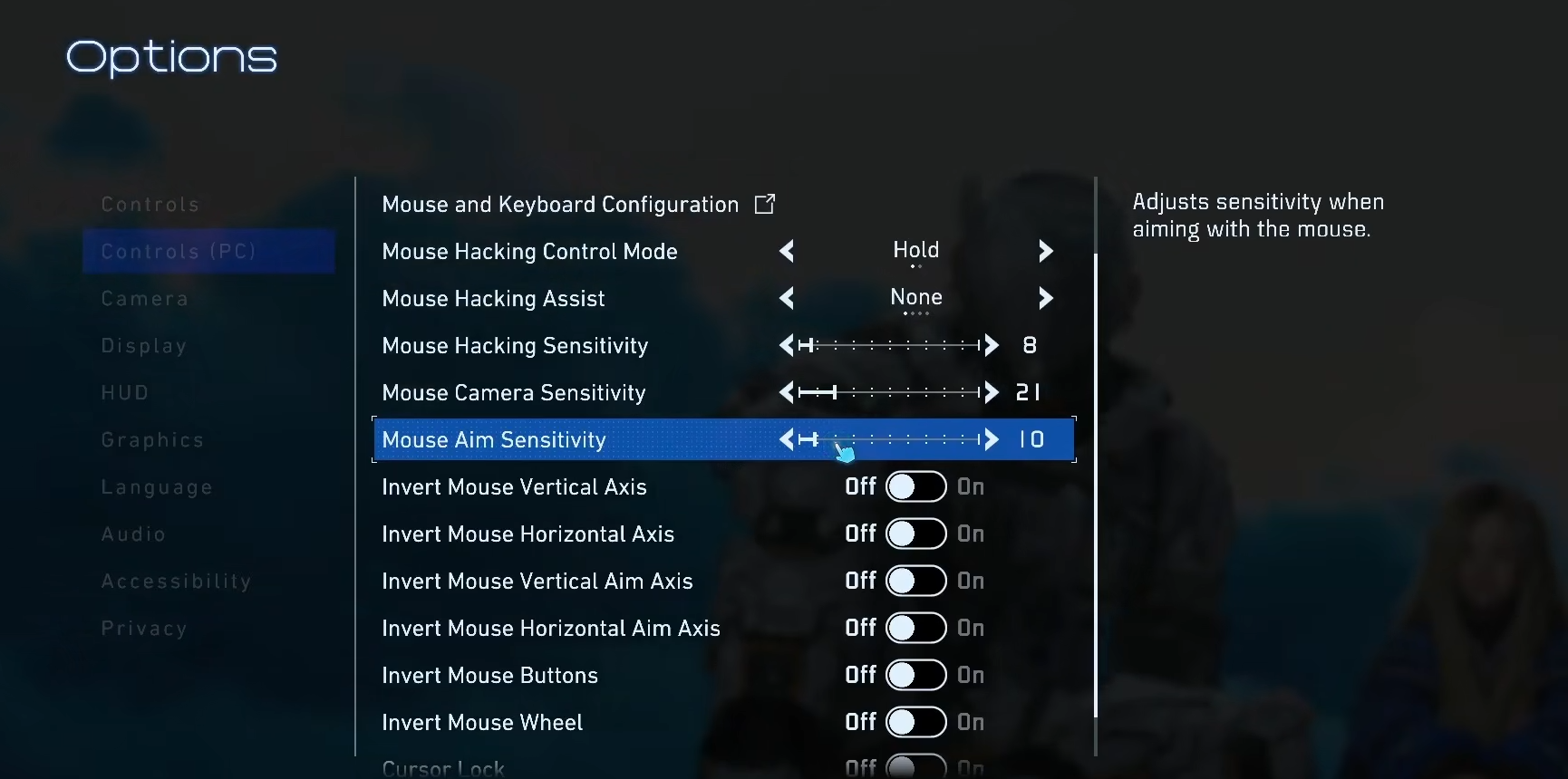
Activate Mouse Hacking Assist and action assist at maximum strength for story-focused runs. These snap targeting effortlessly, reducing lateral coordination errors between characters.
Leveraging aim assist effectively
Turn Aim Assist on regardless of difficulty – it magnetizes to hack points and enemies, simplifying one-swoop combos. Pair it with easy mode for first playthroughs to prioritize narrative over frustration.
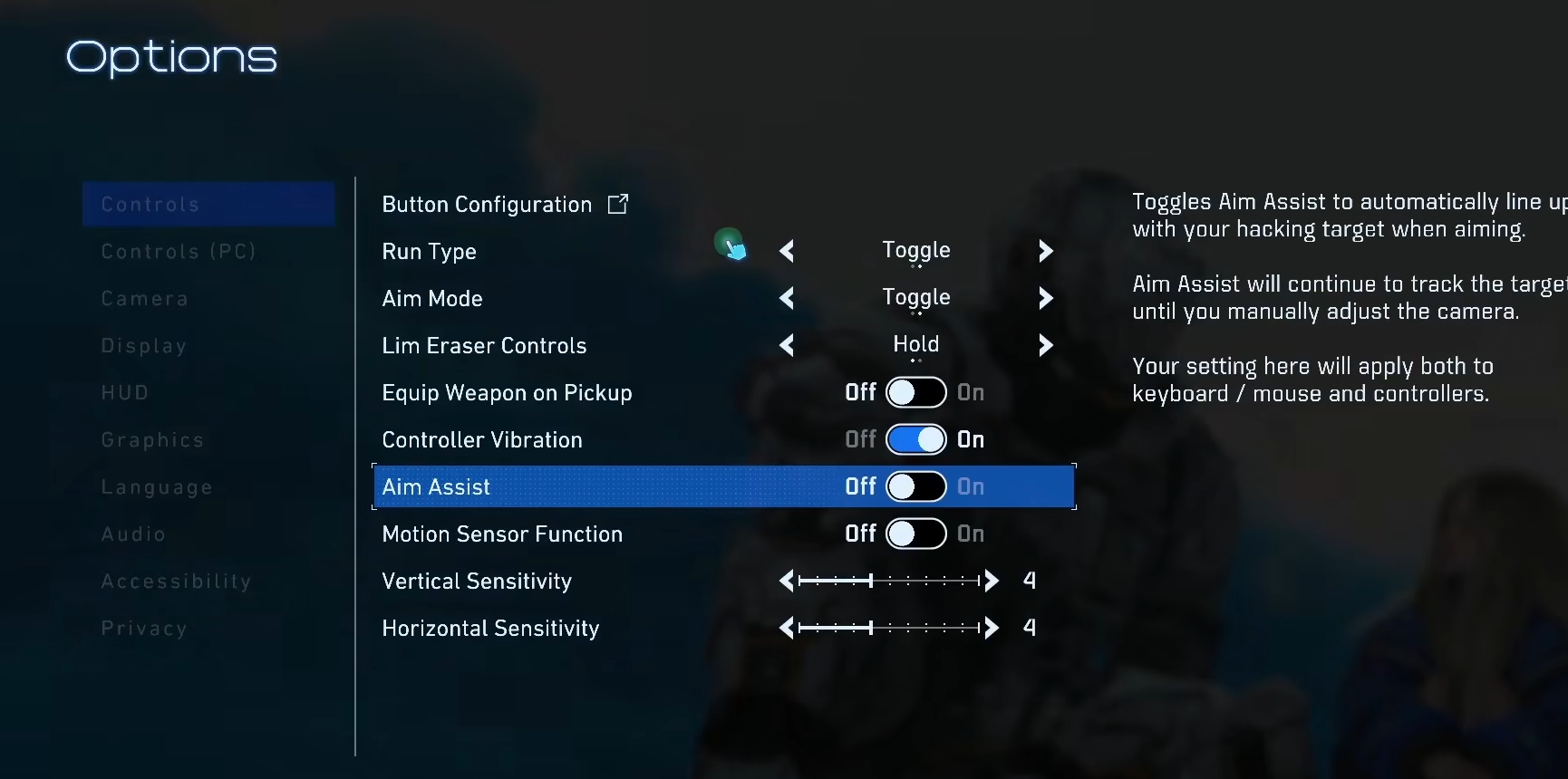
On PS5, it enhances controller precision; on PC, mouse variants make hacking trivial.
Step-by-step sensitivity adjustment
Step 1
Enter the gameplay settings menu from the pause screen.
Step 2
Navigate to camera and aim options; set vertical sensitivity to 6.
Step 3
Adjust horizontal sensitivity to 6; test in a safe area against dummies.
Step 4
Fine-tune incrementally—play a combat section, note turn speed, and revert if too twitchy.
Step 5
Save changes and restart the match for persistence.
Reticle and visibility customizations
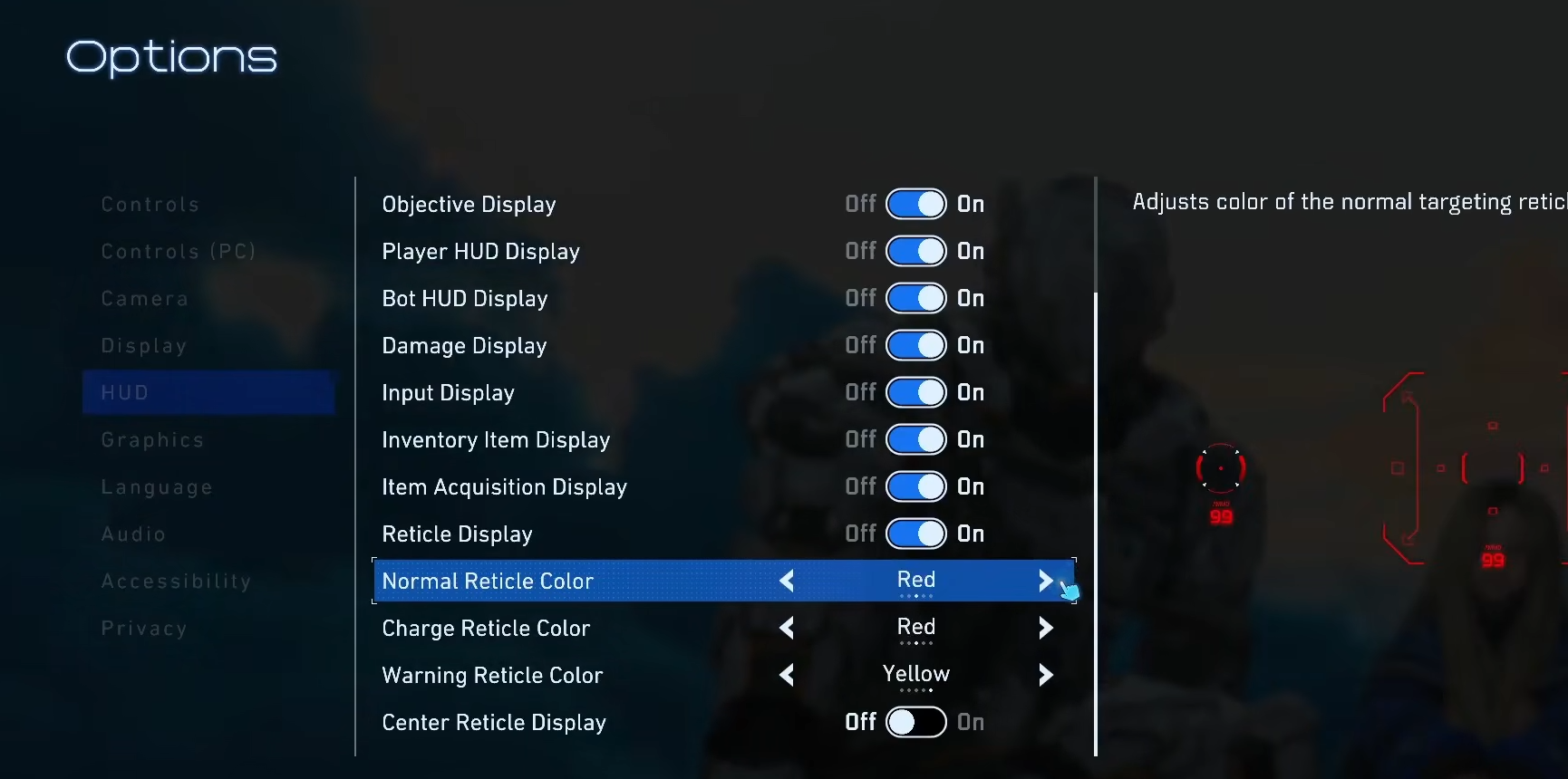
Change the white Normal Reticle Color for a vivid red or preferred color to cut through dark environments or personal visibility issues.
Enable the Center Reticle Display for constant reference, aiding quick repositions without aim drift.
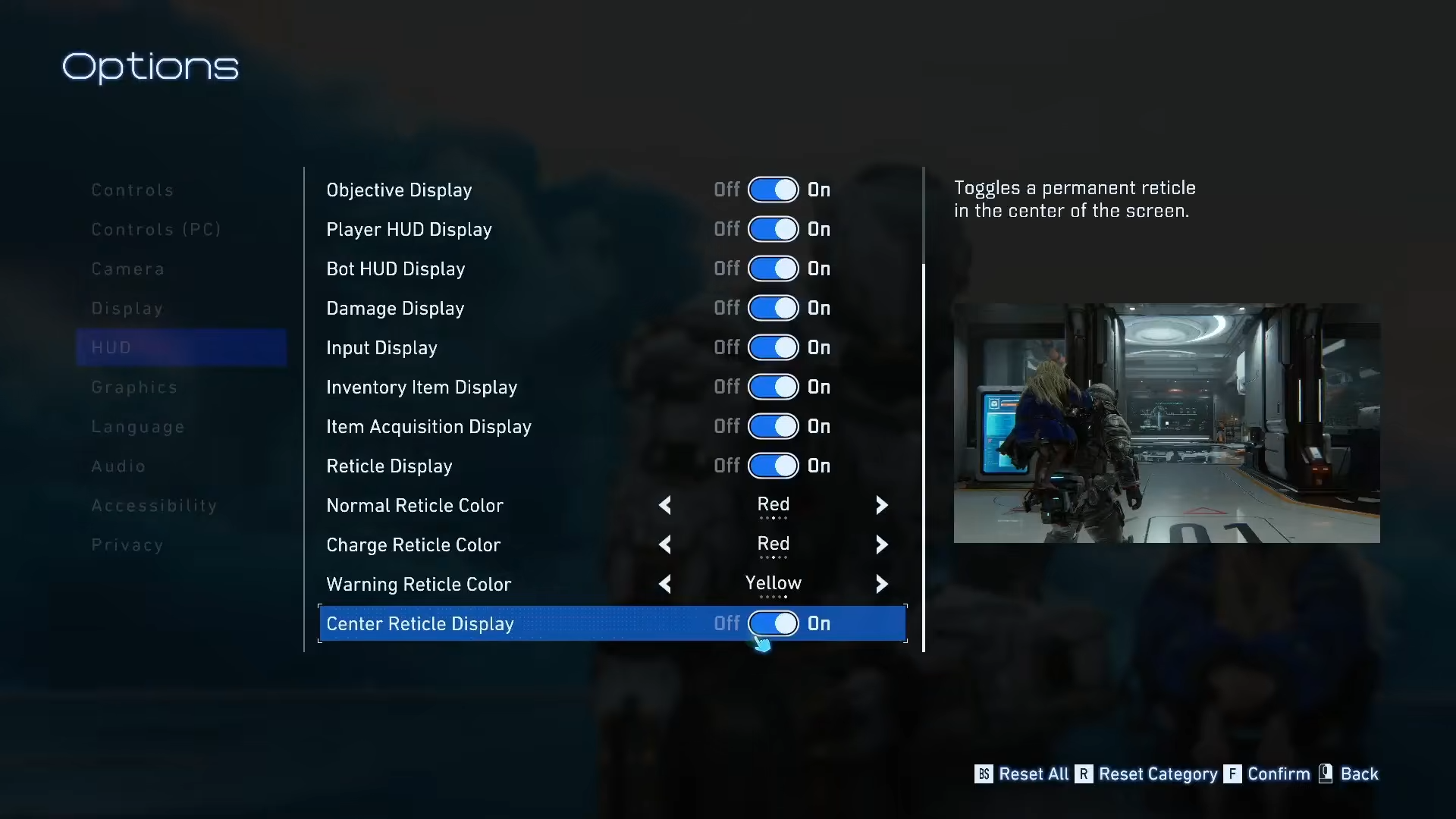
These tweaks shine in low-light lunar bases, where subtle enemy movements demand standout crosshairs.
How to customize reticle
Step 1
Open accessibility settings under options.
Step 2
Select reticle color; cycle to red or contrasting shade.
Step 3
Toggle center reticle display on.
Step 4
Test in varied lighting; adjust if glare persists.
Pickup and combat flow options
Enable Equip Weapon on Pickup to auto-swap during frantic close-quarters brawls, keeping momentum without menu pauses. Disable for deliberate loadout choices in strategic play.
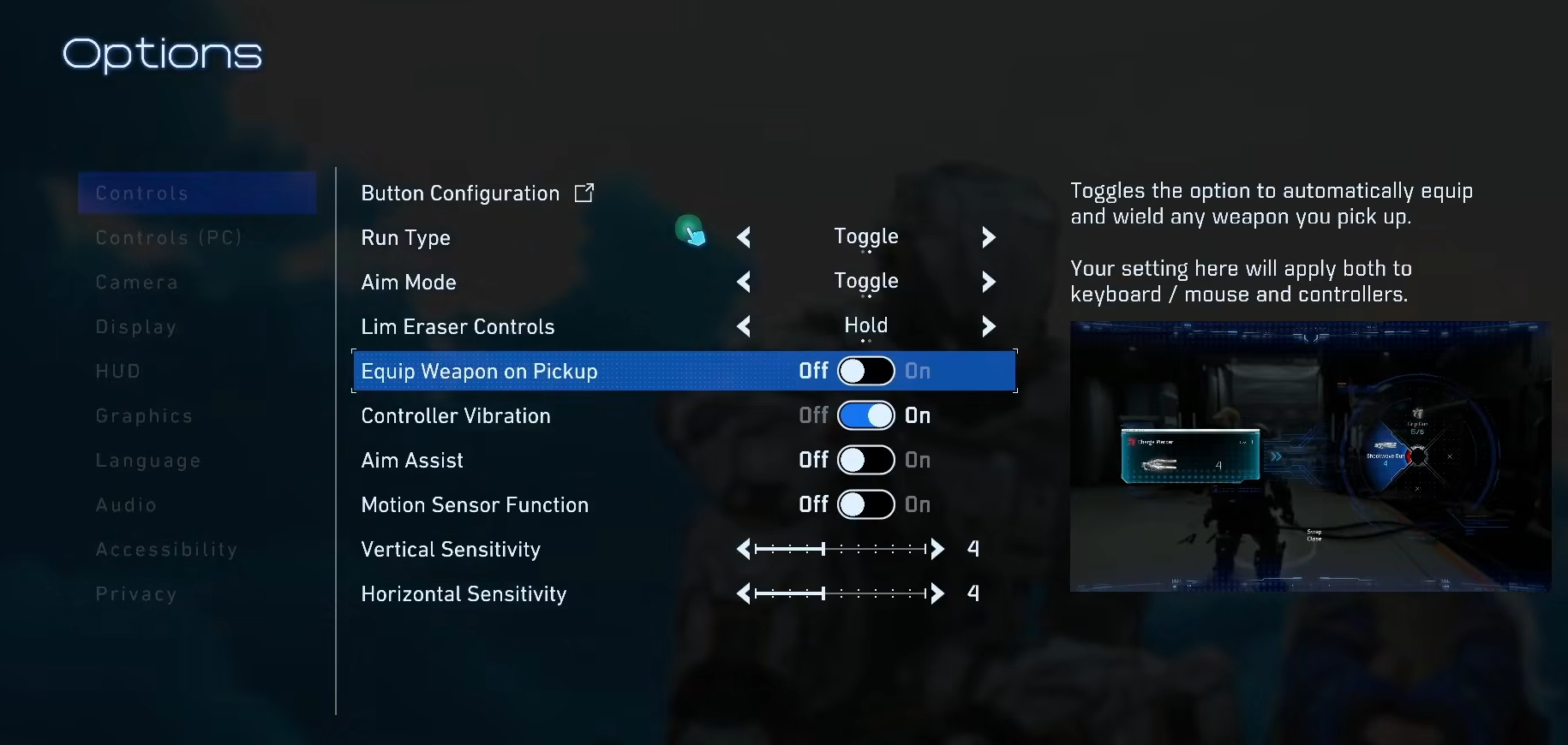
This setting prevents fumbles when weapons litter arenas.
Difficulty and assist synergies
Run easy mode with full assists for newcomers—it eases adaptation without diluting core mechanics. Veterans can dial assists down post-mastery.
Mastering these yields smoother headshots, faster clears, and fewer deaths, unlocking smoother progression through Pragmata’s story chapters and side encounters—no explicit loot tables, but precision cuts retry time by halves.
Lock in these settings for dominant aim control, turning chaotic dual-character fights into precise takedowns.