

- What to know
- Quick overview of CD Player mechanics
- Understanding how the CD Player actually works in Pokopia
- How to connect power and activate the CD Player
- How to insert CDs and start playing music
- How arrangement settings change your music experience
- Common limitations you should know before using the CD Player
- Making the most of the CD Player in Pokopia
What to know
- The CD Player requires a power connection before it works
- You must manually insert CDs from your inventory
- Each CD contains unique music and arrangement options
- Only one CD can be used at a time
Getting the CD Player running in Pokémon Pokopia is one of those small but satisfying features that adds personality to your base. While it looks simple at first glance, there are a few specific mechanics you need to understand to actually make it work properly. Once you know how everything connects, you can fully customize your in-game music experience.
Quick overview of CD Player mechanics
| Feature | Details |
|---|---|
| Power Requirement | Needs active power connection |
| CD Usage | Manual insertion required |
| Music Variety | Depends on CD inserted |
| Arrangement Options | Adjustable after inserting CD |
| CD Limit | Only one CD at a time |
Understanding how the CD Player actually works in Pokopia
The CD Player is not just decorative—it is a functional device tied to your base’s power system. This means you cannot interact with it like a normal object unless it is actively powered. If you try clicking it without electricity, nothing meaningful will happen.
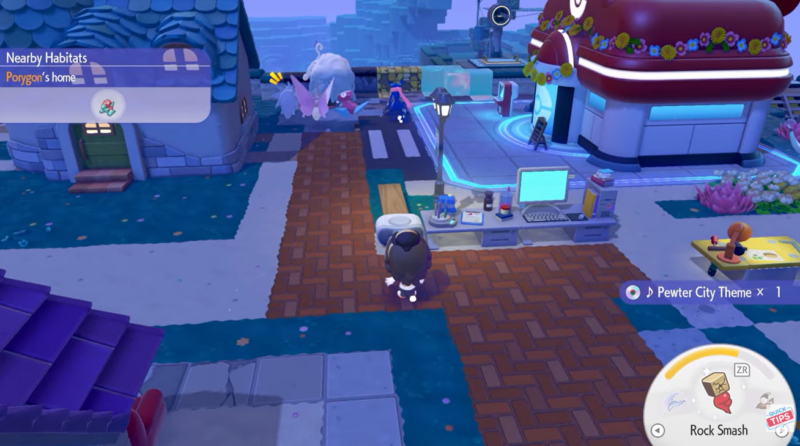
Once powered, the CD Player becomes interactive and allows you to play music tracks tied to collectible CDs. These CDs act as the core content source, and each one unlocks different soundtracks or variations. This makes collecting CDs worthwhile if you want variety in your environment.
Another important detail is that the player does not auto-load CDs. You must physically take a CD from your inventory and place it into the player. This design keeps the interaction intentional and prevents accidental playback.
How to connect power and activate the CD Player
Step 1
Place the CD Player somewhere within your base where wiring is accessible. Positioning matters because you’ll need to connect it to your power network.
Step 2
Use a power wire to link the CD Player to an active power source. This could be a generator or any established electrical system in your setup.
Step 3
Ensure the power source is turned on and functioning. If the system isn’t active, the CD Player will remain unusable.
Step 4
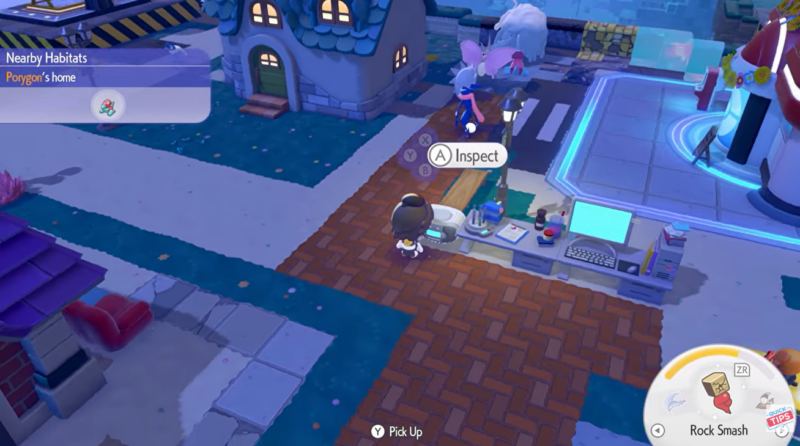
Interact with the CD Player to confirm it is receiving power. Once powered, it will respond to inputs and allow further interaction.
How to insert CDs and start playing music
Step 1
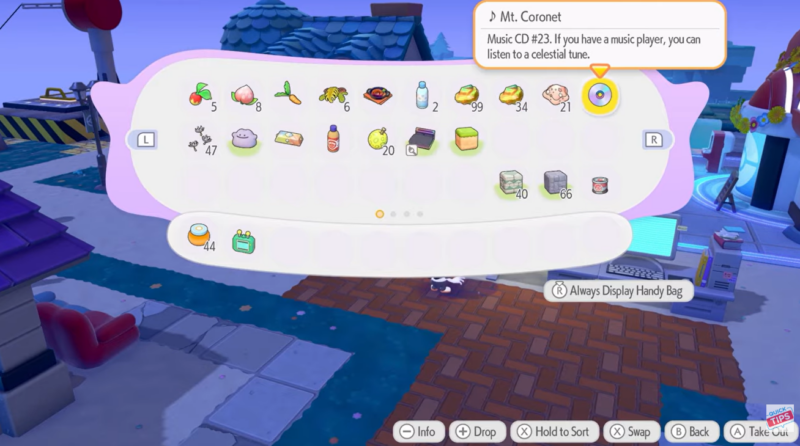
Open your inventory and locate any CDs you have collected. These items are required to play music.
Step 2
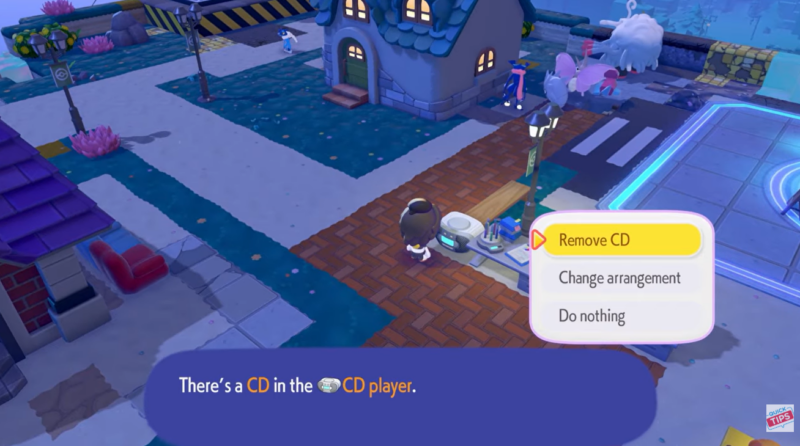
Select a CD and manually insert it into the player. Simply interacting without inserting will not start playback.
Step 3
Activate the CD Player after insertion. The music should begin playing immediately if everything is set up correctly.
Step 4
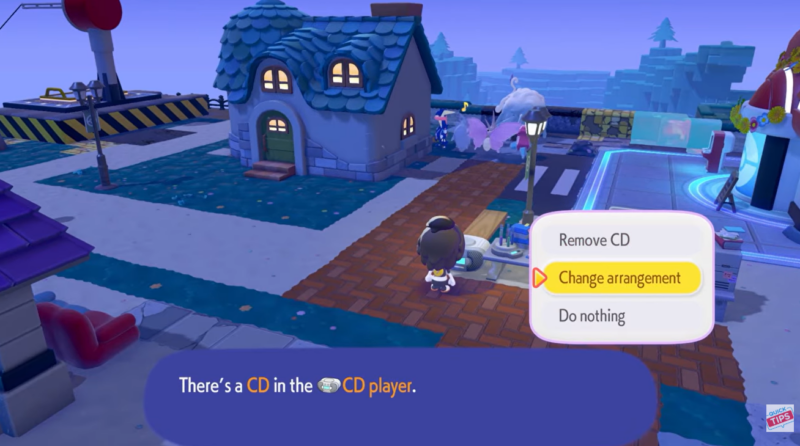
Replace CDs anytime by removing the current one and inserting a new disc. Remember, only one CD can be active at once.
How arrangement settings change your music experience
After inserting a CD, the CD Player allows you to cycle through different arrangements. These arrangements are essentially variations of the same track, offering subtle or sometimes noticeable changes in how the music sounds.
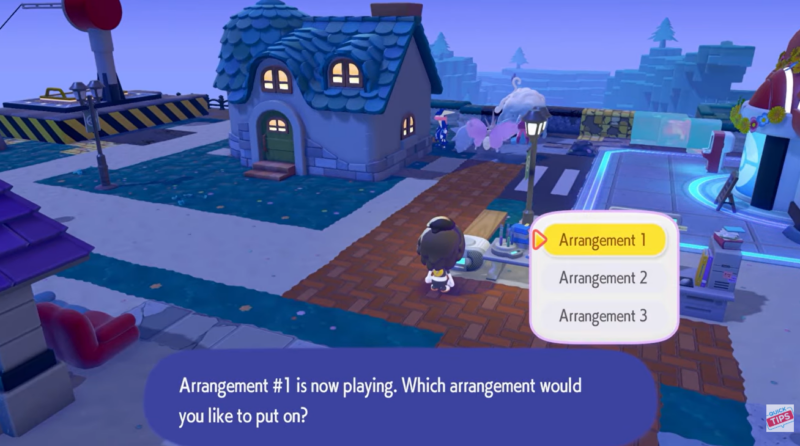
Each CD comes with its own set of arrangements, which means experimenting is part of the experience. Some may offer calm ambient tones, while others lean toward more energetic or layered versions.
This system adds replay value because you are not just collecting songs—you are collecting variations of those songs.
Common limitations you should know before using the CD Player
The most important limitation is that only one CD can be used at a time. This prevents playlist-style playback and means you need to manually switch tracks whenever you want something new.
Another limitation is the dependency on power. If your base loses power, the CD Player will stop functioning entirely, even if a CD is inserted.
You also cannot preview music without inserting a CD, which means you need to experiment manually to find your preferred tracks.
Making the most of the CD Player in Pokopia
The CD Player adds atmosphere and personalization to your base in Pokopia. Instead of a silent environment, you can create a space that feels alive and tailored to your preferences.
To get the best experience, you should focus on collecting multiple CDs and experimenting with arrangements. This allows you to discover combinations that suit different moods or activities in-game.
It also ties into progression and collection mechanics. Since different CDs unlock different music, it encourages exploration and rewards players who gather more items.
Over time, your base can feel unique simply through the soundtrack you choose to play.
You should also ensure your power setup is stable and efficient. A consistent power supply means uninterrupted music and a smoother gameplay experience overall.


Pretty helpful guide—clears up the confusing part about CDs not working on their own. I like that it explains the need for the CD Player or DJ Rotom, since that tripped me up at first. Feels a bit basic, but solid for beginners trying to figure out the music system.