
- What to know
- Trade Pokémon that can operate shops – Hitmonlee
- How the shop structure works in Pokopia
- Acquiring a cash register recipe if you do not have one
- Choosing a shop location that attracts customers
- Powering the shop and activating sales
- Monitoring your shop remotely using security cameras
- Unlocking recipes by selling and scanning items
- Shops and trade in Pokopia
What to know
- Shops in Pokopia allow you to sell items and unlock recipes by scanning sold goods.
- A working shop requires five tables, power, and a cash register placed in the correct order.
- Pokémon with the Trade specialty can operate the register and sell items automatically.
- Security cameras let you monitor the shop remotely without visiting it in person.
Creating shops in Pokopia is one of the most useful systems for expanding your crafting capabilities. A properly built shop lets you sell items, discover new crafting recipes, and automate income using your Pokémon companions. Once the shop is powered and staffed by a Pokémon with the Trade ability, it can run on its own while you explore the world, gather resources, or continue progressing through the game.
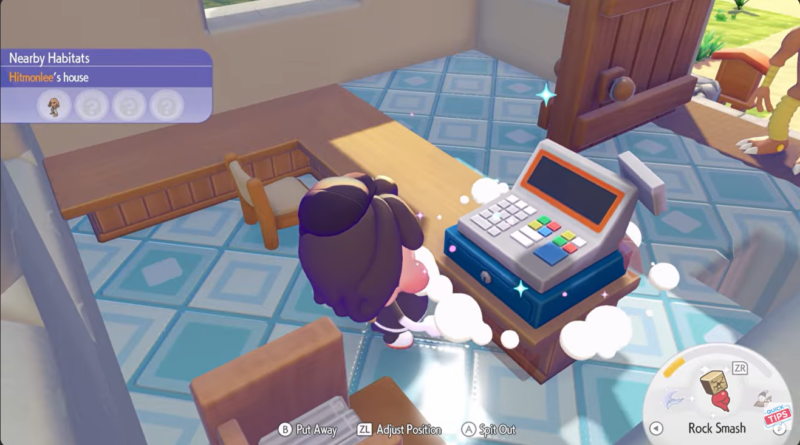
The process revolves around placing the correct structures, obtaining a register if you do not already have its recipe, assigning a Pokémon worker, and stocking items that customers can buy. When items sell, you can scan them to permanently unlock their crafting recipe for your 3D printer.
| Feature | Details |
|---|---|
| Purpose | Sell items and unlock new recipes through scanning |
| Required Furniture | Five tables and one cash register |
| Power Requirement | Shop must be connected to a power source |
| Worker Requirement | Pokémon with the Trade specialty |
| Item Capacity | Up to five items can be sold simultaneously |
| Monitoring | Security cameras allow remote viewing |
| Register Recipe | Can be scanned from the Saint Anne basement if missing |
Trade Pokémon that can operate shops – Hitmonlee
In Pokopia, not every Pokémon can operate a shop. Only Pokémon with the Trade specialty are capable of managing the register and selling goods to customers. One example is Hitmonlee, which naturally possesses the Trade specialty. When assigned near a powered register, the Pokémon will eventually walk over and begin working automatically.
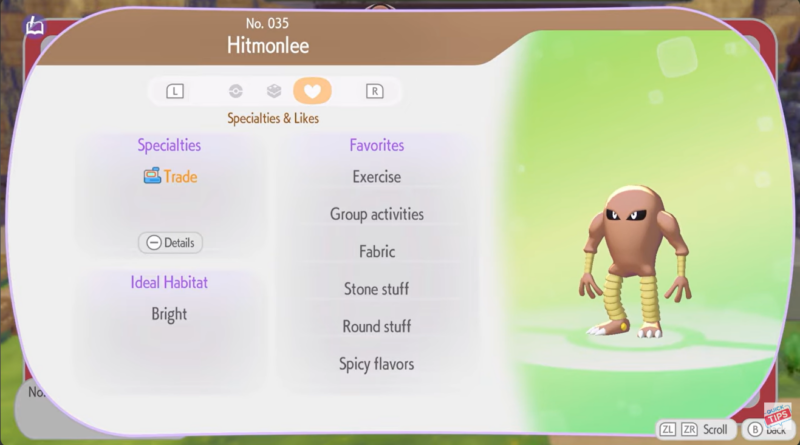
The worker does not need to live in the same house as the shop. As long as the Pokémon is nearby and capable of trading, it can run the store independently. This flexibility allows you to place shops in remote areas while still using Pokémon from your main base.
How the shop structure works in Pokopia
The construction system for shops follows a specific structure order that ensures the register recognizes all selling surfaces. Tables must be placed first before adding the cash register. If the register is placed first, some tables may not link correctly, preventing them from functioning as item displays.
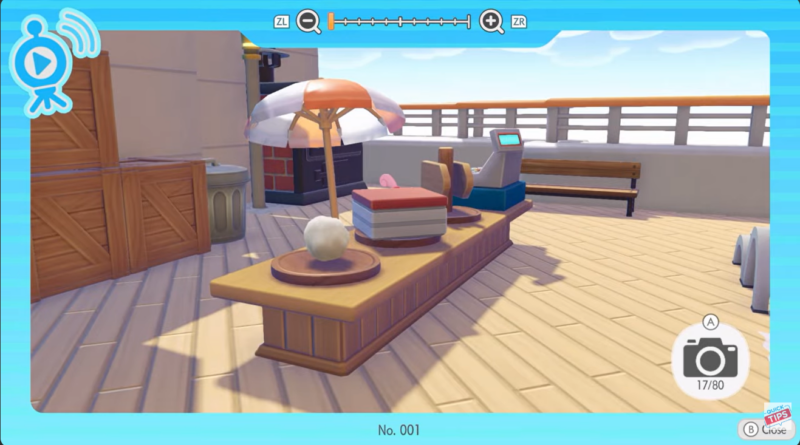
The game allows up to five selling surfaces connected to a single register. Each table effectively acts as a display stand where items can be placed for sale. Once the shop receives power and a Trade Pokémon is nearby, the system activates and begins functioning automatically.
| Shop Component | Role in the Shop |
|---|---|
| Tables | Display items that customers can purchase |
| Cash Register | Processes purchases and controls the shop |
| Power Source | Enables the shop to operate |
| Trade Pokémon | Handles sales and operates the register |
| Security Camera | Lets you monitor sales remotely |
Acquiring a cash register recipe if you do not have one
Many players discover they cannot build a shop because they do not yet have the cash register recipe. Fortunately, the game provides a way to obtain it without unlocking it through progression.
The solution involves visiting the basement of the Saint Anne ship. Inside the basement area you can find a physical register object placed in the environment. Once located, you can use your in-game camera tool to scan it.
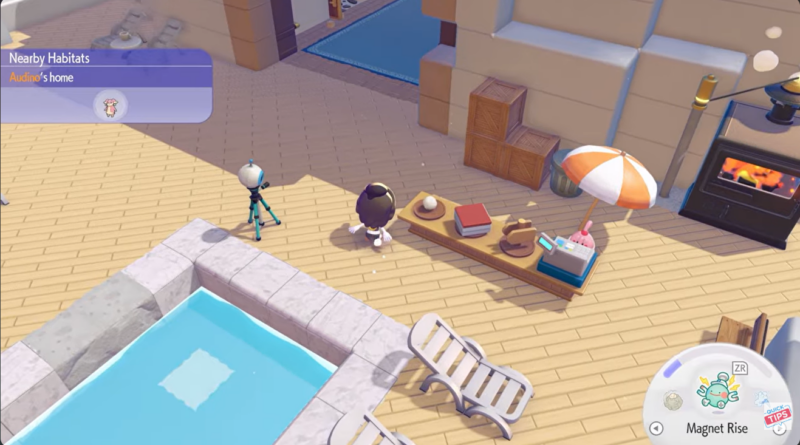
Scanning objects is an important mechanic in Pokopia because it allows your 3D printer to reproduce them later. After scanning the register, the blueprint becomes available for printing, letting you construct as many registers as you want.
| Location | Object | Result |
|---|---|---|
| Saint Anne basement | Cash register | Scan unlocks 3D printing recipe |
| Your base printer | Printed register | Can be used to build shops |
Choosing a shop location that attracts customers
Shops in Pokopia can be placed in various regions of the map, but certain areas provide more convenient placement points. One example mentioned in the guide is the Withering Wastelands, which includes designated building spaces suitable for shops.
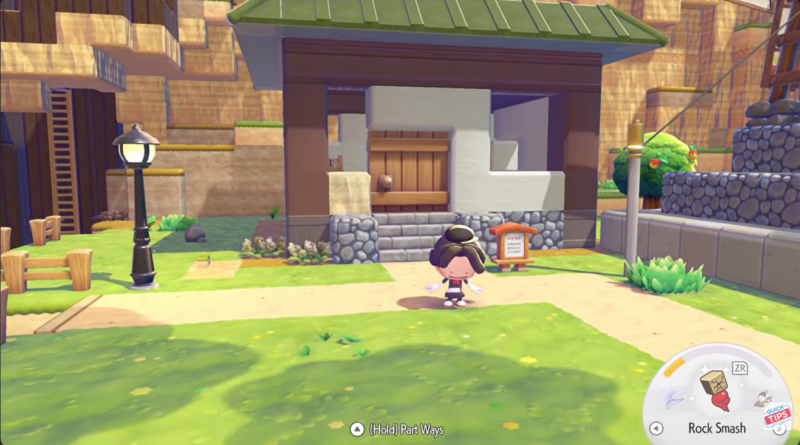
A good shop location is one that is accessible and close to areas where you frequently travel. While customers will eventually visit the store automatically, placing shops in structured areas ensures they function consistently and are easier to monitor.
Once the shop location is chosen and the furniture is placed, the final requirement is power. Without power, the register will remain inactive and no sales will occur.
Powering the shop and activating sales
After placing the tables and register, the next step is connecting the shop to a power source. Power systems in Pokopia allow various machines and stations to function, including shops.
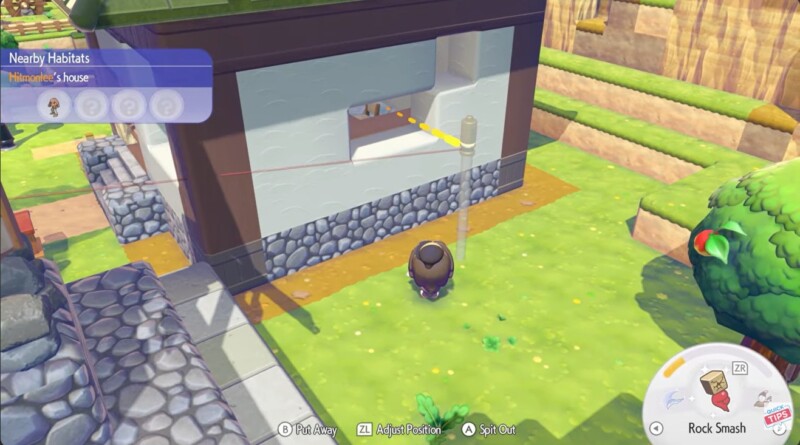
Once power is supplied, the shop becomes operational. At this point, placing items on the tables allows them to appear as products for sale. The shop can display five different items at the same time, corresponding to the five connected tables.
When a Pokémon with the Trade specialty approaches the register, it will begin managing the store automatically. You do not need to manually trigger the process. Eventually the Pokémon walks to the register and starts serving customers.
Monitoring your shop remotely using security cameras
Another useful feature in Pokopia is the ability to monitor your store using a security camera. This allows you to observe whether items are selling without physically traveling to the shop location.
Security cameras connect to your viewing interface and show what is happening in the store. This system is especially helpful when running multiple shops across different regions of the map, allowing you to manage your economy passively.
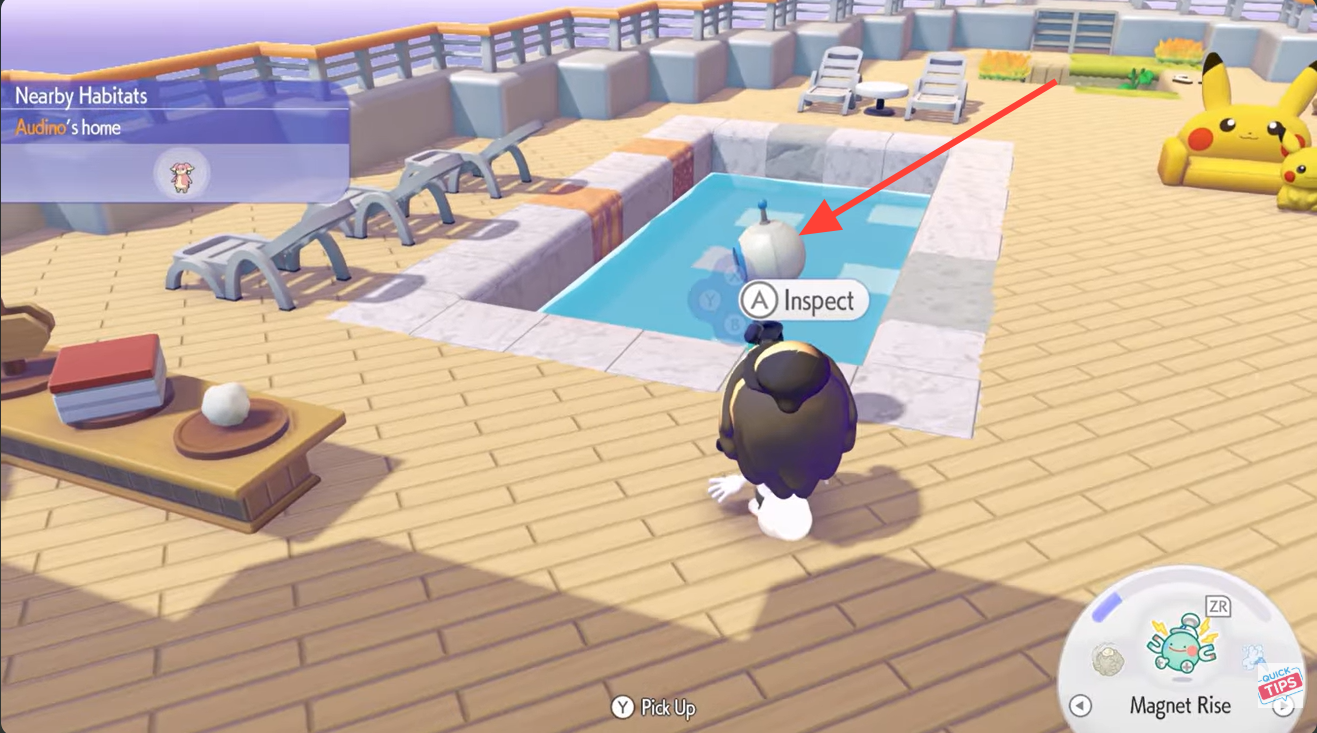
You can check if items have sold, see whether your worker Pokémon is active, and confirm that the store remains powered and functional.
Unlocking recipes by selling and scanning items
One of the biggest advantages of running shops in Pokopia is the ability to unlock recipes that you may not yet have. When an item sells through your store, you can scan it using your camera tool.
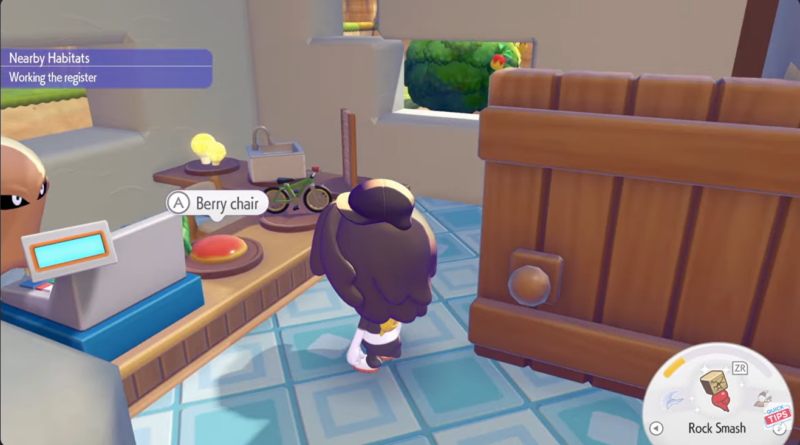
Scanning the sold item adds it to your crafting database. Once scanned, the item can be reproduced using the 3D printer, permanently expanding your crafting options.
This mechanic turns shops into a powerful progression tool rather than just a way to earn currency. By selling different items and scanning them after purchase, you can steadily build a large library of craftable objects.
| Shop Activity | Benefit |
|---|---|
| Selling items | Generates currency |
| Scanning sold items | Unlocks new crafting recipes |
| Printing scanned items | Expands crafting capabilities |
| Running multiple shops | Speeds up recipe discovery |
Shops and trade in Pokopia
As you progress through Pokopia, crafting becomes increasingly important for building structures, cooking recipes, and expanding your settlement. Shops provide a reliable method for discovering recipes you may not encounter naturally during exploration.
Because the system is mostly automated once set up, shops effectively become passive progression tools. You can focus on exploring the world, raising Pokémon, or gathering materials while your Trade Pokémon manages sales.
Running multiple shops with different items also increases the chance of discovering rare recipes faster, making the system extremely valuable for long-term gameplay.