- What to know
- Where the Lazy Photo Album Scrolling Habitat is built
- How to find the tablet and paper party cups quickly
- How to build the Lazy Photo Album Scrolling Habitat in Pokopia
- Rewards for completing Lazy Photo Album Scrolling Habitat
- Why this habitat is easy to miss early in Pokopia
- Building the Lazy Photo Album Scrolling Habitat efficiently
What to know
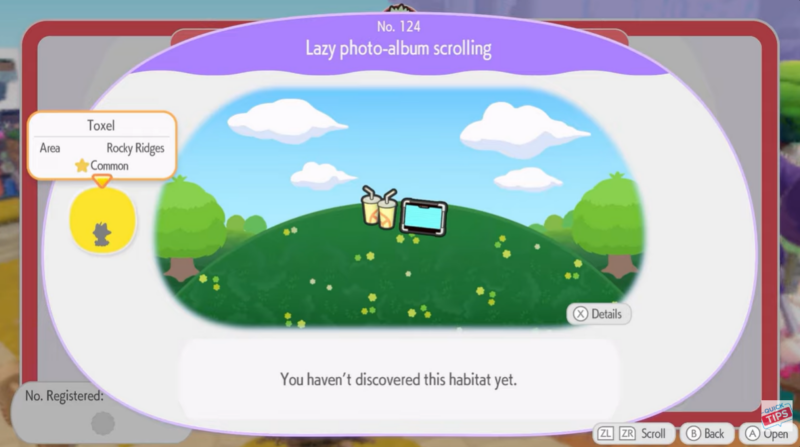
- The Lazy Photo Album Scrolling Habitat is habitat No.124 in Pokopia and can be built in Sparkling Skylands.
- You only need two items: a Tablet and Paper Party Cups.
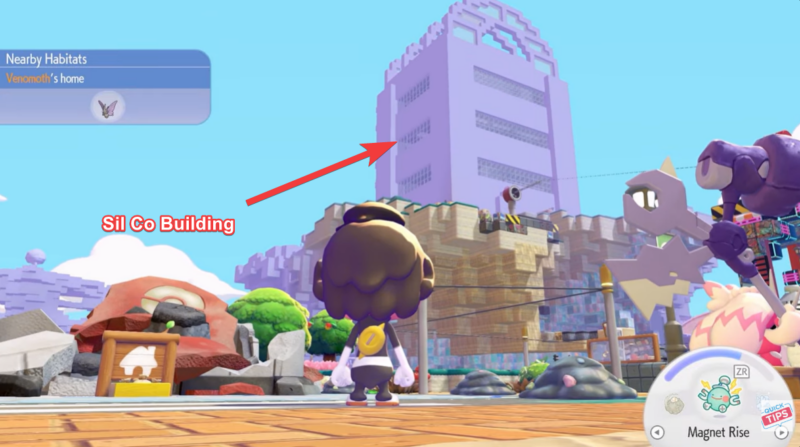
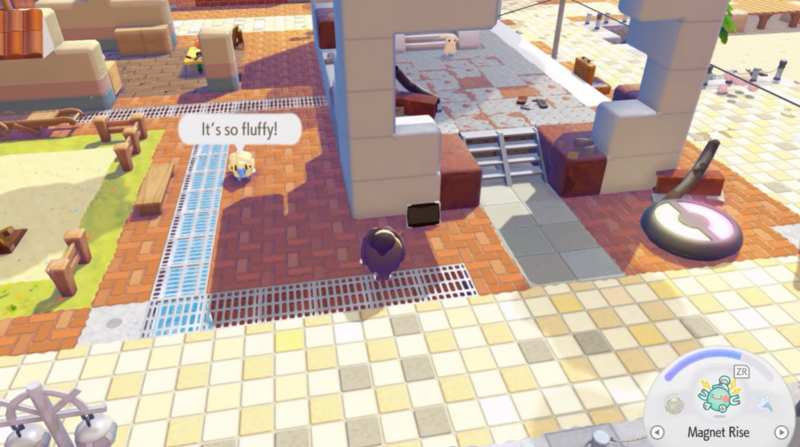
- Items can be looted in the Sil Co building before repairing it or purchased later.
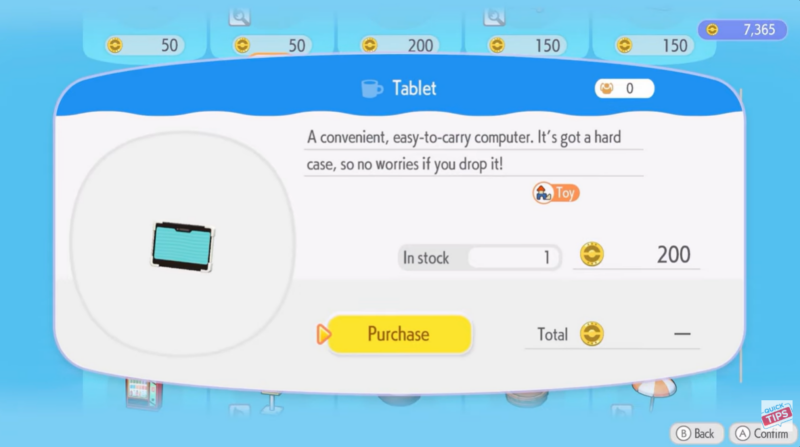
- Skylands Level 5 unlocks the shop purchase option for both required items.
In Pokémon Pokopia, habitats are small creative builds that allow you to decorate areas while completing themed construction challenges. One of the easier habitats you can create early in Sparkling Skylands is the Lazy Photo Album Scrolling Habitat, a quirky setup featuring a tablet and drink cups placed together to represent a relaxing photo-viewing moment.
Even though the build itself is simple, the challenge often comes from finding the required items efficiently. Understanding where to search and when to unlock shop access can save you time while progressing through the Skylands region.
Quick overview of Lazy Photo Album Scrolling Habitat
| Feature | Details |
|---|---|
| Habitat Name | Lazy Photo Album Scrolling |
| Habitat Number | 124 |
| Location | Sparkling Skylands |
| Required Items | Tablet, Paper Party Cups |
| Recommended Item Source | Sil Co Building loot |
| Shop Unlock Requirement | Skylands Level 5 |
| Build Difficulty | Easy |
Where the Lazy Photo Album Scrolling Habitat is built
The Lazy Photo Album Scrolling Habitat is constructed within Sparkling Skylands, a colorful floating region in Pokopia known for its scenic hills and creative build zones. Many early habitat projects take place here because the area introduces players to the construction system. Once you gather the required objects, you can place them anywhere within the designated habitat build space in the Skylands and complete the structure instantly.
How to find the tablet and paper party cups quickly
Before building the habitat, you must gather the two required objects. The tablet and paper party cups can appear as random loot items around the map, but there are faster ways to obtain them.
One of the most effective methods is exploring the Sil Co building before repairing it. The structure contains several lootable areas where small decorative items spawn, including the exact pieces required for this habitat. Because the building will eventually change once repaired, many players prefer to search it thoroughly early on to collect rare décor pieces.
If you prefer a guaranteed method instead of searching for random loot, the game also allows you to purchase the items.
Once you reach Level 5 in Sparkling Skylands, the in-game store unlocks additional decorative inventory. At this stage, both the Tablet and the Paper Party Cups become available for purchase, making it easy to complete the habitat even if you missed them during exploration.
How to build the Lazy Photo Album Scrolling Habitat in Pokopia
After obtaining the required items, the actual construction process is very straightforward. The habitat is intentionally simple and acts as a creative decorative setup rather than a complex build.
Step 1
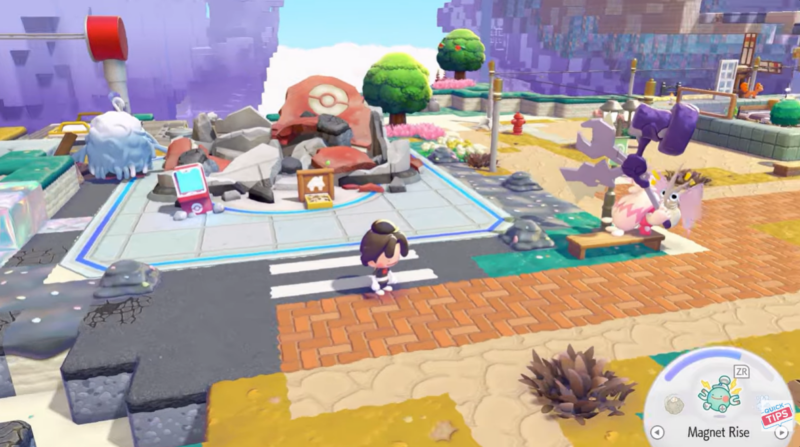
Open the habitat construction menu while standing inside the Sparkling Skylands build area. This menu allows you to select habitat blueprints and place required objects.
Step 2
Locate the blueprint labeled Lazy Photo Album Scrolling Habitat (No.124) in the habitat list. Selecting it will show the required components for completion.
Step 3
Place the Tablet item onto the habitat build space. The tablet acts as the centerpiece of the display and represents the photo album being scrolled through.
Step 4
Next, position the Paper Party Cups directly beside the tablet. The game recognizes the placement once both items sit next to each other.
Step 5
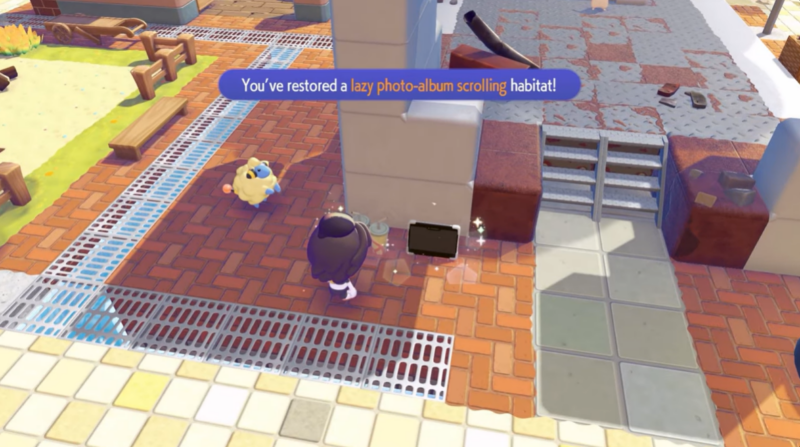
Confirm the build placement. Once both objects are aligned properly, the habitat will automatically register as completed and become part of your Sparkling Skylands collection.
Rewards for completing Lazy Photo Album Scrolling Habitat
| Reward Type | Description |
|---|---|
| Habitat Completion | Adds Habitat No.124 to your Pokopia habitat collection |
| Environment Decoration | Enhances Sparkling Skylands build area |
| Progress Contribution | Counts toward overall habitat completion milestones |
| Exploration Incentive | Encourages item scavenging and early Sil Co building exploration |
Completing habitats like this one helps players expand their Pokopia world while unlocking additional construction opportunities and progression milestones. Even though this habitat is small, it contributes to the larger goal of building out every themed environment in the game.
Why this habitat is easy to miss early in Pokopia
Many players overlook the Lazy Photo Album Scrolling Habitat because the required items appear like ordinary decorative clutter rather than quest materials. The tablet and paper cups blend in with other props scattered throughout buildings and exploration areas.
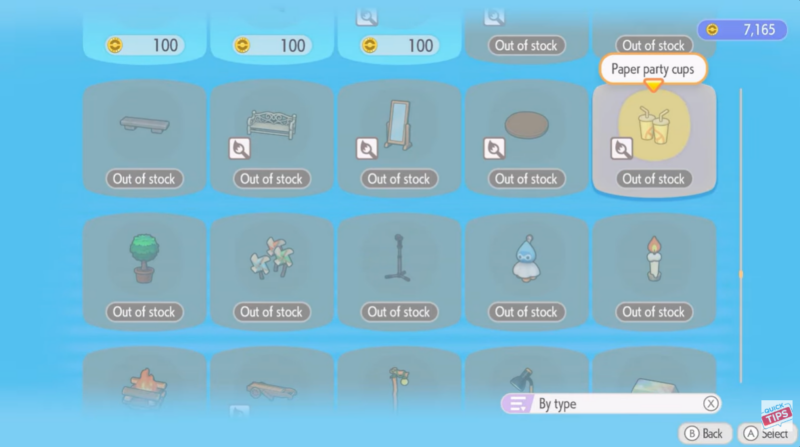
Because of this, searching the Sil Co building before repairing it is highly recommended. The building contains several small décor items that can disappear or become harder to access after certain progression milestones.
If you miss them, reaching Skylands Level 5 ensures you can still complete the habitat through store purchases, preventing the build from becoming permanently blocked.
Building the Lazy Photo Album Scrolling Habitat efficiently
The best approach is to combine early exploration with smart progression timing. Looting the Sil Co building first can save currency, while reaching Level 5 ensures a backup option through the store.
Since the habitat itself only requires two objects, the main challenge lies in item acquisition rather than construction mechanics. Once both pieces are in your inventory, the habitat can be completed in seconds.