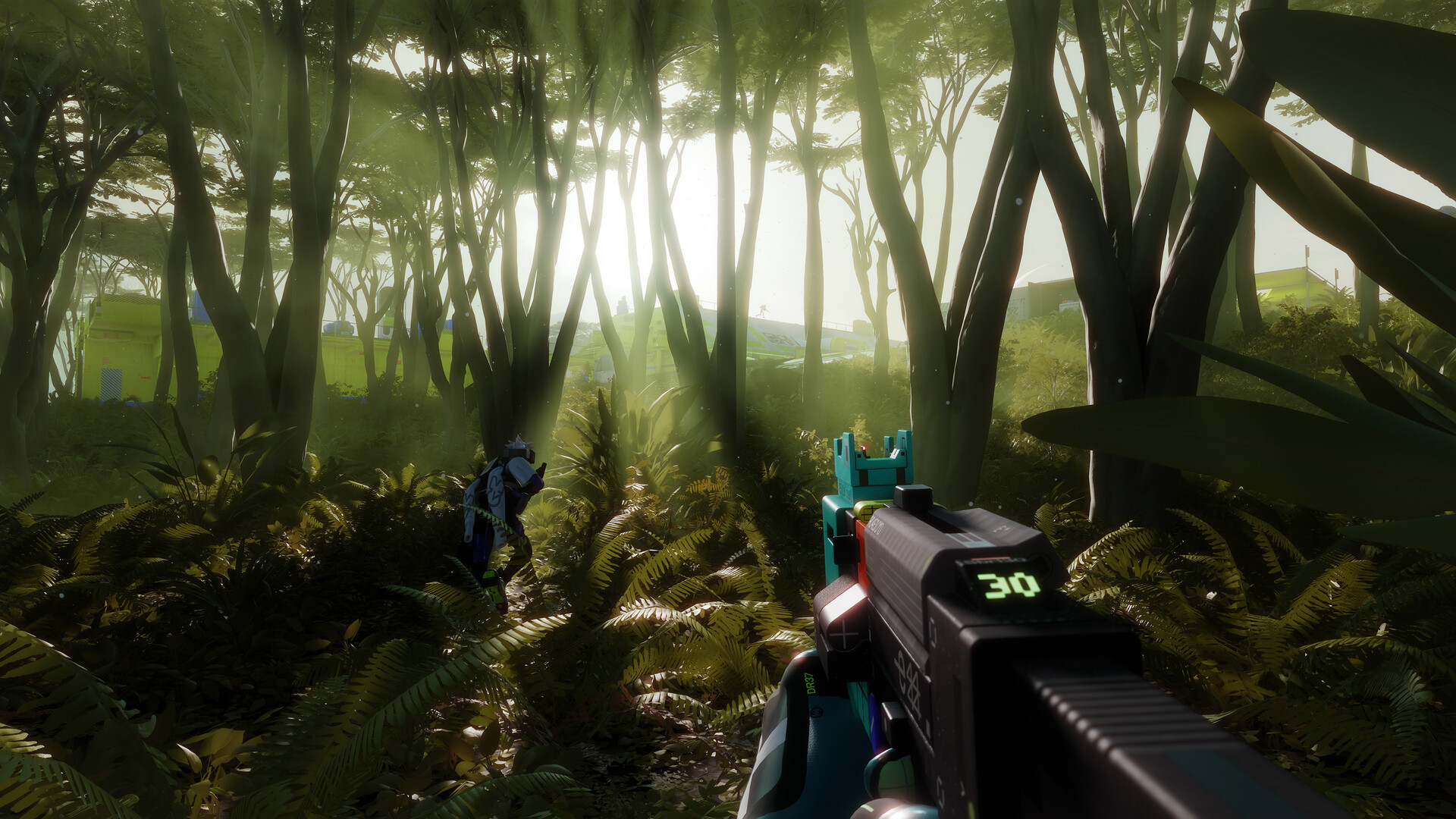
- What to know
- The infested building location in Columns area
- How to reach the rooftop vent entrance
- Activating the internal terminal
- Where the Nucal Employee ID is located inside the building
- Surviving the infested interior while searching for the ID
- Completing the Nucal Employee ID objective in Marathon
What to know
- The Nucal Employee ID is located inside the infested building in the Columns area.
- You must access the building through a rooftop vent that can be opened with a melee attack.
- After entering, you need to interact with a terminal to download employee data.
- The actual ID card can be found on a desk inside the building while hostile enemies patrol the interior.
In Marathon, several missions require you to gather secure corporate credentials hidden inside dangerous zones. One such objective involves finding the Nucal Employee ID inside the infested building located in the Columns sector. The building is filled with hostile threats and environmental hazards, meaning you cannot simply walk in and pick up the item. You must instead access the structure from the rooftop, open a ventilation entry point, activate a nearby terminal, and then locate the ID card inside the facility.
Because the area is classified as infested, the building contains enemies and environmental corruption that can damage or overwhelm players if they rush through carelessly. Understanding exactly where to enter, what to activate, and where the ID spawns can make the process significantly easier.
Quick overview of the Nucal Employee ID objective
| Detail | Information |
|---|---|
| Objective | Acquire Nucal Employee ID |
| Location | Infested Building in Columns |
| Entry Method | Rooftop vent access |
| Required Action | Interact with the terminal and the search desk |
| Threat Level | High – enemies inside the building |
| Mission Type | Single-run objective |
The infested building location in Columns area
The Columns region contains a heavily corrupted facility marked as an infested structure, and this is where the Nucal Employee ID is located. The building is easy to identify because dark organic growth and strange red contamination cover the outside walls, indicating that the area has been overtaken by hostile entities. This environmental detail is important because it signals that the standard entrances may not be usable and enemies are likely present inside.
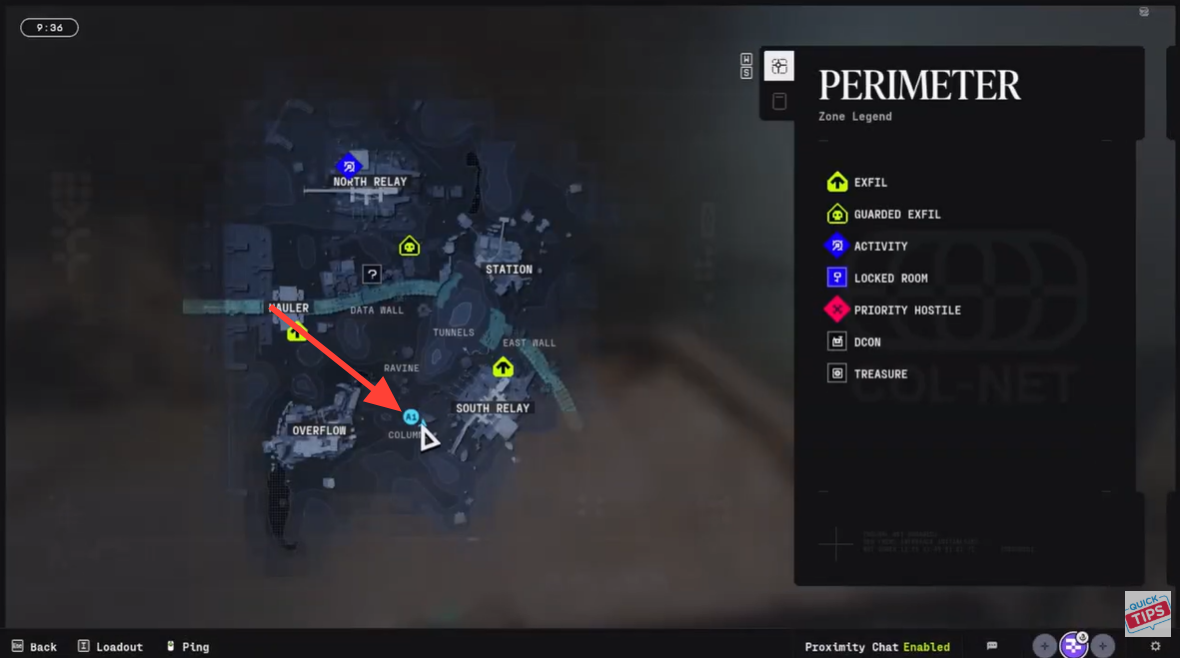
Once you arrive at the building, you will notice a strange substance growing around vents and exterior surfaces. This corrupted growth helps identify the correct structure for the objective. The key access point is not at ground level but instead located on the roof, which means players must climb or navigate to the top before entering.
How to reach the rooftop vent entrance
Step 1
Begin by traveling to the infested building located in the Columns sector, which is specifically marked as part of the mission objective requiring the Nucal Employee ID. Approach the structure carefully because enemy patrols and environmental hazards may already be active around the perimeter.
Step 2
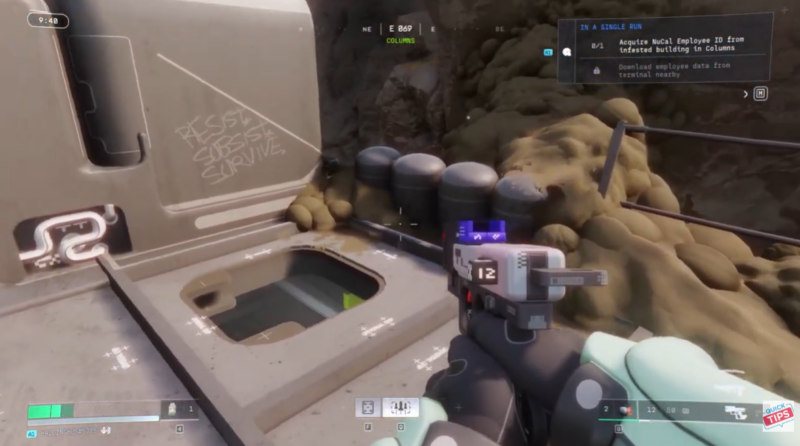
Once you reach the building, look for the strange corrupted substance growing across the exterior walls and vents. This visual indicator confirms that you are at the correct structure tied to the mission objective.
Step 3
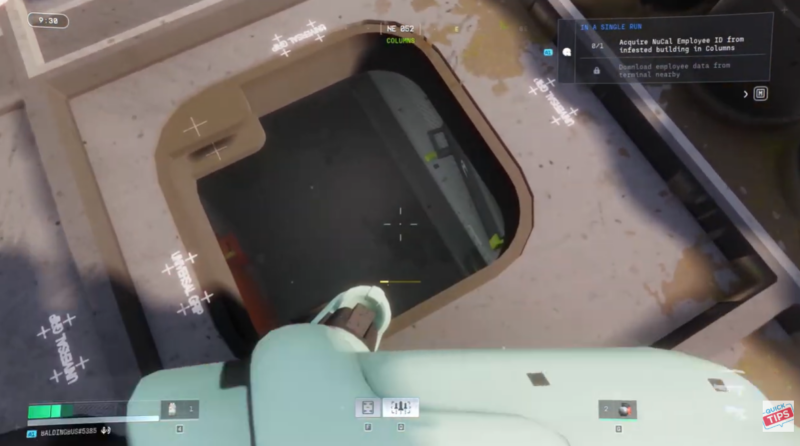
Move upward along the building until you reach the rooftop ventilation system located on top of the structure. The vent is sealed but can be opened manually.
Step 4
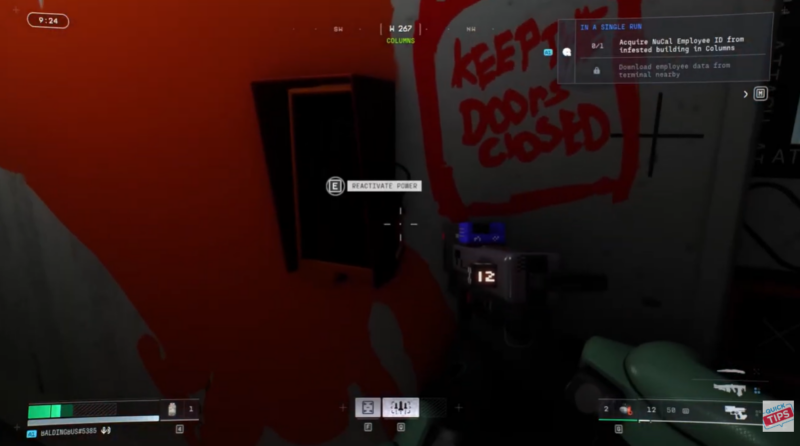
Use a melee attack on the rooftop vent to break it open. This is required because the standard entrances to the building are either blocked or unsafe, making the vent the intended infiltration route.
Step 5
After destroying the vent cover, drop down through the opening into the building interior. This places you directly inside the infested structure where the objective continues.
Activating the internal terminal
Once inside the facility, the first important interaction involves activating a terminal to download employee data. The terminal appears shortly after entering the building interior.
Step 1
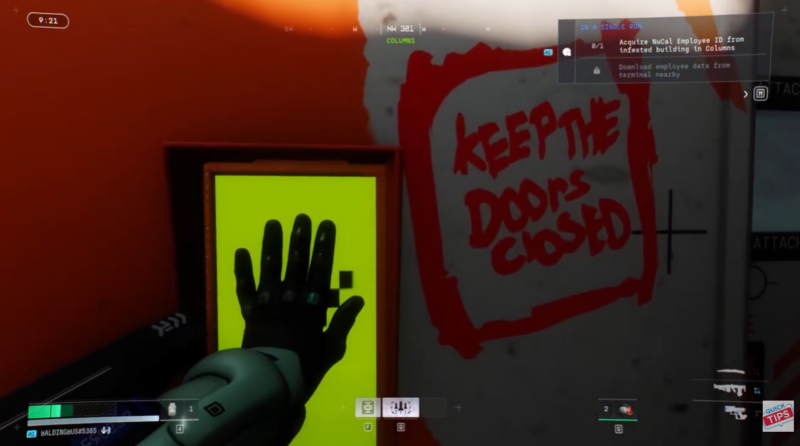
Approach the terminal located inside the building and interact with it by holding the “E” key.
Step 2
Maintain the interaction until the system finishes downloading the employee data, which progresses the mission objective.
Step 3
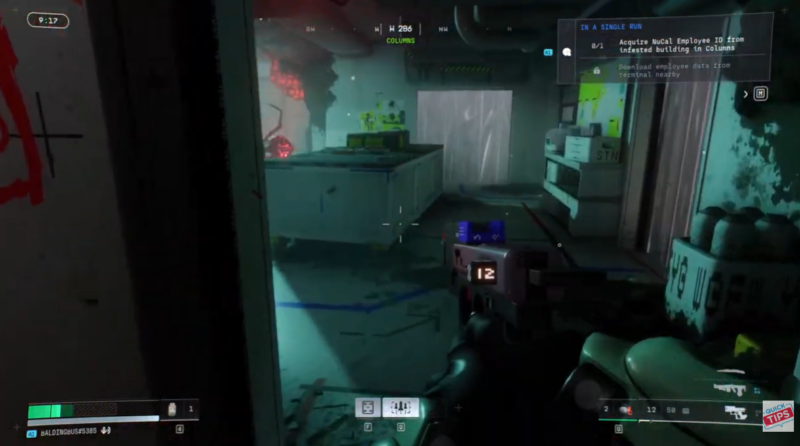
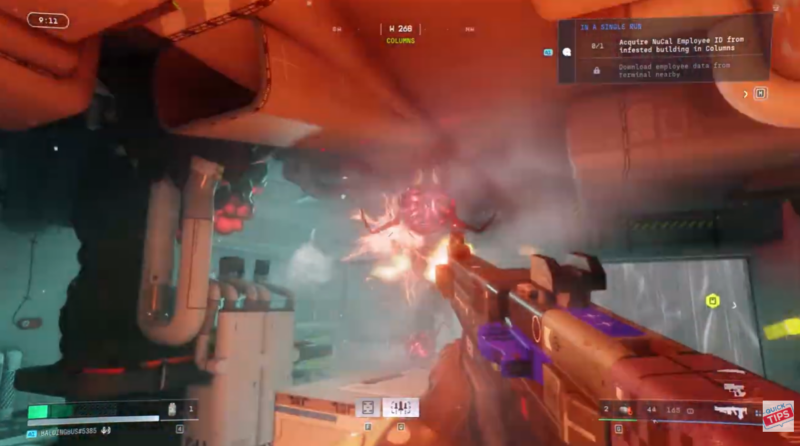
Remain alert during the download process because hostile enemies may appear inside the building while the interaction is taking place. The infested environment means threats can spawn unexpectedly.
Where the Nucal Employee ID is located inside the building
After activating the terminal and surviving the initial enemy presence, the next step is locating the physical ID card. The item is not hidden behind complex puzzles, but it can be easy to miss if you do not search the correct area.
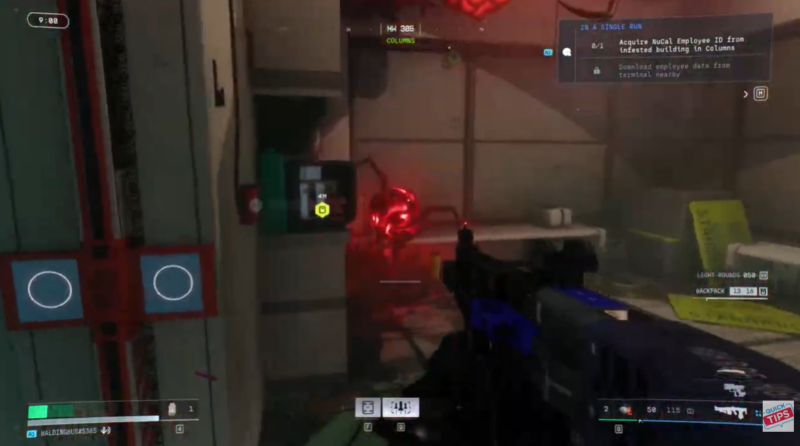
Begin searching the interior rooms and office spaces inside the facility. Focus specifically on desks and workstation surfaces, as the ID card typically spawns on top of furniture rather than inside containers.
You will eventually find the Nucal Employee ID sitting on a desk inside the building. The item appears as a small rectangular credential card and can be picked up directly.
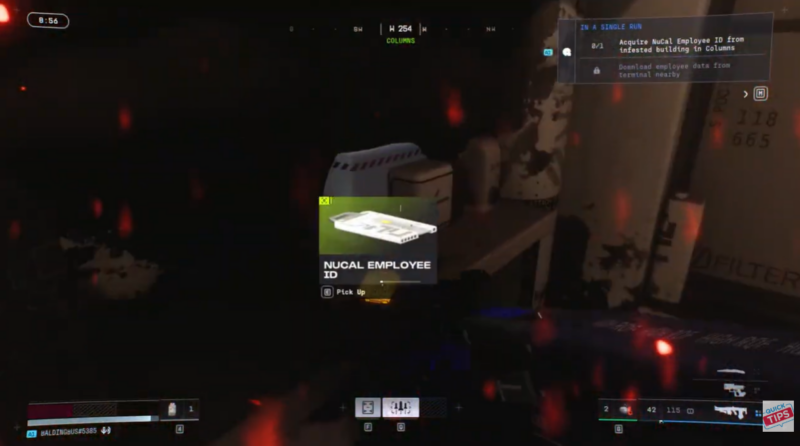
Interact with the item prompt to collect the Nucal Employee ID, completing the objective requirement for the mission.
Rewards and objective completion
| Objective | Reward |
|---|---|
| Acquire Nucal Employee ID | Mission progress completion |
| Download employee data | Unlocks next objective stage |
| Successfully extract | Loot and mission progression |
Completing this task allows players to progress further in the mission chain tied to the Columns sector, often unlocking additional areas or objectives connected to corporate facilities and restricted access zones.
Surviving the infested interior while searching for the ID
The biggest challenge when retrieving the ID is not the puzzle or navigation but surviving the enemies inside the building. Infested locations in Marathon frequently spawn hostile creatures that attack quickly and in groups.
Players should therefore move slowly through the interior while checking desks and corners carefully. Clearing enemies before interacting with terminals or searching furniture can significantly reduce the risk of being overwhelmed. It is also helpful to keep an escape path in mind, especially if the infestation spreads deeper into the building during combat.
Completing the Nucal Employee ID objective in Marathon
Finding the Nucal Employee ID in Marathon requires infiltrating the infested Columns building through its rooftop vent, activating the internal terminal, and retrieving the ID from a desk inside the structure. Although the objective itself is straightforward, the danger comes from the hostile enemies occupying the facility. By approaching the building from above, opening the vent with a melee strike, and carefully navigating the interior, players can quickly secure the ID and move forward with the mission.