- What to know
- Why inventory upgrades matter in Pokopia
- Where the first inventory upgrade becomes available
- How challenge points work in Pokopia
- How to unlock the Packing Tips Rookie inventory upgrade
- What the Packing Tips Rookie upgrade actually does
- Tips for earning challenge points faster
- Future inventory upgrades and crafting possibilities
- Common mistakes players make when trying to upgrade inventory
What to know
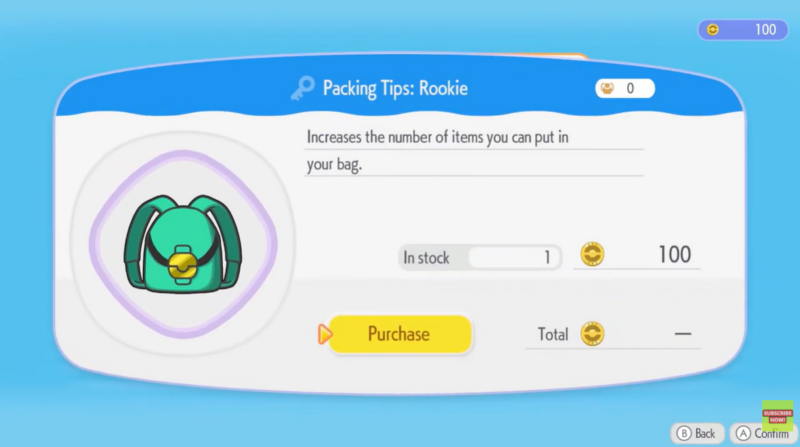
- The first inventory upgrade in Pokémon Pokopia is called Packing Tips Rookie.
- You must visit the Pokémon Center to unlock and purchase the upgrade.
- Completing challenges earns points used to buy upgrades.
- The upgrade adds one extra row of inventory space, allowing you to carry more items.
Inventory management becomes increasingly important as you explore the world of Pokémon Pokopia. Early in the game, your bag fills up quickly with crafting materials, relics, and items found while exploring islands. Fortunately, the game provides a simple upgrade system that expands your inventory space. The first upgrade, called Packing Tips Rookie, is available through the Pokémon Center and only requires you to complete challenges and spend the points you earn.
| Feature | Details |
|---|---|
| Upgrade Name | Packing Tips Rookie |
| Location | Pokémon Center |
| Requirement | Earn points by completing challenges |
| Cost | Purchased with challenge points |
| Effect | Adds one extra row to inventory |
| Availability | Early game |
| Future Upgrades | Additional inventory upgrades unlock later |
Why inventory upgrades matter in Pokopia
Inventory space directly affects how efficiently you can explore the game world. When your bag fills up, you must return to storage or discard items, which interrupts exploration.
Upgrading your inventory gives you several advantages:
- Carry more crafting materials
- Store additional relics and treasures
- Hold more building items
- Reduce trips back to storage
As the game expands with new areas, you will encounter more collectibles and resources. Having additional inventory space makes exploration smoother and far less frustrating.
Where the first inventory upgrade becomes available
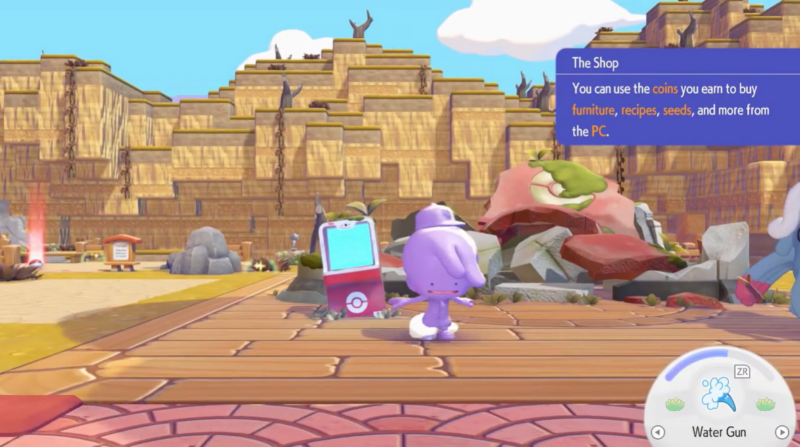
Your first inventory expansion is purchased inside the Pokémon Center, which becomes accessible relatively early in the game. Inventory upgrades are purchased using challenge points, which are earned by completing tasks and activities around the game.
How challenge points work in Pokopia
Challenge points function as a progression currency in Pokémon Pokopia. You earn them by completing different objectives tied to gameplay activities.
Common ways to earn points include:
- Completing Pokémon-related tasks
- Building or upgrading facilities
- Collecting items or relics
- Finishing specific challenges assigned by the game
Once enough points are accumulated, you can spend them on upgrades available at the Pokémon Center.
How to unlock the Packing Tips Rookie inventory upgrade
Step 1
Progress through the game until you unlock access to the Pokémon Center. This typically happens early after completing introductory objectives.
Step 2
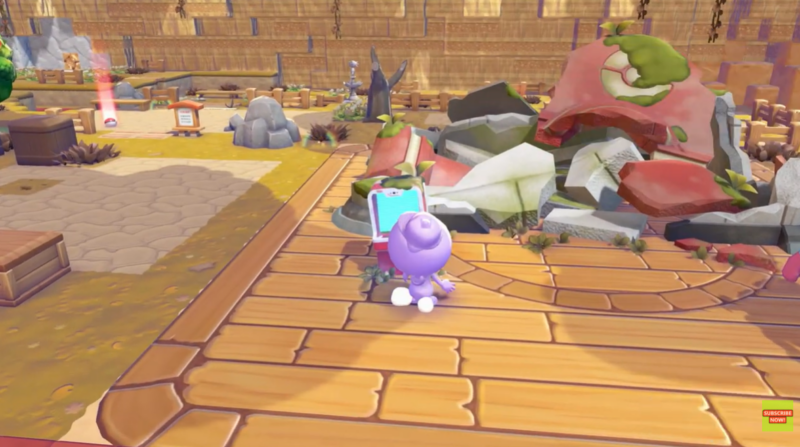
Enter the Pokémon Center and locate the upgrade system where challenge rewards can be purchased.
Step 3
Complete enough in-game challenges to earn a sufficient amount of challenge points.
These points are automatically added to your total once a challenge is completed.
Step 4
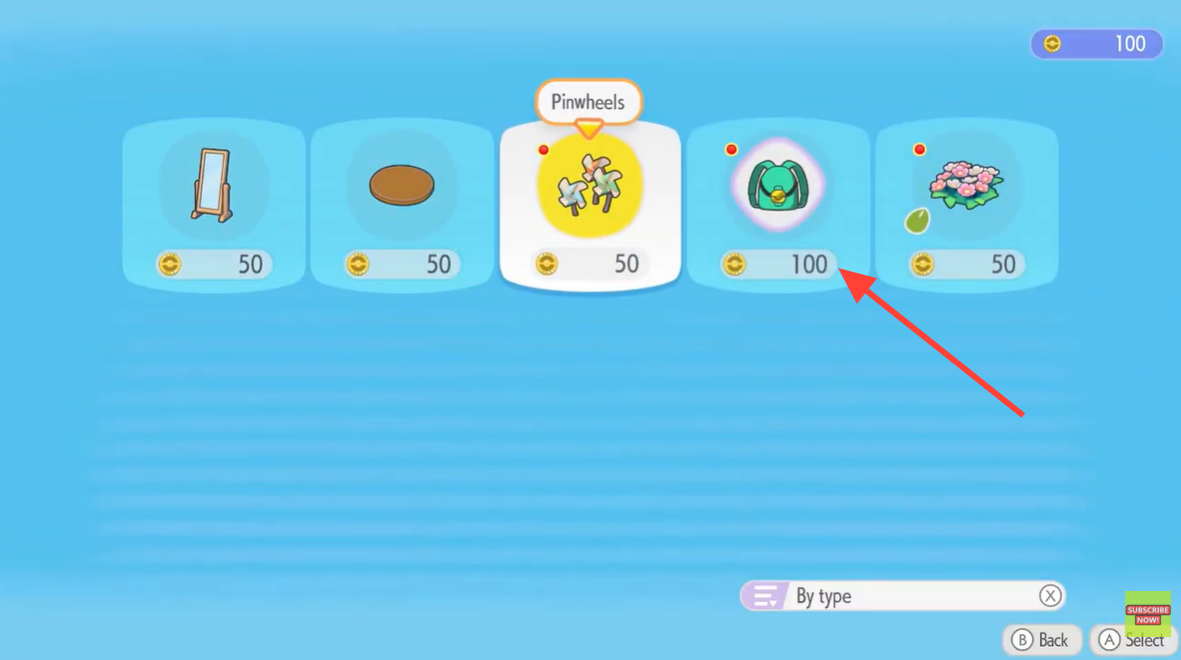
Open the upgrades menu and locate Packing Tips Rookie.
You can identify it by the bag icon, which represents inventory improvements.
Step 5
Spend your challenge points to purchase the upgrade.
Once purchased, the inventory upgrade activates immediately.
Step 6
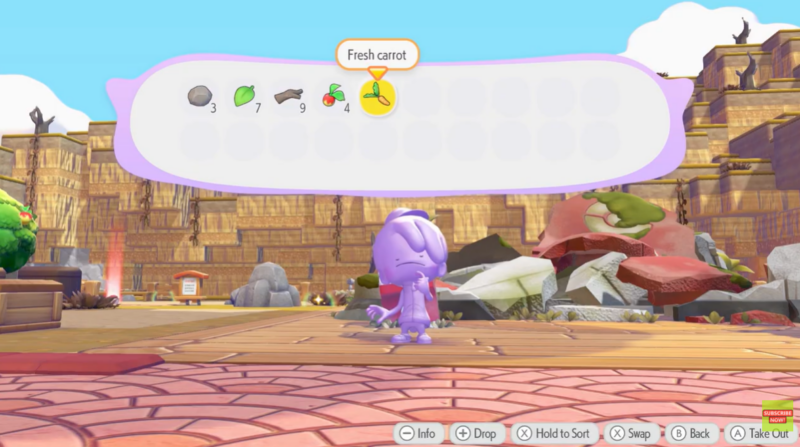
Open your inventory to confirm the change.
You will notice that an additional row of inventory slots has been added, increasing the total number of items you can carry.
What the Packing Tips Rookie upgrade actually does
The Packing Tips Rookie upgrade expands your bag by one full row of inventory slots.
| Upgrade | Effect | Benefit |
|---|---|---|
| Packing Tips Rookie | Adds 1 inventory row | Carry more materials |
| Early Inventory Capacity | Limited rows | Fills quickly |
| Upgraded Inventory | Expanded storage | Fewer storage trips |
Although it seems like a small improvement, the extra space becomes extremely valuable once you start gathering crafting resources and relic items.
Tips for earning challenge points faster
If you want to unlock the inventory upgrade quickly, focus on completing multiple easy challenges early.
Some efficient strategies include:
Prioritize simple objectives
Many early challenges are straightforward and only require basic tasks like collecting items or interacting with Pokémon.
Explore new areas
Exploration often triggers new challenges and opportunities to earn points.
Talk to Pokémon frequently
Certain Pokémon interactions reveal requests or tasks that count toward challenge completion.
Focus on progression goals
Following the main gameplay progression will naturally unlock additional challenges.
Future inventory upgrades and crafting possibilities
The Packing Tips Rookie upgrade is only the first step in expanding your inventory.
Later in the game, you may gain access to:
- Larger inventory upgrades
- Additional bag expansions
- Possible crafting options for inventory upgrades
These upgrades allow players to carry significantly more resources as gameplay becomes more complex.
While the first upgrade adds only one row, later improvements may provide larger capacity increases.
Common mistakes players make when trying to upgrade inventory
Not checking the Pokémon Center
Some players forget that upgrades are purchased through the Pokémon Center rather than through the crafting system.
Ignoring challenges
Since challenge points are required, players who ignore objectives may struggle to earn enough points.
Overfilling inventory early
Without the upgrade, early inventory space is limited. Selling or storing unnecessary items helps prevent clutter.
The Packing Tips Rookie upgrade is one of the most helpful early-game improvements in Pokémon Pokopia. By completing challenges and spending your points at the Pokémon Center, you can quickly increase your carrying capacity and make exploration much smoother. Although it only adds a single row of space, this upgrade significantly reduces inventory management issues and prepares you for the larger item collections you will gather later in the game.