- What to know
- Quick overview of the appearance system in Pokopia
- How the mirror system enables character customization
- How to unlock the Large Mirror from the PC shop
- How to change your character appearance using the mirror
- Hairstyle availability and gender flexibility
- Why the Large Mirror becomes a useful long-term item
- Changing your look anytime in Pokopia
What to know
- You must buy the Large Mirror from the in-game PC shop before you can edit your character’s appearance.
- After placing the mirror, interact with it to open the character customization menu.
- The mirror allows you to change outfits, hairstyles, hats, and backpacks.
- While there is no direct gender toggle, all hairstyles appear available regardless of gender.
Customizing your character in Pokémon Pokopia is tied to a specific furniture item rather than a menu in the settings. Once you obtain the Large Mirror, it acts as your character editing station. By placing it in your home or another buildable space, you gain access to the appearance customization interface where you can update how your character looks throughout your playthrough.
Quick overview of the appearance system in Pokopia
| Feature | Requirement | Where to Access | Customization Options | Confirmation Method |
|---|---|---|---|---|
| Appearance change | Purchase Large Mirror | Interact with placed mirror | Outfit, hair, hats, backpacks | Press the Plus button |
| Item unlock | Buy from PC Shop | In-game computer shop interface | Furniture purchase | Instant unlock after purchase |
| Placement | Place mirror as furniture | House or buildable areas | Move or reposition like other items | Immediate interaction available |
| Hairstyle flexibility | None | Inside mirror customization menu | All hairstyles appear usable regardless of gender | Confirm after editing |
How the mirror system enables character customization
In Pokopia, appearance changes are not handled through the pause menu. Instead, the system is integrated into the game’s building and decoration mechanics. The Large Mirror functions as an interactive furniture item that opens the character editor.
You first need to access the PC shop, which acts as the game’s catalog for purchasable furniture and utility items. Once the mirror is bought, it appears in your available placeable objects. Placing the mirror in your home or another suitable location creates a permanent customization point that you can revisit anytime you want to update your character’s look.
Although many players place the mirror inside their house, the system treats it like any other furniture piece, meaning it can generally be placed in most areas where decoration objects are allowed.
How to unlock the Large Mirror from the PC shop
Step 1
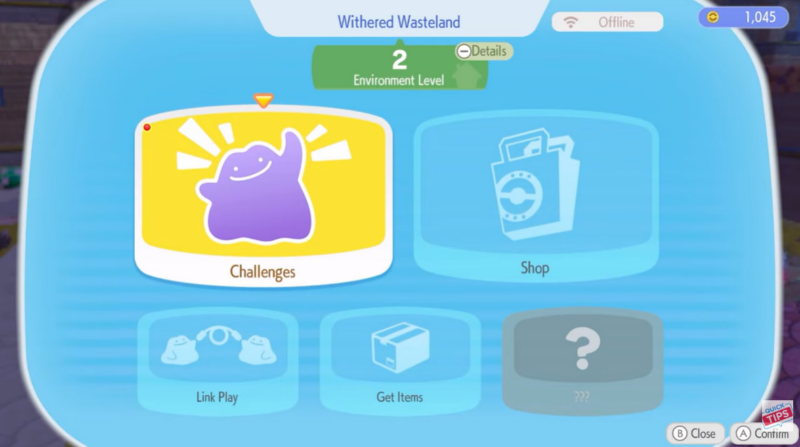
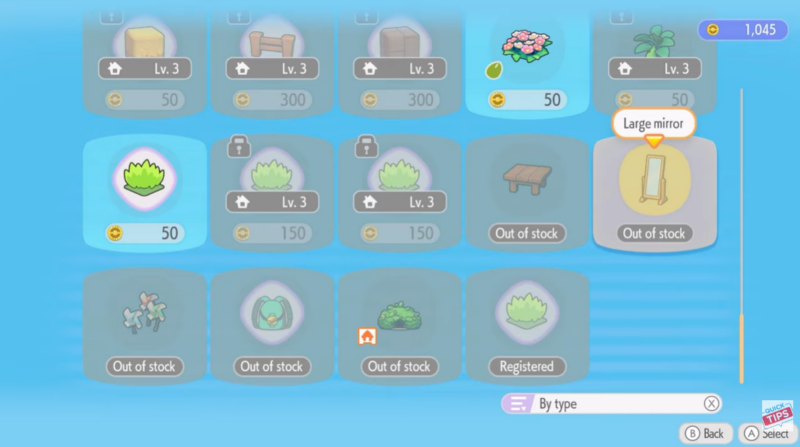
Open the PC shop interface in Pokopia. This is where you can purchase furniture and various decorative or functional items used for building and customization.
Step 2
Scroll through the shop inventory until you find the Large Mirror item. It is listed among other furniture pieces available for purchase.
Step 3
Buy the mirror using the required in-game currency. After purchasing, it becomes available in your furniture placement inventory.
Step 4
Open the building or placement menu and select the Large Mirror from your available objects.
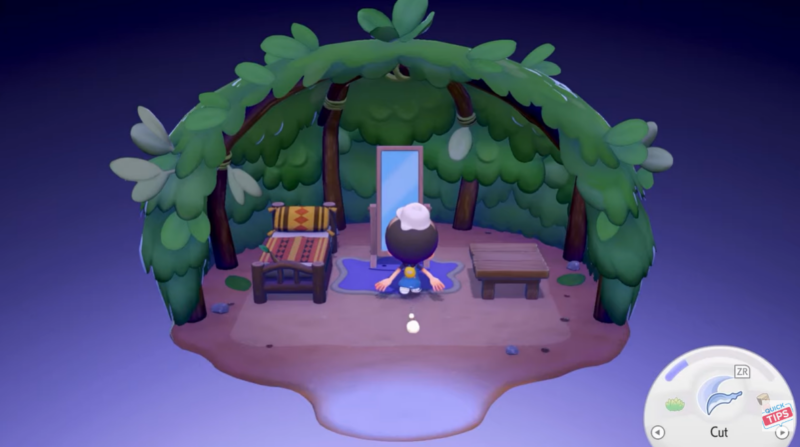
Place the mirror in your house or another location where furniture can be set down.
How to change your character appearance using the mirror
Step 1
Walk up to the placed Large Mirror and interact with it.
Step 2
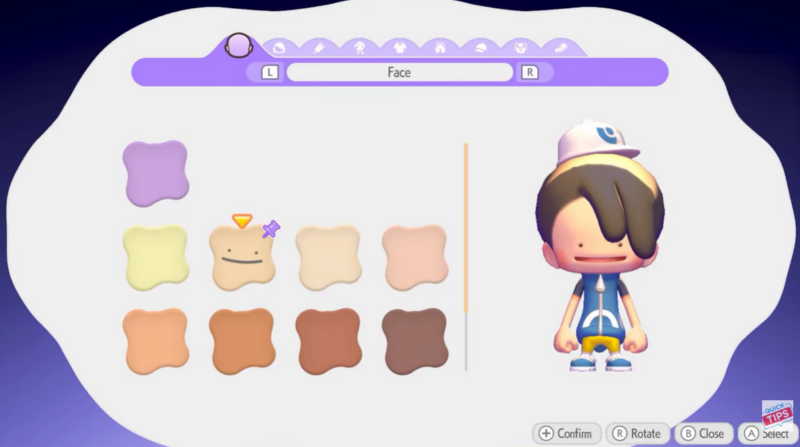
The interaction opens the appearance customization menu, where you can edit multiple visual aspects of your character.
Step 3
Browse through the different categories available in the editor.
| Customization Category | What You Can Change |
|---|---|
| Outfits | Switch between available clothing styles |
| Hair | Change hairstyle options |
| Hats | Equip or remove headwear |
| Backpacks | Choose different backpack appearances |
Step 4
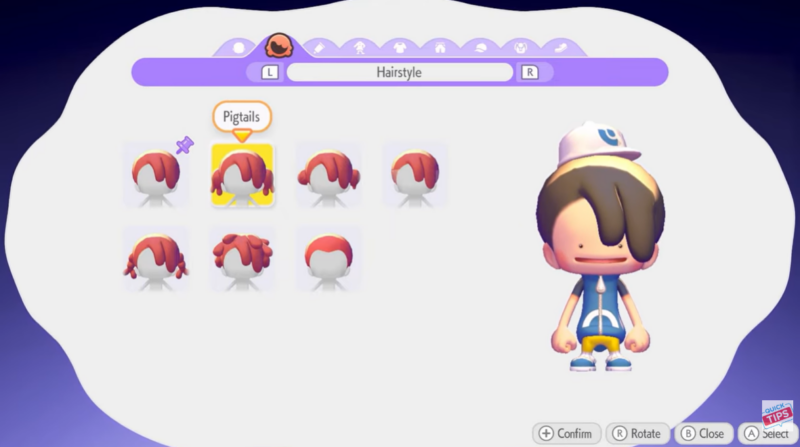
Preview the changes directly in the menu. The mirror interface updates your character model in real time as you select different options.
Step 5
Once you are satisfied with your new look, press the Plus button to confirm and apply the changes.
Hairstyle availability and gender flexibility
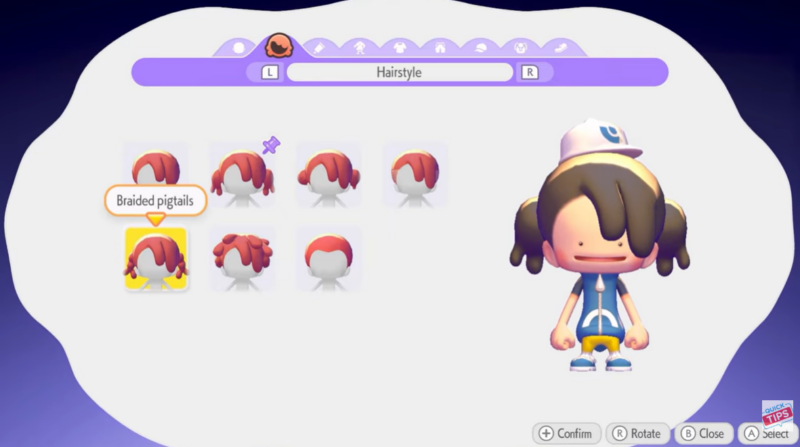
One interesting detail in Pokopia’s customization system is that it does not appear to lock hairstyles behind gender selections. Even though there is no dedicated gender toggle inside the mirror interface, all hairstyles appear accessible regardless of the character’s initial appearance.
This design allows players to freely experiment with different styles without needing to restart or change character settings. As a result, the mirror effectively serves as a fully flexible cosmetic editor.
Why the Large Mirror becomes a useful long-term item
After unlocking it, the Large Mirror becomes a permanent customization station. Since Pokopia regularly adds new outfits and cosmetic items through gameplay progression, returning to the mirror allows you to quickly update your look whenever new gear becomes available.
Because the mirror is tied to the furniture system, you can also move or reposition it later if you redesign your house or expand your base.
Changing your look anytime in Pokopia
Once the Large Mirror is purchased and placed, changing your appearance in Pokopia becomes quick and convenient. By simply interacting with the mirror, you can modify outfits, hairstyles, hats, and backpacks whenever you want. The system’s flexible hairstyle availability and furniture-based customization make it easy to keep updating your character’s style as you progress through the game.