- What to know
- Why the unhandled exception crash happens in Resident Evil Requiem
- How to update GPU drivers to prevent the crash
- How deleting Steam input files can resolve the crash
- How to reset the game configuration files
- Additional stability tips for Resident Evil Requiem
- Fixing the Resident Evil Requiem crash quickly
What to know
- The Unhandled Exception crash in Resident Evil Requiem is commonly caused by outdated or unstable GPU drivers.
- Deleting specific Steam input files can resolve controller-related crashes.
- Removing corrupted game configuration files allows Steam to regenerate them.
- Verifying the game files after cleanup ensures missing data is restored correctly.
Resident Evil Requiem players occasionally encounter a crash message stating “Unhandled Exception Occurred” when launching or playing the game. This error generally appears due to driver incompatibilities, corrupted system libraries, or damaged configuration files created during installation or updates. While the message itself looks serious, the issue is usually resolved by addressing graphics drivers or resetting certain files in the Steam and game directories.
The solutions below explain the most reliable methods players are using to stabilize the game.
| Issue Trigger | Likely Cause | Recommended Fix | Difficulty |
|---|---|---|---|
| Game crashes on launch | GPU driver conflict | Install the latest stable graphics driver | Easy |
| Crash when loading or starting gameplay | Steam controller/input conflict | Remove Xinput and HID files from Steam folder | Easy |
| Crash after patch or settings change | Corrupted config or pipeline files | Delete config files and verify game files | Moderate |
| Persistent crashes after fixes | Mixed file versions | Re-verify files and relaunch Steam as admin | Moderate |
Why the unhandled exception crash happens in Resident Evil Requiem
The Unhandled Exception error is essentially a generic crash message triggered when the game encounters an unexpected error it cannot recover from. In Resident Evil Requiem, this often happens due to driver instability, mismatched input libraries, or corrupted configuration files.
Recent GPU driver updates from both AMD and NVIDIA have occasionally introduced compatibility issues with new game releases. In some cases, players installing the newest drivers reported crashes, which led many to revert to specific stable versions.
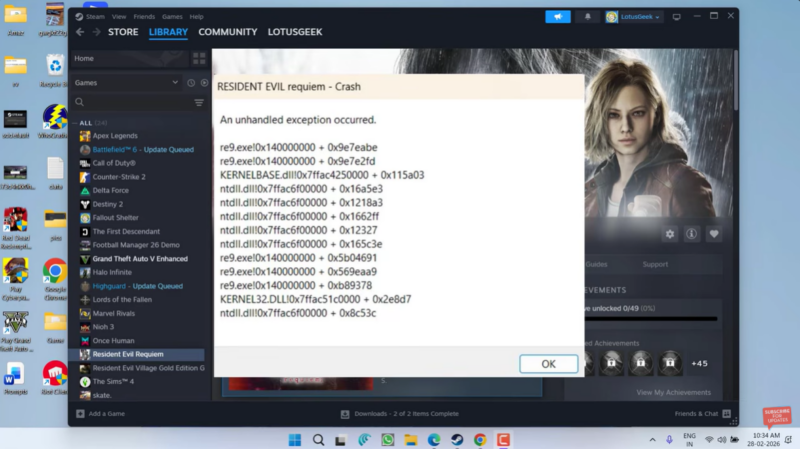
Another frequent cause involves Steam input libraries, especially files like Xinput and HID.dll. If these become outdated or corrupted, the game may fail when initializing controller input systems.
Finally, the game’s own configuration files—such as config files and pipeline lists—may become corrupted after updates, graphics tweaks, or interrupted launches.
How to update GPU drivers to prevent the crash
Updating graphics drivers is the most common fix because the crash often occurs during graphics initialization or shader compilation.
Quick overview of recommended driver versions
| GPU Brand | Recommended Version | Notes |
|---|---|---|
| AMD | 26.2.2 | Stable driver release recommended for the game |
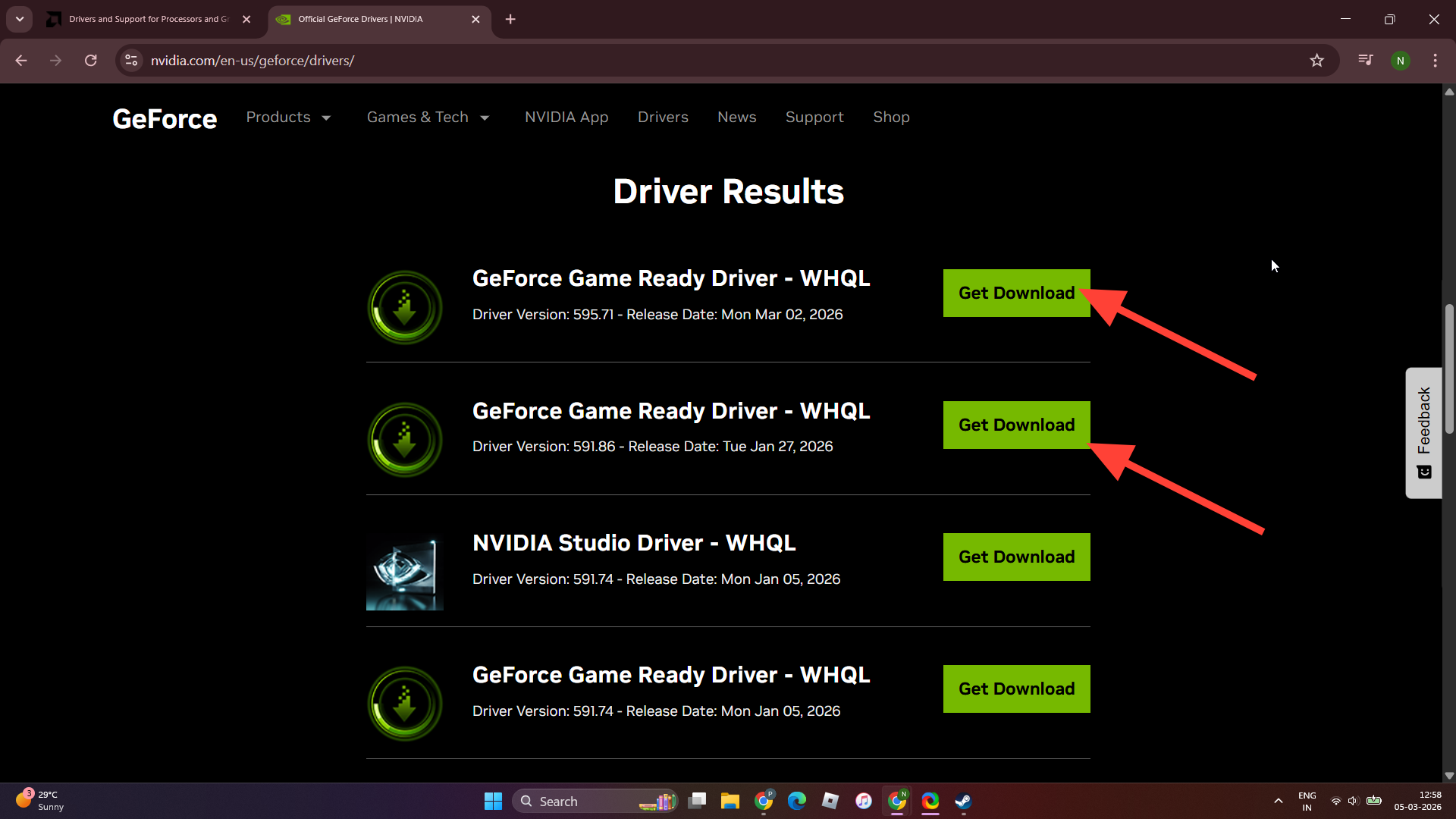
| NVIDIA | 591.86 | Known stable version while newer drivers are under review |
How to update AMD drivers
Step 1
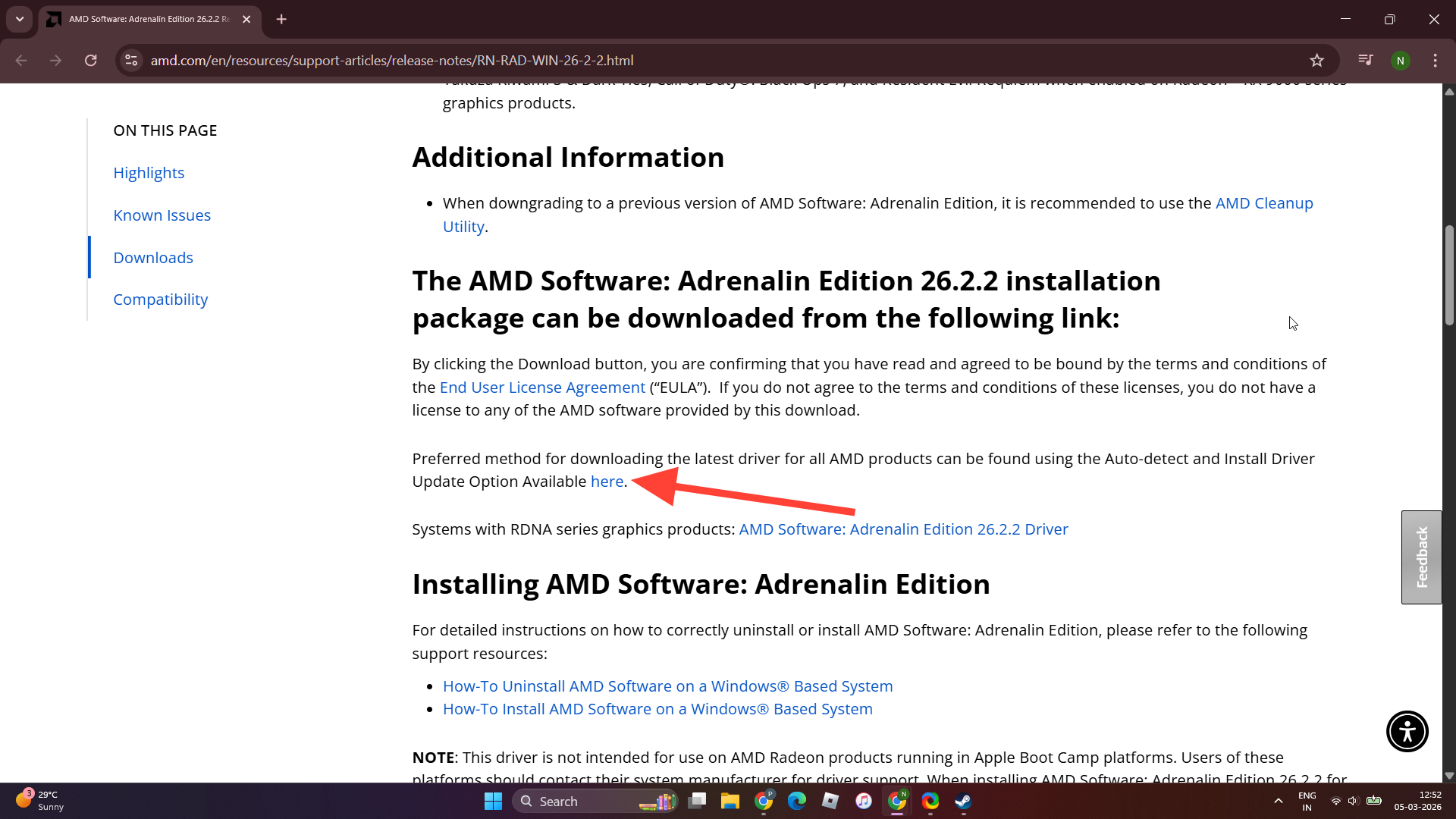
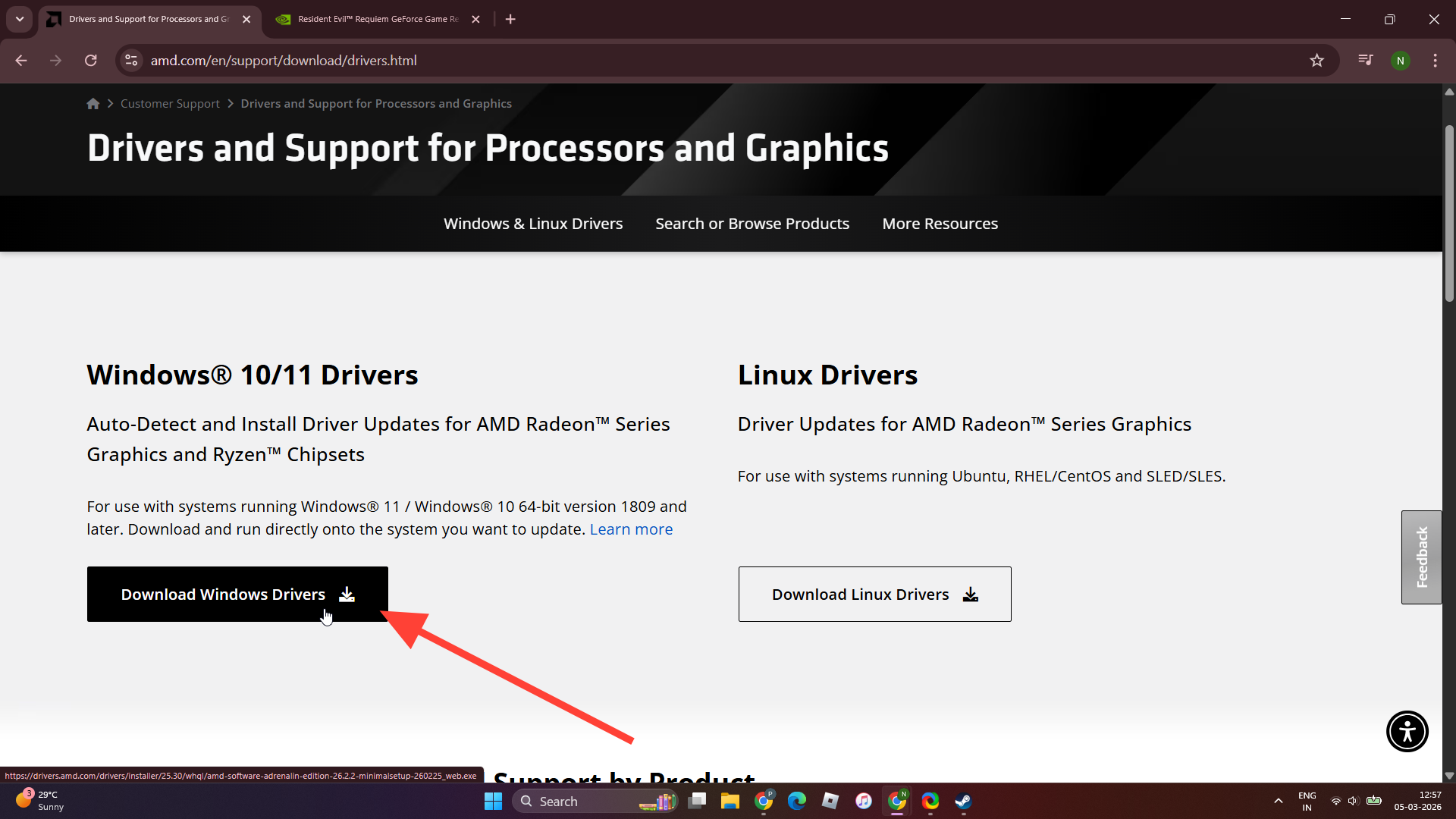
Visit AMD’s official driver download page and search for your graphics card model.
Step 2
Download version 26.2.2, which is currently considered stable for Resident Evil Requiem.
Step 3
Install the driver using the standard setup installer.
Step 4
Restart your PC after installation to ensure the driver loads correctly.
Step 5
Launch the game again to check if the crash is resolved.
How to update NVIDIA drivers
Step 1
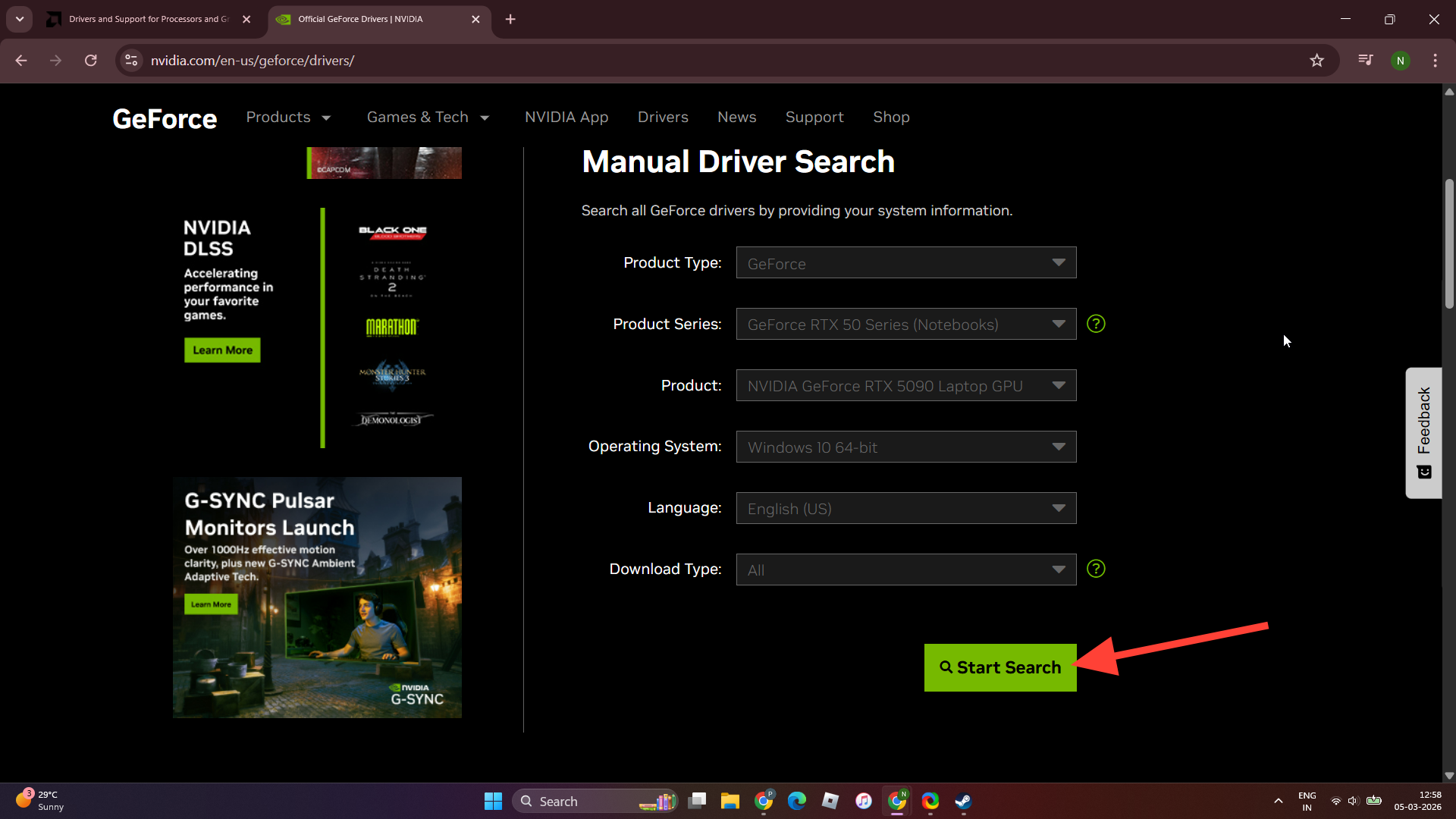
Go to NVIDIA’s official driver download page.
Step 2
Search for your GPU model.
Step 3
Download driver version 591.86, which many players report as the most stable release for the game.
Step 4
Install the driver and restart your system.
Step 5
Launch Resident Evil Requiem again to confirm the issue is fixed.
How deleting Steam input files can resolve the crash
If updating drivers does not solve the problem, the next solution involves cleaning up Steam’s input libraries, which may conflict with the game’s input system.
These files are responsible for handling controller detection and input mapping. If they become corrupted or mismatched with Steam updates, the game may crash immediately when launching.
Step 1
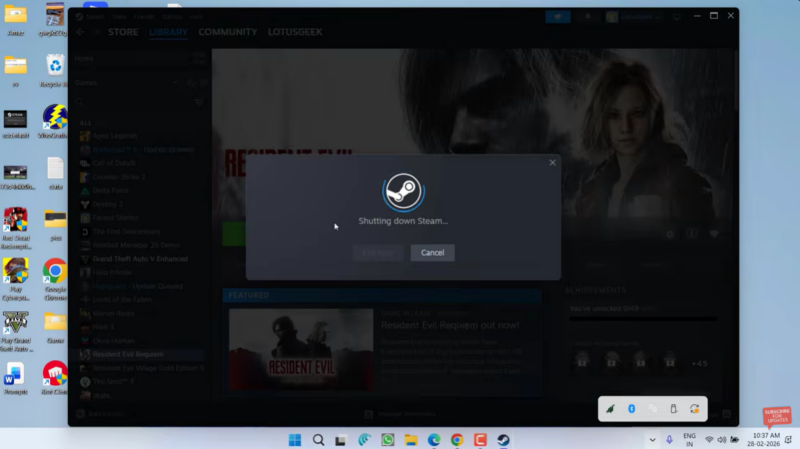
Close Steam completely.
Step 2
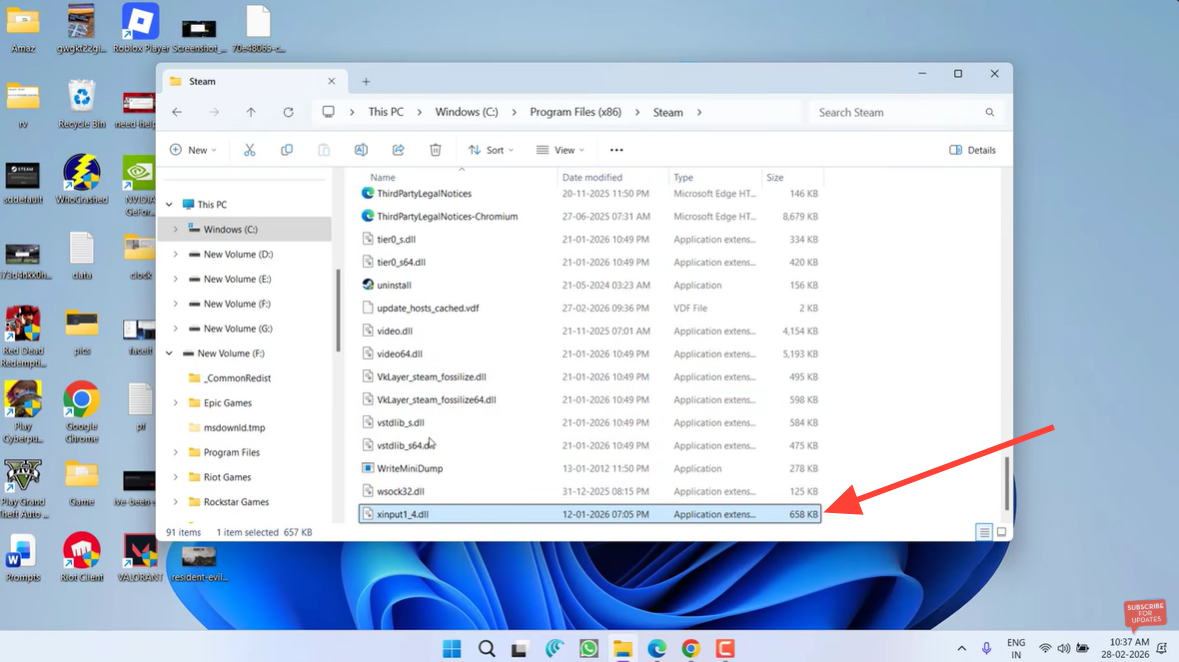
Navigate to your Steam installation folder. The default path is:
C:\Program Files (x86)\Steam
Step 3
Look for the files named Xinput and HID.dll.
Step 4
Delete these files if they exist.
Step 5
Right-click the Steam application and choose Run as Administrator.

Step 6
Launch Resident Evil Requiem again.
Steam automatically recreates necessary files during startup, which resolves the corruption issue.
How to reset the game configuration files
If the crash still happens, the issue may come from corrupted configuration files in the game directory. These files store graphics pipelines, rendering configurations, and runtime settings.
Deleting them forces the game to regenerate clean versions.
Step 1
Open your Steam library.

Step 2
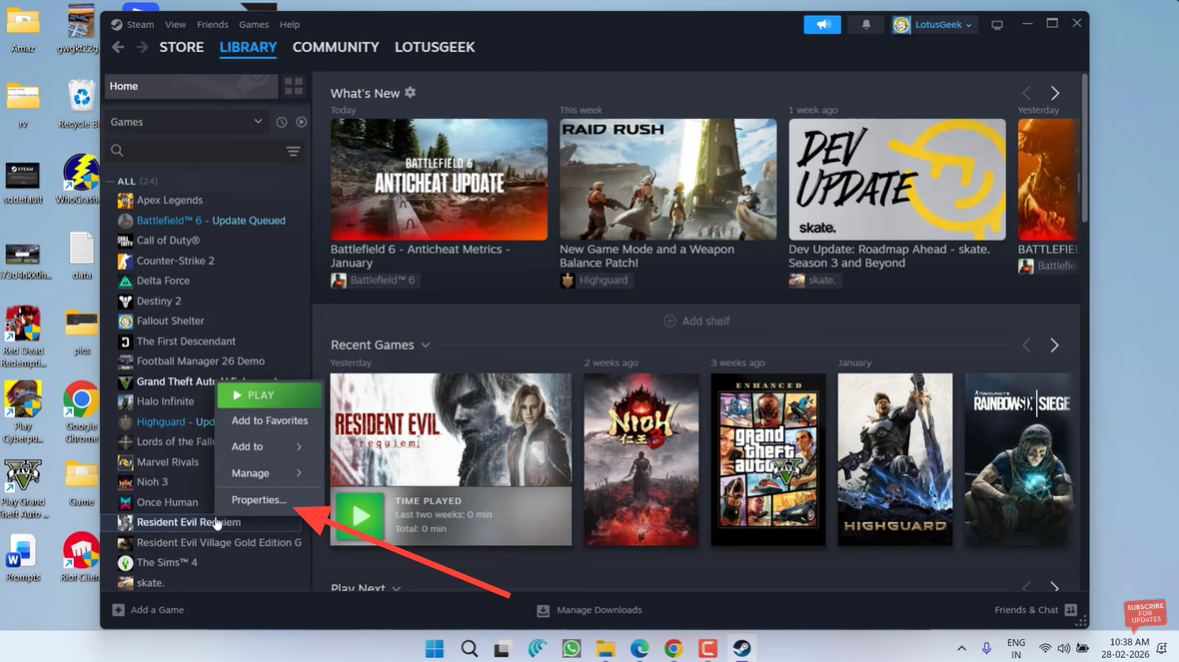
Right-click Resident Evil Requiem.
Step 3
Select Properties.
Step 4
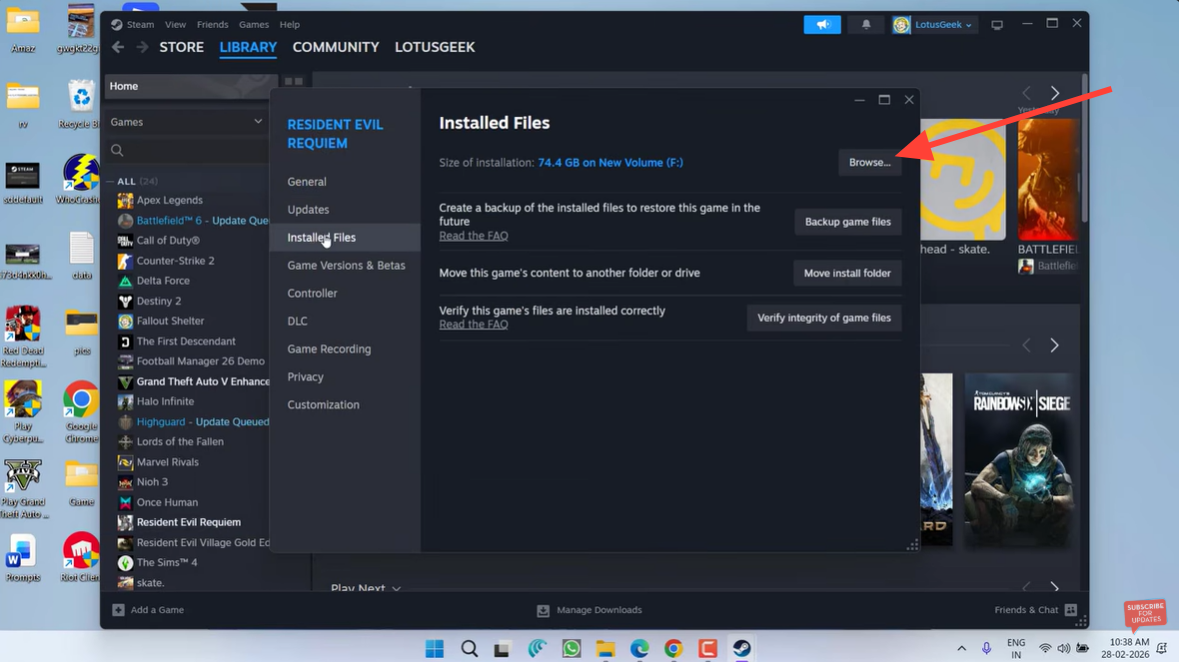
Open the Installed Files section.
Step 5
Click Browse to open the game’s installation folder.
Step 6
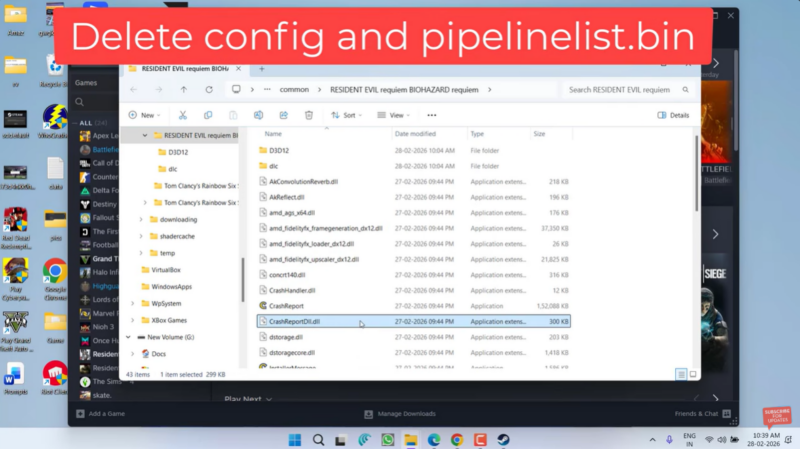
Locate files named config and pipelinelist.
Step 7
Delete these files if they are present.
Step 8
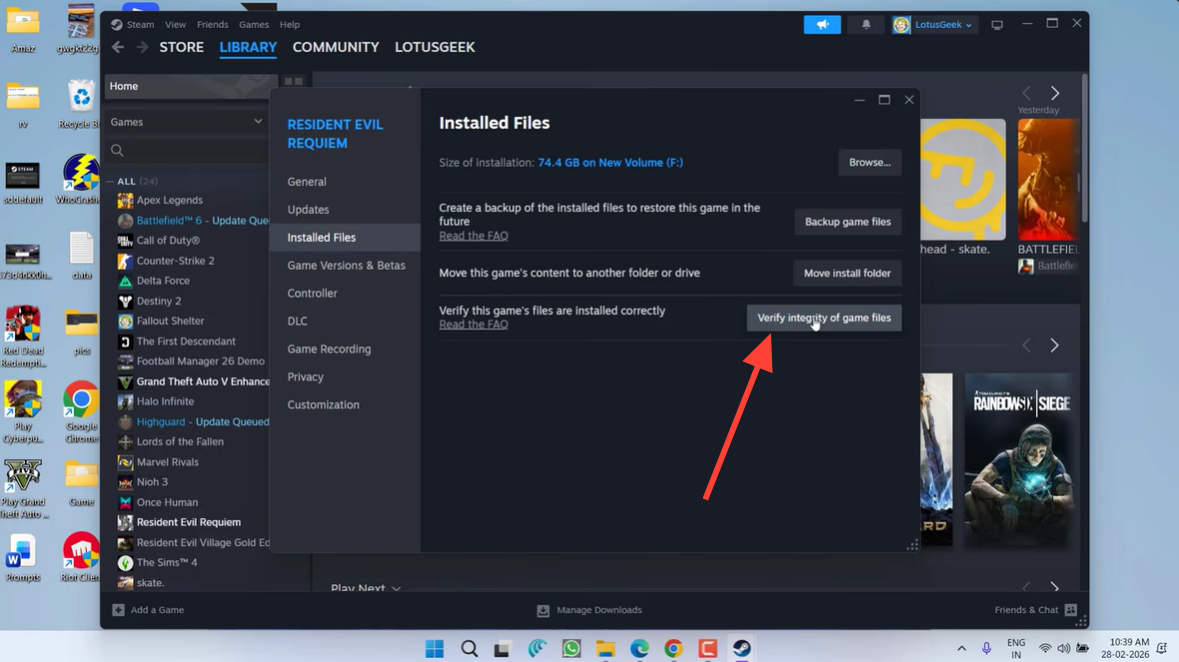
Return to Steam and select Verify Integrity of Game Files.
Step 9
Allow Steam to download and restore the missing files.
Step 10
Launch the game again.
This process resets rendering data and usually eliminates pipeline-related crashes.
Additional stability tips for Resident Evil Requiem
Some players have reported improved stability after performing a clean driver installation, disabling overlay software, or running the game as administrator. Overlay programs such as recording tools or monitoring utilities can sometimes conflict with new game engines.
Ensuring Windows is fully updated, restarting the system after driver changes, and avoiding experimental graphics drivers can also reduce crashes.
Fixing the Resident Evil Requiem crash quickly
The Unhandled Exception Occurred crash in Resident Evil Requiem is usually tied to driver conflicts, corrupted Steam input libraries, or damaged configuration files. Updating your graphics drivers, removing problematic Steam files, and resetting the game’s config files are currently the most effective fixes. Once these steps are completed and the game files are verified, most players are able to launch and play the game without further crashes.