What to know
- Samsung has introduced Digital Home Key, a new feature within Samsung Wallet that allows Galaxy users to unlock their homes with their smartphone.
- It is built on the Aliro smart lock standard, ensuring broader compatibility and secure communication with smart locks.
- Home keys are added during setup through Samsung SmartThings using the Matter smart home platform.
- Security is enforced by Samsung Knox and requires your device’s biometric or PIN authentication.
You can think of Samsung’s Digital Home Key as the next step in how your smartphone interacts with the physical world around you. For years, digital wallets on mobile devices have stored things like payment cards, boarding passes, and even digital car keys, but with this new feature, Samsung expands that functionality into your home. Instead of fumbling for a physical key every time you leave or return, your Galaxy phone can now serve as a secure access credential that communicates directly with a compatible smart door lock.
This system is built on an open, industry-standard protocol called Aliro, developed by the Connectivity Standards Alliance. Aliro’s goal is to unify how digital keys work with smart locks across different brands and platforms, reducing fragmentation in the smart home market. By aligning with Aliro, Samsung ensures the Digital Home Key can interoperate with a range of smart lock manufacturers that adopt the same standard.
To use the Digital Home Key, you must first set up a compatible smart door lock in your home. This begins with the SmartThings app, where you register the lock using the Matter smart home standard. Matter provides a common language between smart home devices, controllers, and services, allowing your lock and your phone to communicate effectively. Once the lock is onboarded, you are prompted to add the Digital Home Key directly into your Samsung Wallet during setup.
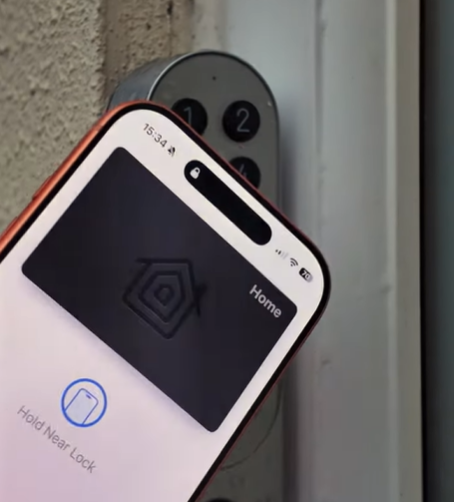
During everyday use, unlocking your door is straightforward. If your smart lock and phone support near-field communication (NFC), you simply tap your phone against the lock as you would with a contactless card. For newer phones and locks that support ultra-wideband (UWB) technology, you can walk up to your door and it will sense your phone’s presence and unlock hands-free, without any tapping. These methods work locally between the phone and door lock, so they don’t require an internet connection to unlock your door in real time.
Security is a critical part of the system. The Digital Home Key is stored inside Samsung Wallet, protected by Samsung Knox, the company’s secure platform for mobile devices. Keys are designed to meet high assurance standards, which helps protect against unauthorized access. You must authenticate with your device’s biometric options (like fingerprint or face recognition) or a PIN before the key is used. If your phone is lost or stolen, Samsung’s Find service lets you remotely manage or remove access, ensuring control stays with you.
At launch in March 2026, this feature began rolling out in select regions alongside compatible smart lock products. As more manufacturers adopt the Aliro standard and integrate support, availability of compatible locks and broader regional support will grow. Keep in mind that not all Galaxy phones will support every feature — NFC and UWB compatibility depends on the specific model and hardware in your device.