What to know
-
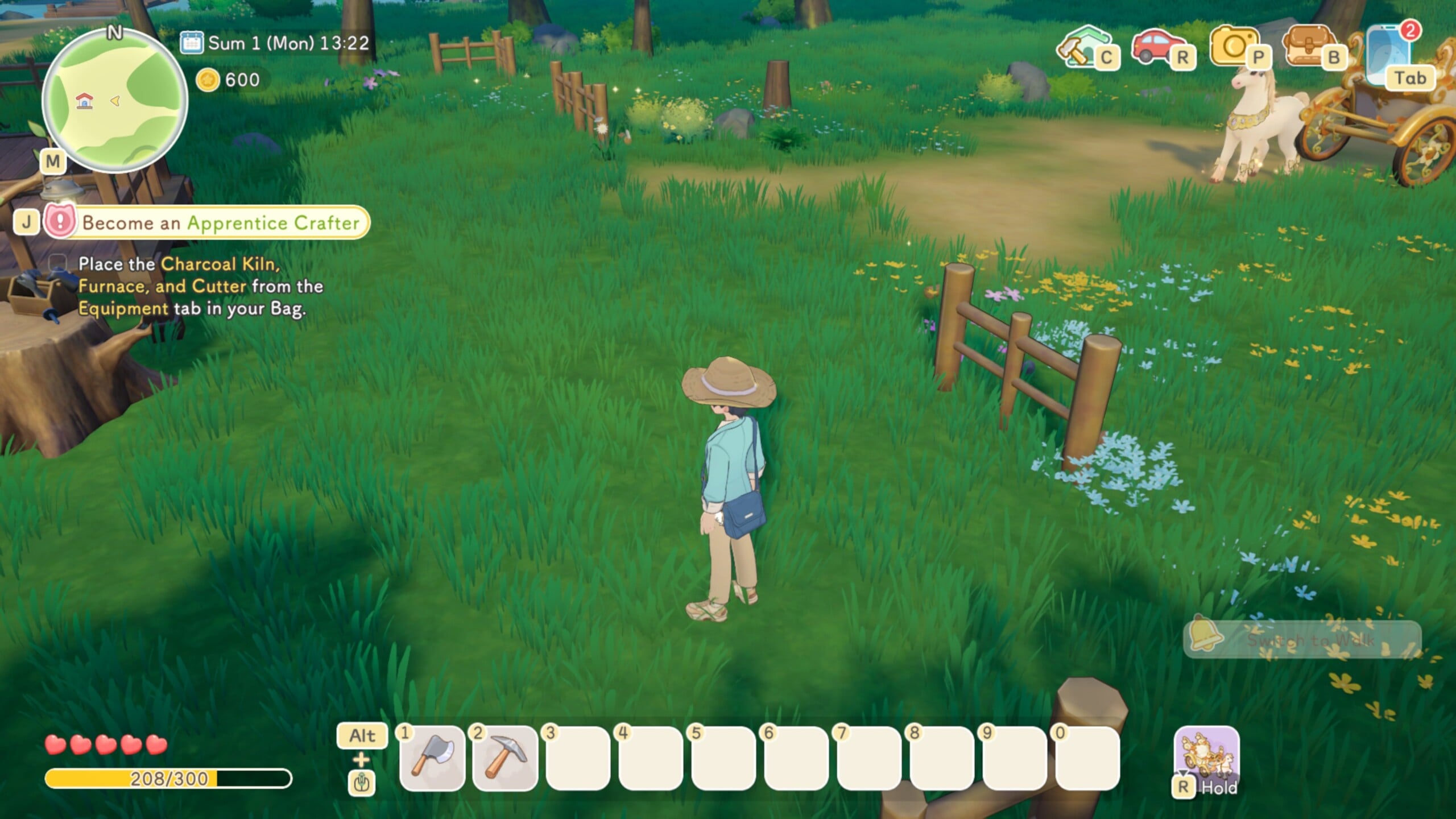
The Become an Apprentice Crafter quest has confusing wording that implies moving items from your equipment to your bag via a menu.
-
Instead of transferring items, you need to take the machines home and place them on your plot using Build mode.
-
Once the Charcoal kiln, Furnace and Cutter machines are placed, you can use them to process materials and craft the skateboard.
-
After crafting the skateboard at your home setup, the quest will update properly and you can progress to Apprentice Crafter.
In Starsand Island, one of the Crafter quests require you to craft three machines – the Charcoal kiln, Furnace and Cutter – and then move them from your equipment to your bag. However, there is no way to do this because the phrasing is not correct which is why it feels like you are stuck. Here’s how to actually proceed.
| Point | Details |
|---|---|
| Quest name | Become an Apprentice Crafter |
| Triggered task | Craft early equipment and then a skateboard |
| Bugged wording | Tells you to move items from equipment to bag via menu |
| What the game really wants | Place the crafted machines near your home using Build mode |
| Core location | Your home plot and nearby building area |
| Main fix | Enter Build mode, place machines, then continue crafting skateboard |
| Progress result | Quest completes and you unlock Apprentice Crafter progression |
How the apprentice crafter step is supposed to work
The Become an Apprentice Crafter quest is tied to you setting up basic crafting infrastructure at your home and then using it to make a skateboard. You are expected to buy the equipment blueprint pack, craft charcoal kiln, furnace and cutter machines, and then make use of them on your own plot rather than leaving them as mere inventory items.
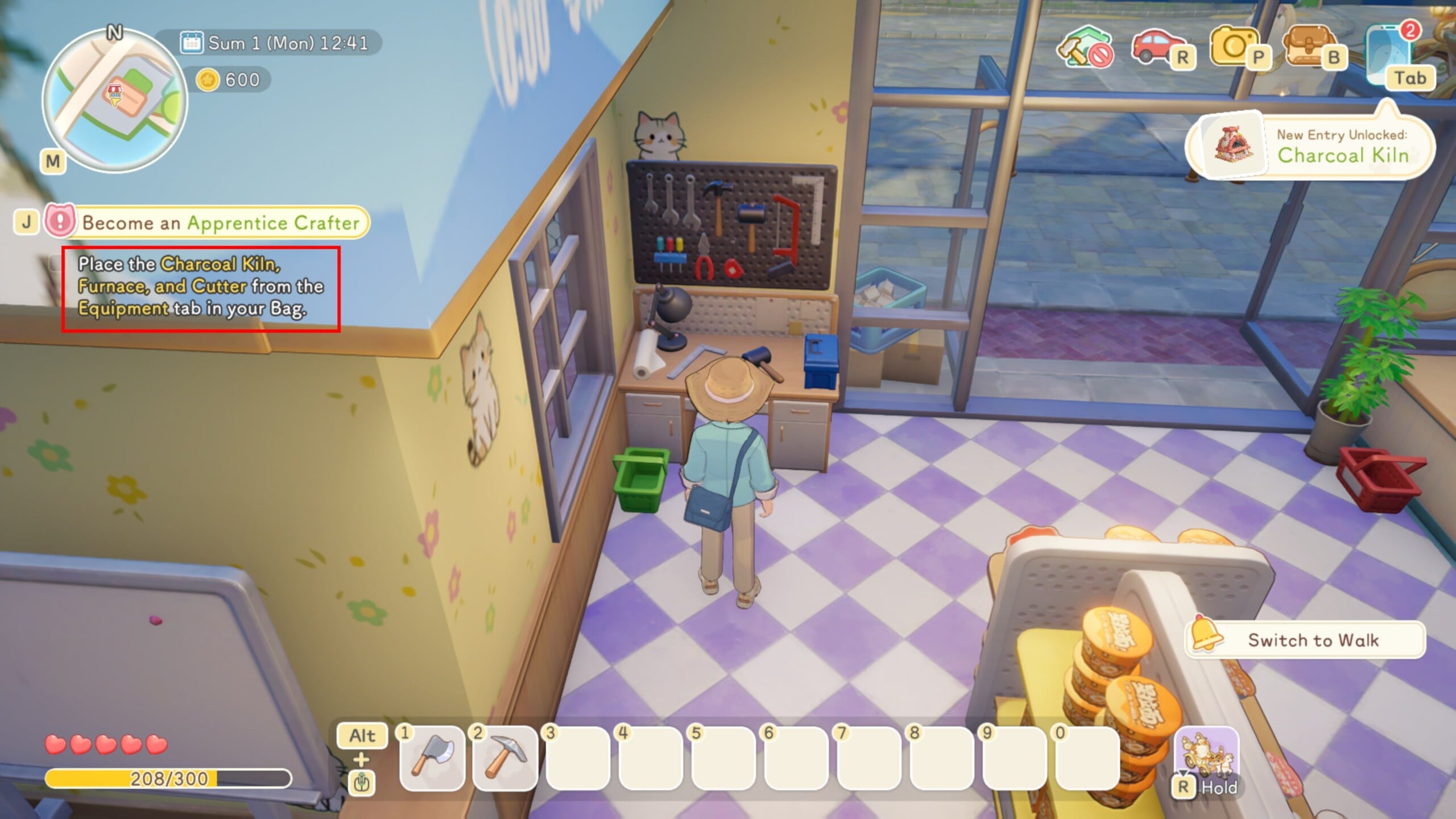
The confusion starts when the quest text tells you to move items from equipment to bag, which sounds like a UI transfer instruction. Players naturally try to drag, swap, or otherwise shift these machines inside inventory screens, but this is not the action that actually advances the quest.
How to reach the right location and set up your crafting area
Your main goal is to treat the equipment as placeable structures that belong around your home, not as inventory upgrades that must be moved between tabs. Head back to your house plot, where the game expects your early crafting hub to be built.
This is the area where you will drop down the machines, process resources and eventually build the skateboard to fulfill the crafting trial. Keeping everything clustered near your house also makes later quests smoother, since many future tasks assume your crafting setup lives there.
How to fix the equipment-to-bag glitch step-by-step
Step 1
When the quest asks you to move items from equipment to bag, do not waste time searching for a special transfer button or hidden menu option. You can safely leave the equipment in your inventory, because the game does not actually check for an inventory move for this step.
Step 2
Make sure you have already crafted the required early machines from the blueprint pack, such as the cutter, charcoal kiln, and furnace. As long as those items exist in your equipment section, you are ready for the real requirement.
Step 3
Travel back to your home area on Starsand Island, the place where you can build and customize your house and yard. Stand somewhere with enough space to place multiple machines, ideally close together so you can reach them easily while crafting the skateboard.
Step 4
Check that you are inside the buildable region of your plot so the Build mode will let you place structures. If you are too far away from your house boundaries, move closer until the building options become available.
Step 5
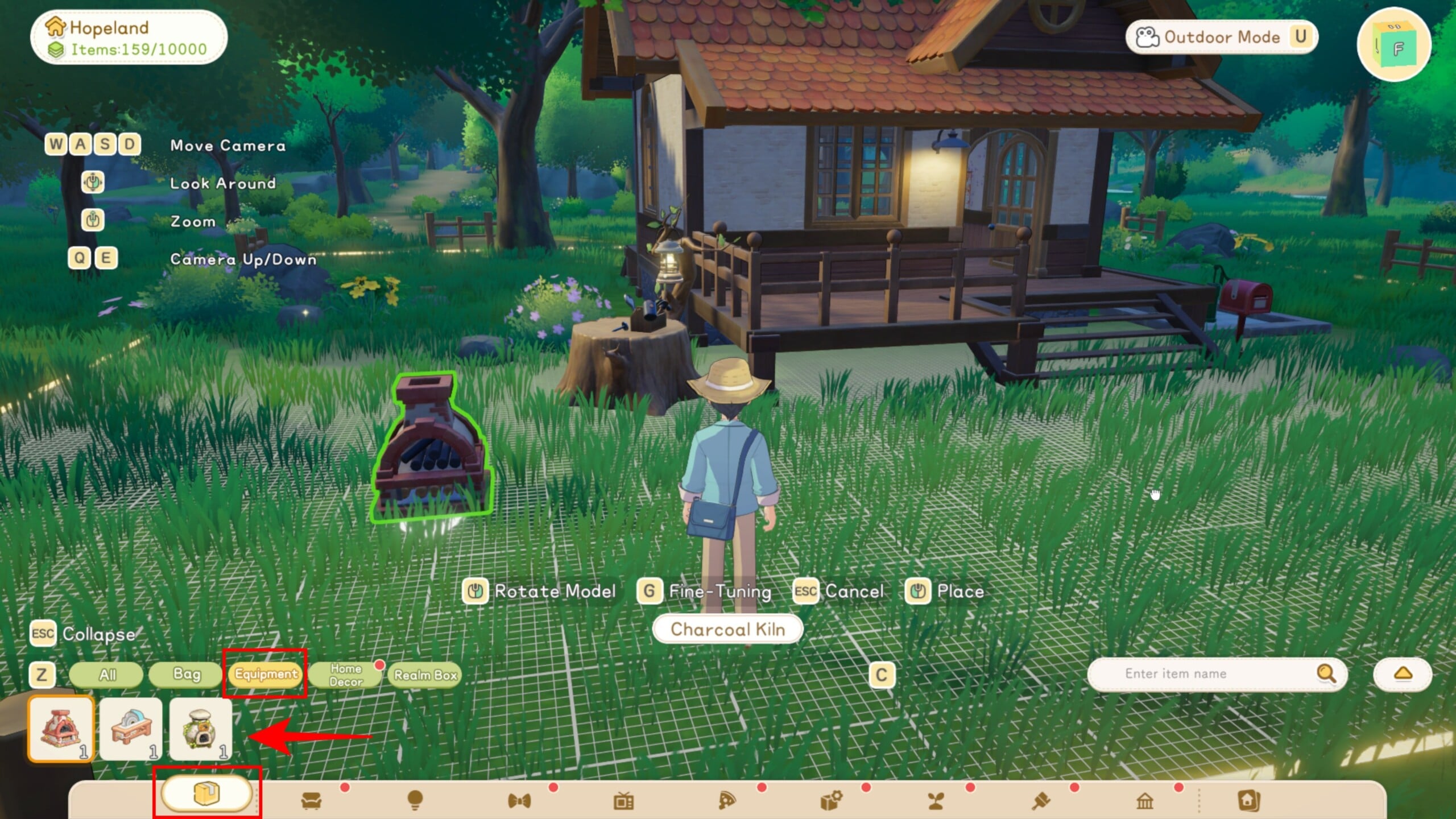
Open Build mode using the appropriate key (C on keyboard), bringing up the placement interface for structures and placeable objects. From here, access Equipment, which are treated as items you can set down in the world rather than just carried gear.
Step 6
Select each relevant machine one by one, the cutter, kiln, and furnace, and position them around your house where you want your early workshop to be. Confirm placement so that the objects appear physically in the environment instead of remaining only as icons in the equipment tab.
Step 7
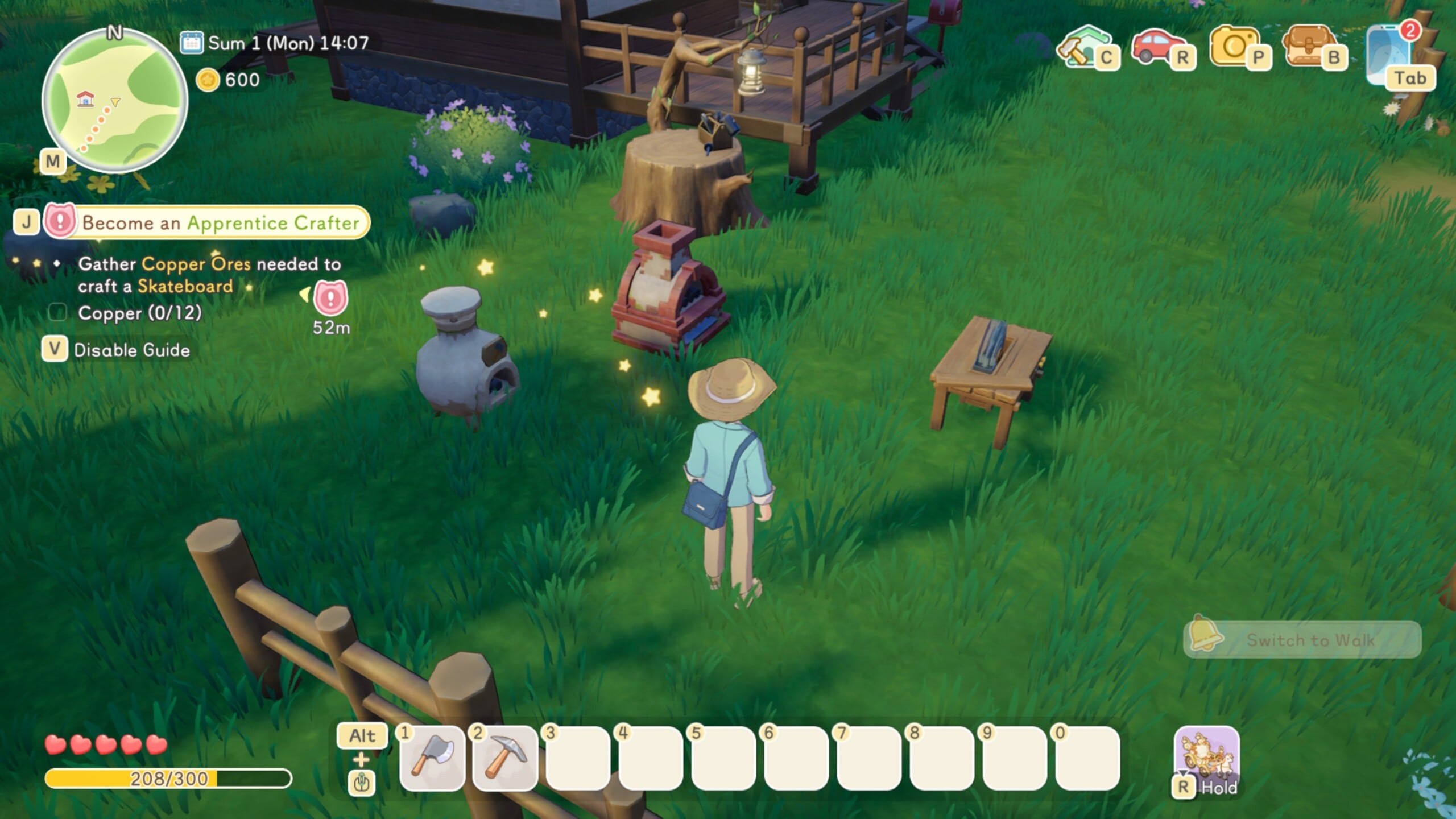
With the machines now placed, interact with them to start processing the materials you need for the skateboard recipe. You will need to get coal from behind your house, wood from trees, etc. required by the skateboard blueprint.
Step 8
Let each machine finish its tasks and collect the processed items into your bag once they are done. As you gather the right quantities of planks and other materials, you are effectively doing what the quest wanted, even though it never clearly said to use Build mode in the first place.
Step 9
After you have all the required components, craft the skateboard, making sure your character completes the animation and the new board appears in your bag or equipment.
Step 10
Once the skateboard has been crafted, the Become an Apprentice Crafter task should update and mark as completed, allowing your crafting career path to continue. From here, you can equip the skateboard for faster movement and follow the next objectives toward junior-level crafting and beyond.
By treating the quest text as a glitch and focusing on placing your crafted machines near your home, you can bypass the confusing move-from-equipment-to-bag wording and progress the crafter path normally. Once those machines are down and you use them to make the materials for your skateboard, the Become an Apprentice Crafter quest behaves as intended and unlocks your early crafting progression.