What to know
- DLC items in Starsand Island are not delivered automatically to your mailbox or home.
- You must visit the Community Center in person to claim them.
- The Self-Help Terminal inside the building is where all DLC rewards are redeemed.
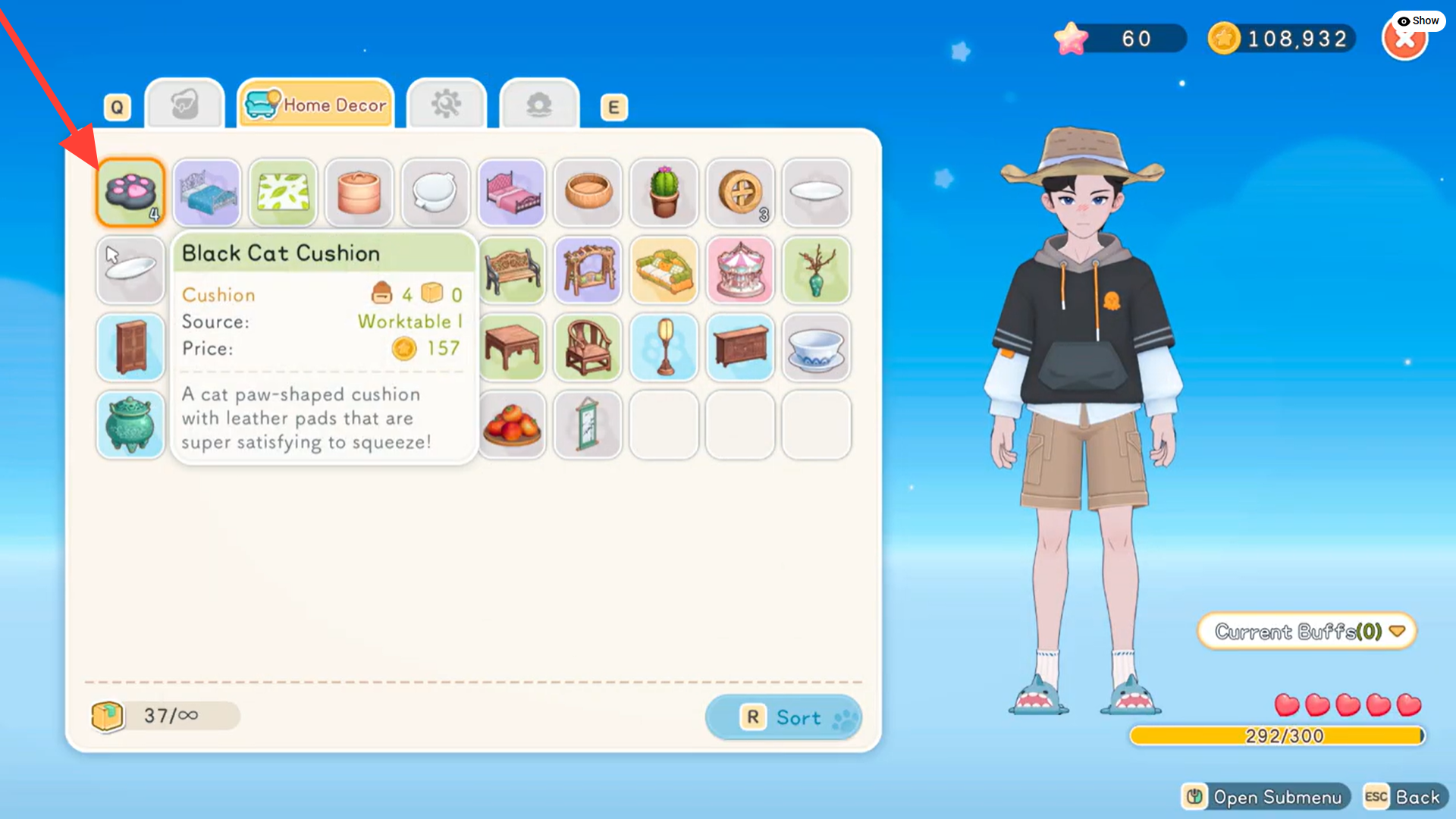
- Once claimed, items are instantly added to your inventory, mostly as furniture pieces.
DLC rewards in Starsand Island are simple to claim, but many players miss the process because the game does not automatically notify you after installation. If you have purchased or activated downloadable content and do not see your items, you likely just need to redeem them manually. Once you understand the process, claiming your bonus content takes less than a minute.
Below is a quick overview of how DLC redemption works in the current version of the game.
| Feature | Details |
|---|---|
| Where to claim | Community Center |
| Required interaction | Self-Help Terminal |
| Delivery method | Instant inventory addition |
| Type of rewards | Mostly furniture and decorative items |
| Cost to claim | Free (after DLC purchase) |
| Claim frequency | One-time per DLC package |
How DLC claiming works in Starsand Island
In Starsand Island, DLC rewards are tied directly to your game account rather than being sent through an in-game mail system. This means that once the downloadable content is properly installed on your platform, the game flags your save file as eligible for those rewards. However, the system requires manual confirmation at a specific in-game location.
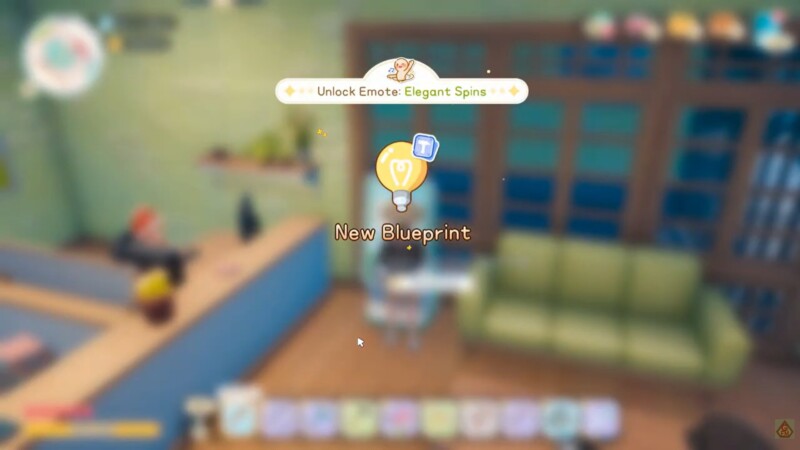
You will not find DLC rewards at your farmhouse, in your mailbox, or through NPC dialogue. Instead, the redemption process is centralized inside the Community Center, which functions as a utility and services hub for several gameplay systems.
This design keeps reward management organized and prevents accidental item duplication.
Where to go: Community Center location and function
The Community Center serves as a public utility building accessible early in the game. It is typically unlocked after basic tutorial progression and is available in all standard save files. The building houses multiple interactive terminals, including the one required for DLC redemption.
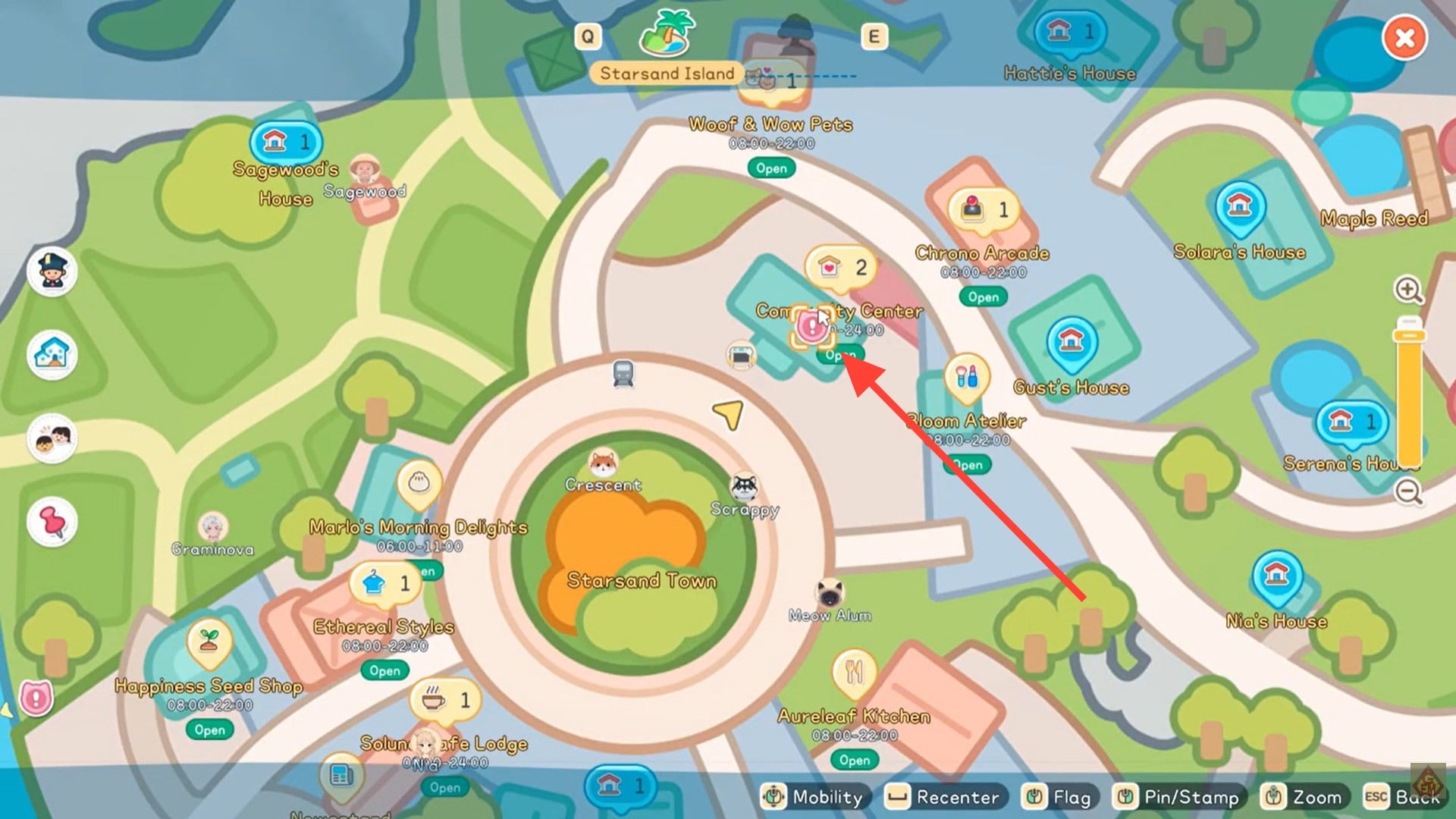
Once inside, you are looking specifically for the Self-Help Terminal, not a bulletin board or NPC desk. The terminal acts as a digital service kiosk for player-related account functions.
The system checks your DLC ownership automatically when you interact with it.
How to claim DLC items in Starsand Island
Launch Starsand Island and load the save file tied to your DLC purchase. Make sure the downloadable content is properly installed through your gaming platform before entering the world. Travel to the Community Center. If you are early in your save, confirm that the building is unlocked through normal story progression.
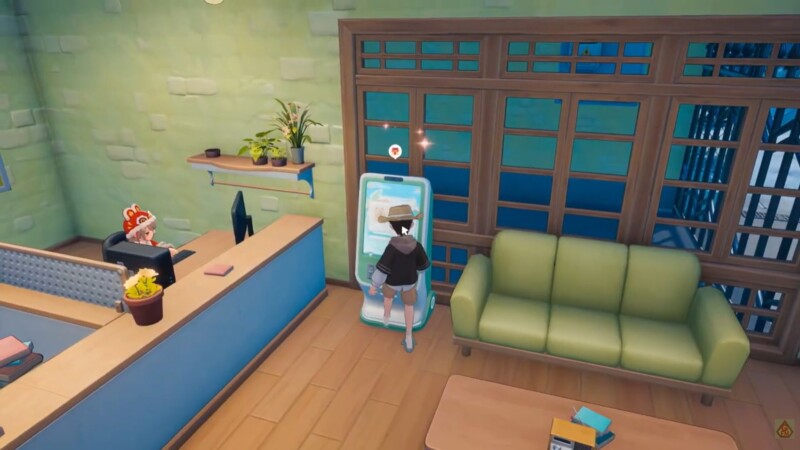
Enter the building and locate the Self-Help Terminal. It appears as an interactive machine rather than a character. Interact with the terminal. A menu will appear showing available services tied to your account.
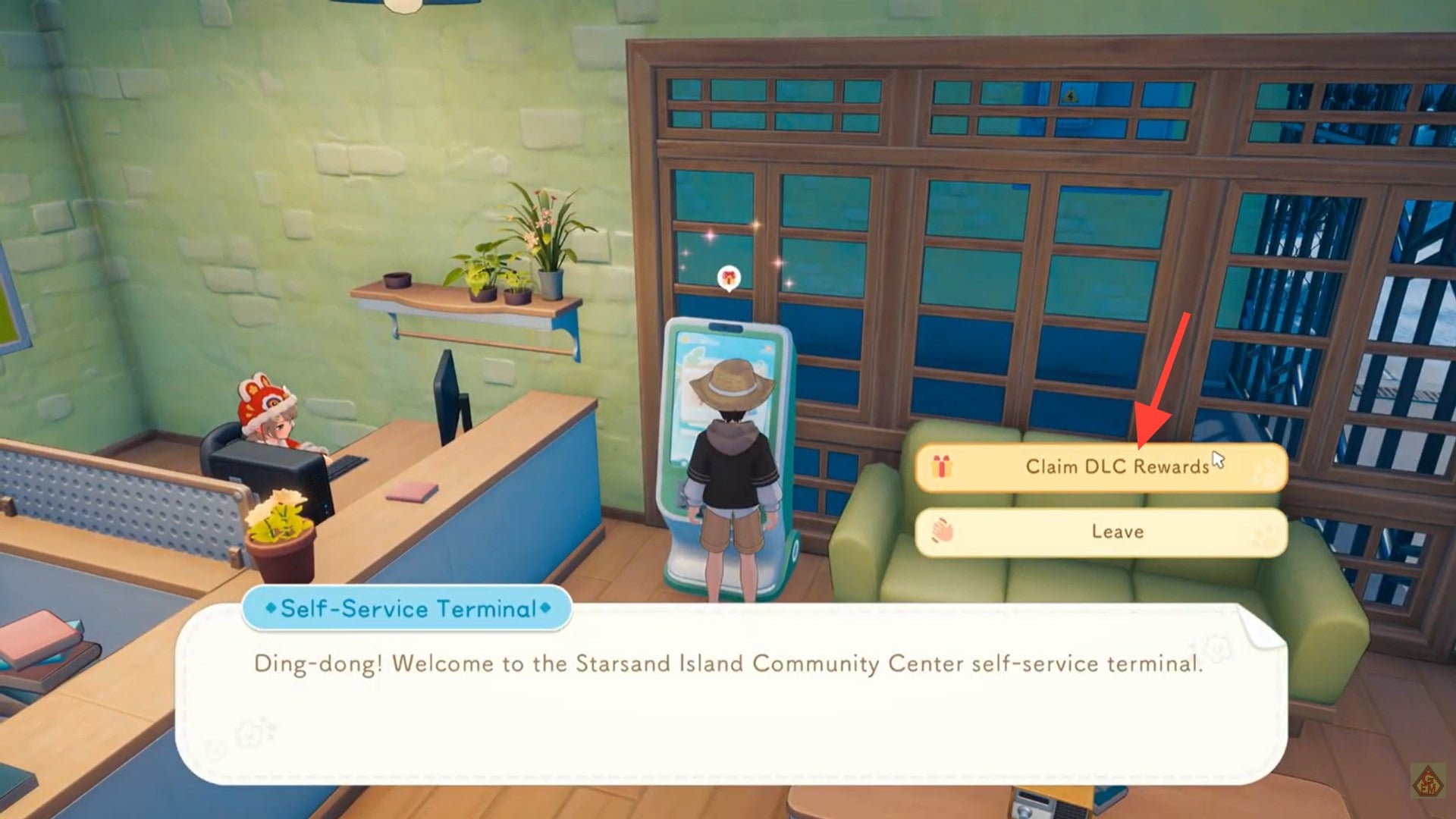
Select the option to claim DLC rewards. If your DLC is installed correctly, the system will display the available reward package. Confirm the claim. The items will immediately transfer to your inventory.
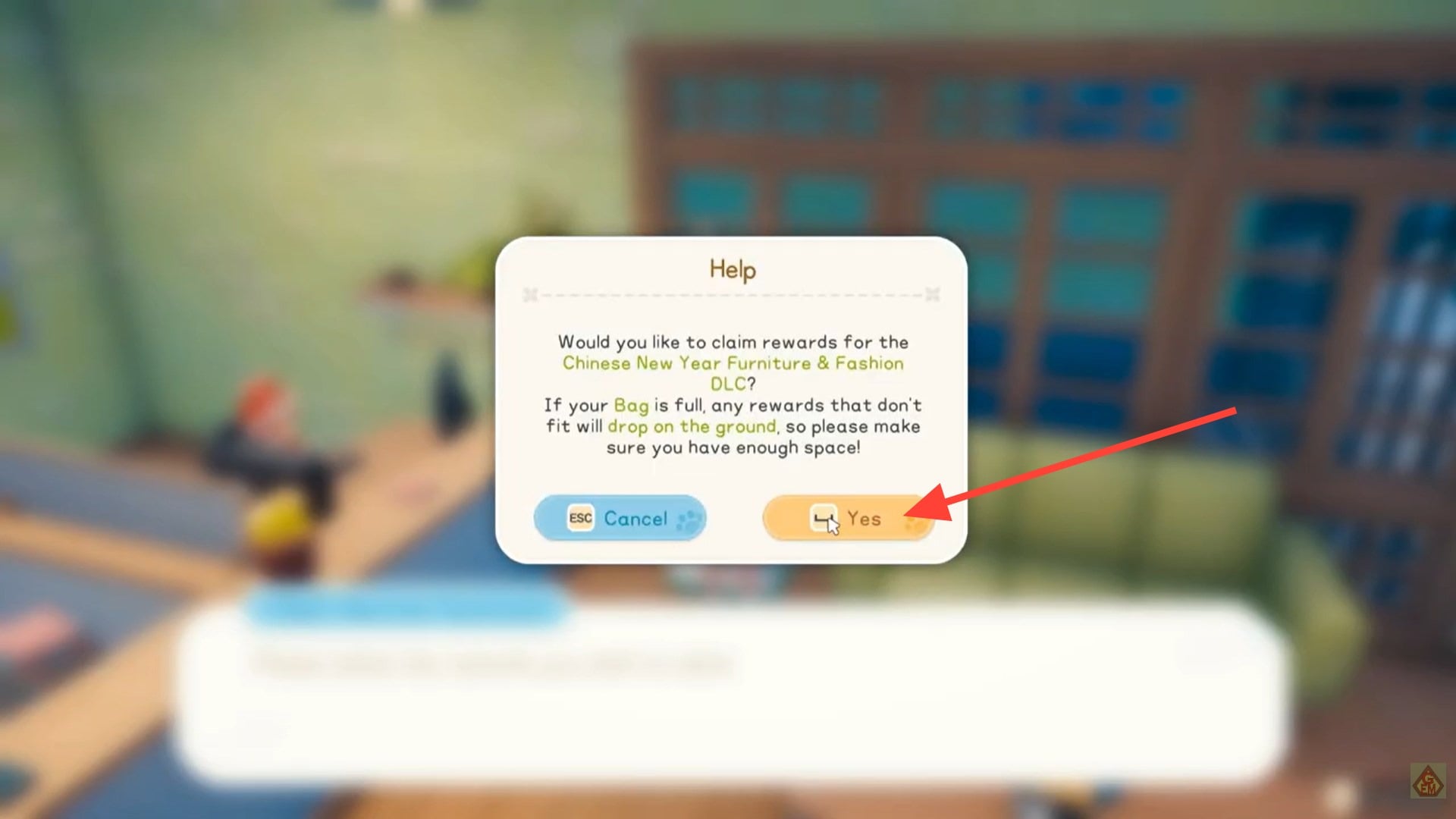
There is no waiting period, shipping time, or storage requirement. Once confirmed, the rewards are permanently attached to your save file.
What DLC items typically include
Most current DLC packages in Starsand Island focus on decorative and lifestyle additions rather than gameplay advantages. These items usually enhance customization options for your home, farm, or island property.
| DLC Category | Typical Contents | Gameplay Impact |
|---|---|---|
| Furniture Packs | Chairs, tables, themed decor | Cosmetic |
| Interior Decor | Wall pieces, rugs, lighting | Cosmetic |
| Exterior Decor | Outdoor furniture, garden props | Cosmetic |
| Special Sets | Themed bundles | Cosmetic |
These rewards are primarily cosmetic, meaning they do not provide combat advantages, farming boosts, or economy bonuses. Their purpose is to expand creative design options and personal expression within your island space.
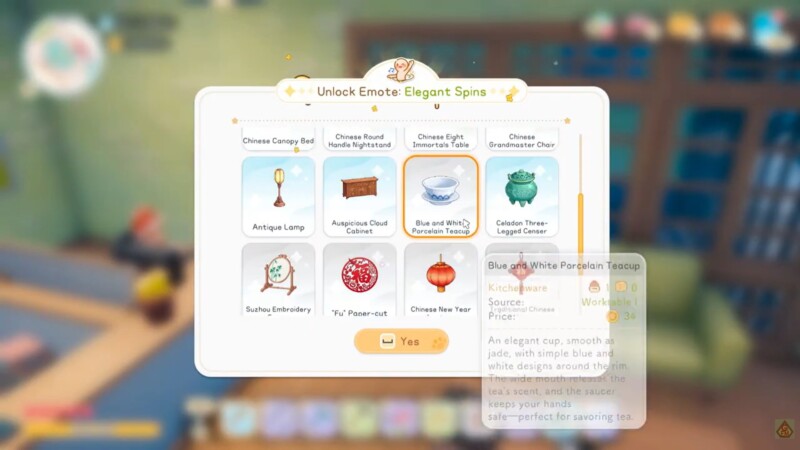
After claiming, you can access the items through your regular inventory or furniture placement interface, depending on how your save is organized.
What happens after claiming
Once redeemed, DLC items behave exactly like standard in-game furniture. You can place, rotate, store, or rearrange them just like any crafted object. If your inventory is near capacity, ensure you have enough space before claiming to avoid confusion.
Importantly, DLC rewards can only be claimed once per eligible save file. Attempting to use the terminal again will not duplicate items.
If you start a new save file, you will need to revisit the Community Center and repeat the claiming process for that file.
Troubleshooting missing DLC items
If your rewards do not appear in the terminal menu, the issue is usually platform-related rather than in-game.
The most common causes include incomplete DLC installation, platform account mismatch, or launching the game before the download finishes. Restarting the game client after confirming installation typically resolves the issue.
Ensure that your platform store shows the DLC as owned and installed. The in-game terminal only detects properly installed content.
Why Starsand Island uses a manual claim system
Claiming DLC items in Starsand Island is quick and straightforward once you know where to go. Simply visit the Community Center, interact with the Self-Help Terminal, and confirm your rewards. Your items will instantly appear in your inventory, ready to place and customize your island exactly the way you want.
The manual claiming system helps maintain file integrity and prevents automatic reward injection errors. Because Starsand Island allows multiple save files, the terminal-based system ensures that DLC rewards are tied intentionally to the save you are currently playing.
This also prevents accidental overwriting or duplication across different characters.
For players who enjoy maintaining multiple farms or themed saves, this structure keeps DLC management organized and predictable.
As long as your DLC is properly installed, the process takes less than a minute and works consistently across all save files.