- What to know
- Accessing the inventory sort menu from the equipment screen
- Using auto-equip for fast gear optimization
- Managing overflow with the Storehouse system
- Clearing clutter through Blacksmith dismantling
- Creating an efficient inventory management routine
- Why proper sorting improves performance
- Keeping your Nioh 3 inventory under control
What to know
- Inventory sorting is accessed from the Equipment screen using the sort menu shortcut.
- You can organize gear by rarity, value, level, type, and attack power.
- The Storehouse prevents item cap overflow and keeps rare gear safe.
- Bulk dismantling at the Blacksmith is the fastest way to clear low-value loot.
Inventory management in Nioh 3 becomes increasingly important as you progress through higher-level missions. Loot drops frequently, rarity tiers stack quickly, and without proper organization, you can easily hit the active carry limit. If you take a few minutes after each mission to sort, store, and dismantle strategically, you will keep your build optimized without wasting valuable gear.
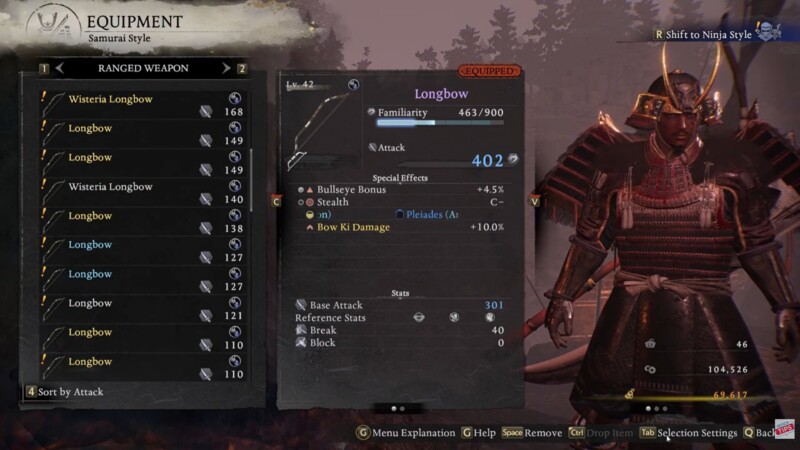
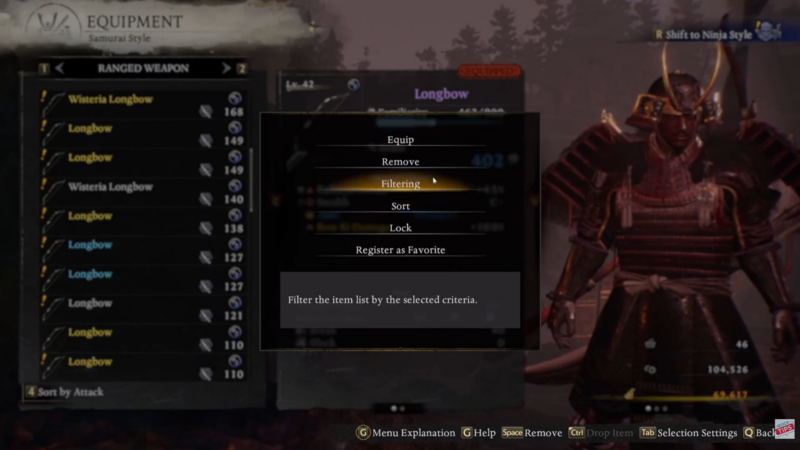
Sorting begins inside the Equipment screen, which you can open from the main menu. Once inside, highlight any item such as a bow or melee weapon to display its detailed stat panel. From there, pressing Tab on keyboard or the corresponding controller button opens the sorting interface.
The sorting menu allows you to reorganize items by value, type, attack power, rarity, level, or newest obtained. Many players prefer sorting by rarity first because it groups Divine, Exotic, Rare, and lower-tier gear clearly. Sorting by attack power is especially helpful when evaluating weapons quickly after a mission.

The interface is designed for quick cycling. Once selected, items instantly rearrange in descending or ascending order depending on your chosen filter. While some players have noted the absence of deeper filters like weapon subtype grouping in certain menus, the current sorting system remains the primary organization tool available in Nioh 3.
Quick reference for sorting options
| Sorting Option | Best Used For | Why It Helps |
|---|---|---|
| Rarity | Identifying high-tier gear | Quickly separates Divine/Exotic from lower tiers |
| Level | Early progression upgrades | Shows strongest scaling items |
| Attack Power | Weapon comparison | Immediate damage comparison |
| Value | Selling decisions | Identifies high gold return gear |
| Newest | Reviewing fresh loot | Highlights latest drops |
Using these filters consistently prevents wasted time manually scanning through cluttered pages.
Using auto-equip for fast gear optimization
Beyond manual sorting, Nioh 3 includes an auto-equip function inside the Equipment menu. By pressing R3 on controller or the assigned keyboard shortcut, the system automatically equips the highest-stat weapons and armor currently in your inventory.
This feature is especially useful in early to mid-game progression when raw defense and attack scaling outweigh specialized affixes. While advanced builds eventually require manual stat optimization, auto-equip provides a fast solution after missions where you collect large gear hauls.

The system prioritizes stat scaling and base values, not synergy bonuses, so use it as a convenience tool rather than a final build solution.
Managing overflow with the Storehouse system
As missions become longer and loot density increases, your active inventory can reach its cap. Once the cap is reached, new drops may stop appearing, which can result in missed equipment upgrades. This is where the Storehouse system becomes essential.
The Storehouse acts as long-term storage separate from your carry inventory. It does not count toward your active item limit. You can access it outside missions, typically through shrine menus or hub interfaces.
From the inventory screen, you can switch to Storehouse view using the on-screen prompt and transfer items individually or in batches. This is the safest way to keep rare armor sets, crafting bases, or future build pieces without cluttering your combat inventory.
Storehouse comparison overview
| Feature | Active Inventory | Storehouse |
|---|---|---|
| Item Cap Applies | Yes | No |
| Accessible During Missions | Yes | No |
| Ideal For | Immediate combat gear | Long-term storage |
| Risk of Overflow | High if unmanaged | None |
Developing a habit of depositing unused but valuable items ensures you never lose rare drops due to capacity limits.
Clearing clutter through Blacksmith dismantling
Sorting and storage help with organization, but dismantling is the true solution to clutter. At the Blacksmith, you can select the Disassemble option to break unwanted gear into crafting materials.
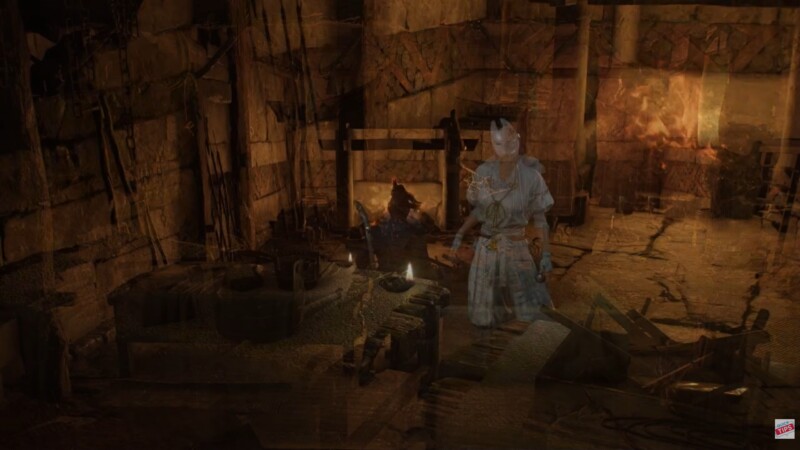
The interface allows bulk selection, meaning you can mark multiple low-rarity items at once. Using filter conditions such as rarity thresholds or level ranges lets you dismantle entire categories of unwanted equipment in seconds.
This method serves two purposes. First, it prevents inventory overflow. Second, it provides valuable crafting resources used for tempering, forging, and upgrading gear.
Dismantling benefits overview
| Action | Result | Long-Term Advantage |
|---|---|---|
| Disassemble low-tier gear | Crafting materials | Strengthens future builds |
| Filter by rarity | Faster cleanup | Saves time after missions |
| Bulk selection | Mass removal | Prevents cap overflow |
Experienced players often dismantle immediately after difficult missions to maintain clean inventory pages.
Creating an efficient inventory management routine
Efficient inventory management in Nioh 3 is not about constant micromanagement. It is about creating a rhythm. After completing a mission, you can sort by rarity to identify valuable gear quickly. Items worth keeping but not currently equipping should move to the Storehouse. Lower-tier equipment can be dismantled in bulk at the Blacksmith.
Auto-equip helps refresh your build during leveling phases, while manual sorting becomes more important once you pursue specific stat synergies.
You may also consider enabling auto-loot and auto-disposal settings within the game options to reduce clutter. These systems automatically manage low-tier pickups depending on your configuration, reducing the need for constant manual sorting.
Why proper sorting improves performance
Inventory clutter is not just cosmetic. It affects efficiency. When you can quickly locate high-rarity weapons, compare attack values instantly, and dismantle unwanted gear without hesitation, you spend more time optimizing combat performance instead of navigating menus.
In higher difficulties where loot frequency increases dramatically, proper sorting becomes essential. Efficient gear management ensures you never miss a powerful drop, never lose items due to capacity, and always maintain a streamlined build progression.
Keeping your Nioh 3 inventory under control
Mastering the sorting system, Storehouse storage, and Blacksmith dismantling tools ensures your inventory remains organized no matter how much loot you collect. By regularly sorting by rarity, storing valuable gear safely, and dismantling unwanted equipment in bulk, you maintain both performance and efficiency. With these systems working together, your focus stays where it belongs—on mastering combat.