What to know
-
ARMR0002 typically means the game client cannot complete matchmaking because it cannot reliably reach Arc Raiders services.
-
If servers are struggling, no local fix will fully resolve it; waiting and retrying later can be the only option.
-
If it is on your side, the most effective fixes are network power cycling, verifying files, correcting system time, and changing DNS.
-
The issue has been reported since playtests and can also block partying up with friends.
Arc Raiders can feel perfectly fine one minute and then suddenly refuse to matchmake the next, and ARMR0002 is the code you see when that connection breaks down. The goal is to quickly figure out whether you should troubleshoot your setup or simply wait for servers to stabilize.
| Topic | What it means | What to do first |
|---|---|---|
| What ARMR0002 is | Matchmaking fails due to connection problems between you and game services. | Relaunch the game and retry matchmaking. |
| Most common causes | Server issues or an unreliable local internet connection. | Power cycle your network gear (router/modem). |
| Common side effects | You may not be able to join raids or connect with friends. | Retry after a short wait; then move to the steps below. |
| When it is not your fault | Widespread server load/outage means local tweaks will not stick. | Wait and try again later. |
What ARMR0002 usually means in Arc Raiders
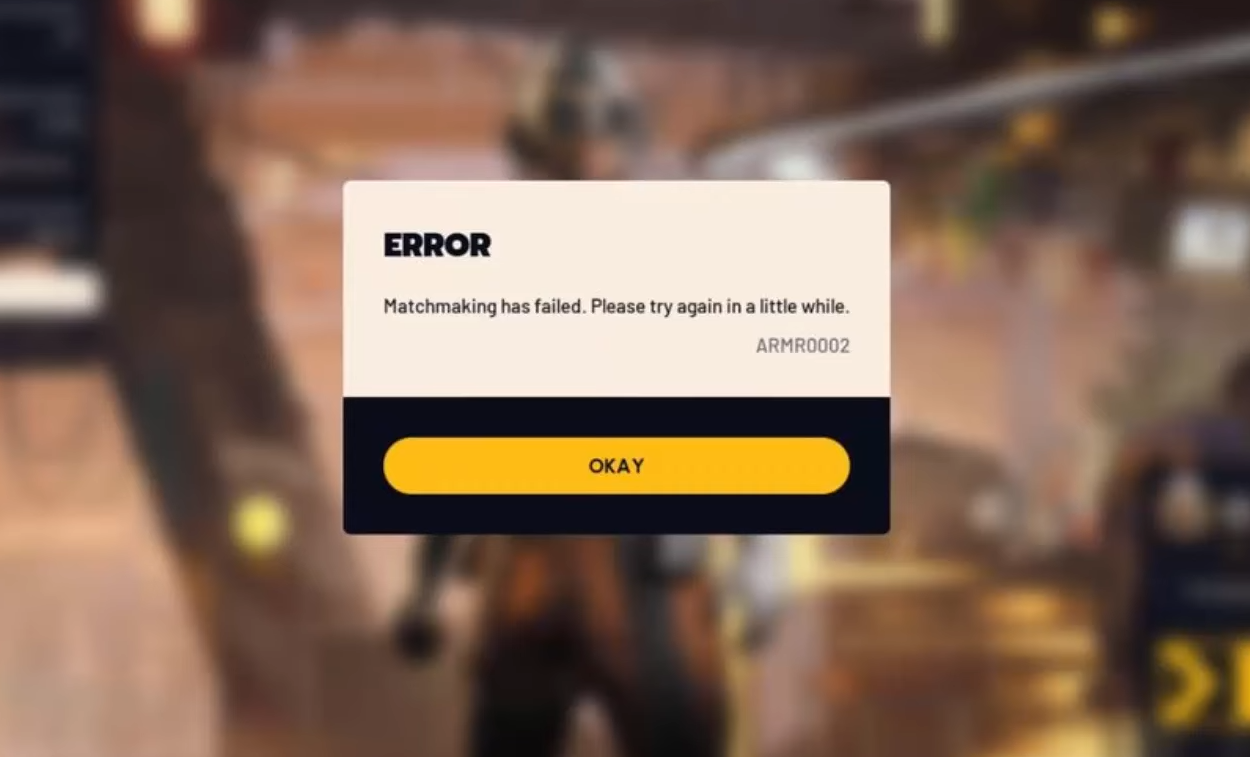
ARMR0002 is a matchmaking error tied to internet connectivity, where the game fails the handshake to the matchmaking services. In many cases, the root cause is server-side instability, especially during busy periods, which can make your attempts fail even if your connection is fine.
How to fix arc raiders error code ARMR0002
Work through these in order, because the early steps solve the majority of cases without changing anything permanently.
Fix 1: Fully restart the game and retry
Close the game completely and relaunch it, then try matchmaking again, because a fresh session can clear a stuck connection attempt. If you are trying to party with friends, have everyone do the relaunch before you retry invites.
Fix 2: Power cycle your network
Unplug your router and modem, wait about 60 seconds, plug them back in, let the connection stabilize, and then restart your PC or console. This helps when routing or DNS cache issues on the router side cause the connection to fail.
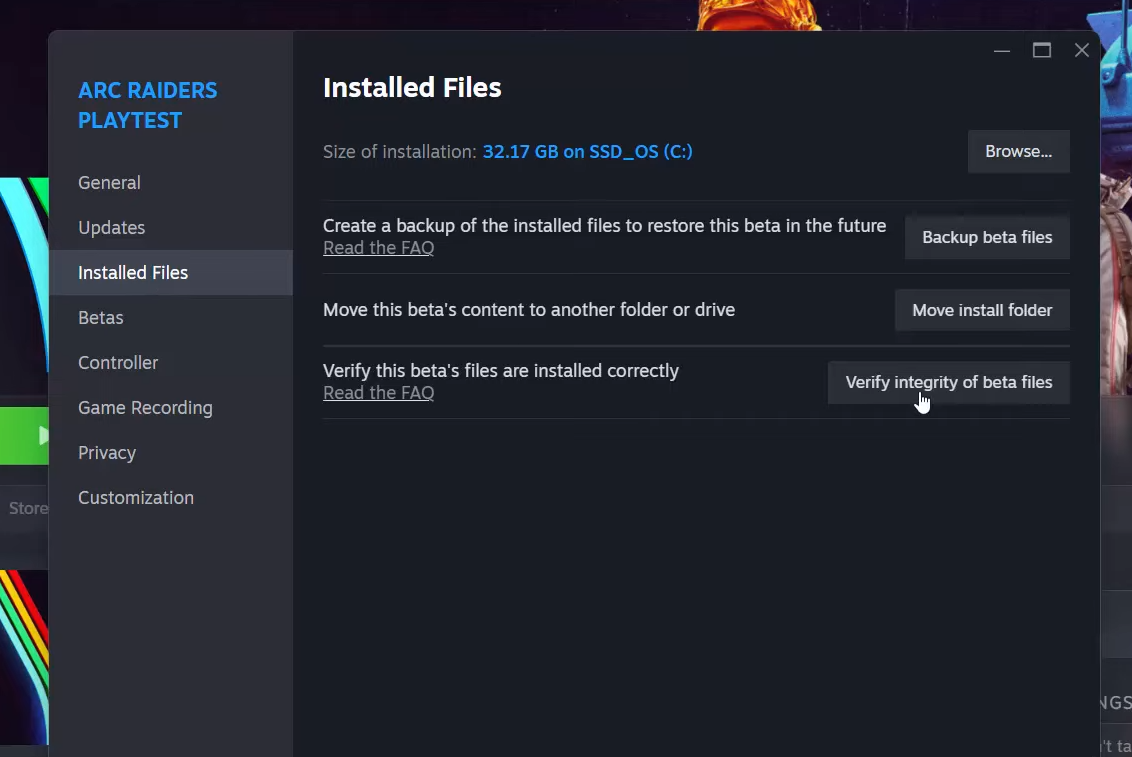
Fix 3: Verify game file integrity
Corrupted or missing files can interfere with networking and trigger ARMR0002, so run a file verification in your launcher. On Steam, use Arc Raiders → Properties → Installed Files → Verify integrity; on Epic Games Launcher, Library → Arc Raiders → Manage → Verify.
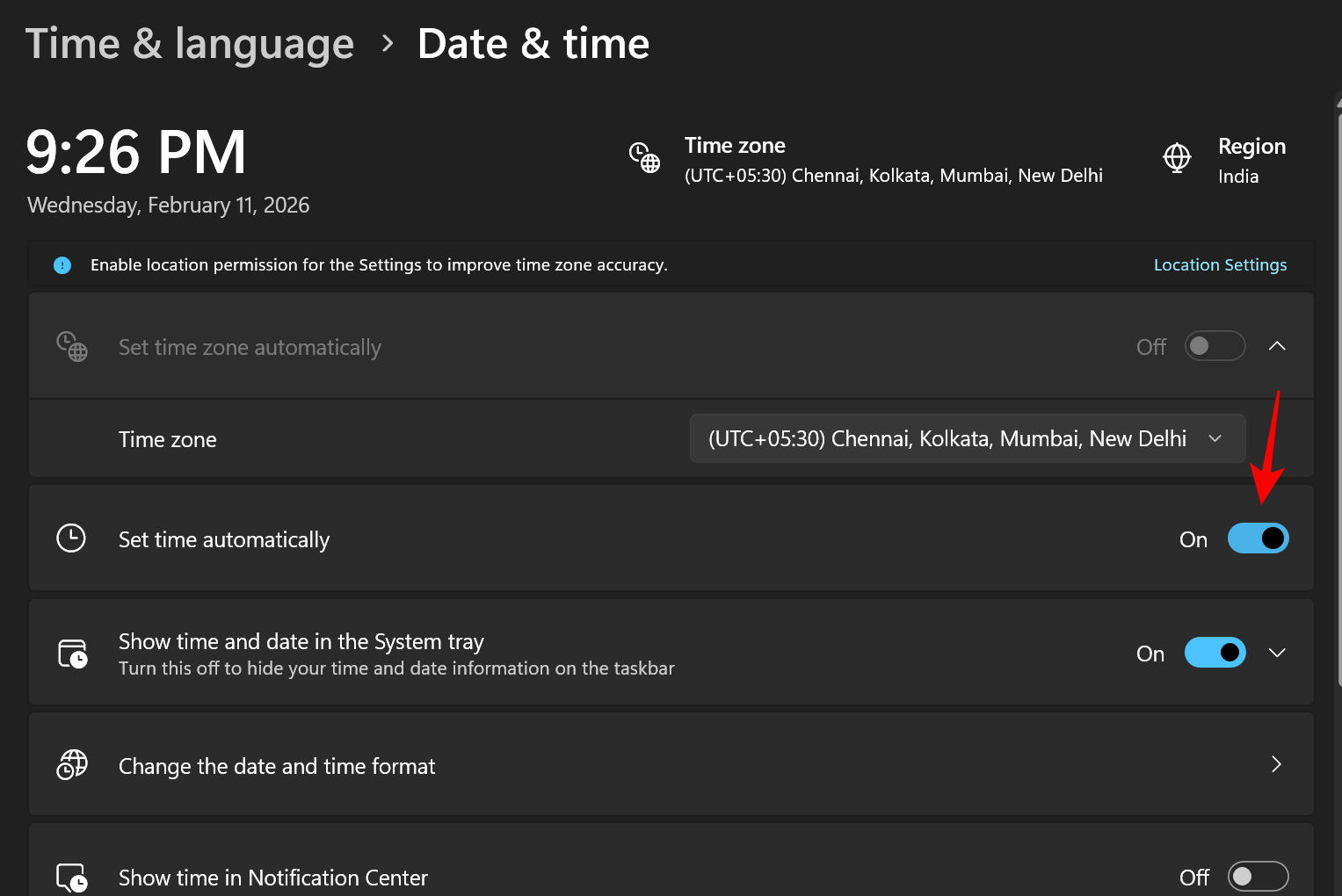
Fix 4: Sync your system clock
Matchmaking can rely on time-based tokens, so even small clock drift can break authentication and throw ARMR0002. On Windows, go to Adjust date and time, enable Set time automatically, then use Sync now, and retry matchmaking.
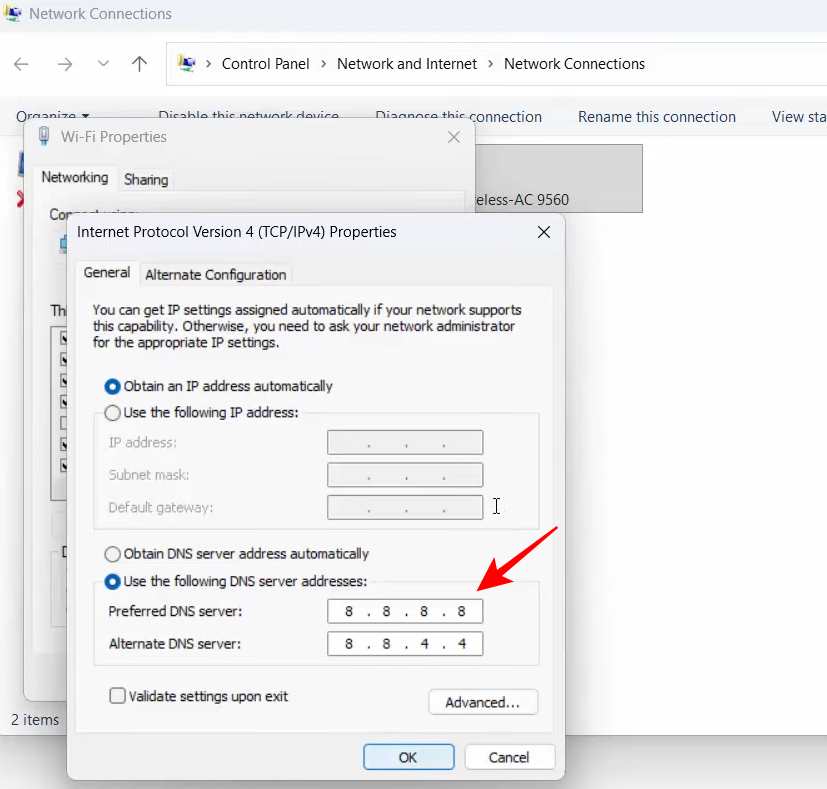
Fix 5: Change DNS to a faster public resolver
Slow ISP DNS can cause timeouts while locating or negotiating with services, so switching DNS can help. One commonly recommended option is setting IPv4 DNS to 8.8.8.8 and 8.8.4.4, then restarting your PC.
Fix 6: Know when to stop troubleshooting and wait
If you have done the steps above and you still get ARMR0002, the problem is likely on the server side and you may need to try again later. This is especially likely if many players report the same error at the same time.
How to tell if it is servers or your setup
If ARMR0002 appears suddenly after you were playing normally and it affects multiple people (especially your friends on different networks), it usually points to server-side issues. If only you are affected, and restarting your network changes anything at all (even briefly), it is more likely local connectivity, DNS, or file integrity.
Getting back to raids quickly
Treat ARMR0002 like a quick decision tree: restart and power cycle first, then verify files, sync time, and try DNS changes, and finally accept that some sessions fail because servers are having a bad window. Once you are back in, a stable wired connection can reduce the chance of repeat disconnect-style matchmaking failures compared to shaky Wi‑Fi.