What to know
- You can offer multiple items simultaneously from a Shrine.
- Multi-select works with a modifier key, not a menu toggle.
- Confirmation prompts protect rare gear from accidental loss.
- Bulk offerings often grant Amrita and bonus gifts in one action.
In Nioh 3, offering items at a Shrine is the game’s primary way to sacrifice unused equipment in exchange for Amrita and occasional gifts. As you progress, your inventory fills rapidly with weapons and armor of varying rarity, making single-item offerings painfully slow. The game quietly supports batch offerings, but the option isn’t labeled clearly—many players miss it entirely.
Once you understand the selection behavior, you can clear dozens of items in seconds without risking important gear.
| Feature | Function | Practical benefit |
|---|---|---|
| Shrine offering | Converts gear into rewards | Frees inventory space |
| Multi-select input | Selects several items at once | Massive time savings |
| Safety confirmation | Warns about valuable gear | Prevents mistakes |
| Post-offer gifts | Bonus items from Shrine | Extra value per offering |
Where the multi-offer option is located
The ability to offer more than one item isn’t a separate menu. It’s embedded directly into the Make an offering screen at any Shrine. This means you must already be outside of combat and actively praying at a Shrine to access it.
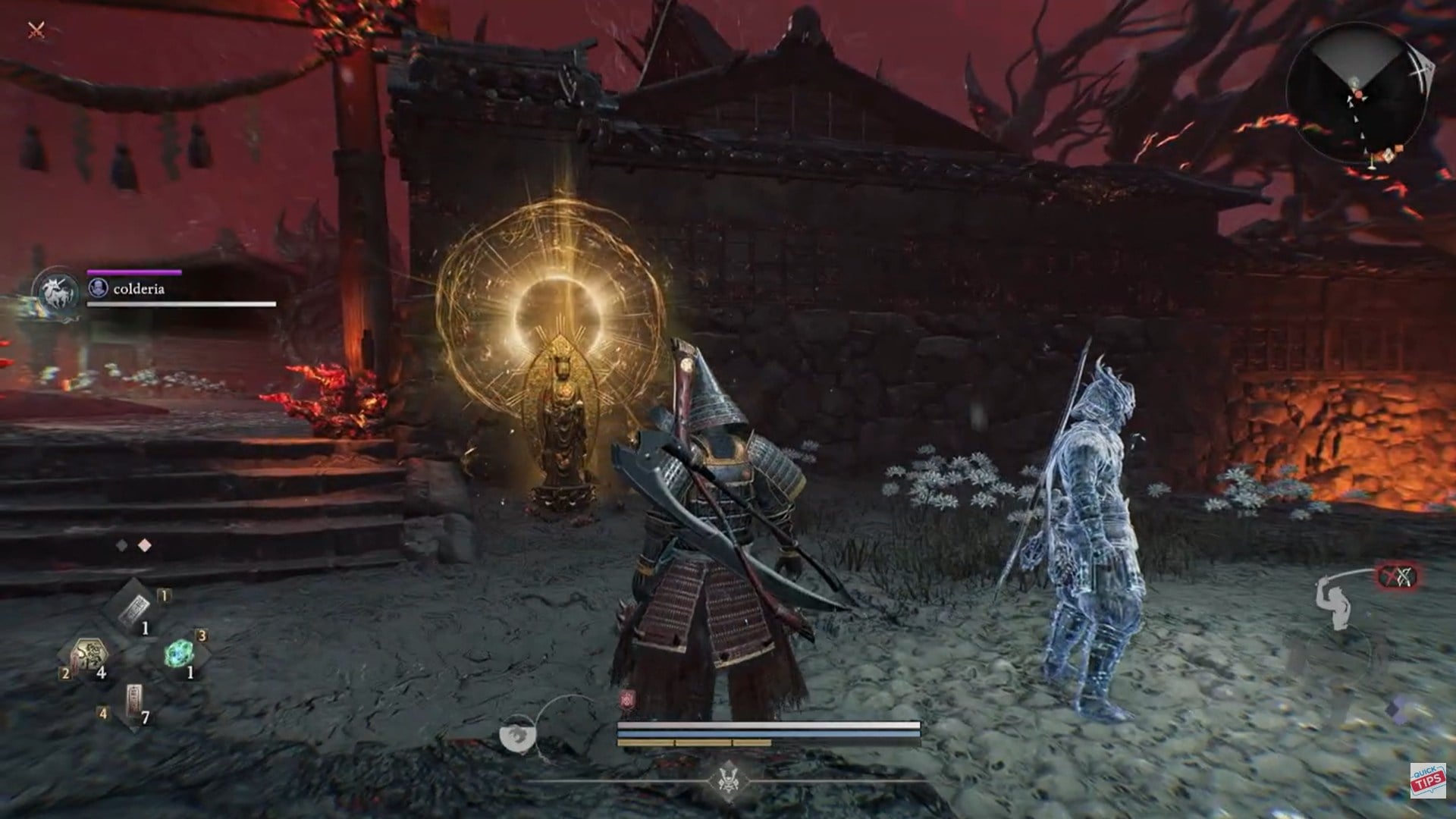
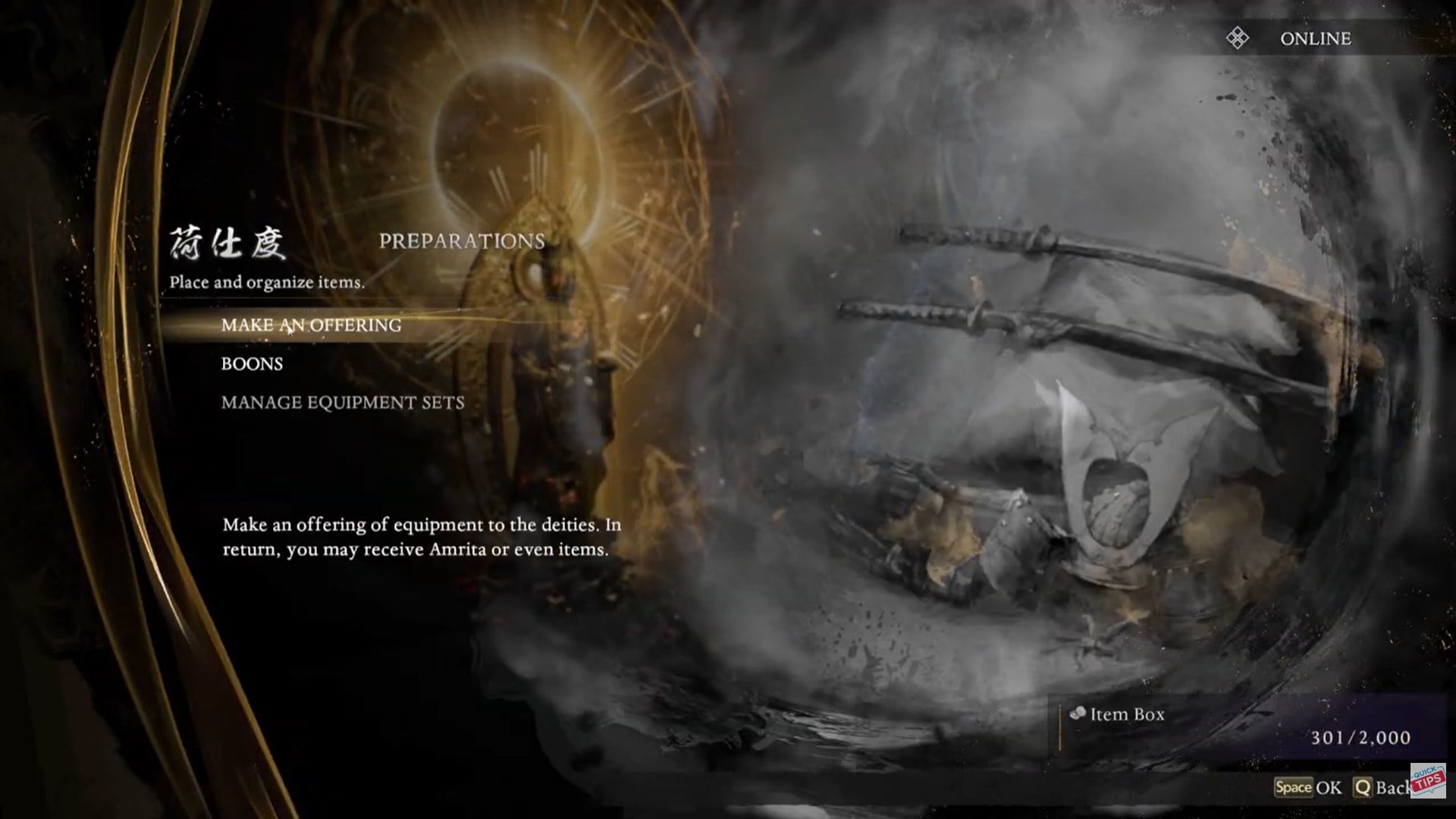
From the Shrine menu, enter Preparations, then choose Make an offering. This opens your equipment list—the same place where most players assume offerings must be done one by one.
How to offer more than one item at a time
Step 1: Access a Shrine properly
Approach a Shrine and pray by holding the interact key (on PC, this is typically E). Wait until the full Shrine menu appears.
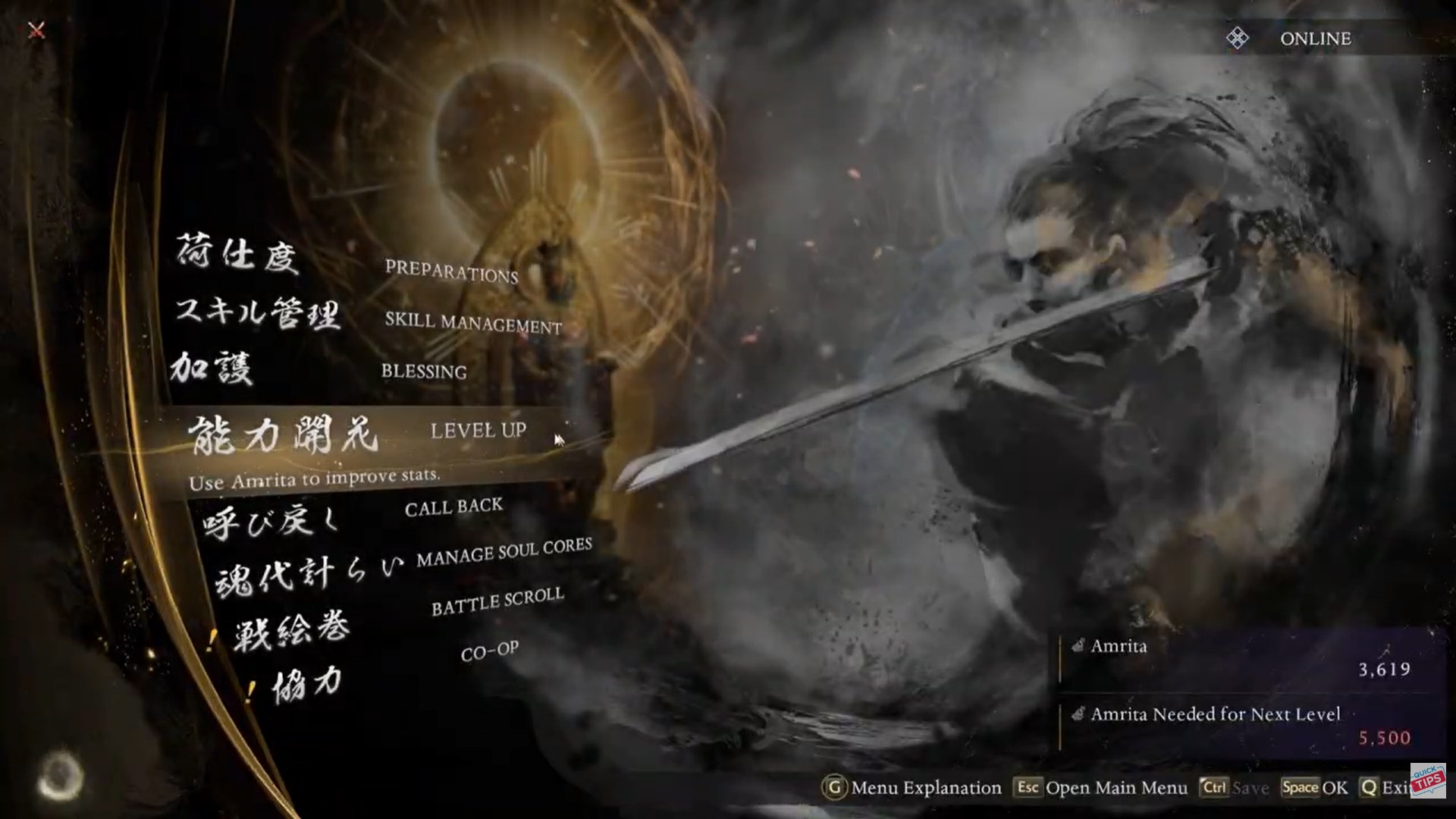
Step 2: Open the offering menu
Navigate into Preparations, then select Make an offering. Your list of eligible items will appear.
Step 3: Use multi-select correctly
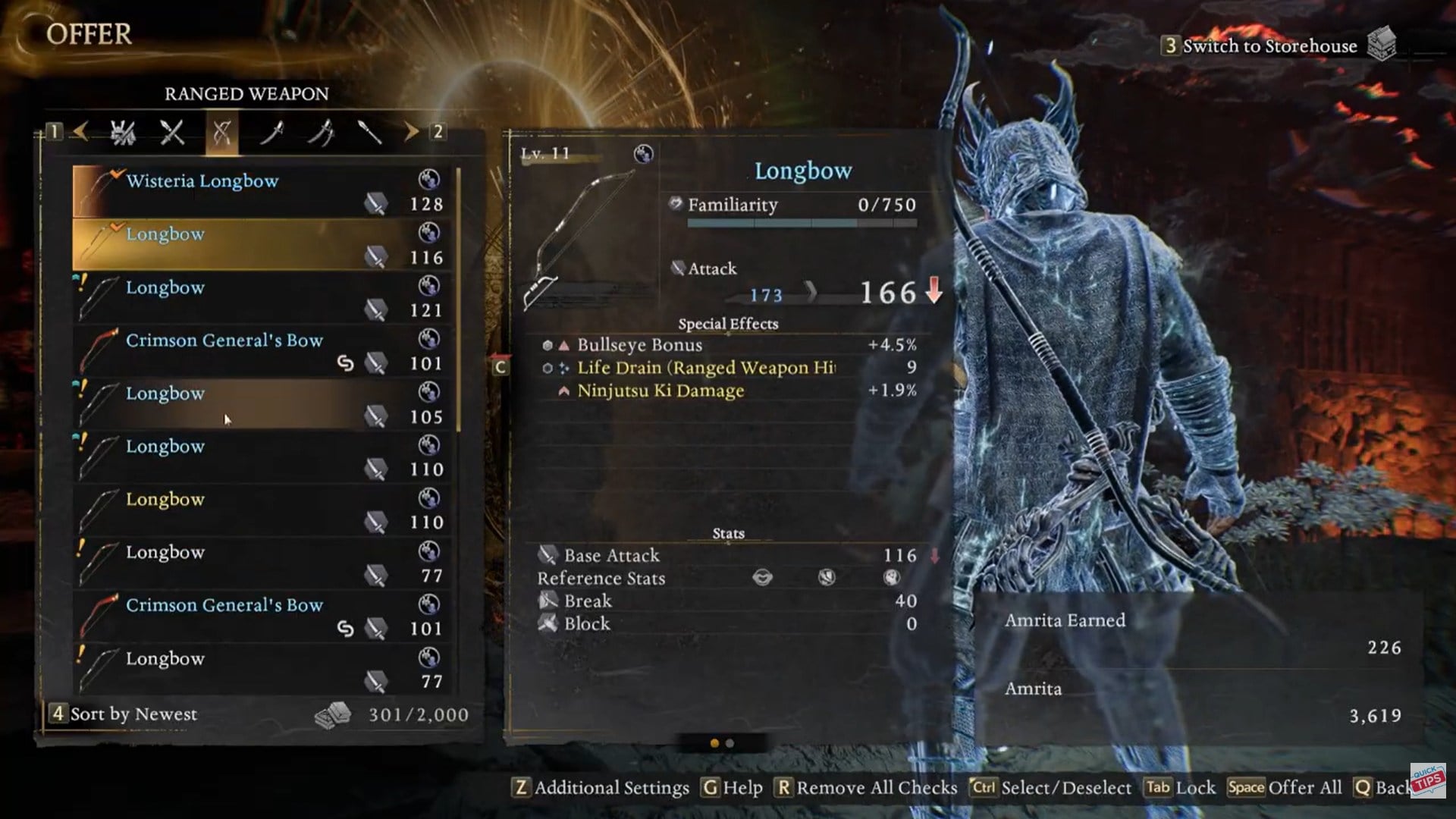
This is the key step. Hold the Control key and click each item you want to offer. A checkmark appears on every selected piece, confirming it’s queued for sacrifice.
Step 4: Confirm the batch offering
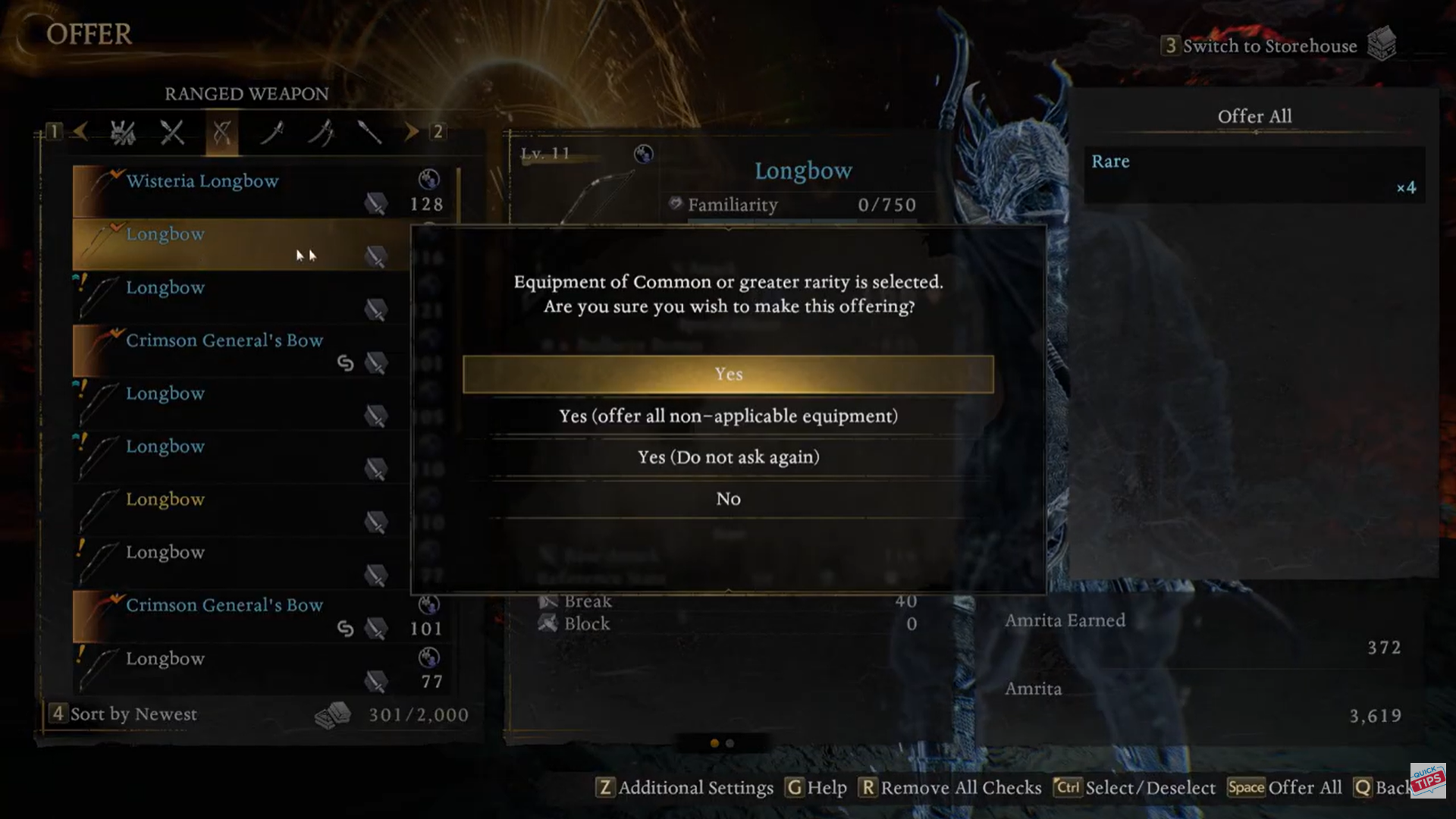
Once your items are selected, double-click to proceed. If any selected items are uncommon, rare, or higher risk, the game will display a warning prompt. Choose Yes to finalize.
Step 5: Collect rewards
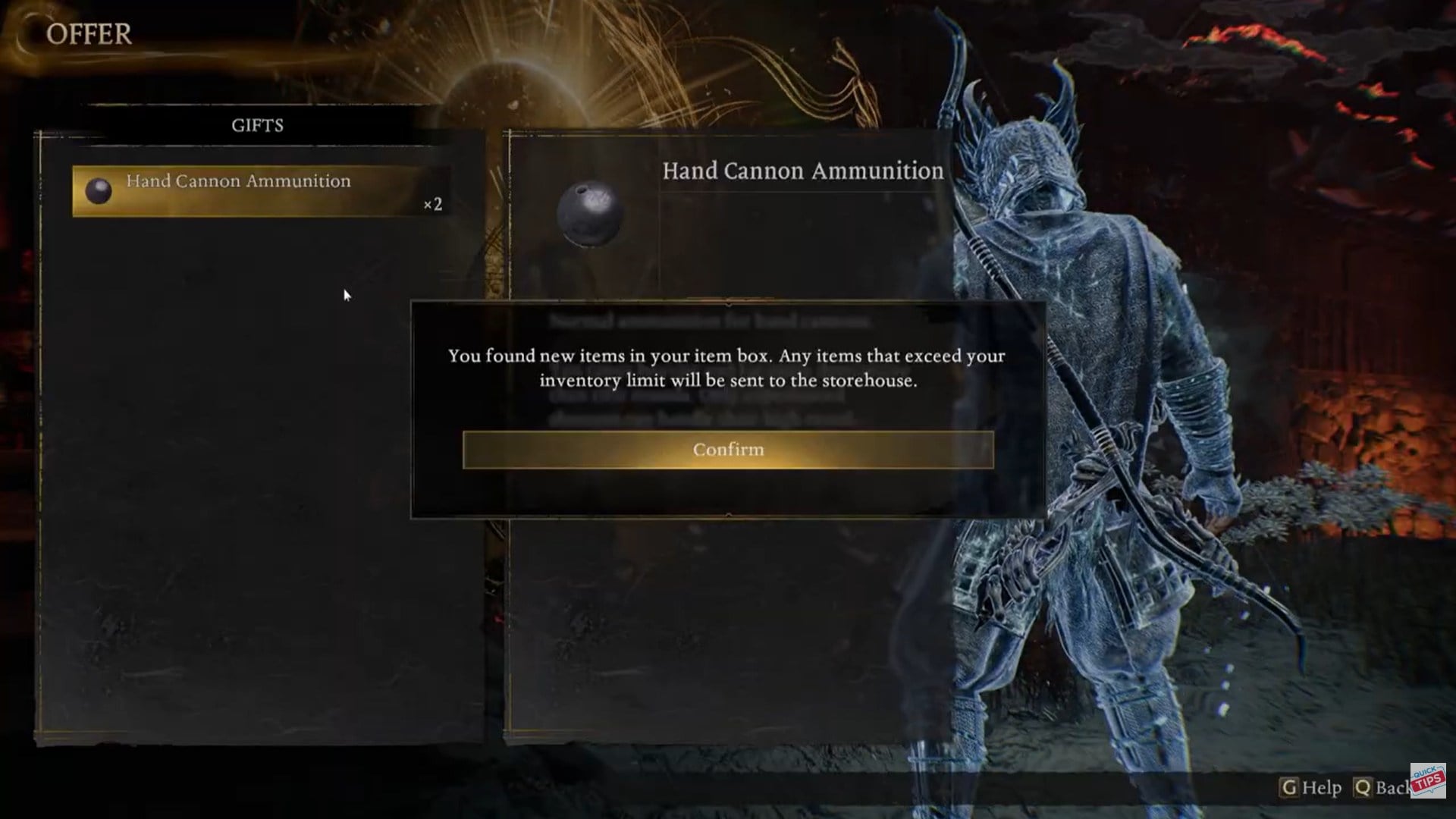
After the offering completes, you’ll receive Amrita immediately, and in some cases, additional gifts from the Shrine.
Why the confirmation warning matters
Nioh 3 is intentionally cautious with batch actions. If your selection includes valuable or higher-tier equipment, the game pauses and asks for confirmation. This safeguard exists to prevent accidental loss of gear that could be upgraded, dismantled, or used in builds later.
Pay attention here—once confirmed, offered items are permanently gone.
What you gain from bulk offerings
| Reward type | Description | Why it’s useful |
|---|---|---|
| Amrita | Main experience currency | Faster leveling |
| Shrine gifts | Bonus items after offering | Extra progression value |
| Inventory space | Cleans excess gear | Smoother loot management |
Bulk offerings are especially effective after long missions or boss runs, when your inventory is cluttered with low-value drops.
Common mistakes players make
Many players assume multi-offer is disabled because they don’t see a visible toggle. Others attempt to use Shift instead of Control, which does not work for selection. Another common issue is trying to offer items while not fully inside the Shrine menu, which disables batch selection entirely.
If checkmarks aren’t appearing, double-check that you’re holding Control before clicking.
When you should do Bulk offering in Nioh 3
Offering multiple items at once shines during early and midgame, when gear turnover is high and build identity is still forming. Later in the game, you may want to be more selective, but even then, bulk offering remains the fastest way to clear out duplicate or obsolete equipment.
Used properly, it turns Shrine visits into quick maintenance stops instead of inventory micromanagement sessions.
Being able to offer more than one item at a time in Nioh 3 is a small feature with a huge quality-of-life impact. Once you know the Control-click selection trick, inventory management becomes faster, safer, and far less tedious.
If you’re regularly returning from missions overloaded with gear, mastering batch offerings is one of the simplest ways to streamline your progression.