What to know
-
Neon flag is used for voting on player works during the Spring Festival event.
-
You access neon flag voting from the Events tab, not from the open world or map icons.
-
Voting happens inside the All as one path, under Show of splendor, via the Rank tab.
-
Spending a neon flag is the act of casting a vote on a selected work.
In Where Winds Meet, the Neon flag is part of the Spring Festival event UI, where you view other players submissions and vote for them. You do this by offering a neon flag, which functions as your vote.
| Quick overview | Details |
|---|---|
| Purpose | Voting currency for player works in Spring Festival. |
| Where to use it | Events tab → Spring Festival event pages. |
| What it does | Lets you vote by offering a neon flag to a players work. |
| Main path | All as one → Show of splendor → Rank tab. |
How to vote using neon flag in Spring Festival
Step 1
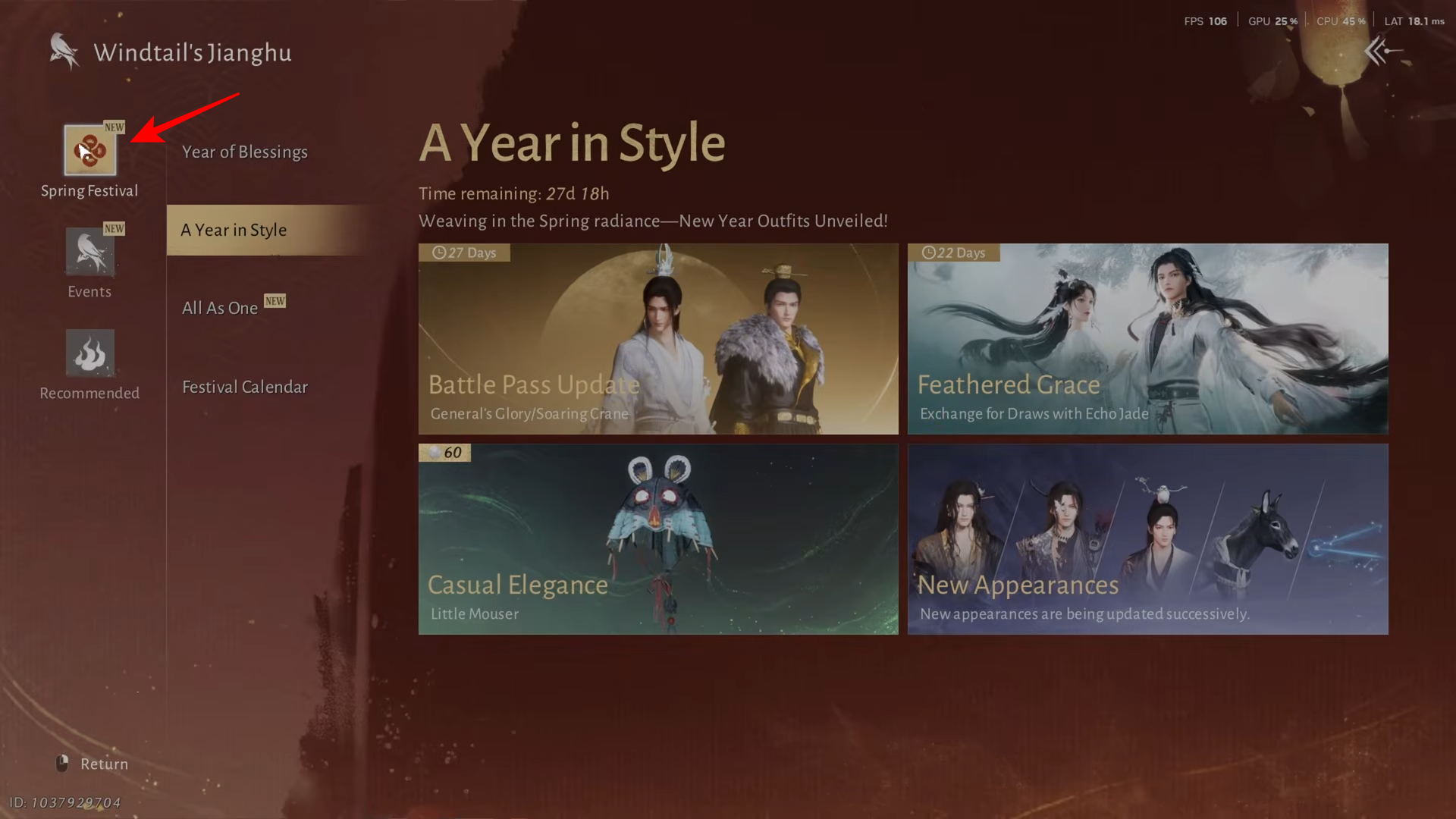
Open the Events tab.
Step 2
Go to Spring Festival.
Step 3
Select All as one.
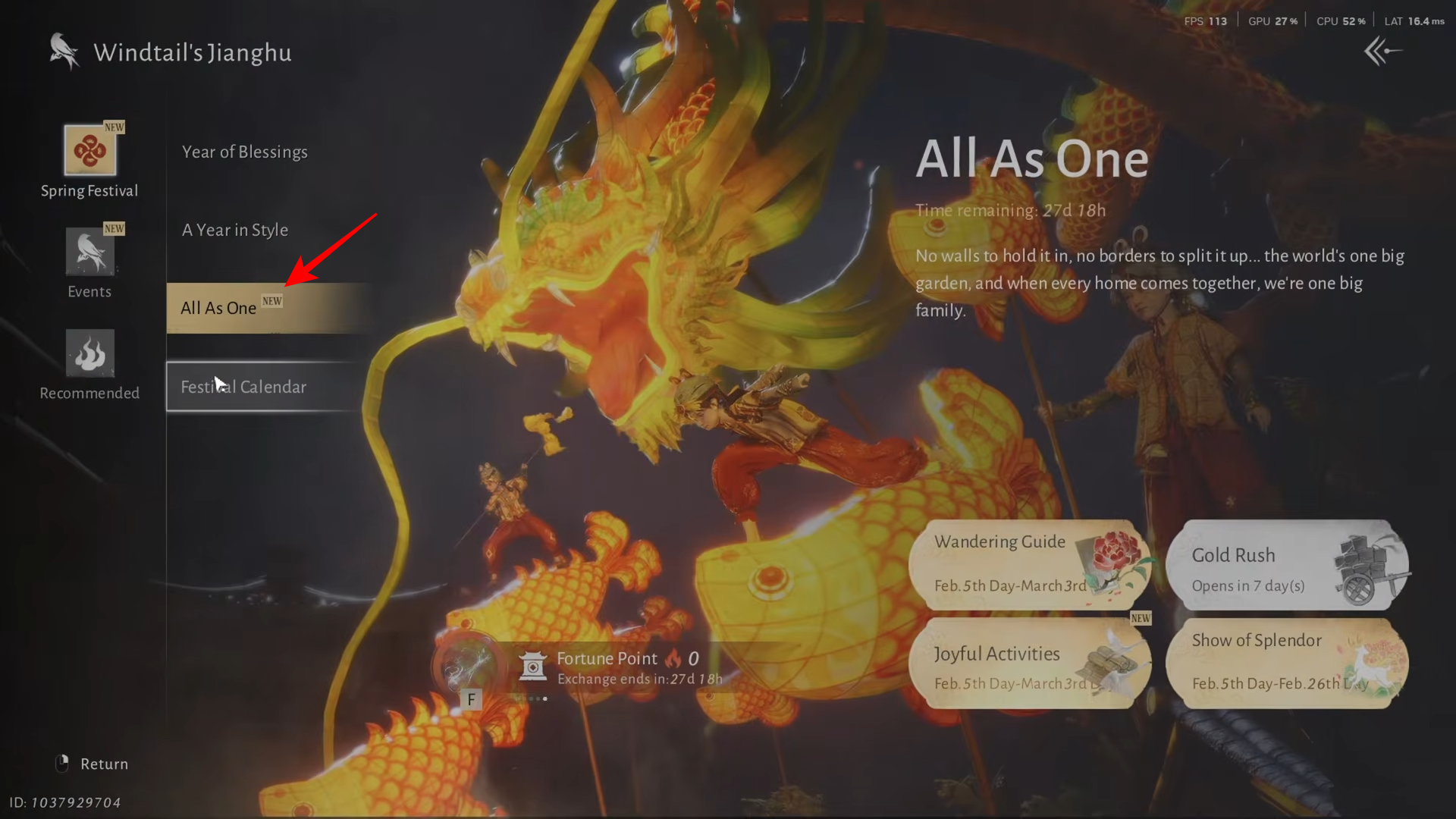
Step 4
Open Show of splendor.
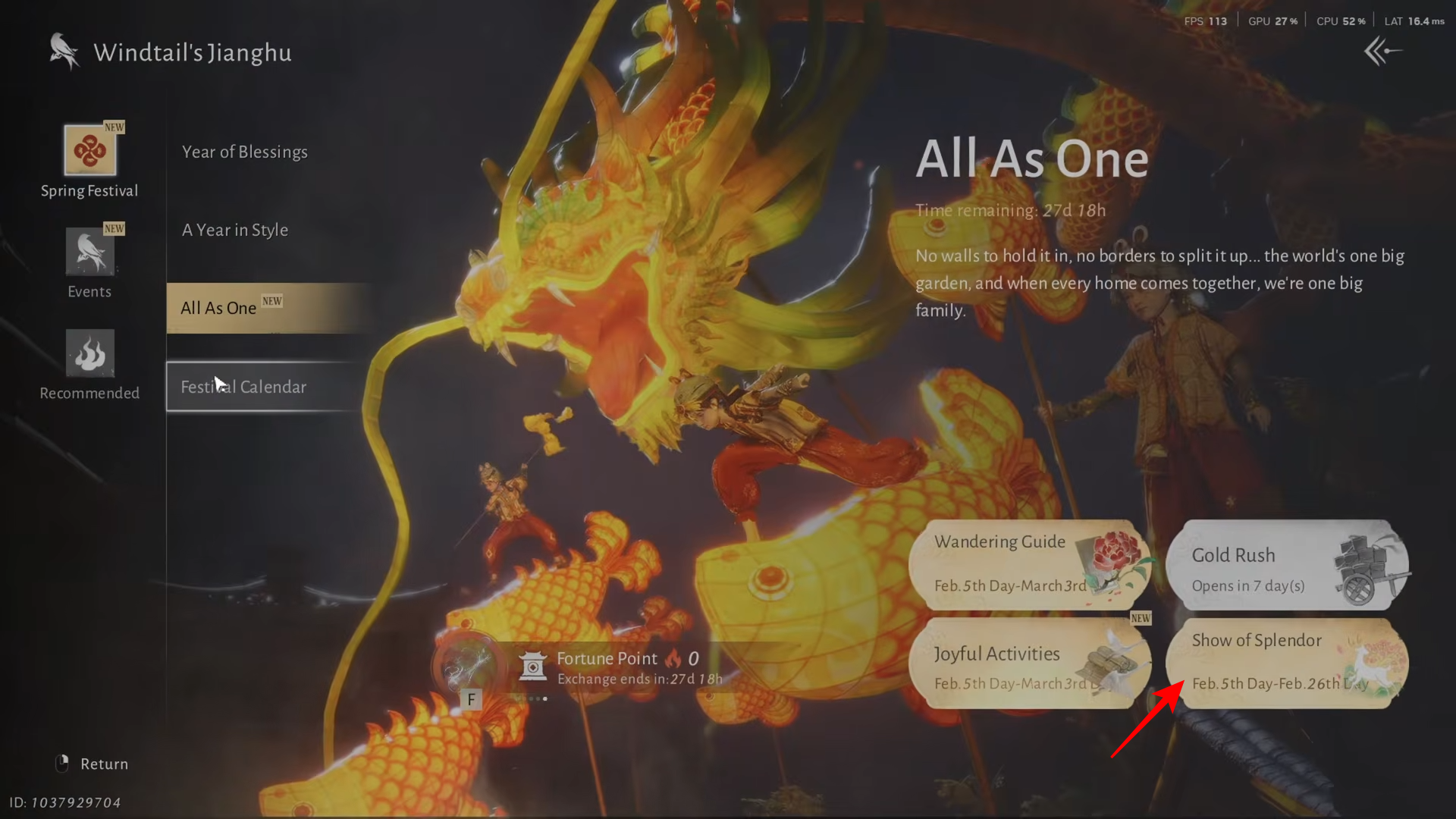
Step 5
Go to the Rank tab to view peoples works.
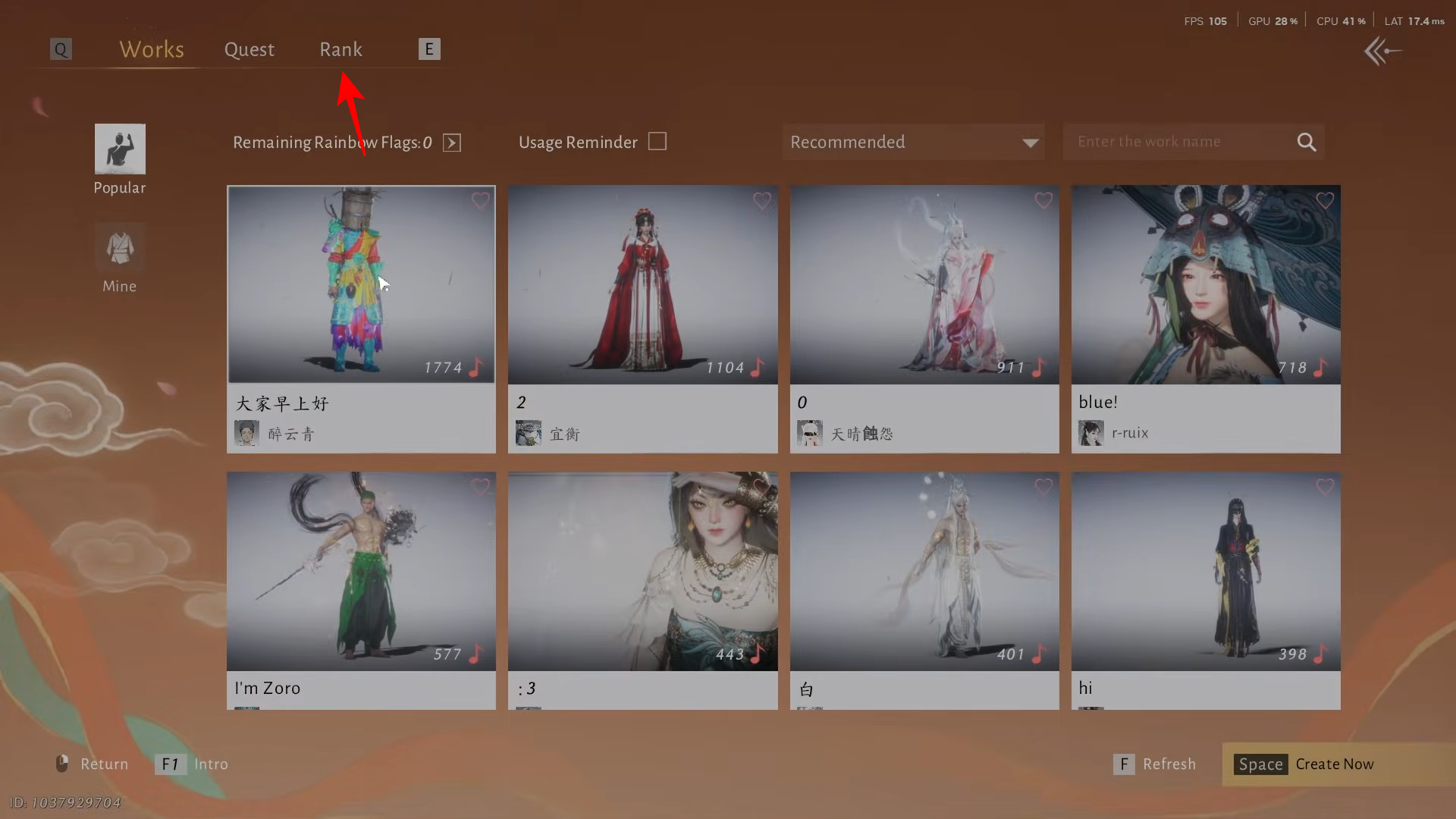
Step 6
Pick a work you want to support and vote by offering a neon flag.
All neon flag voting is done inside the Spring Festival event interface, specifically through the Show of splendor area where you can browse ranked works and vote from the Rank tab.
Voting with Neon flags
Neon flags are what you vote with in the Spring Festival You are looking for the Spring Festival voting screen, where offering a neon flag is the vote itself. So go and view people’s work there and vote whichever work you like.