What to know
- All Penguin skins can be unlocked without spending Robux
- Ice is the core currency used to obtain skins
- Joining the developer’s Roblox group grants free Ice
- Skins must be equipped manually after claiming rewards
Customizing your penguin is a big part of standing out in Penguin Knockout. Skins don’t change combat performance, but they do give your character a unique look that reflects your progress and engagement with the game. The good news is that Penguin Knockout makes skins accessible to everyone through free systems tied to gameplay and community participation.
This guide explains how the skin system works, how to earn Ice efficiently, and how to properly equip your Penguin skins once unlocked.
Penguin skins and Ice system explained
Penguin Knockout uses Ice as its primary cosmetic currency. Ice is not premium-only and does not require Robux, which means every player has access to skins simply by playing or engaging with the game’s community features.
Skins are categorized under Active Skins and Beacon Skins, and once unlocked, they remain permanently available in your inventory.
Quick overview of skins and Ice
| Feature | Details |
|---|---|
| Currency used | Ice |
| Paid currency required | None |
| How Ice is earned | Winning matches, group rewards |
| Skin types | Active Skins, Beacon Skins |
| Gameplay advantage | Cosmetic only |
How to access free skins in Penguin Knockout
When you load into the game, look to the top-right corner of the screen, where you’ll see a Free Skins option. This is your entry point into the skin system. Selecting it opens the menu that displays available skins and your current Ice balance.
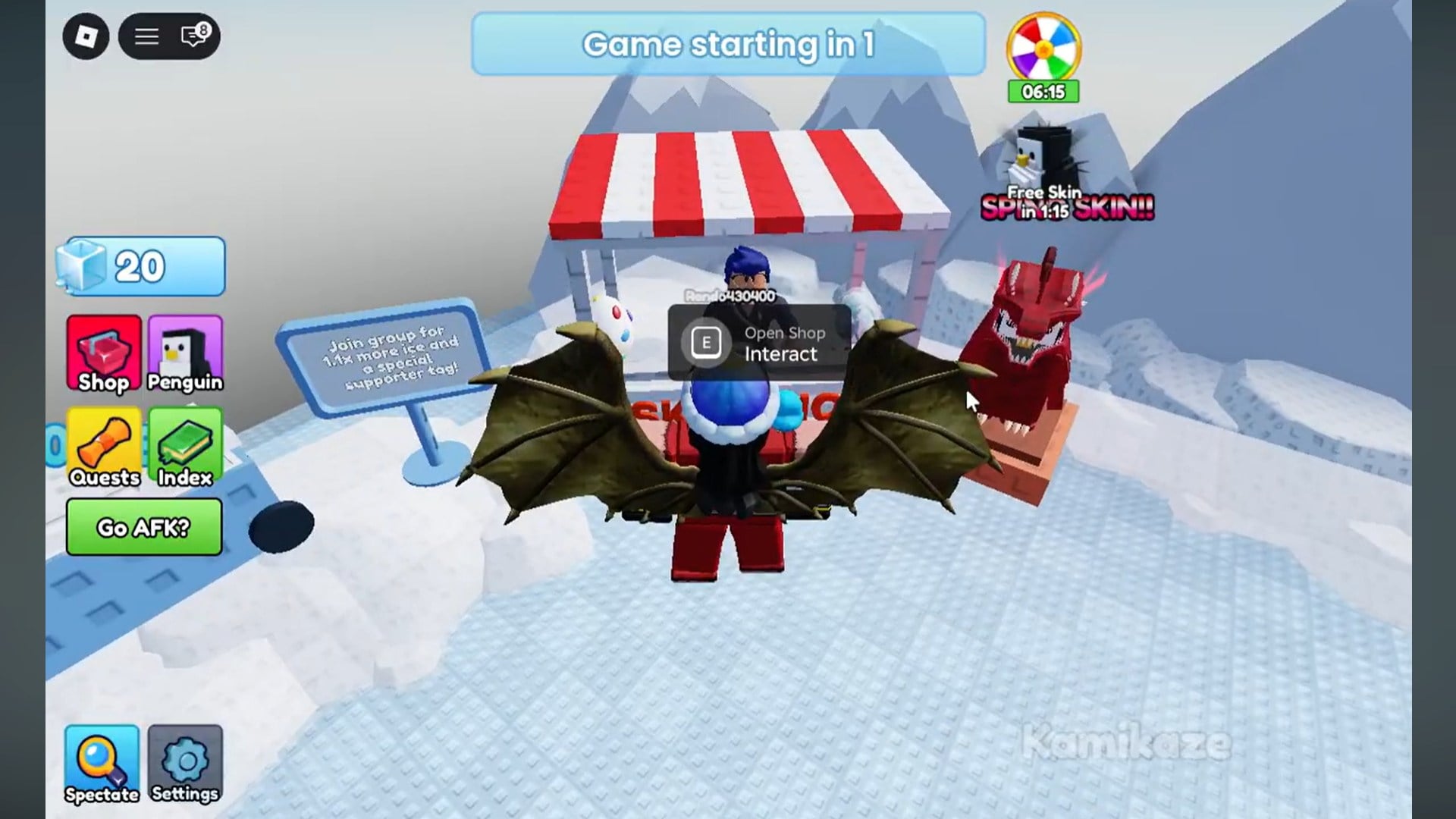
From here, clicking on Active Skins shows which skins are already unlocked and which ones still require Ice. This menu is also where you’ll equip skins later, so it’s worth getting familiar with it early.
How to earn Ice by playing matches
The most straightforward way to earn Ice is simply by winning games. Each match victory rewards you with Ice, and over time this adds up quickly, especially if you’re playing consistently.
While the amount earned per match isn’t huge, this method is reliable and doesn’t require leaving the game or joining external menus. For new players, a few wins are usually enough to unlock your first Penguin skin.
How to get free Ice by joining the developer’s group
If you want a faster boost, Penguin Knockout offers free Ice for joining the developer’s Roblox group. This method is completely free and only needs to be done once.
You’ll need to exit the game briefly and navigate to the game’s main Roblox page. From there, click on Knockout, press Like, then select the developer’s name and join their group. Once you rejoin the game, the reward becomes available automatically.
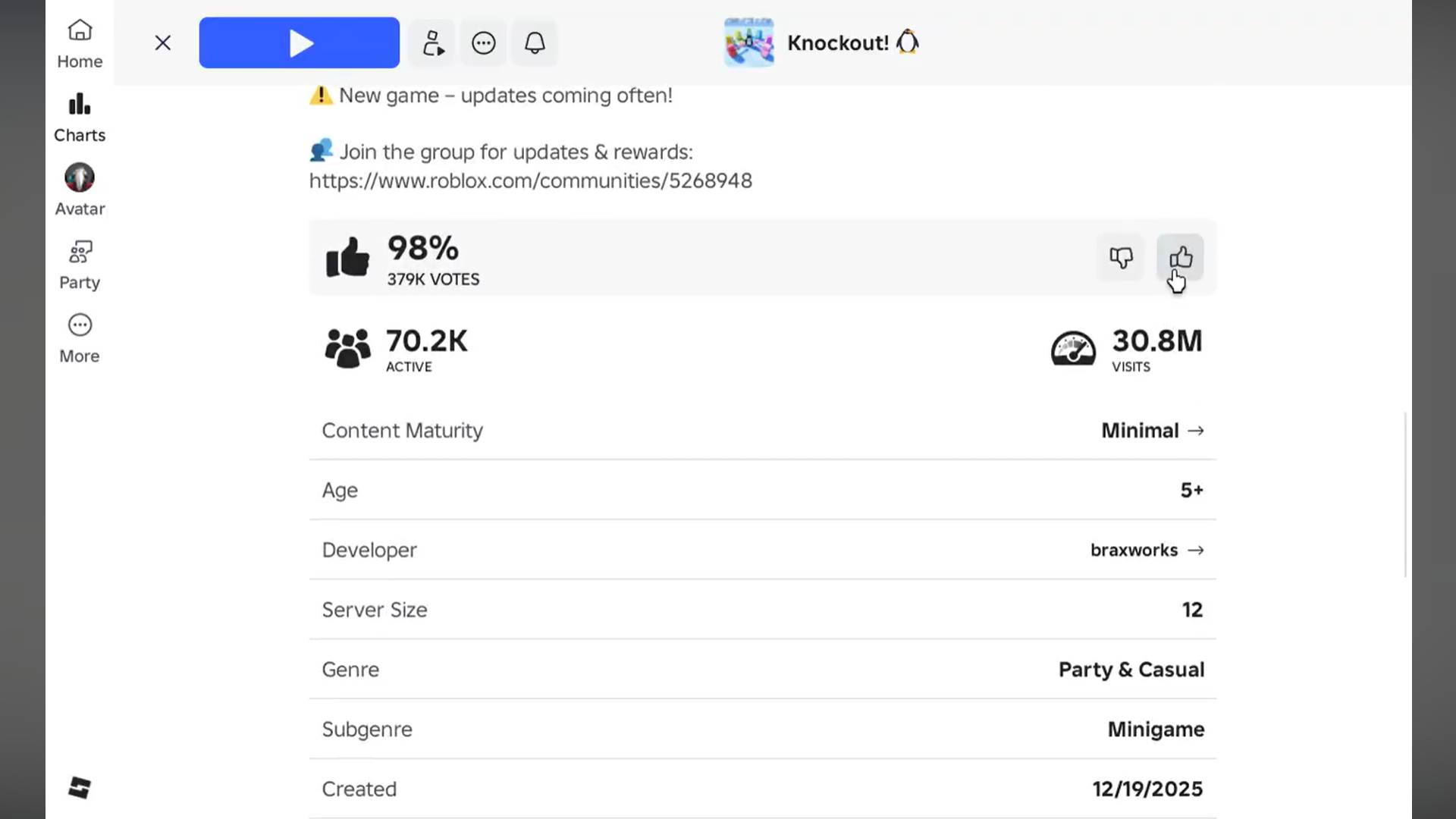
After returning, head back into the skins or Ice section and claim your free Ice. This bonus is often enough to unlock multiple skins immediately.
Claiming rewards and equipping Penguin skins
Once you’ve earned Ice—either through matches or group rewards—the process of equipping skins is simple but must be done manually.
Open the Free Skins menu again and navigate to Beacon Skins or Active Skins, depending on the skin you unlocked. Click on the skin you want to use, then select Equip. The change applies instantly, and your penguin will appear with the new look in matches.
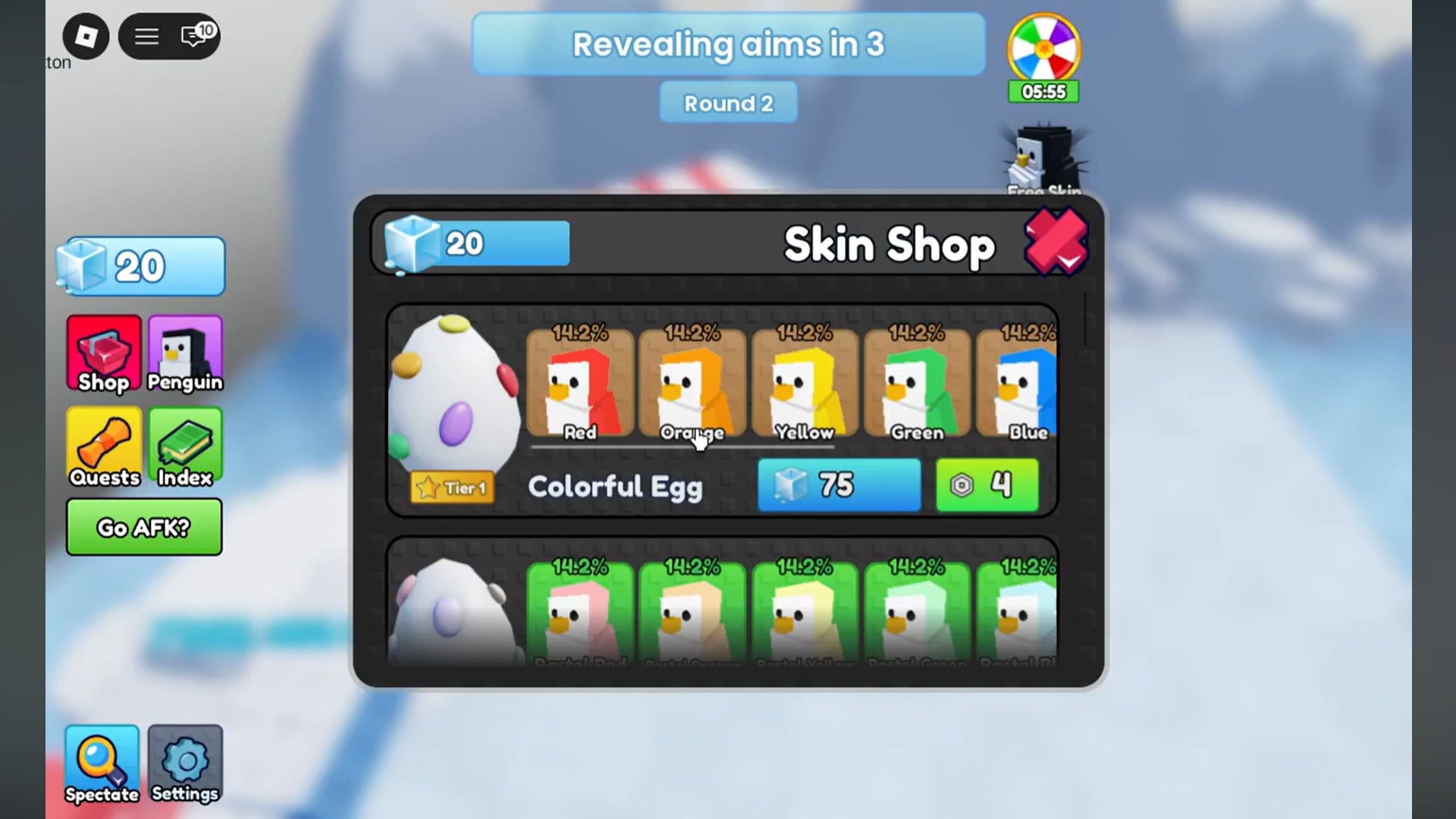
It’s important to note that unlocking a skin does not auto-equip it. You must equip it yourself from the menu each time you switch styles.
Common issues players run into
Penguin Knockout keeps its cosmetic system fair and accessible. By combining match rewards with community-based bonuses, the game ensures every player can customize their penguin without spending real money. Whether you grind wins or grab the free Ice from the developer group, unlocking skins is straightforward once you know where to look.
Some players assume skins are locked behind Robux because they don’t immediately see Ice rewards. In most cases, this comes down to not claiming the group reward or forgetting to equip the skin after unlocking it. If your Ice balance hasn’t updated, rejoining the server usually resolves the issue.