What to know
-
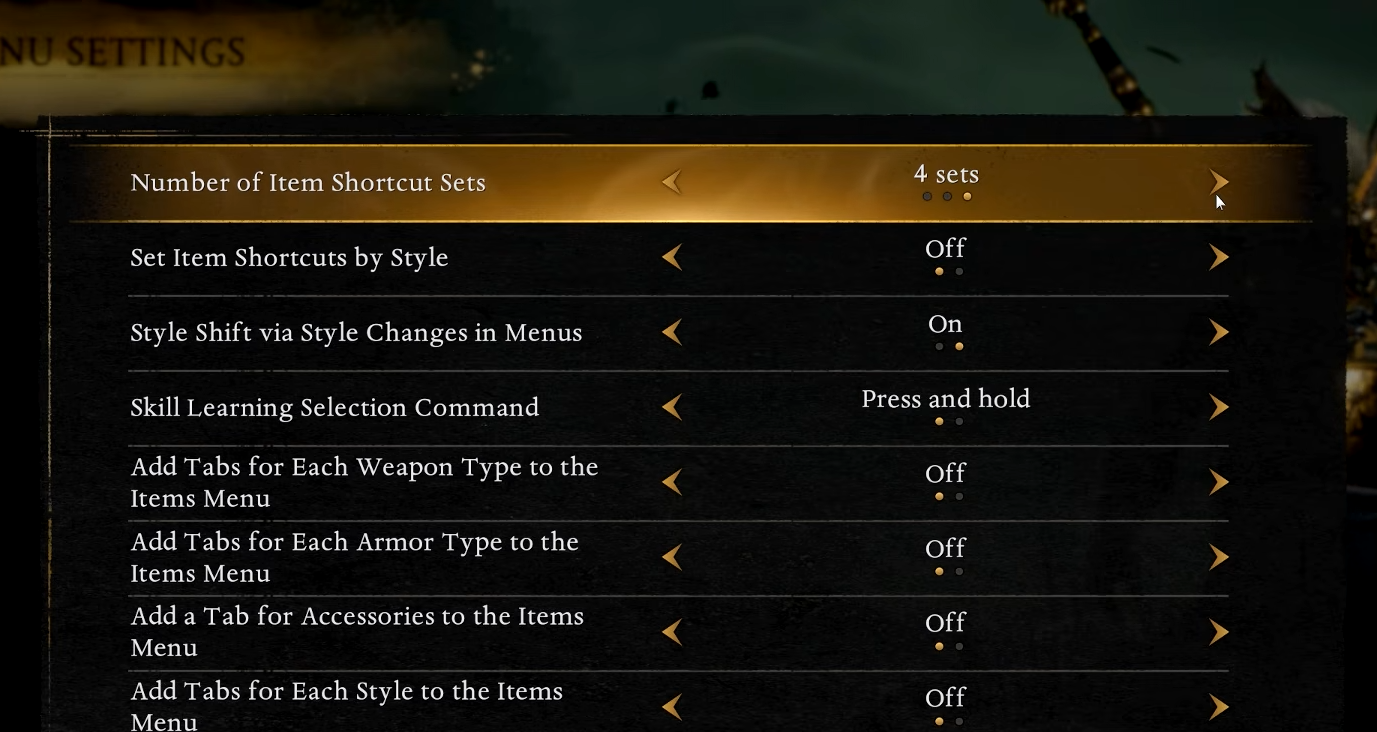
The game defaults to 2 item shortcut sets, which is why you start with 8 quickslots total.
-
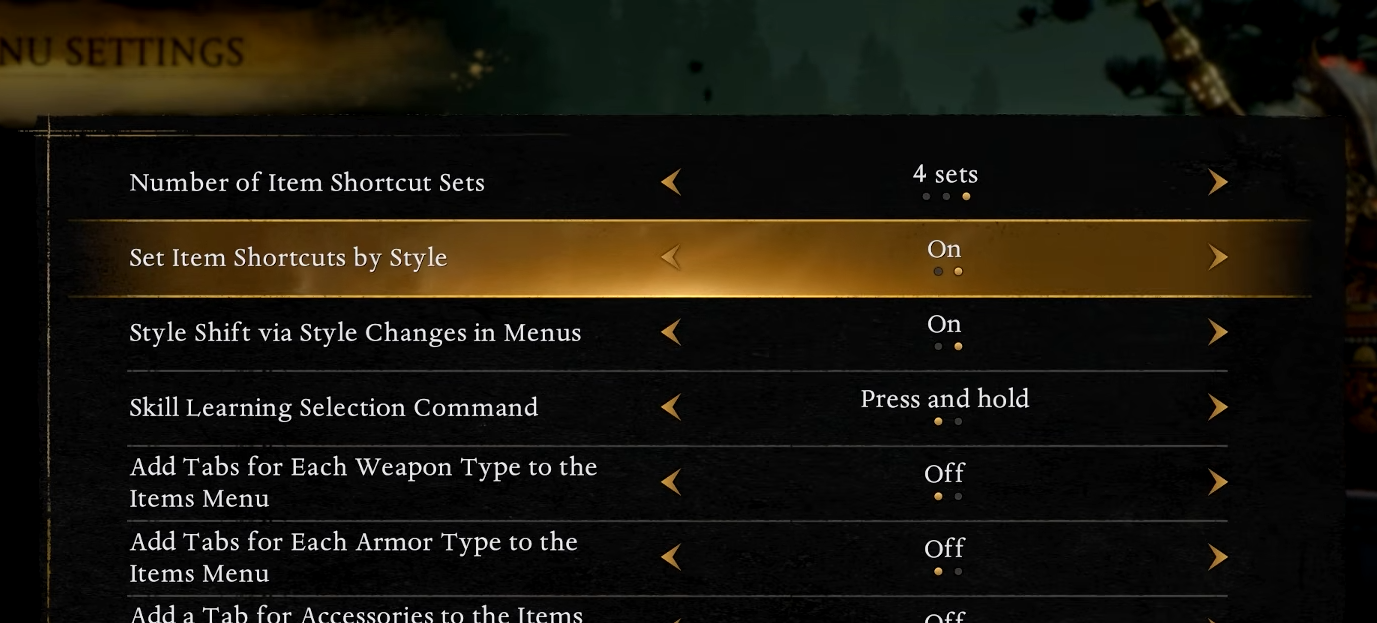
You can raise the Number of Item Shortcut Sets up to 4, giving you 16 quickslots (4 sets × 4 slots).
-
If you enable Set item shortcuts by style, you can keep separate shortcut pages for Ninja and Samurai styles, effectively multiplying how many sets you can maintain overall.
-
More sets are great for jutsu-heavy loadouts, but they also increase menu scrolling and muscle-memory demands, so set only what you can reliably use mid-fight.
Nioh 3 lets you carry more usable items on the d-pad than the default 8, but the option is tucked away in menu configuration rather than being unlocked through progression. Once you turn on extra shortcut sets and organize them well, you can keep healing, buffs, debuffs, and utilities ready without constantly re-equipping between encounters.
| Goal | What to change | Where to change it | Result |
|---|---|---|---|
| Go beyond 8 quickslots | Number of Item Shortcut Sets → 3 or 4 | Menu Settings | Up to 16 quickslots (4 sets × 4 slots). |
| Separate layouts per style | Set item shortcuts by style → On | Menu Settings | Different shortcut pages for Ninja and Samurai, potentially up to eight sets in total across both styles. |
How to set more than 8 quickslots
Step 1
Open the in-game Settings. Go to System.
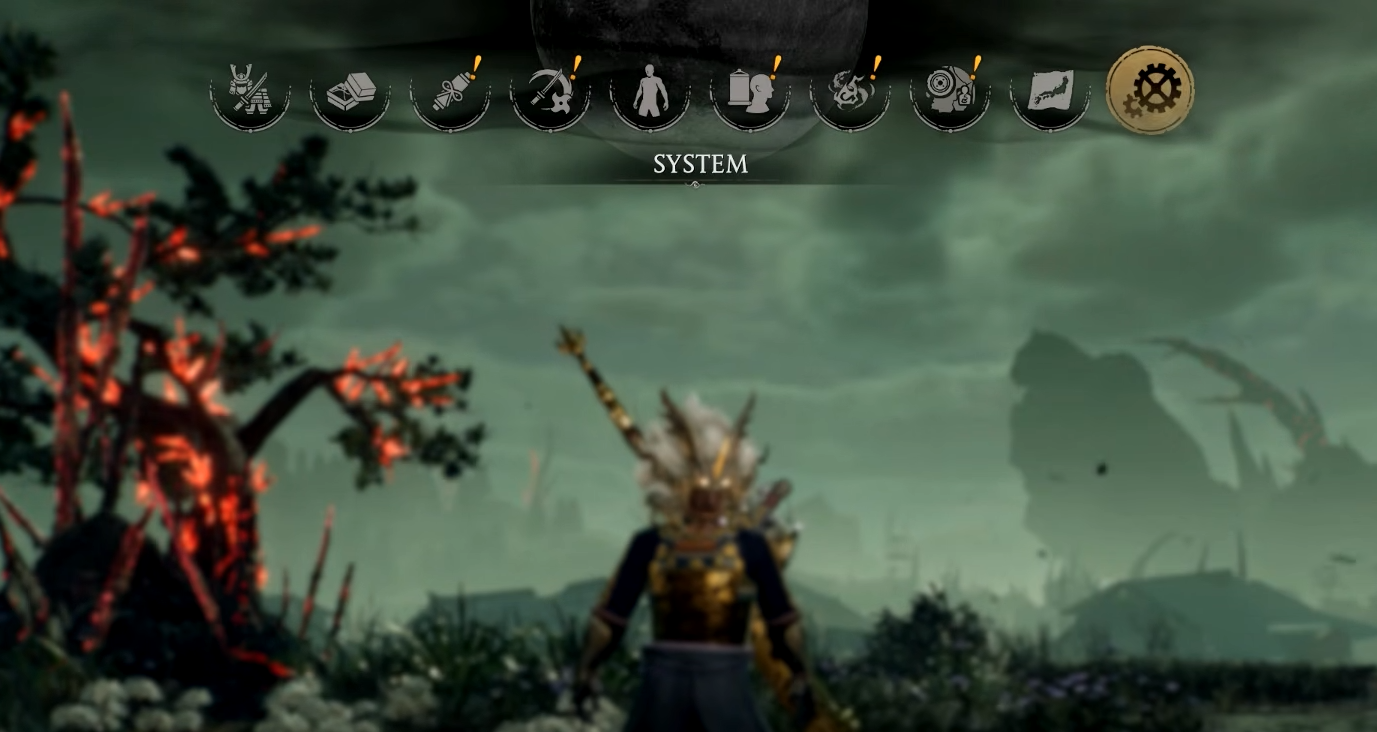
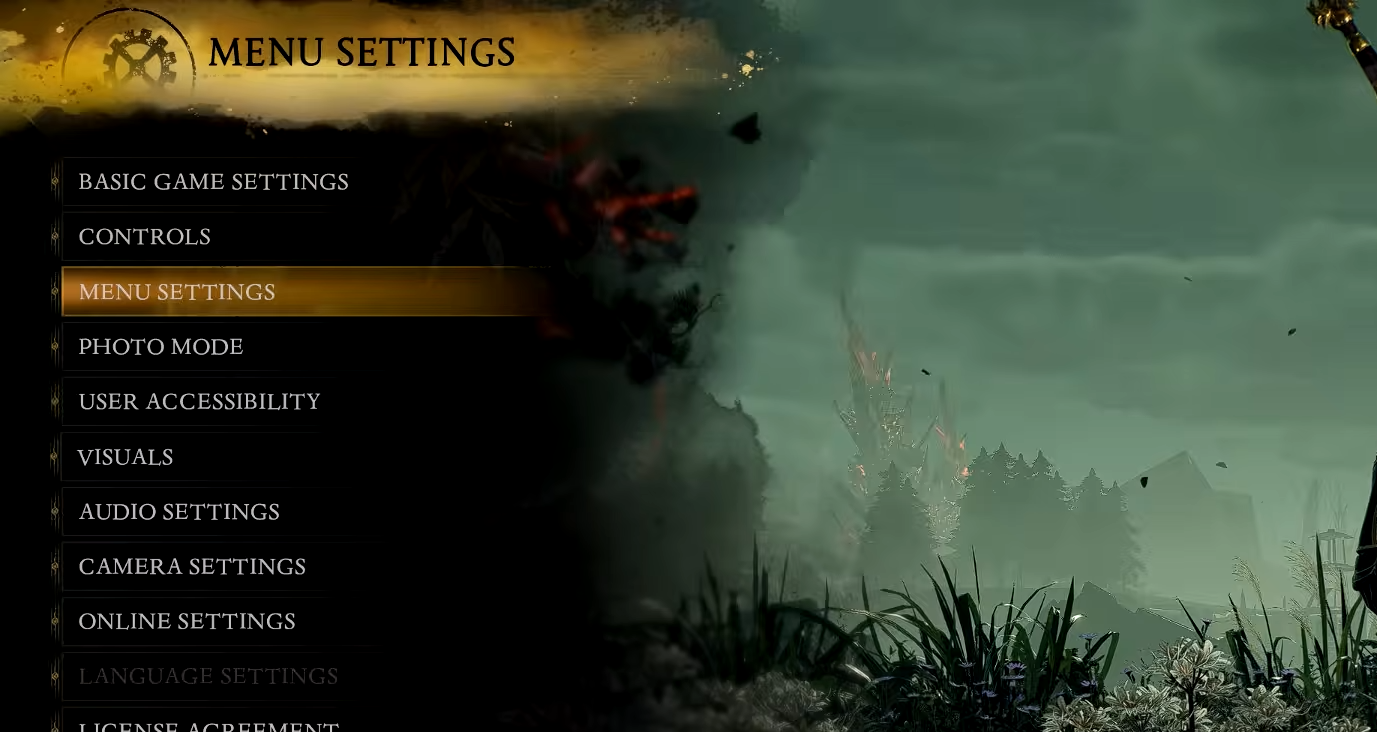
Then navigate to Menu Settings.
Step 2
Find Number of Item Shortcut Sets and change it from the default 2 up to 3 or 4.
Step 3
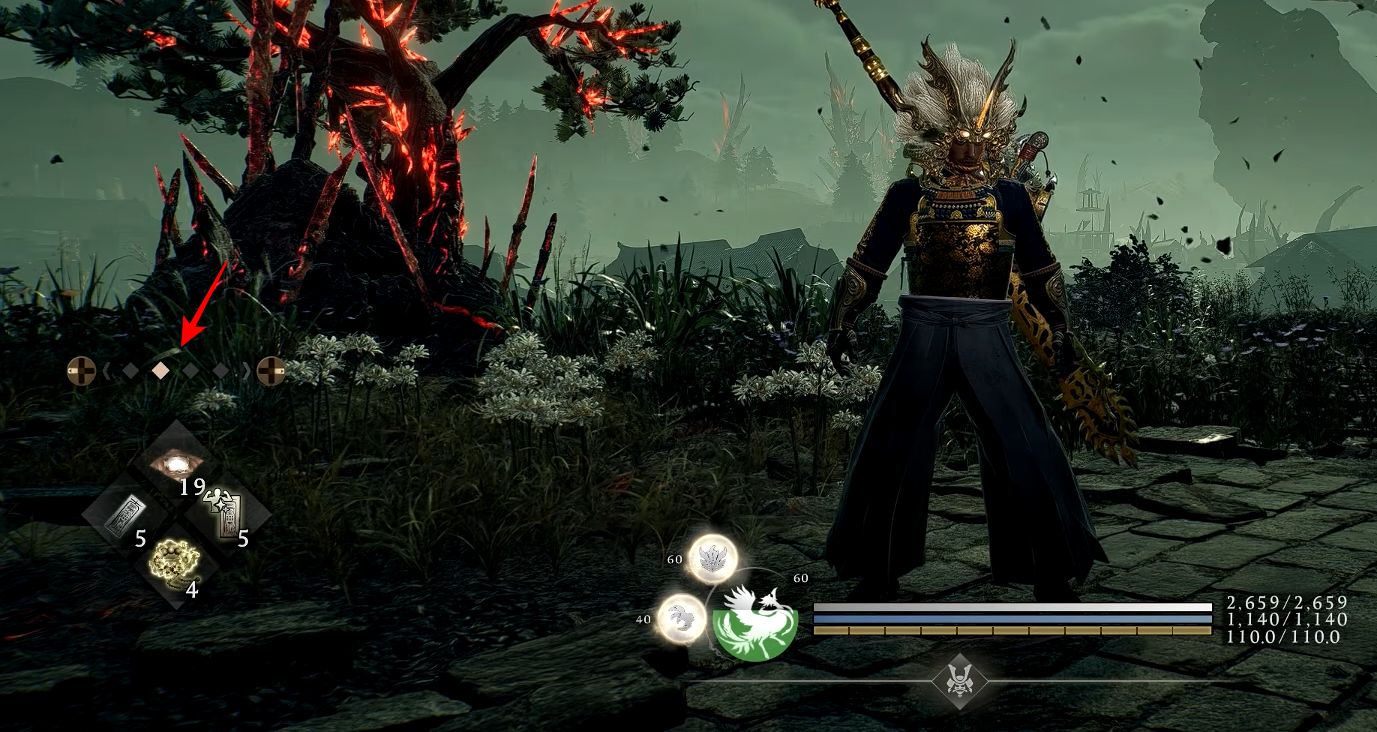
Confirm and back out, then open your item shortcut/usable items assignment screen and fill the newly available sets.
Step 4
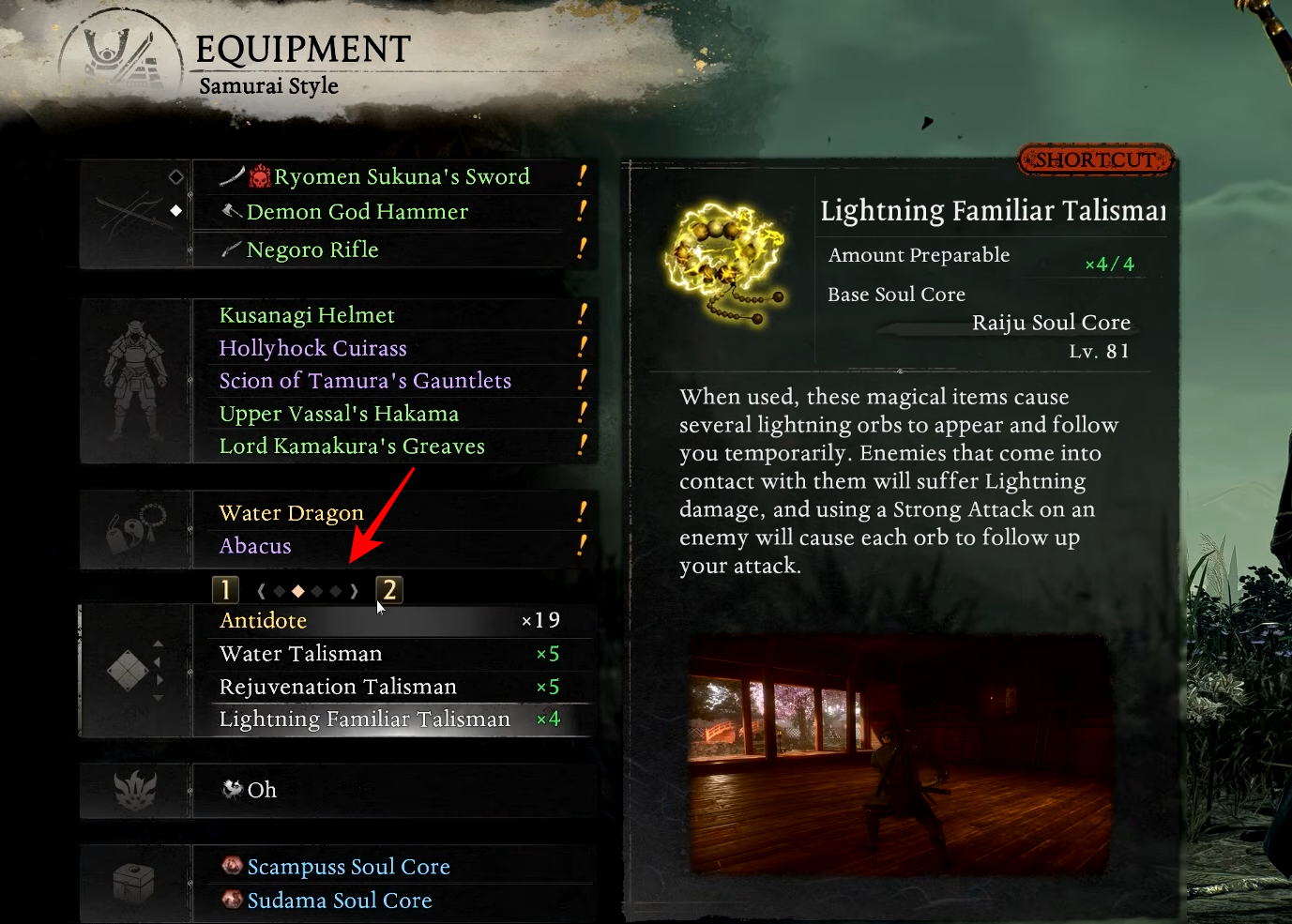
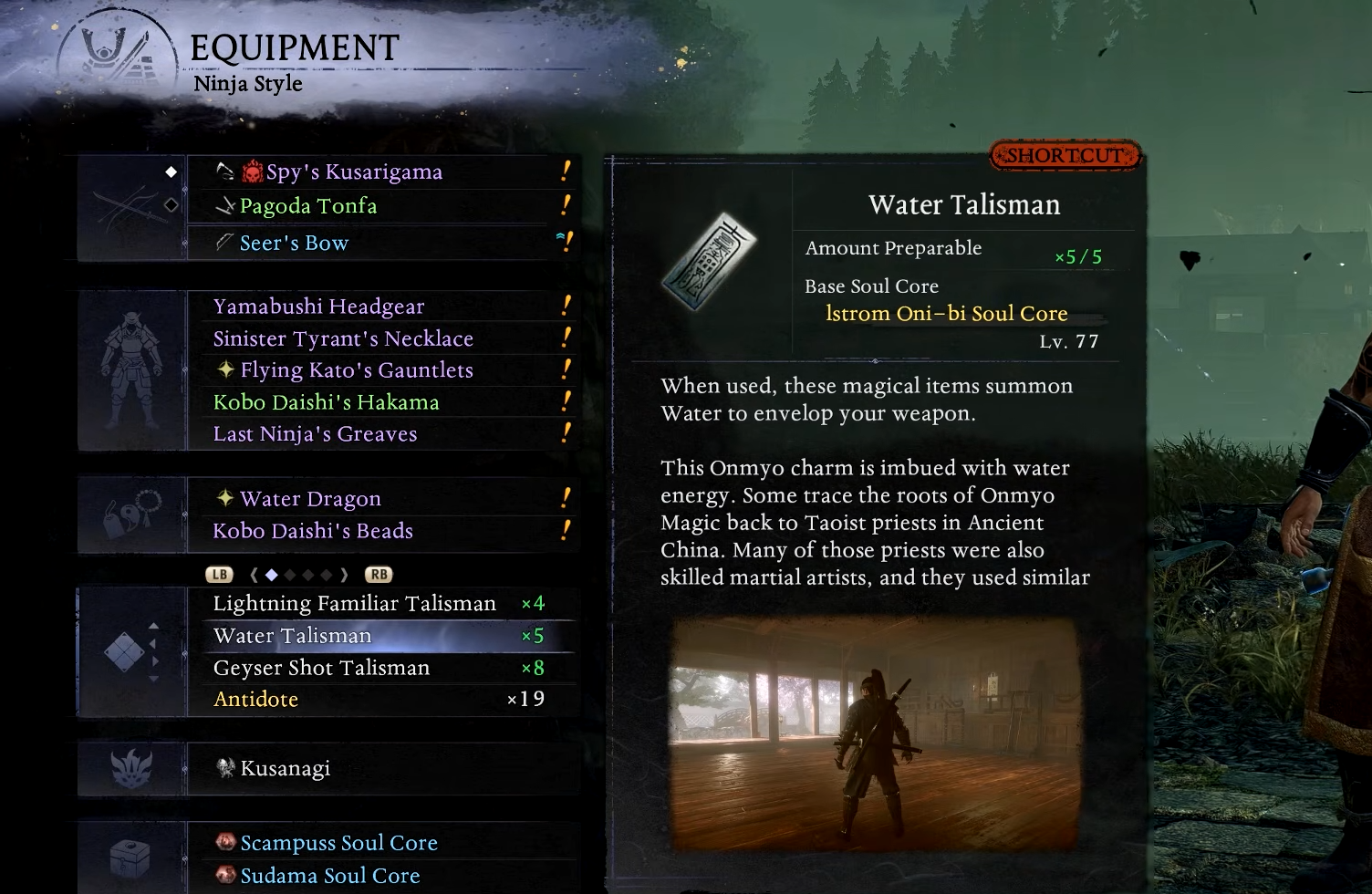
Set up your quickslot items from Equipment.
How to push it even further with style-based shortcuts
Step 1
Go back to Menu Settings and enable Set item shortcuts by style.
Step 2
Assign your shortcuts while in Samurai style, then switch to Ninja style and assign that style’s shortcuts separately.
Step 3
Keep your essentials consistent across every set you use, for example putting your primary heal on the same d-pad direction on every page, so you never misfire under stress.
A practical way to organize your pages
If you run 3–4 sets, a simple structure tends to work best: one page for healing and emergency items, one page for buffs, one page for debuffs or elemental utility, and the last page for situational tools you only want sometimes. This matches the way the game expects you to swap sets on the fly without stopping to re-equip constantly.
To get more than 8 quickslots in Nioh 3, you mainly need to raise the Number of Item Shortcut Sets (up to 4 for 16 total), then optionally enable style-based shortcuts to maintain separate layouts for Ninja and Samurai. The key is not just turning it on, but organizing the pages so your most important actions stay consistent when fights get chaotic.