What to know
-
Load game lets you reload the last save tied to each check-in save spot you have visited.
-
You can select any prior save spot you have been to, and it will load the most recent save you made at that exact spot.
-
Loading an older save deletes progress you made after that point, so treat it like a rollback.
In Cairn, if you are stuck, low on supplies, or just want to retry a section cleanly, reloading a checkpoint save is the fastest way to roll your run back on PS.
| Topic | What it means in Cairn on PS |
|---|---|
| Where reload happens | Load game in the game menus |
| What you can reload | Any check-in save spot you have already visited |
| What gets loaded | The last save you made at that selected save spot |
| Main warning | Progress past that checkpoint will be lost |
How reloading saves works with check-in spots
Cairn ties saving and loading to check-in save spots, and each spot effectively keeps its own latest saved state that you can return to later. When you use Load game, you can choose a save spot you have already reached, and the game loads the last save made at that location.
How to reload a save on PlayStation
Step 1
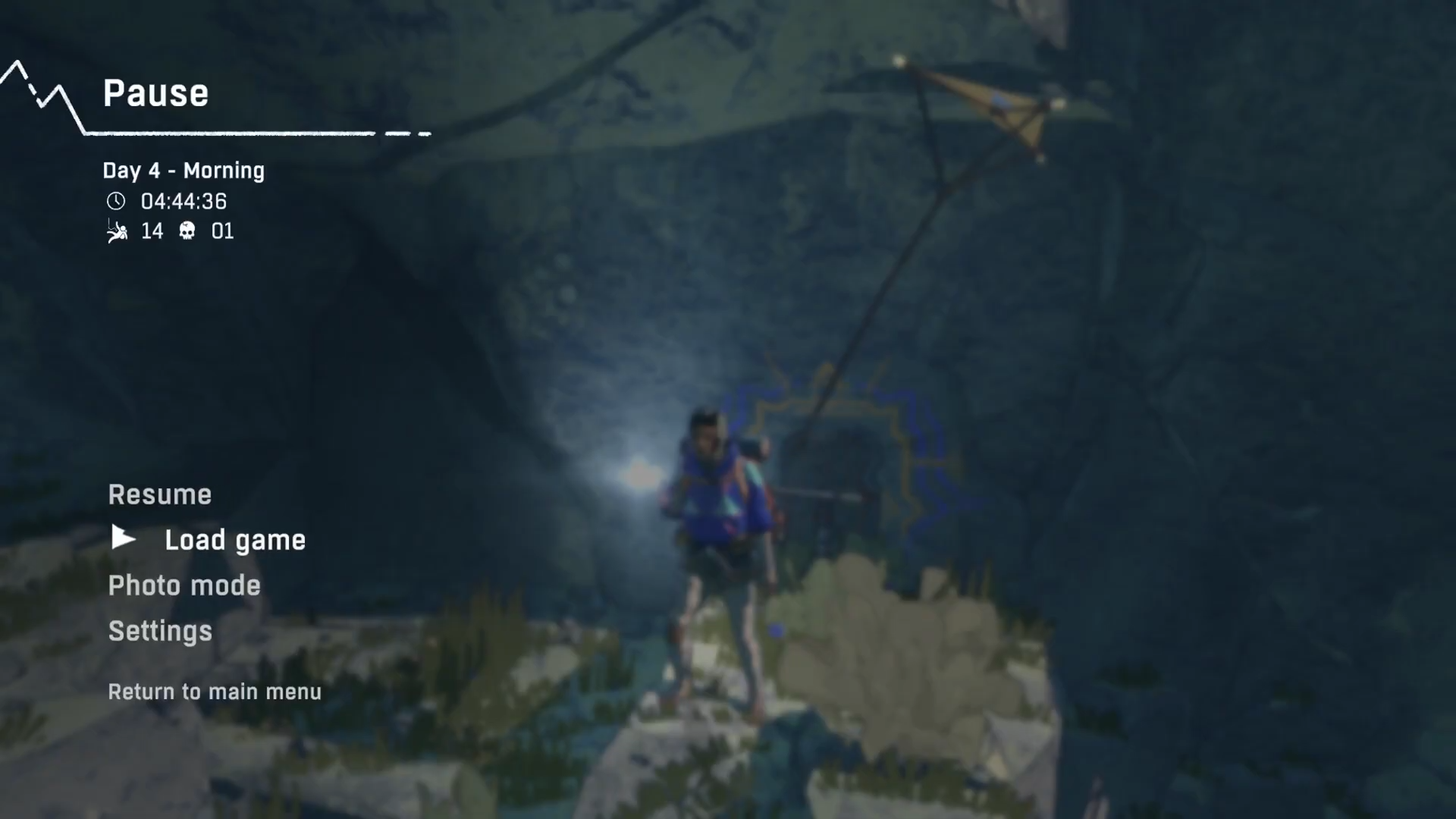
Open the game menu and choose Load game.
Step 2
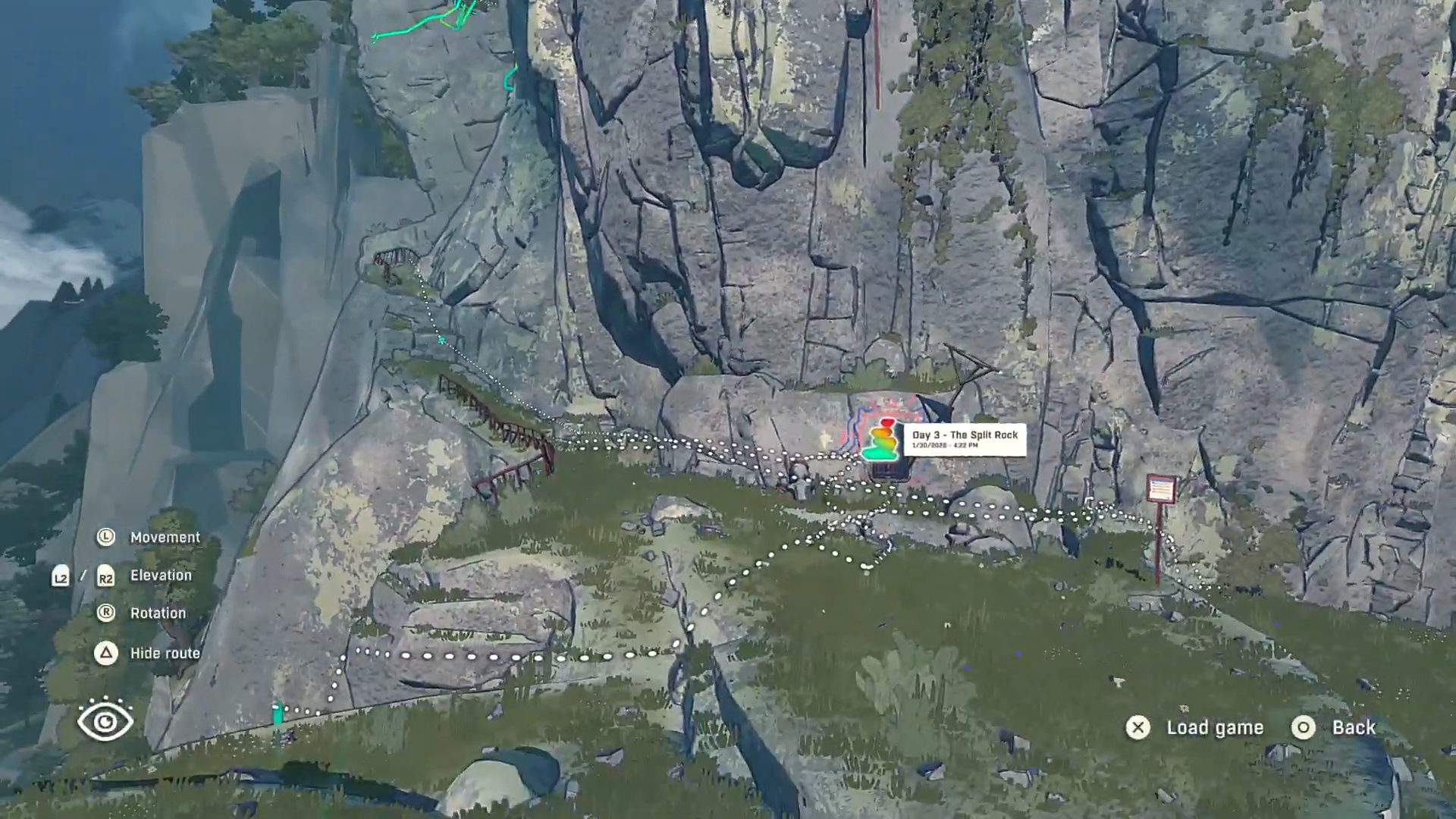
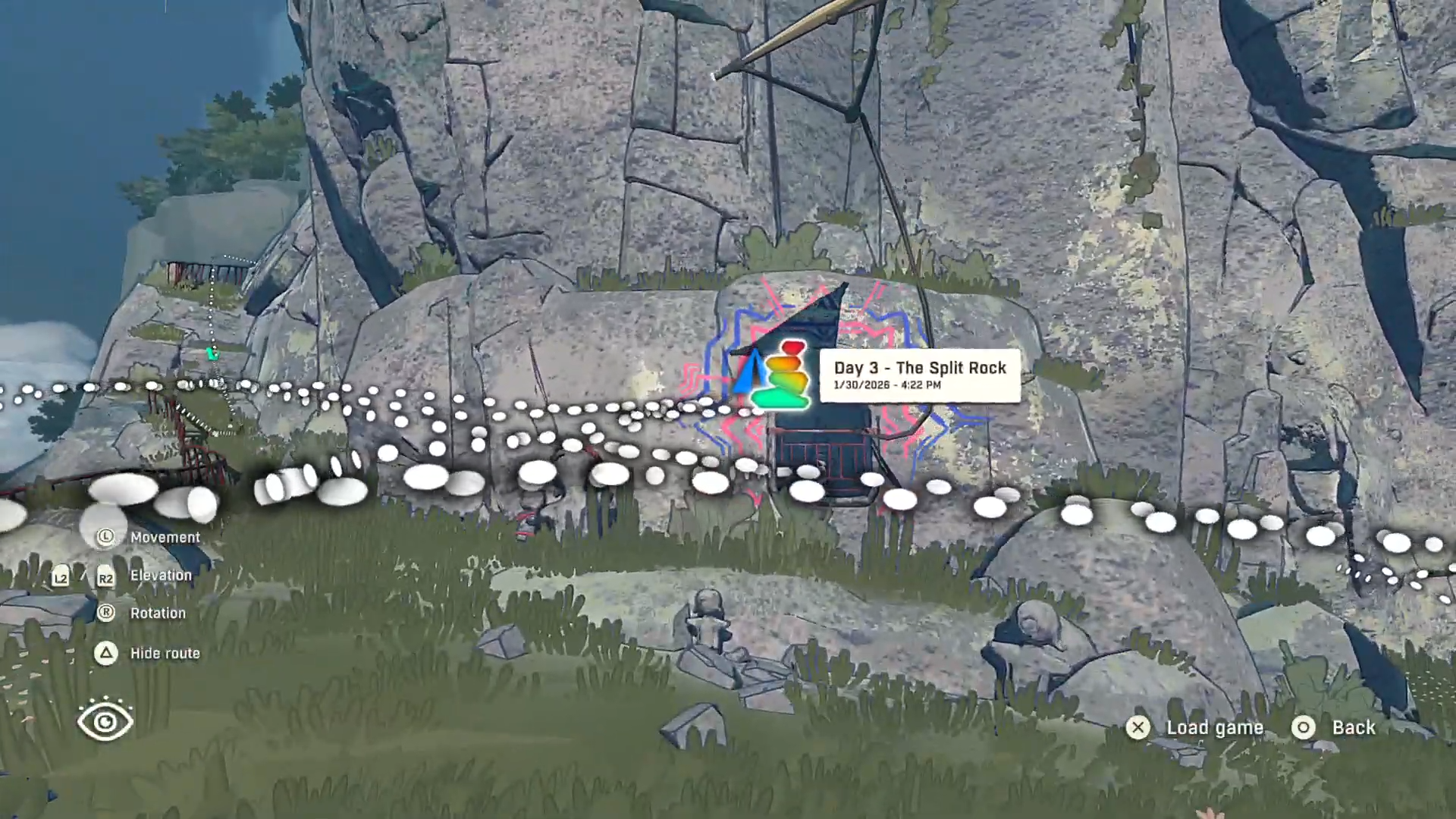
View your check-in save spot you want to return to (it can be any save spot you have visited).
Step 3
Select the save you want to reload. Press X to reload.
Step 4
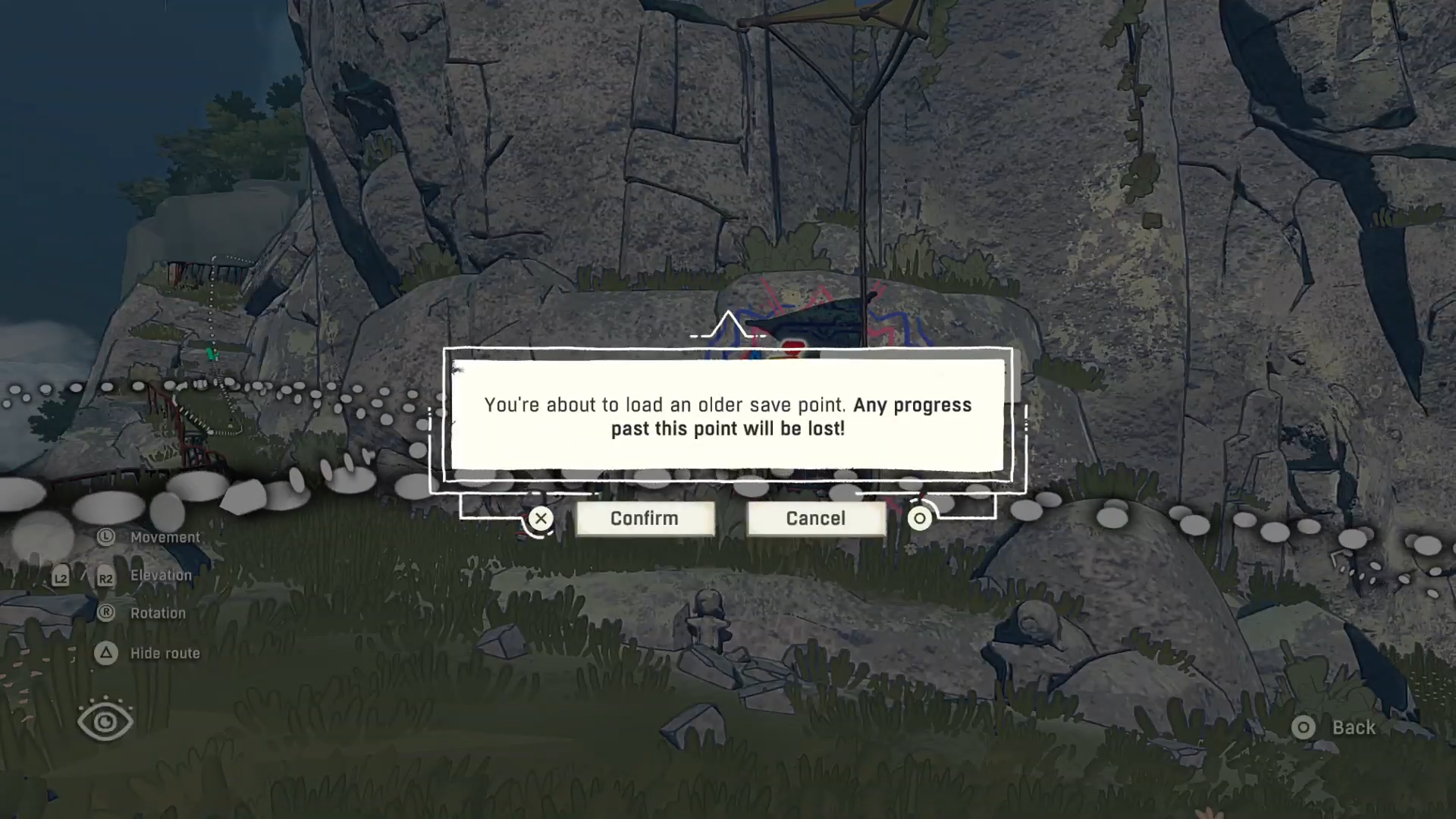
Confirm the on-screen warning that you are loading an older save.
Step 5
Accept that any progress you made after that save spot will be lost, then proceed to load.
Step 6
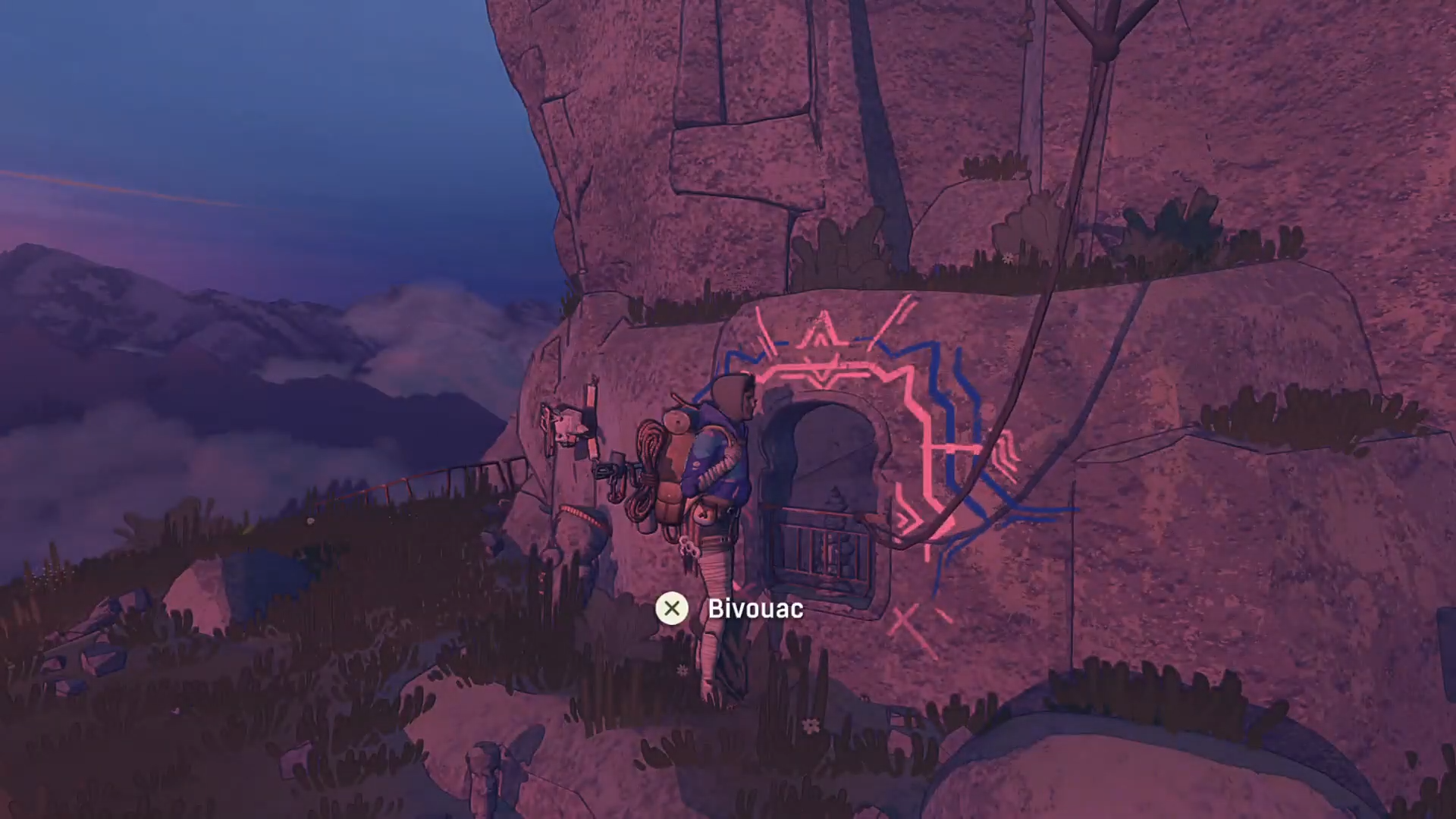
After loading completes, you will spawn back at that save spot at the last save you made there.
Common situations where reloading helps
If a climb or route goes sideways, reloading a prior check-in spot can give you a clean retry from your last stable point. It also helps when you realize too late that you pushed forward and want to revert to the last save you made at a safer checkpoint.
Use Load game to pick a previously visited check-in save spot, and the game will load the last save you made there. Just be deliberate, because loading an older save means anything you did after that point is gone.