OpenAI Codex is an AI-powered software engineering agent developed by OpenAI that can read, write, edit, and run code based on natural language instructions. It’s fundamentally different from a simple chatbot: instead of just producing text, Codex acts on codebases, performing real developer tasks at scale.
Originally released as a model that powered autocomplete tools like GitHub Copilot, the term Codex now refers to a suite of coding assistants — including cloud-based agents and desktop/IDE integrations — designed around a fine-tuned AI model specialized for programming work.
Unlike earlier autocomplete-oriented tools, the modern Codex agent can operate in a sandboxed virtual environment where it can make edits across files, run tests, interpret build systems, and propose or implement changes autonomously.
| Aspect | Explanation |
|---|---|
| Nature | AI software engineering agent for code creation and automation. |
| Core Capabilities | Code generation, bug fixing, tests, refactoring, pull requests. |
| Who It’s For | Professional developers, engineering teams, QA/devops roles. |
| How It Works | Natural language → coded workflow actions → sandbox execution. |
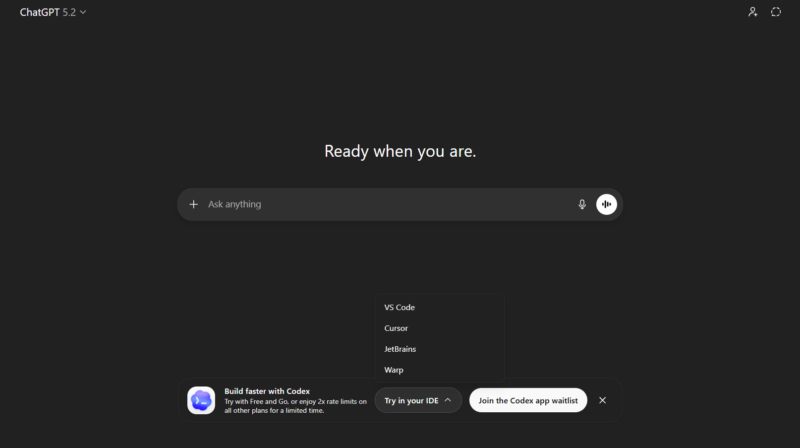
| Where It Runs | Cloud interface, IDE extensions, local CLI. |
| Limitations | Requires oversight; quality varies with prompt specificity and context size. |
What CodeX Does — A Wider View
Codex is best understood as a collaborative software engineer with AI capabilities: you give it a description of what needs to be done, and it translates that into meaningful code changes or development actions. It doesn’t just write snippets — it can analyze entire repositories, fix bugs, refactor logic, write tests, and propose pull requests for review within a project’s codebase.
At a technical level, it works by:
- Interpreting natural language prompts about the code or task.
- Generating code that implements the intent, including structural changes across multiple files.
- Running tests or building tasks in a sandbox or local environment to validate changes.
This makes Codex suitable for larger engineering workflows rather than just snippet generation.
Who is CodeX for
Codex is aimed primarily at professional developers, engineering teams, and technical roles where deep familiarity with a codebase — and the ability to act on it — is part of everyday work. While hobbyists and learners can also benefit from AI-assisted coding, the real strength of Codex emerges in larger projects where changes span many files, require understanding of architecture, and must integrate with test frameworks and build systems.
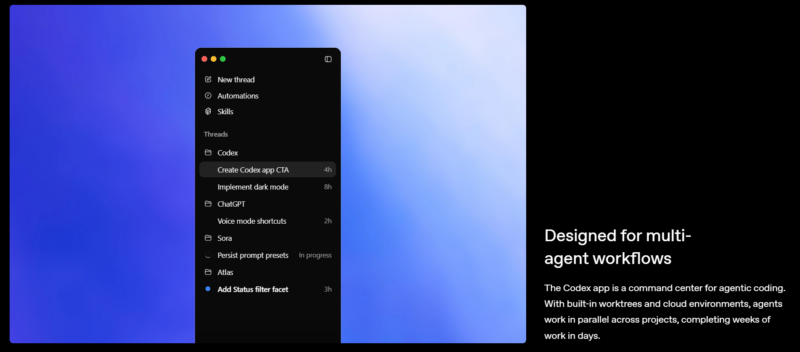
By focusing on tasks that require broad context and multi-step reasoning, Codex augments human capability rather than replacing it, enabling engineers to think at the level of design and intent while the model handles the routine aspects of implementation.
While casual programmers or learners can benefit from parts of Codex’s functionality, its strength comes in scaling real engineering workflows across complex projects — distinguishing it from simpler “autocomplete” assistants.
How to Use OpenAI Codex
Using Codex generally falls into three patterns:
1. Cloud-Based Workflows:
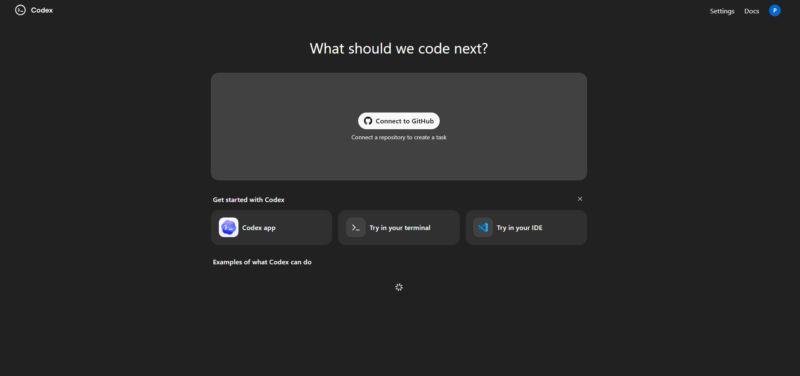
You can access Codex through online interfaces (often integrated with platforms like ChatGPT Pro or similar services). In this mode, Codex runs tasks against an uploaded or connected repository, manages parallel jobs, and shows progress within a dashboard.
2. Local or Terminal Interface (CLI):
With tools like the Codex CLI, you can run Codex locally on your machine. This lets the AI read your code directly, generate changes, run commands, and interact with version control — all in a terminal interface you control.
3. Extensions Inside Development Tools:
Codex also appears as extensions for IDEs like Visual Studio Code or Neovim, where it helps with code editing, refactoring, and interactive assistance without leaving your editor.
In all cases, the workflow is roughly:
Describe the task → Codex interprets → Codex edits/tests/code generation → Review or approve changes.
Comparison: CodeX use case vs Simple code completion
Earlier AI tools (such as early versions of GitHub Copilot) primarily suggested small code fragments or autocompleted text inside an editor. Codex — especially in its latest agentic form — goes beyond that. It understands your intent, orchestrates multiple tasks in parallel, and manages code as a real developer would, not just as a text generator.
1. Writing and Implementing New Features
One of the most powerful ways to use Codex is by describing a feature in plain English and letting it generate the full implementation across a codebase. For example, telling Codex something like:
“Add a dark mode toggle to the app UI and persist user preference in local storage.”
Codex would open the relevant files, write the UI components, hook up state management, and even add tests to verify the behavior — much like a human developer would but automated. This goes beyond simple autocomplete — it can work across multiple files and handle build/test cycles as part of the task execution.
This is handled in a sandboxed environment where Codex loads your repository, understands context, and executes tasks safely, returning code changes or pull requests.
2. Fixing Bugs and Debugging Code
Another practical use case is automated bug fixing. When your code fails tests or produces runtime errors, you can feed the error messages or failing test results to Codex and ask:
“Diagnose the failing test and implement a fix.”
Codex can parse logs, trace data paths through your application, and suggest targeted fixes — or even apply the fix itself and return a corrected code diff. It can also suggest improvements to performance hotspots or risky patterns found in the codebase.
This significantly speeds up debugging cycles, especially in large or unfamiliar codebases where identifying the root cause manually would take hours.
3. Generating Tests and Improving Test Coverage
Quality assurance is critical in professional software development. Codex can automatically generate unit tests or integration tests for functions or modules where coverage is lacking. For example, you might tell Codex:
“Write unit tests for all functions in this file that haven’t been covered yet.”
Codex will analyze the function signatures, expected behavior, and edge cases, then produce a set of tests that exercise those paths. This helps you catch bugs earlier and increases confidence in your code quality.
Improving test coverage is especially useful when refactoring or developing new features, as it ensures regressions are less likely.
Practical Codex Use Cases
| Use Case | What Codex Does | Real Example |
|---|---|---|
| Feature Development | Writes full implementations across files | Adding UI features like dark mode and persistence |
| Bug Fixing & Debugging | Diagnoses failures and suggests/corrects fixes | Fixes failing tests or runtime errors |
| Test Generation | Creates tests to cover missing code paths | Produces unit or integration tests based on function signatures |
Each of these goes well beyond simple code snippets — Codex understands context, executes tasks in sandboxed environments, and integrates with real developer workflows.
While still requiring human guidance and review, Codex’s ability to handle context-rich tasks — from feature implementation to test generation and debugging — illustrates how AI can become an integral part of the development workflow.