- What to know
- Hytale phobia accessibility modes
- Why phobia modes matter in Hytale
- How to enable and manage phobia modes in Hytale
- Arachnophobia Mode explained
- Ophidiophobia Mode — accessibility for players who fear snakes
- Where snake enemies appear in Hytale
- How the replacement system works
- Accessibility without immersion loss
- Who should use these modes
- Hytale’s broader accessibility philosophy
What to know
- Arachnophobia Mode has been available since Hytale’s original release
- Update 2 adds a new Ophidiophobia Mode focused on snake replacements
- Both modes change creature visuals without altering mechanics or balance
- These settings reflect Hytale’s long-term commitment to accessibility
Accessibility has always been a core design pillar in Hytale, not an afterthought added late in development. From its earliest playable versions, the game has included options that let players tailor visual intensity, creature presentation, and environmental stressors to their comfort level. Among the most notable of these are the phobia-focused accessibility modes, designed specifically for players who experience discomfort or anxiety when encountering certain creature types.
With Update 2, Hytale expanded this system by introducing Ophidiophobia Mode, complementing the already-established Arachnophobia Mode that has existed since release. Together, these settings demonstrate how Hytale approaches accessibility: by respecting player comfort without compromising challenge, immersion, or fairness.
Hytale phobia accessibility modes
| Mode | Introduced | Replaces | Gameplay visual |
|---|---|---|---|
| Arachnophobia Mode | On release | Spider models | Crabs |
| Ophidiophobia Mode | Update 2 | Snake models | Hatworms |
Why phobia modes matter in Hytale
Games with rich ecosystems naturally include creatures inspired by real-world animals. While this adds realism and variety, it can also create barriers for players with specific phobias. Spiders and snakes are among the most common triggers, and many games ignore this entirely or offer only minimal solutions.
How to enable and manage phobia modes in Hytale
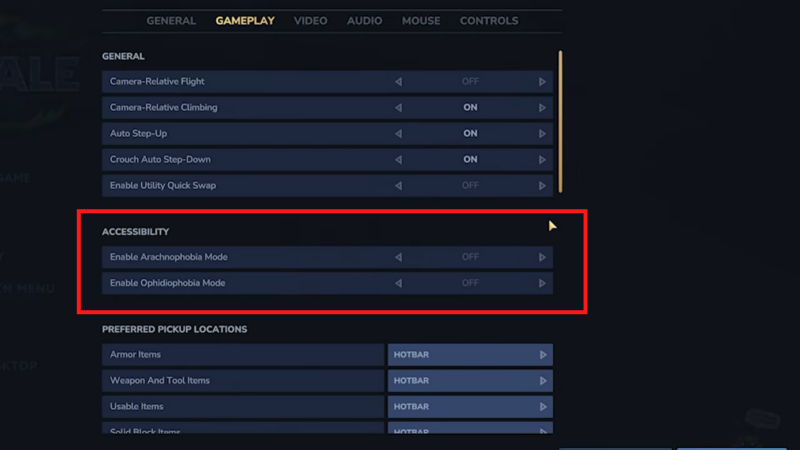
Both phobia settings are found in the same accessibility section, making them easy to discover and toggle. Changes take effect immediately and can be adjusted at any time without restarting the game. This mode can be enabled through the following in-game path:
Gameplay → Accessibility → Ophidiophobia Mode
Players can freely experiment, enabling or disabling modes depending on the area they are exploring or their current comfort level. This flexibility ensures accessibility is dynamic rather than permanent.
Hytale takes a different approach. Rather than removing enemies or trivializing encounters, phobia modes swap visual models while keeping all underlying systems intact. Damage values, hitboxes, AI behavior, spawn rates, and loot tables remain unchanged. What changes is how the creature looks and how it is emotionally perceived by the player.
This design ensures that accessibility does not become an advantage or disadvantage. It simply removes an unnecessary obstacle between the player and the game’s content.
Arachnophobia Mode explained
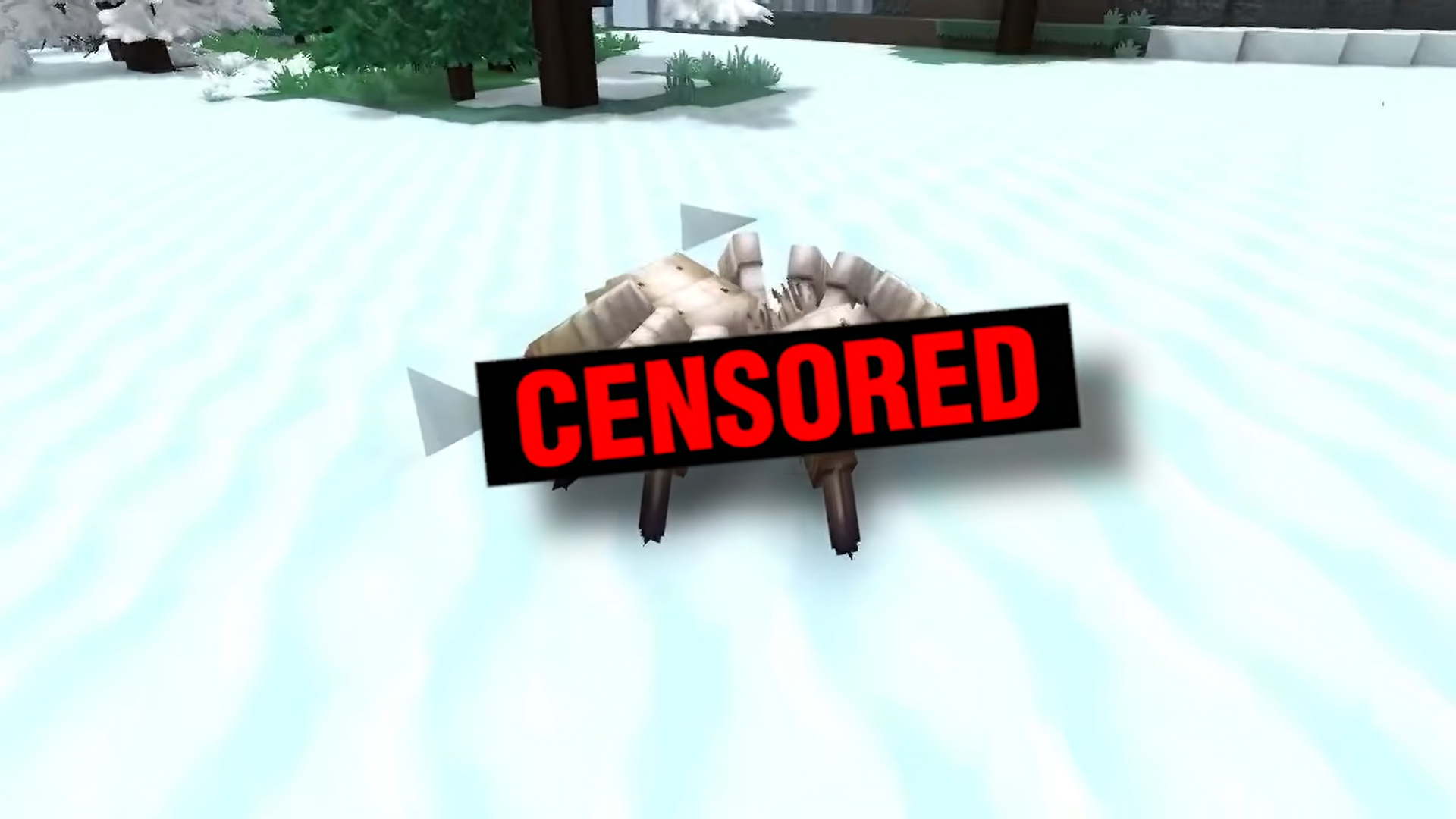
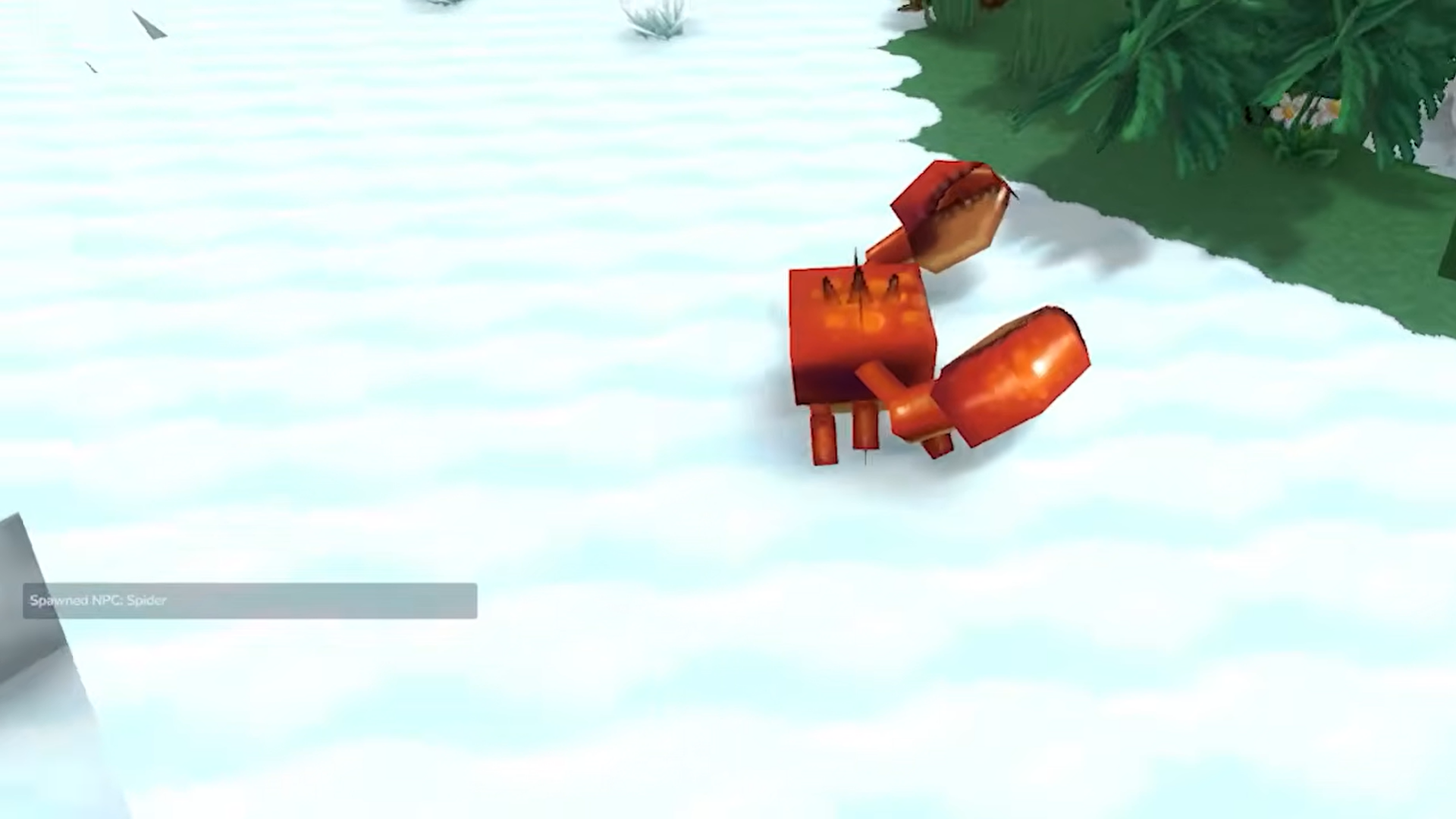
Arachnophobia Mode has been part of Hytale since its initial release, setting an early precedent for accessibility-focused design. When enabled, this mode replaces spider-like enemies with alternative models that lack the defining features commonly associated with arachnophobia, such as long legs, segmented bodies, and erratic crawling animations.
This mode would turn Spiders to Crabs (default)
Importantly, these replacements are not weaker or simplified enemies. They retain the same movement patterns, attack behaviors, and combat roles as their spider counterparts. Dungeons, caves, and biomes that rely on spider-type enemies remain mechanically identical, ensuring that progression and difficulty are unaffected.
By including this setting from day one, Hytale signaled that accessibility was not reactive, but foundational.
Ophidiophobia Mode — accessibility for players who fear snakes
Update 2 introduced Ophidiophobia Mode, extending the same philosophy to snake-based enemies.
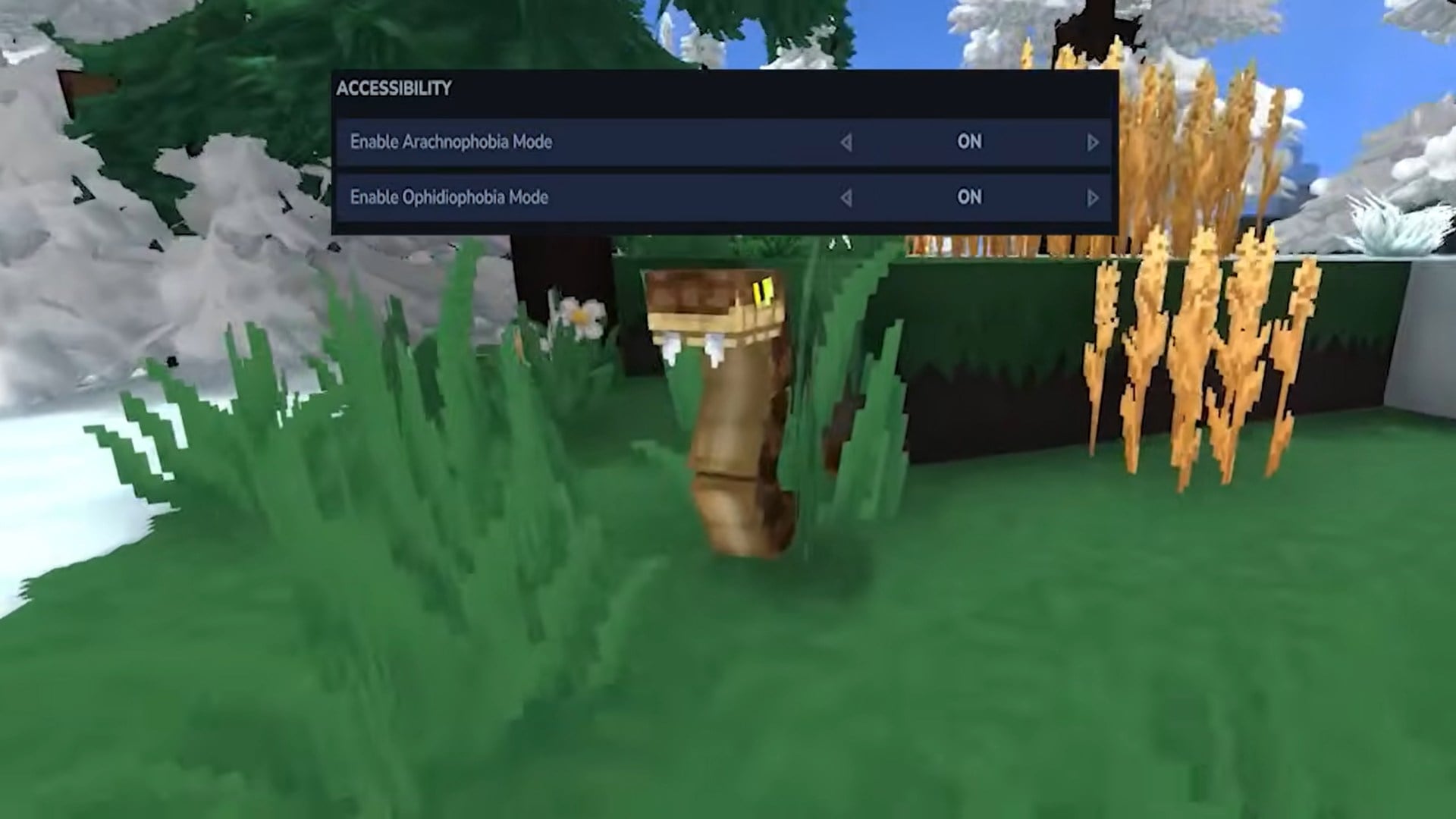
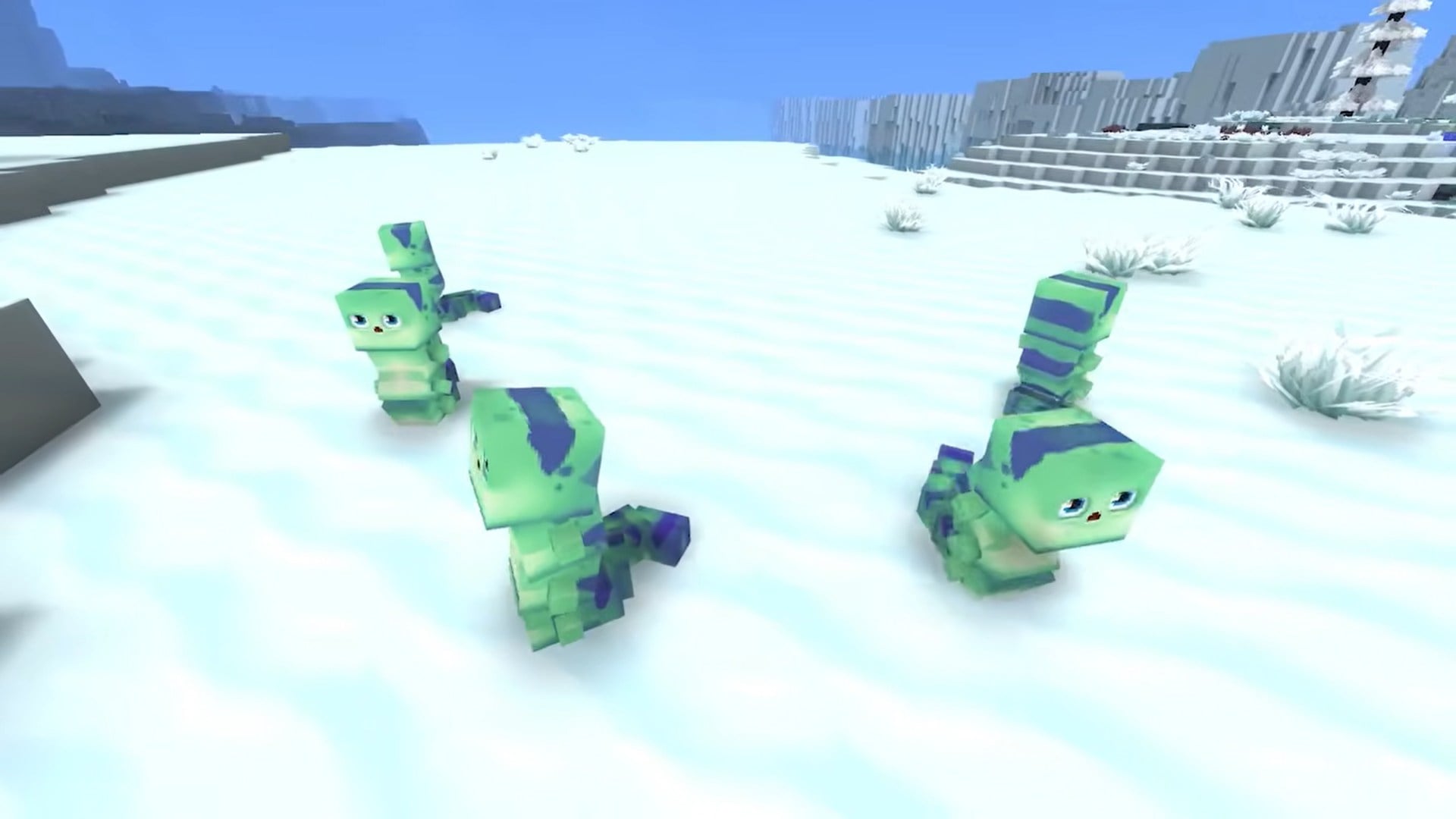
Once activated, all standard snake models throughout the world are replaced with Hatworms. Hatworms are intentionally designed to appear less threatening while still fitting into Hytale’s stylized aesthetic. Their animations, scale, and movement patterns are adjusted to remove the visual cues most commonly associated with snake-related fear, while still clearly representing a hostile creature.
This mode would turn Snake to Hatworms
Crucially, this is a visual replacement only. Snake behaviors, combat roles, and environmental interactions remain unchanged. Enemies still ambush, attack, and patrol as intended, preserving encounter design and balance. According to developer notes accompanying Update 2, the goal was to “offer a smoother and more enjoyable exploration experience without affecting performance or combat balance”.
Where snake enemies appear in Hytale
Snake-type enemies commonly spawn in specific biomes and dungeon themes, often tied to warmer climates, ruins, or underground environments. For players with ophidiophobia, these areas could previously become avoidance zones, limiting exploration and progression.
With Ophidiophobia Mode enabled, those same areas become accessible again. The environment, loot, and challenges remain intact, but the emotional barrier is removed. This allows players to engage with content they might otherwise skip entirely.
How the replacement system works
Both Arachnophobia Mode and Ophidiophobia Mode rely on model substitution rather than entity replacement. Internally, the game still treats the enemy as the original creature type. This means:
- Quest objectives involving spiders or snakes still complete correctly
- Loot tables and drop rates remain unchanged
- Enemy AI logic functions as designed
This system avoids the common pitfall of accessibility modes breaking immersion or creating inconsistencies. From a systems perspective, nothing changes. From a player experience perspective, everything becomes more comfortable.
Accessibility without immersion loss
One concern players often raise about accessibility modes is immersion. Hytale addresses this by ensuring replacement creatures feel native to the world rather than out of place. Hatworms, for example, are designed with the same art direction, animation quality, and environmental integration as other creatures.
Rather than appearing as placeholders or joke models, they function as believable inhabitants of the world. This preserves immersion while still serving their accessibility purpose.
Who should use these modes
Phobia modes are not limited to players with severe fears. Even mild discomfort can negatively affect enjoyment over long play sessions. These settings are ideal for:
- Players with diagnosed or self-identified phobias
- Players sensitive to sudden visual triggers
- Younger players or shared-family play environments
- Streamers or content creators aiming for broader audience comfort
Because the modes do not alter difficulty or rewards, there is no downside to enabling them if they improve your experience.
Hytale’s broader accessibility philosophy
Ophidiophobia Mode fits into a wider accessibility framework within Hytale. The game includes options for visual clarity, UI scaling, control customization, and gameplay pacing. Together, these features reflect a design philosophy centered on player agency.
Rather than forcing a single “intended” experience, Hytale encourages players to shape the game around their needs. This approach aligns with modern accessibility standards and demonstrates an understanding that enjoyment looks different for different players.
Thanks for taking the time to go through this Hytale accessibility settings guide guide for Hytale. If it helped you understand things better, do share your thoughts, impressions, or doubts in the comments section. We keep a close watch and try to respond promptly to ensure you always get the support you need.