What to know
-
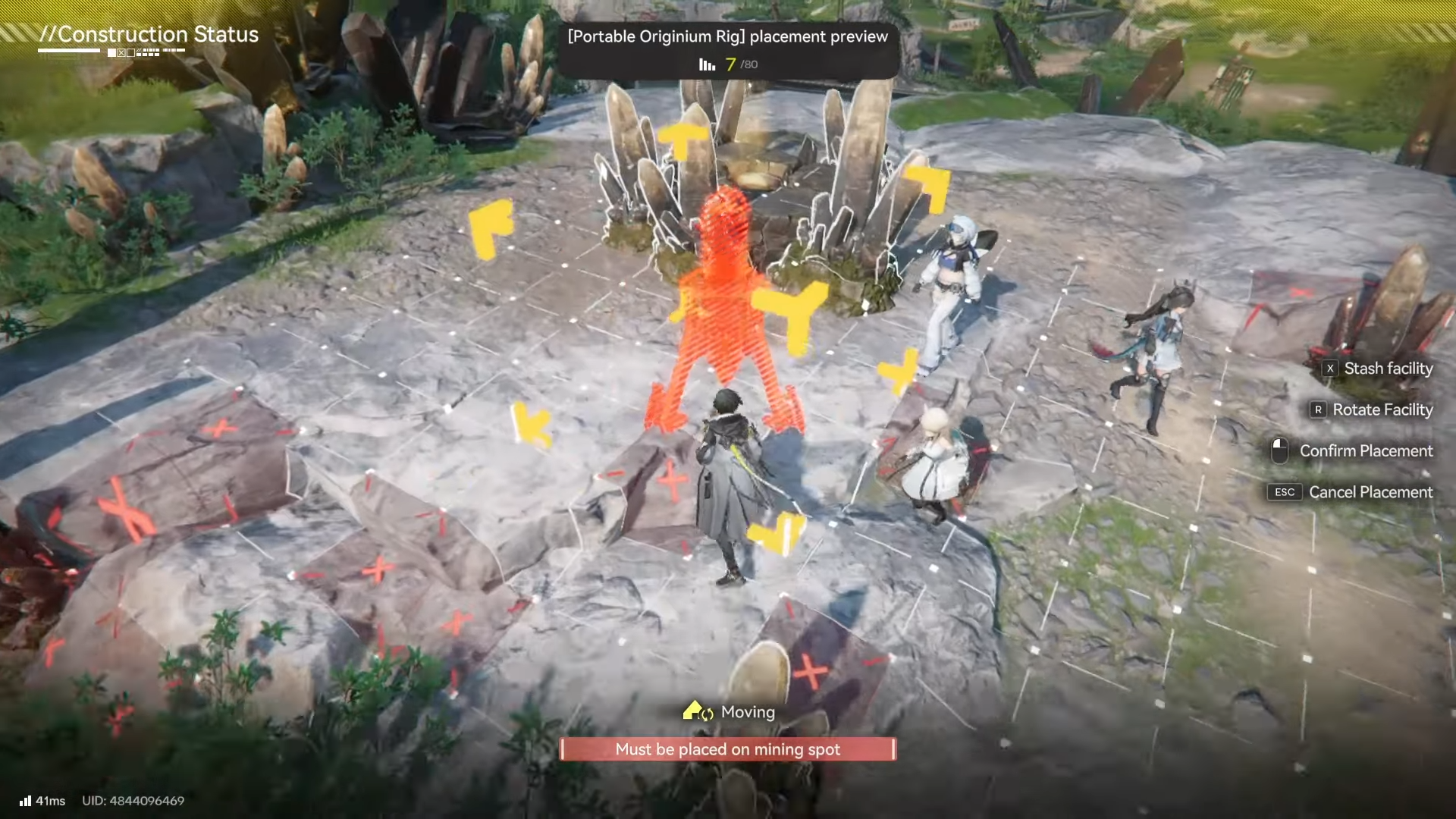
You can’t place the Portable Originium rig anywhere. It must be deployed on an Originium Ore deposit (a valid mining spot).
-
It mines in the background automatically once placed, so you can leave and do other tasks.
-
The rig is self-sustaining because it uses a fraction of the ore it extracts to power itself (no power grid needed).
-
It has a storage cap of 50 ore, so you’ll want to collect from it regularly to avoid it clogging.
In Arknights: Endfield, after you get your first Portable Originium Rig, it becomes one of the easiest ways to keep Originium Ore flowing without babysitting manual mining. If you’re trying to keep crafting and refining moving while you explore, this is the “set it and forget it” tool you’ll rely on most.
| Topic | Quick details |
|---|---|
| What it does | Automatically mines Originium Ore in the background after you deploy it. |
| Where it can be placed | Only on an Originium Ore deposit/mining spot (not on flat ground). |
| Power requirements | None; it uses some of the ore it mines to keep itself running. |
| Storage limit | Holds up to 50 ore at a time. |
| How you collect ore | Interact with the rig, open its interface, and take out what you need. |
| How you relocate it | Use the Move option or stash it back into your inventory. |
How to use the portable originium rig step by step
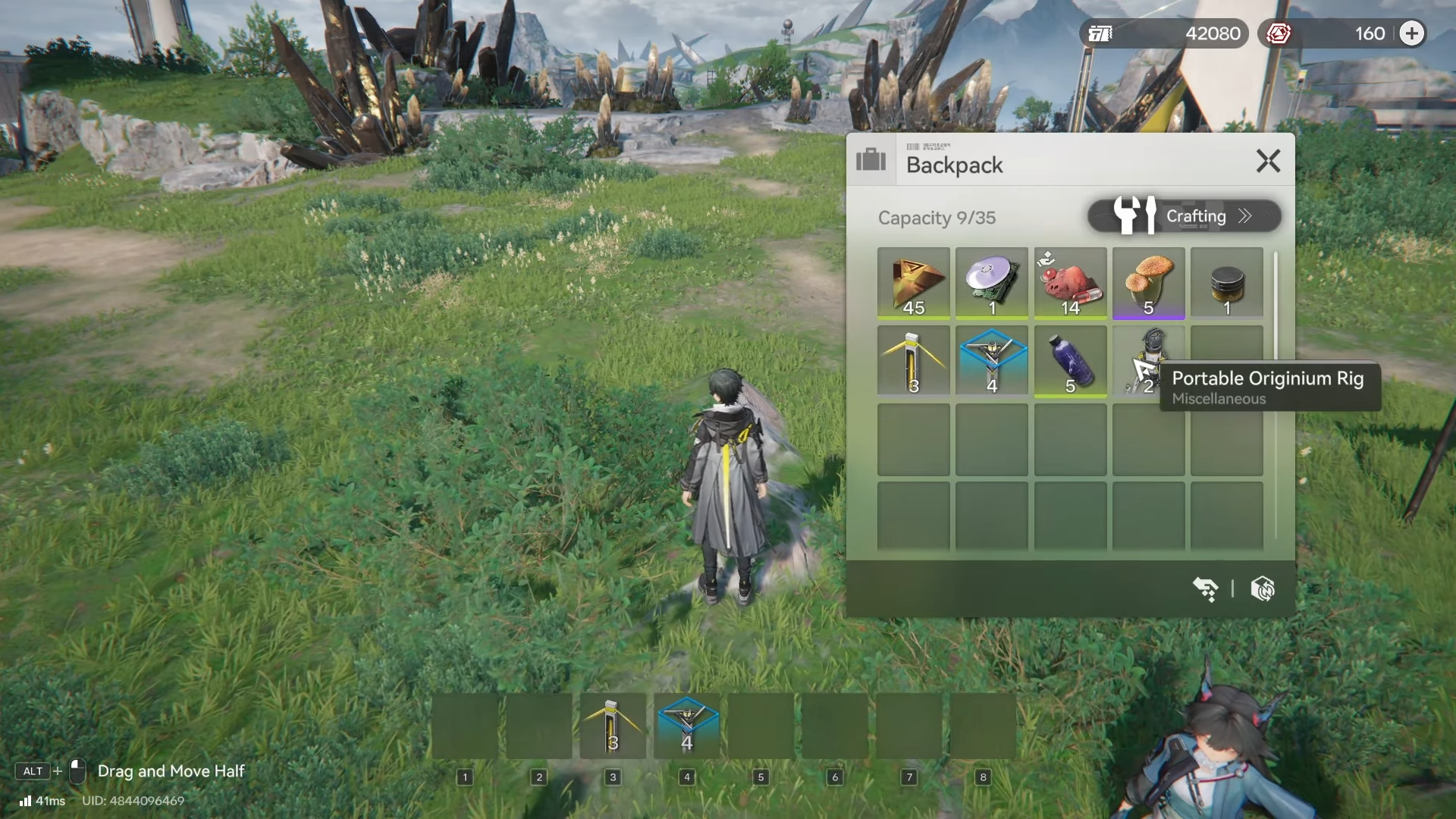
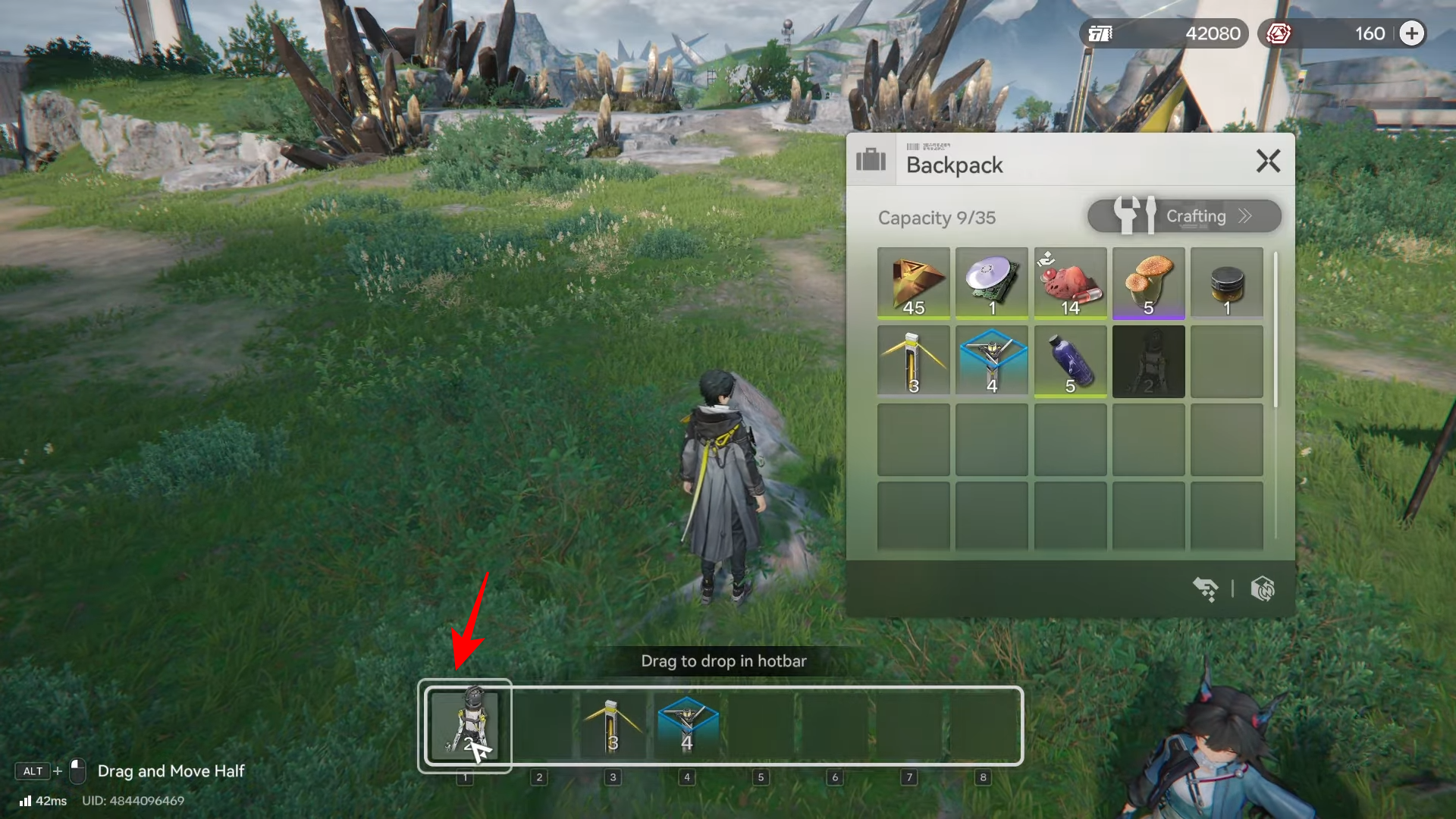
Step 1: Drop your portable Originium Rig to the hotbar
Before you begin, make sure your portable originium rig is in the hotbar for easy access.
Step 2: Find an Originium Ore deposit
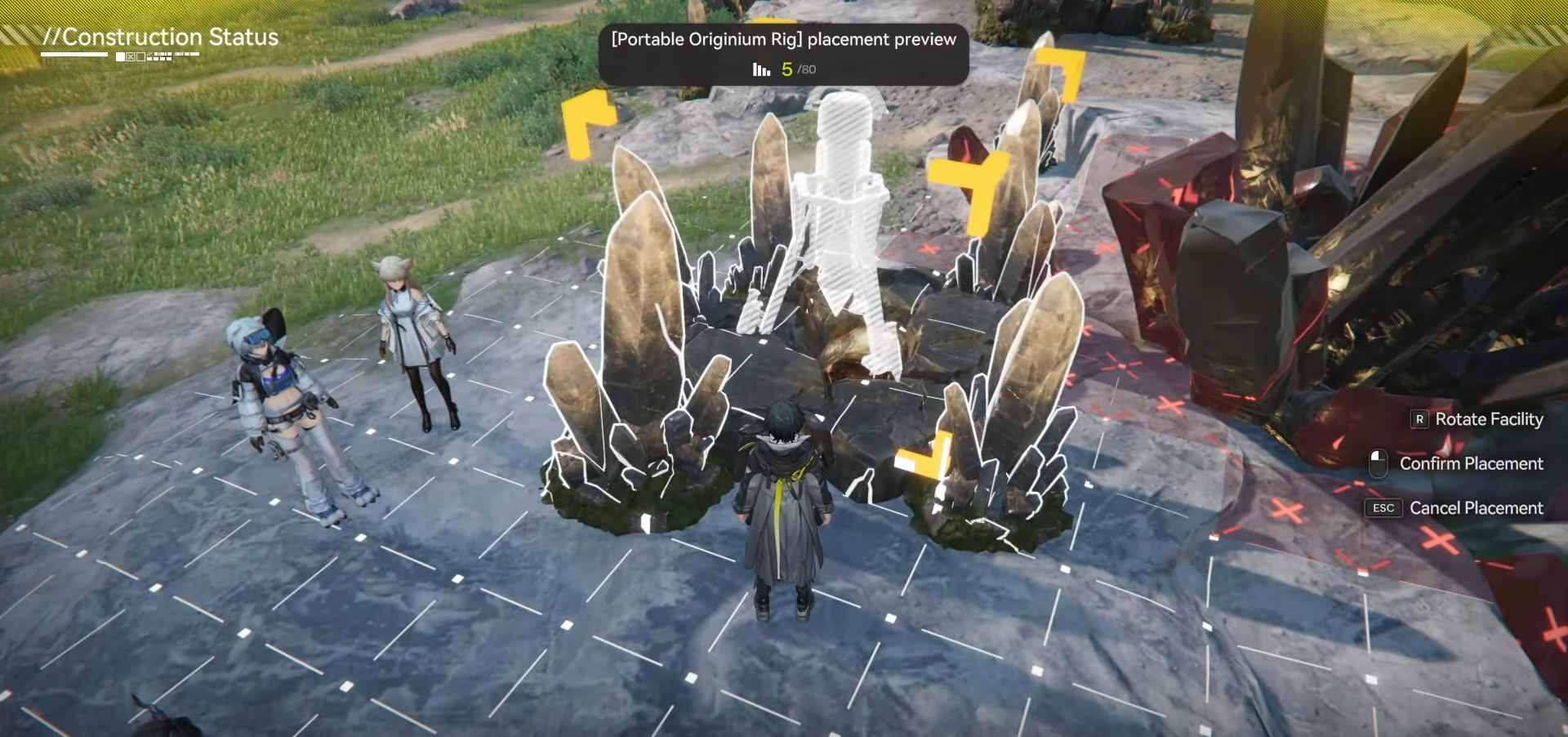
Look for a proper ore deposit/mining spot first, because the rig can only be placed on a valid deposit and won’t deploy freely on random terrain.
Step 3: Deploy the rig on the deposit
Place the Portable Originium Rig directly onto the deposit you found, so it starts working as intended.
Step 4: Leave it running while you do other tasks
Once deployed, the rig mines automatically in the background, so you can continue exploring, fighting, or progressing objectives without waiting next to it.
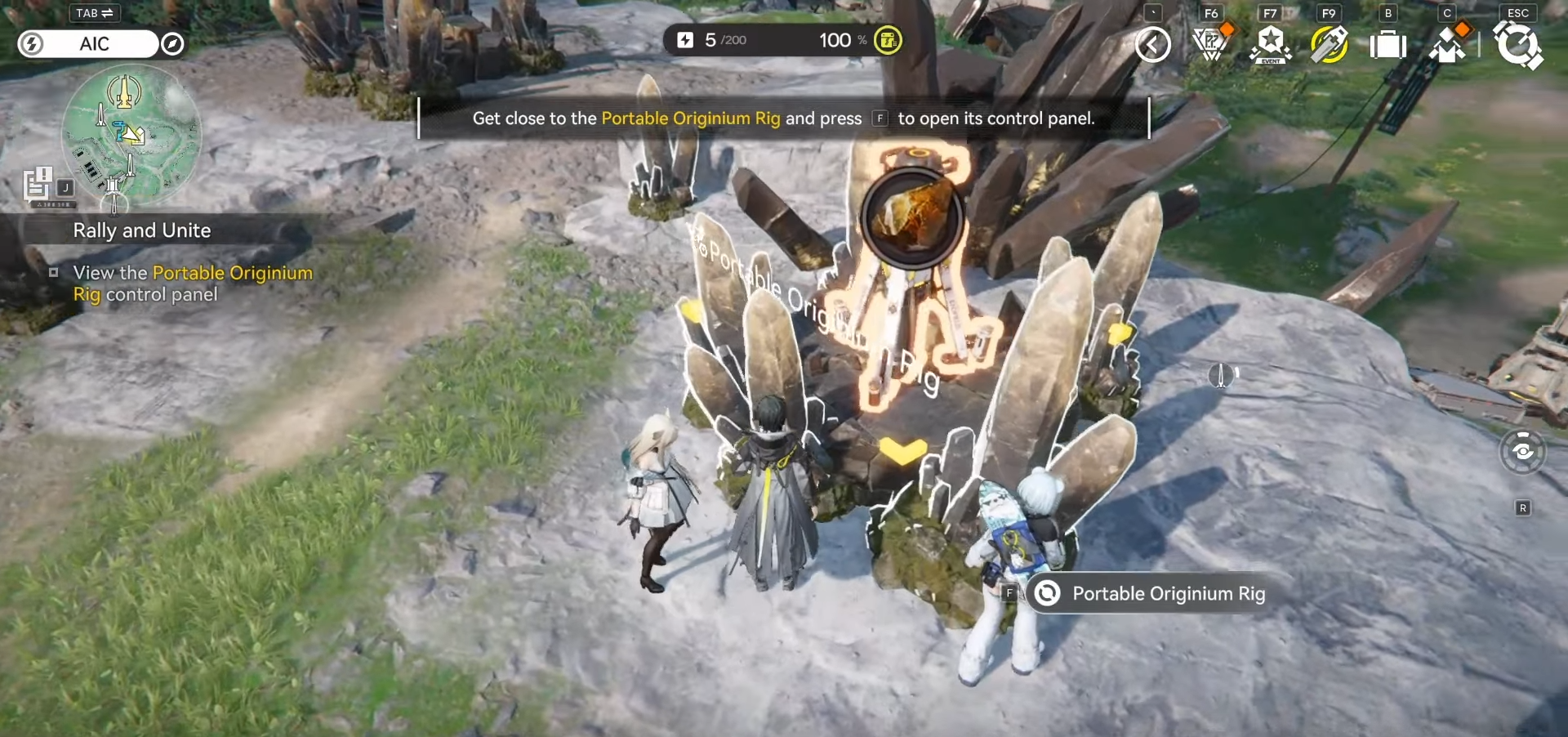
Step 5: Interact with the rig to open its storage
Walk up to the rig and access it to view the ore that has been extracted and stored inside.
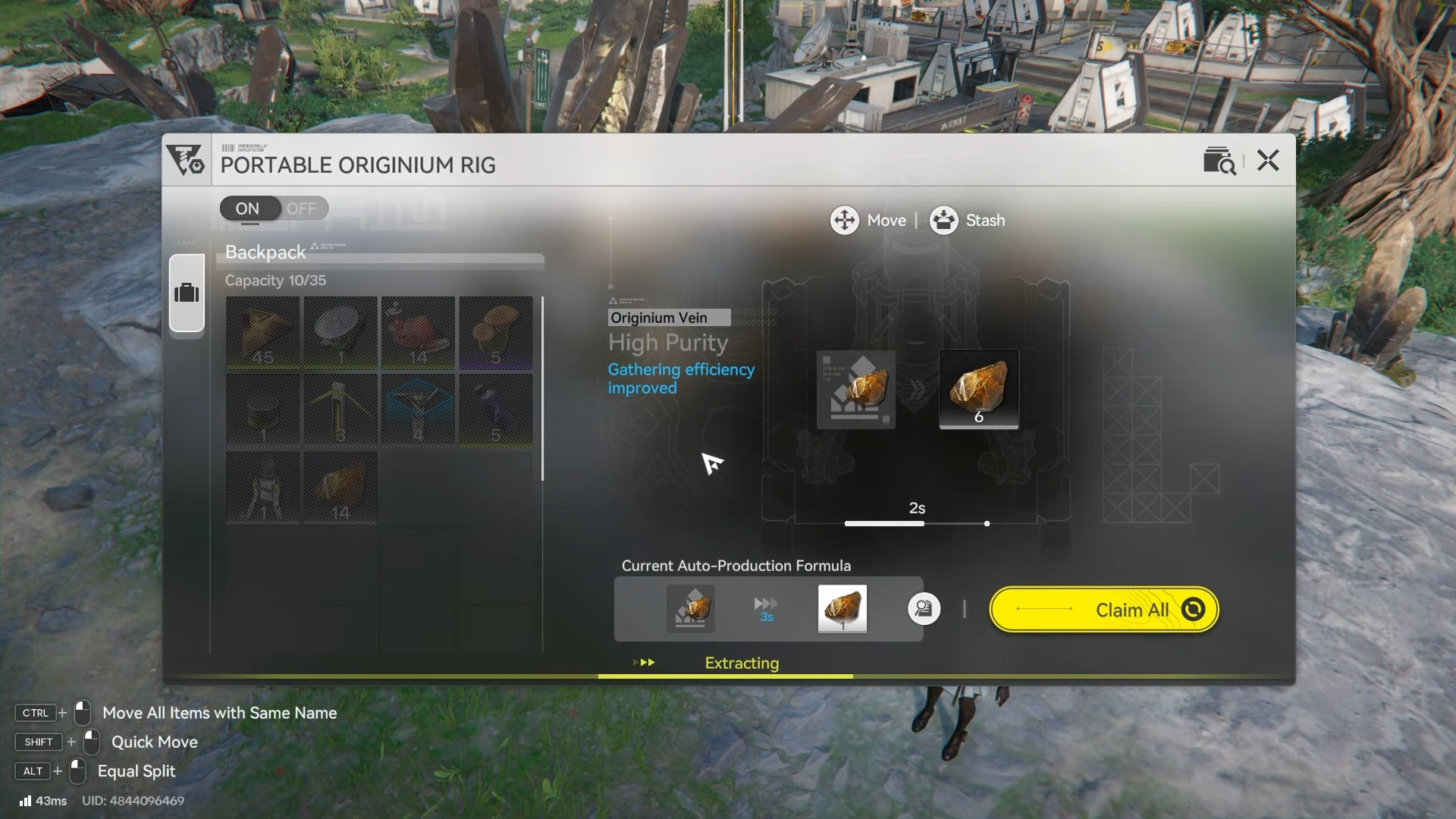
Step 6: Collect the amount of ore you need
Take out however much Originium Ore you want from the rig’s stored supply (for crafting, refining, or stockpiling).
Step 7: Keep the rig from clogging (watch the 50-ore cap)
Because the rig can only hold 50 ores at once, you’ll want to revisit it periodically – if it fills up, it effectively stops being useful until you clear space.
Step 8: Understand the “no power grid” advantage
You don’t need to build or route electricity to the Portable Originium Rig, since it powers itself by using a fraction of the ore it extracts.
Step 9: Move or store it when you’re done
If you want to relocate the rig, use its Move function.
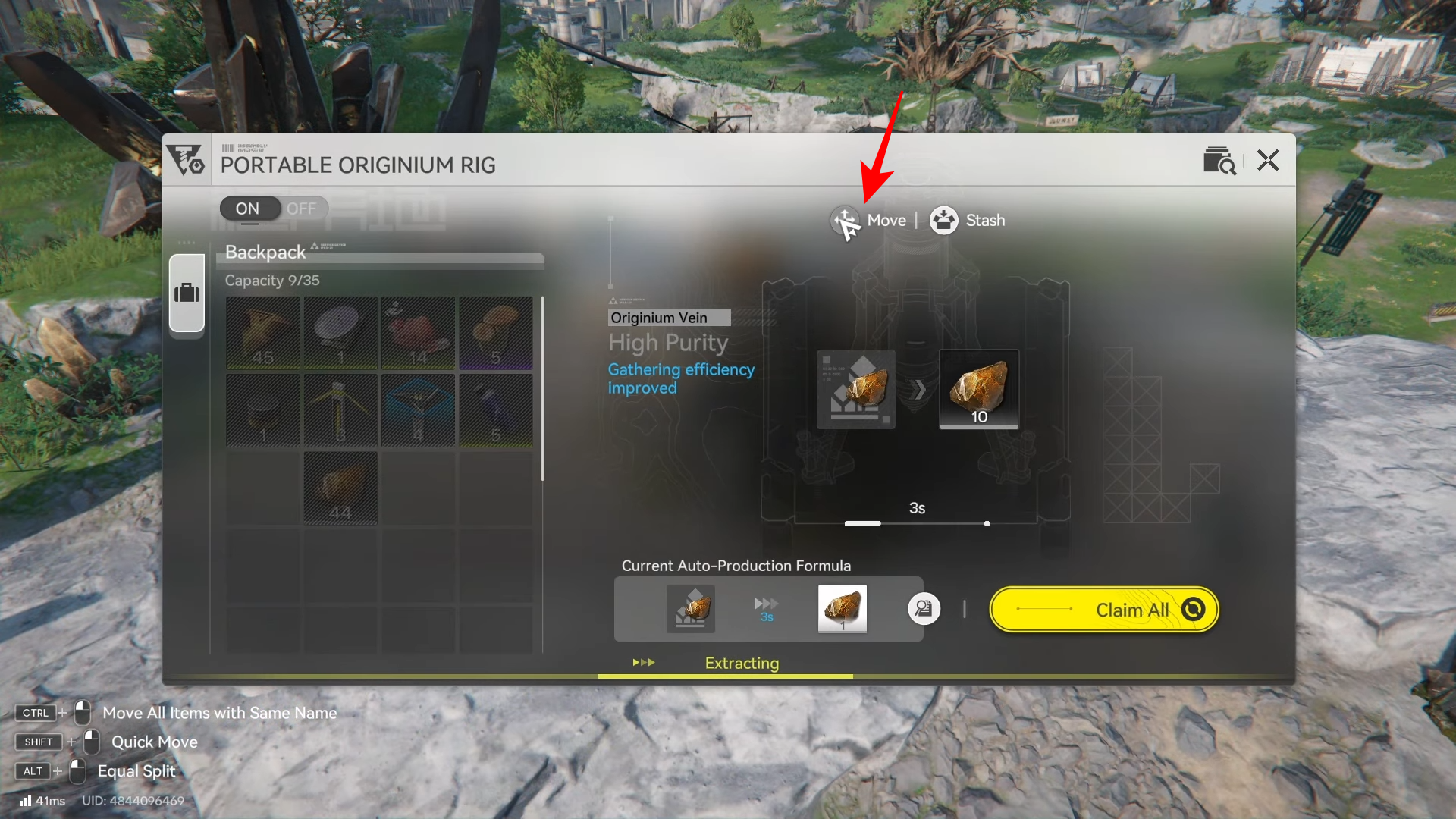
Then place it somewhere else.
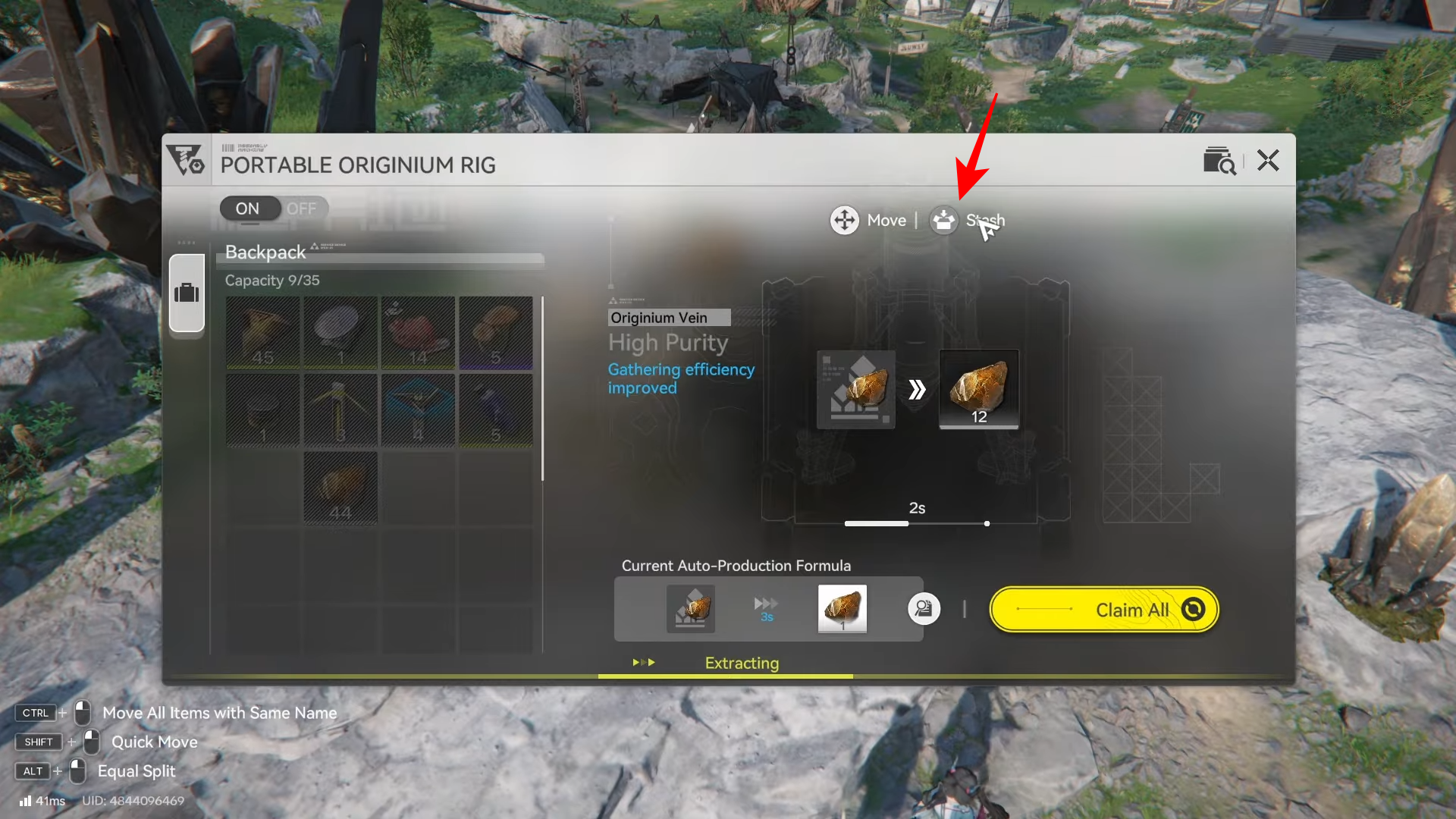
Or stash it back into your inventory and redeploy it at another deposit later.
If you treat the Portable Originium Rig like a “route stop” (drop it, do your nearby objectives, then return and collect), you’ll keep Originium Ore coming in without slowing down your run. Just remember the two rules that matter most: it must be on a deposit, and it must be emptied before it caps at 50.