- What to know
- Fortmaker stats and why the numbers matter
- What “free 5-star sword” usually means in Endfield
- How to get Fortmaker as a free reward (detailed checklist)
- Upgrade planning: when to invest, and what to watch for
- Troubleshooting: Fortmaker still isn’t there
- Getting Fortmaker as your first “great” weapon
What to know
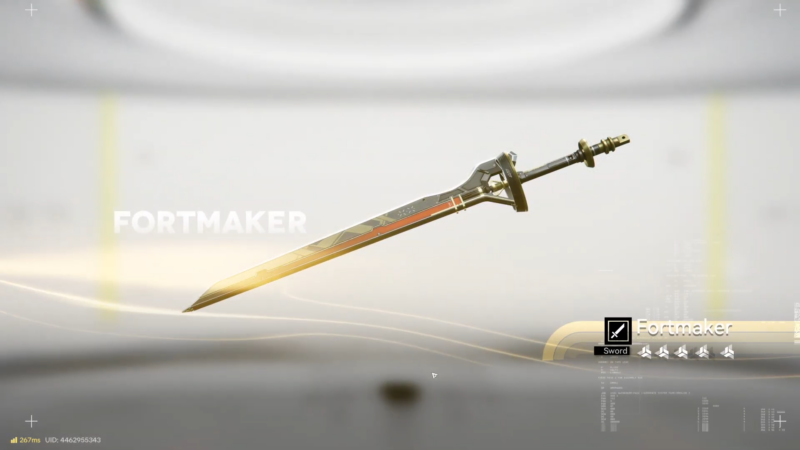
- Fortmaker is a 5-star Sword with Base ATK 411 and scaling secondary bonuses tied to Intellect and Ultimate Gain Efficiency.
- Its passive “Inspiring: Back to the Broken City” scales with rank and becomes notably stronger at higher ranks.
- “Free 5-star weapon” campaigns can award a specific weapon or a guaranteed 5-star from a pool; eligibility and selection steps matter.
- Most “missing weapon” cases come from account mismatch, not finalizing redemption, or overlooking the item due to inventory filters.
Fortmaker guides often look simple on the surface, but the success rate depends on doing the claim flow in the right order and confirming the reward actually moved into the game inventory. The sections below add a few practical checkpoints that prevent the most common dead-ends in Arknights Endfield.
Fortmaker stats and why the numbers matter
Fortmaker is a Sword-type 5-star weapon with Base ATK 411, and its secondary stats scale toward higher Intellect and higher Ultimate Gain Efficiency as rank increases. This combination generally supports builds that value frequent ultimate usage while still benefiting from an ATK-forward base.
Its passive, “Inspiring: Back to the Broken City,” scales by rank and can reach a meaningful ATK% boost plus an Arts-related stat boost at high rank. In real terms, the passive is the “main reason” Fortmaker stays competitive after the early game: it increases baseline damage through ATK% while also strengthening Arts-oriented output where relevant.
What “free 5-star sword” usually means in Endfield
In current Endfield reward patterns, “free 5-star weapon” most often refers to:
- A web-event style reward where tasks are completed on an official event page and then redeemed into the game account.
- An in-client reward distribution (mail/reward center) that still requires manual claiming and manual equipping.
That’s why many players searching for “Fortmaker location” get confused: the “location” is effectively the claim interface (event redemption + mailbox), not a fixed point on the map.
How to get Fortmaker as a free reward (detailed checklist)
Step 1: Confirm the campaign is actually awarding Fortmaker
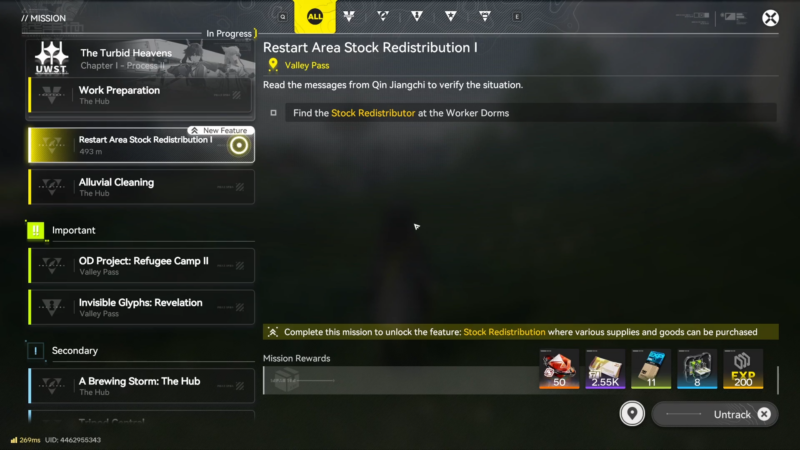
Some promotions guarantee “a 5-star weapon,” but not always Fortmaker specifically. Before spending time on tasks, check whether the campaign lists Fortmaker by name, allows selecting it, or uses a pool that may deliver a different weapon.
Step 2: Lock in the correct account before doing anything else
Most redemption problems happen here. Use the same login method for the event and the game client, and avoid switching accounts mid-process. If the event page supports account binding, confirm the binding status before redeeming.
Step 3: Complete tasks and finalize redemption (don’t stop at “earned”)
Many web events show a reward as “earned” before it is actually delivered. Look for the final confirmation step that sends it to the game (often a “redeem,” “claim,” or “send to game” action). Without this, nothing will appear in the client.
Step 4: Claim the delivered item in-game (mail/reward center)
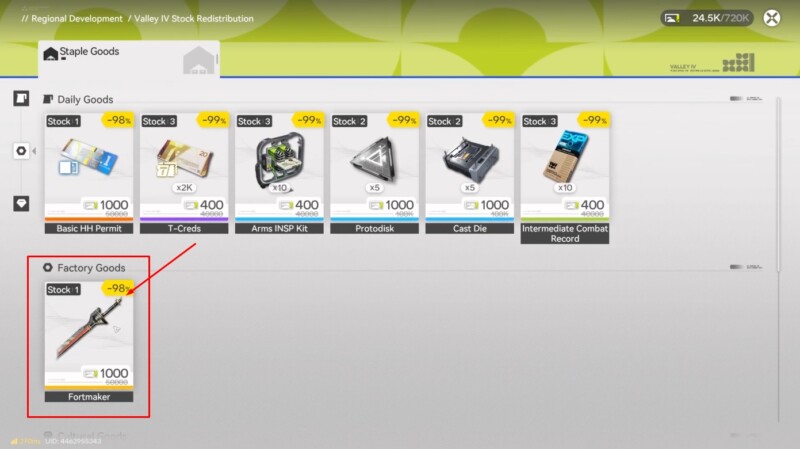
After redemption, open the in-game mailbox or reward center and claim the item fully. If there are multiple mails, claim all relevant messages; sometimes the weapon and related items (materials/currency) arrive separately.
Step 5: Verify it exists in inventory using the right filters
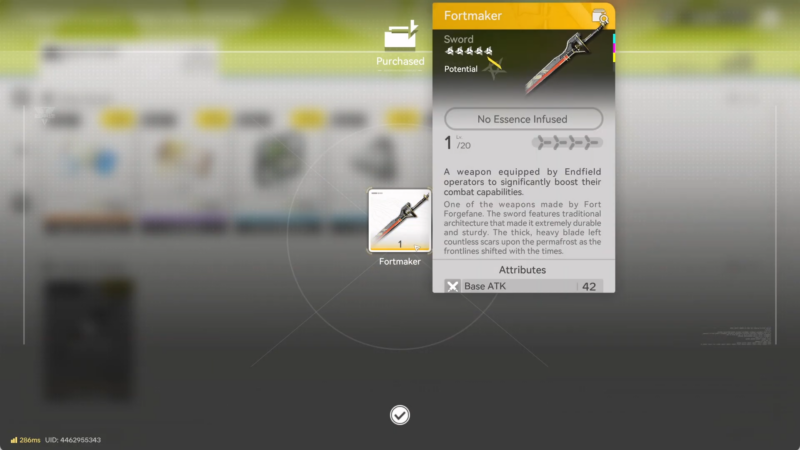
Open the weapon list and filter by:
- Weapon type: Sword
- Rarity: 5-star
If Fortmaker is present but not visible due to sorting, switch sorting to rarity or acquisition time to surface newly obtained weapons.
Step 6: Equip it and confirm the equipped weapon name on the character
Equip Fortmaker on the intended sword user and back out to confirm the weapon name shown on the character overview. This avoids the common mistake of equipping the wrong 5-star sword when multiple are owned.
Upgrade planning: when to invest, and what to watch for
Fortmaker’s power curve benefits notably from ranking up the passive, but the practical constraint is usually breakthrough materials and currency. A sensible approach is:
- Use it immediately at base rank if it’s already an upgrade over the current sword.
- Delay deeper breakthroughs if the account is still changing main sword users or if the material requirements compete with a higher-priority weapon.
- Commit to upgrades once the main sword user is locked in and the passive scaling aligns with the build goal (ATK% plus Arts-related scaling).
This keeps progression efficient: the weapon still provides value early, without forcing a costly upgrade path before the roster stabilizes.
Troubleshooting: Fortmaker still isn’t there
If Fortmaker doesn’t show up after the steps above, the likely causes (in order) are:
- The campaign awarded a different 5-star weapon (pool/selection issue).
- Redemption was not finalized on the event side (earned ≠ delivered).
- The wrong account was used on either the event or the game client.
- The weapon arrived but is hidden by filters or sorting.
- The reward is time-gated or queued (some systems deliver after a short delay), so re-check the mailbox after a few minutes and relog if needed.
If the campaign terms indicate selection is required, repeat the selection step and confirm that the final “send to game” action was completed.
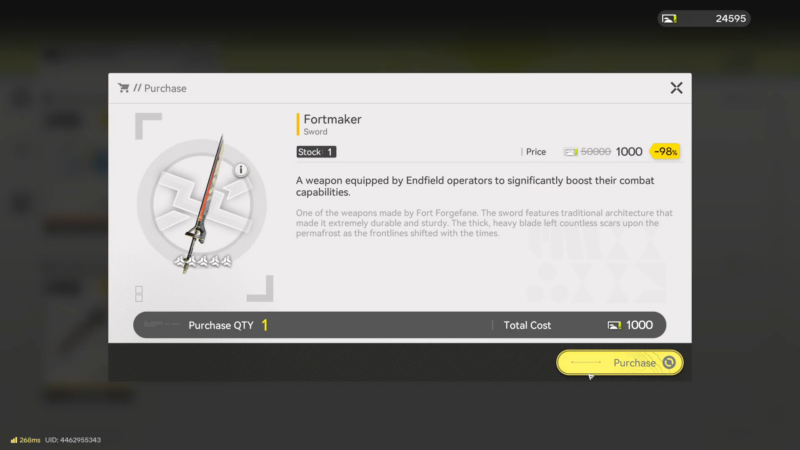
Getting Fortmaker as your first “great” weapon
Fortmaker is best approached as a reward-claim weapon: confirm the campaign awards it, keep the same account across platforms, finalize redemption, then claim via mailbox and equip using sword/5-star filters. Once it’s in hand, upgrade investment makes the most sense after a main sword user is established and materials won’t stall other priorities.