What to know
-
Ymmersive Melodies adds playable instruments and supports uploading your own melodies as MIDI.
-
Hytale modding is server-side, so worlds control what mods players load.
-
You can install Hytale mods through CurseForge, then launch Hytale with the enabled, or download and place the mod in the appropriate folder manually.
-
Multiplayer works well for group performances (think “band” play), as long as everyone is on the same modded server/world.
Hytale mods take the game to the next level. If you love listening to music, there’s a mod that lets you craft and play record players as well as collect records. But if you want to play instruments (or even your own MIDI files), there’s a mod for that too – Ymmersive Melodies. Here’s everything you need to know about it, as well as the instruments that you can craft after installing it.
How to install Ymmersive Melodies
You generally have two common setups: singleplayer (local server) or a hosted server, but both follow the same “server-side mod” idea in Hytale.
Step 1
Download the mod Ymmersive Melodies from CurseForge.
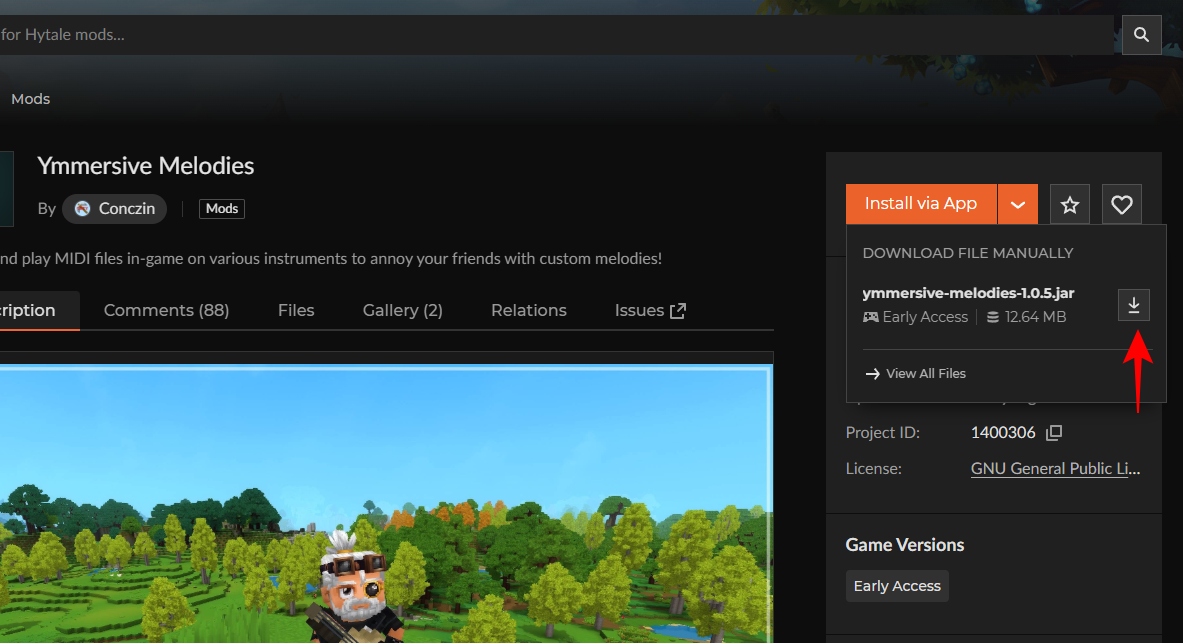
Step 2
Then place the .jar file in the following folder – C:\Users(username)\AppData\Roaming\Hytale\UserData\Mods
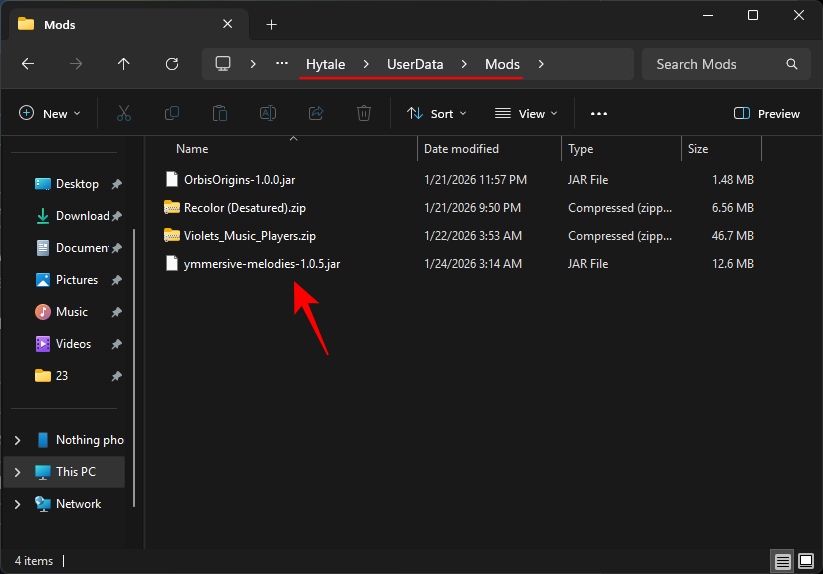
Alternatively, you can install the CurseForge app, open the Hytale section to browse Ymmersive Melodies, and install it directly.
Step 3
Launch Hytale, select Worlds.
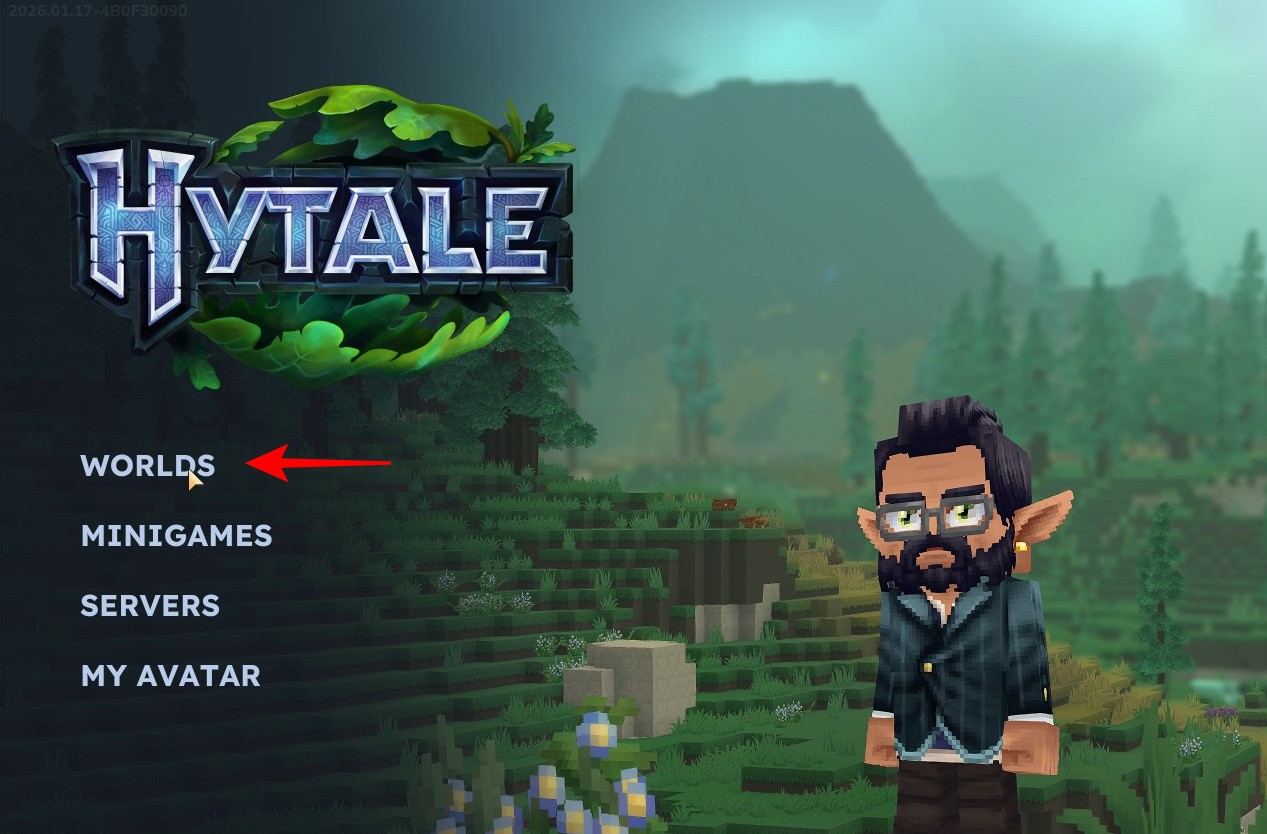
Step 4
Right-click on your world, then enable Ymmersive Melodies. Save changes.
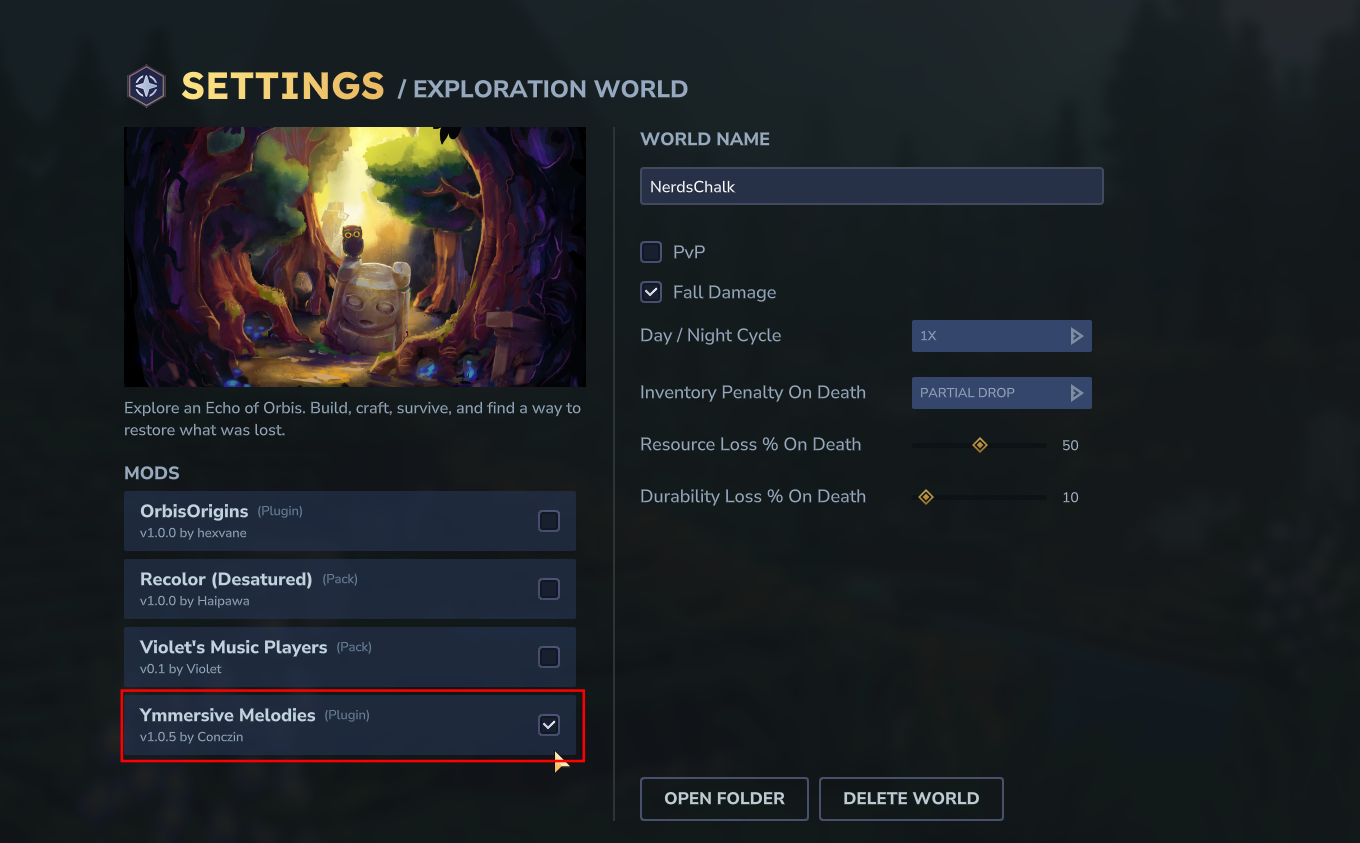
If you’re playing on a server you host, stop the server, place the mod files in the server’s mods folder, restart the server, and then join so the client loads what the server is running.
How to craft and use instruments in-game
Once the mod is active, you’ll be able to use instrument items to perform songs (including a built-in set) and play them in the world for other players nearby.
Step 1
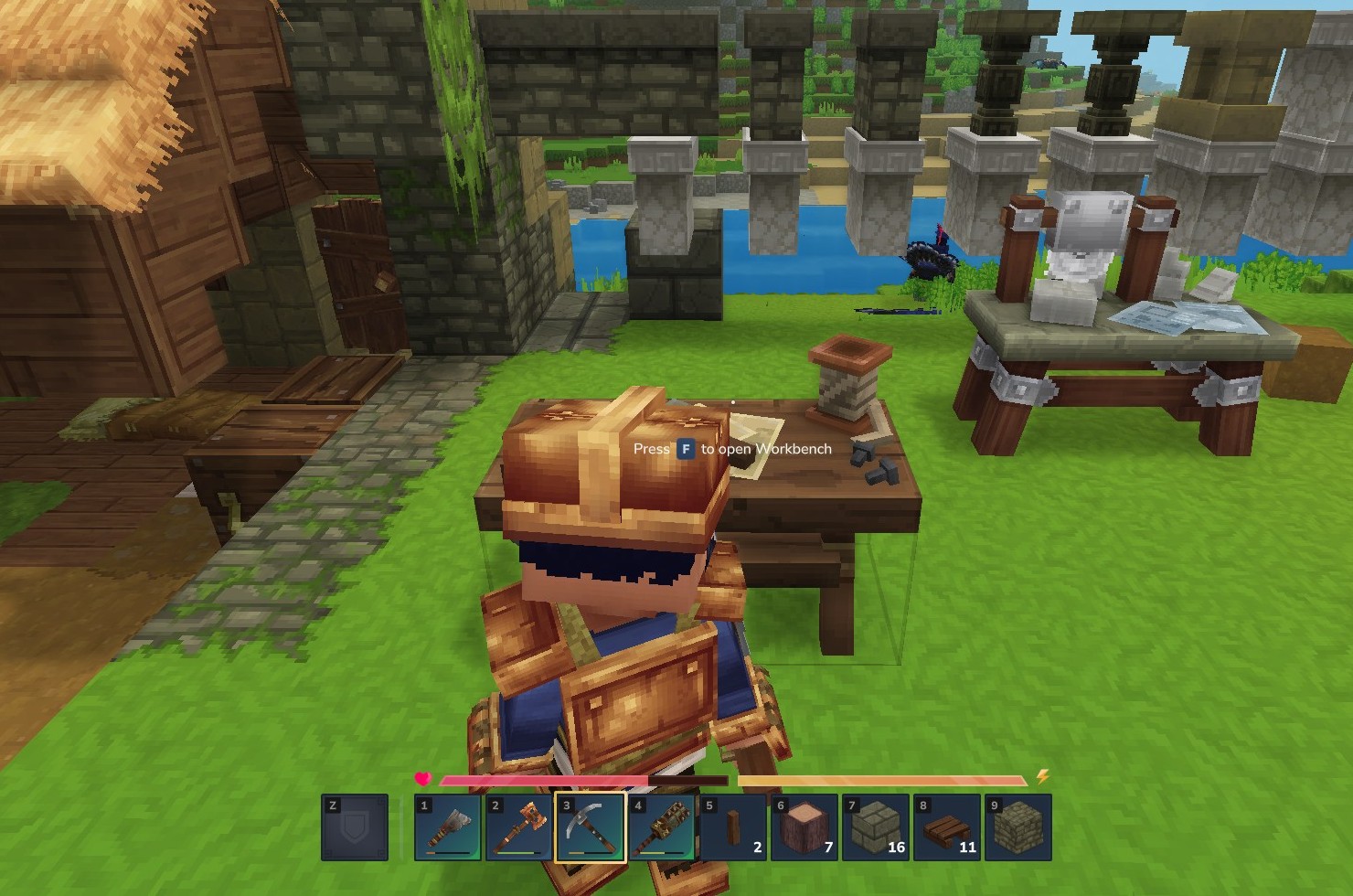
Enter your modded world and open your (standard) Workbench.
Step 2
Go to the Tools section. Here, you’ll see a bunch of instruments available for you to craft.
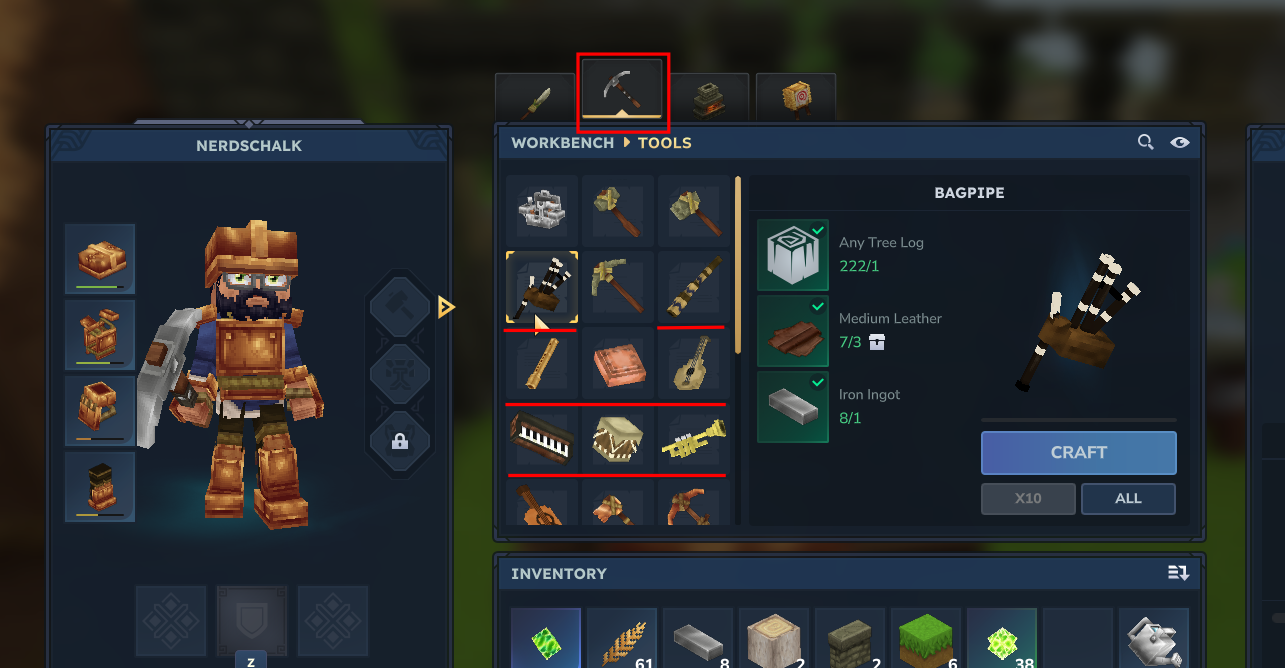
The available instruments include:
- Bagpipe
- Didgeridoo
- Flute
- Handpan
- Lute
- Piano
- Tiny Drum
- Trumpet
- Vielle
Step 3
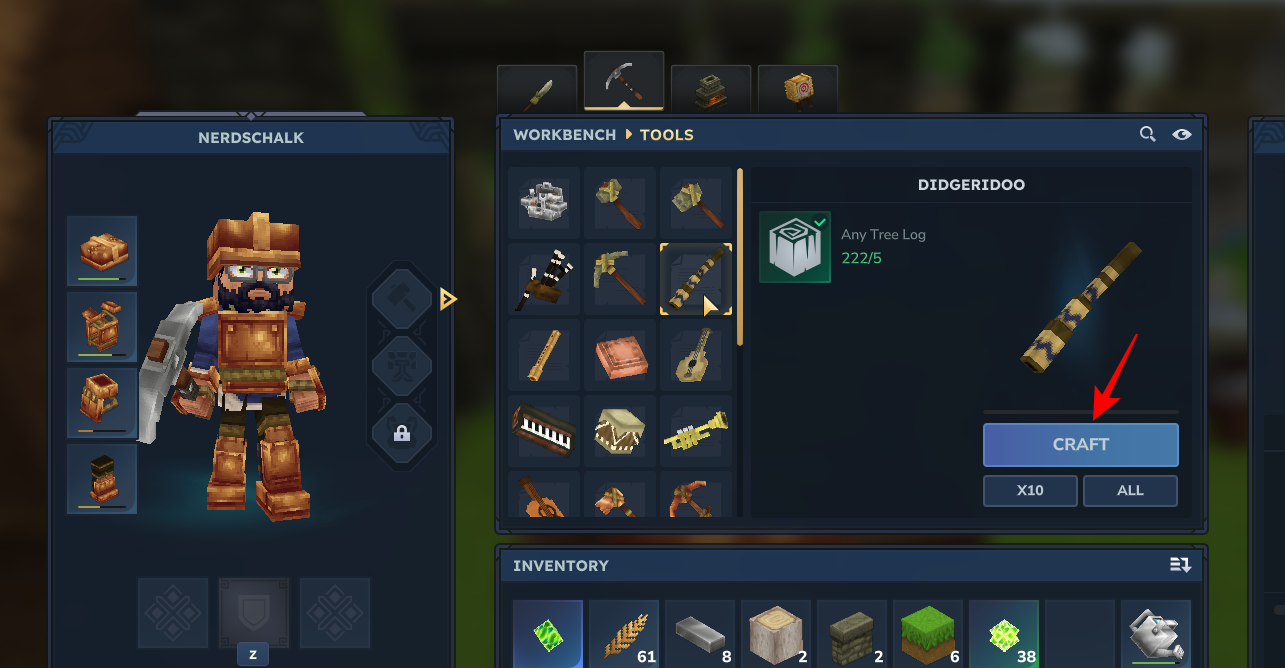
Craft an instrument and pull it out.
Step 4
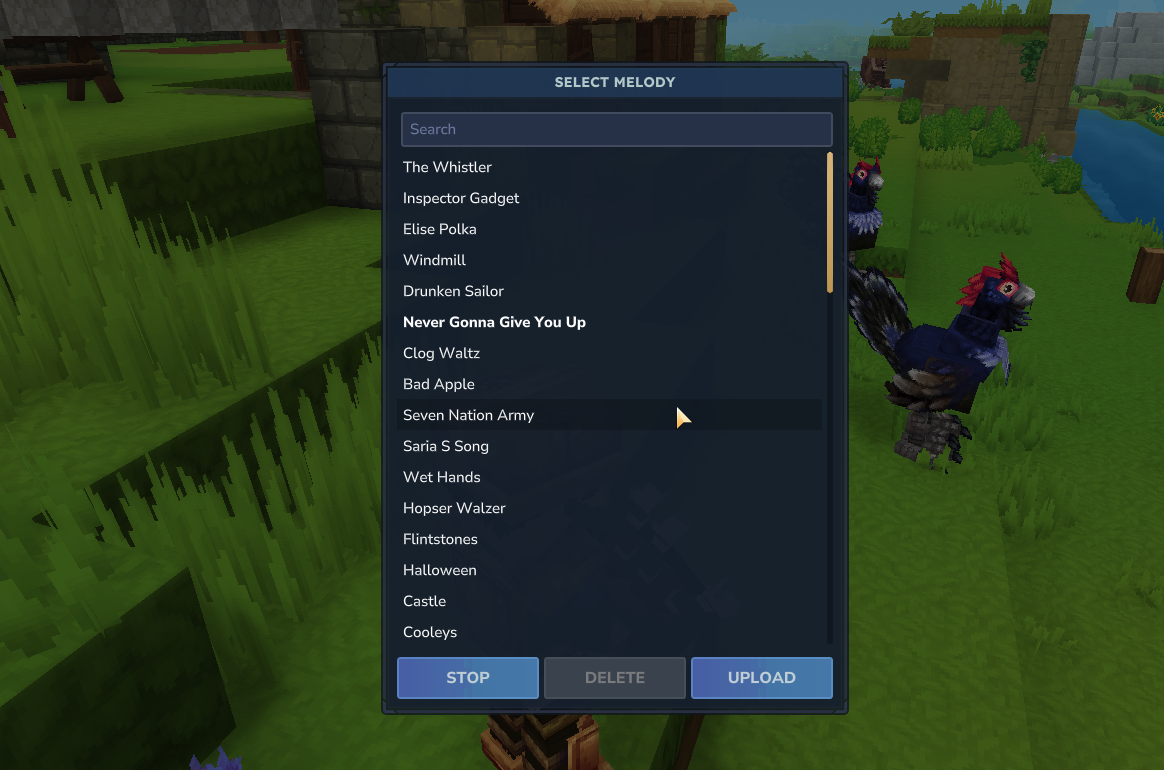
With the instrument equipped, right-click to open the song options. Select a built-in song to start playing it.
Step 5
Play the instrument in-world.
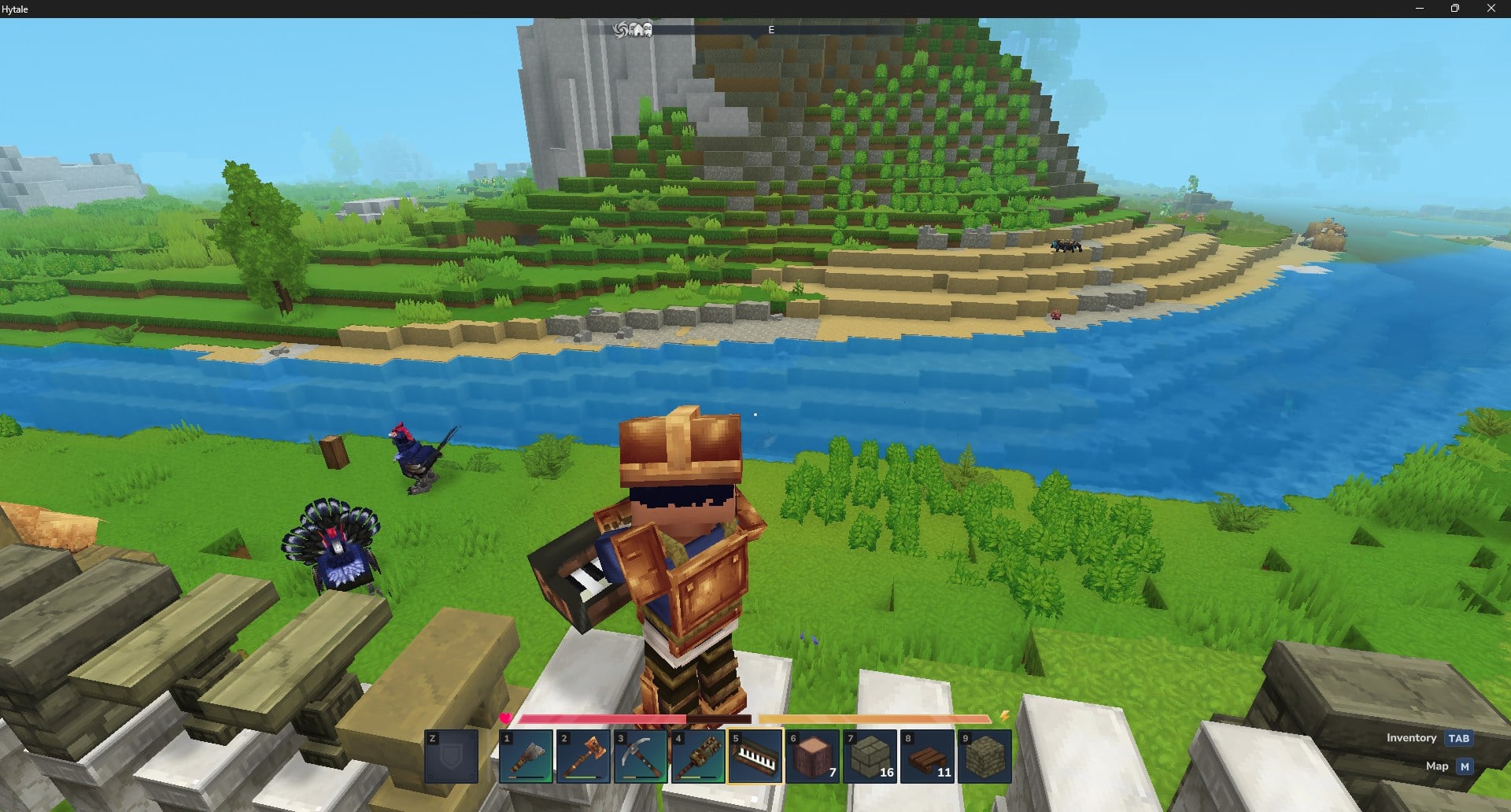
In multiplayer, this is designed for group performances as long as everyone is on the same modded world.
How to add and play MIDI files
Custom songs typically work by giving the mod a MIDI file it can access from a direct URL, and if a site’s link doesn’t work as a direct file URL, upload the MIDI somewhere that provides a usable share link.
Step 1
Get a MIDI file you want to use (a standard .mid file).
Step 2
Try using a direct MIDI file URL first; if the link isn’t a direct file address, it may fail to load in-game.
Step 3
If the direct URL doesn’t work, upload the MIDI to a file host and copy the share link address that points to the file, then use that link for the mod’s import/upload field.
Step 4
Back in Hytale, open the instrument’s custom Upload option.
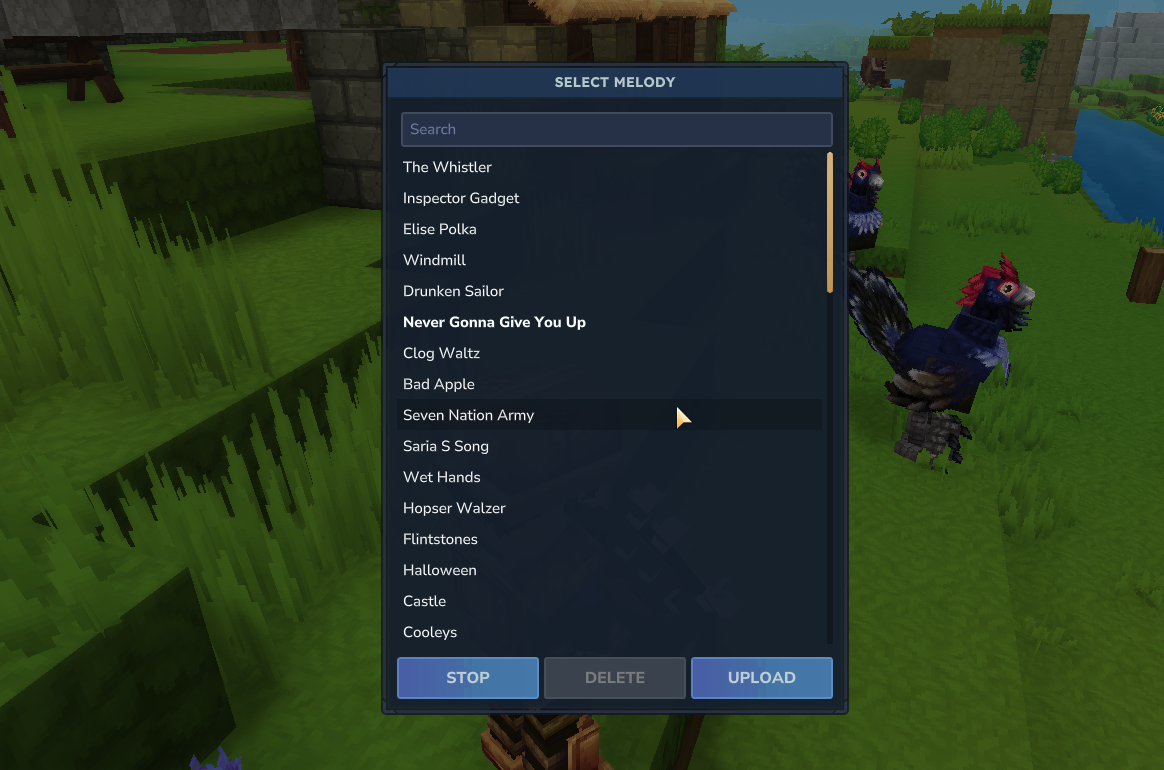
Paste the MIDI link, confirm upload.
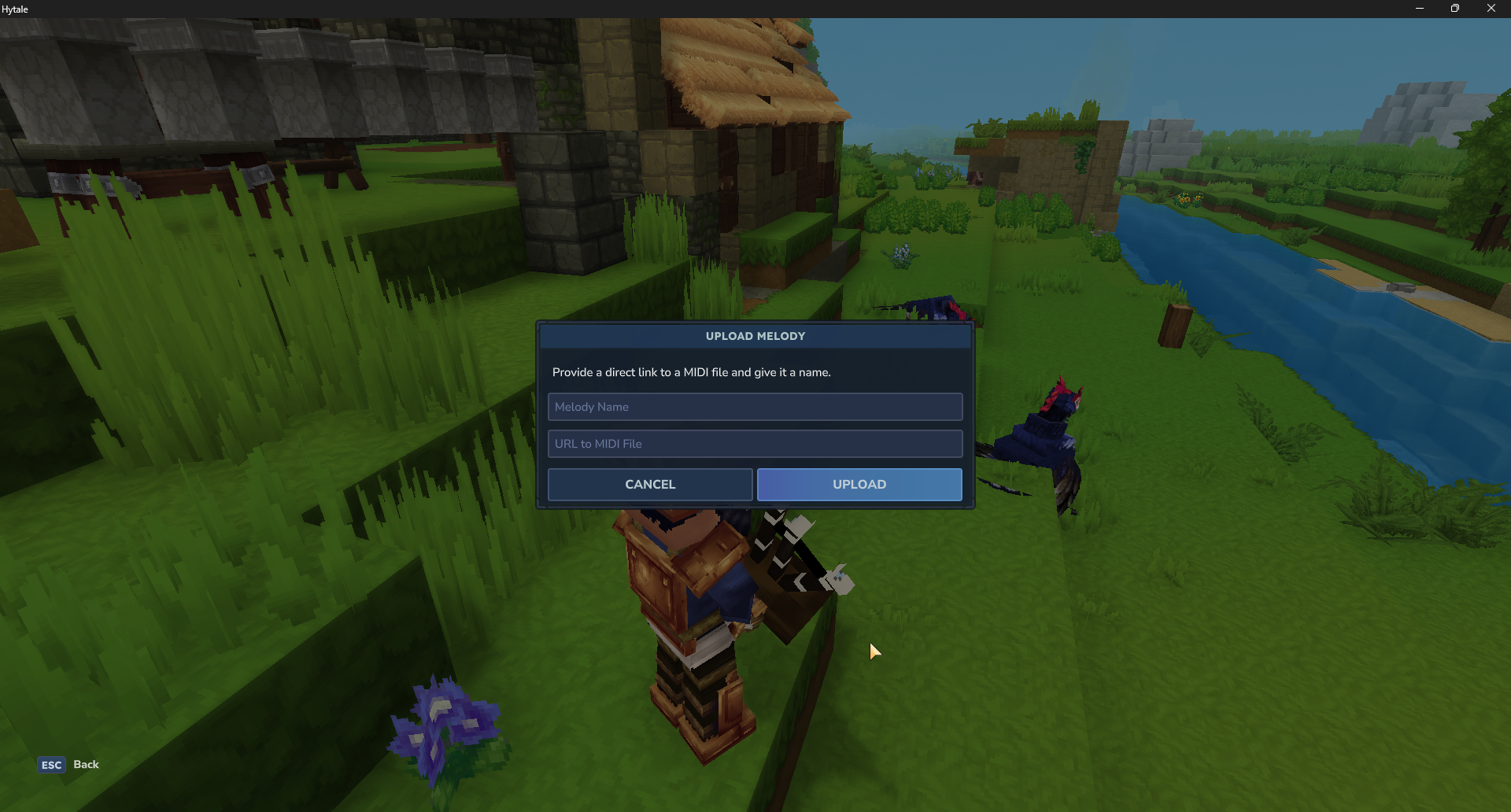
Then select the new track from your list to start playing.
With Ymmersive Melodies installed, you can treat instruments like a new gameplay layer – craft them, play included tracks, and bring your own MIDI files to perform on demand.