- What to know
- What are blueprints in Arknights Endfield
- Arknights Blueprints system explained
- Creating and saving blueprints
- Sharing and importing blueprints
- Finding community blueprints and why caution matters
- System blueprints and why they are inefficient
- How to place blueprints correctly
- Using blueprints as an optimization tool
- Common blueprint mistakes to avoid
What to know
- Blueprints save machine layouts, spacing, and orientation
- You can create, export, import, and share blueprints freely
- Community blueprints are often far more efficient than system ones
- Proper use requires understanding machine logic and flow, not blind copying
Factory building in Arknights: Endfield is deep, modular, and intentionally complex. Blueprints exist to make that complexity manageable. Instead of rebuilding factories by hand every time you relocate, expand, or experiment, blueprints allow you to snapshot entire setups and deploy them again instantly. Used correctly, they save hours of trial-and-error and let you iterate on production chains with confidence.
This guide explains how blueprints work, how to create and place them properly, and how to use community and system blueprints without falling into common efficiency traps.
What are blueprints in Arknights Endfield
| Aspect | Details |
|---|---|
| Purpose | Save and reuse factory layouts |
| Scope | Individual machines to full bases |
| Sharing | Exportable via blueprint codes |
| Placement | Requires clear space or stash mode |
| Skill factor | High—understanding layouts matters |
Blueprints become available once you begin building structured production zones rather than isolated machines. At that stage, manual placement stops being efficient. The game assumes you will move bases, rebuild, and optimize over time, and blueprints are the tool that makes that loop practical.
Arknights Blueprints system explained
A blueprint is not just a visual copy of machines. It records relative positioning, rotation, spacing for belts and connections, and the list of machines required to recreate the layout. When you load one, the game checks what you already own and distinguishes between machines that must be constructed and machines that can be placed immediately.
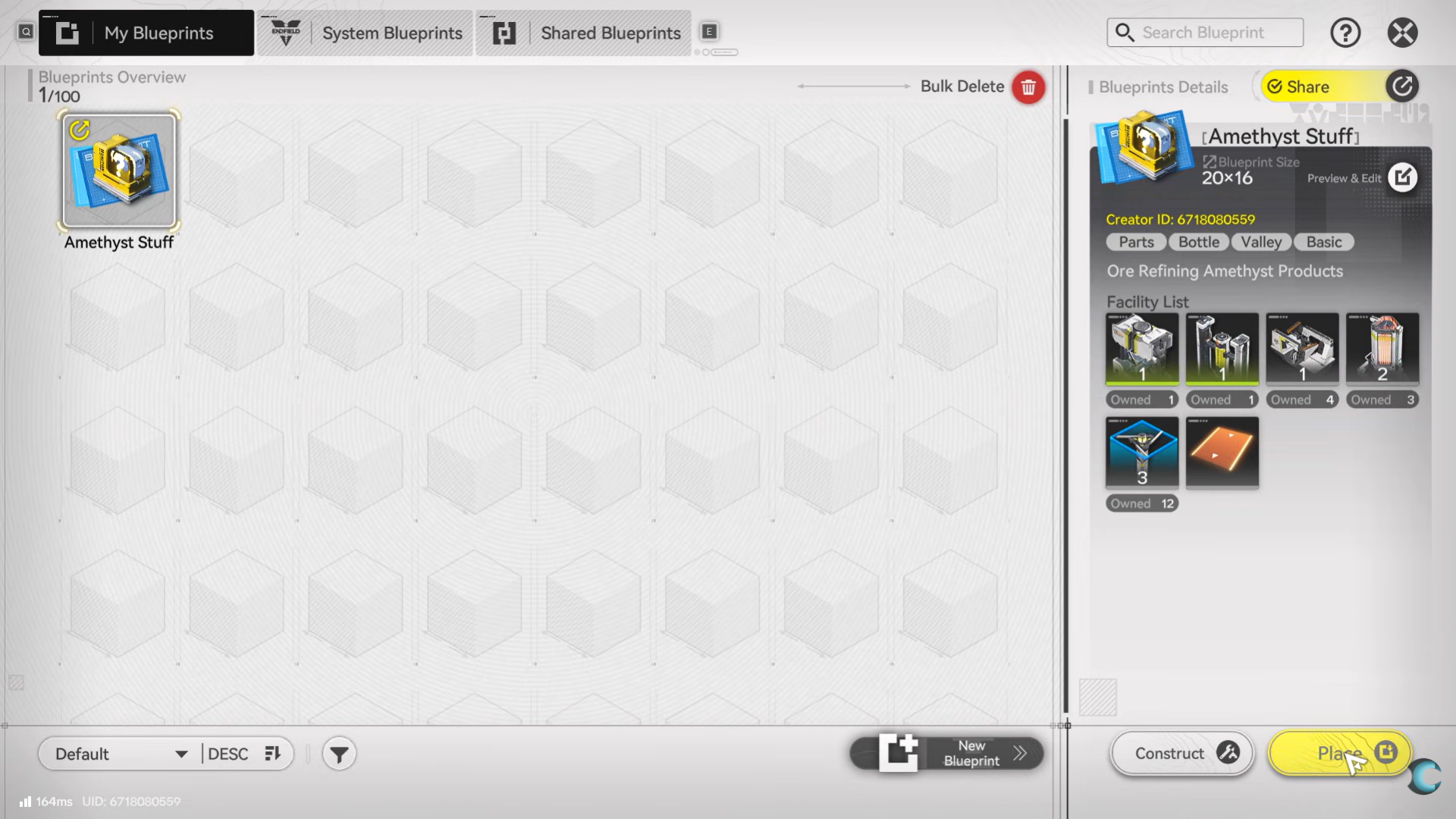
This distinction matters because blueprints are used in two different ways. Sometimes you are rebuilding something you already own, such as when relocating a base. Other times, you are previewing or planning a factory that requires machines you have not yet unlocked or crafted.
Creating and saving blueprints
Creating a blueprint starts from selection. You enter blueprint mode and manually select machines and constructions you want to save. This can be a small cluster—like a smelter and its conveyors—or an entire production wing or base. Once selected, the game lets you name the blueprint, add a short description, and view a breakdown of required machines.
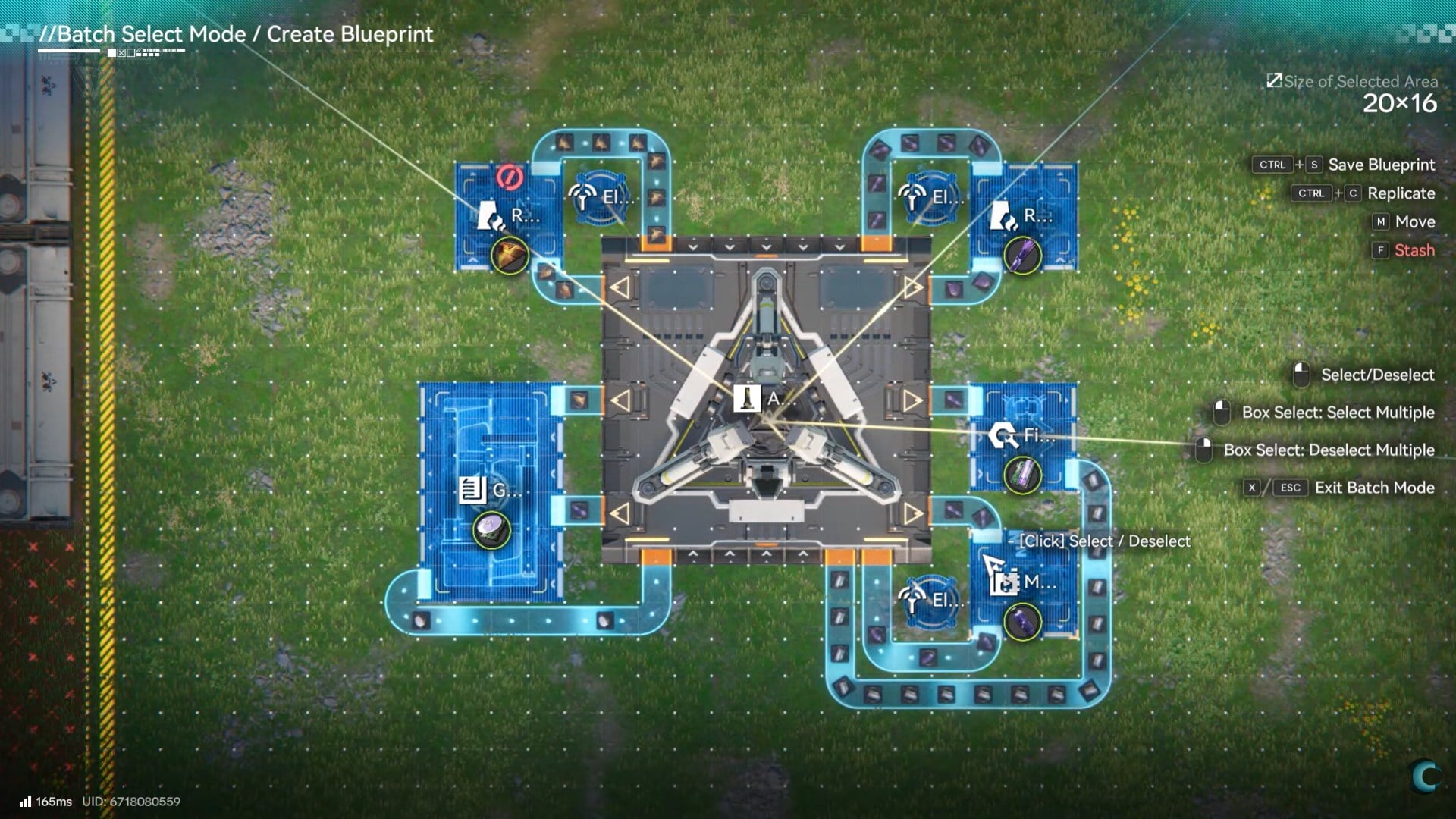
That breakdown is more important than it looks. It tells you exactly what the blueprint assumes you have access to, which prevents failed placements later. Many experienced players use blueprint descriptions to note throughput, power requirements, or intended use cases, effectively turning blueprints into personal documentation.
Because blueprints can include entire bases, they also function as backups. If you want to experiment aggressively with a layout, saving a blueprint first lets you revert instantly if the experiment fails.
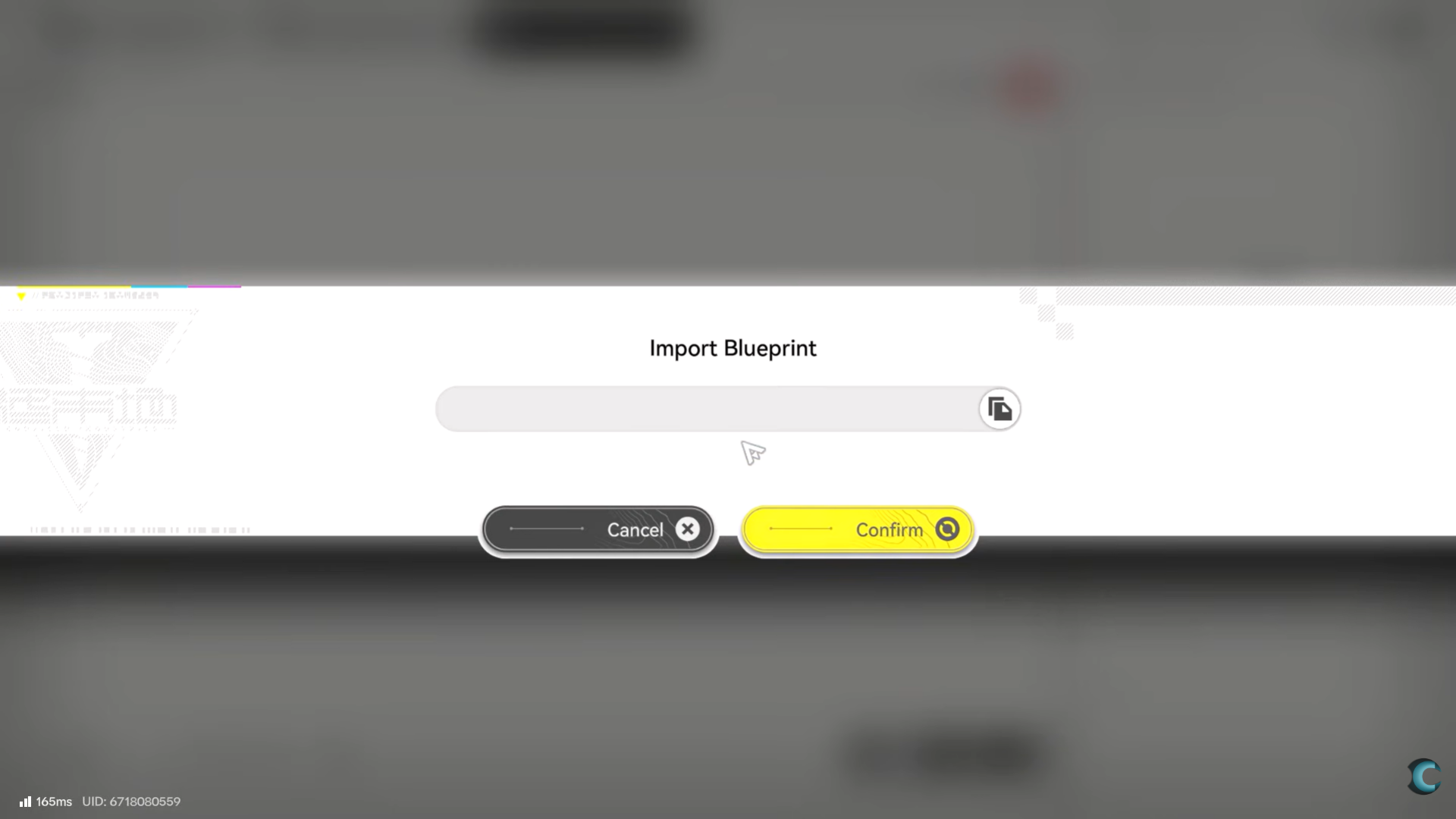
Blueprint sharing is handled through export codes. When you share a blueprint, the game generates a unique string that represents that layout. Anyone can paste that code into the shared blueprints tab and import the design.
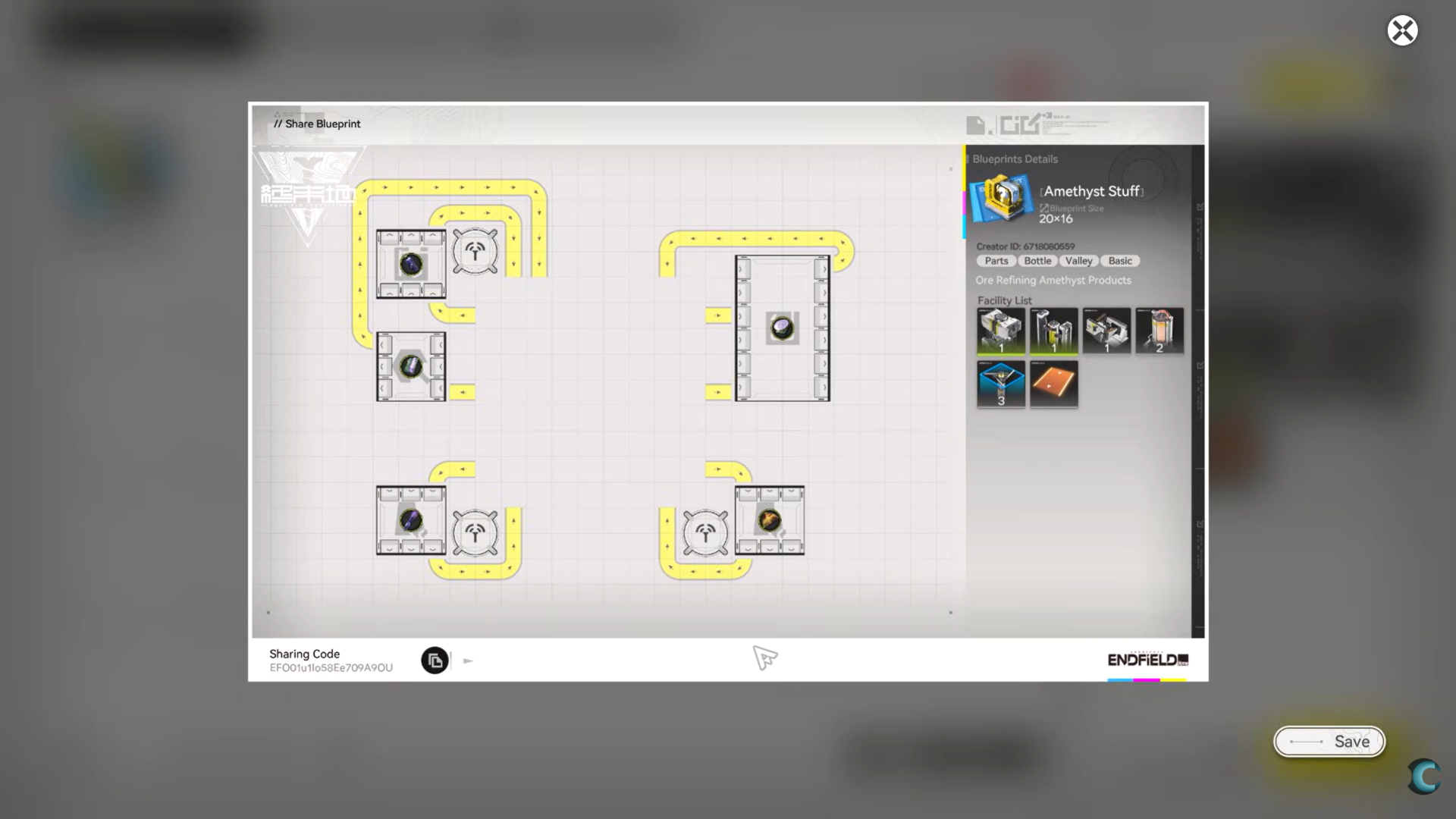
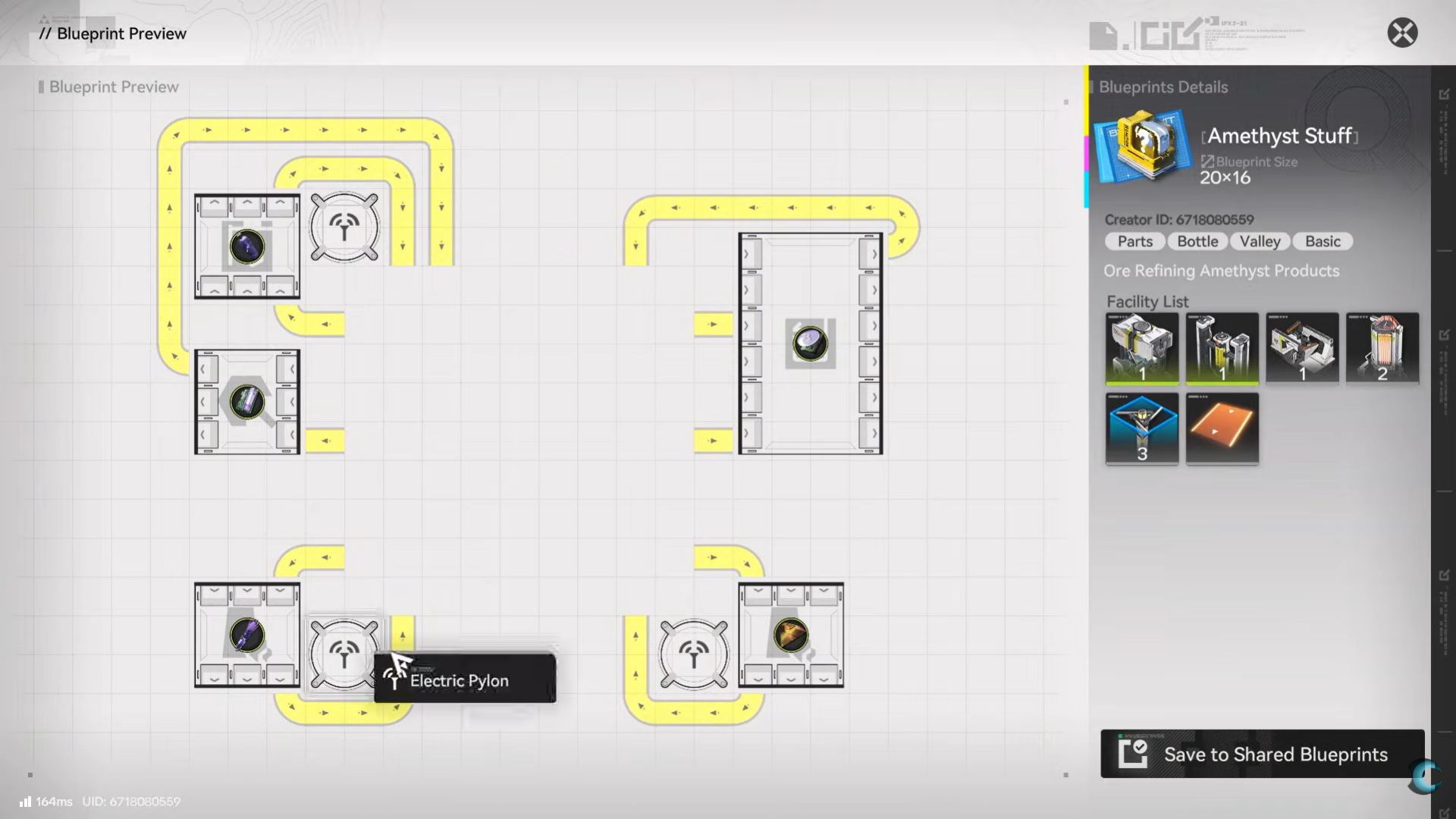
This system enables a thriving community ecosystem where players trade optimized builds, compact layouts, and late-game production chains. Importing a blueprint does not force you to place it. You can inspect it first, check required machines, and decide whether it fits your progression level.
One important detail is that imported blueprints do not override your understanding of mechanics. The game treats them as tools, not solutions. If you import something you do not understand, it may technically function but perform poorly in your base due to terrain, power routing, or resource constraints.
Finding community blueprints and why caution matters
Community blueprint hubs exist specifically because system-provided blueprints are intentionally conservative. Community designs often focus on compactness, throughput optimization, and future scalability. They can dramatically outperform default layouts.
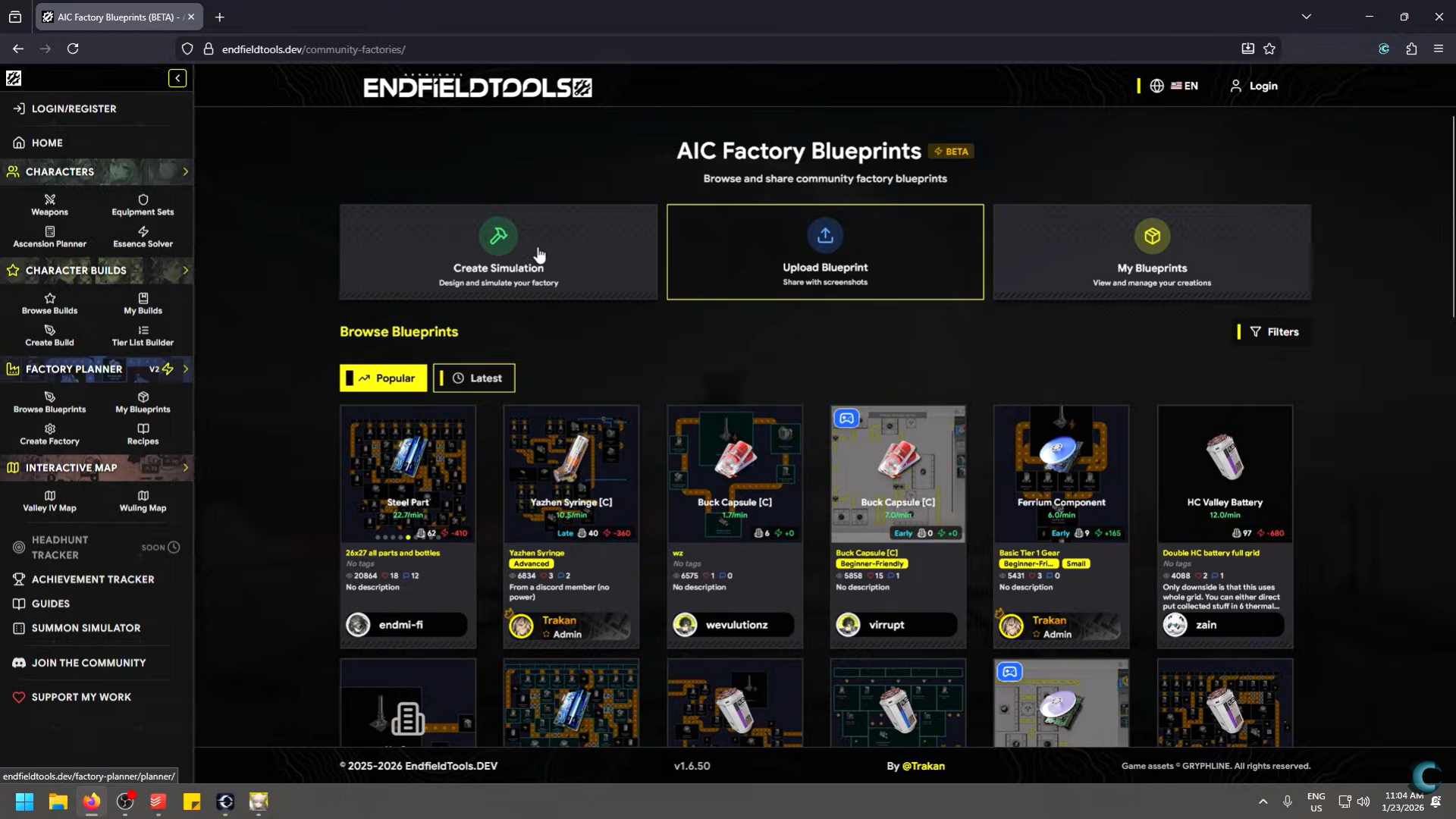
However, relying on community blueprints too early can backfire. Many assume late-game power availability, advanced machine variants, or perfect terrain conditions. If you import them without understanding machine behavior, you may end up with bottlenecks you cannot diagnose.
The healthiest approach is to treat community blueprints as learning tools. Study how machines are chained, how spacing is minimized, and how power lines are routed. Once you understand why a layout works, you can adapt it safely.
System blueprints and why they are inefficient
The game provides system-made blueprints, but these are best understood as tutorials rather than optimal solutions. They tend to use excessive space, leave large buffer zones, and prioritize clarity over efficiency.
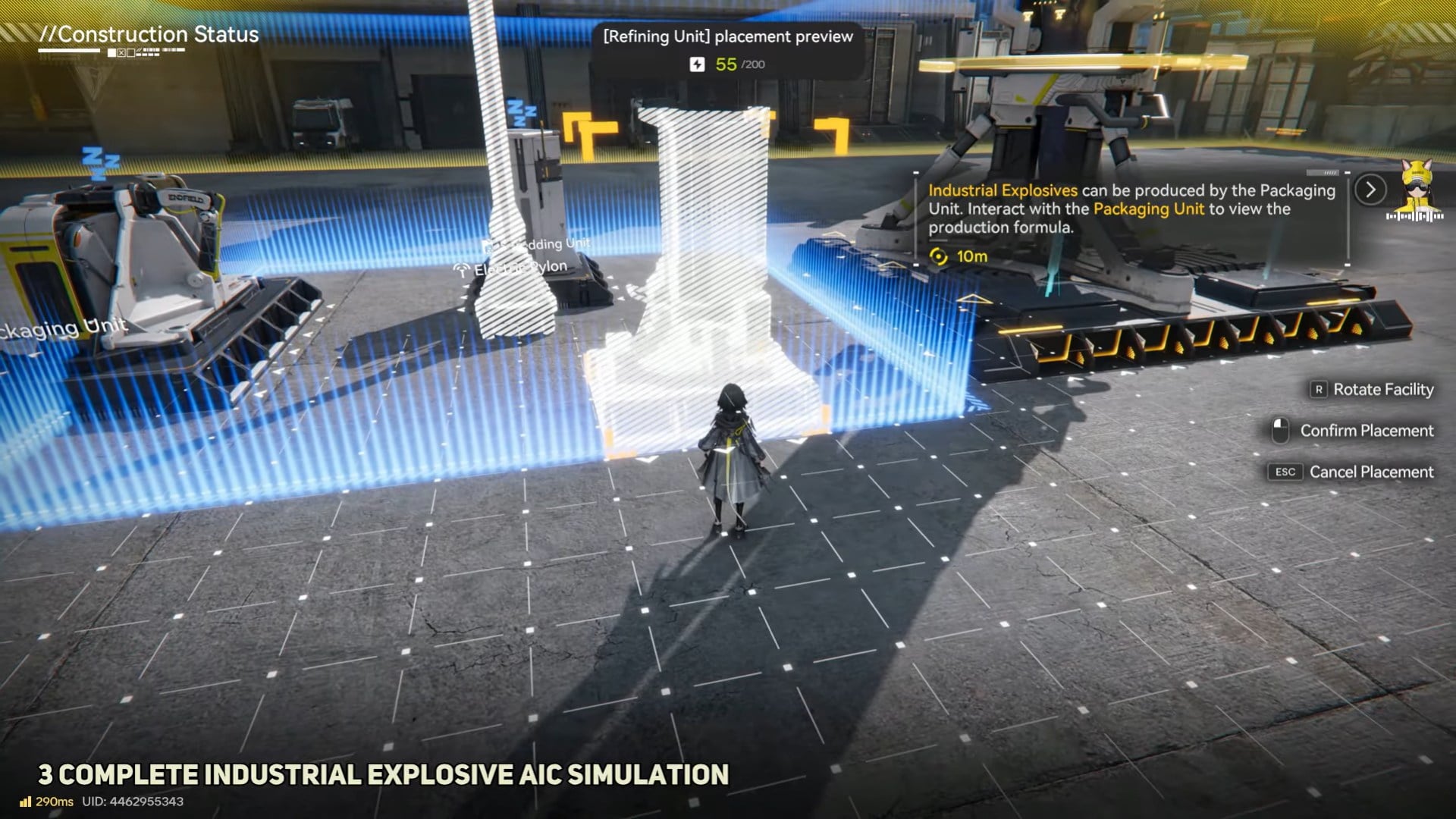
System blueprints are useful for understanding basic machine interactions, but they are rarely worth deploying long-term. Interestingly, the more useful system designs are often hidden in individual machine recipe lists, where you can simulate machine behavior in isolation. These simulations teach flow logic without committing you to an oversized layout.
How to place blueprints correctly
Placing a blueprint is where most friction occurs, especially for new players. Blueprints require free space. If your current base occupies the area, you must use stash mode to temporarily store existing machines.
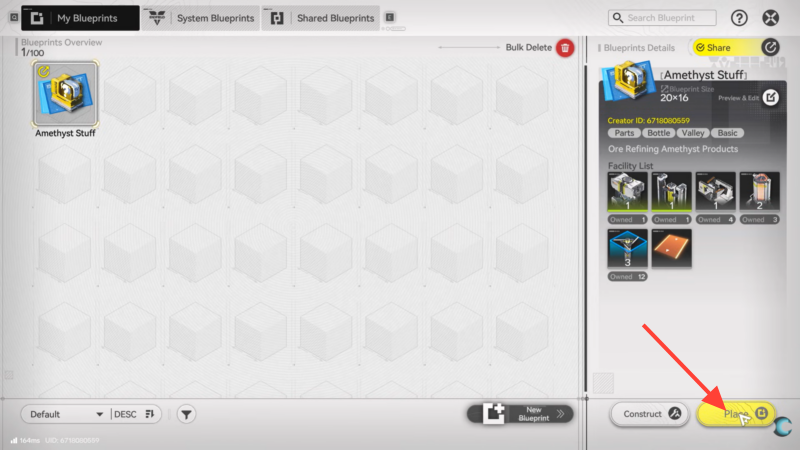
Stash mode does not delete anything. It safely removes machines so you can reposition or replace them. Once the area is clear, you can preview the blueprint, rotate it, nudge it into position, and confirm placement. The game clearly differentiates between placing existing machines and constructing new ones, so there is no risk of accidental loss.
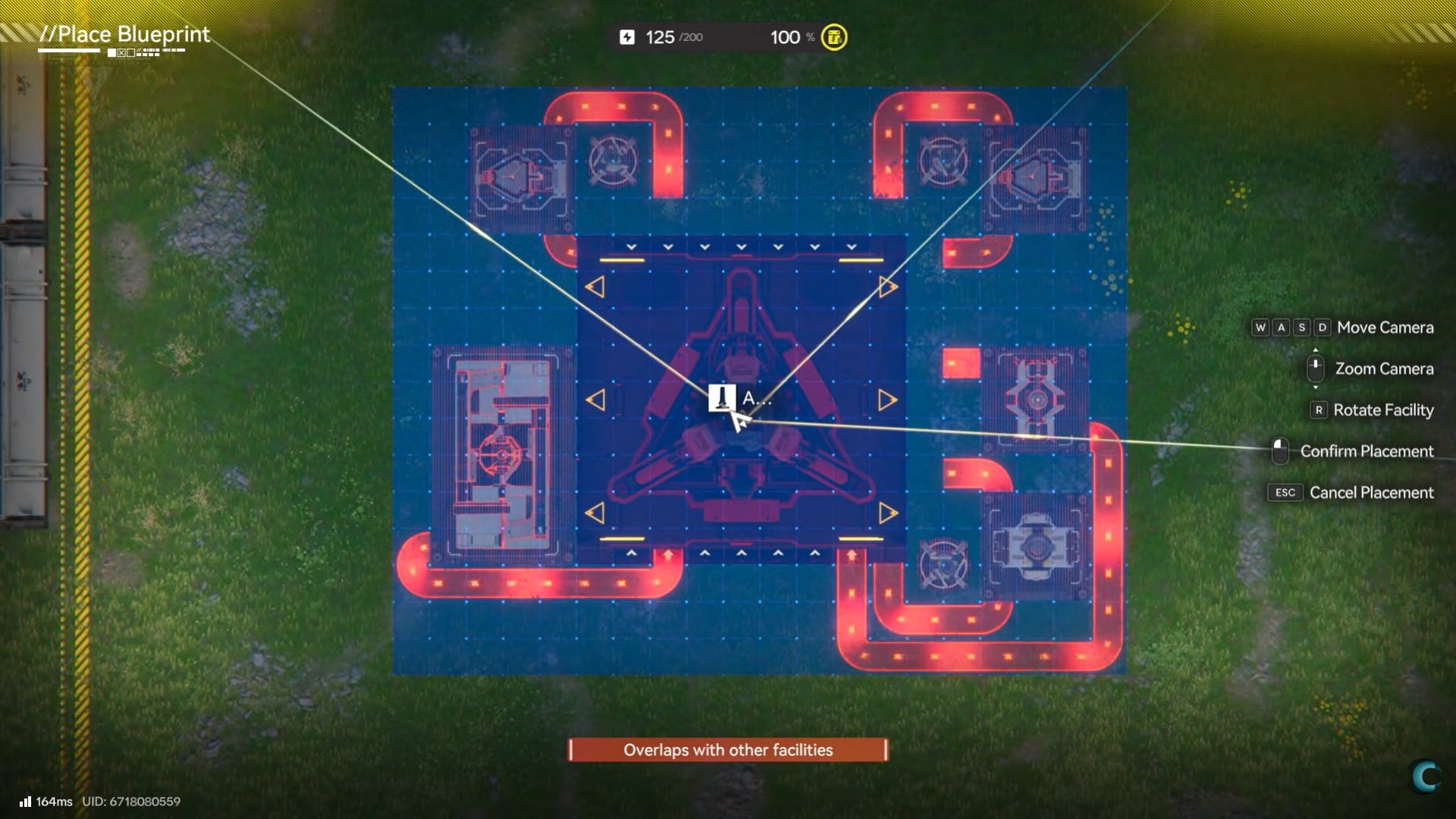
This placement system enables rapid iteration. You can test a new factory, evaluate output, then revert to an old blueprint if the results are worse—all within minutes.
Using blueprints as an optimization tool
Blueprints shine when used iteratively. Instead of chasing a perfect design, you can save versions as you refine. A common advanced workflow involves creating a baseline layout, then saving incremental improvements as separate blueprints.

Because placement is fast, optimization becomes experimental rather than theoretical. You can test throughput, adjust spacing, and reroute connections without long rebuild times. Over time, your personal blueprint library becomes a reflection of your playstyle and priorities.
Common blueprint mistakes to avoid
The most frequent mistake is copying without understanding. Blueprints do not adapt automatically to terrain elevation, power availability, or resource input rates. Another common issue is over-scaling too early, using layouts designed for later progression that strain your current infrastructure.
Finally, many players forget to name or describe blueprints clearly. This leads to confusion later, especially when you accumulate dozens of saved designs. Treat blueprint management like inventory management—it pays off long-term.
Arknights Endfield is built around mobility and restructuring. Bases are not permanent monuments but evolving systems. Blueprints are the mechanic that makes this philosophy playable. Without them, experimentation would be punishing. With them, it becomes encouraged.
As production chains grow more complex, blueprints stop being optional convenience features and become core progression tools.
Thanks for taking the time to go through this blueprint usage guide. If it helped you understand things better, do share your thoughts, impressions, or doubts in the comments section. We keep a close watch and try to respond promptly to ensure you always get the support you need.