To place and use a Refining Unit in Arknights: Endfield (the step you linked), you mainly need to pull it from your Backpack, drop it in the projected quest area near the POC, and then power it with an Electric Pylon.
What to know
-
The “Place a Refining Unit” step happens during the Rally and Unite main mission in Chapter 1 (The Broken Lands) at Valley IV, The Hub.
-
The Refining Unit appears in your Backpack when the quest tells you it’s available.
-
You must place an Electric Pylon near it so the Refining Unit has power.
-
You refine Originium Ore into Origocrusts via the Refining Unit control panel, then claim the output to your backpack.
Right when the game unlocks the Refining Unit for that objective, your job is to physically place the building and then make sure it’s powered so it can actually run.
Where the Refining Unit fits in this quest
In Rally and Unite, you mine Originium Ore, then place a Refining Unit in the projected placement area by the POC to start converting ore into Origocrusts for progress-gating repairs and crafting. The same mission flow also introduces powering buildings via Electric Pylons and interacting with facility control panels.
Quick checklist for common “it won’t place/work” issues
| Problem you see | Likely cause | Fix |
|---|---|---|
| You can’t find the Refining Unit | It hasn’t been granted by the quest step yet | Continue the objective until the quest says it’s available in Backpack. |
| It won’t place | You’re outside the projected quest placement area | Move to the projected area by the POC and try again. |
| It places but won’t run | No power | Place an Electric Pylon near it. |
| You refined ore but have no output in inventory | You didn’t claim the output | Use Claim All to put Origocrusts into your backpack. |
How to place a Refining Unit from your Backpack
Step 1
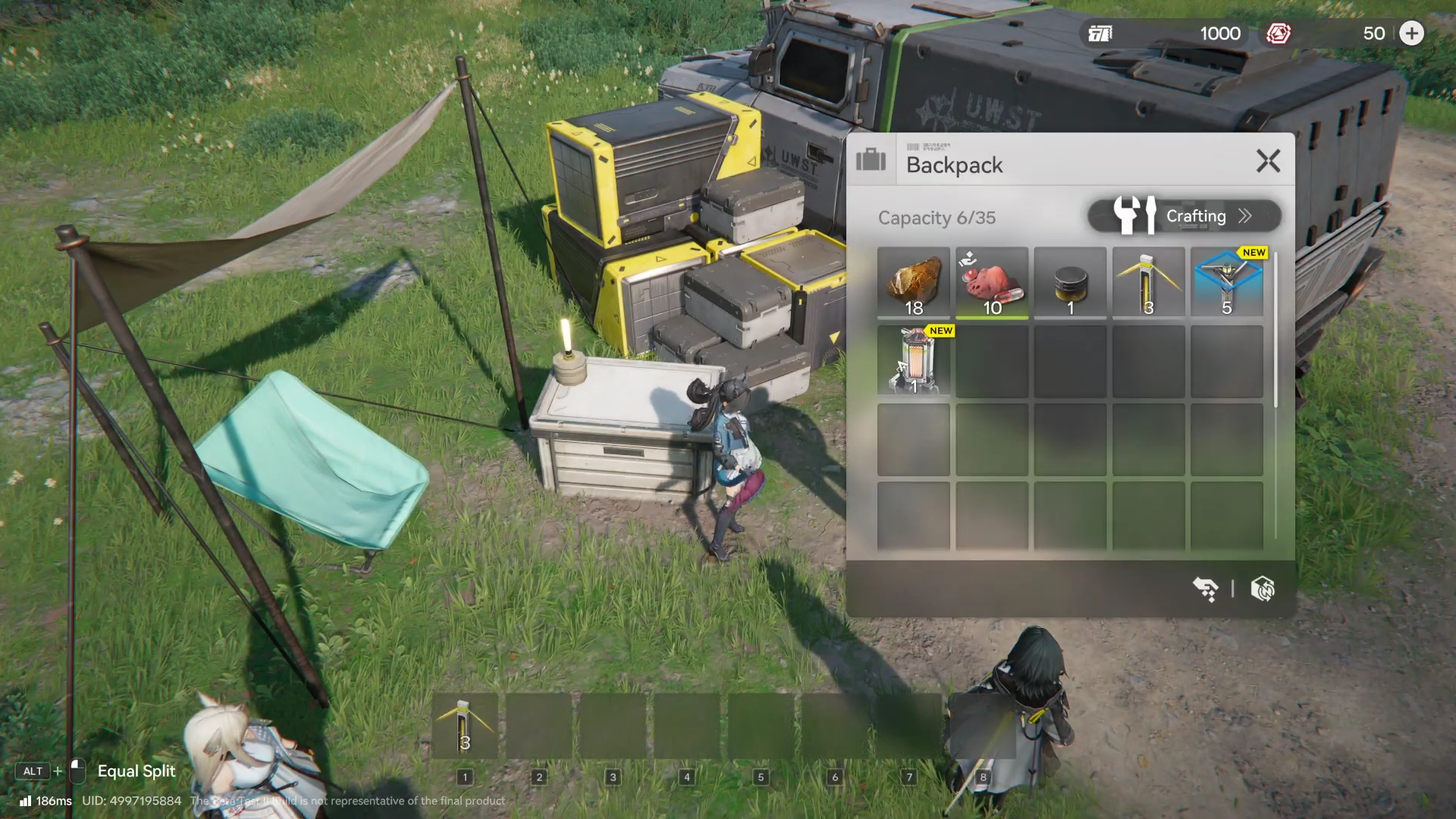
Open your Backpack after the quest message indicates the Refining Unit is available.
Step 2
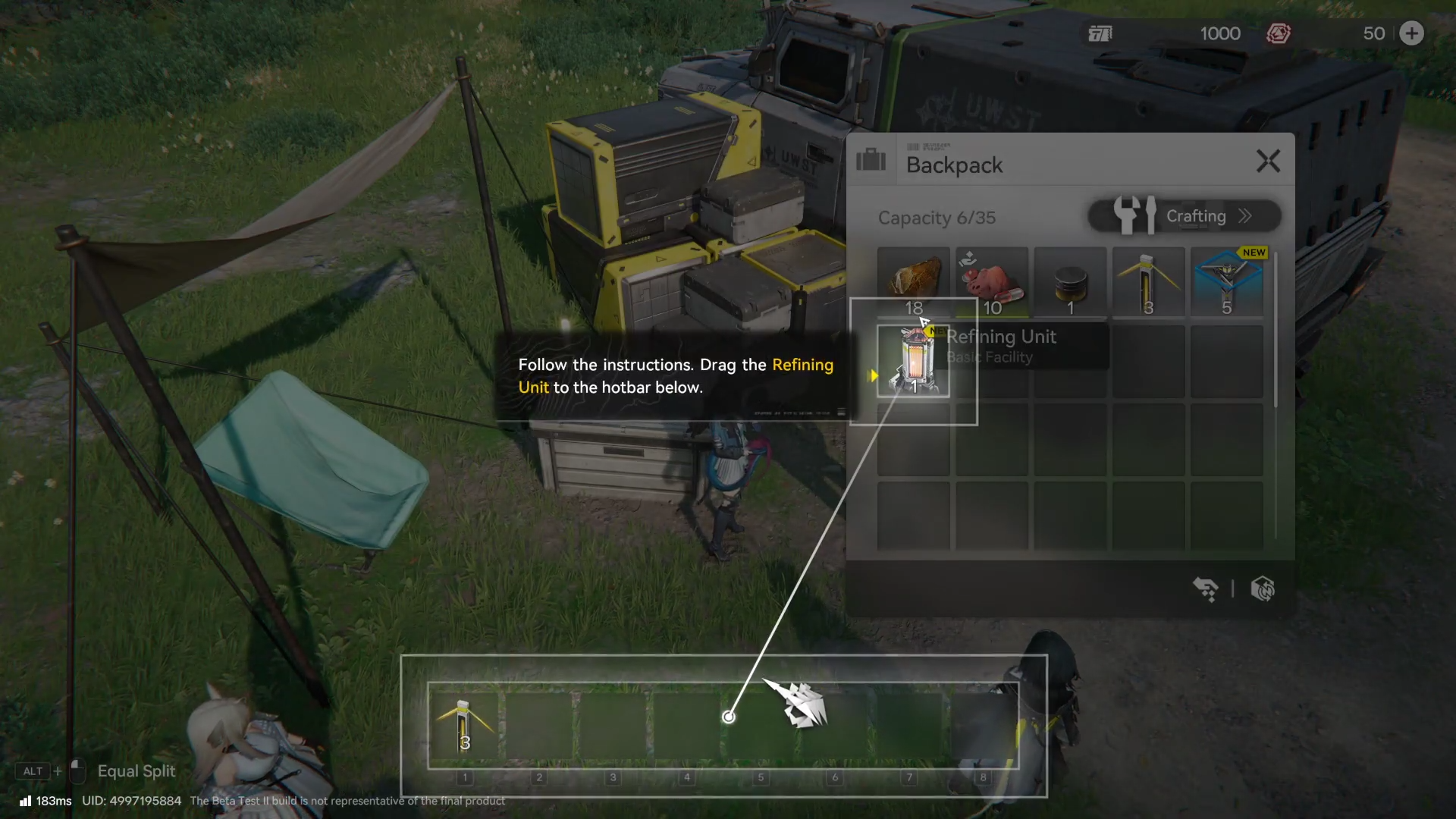
Find the Refining Unit item and drag it onto your hotbar so you can deploy it like other placeable facilities.
Step 3
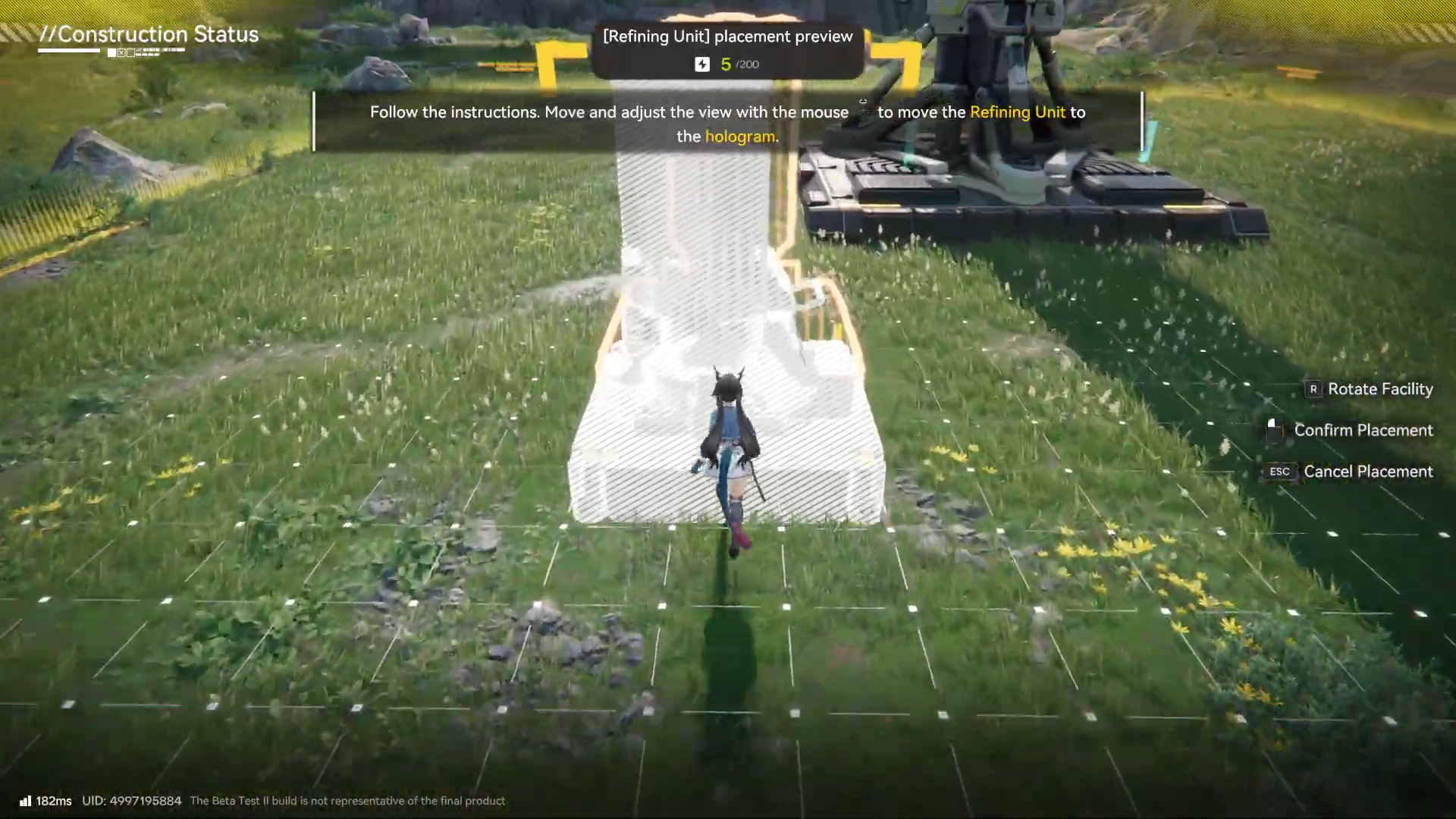
Select it from the hotbar and place it inside the projected placement area shown by the quest, which is described as being by the POC.
How to power the Refining Unit so it works
Step 1
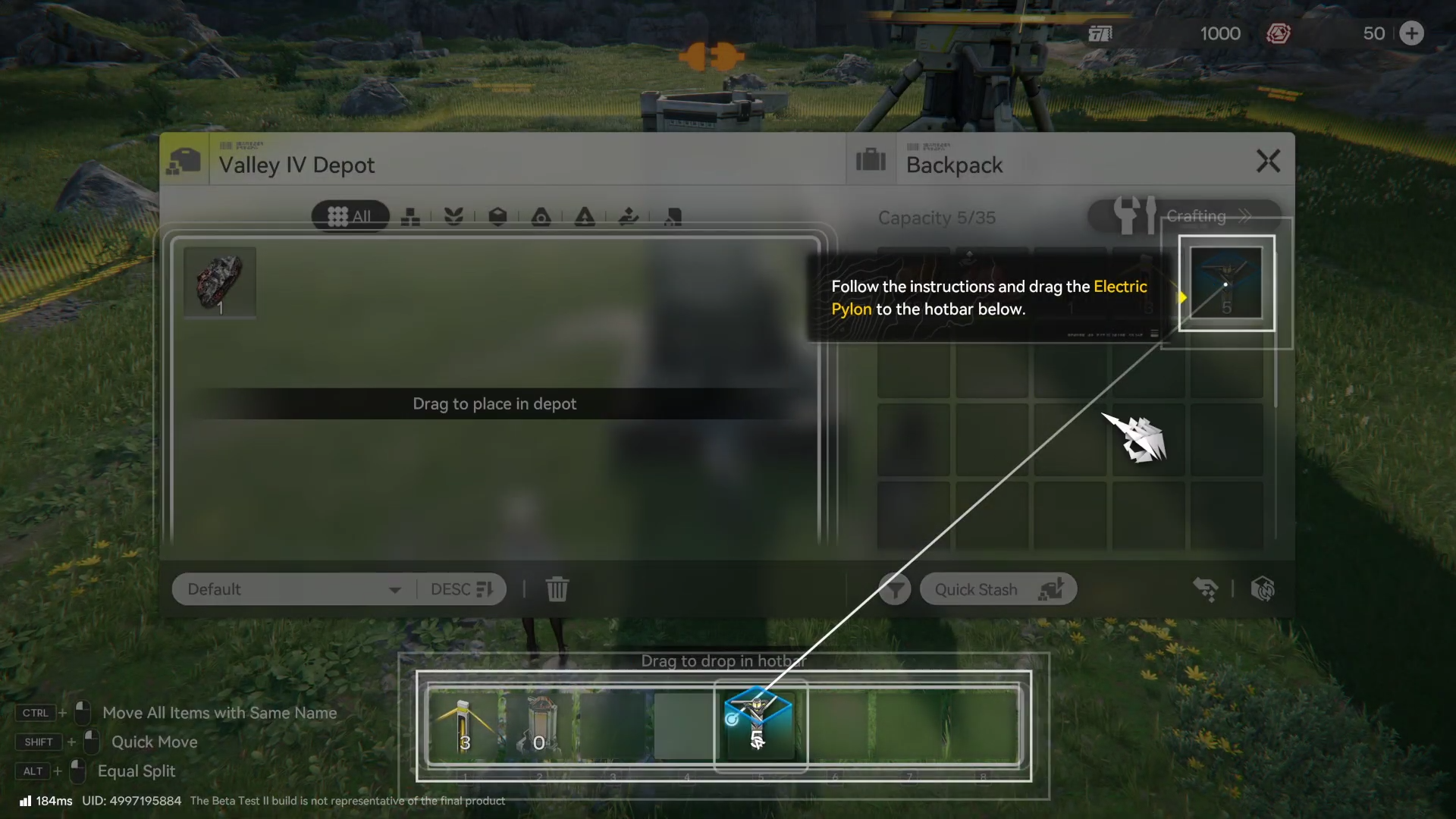
Open your Backpack again and take the Electric Pylon (it becomes available around the same time in this quest).
Step 2
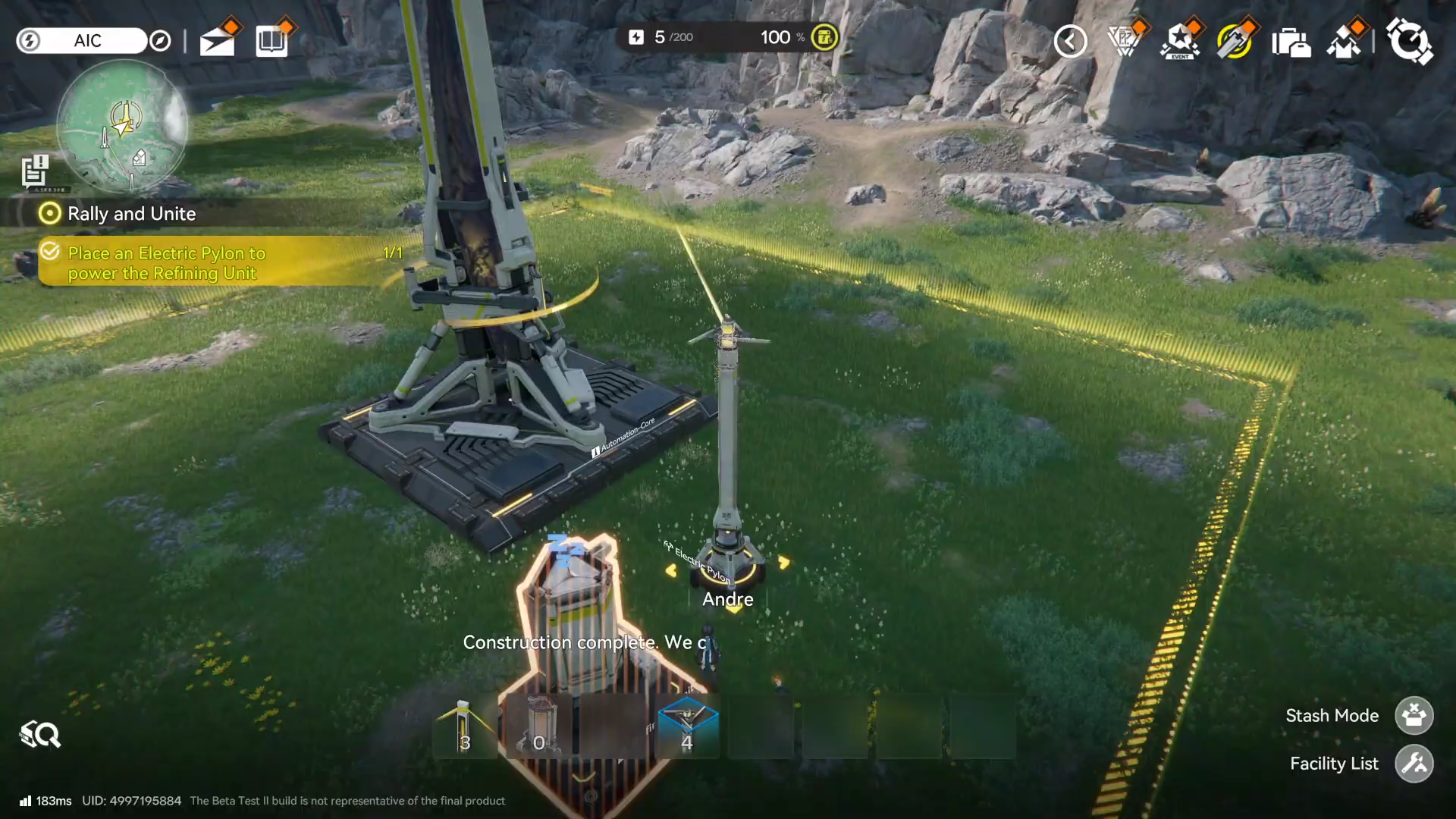
Drag the Electric Pylon to your hotbar and place it near the Refining Unit so the unit receives power.
Step 3
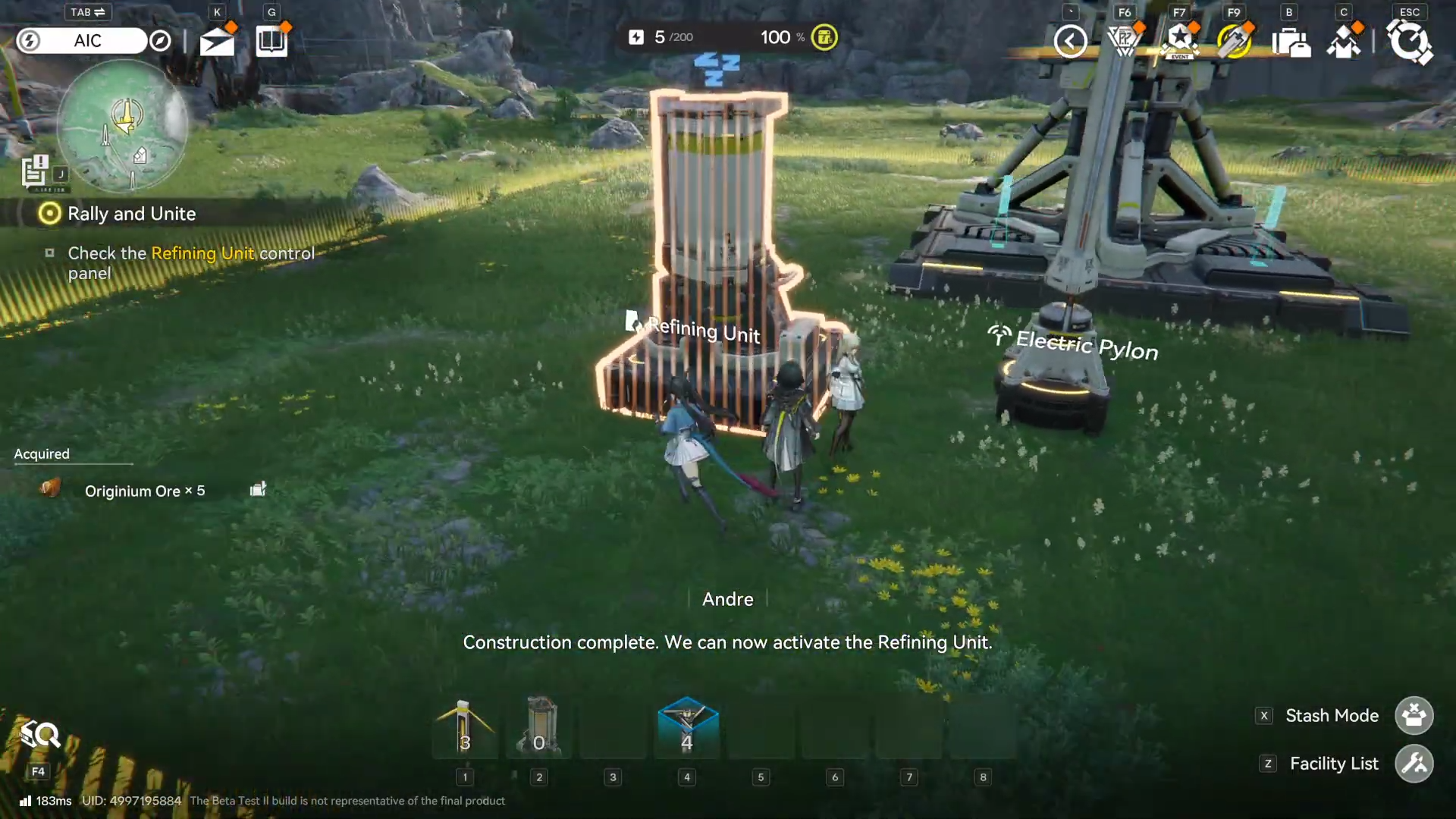
Confirm it’s powered before trying to refine materials (if it isn’t powered, it won’t proceed with processing).
How to refine Originium Ore into Origocrusts
Step 1
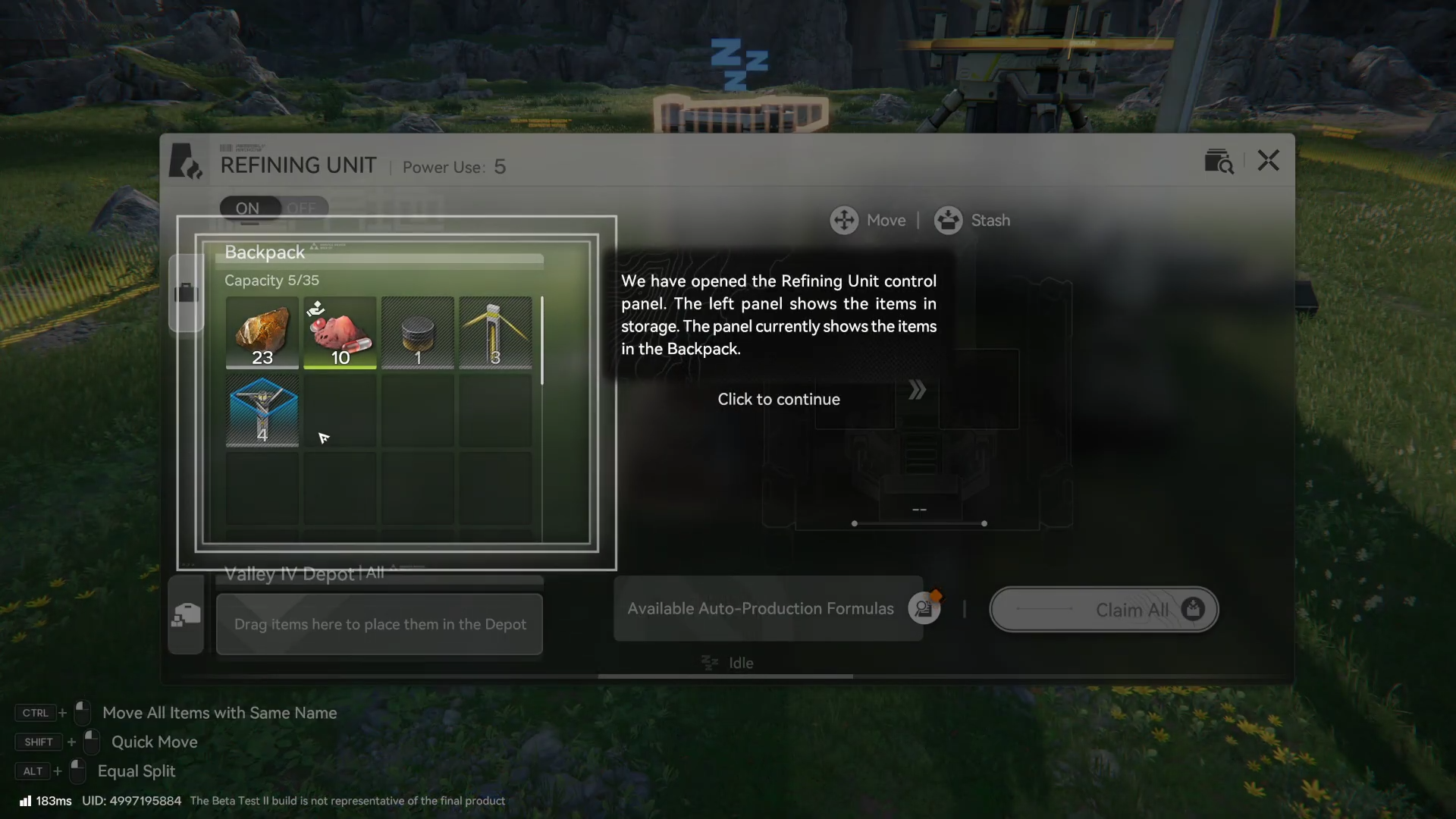
Interact with the Refining Unit to open its control panel once it’s powered.
Step 2
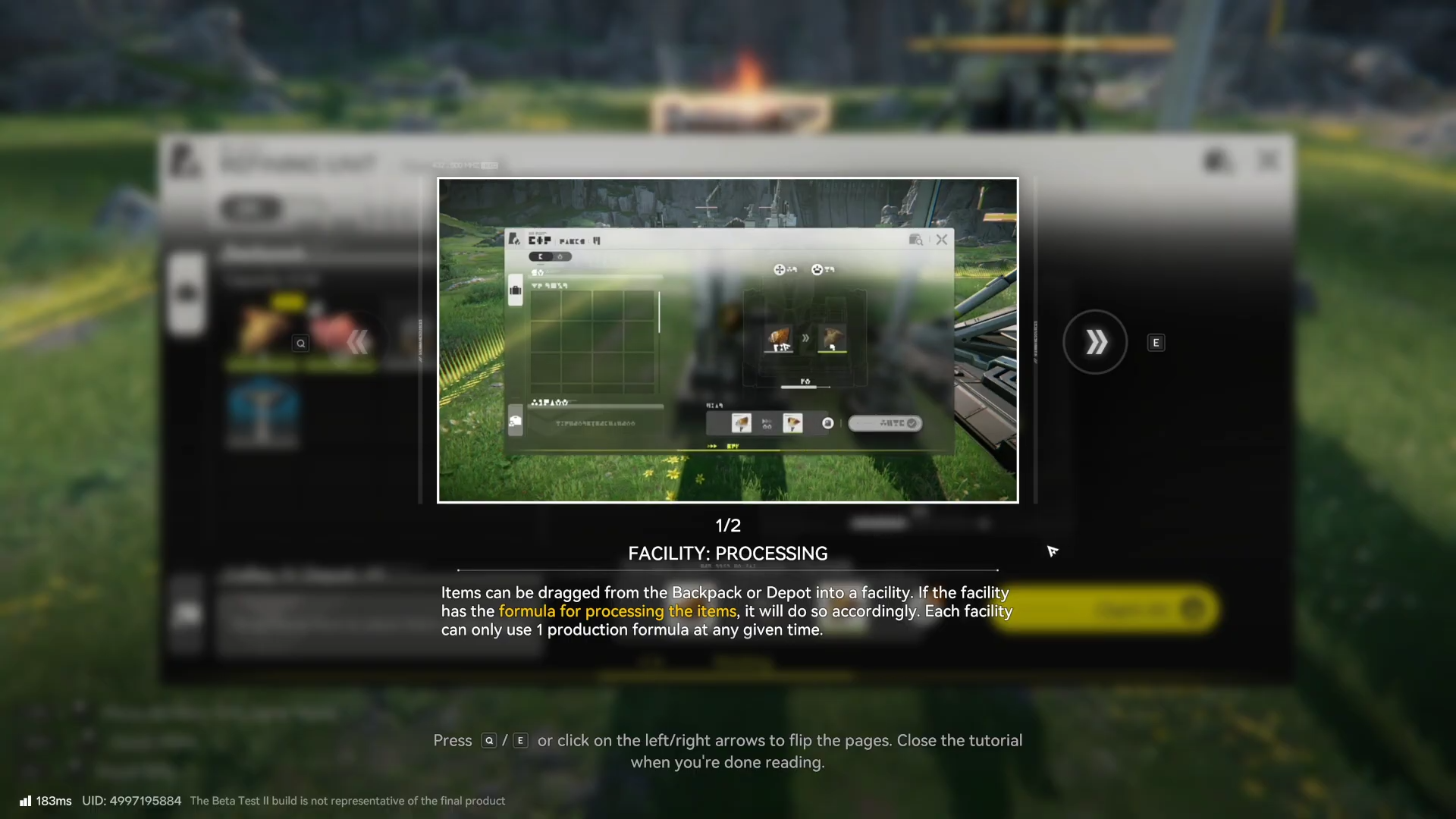
Drag your collected Originium Ore into the Refining Unit to start production of Origocrusts.
Step 3
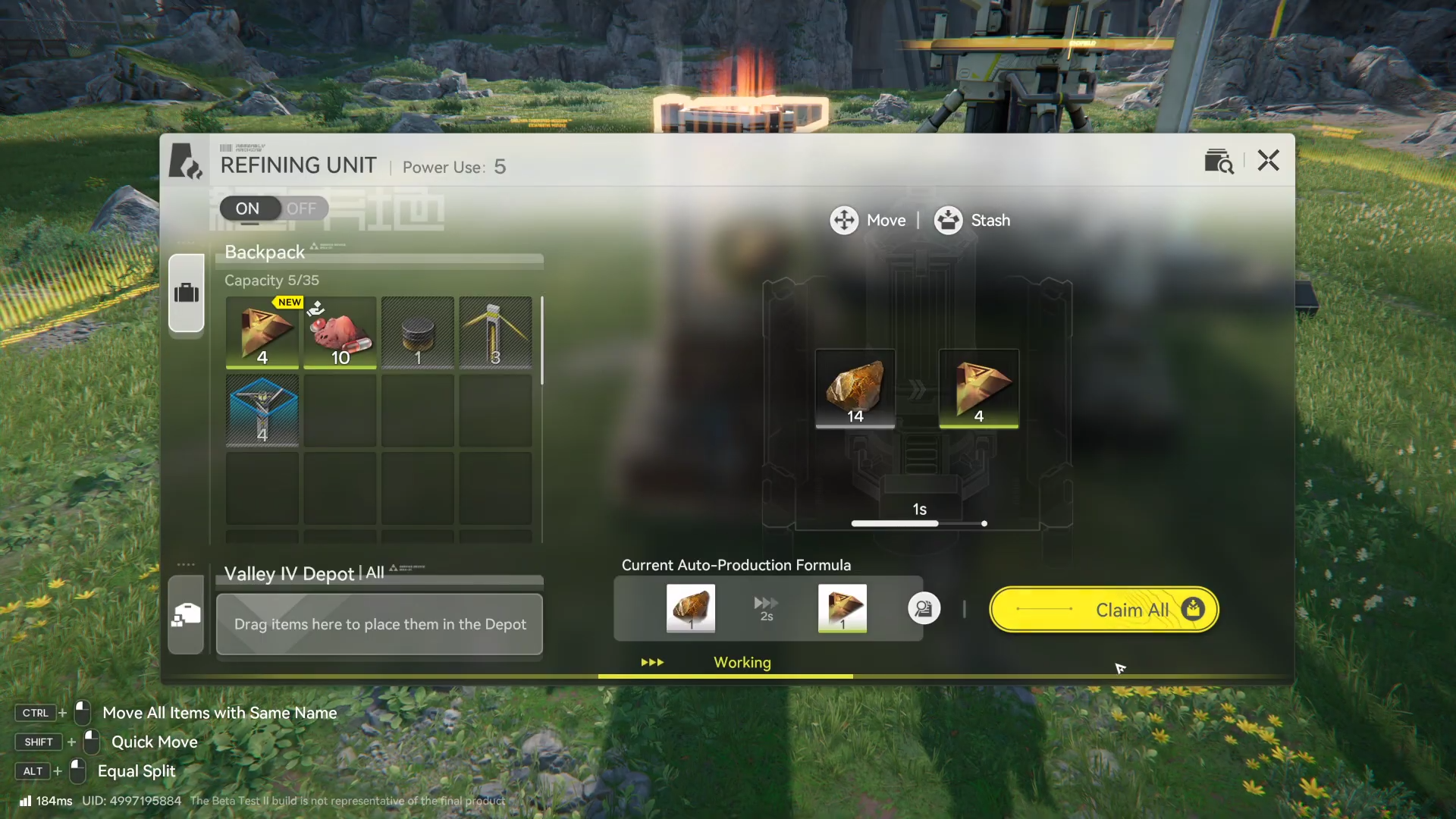
After it finishes, click Claim All to move the produced Origocrusts into your backpack for the next quest steps.
Getting past “Place a Refining Unit”
Once the Refining Unit is placed in the projected area and powered by an Electric Pylon, open the control panel, load Originium Ore, and claim Origocrusts to keep the mission moving.