What to know
- Grass blocks are crafted, not harvested directly
- You must unlock and place the Farmer’s Workbench
- Grass is found under the Decorative crafting category
- It’s mainly used for building, farming layouts, and terrain design
Hytale doesn’t let you simply pick up grass blocks from the ground like raw dirt or stone. Instead, grass is part of the game’s decorative and farming system, meaning you need the right workbench and materials to create it. This approach gives players more control over landscaping and base design.
Below is a complete guide explaining how to unlock grass, how to craft it, and all the ways it’s commonly used.
Grass in Hytale details
| Aspect | Details |
|---|---|
| Item type | Decorative block |
| Harvestable | No |
| Crafting station | Farmer’s Workbench |
| Category | Decorative |
| Primary use | Building and landscaping |
How to get grass in Hytale
Grass blocks are crafted items, and the process starts with unlocking the Farmer’s Workbench station.
How to craft the Farmer’s Workbench
Before you can make grass, you need a Farmer’s Workbench, which is an early-game station focused on agriculture and decoration.
Farmer’s Workbench recipe
| Material | Quantity |
|---|---|
| Tree Logs | 6 |
| Plant Fibers | 20 |
Tree logs are obtained by chopping down trees, while plant fibers are gathered from bushes, weeds, and low vegetation. Both materials are easy to collect near spawn areas.
Open your basic crafting menu. Craft the Farmer’s Workbench using the materials above.
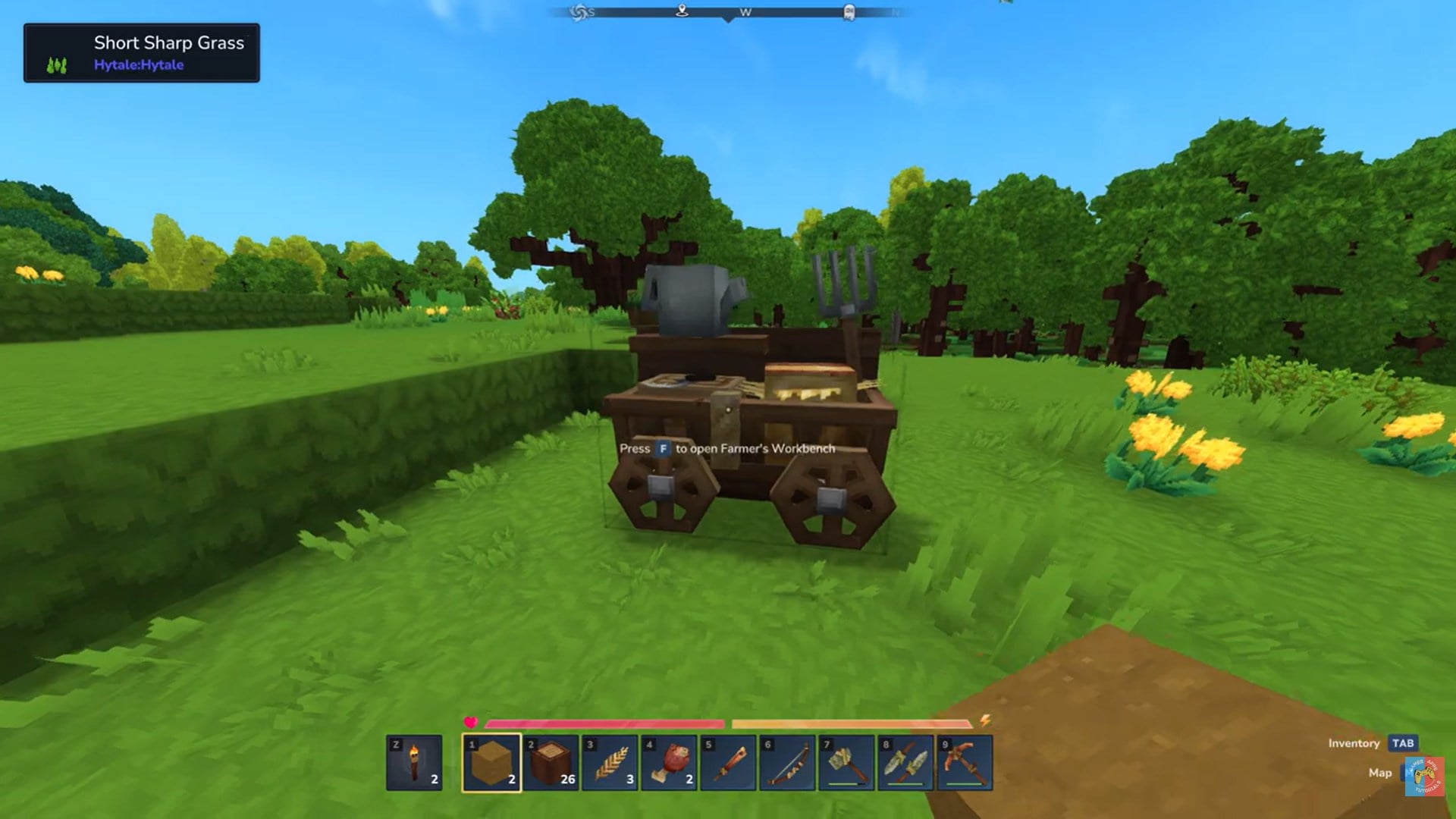
Place the workbench in your base or settlement. Once placed, you can interact with it to unlock farming and decorative recipes.
How to craft grass blocks
After placing the Farmer’s Workbench, you can craft grass blocks directly from it. Interact with the Farmer’s Workbench. Open the Decorative crafting tab.
To craft any Grass block you need 1x Any soil and 1x Plant Fibers.
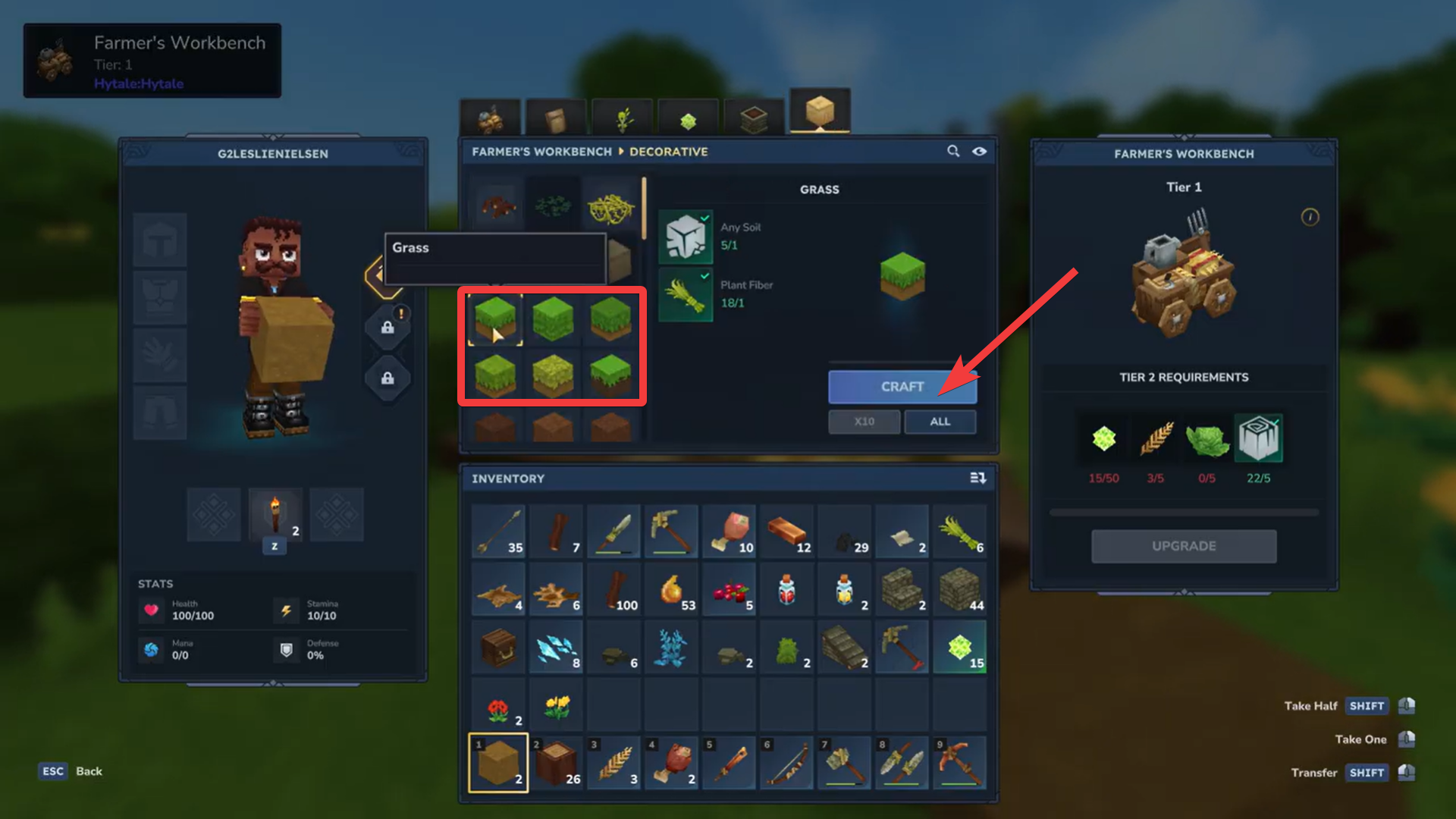
Browse the available grass variants. Select the grass block you want and craft it.
Multiple grass types may appear depending on different biome themes or progression, but all are accessed from this same menu.
Types of grass you can craft
While exact variations may expand over time, grass blocks generally include:
- Full grass
- Deep grass
- Burnt grass
- Summer grass
- Leafy soil
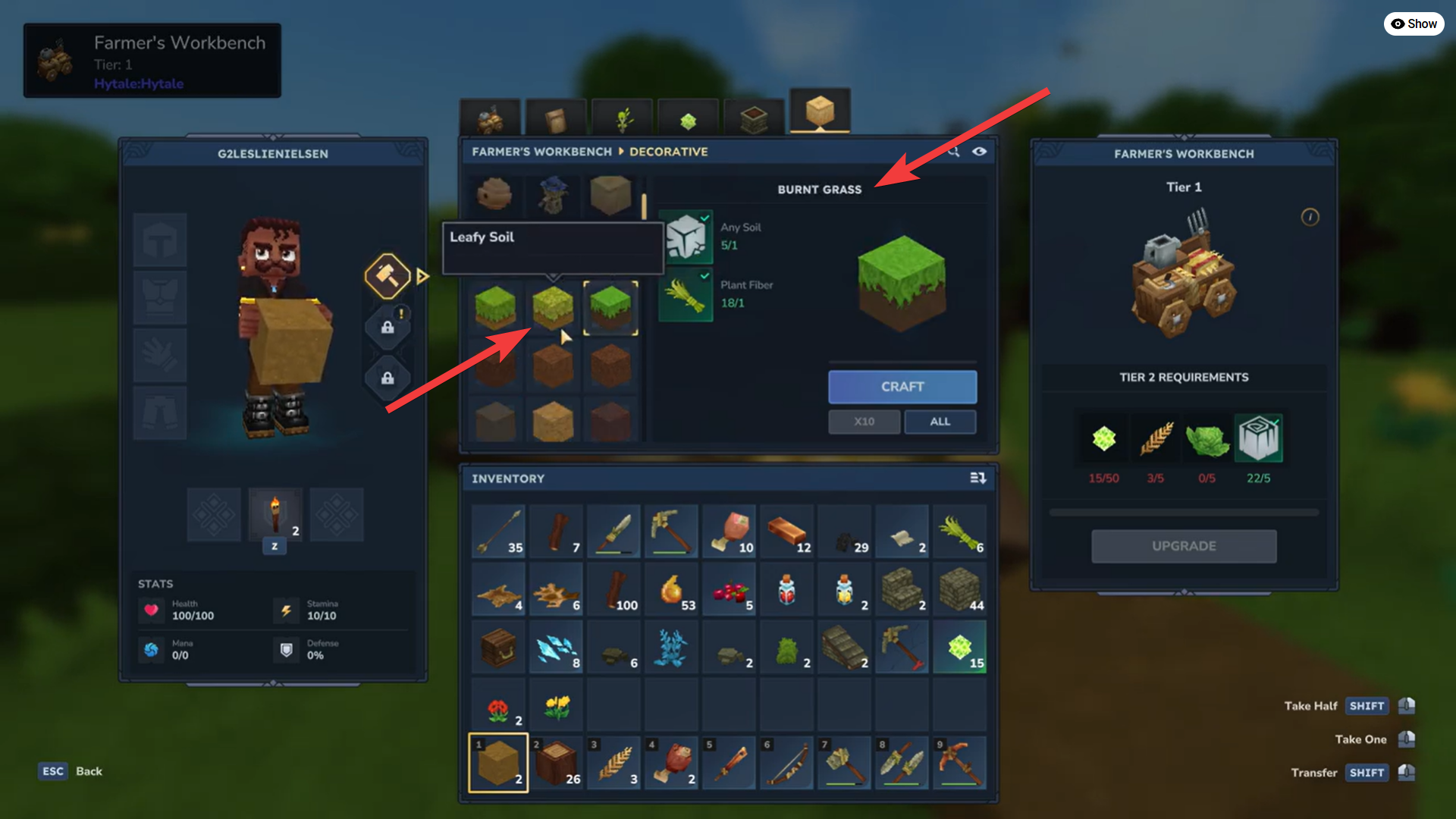
These blocks are purely decorative and are not tied to crop growth mechanics.
How grass blocks are used
Grass blocks are mainly used for building and environmental design rather than survival mechanics.
Landscaping and terrain shaping
Grass is commonly used to:
- Rebuild natural-looking terrain
- Cover dirt or stone foundations
- Smooth out player-made hills and slopes
- Repair areas damaged by mining or combat
Because grass cannot be picked up naturally, crafting it is essential for restoring landscapes.
Base building and decoration
Grass blocks help make Hytale bases feel more natural and lived-in. Players often use them to:
- Create gardens and courtyards
- Design farms and fields visually
- Blend structures into the environment
- Build parks or village centers
They are especially useful when building houses in Hytale rather than isolated survival shelters.
Farming layouts and immersion
While grass does not directly boost crop growth, it is often used to:
- Frame farmland
- Separate planted areas from paths
- Improve visual clarity of farming zones
This makes farms easier to navigate and more immersive.
Grass limitations in Hytale
It’s important to understand grass limitations:
- It does not grow crops on its own
- It does not spread naturally
- It does not convert dirt automatically
- It provides no combat or stat bonuses
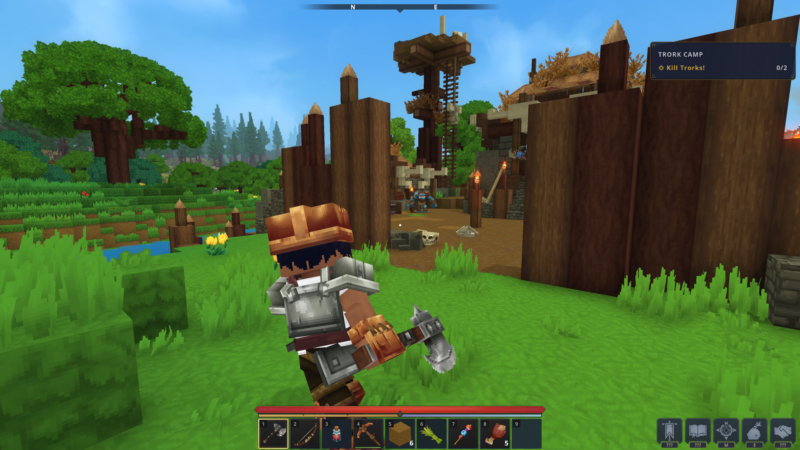
Tips for using Grass in Hytale
- Craft grass in bulk to save time
- Use it to repair terrain after mining
- Combine grass with paths, fences, and scarecrows
- Match grass types to surrounding biomes
- Avoid wasting grass on areas you’ll replace later
Because grass requires crafting effort, planning ahead prevents unnecessary resource use.
Early game, grass is mostly cosmetic. As you progress and begin building permanent bases or villages, grass becomes much more valuable for terrain control and aesthetics. Unlocking the Farmer’s Workbench early gives you long-term flexibility in shaping the world.
- Trying to harvest grass directly from the world
- Looking for grass in the basic workbench
- Ignoring the Decorative crafting tab
- Assuming grass affects farming mechanics
Understanding its role early helps avoid confusion.
Thanks for taking the time to go through this Grass crafting guide for Hytale. If it helped you understand things better, do share your thoughts, impressions, or doubts in the comments section. We keep a close watch and try to respond promptly to ensure you always get the support you need.